Ready to LaunchAn Animated PowerPoint Template
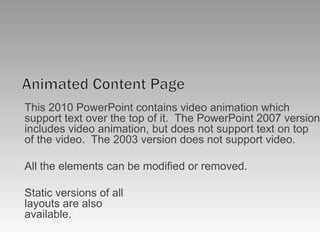
Animated Content PageThis 2010 PowerPoint contains video animation which support text over the top of it.  The PowerPoint 2007 version includes video animation, but does not support text on top of the video.  The 2003 version does not support video.All the elements can be modified or removed.Static versions of alllayouts are alsoavailable.
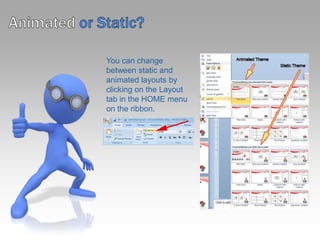
Animatedor Static?You can change between static and animated layouts by clicking on the Layout tab in the HOME menu on the ribbon.
Useful Images and Icons
Discussion Item Three – A Placeholder for text  Add a second line of text hereDiscussion Item One – A Placeholder for text  Add a second line of text hereDiscussion Item Two – A Placeholder for text  Add a second line of text hereDiscussion Item Four – A Placeholder for text  Add a second line of text hereA second line of text could go hereAgenda or Summary Layout1234
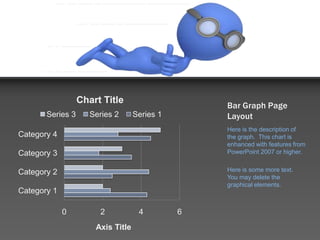
Bar Graph Page LayoutHere is the description of the graph.  This chart is enhanced with features from PowerPoint 2007 or higher.Here is some more text.  You may delete the graphical elements.
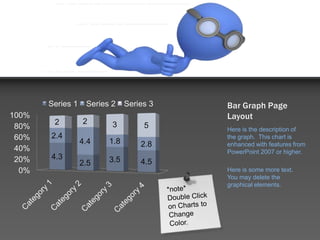
Bar Graph Page LayoutHere is the description of the graph.  This chart is enhanced with features from PowerPoint 2007 or higher.Here is some more text.  You may delete the graphical elements.*note*Double Click on Charts to Change Color.
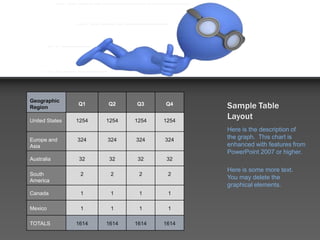
Sample Table LayoutHere is the description of the graph.  This chart is enhanced with features from PowerPoint 2007 or higher.Here is some more text.  You may delete the graphical elements.
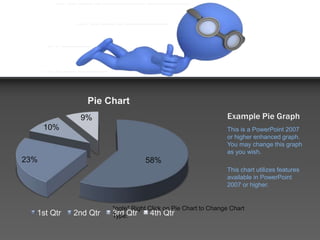
Example Pie GraphThis is a PowerPoint 2007 or higher enhanced graph.  You may change this graph as you wish.This chart utilizes features available in PowerPoint 2007 or higher.*note* Right Click on Pie Chart to Change Chart Type.
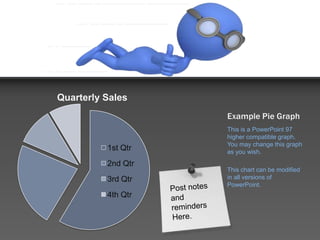
Example Pie GraphThis is a PowerPoint 97 higher compatible graph.  You may change this graph as you wish.This chart can be modified in all versions of PowerPoint.Post notes and remindersHere.
Your Sub Title HereComparison PageYour Sub Title HereThis is a place holder for item one.  Item one can be text, a picture, graph, table, etc. This is a place holder for item one.  Item one can be text, a picture, graph, table, etc.Your Sub Title HereAll the graphical elements can be moved, copied, or deleted from the slide master view.
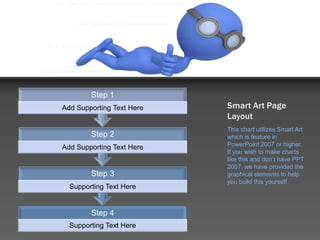
Smart Art Page LayoutThis chart utilizes Smart Art which is feature in PowerPoint 2007 or higher.  If you wish to make charts like this and don’t have PPT 2007, we have provided the graphical elements to help you build this yourself.
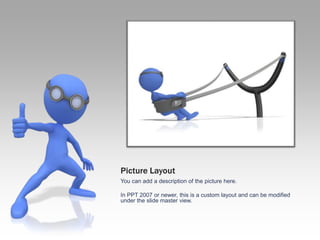
Picture LayoutYou can add a description of the picture here.In PPT 2007 or newer, this is a custom layout and can be modified under the slide master view.
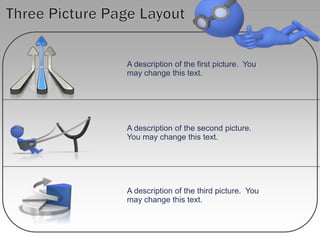
A description of the first picture.  You may change this text.A description of the second picture.You may change this text.A description of the third picture.  You may change this text.Three Picture Page Layout
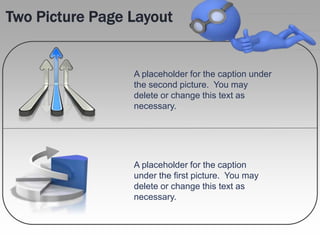
Two Picture Page LayoutA placeholder for the caption under the second picture.  You may delete or change this text as necessary.A placeholder for the caption under the first picture.  You may delete or change this text as necessary.
Questions? Comments?We are happy to help you!PresenterMedia.com4416 S. Technology DrSioux Falls, SD 57106(605) 274-2424

Ready to launch_2010

  • 1.
    Ready to LaunchAnAnimated PowerPoint Template
  • 2.
    Animated Content PageThis2010 PowerPoint contains video animation which support text over the top of it. The PowerPoint 2007 version includes video animation, but does not support text on top of the video. The 2003 version does not support video.All the elements can be modified or removed.Static versions of alllayouts are alsoavailable.
  • 3.
    Animatedor Static?You canchange between static and animated layouts by clicking on the Layout tab in the HOME menu on the ribbon.
  • 4.
  • 5.
    Discussion Item Three– A Placeholder for text Add a second line of text hereDiscussion Item One – A Placeholder for text Add a second line of text hereDiscussion Item Two – A Placeholder for text Add a second line of text hereDiscussion Item Four – A Placeholder for text Add a second line of text hereA second line of text could go hereAgenda or Summary Layout1234
  • 6.
    Bar Graph PageLayoutHere is the description of the graph. This chart is enhanced with features from PowerPoint 2007 or higher.Here is some more text. You may delete the graphical elements.
  • 7.
    Bar Graph PageLayoutHere is the description of the graph. This chart is enhanced with features from PowerPoint 2007 or higher.Here is some more text. You may delete the graphical elements.*note*Double Click on Charts to Change Color.
  • 8.
    Sample Table LayoutHereis the description of the graph. This chart is enhanced with features from PowerPoint 2007 or higher.Here is some more text. You may delete the graphical elements.
  • 9.
    Example Pie GraphThisis a PowerPoint 2007 or higher enhanced graph. You may change this graph as you wish.This chart utilizes features available in PowerPoint 2007 or higher.*note* Right Click on Pie Chart to Change Chart Type.
  • 10.
    Example Pie GraphThisis a PowerPoint 97 higher compatible graph. You may change this graph as you wish.This chart can be modified in all versions of PowerPoint.Post notes and remindersHere.
  • 11.
    Your Sub TitleHereComparison PageYour Sub Title HereThis is a place holder for item one. Item one can be text, a picture, graph, table, etc. This is a place holder for item one. Item one can be text, a picture, graph, table, etc.Your Sub Title HereAll the graphical elements can be moved, copied, or deleted from the slide master view.
  • 12.
    Smart Art PageLayoutThis chart utilizes Smart Art which is feature in PowerPoint 2007 or higher. If you wish to make charts like this and don’t have PPT 2007, we have provided the graphical elements to help you build this yourself.
  • 13.
    Smart Art PageLayoutThis chart utilizes Smart Art which is feature in PowerPoint 2007 or higher. If you wish to make charts like this and don’t have PPT 2007, we have provided the graphical elements to help you build this yourself.
  • 14.
    Picture LayoutYou canadd a description of the picture here.In PPT 2007 or newer, this is a custom layout and can be modified under the slide master view.
  • 15.
    A description ofthe first picture. You may change this text.A description of the second picture.You may change this text.A description of the third picture. You may change this text.Three Picture Page Layout
  • 16.
    Two Picture PageLayoutA placeholder for the caption under the second picture. You may delete or change this text as necessary.A placeholder for the caption under the first picture. You may delete or change this text as necessary.
  • 17.
    Questions? Comments?We arehappy to help you!PresenterMedia.com4416 S. Technology DrSioux Falls, SD 57106(605) 274-2424