Red and Orange Chart
A PowerPoint Template
Copyright 20092
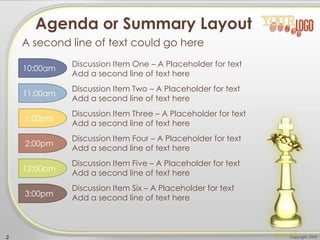
Discussion Item Three – A Placeholder for text
Add a second line of text here
Agenda or Summary Layout
A second line of text could go here
Discussion Item One – A Placeholder for text
Add a second line of text here
Discussion Item Two – A Placeholder for text
Add a second line of text here
Discussion Item Four – A Placeholder for text
Add a second line of text here
Discussion Item Five – A Placeholder for text
Add a second line of text here
Discussion Item Six – A Placeholder for text
Add a second line of text here
10:00am
11:00am
12:00pm
1:00pm
2:00pm
3:00pm
• This text is a placeholder.
• Here is the second level.
• You may change this text
• Here is the third level
• Formatting is controlled by the slide master
and the layout pages.
• There is a third level
• And even a fourth level
Add a subtitle here
Copyright 20093
Main Content Page Layout
An accent, click to
edit the text inside.
An accent, click to
edit the text inside.
COMPARISON OF ITEM ONE
• This is a place holder for item
one. Item one can be text, a
picture, graph, table, etc.
• Here is level two
• Here is level three
• Level 4
• Level 4, you may add
more text or delete this
text.
• This is a place holder for item
one. Item one can be text, a
picture, graph, table, etc.
• Here is level two
• Here is level three
COMPARISON OF ITEM TWO
4 Copyright 2009
Comparison Page Layout
A second line of text could go here
A callout,
this can be
edited or
deleted
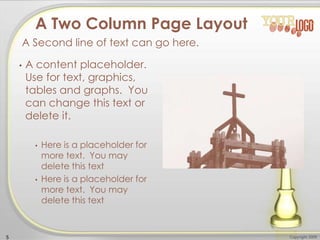
• A content placeholder.
Use for text, graphics,
tables and graphs. You
can change this text or
delete it.
• Here is a placeholder for
more text. You may
delete this text
• Here is a placeholder for
more text. You may
delete this text
5 Copyright 2009
A Two Column Page Layout
A Second line of text can go here.
Copyright 20096
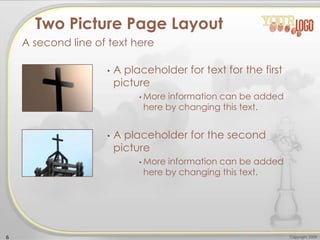
• A placeholder for text for the first
picture
• More information can be added
here by changing this text.
• A placeholder for the second
picture
• More information can be added
here by changing this text.
Two Picture Page Layout
A second line of text here
Copyright 20097
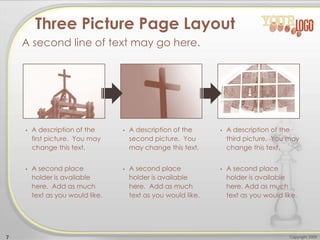
• A description of the
first picture. You may
change this text.
• A second place
holder is available
here. Add as much
text as you would like.
• A description of the
second picture. You
may change this text.
• A second place
holder is available
here. Add as much
text as you would like.
• A description of the
third picture. You may
change this text.
• A second place
holder is available
here. Add as much
text as you would like.
Three Picture Page Layout
A second line of text may go here.
Here is the description of the
table. You may change or
delete this text as you wish.
This chart is compatible with
PowerPoint 97 to 2007.
Here is a placeholder for more
text and description of the
chart. Changing this text will
not interfere with the
formatting of this template.
8 Copyright 2009
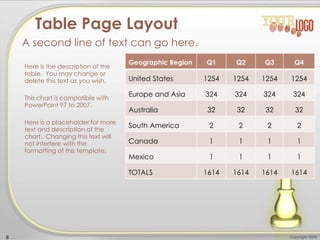
Table Page Layout
A second line of text can go here.
Geographic Region Q1 Q2 Q3 Q4
United States 1254 1254 1254 1254
Europe and Asia 324 324 324 324
Australia 32 32 32 32
South America 2 2 2 2
Canada 1 1 1 1
Mexico 1 1 1 1
TOTALS 1614 1614 1614 1614
Quarter North
America
Asia Europe Australia
Q1 2009 123 34 45 10
Q2 2009 134 35 44 12
Q3 2009 150 45 50 14
Q4 2009 201 55 60 18
Q1 2010 175 44 47 13
Q2 2010 180 48 52 14
Q3 2010 204 55 60 16
Q4 2010 250 62 70 20
Quarter North
America
Asia Europe Australia
Q1 2009 123 34 45 10
Q2 2009 134 35 44 12
Q3 2009 150 45 50 14
Q4 2009 201 55 60 18
Q1 2010 175 44 47 13
Q2 2010 180 48 52 10
Q3 2010 204 55 60 4
Q4 2010 250 62 70 1
9 Copyright 2009
Comparison Table Layout
A second line of text can go here.
Here is the description of the table. You may
change or delete this text as you wish. This
table is compatible with PowerPoint 97 to
2007.
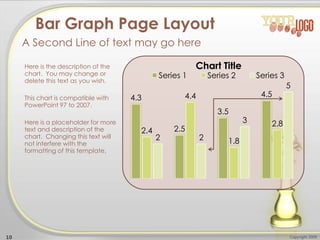
4.3
2.5
3.5
4.5
2.4
4.4
1.8
2.8
2 2
3
5
Chart Title
Series 1 Series 2 Series 3
Here is the description of the
chart. You may change or
delete this text as you wish.
This chart is compatible with
PowerPoint 97 to 2007.
Here is a placeholder for more
text and description of the
chart. Changing this text will
not interfere with the
formatting of this template.
10 Copyright 2009
Bar Graph Page Layout
A Second Line of text may go here
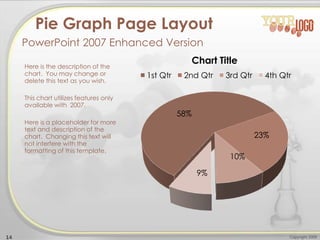
1st Qtr
58%
2nd Qtr
23%
3rd Qtr
10%
4th Qtr
9%
Chart Title
Here is the description of the
chart. You may change or
delete this text as you wish.
This chart is compatible with
PowerPoint 97 to 2007.
Here is a placeholder for more
text and description of the
chart. Changing this text will
not interfere with the
formatting of this template.
11 Copyright 2009
Pie Graph Page Layout
PowerPoint 97 through 2007 Compatible
You
can
delete
these
coins.
0
1
2
3
4
5
6
Chart Title
Series 1 Series 2 Series 3
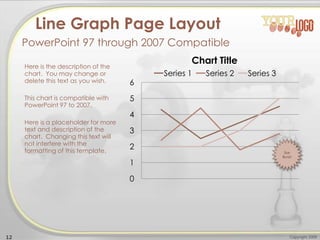
Here is the description of the
chart. You may change or
delete this text as you wish.
This chart is compatible with
PowerPoint 97 to 2007.
Here is a placeholder for more
text and description of the
chart. Changing this text will
not interfere with the
formatting of this template.
12 Copyright 2009
Line Graph Page Layout
PowerPoint 97 through 2007 Compatible
Star
Burst!
0
0.5
1
1.5
2
2.5
3
3.5
4
4.5
5
Chart Title
Series 1 Series 2 Series 3
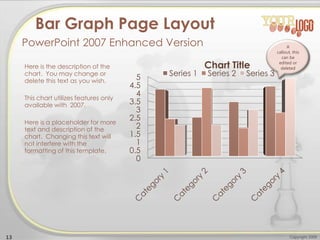
Here is the description of the
chart. You may change or
delete this text as you wish.
This chart utilizes features only
available with 2007.
Here is a placeholder for more
text and description of the
chart. Changing this text will
not interfere with the
formatting of this template.
13 Copyright 2009
Bar Graph Page Layout
PowerPoint 2007 Enhanced Version A
callout, this
can be
edited or
deleted
58%
23%
10%
9%
Chart Title
1st Qtr 2nd Qtr 3rd Qtr 4th Qtr
Here is the description of the
chart. You may change or
delete this text as you wish.
This chart utilizes features only
available with 2007.
Here is a placeholder for more
text and description of the
chart. Changing this text will
not interfere with the
formatting of this template.
14 Copyright 2009
Pie Graph Page Layout
PowerPoint 2007 Enhanced Version
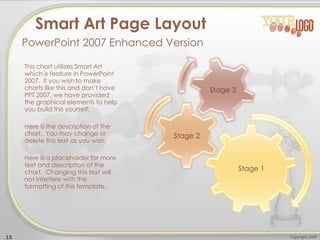
Stage 1
Stage 2
Stage 3
This chart utilizes Smart Art
which is feature in PowerPoint
2007. If you wish to make
charts like this and don’t have
PPT 2007, we have provided
the graphical elements to help
you build this yourself.
Here is the description of the
chart. You may change or
delete this text as you wish.
Here is a placeholder for more
text and description of the
chart. Changing this text will
not interfere with the
formatting of this template.
15 Copyright 2009
Smart Art Page Layout
PowerPoint 2007 Enhanced Version
This chart utilizes Smart Art
which is feature in PowerPoint
2007. If you wish to make
charts like this and don’t have
PPT 2007, we have provided
the graphical elements to help
you build this yourself.
Here is the description of the
chart. You may change or
delete this text as you wish.
Here is a placeholder for more
text and description of the
chart. Changing this text will
not interfere with the
formatting of this template.
16 Copyright 2009
Smart Art Page Layout
PowerPoint 2007 Enhanced Version
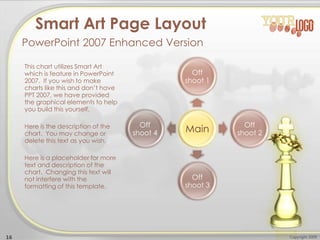
Main
Off
shoot 1
Off
shoot 2
Off
shoot 3
Off
shoot 4
This chart utilizes Smart Art
which is feature in PowerPoint
2007. If you wish to make
charts like this and don’t have
PPT 2007, we have provided
the graphical elements to help
you build this yourself.
Here is the description of the
chart. You may change or
delete this text as you wish.
17 Copyright 2009
Smart Art Page Layout
PowerPoint 2007 Enhanced Version
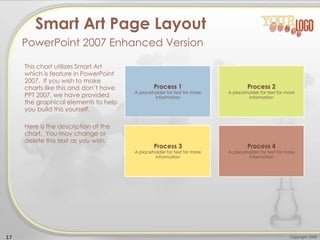
Process 1
A placeholder for text for more
information
Process 2
A placeholder for text for more
information
Process 3
A placeholder for text for more
information
Process 4
A placeholder for text for more
information
Picture Page Layout
Here is a place holder for the text. The coins on
this page can be removed. You may delete this
text.
18 Copyright 2009
19 Copyright 2009
Questions? Need More Information?
Feel free to contact us.

el es rey fondo de powerpoint

  • 1.
    Red and OrangeChart A PowerPoint Template
  • 2.
    Copyright 20092 Discussion ItemThree – A Placeholder for text Add a second line of text here Agenda or Summary Layout A second line of text could go here Discussion Item One – A Placeholder for text Add a second line of text here Discussion Item Two – A Placeholder for text Add a second line of text here Discussion Item Four – A Placeholder for text Add a second line of text here Discussion Item Five – A Placeholder for text Add a second line of text here Discussion Item Six – A Placeholder for text Add a second line of text here 10:00am 11:00am 12:00pm 1:00pm 2:00pm 3:00pm
  • 3.
    • This textis a placeholder. • Here is the second level. • You may change this text • Here is the third level • Formatting is controlled by the slide master and the layout pages. • There is a third level • And even a fourth level Add a subtitle here Copyright 20093 Main Content Page Layout An accent, click to edit the text inside. An accent, click to edit the text inside.
  • 4.
    COMPARISON OF ITEMONE • This is a place holder for item one. Item one can be text, a picture, graph, table, etc. • Here is level two • Here is level three • Level 4 • Level 4, you may add more text or delete this text. • This is a place holder for item one. Item one can be text, a picture, graph, table, etc. • Here is level two • Here is level three COMPARISON OF ITEM TWO 4 Copyright 2009 Comparison Page Layout A second line of text could go here A callout, this can be edited or deleted
  • 5.
    • A contentplaceholder. Use for text, graphics, tables and graphs. You can change this text or delete it. • Here is a placeholder for more text. You may delete this text • Here is a placeholder for more text. You may delete this text 5 Copyright 2009 A Two Column Page Layout A Second line of text can go here.
  • 6.
    Copyright 20096 • Aplaceholder for text for the first picture • More information can be added here by changing this text. • A placeholder for the second picture • More information can be added here by changing this text. Two Picture Page Layout A second line of text here
  • 7.
    Copyright 20097 • Adescription of the first picture. You may change this text. • A second place holder is available here. Add as much text as you would like. • A description of the second picture. You may change this text. • A second place holder is available here. Add as much text as you would like. • A description of the third picture. You may change this text. • A second place holder is available here. Add as much text as you would like. Three Picture Page Layout A second line of text may go here.
  • 8.
    Here is thedescription of the table. You may change or delete this text as you wish. This chart is compatible with PowerPoint 97 to 2007. Here is a placeholder for more text and description of the chart. Changing this text will not interfere with the formatting of this template. 8 Copyright 2009 Table Page Layout A second line of text can go here. Geographic Region Q1 Q2 Q3 Q4 United States 1254 1254 1254 1254 Europe and Asia 324 324 324 324 Australia 32 32 32 32 South America 2 2 2 2 Canada 1 1 1 1 Mexico 1 1 1 1 TOTALS 1614 1614 1614 1614
  • 9.
    Quarter North America Asia EuropeAustralia Q1 2009 123 34 45 10 Q2 2009 134 35 44 12 Q3 2009 150 45 50 14 Q4 2009 201 55 60 18 Q1 2010 175 44 47 13 Q2 2010 180 48 52 14 Q3 2010 204 55 60 16 Q4 2010 250 62 70 20 Quarter North America Asia Europe Australia Q1 2009 123 34 45 10 Q2 2009 134 35 44 12 Q3 2009 150 45 50 14 Q4 2009 201 55 60 18 Q1 2010 175 44 47 13 Q2 2010 180 48 52 10 Q3 2010 204 55 60 4 Q4 2010 250 62 70 1 9 Copyright 2009 Comparison Table Layout A second line of text can go here. Here is the description of the table. You may change or delete this text as you wish. This table is compatible with PowerPoint 97 to 2007.
  • 10.
    4.3 2.5 3.5 4.5 2.4 4.4 1.8 2.8 2 2 3 5 Chart Title Series1 Series 2 Series 3 Here is the description of the chart. You may change or delete this text as you wish. This chart is compatible with PowerPoint 97 to 2007. Here is a placeholder for more text and description of the chart. Changing this text will not interfere with the formatting of this template. 10 Copyright 2009 Bar Graph Page Layout A Second Line of text may go here
  • 11.
    1st Qtr 58% 2nd Qtr 23% 3rdQtr 10% 4th Qtr 9% Chart Title Here is the description of the chart. You may change or delete this text as you wish. This chart is compatible with PowerPoint 97 to 2007. Here is a placeholder for more text and description of the chart. Changing this text will not interfere with the formatting of this template. 11 Copyright 2009 Pie Graph Page Layout PowerPoint 97 through 2007 Compatible You can delete these coins.
  • 12.
    0 1 2 3 4 5 6 Chart Title Series 1Series 2 Series 3 Here is the description of the chart. You may change or delete this text as you wish. This chart is compatible with PowerPoint 97 to 2007. Here is a placeholder for more text and description of the chart. Changing this text will not interfere with the formatting of this template. 12 Copyright 2009 Line Graph Page Layout PowerPoint 97 through 2007 Compatible Star Burst!
  • 13.
    0 0.5 1 1.5 2 2.5 3 3.5 4 4.5 5 Chart Title Series 1Series 2 Series 3 Here is the description of the chart. You may change or delete this text as you wish. This chart utilizes features only available with 2007. Here is a placeholder for more text and description of the chart. Changing this text will not interfere with the formatting of this template. 13 Copyright 2009 Bar Graph Page Layout PowerPoint 2007 Enhanced Version A callout, this can be edited or deleted
  • 14.
    58% 23% 10% 9% Chart Title 1st Qtr2nd Qtr 3rd Qtr 4th Qtr Here is the description of the chart. You may change or delete this text as you wish. This chart utilizes features only available with 2007. Here is a placeholder for more text and description of the chart. Changing this text will not interfere with the formatting of this template. 14 Copyright 2009 Pie Graph Page Layout PowerPoint 2007 Enhanced Version
  • 15.
    Stage 1 Stage 2 Stage3 This chart utilizes Smart Art which is feature in PowerPoint 2007. If you wish to make charts like this and don’t have PPT 2007, we have provided the graphical elements to help you build this yourself. Here is the description of the chart. You may change or delete this text as you wish. Here is a placeholder for more text and description of the chart. Changing this text will not interfere with the formatting of this template. 15 Copyright 2009 Smart Art Page Layout PowerPoint 2007 Enhanced Version
  • 16.
    This chart utilizesSmart Art which is feature in PowerPoint 2007. If you wish to make charts like this and don’t have PPT 2007, we have provided the graphical elements to help you build this yourself. Here is the description of the chart. You may change or delete this text as you wish. Here is a placeholder for more text and description of the chart. Changing this text will not interfere with the formatting of this template. 16 Copyright 2009 Smart Art Page Layout PowerPoint 2007 Enhanced Version Main Off shoot 1 Off shoot 2 Off shoot 3 Off shoot 4
  • 17.
    This chart utilizesSmart Art which is feature in PowerPoint 2007. If you wish to make charts like this and don’t have PPT 2007, we have provided the graphical elements to help you build this yourself. Here is the description of the chart. You may change or delete this text as you wish. 17 Copyright 2009 Smart Art Page Layout PowerPoint 2007 Enhanced Version Process 1 A placeholder for text for more information Process 2 A placeholder for text for more information Process 3 A placeholder for text for more information Process 4 A placeholder for text for more information
  • 18.
    Picture Page Layout Hereis a place holder for the text. The coins on this page can be removed. You may delete this text. 18 Copyright 2009
  • 19.
    19 Copyright 2009 Questions?Need More Information? Feel free to contact us.