Introduction to React
A Powerful JavaScript Library for
Building User Interfaces
What is React?
• ⚡ React is a JavaScript library for building fast
and interactive user interfaces.
• ✔ Developed by Facebook
• ✔ Component-based architecture
• ✔ Efficient Virtual DOM
• ✔ Declarative programming style
Key Features of React
• 🎯 Component-based structure
• 🌍 Virtual DOM for optimized rendering
• 🔧 Reusable components
• 🚀 Fast performance and scalability
React vs. Other Frameworks
• 📌 React vs. Angular vs. Vue
• ✔ Lightweight compared to Angular
• ✔ Easier learning curve than Angular
• ✔ More flexibility compared to Vue
How React Works
• 🛠 React updates the Virtual DOM efficiently
• 📦 Components manage their own state
• 🔄 One-way data binding for predictable
updates
Getting Started with React
• Install Node.js
1 ️
1️⃣
• Create a React app: npx create-react-app
2️⃣
my-app
• Navigate to the project: cd my-app
3 ️
3️⃣
• Start the development server: npm start
4️⃣
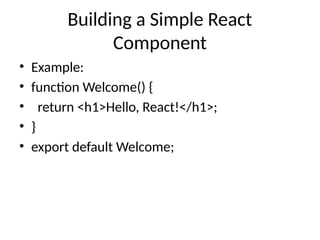
Building a Simple React
Component
• Example:
• function Welcome() {
• return <h1>Hello, React!</h1>;
• }
• export default Welcome;
Conclusion & Next Steps
• 🎯 React simplifies UI development.
• 🚀 Start building components!
• 📚 Explore React Hooks and state
management.
React_Introwvq2t2e2ewqtwtq31tef12duction.pptx

  • 1.
    Introduction to React APowerful JavaScript Library for Building User Interfaces
  • 2.
    What is React? •⚡ React is a JavaScript library for building fast and interactive user interfaces. • ✔ Developed by Facebook • ✔ Component-based architecture • ✔ Efficient Virtual DOM • ✔ Declarative programming style
  • 3.
    Key Features ofReact • 🎯 Component-based structure • 🌍 Virtual DOM for optimized rendering • 🔧 Reusable components • 🚀 Fast performance and scalability
  • 4.
    React vs. OtherFrameworks • 📌 React vs. Angular vs. Vue • ✔ Lightweight compared to Angular • ✔ Easier learning curve than Angular • ✔ More flexibility compared to Vue
  • 5.
    How React Works •🛠 React updates the Virtual DOM efficiently • 📦 Components manage their own state • 🔄 One-way data binding for predictable updates
  • 6.
    Getting Started withReact • Install Node.js 1 ️ 1️⃣ • Create a React app: npx create-react-app 2️⃣ my-app • Navigate to the project: cd my-app 3 ️ 3️⃣ • Start the development server: npm start 4️⃣
  • 7.
    Building a SimpleReact Component • Example: • function Welcome() { • return <h1>Hello, React!</h1>; • } • export default Welcome;
  • 8.
    Conclusion & NextSteps • 🎯 React simplifies UI development. • 🚀 Start building components! • 📚 Explore React Hooks and state management.