Provide a common understanding of basic two-way radio
knowledge and guidelines to enhance overall
communication for Multicare Auburn Medical Center
personnel during emergency situations
General radio communication
Anatomy of a radio
Programming the radio
Communicating effectively
Protecting patients
Saving lives
• Power “ON and “OFF”
• Different styles
• -Push button
• -Control knob
• Turn off when changing
batteries
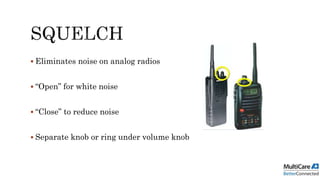
 Eliminates noise on analog radios
 “Open” for white noise
 “Close” to reduce noise
 Separate knob or ring under volume knob
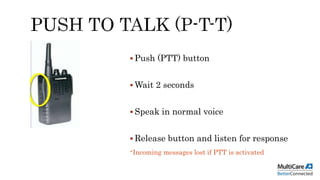
 Push (PTT) button
 Wait 2 seconds
 Speak in normal voice
 Release button and listen for response
-Incoming messages lost if PTT is activated
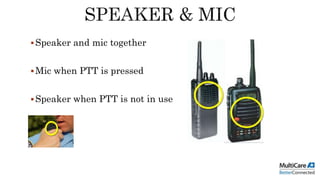
Speaker and mic together
Mic when PTT is pressed
Speaker when PTT is not in use
• Ensure antenna is
tight
• Hold vertical for best
reception
• Do not hold handle as
it will hinder
communication
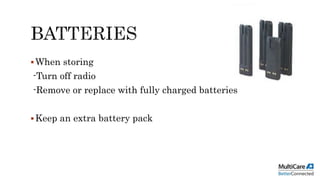
When storing
-Turn off radio
-Remove or replace with fully charged batteries
Keep an extra battery pack
UHF
Ultra-high Frequency
450 MHz to 470 MHz
VHF
Very-high Frequency
150 MHz 170 MHz
 Push Button
 Dial Control
 Automatic Scanning
Channel/Mode
Selector Knob
• One frequency at a
time
• Must be on the same
channel
• Special use
frequency
Channel Mode
Select Knob
Channel Mode
Name
General radio communication
Anatomy of a radio
Programming the radio

Radio comunication 101