PHP Data Objects
  Layer (PDO)
    Ilia Alshanetsky
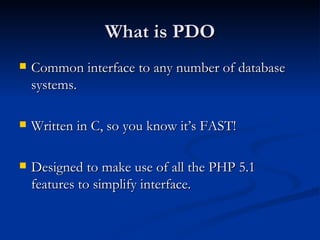
What is PDO
   Common interface to any number of database
    systems.

   Written in C, so you know it’s FAST!

   Designed to make use of all the PHP 5.1
    features to simplify interface.
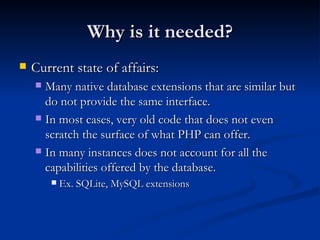
Why is it needed?
   Current state of affairs:
     Many native database extensions that are similar but
      do not provide the same interface.
     In most cases, very old code that does not even
      scratch the surface of what PHP can offer.
     In many instances does not account for all the
      capabilities offered by the database.
           Ex. SQLite, MySQL extensions
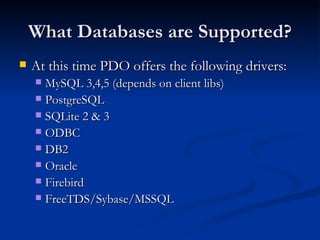
What Databases are Supported?
   At this time PDO offers the following drivers:
     MySQL 3,4,5 (depends on client libs)
     PostgreSQL
     SQLite 2 & 3
     ODBC
     DB2
     Oracle
     Firebird
     FreeTDS/Sybase/MSSQL
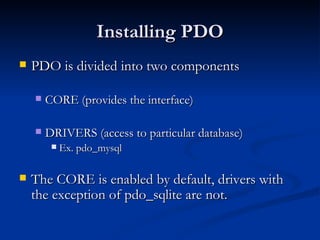
Installing PDO
   PDO is divided into two components

       CORE (provides the interface)

       DRIVERS (access to particular database)
            Ex. pdo_mysql

   The CORE is enabled by default, drivers with
    the exception of pdo_sqlite are not.
Actual Install Steps
   PECL Way
     pecl install pdo_[driver_name]
     Update php.ini and add
      extension=pdo_[driver_name].so (or .dll on win32)

   Built into PHP
       ./configure –with-pdo-[driver_name]

   For Win32 dlls for each driver are available.
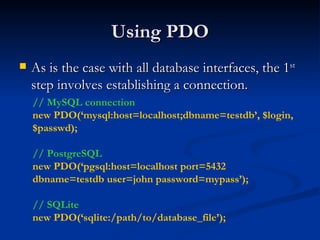
Using PDO
   As is the case with all database interfaces, the 1st
    step involves establishing a connection.
    // MySQL connection
    new PDO(‘mysql:host=localhost;dbname=testdb’, $login,
    $passwd);

    // PostgreSQL
    new PDO(‘pgsql:host=localhost port=5432
    dbname=testdb user=john password=mypass’);

    // SQLite
    new PDO(‘sqlite:/path/to/database_file’);
What if the Connection Fails?
   As is the case with most native PHP objects,
    instantiation failure lead to an exception being
    thrown.
    try {
         $db = new PDO(…);
    } catch (PDOException $e) {
         echo $e->getMessage();
    }
Persistent Connections
   Connecting to complex databases like Oracle is a
    slow process, it would be nice to re-use a
    previously opened connection.
    $opt = array(PDO::ATTR_PERSISTENT => TRUE) ;
    try {
          $db = new PDO(“dsn”, $l, $p, $opt);
    } catch (PDOException $e) {
          echo $e->getMessage();
    }
DSN INI Tricks
   The DSN string can be an INI setting and you
    can “name” as many DSNs are you like.

    ini_set(“pdo.dsn.ilia”, “sqlite::memory”);
    try {
          $db = new PDO(“ilia”);
    } catch (PDOException $e) {
          echo $e->getMessage();
    }
Let’s Run Some Queries
   Query execution in PDO can be done in two
    ways

       Prepared Statements (recommended for speed &
        security)

       Direct Execution
Direct Query Execution
   Queries that modify information need to be run
    via exec() method.
    $db = new PDO(“DSN”);

    $db->exec(“INSERT INTO foo (id)
    VALUES(‘bar’)”);

    $db->exec(“UPDATE foo SET id=‘bar’”);
   The return value is the number of rows affected
    by the operation or FALSE on error.
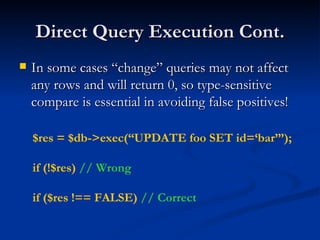
Direct Query Execution Cont.
   In some cases “change” queries may not affect
    any rows and will return 0, so type-sensitive
    compare is essential in avoiding false positives!

    $res = $db->exec(“UPDATE foo SET id=‘bar’”);

    if (!$res) // Wrong

    if ($res !== FALSE) // Correct
Retrieving Error Information
   PDO Provides 2 methods of getting error
    information:
       errorCode() – SQLSTATE error code
            Ex. 42000 == Syntax Error
       errorInfo() – Detailed error information
            Ex. array(
              [0] => 42000,
              [1] => 1064
              [2] => You have an error in your SQL syntax; …
         )
Better Error Handling
   It stands to reason that being an OO extension
    PDO would allow error handling via
    Exceptions.
    $db->setAttribute(
         PDO::ATTR_ERRMODE,
         PDO::ERRMODE_EXCEPTION
    );

   Now any query failure will throw an Exception.
Direct Execution Cont.
   When executing queries that retrieve
    information the query() method needs to be
    used.

    $res = $db->query(“SELECT * FROM foo”);
    // $res == PDOStatement Object

   On error FALSE is returned
Fetch Query Results
   Perhaps one of the biggest features of PDO is its
    flexibility when it comes to how data is to be fetched.
       Array (Numeric or Associated Indexes)
       Strings (for single column result sets)
       Objects (stdClass, object of given class or into an existing
        object)
       Callback function
       Lazy fetching
       Iterators
       And more!
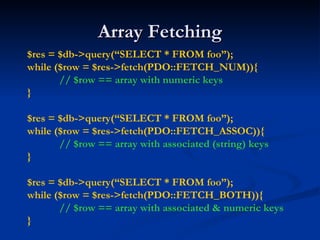
Array Fetching
$res = $db->query(“SELECT * FROM foo”);
while ($row = $res->fetch(PDO::FETCH_NUM)){
       // $row == array with numeric keys
}

$res = $db->query(“SELECT * FROM foo”);
while ($row = $res->fetch(PDO::FETCH_ASSOC)){
       // $row == array with associated (string) keys
}

$res = $db->query(“SELECT * FROM foo”);
while ($row = $res->fetch(PDO::FETCH_BOTH)){
       // $row == array with associated & numeric keys
}
Fetch as String
   Many applications need to fetch data contained
    within just a single column.

    $u = $db->query(“SELECT users WHERE
    login=‘login’ AND password=‘password’”);

    // fetch(PDO::FETCH_COLUMN)
    if ($u->fetchColumn()) { // returns a string
           // login OK
    } else { /* authentication failure */ }
Fetch as Standard Object
   You can fetch a row as an instance of stdClass
    where column name == property name.


    $res = $db->query(“SELECT * FROM foo”);

    while ($obj = $res->fetch(PDO::FETCH_OBJ)) {
          // $obj == instance of stdClass
    }
Fetch Into a Class
   PDO allows the result to be fetched into a class
    type of your choice.
    $res = $db->query(“SELECT * FROM foo”);
    $res->setFetchMode(
          PDO::FETCH_CLASS,
          “className”,
          array(‘optional’=‘Constructor Params’)
    );
    while ($obj = $res->fetch()) {
          // $obj == instance of className
    }
Fetch Into a Class Cont.
   PDO allows the query result to be used to
    determine the destination class.
    $res = $db->query(“SELECT * FROM foo”);
    $res->setFetchMode(
          PDO::FETCH_CLASS |
          PDO::FETCH_CLASSTYPE
    );
    while ($obj = $res->fetch()) {
          // $obj == instance of class who’s name is
          // found in the value of the 1st column
    }
Fetch Into an Object
   PDO even allows retrieval of data into an
    existing object.
    $u = new userObject;

    $res = $db->query(“SELECT * FROM users”);
    $res->setFetchMode(PDO::FETCH_INTO, $u);

    while ($res->fetch()) {
          // will re-populate $u with row values
    }
Result Iteration
   PDOStatement implements Iterator interface,
    which allows for a method-less result iteration.
    $res = $db->query(
          “SELECT * FROM users”,
    PDO::FETCH_ASSOC
    );
    foreach ($res as $row) {
          // $row == associated array representing
          // the row’s values.
    }
Lazy Fetching
   Lazy fetches returns a result in a form object,
    but holds of populating properties until they are
    actually used.
    $res = $db->query(
          “SELECT * FROM users”,
    PDO::FETCH_LAZY
    );
    foreach ($res as $row) {
       echo $row[‘name’]; // only fetch name column
    }
fetchAll()
   The fetchAll() allows retrieval of all results from
    a query right away. (handy for templates)
    $qry = “SELECT * FROM users”;
    $res = $db->query($qry)->fetchAll(
                PDO::FETCH_ASSOC
    );
    // $res == array of all result rows, where each row
    // is an associated array.
   Can be quite memory intensive for large results
    sets!
Callback Function
   PDO also provides a fetch mode where each
    result is processed via a callback function.
    function draw_message($subject,$email) { … }

    $res = $db->query(“SELECT * FROM msg”);

    $res->fetchAll(
          PDO::FETCH_FUNC,
          “draw_message”
    );
Direct Query Problems
   Query needs to be interpreted on each execution
    can be quite waste for frequently repeated
    queries.

   Security issues, un-escaped user input can
    contain special elements leading to SQL
    injection.
Escaping in PDO
   Escaping of special characters in PDO is
    handled via the quote() method.


$qry = “SELECT * FROM users WHERE
      login=“.$db->quote($_POST[‘login’]).”
      AND
      passwd=“.$db->quote($_POST[‘pass’]);
Prepared Statements
   Compile once, execute as many times as you
    want.

   Clear separation between structure and input,
    which prevents SQL injection.

   Often faster then query()/exec() even for single
    runs.
Prepared Statements in Action


$stmt = $db->prepare(
      “SELECT * FROM users WHERE id=?”
);

$stmt->execute(array($_GET[‘id’]));

$stmt->fetch(PDO::FETCH_ASSOC);
Bound Parameters
   Prepared statements parameters can be given
    names and bound to variables.
    $stmt = $db->prepare(
    “INSERT INTO users VALUES(:name,:pass,:mail)”);

    foreach (array(‘name’,’pass’,’mail’) as $v)
           $stmt->bindParam(‘:’.$v,$$v);

    $fp = fopen(“./users”, “r”);
    while (list($name,$pass,$mail) = fgetcsv($fp,4096)) {
           $stmt->execute();
    }
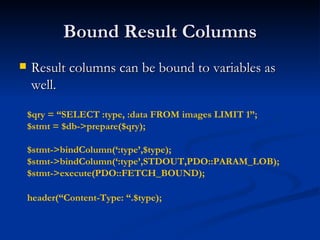
Bound Result Columns
   Result columns can be bound to variables as
    well.

    $qry = “SELECT :type, :data FROM images LIMIT 1”;
    $stmt = $db->prepare($qry);

    $stmt->bindColumn(‘:type’,$type);
    $stmt->bindColumn(‘:type’,STDOUT,PDO::PARAM_LOB);
    $stmt->execute(PDO::FETCH_BOUND);

    header(“Content-Type: “.$type);
Partial Data Retrieval
   In some instances you only want part of the data
    on the cursor. To properly end the cursor use
    the closeCursor() method.
    $res = $db->query(“SELECT * FROM users”);
    foreach ($res as $v) {
          if ($res[‘name’] == ‘end’) {
                       $res->closeCursor();
                       break;
          }
    }
Transactions
   Nearly all PDO drivers talk with transactional
    DBs, so PDO provides handy methods for this
    purpose.

    $db->beginTransaction();
    if ($db->exec($qry) === FALSE) {
           $db->rollback();
    }
    $db->commit();
Metadata
   Like most native database interfaces PDO
    provides means of accessing query metadata.
    $res = $db->query($qry);

    $ncols = $res->columnCount();
    for ($i=0; $i < $ncols; $i++) {
           $meta_data = $stmt->getColumnMeta($i);
    }
getColumnMeta() Result
   native_type – PHP data type
   driver:decl_type - The data type of the column according to the
    database.
   flags – will return any flags particular to this column in a form of
    an array.
   name – the name of the column as returned by the database
    without any normalization.
   len – maximum length of a string column, may not always be
    available, will be set to -1 if it isn’t.
   precision - The numeric precision of this column.
   pdo_type - The column type according to PDO as one of the
    PDO_PARAM constants.
lastInsertId()
   Many databases have unique identifier assigned
    to each newly inserted row. PDO provides
    access to this value via lastInsertId() method.

    if ($db->exec(“INSERT INTO …”)) {
           $id = $db->lastInsertId();
    }
   Can take optional sequence name as parameter.
       Useful for PostgreSQL
Connection Information
   Some connection information can be obtained
    via the getAttribute() PDO method.

    $db->getAttribute(PDO::ATTR_SERVER_VERSION);
    // Database Server Version
    $db->getAttribute(PDO::ATTR_CLIENT_VERSION);
    // Client Library Server Version
    $db->getAttribute(PDO::ATTR_SERVER_INFO);
    // Misc Server information
    $db->getAttribute(PDO::ATTR_CONNECTION_STATUS);
    // Connection Status
Extending PDO
class DB extends PDO
{
   function query($qry, $mode=NULL)
   {
          $res = parent::query($qry, $mode);
          if (!$res) {
                var_dump($qry, $this->errorInfo());
                return null;
          } else {
                return $res;
          }
   }
}
Questions

Quebec pdo

  • 1.
    PHP Data Objects Layer (PDO) Ilia Alshanetsky
  • 2.
    What is PDO  Common interface to any number of database systems.  Written in C, so you know it’s FAST!  Designed to make use of all the PHP 5.1 features to simplify interface.
  • 3.
    Why is itneeded?  Current state of affairs:  Many native database extensions that are similar but do not provide the same interface.  In most cases, very old code that does not even scratch the surface of what PHP can offer.  In many instances does not account for all the capabilities offered by the database.  Ex. SQLite, MySQL extensions
  • 4.
    What Databases areSupported?  At this time PDO offers the following drivers:  MySQL 3,4,5 (depends on client libs)  PostgreSQL  SQLite 2 & 3  ODBC  DB2  Oracle  Firebird  FreeTDS/Sybase/MSSQL
  • 5.
    Installing PDO  PDO is divided into two components  CORE (provides the interface)  DRIVERS (access to particular database)  Ex. pdo_mysql  The CORE is enabled by default, drivers with the exception of pdo_sqlite are not.
  • 6.
    Actual Install Steps  PECL Way  pecl install pdo_[driver_name]  Update php.ini and add extension=pdo_[driver_name].so (or .dll on win32)  Built into PHP  ./configure –with-pdo-[driver_name]  For Win32 dlls for each driver are available.
  • 7.
    Using PDO  As is the case with all database interfaces, the 1st step involves establishing a connection. // MySQL connection new PDO(‘mysql:host=localhost;dbname=testdb’, $login, $passwd); // PostgreSQL new PDO(‘pgsql:host=localhost port=5432 dbname=testdb user=john password=mypass’); // SQLite new PDO(‘sqlite:/path/to/database_file’);
  • 8.
    What if theConnection Fails?  As is the case with most native PHP objects, instantiation failure lead to an exception being thrown. try { $db = new PDO(…); } catch (PDOException $e) { echo $e->getMessage(); }
  • 9.
    Persistent Connections  Connecting to complex databases like Oracle is a slow process, it would be nice to re-use a previously opened connection. $opt = array(PDO::ATTR_PERSISTENT => TRUE) ; try { $db = new PDO(“dsn”, $l, $p, $opt); } catch (PDOException $e) { echo $e->getMessage(); }
  • 10.
    DSN INI Tricks  The DSN string can be an INI setting and you can “name” as many DSNs are you like. ini_set(“pdo.dsn.ilia”, “sqlite::memory”); try { $db = new PDO(“ilia”); } catch (PDOException $e) { echo $e->getMessage(); }
  • 11.
    Let’s Run SomeQueries  Query execution in PDO can be done in two ways  Prepared Statements (recommended for speed & security)  Direct Execution
  • 12.
    Direct Query Execution  Queries that modify information need to be run via exec() method. $db = new PDO(“DSN”); $db->exec(“INSERT INTO foo (id) VALUES(‘bar’)”); $db->exec(“UPDATE foo SET id=‘bar’”);  The return value is the number of rows affected by the operation or FALSE on error.
  • 13.
    Direct Query ExecutionCont.  In some cases “change” queries may not affect any rows and will return 0, so type-sensitive compare is essential in avoiding false positives! $res = $db->exec(“UPDATE foo SET id=‘bar’”); if (!$res) // Wrong if ($res !== FALSE) // Correct
  • 14.
    Retrieving Error Information  PDO Provides 2 methods of getting error information:  errorCode() – SQLSTATE error code  Ex. 42000 == Syntax Error  errorInfo() – Detailed error information  Ex. array( [0] => 42000, [1] => 1064 [2] => You have an error in your SQL syntax; … )
  • 15.
    Better Error Handling  It stands to reason that being an OO extension PDO would allow error handling via Exceptions. $db->setAttribute( PDO::ATTR_ERRMODE, PDO::ERRMODE_EXCEPTION );  Now any query failure will throw an Exception.
  • 16.
    Direct Execution Cont.  When executing queries that retrieve information the query() method needs to be used. $res = $db->query(“SELECT * FROM foo”); // $res == PDOStatement Object  On error FALSE is returned
  • 17.
    Fetch Query Results  Perhaps one of the biggest features of PDO is its flexibility when it comes to how data is to be fetched.  Array (Numeric or Associated Indexes)  Strings (for single column result sets)  Objects (stdClass, object of given class or into an existing object)  Callback function  Lazy fetching  Iterators  And more!
  • 18.
    Array Fetching $res =$db->query(“SELECT * FROM foo”); while ($row = $res->fetch(PDO::FETCH_NUM)){ // $row == array with numeric keys } $res = $db->query(“SELECT * FROM foo”); while ($row = $res->fetch(PDO::FETCH_ASSOC)){ // $row == array with associated (string) keys } $res = $db->query(“SELECT * FROM foo”); while ($row = $res->fetch(PDO::FETCH_BOTH)){ // $row == array with associated & numeric keys }
  • 19.
    Fetch as String  Many applications need to fetch data contained within just a single column. $u = $db->query(“SELECT users WHERE login=‘login’ AND password=‘password’”); // fetch(PDO::FETCH_COLUMN) if ($u->fetchColumn()) { // returns a string // login OK } else { /* authentication failure */ }
  • 20.
    Fetch as StandardObject  You can fetch a row as an instance of stdClass where column name == property name. $res = $db->query(“SELECT * FROM foo”); while ($obj = $res->fetch(PDO::FETCH_OBJ)) { // $obj == instance of stdClass }
  • 21.
    Fetch Into aClass  PDO allows the result to be fetched into a class type of your choice. $res = $db->query(“SELECT * FROM foo”); $res->setFetchMode( PDO::FETCH_CLASS, “className”, array(‘optional’=‘Constructor Params’) ); while ($obj = $res->fetch()) { // $obj == instance of className }
  • 22.
    Fetch Into aClass Cont.  PDO allows the query result to be used to determine the destination class. $res = $db->query(“SELECT * FROM foo”); $res->setFetchMode( PDO::FETCH_CLASS | PDO::FETCH_CLASSTYPE ); while ($obj = $res->fetch()) { // $obj == instance of class who’s name is // found in the value of the 1st column }
  • 23.
    Fetch Into anObject  PDO even allows retrieval of data into an existing object. $u = new userObject; $res = $db->query(“SELECT * FROM users”); $res->setFetchMode(PDO::FETCH_INTO, $u); while ($res->fetch()) { // will re-populate $u with row values }
  • 24.
    Result Iteration  PDOStatement implements Iterator interface, which allows for a method-less result iteration. $res = $db->query( “SELECT * FROM users”, PDO::FETCH_ASSOC ); foreach ($res as $row) { // $row == associated array representing // the row’s values. }
  • 25.
    Lazy Fetching  Lazy fetches returns a result in a form object, but holds of populating properties until they are actually used. $res = $db->query( “SELECT * FROM users”, PDO::FETCH_LAZY ); foreach ($res as $row) { echo $row[‘name’]; // only fetch name column }
  • 26.
    fetchAll()  The fetchAll() allows retrieval of all results from a query right away. (handy for templates) $qry = “SELECT * FROM users”; $res = $db->query($qry)->fetchAll( PDO::FETCH_ASSOC ); // $res == array of all result rows, where each row // is an associated array.  Can be quite memory intensive for large results sets!
  • 27.
    Callback Function  PDO also provides a fetch mode where each result is processed via a callback function. function draw_message($subject,$email) { … } $res = $db->query(“SELECT * FROM msg”); $res->fetchAll( PDO::FETCH_FUNC, “draw_message” );
  • 28.
    Direct Query Problems  Query needs to be interpreted on each execution can be quite waste for frequently repeated queries.  Security issues, un-escaped user input can contain special elements leading to SQL injection.
  • 29.
    Escaping in PDO  Escaping of special characters in PDO is handled via the quote() method. $qry = “SELECT * FROM users WHERE login=“.$db->quote($_POST[‘login’]).” AND passwd=“.$db->quote($_POST[‘pass’]);
  • 30.
    Prepared Statements  Compile once, execute as many times as you want.  Clear separation between structure and input, which prevents SQL injection.  Often faster then query()/exec() even for single runs.
  • 31.
    Prepared Statements inAction $stmt = $db->prepare( “SELECT * FROM users WHERE id=?” ); $stmt->execute(array($_GET[‘id’])); $stmt->fetch(PDO::FETCH_ASSOC);
  • 32.
    Bound Parameters  Prepared statements parameters can be given names and bound to variables. $stmt = $db->prepare( “INSERT INTO users VALUES(:name,:pass,:mail)”); foreach (array(‘name’,’pass’,’mail’) as $v) $stmt->bindParam(‘:’.$v,$$v); $fp = fopen(“./users”, “r”); while (list($name,$pass,$mail) = fgetcsv($fp,4096)) { $stmt->execute(); }
  • 33.
    Bound Result Columns  Result columns can be bound to variables as well. $qry = “SELECT :type, :data FROM images LIMIT 1”; $stmt = $db->prepare($qry); $stmt->bindColumn(‘:type’,$type); $stmt->bindColumn(‘:type’,STDOUT,PDO::PARAM_LOB); $stmt->execute(PDO::FETCH_BOUND); header(“Content-Type: “.$type);
  • 34.
    Partial Data Retrieval  In some instances you only want part of the data on the cursor. To properly end the cursor use the closeCursor() method. $res = $db->query(“SELECT * FROM users”); foreach ($res as $v) { if ($res[‘name’] == ‘end’) { $res->closeCursor(); break; } }
  • 35.
    Transactions  Nearly all PDO drivers talk with transactional DBs, so PDO provides handy methods for this purpose. $db->beginTransaction(); if ($db->exec($qry) === FALSE) { $db->rollback(); } $db->commit();
  • 36.
    Metadata  Like most native database interfaces PDO provides means of accessing query metadata. $res = $db->query($qry); $ncols = $res->columnCount(); for ($i=0; $i < $ncols; $i++) { $meta_data = $stmt->getColumnMeta($i); }
  • 37.
    getColumnMeta() Result  native_type – PHP data type  driver:decl_type - The data type of the column according to the database.  flags – will return any flags particular to this column in a form of an array.  name – the name of the column as returned by the database without any normalization.  len – maximum length of a string column, may not always be available, will be set to -1 if it isn’t.  precision - The numeric precision of this column.  pdo_type - The column type according to PDO as one of the PDO_PARAM constants.
  • 38.
    lastInsertId()  Many databases have unique identifier assigned to each newly inserted row. PDO provides access to this value via lastInsertId() method. if ($db->exec(“INSERT INTO …”)) { $id = $db->lastInsertId(); }  Can take optional sequence name as parameter.  Useful for PostgreSQL
  • 39.
    Connection Information  Some connection information can be obtained via the getAttribute() PDO method. $db->getAttribute(PDO::ATTR_SERVER_VERSION); // Database Server Version $db->getAttribute(PDO::ATTR_CLIENT_VERSION); // Client Library Server Version $db->getAttribute(PDO::ATTR_SERVER_INFO); // Misc Server information $db->getAttribute(PDO::ATTR_CONNECTION_STATUS); // Connection Status
  • 40.
    Extending PDO class DBextends PDO { function query($qry, $mode=NULL) { $res = parent::query($qry, $mode); if (!$res) { var_dump($qry, $this->errorInfo()); return null; } else { return $res; } } }
  • 41.