By Shanmugapriya Shanmugam
What are Modules?
 Modules are files containing Python definitions and
statements (ex. name.py)
 A module’s definitions can be imported into other
modules by using “import name”
 The module’s name is available as a global variable
value
 To access a module’s functions, type “name.function()
 A Python module is a file that consists of Python code.
 It allows us to logically arrange related code and makes
the code easier to understand and use. It defines
functions, classes and variables.
More on Modules
 Modules can contain executable statements along with
function definitions
 Each module has its own private symbol table used as the
global symbol table by all functions in the module
 Modules can import other modules
 Each module is imported once per interpreter session
 reload(name)
 Can import names from a module into the importing
module’s symbol table
 from mod import m1, m2 (or *)
 m1()
Executing Modules
 python name.py <arguments>
 Runs code as if it was imported
 Setting _name_ == “_main_” the file can be used as a
script and an importable module
The Module Search Path
 The interpreter searches for a file named name.py
 Current directory given by variable sys.path
 List of directories specified by PYTHONPATH
 Default path (in UNIX - .:/usr/local/lib/python)
 Script being run should not have the same name as a
standard module or an error will occur when the
module is imported
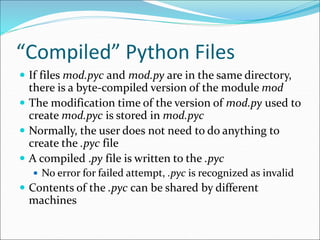
“Compiled” Python Files
 If files mod.pyc and mod.py are in the same directory,
there is a byte-compiled version of the module mod
 The modification time of the version of mod.py used to
create mod.pyc is stored in mod.pyc
 Normally, the user does not need to do anything to
create the .pyc file
 A compiled .py file is written to the .pyc
 No error for failed attempt, .pyc is recognized as invalid
 Contents of the .pyc can be shared by different
machines
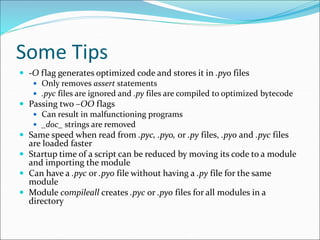
Some Tips
 -O flag generates optimized code and stores it in .pyo files
 Only removes assert statements
 .pyc files are ignored and .py files are compiled to optimized bytecode
 Passing two –OO flags
 Can result in malfunctioning programs
 _doc_ strings are removed
 Same speed when read from .pyc, .pyo, or .py files, .pyo and .pyc files
are loaded faster
 Startup time of a script can be reduced by moving its code to a module
and importing the module
 Can have a .pyc or .pyo file without having a .py file for the same
module
 Module compileall creates .pyc or .pyo files for all modules in a
directory
Standard Modules
 Python comes with a library of standard modules described in
the Python Library Reference
 Some are built into interpreter
 >>> import sys
>>> sys.s1
‘>>> ‘
>>> sys.s1 = ‘c> ‘
c> print ‘Hello’
Hello
c>
 sys.path determines the interpreters’s search path for modules,
with the default path taken from PYTHONPATH
 Can be modified with append() (ex. Sys.path.append(‘SOMEPATH’)
The dir() Function
 Used to find the names a module defines and returns a
sorted list of strings
 >>> import mod
>>> dir(mod)
[‘_name_’, ‘m1’, ‘m2’]
 Without arguments, it lists the names currently
defined (variables, modules, functions, etc)
 Does not list names of built-in functions and variables
 Use _bulltin_to view all built-in functions and variables
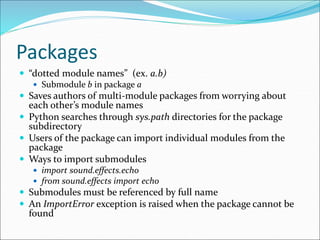
Packages
 “dotted module names” (ex. a.b)
 Submodule b in package a
 Saves authors of multi-module packages from worrying about
each other’s module names
 Python searches through sys.path directories for the package
subdirectory
 Users of the package can import individual modules from the
package
 Ways to import submodules
 import sound.effects.echo
 from sound.effects import echo
 Submodules must be referenced by full name
 An ImportError exception is raised when the package cannot be
found
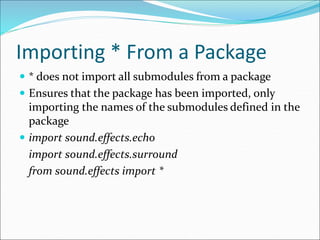
Importing * From a Package
 * does not import all submodules from a package
 Ensures that the package has been imported, only
importing the names of the submodules defined in the
package
 import sound.effects.echo
import sound.effects.surround
from sound.effects import *
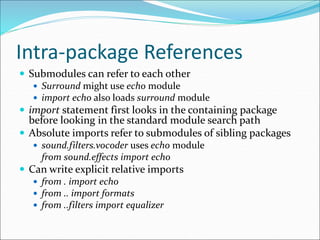
Intra-package References
 Submodules can refer to each other
 Surround might use echo module
 import echo also loads surround module
 import statement first looks in the containing package
before looking in the standard module search path
 Absolute imports refer to submodules of sibling packages
 sound.filters.vocoder uses echo module
from sound.effects import echo
 Can write explicit relative imports
 from . import echo
 from .. import formats
 from ..filters import equalizer
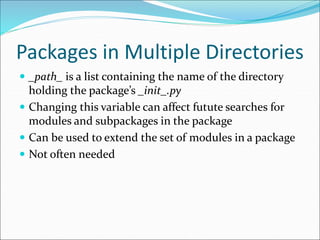
Packages in Multiple Directories
 _path_ is a list containing the name of the directory
holding the package’s _init_.py
 Changing this variable can affect futute searches for
modules and subpackages in the package
 Can be used to extend the set of modules in a package
 Not often needed
Example
 For example, math is a built-in module that offers
several built-in functions.
 import math
 print dir(math)
 Output:
 [‘__doc__’, ‘__file__’, ‘__name__’, ‘__package__’, ‘acos’,
‘acosh’, ‘asin’, ‘asinh’, ‘atan’, ‘atan2’, ‘atanh’, ‘ceil’,
‘copysign’, ‘cos’, ‘cosh’, ‘degrees’, ‘e’, ‘erf’, ‘erfc’, ‘exp’,
‘expm1’, ‘fabs’, ‘factorial’, ‘floor’, ‘fmod’, ‘frexp’, ‘fsum’,
‘gamma’, ‘hypot’, ‘isinf’, ‘isnan’, ‘ldexp’, ‘lgamma’, ‘log’,
‘log10’, ‘log1p’, ‘modf’, ‘pi’, ‘pow’, ‘radians’, ‘sin’, ‘sinh’,
‘sqrt’, ‘tan’, ‘tanh’, ‘trunc’]
Sources
 http://docs.python.org/tutorial/modules.html

Python modules

  • 1.
  • 2.
    What are Modules? Modules are files containing Python definitions and statements (ex. name.py)  A module’s definitions can be imported into other modules by using “import name”  The module’s name is available as a global variable value  To access a module’s functions, type “name.function()  A Python module is a file that consists of Python code.  It allows us to logically arrange related code and makes the code easier to understand and use. It defines functions, classes and variables.
  • 3.
    More on Modules Modules can contain executable statements along with function definitions  Each module has its own private symbol table used as the global symbol table by all functions in the module  Modules can import other modules  Each module is imported once per interpreter session  reload(name)  Can import names from a module into the importing module’s symbol table  from mod import m1, m2 (or *)  m1()
  • 4.
    Executing Modules  pythonname.py <arguments>  Runs code as if it was imported  Setting _name_ == “_main_” the file can be used as a script and an importable module
  • 5.
    The Module SearchPath  The interpreter searches for a file named name.py  Current directory given by variable sys.path  List of directories specified by PYTHONPATH  Default path (in UNIX - .:/usr/local/lib/python)  Script being run should not have the same name as a standard module or an error will occur when the module is imported
  • 6.
    “Compiled” Python Files If files mod.pyc and mod.py are in the same directory, there is a byte-compiled version of the module mod  The modification time of the version of mod.py used to create mod.pyc is stored in mod.pyc  Normally, the user does not need to do anything to create the .pyc file  A compiled .py file is written to the .pyc  No error for failed attempt, .pyc is recognized as invalid  Contents of the .pyc can be shared by different machines
  • 7.
    Some Tips  -Oflag generates optimized code and stores it in .pyo files  Only removes assert statements  .pyc files are ignored and .py files are compiled to optimized bytecode  Passing two –OO flags  Can result in malfunctioning programs  _doc_ strings are removed  Same speed when read from .pyc, .pyo, or .py files, .pyo and .pyc files are loaded faster  Startup time of a script can be reduced by moving its code to a module and importing the module  Can have a .pyc or .pyo file without having a .py file for the same module  Module compileall creates .pyc or .pyo files for all modules in a directory
  • 8.
    Standard Modules  Pythoncomes with a library of standard modules described in the Python Library Reference  Some are built into interpreter  >>> import sys >>> sys.s1 ‘>>> ‘ >>> sys.s1 = ‘c> ‘ c> print ‘Hello’ Hello c>  sys.path determines the interpreters’s search path for modules, with the default path taken from PYTHONPATH  Can be modified with append() (ex. Sys.path.append(‘SOMEPATH’)
  • 9.
    The dir() Function Used to find the names a module defines and returns a sorted list of strings  >>> import mod >>> dir(mod) [‘_name_’, ‘m1’, ‘m2’]  Without arguments, it lists the names currently defined (variables, modules, functions, etc)  Does not list names of built-in functions and variables  Use _bulltin_to view all built-in functions and variables
  • 10.
    Packages  “dotted modulenames” (ex. a.b)  Submodule b in package a  Saves authors of multi-module packages from worrying about each other’s module names  Python searches through sys.path directories for the package subdirectory  Users of the package can import individual modules from the package  Ways to import submodules  import sound.effects.echo  from sound.effects import echo  Submodules must be referenced by full name  An ImportError exception is raised when the package cannot be found
  • 11.
    Importing * Froma Package  * does not import all submodules from a package  Ensures that the package has been imported, only importing the names of the submodules defined in the package  import sound.effects.echo import sound.effects.surround from sound.effects import *
  • 12.
    Intra-package References  Submodulescan refer to each other  Surround might use echo module  import echo also loads surround module  import statement first looks in the containing package before looking in the standard module search path  Absolute imports refer to submodules of sibling packages  sound.filters.vocoder uses echo module from sound.effects import echo  Can write explicit relative imports  from . import echo  from .. import formats  from ..filters import equalizer
  • 13.
    Packages in MultipleDirectories  _path_ is a list containing the name of the directory holding the package’s _init_.py  Changing this variable can affect futute searches for modules and subpackages in the package  Can be used to extend the set of modules in a package  Not often needed
  • 14.
    Example  For example,math is a built-in module that offers several built-in functions.  import math  print dir(math)  Output:  [‘__doc__’, ‘__file__’, ‘__name__’, ‘__package__’, ‘acos’, ‘acosh’, ‘asin’, ‘asinh’, ‘atan’, ‘atan2’, ‘atanh’, ‘ceil’, ‘copysign’, ‘cos’, ‘cosh’, ‘degrees’, ‘e’, ‘erf’, ‘erfc’, ‘exp’, ‘expm1’, ‘fabs’, ‘factorial’, ‘floor’, ‘fmod’, ‘frexp’, ‘fsum’, ‘gamma’, ‘hypot’, ‘isinf’, ‘isnan’, ‘ldexp’, ‘lgamma’, ‘log’, ‘log10’, ‘log1p’, ‘modf’, ‘pi’, ‘pow’, ‘radians’, ‘sin’, ‘sinh’, ‘sqrt’, ‘tan’, ‘tanh’, ‘trunc’]
  • 15.