Web Development and Database Administration Level-IV
Unit of Competence: : Manage Network Security
Unit One: Define a Process for Designing Security
YEKA INDUSTRIAL COLLEGE
Prepared By Instructor Nahom
1.1. Network Security Design Process
1.1.1. Introduction to network security design
 Network security design is a strategic approach to creating a secure and
resilient network infrastructure.
 It involves planning, implementing, and managing various security measures
to protect data, systems, and communication within a network.
 Here's an introduction to key considerations in network security design:
o Risk Assessment: Identify and evaluate potential risks and threats to the
network. This includes understanding the value of assets, potential
vulnerabilities, and the likelihood of various security incidents.
oSecurity Goals and Objectives: Define clear security goals and objectives
aligned with the organization's overall business objectives. These may include
confidentiality, integrity, availability, and compliance with industry
regulations.
Cont’d
o Defense-in-Depth Strategy: Implement multiple layers
of security controls to create a defense-in-depth strategy.
This approach involves using a combination of
technologies, policies, and procedures to mitigate risks
at various levels.
o Segmentation: Divide the network into segments to
contain and isolate potential security incidents.
Segmentation helps prevent lateral movement of
attackers within the network and limits the impact of
security breaches.
Dial-up Connection
How it works: Uses public telephone lines via a modem (56K).
Advantages:
Economic & widely available
Minimal hardware cost
Easy configuration
Disadvantages:
Slow connection (56 Kbps)
Telephone line is occupied during use
Leased Line Connection
Description: Dedicated data connection with fixed bandwidth,
ensuring high-speed and reliable internet.
Types of Leased Lines:
ADSL (Asymmetric DSL): Higher download speed (1.5 - 8 Mbps),
slower upload.
SDSL (Symmetric DSL): Same speed for upload/download (up to 3
Mbps).
VDSL (Very High Data Rate DSL): Fastest speeds (13 - 52 Mbps
download).
HDSL (High Data Rate DSL): Equal bandwidth in both directions.
Advantages:
Fast, reliable, always-on
Data and voice at the same time
Disadvantages:
Not available everywhere
Requires special ADSL modem
Cable Connection
How it works: Uses cable television infrastructure.
Characteristics:
 Separate cable from phone line
 Fixed monthly fee
 Fast and reliable
Advantages:
 Very fast, always on
 Doesn’t affect phone calls
Disadvantages:
o Availability issues in some areas
o
Wireless (Wi-Fi) Connection
Definition: Data transmission without physical cables
using electromagnetic waves.
WLAN (Wireless LAN): A network that allows wireless
communication between devices.
Advantages:
 No need for physical cables
 Flexible and convenient for mobile devices
Disadvantages:
 Can be slower than wired connections

Launching Internet Browser Software
Popular Web Browsers:
 Google Chrome
 Mozilla Firefox
 Microsoft Edge
 Internet Explorer
Steps to Launch:
• Ensure modem is on and connected
• Verify proper connection software configuration
• Open browser and start browsing!
Conclusion
Recap of Key Points:
ISPs provide essential services for internet access.
Different connection types (Dial-up, Leased,
Cable, Wireless) offer varying speeds and
reliability.
Choosing the right ISP is based on your needs
(speed, cost, number of users).
Modern browsers are essential tools for internet
access.
Access Control Privileges
View The user can view elements, as well as their alarms and properties, and relationships
to other elements that the user can view.
Manage The user can perform nonintrusive actions (such as Ping or TraceRoute) as
well as update element information (such as custom properties).
Access: The user can access remote managed elements by using “connect to” operations
with adapters that support cut-through telnet such as the Event Manager, OpenView, and
Netcool*. An example operation is using the Console capability in the Elements hierarchy.
Define :The user can perform administrative tasks such as adding scripts, sites, and
service model elements, as well as creating, deleting, and changing the definition of
adapters, service models and SLAs in Operations Center.
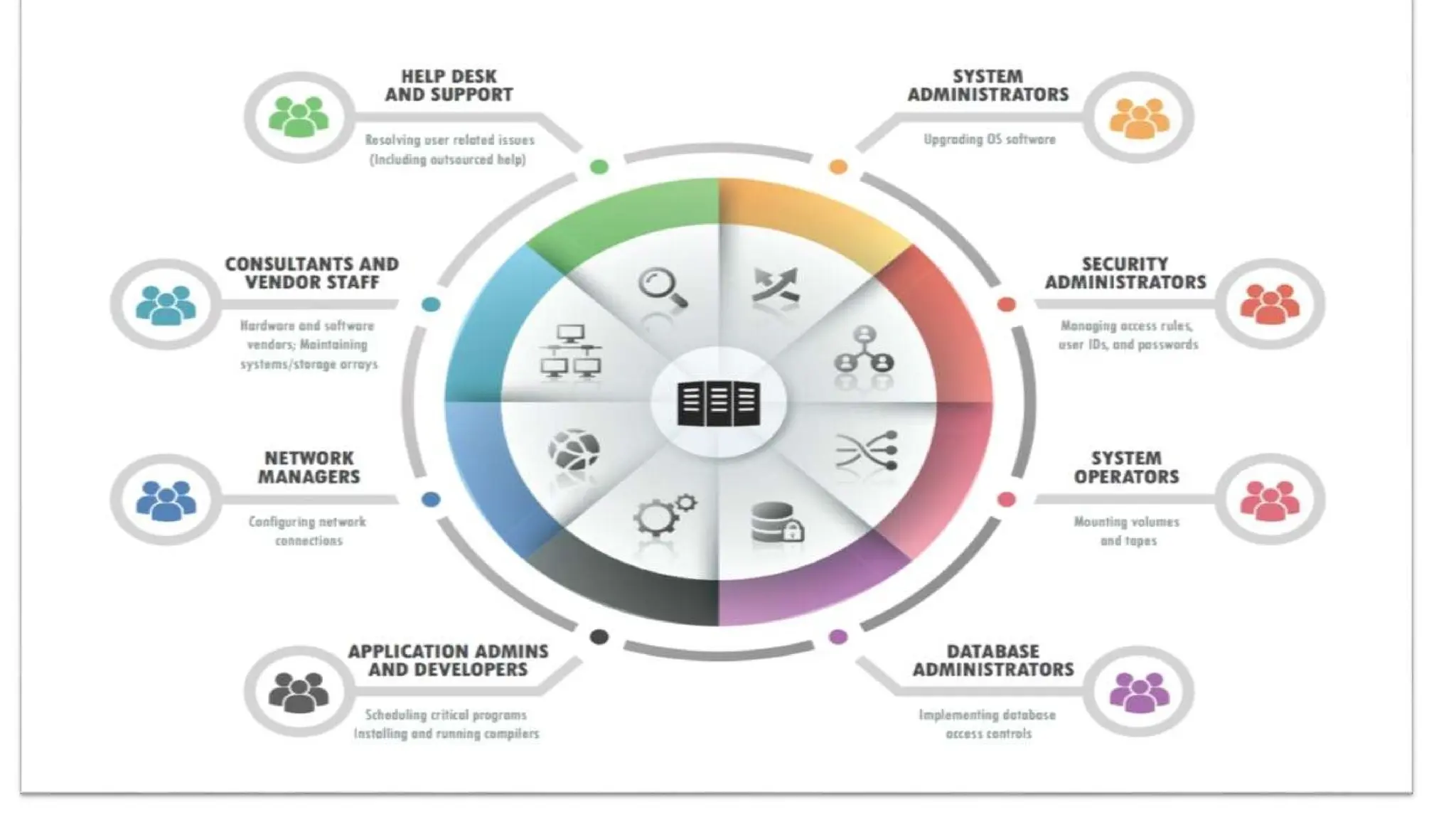
Undefined: Not defining access privileges avoids conflicts. For example, the two groups in
the following figure have the following permissions at the top (root) Access Control level
 The admins group has Define privileges explicitly defined. The users group has undefined
Define privileges. Therefore, a member of both groups has Define privileges.
Maintain System integrity and security
System integrity
 System integrity refers to the state of a computer system or network being complete,
accurate, and secure. It involves ensuring that the system operates as intended, without
unauthorized modifications, corruption, or compromise. System integrity encompasses
various aspects, including data integrity, configuration integrity, and overall security.
 Data Integrity: Data integrity refers to the accuracy, consistency, and reliability of data
stored within a system. It ensures that data remains unchanged and uncorrupted throughout
its lifecycle. Measures such as data validation, checksums, and error detection techniques
are used to maintain data integrity.
 Configuration Integrity: Configuration integrity involves verifying
and maintaining the integrity of system configurations, settings, and parameters.
 It ensures that the system is properly configured according to established standards and
best practices. Unauthorized changes to system configurations can introduce vulnerabilities
or disrupt system functionality.
Software Integrity: Software integrity focuses on ensuring that software
applications and programs are free from defects, vulnerabilities, or unauthorized
modifications. It involves implementing secure coding practices, performing regular
software updates and patching, and conducting code reviews and software testing to identify
and fix vulnerabilities.
Hardware Integrity: Hardware integrity refers to the assurance that computer hardware
components are functioning correctly and have not been tampered with or compromised. It
involves validating the authenticity and integrity of hardware components, monitoring for
hardware failures, and protecting against unauthorized modifications or hardware-based
attacks.
System Security: System security is a critical aspect of system integrity. It involves
protecting the system against unauthorized access, data breaches, malware, and other
security threats. This includes implementing access controls, strong authentication
mechanisms, encryption, intrusion detection and prevention systems, and ongoing
monitoring and auditing of system activities.
 Maintaining system integrity is essential to ensure the reliability, availability, and
confidentiality of information, as well as the proper functioning of computer systems and
networks. It requires a combination of technical controls, security measures, and
proactive monitoring to prevent unauthorized changes, detect potential vulnerabilities,
and respond promptly to security incidents.
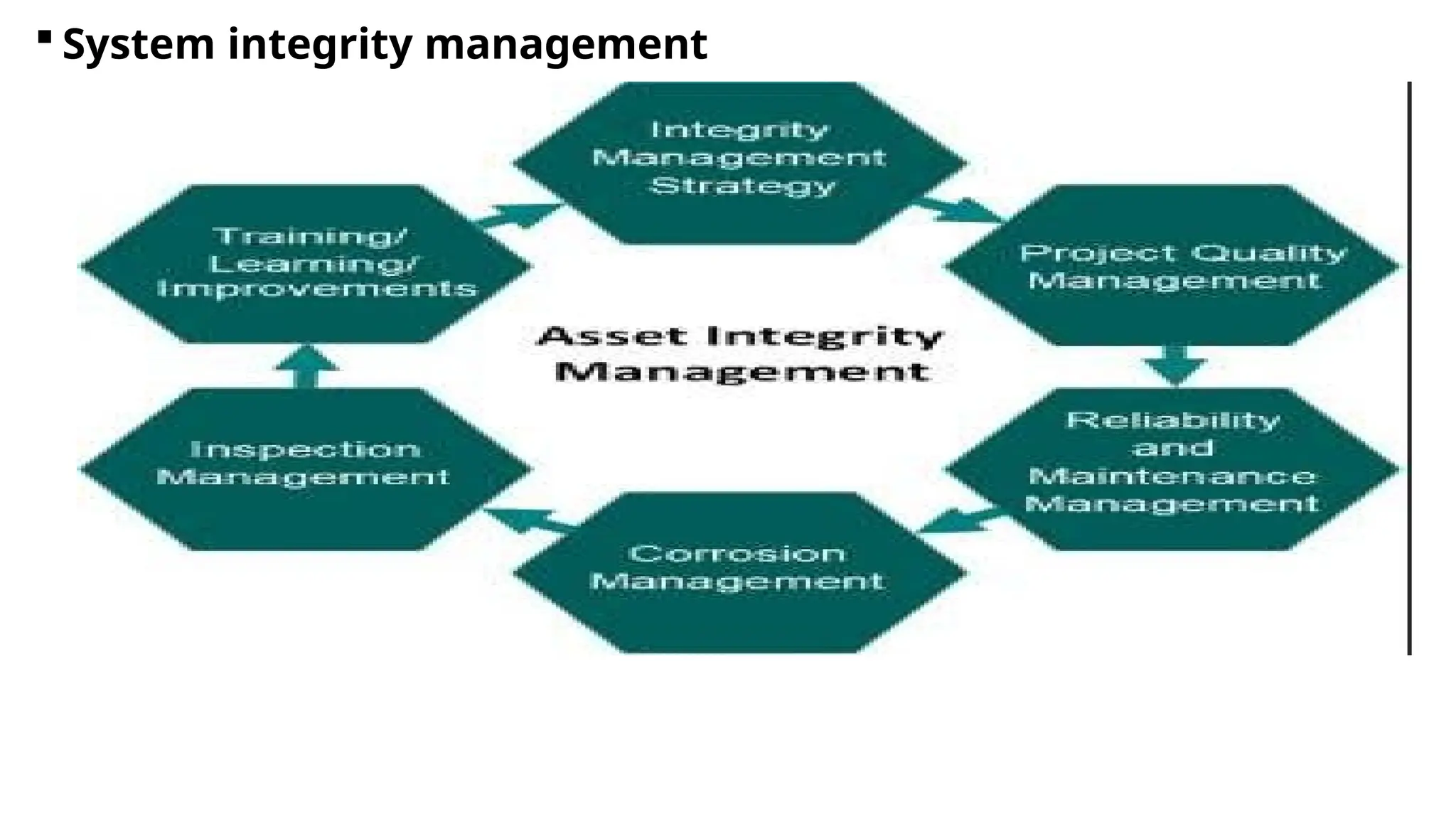
 System integrity management
System security
 The security of a computer system is a crucial task. It is a process of ensuring the
confidentiality and integrity of the OS. Security is one of most important as well as the
major task in order to keep all the threats or other malicious tasks or attacks or program
away from the computer’s software system.
 A system is said to be secure if its resources are used and accessed as intended under all
the circumstances, but no system can guarantee absolute security from several of
various malicious threats and unauthorized access.
The security of a system can be threatened via two violations:
 Threat: A program that has the potential to cause serious damage to the system.
 Attack: An attempt to break security and make unauthorized use of an asset.
 Security violations affecting the system can be categorized as malicious and accidental
threats. Malicious threats, as the name suggests are a kind of harmful computer code or
web script designed to create system vulnerabilities leading to back doors and security
breaches. Accidental Threats, on the other hand, are comparatively easier to be
protected against.
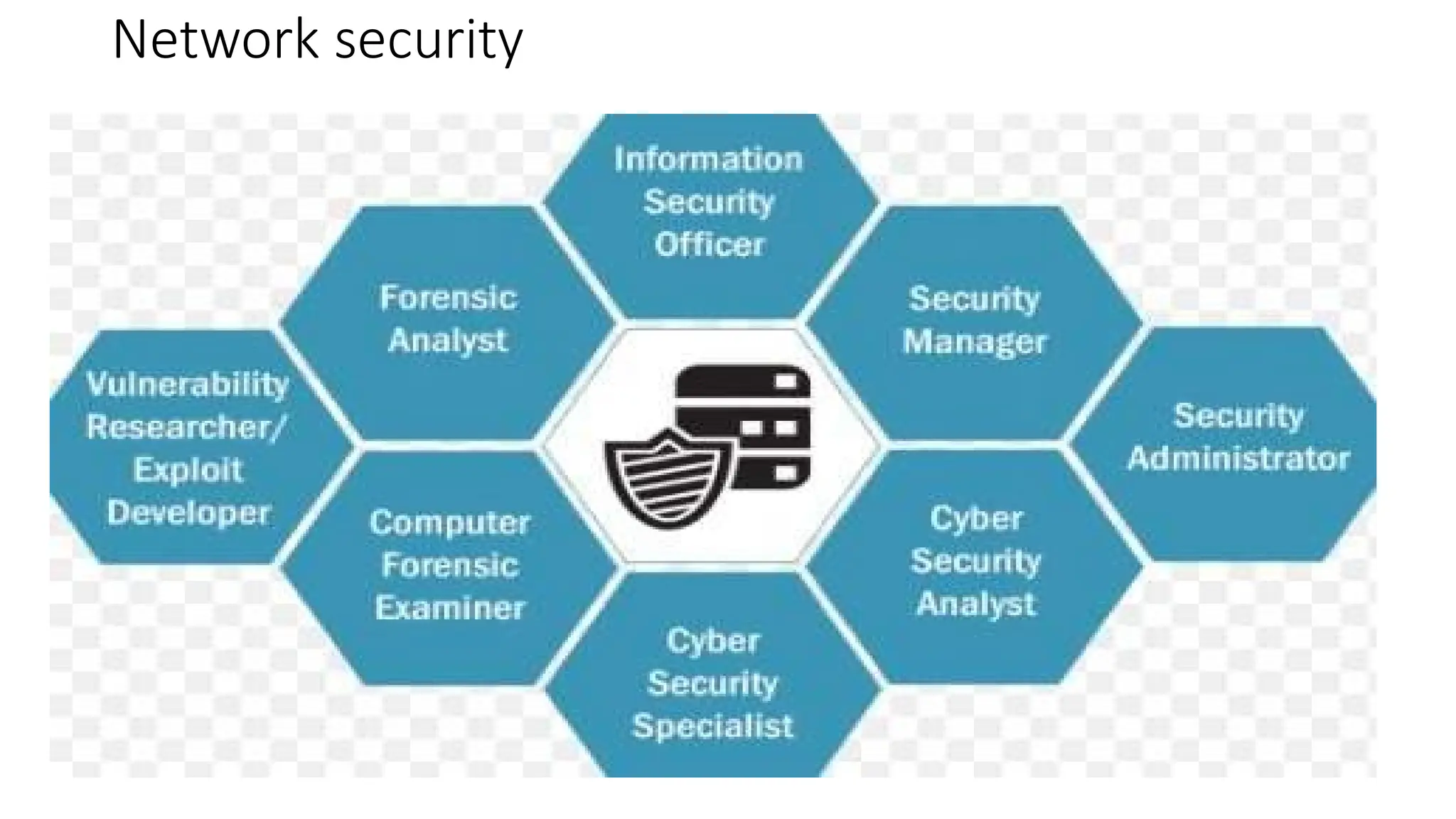
Network security
Unit Two: Disseminate disaster recovery plan
 A Disaster Recovery Plan (DRP) is a structured approach to responding to and
recovering from events that can cause data loss, system downtime, and other disruptions
to normal business operations.
 Modern organizations have to operate on a 24/7 basis in order to stay competitive in the
market. It is important to create a disaster recovery (DR) plan so as to ensure that your
business can continue to operate even during a DR event. However, when designing a
DR plan, many businesses overlook the importance of network disaster recovery.
 A network disaster recovery plan includes a set of procedures required to effectively
respond to a disaster that affects a network and causes its disruption. Network
disaster recovery planning generally entails:
Listing the steps which should be undertaken in order to restore network
connectivity
Identifying people responsible for conducting network disaster recovery
Assessing possible consequences of a network failure
Determining the best strategies to mitigate them
Possible Causes of Network Failures
 Network services are required for ensuring an uninterrupted flow of communications and
data transfer within your IT infrastructure. Various factors can lead to network failure. These
include:
 Hardware failure. Network equipment such as routers, switches, modems, gateways, or
any other device can fail and, as a result, affect the performance of all other devices
connected to them.
 Cascading failure. A single network consists of multiple routers, nodes, or switches. One
of those network components might become overloaded and stop working, which can
trigger a cascade of failures within a single network.
 Issues with the internet connection. Failure to set up an internet connection can
cause problems with network connectivity and interrupt data transfer.
 Human errors. Sometimes, network connectivity problems might be the result of mistakes
made by employees when working with network equipment or manually configuring
network components.
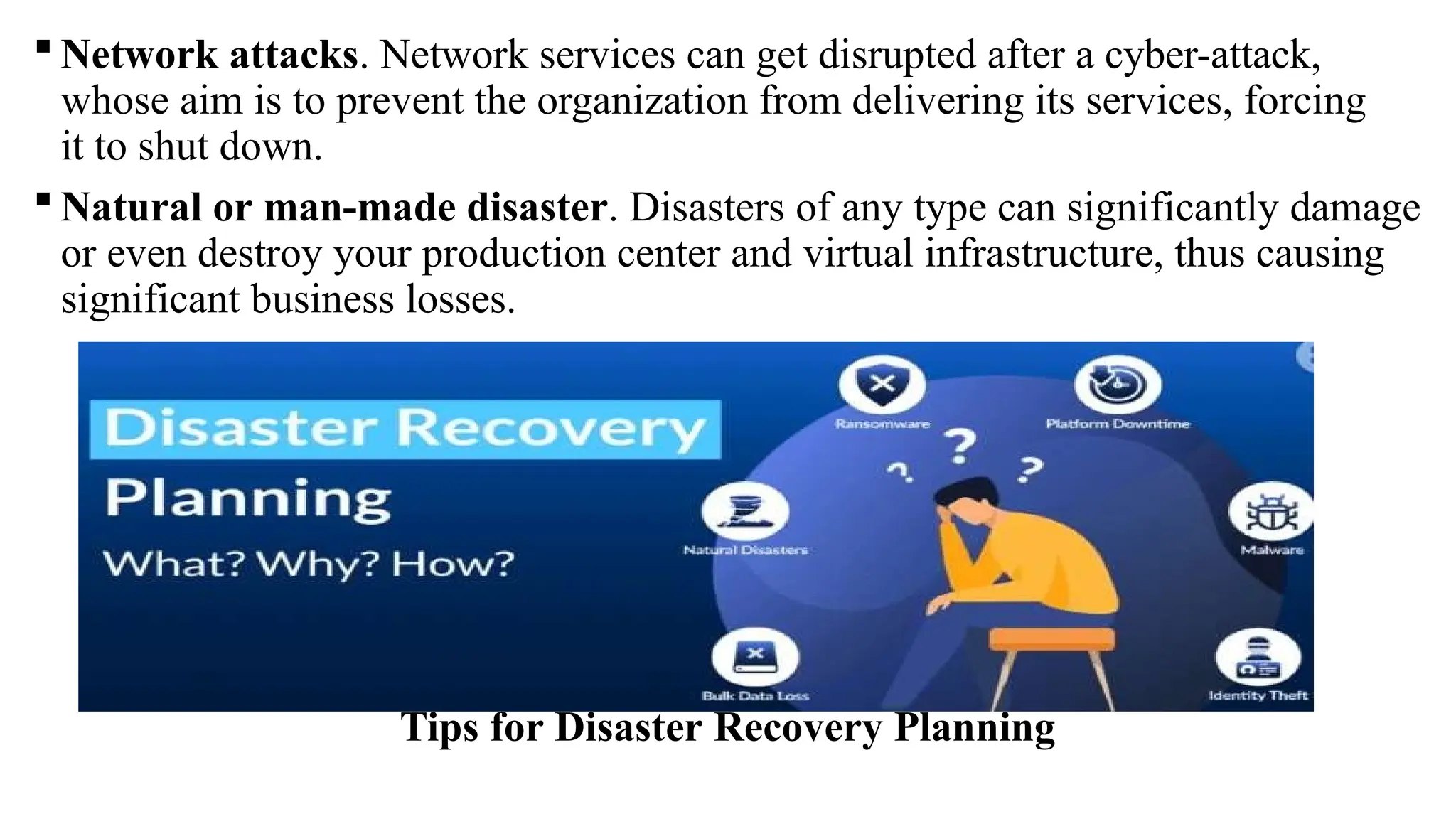
 Network attacks. Network services can get disrupted after a cyber-attack,
whose aim is to prevent the organization from delivering its services, forcing
it to shut down.
 Natural or man-made disaster. Disasters of any type can significantly damage
or even destroy your production center and virtual infrastructure, thus causing
significant business losses.
Tips for Disaster Recovery Planning
Backup and restore
Backup for disaster recovery
 Backup is a crucial element of disaster recovery, providing a means to safeguard critical
data, applications, and systems in case of unforeseen events. It involves creating duplicate
copies of essential information and storing them on separate devices or off-site locations.
These backups are performed regularly to capture the most up-to-date data and ensure its
availability for recovery purposes.
 There are several types of backups that can be employed, each offering different levels
of data protection and recovery options.
 Some common types of backups include:
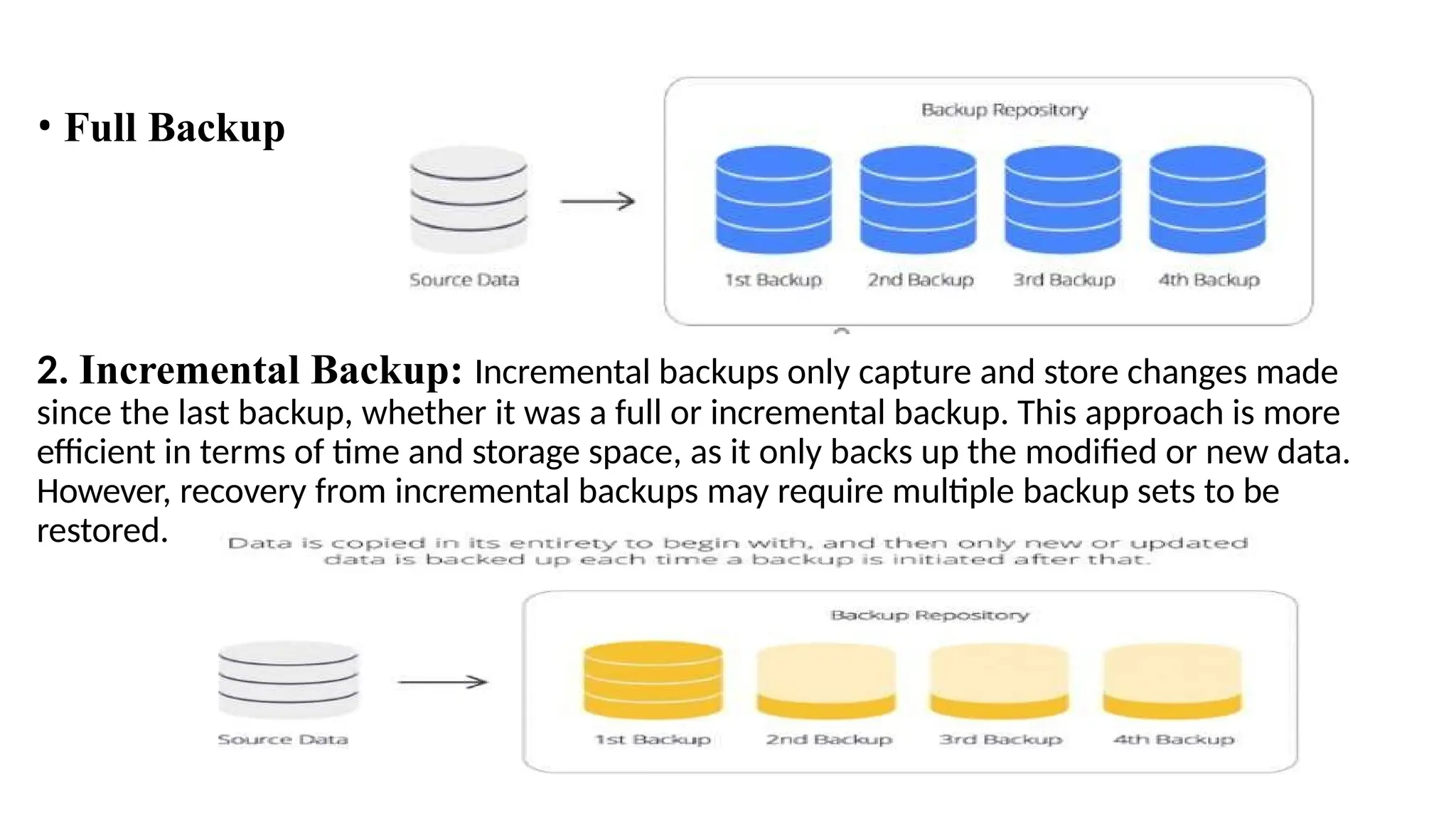
1. Full Backup: A full backup involves creating a complete copy of all data and files in a
system or storage device. It captures all data, regardless of whether it has changed since the
last backup. Full backups are comprehensive but can be time-consuming and require
significant storage space.
• Full Backup
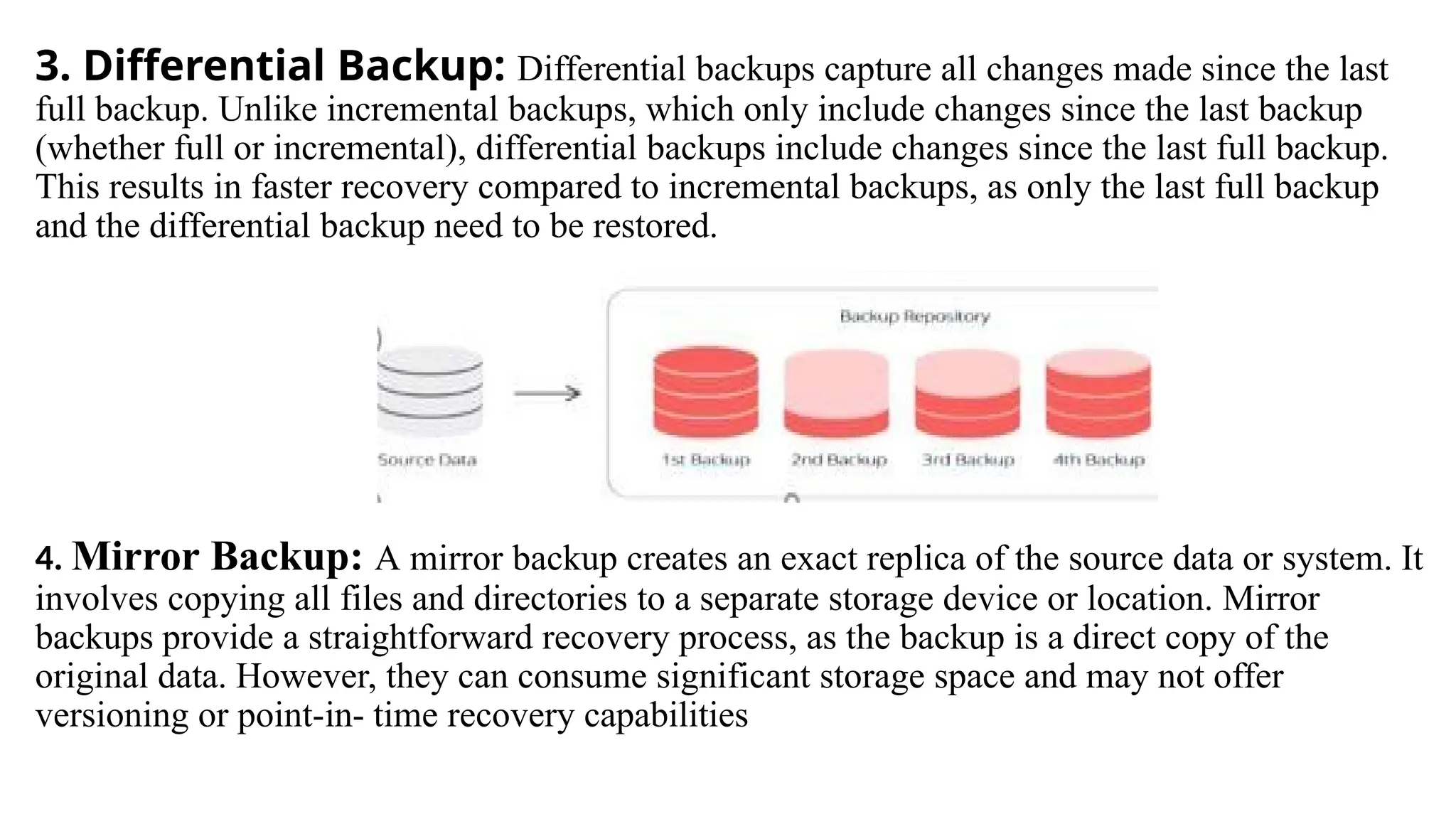
2. Incremental Backup: Incremental backups only capture and store changes made
since the last backup, whether it was a full or incremental backup. This approach is more
efficient in terms of time and storage space, as it only backs up the modified or new data.
However, recovery from incremental backups may require multiple backup sets to be
restored.
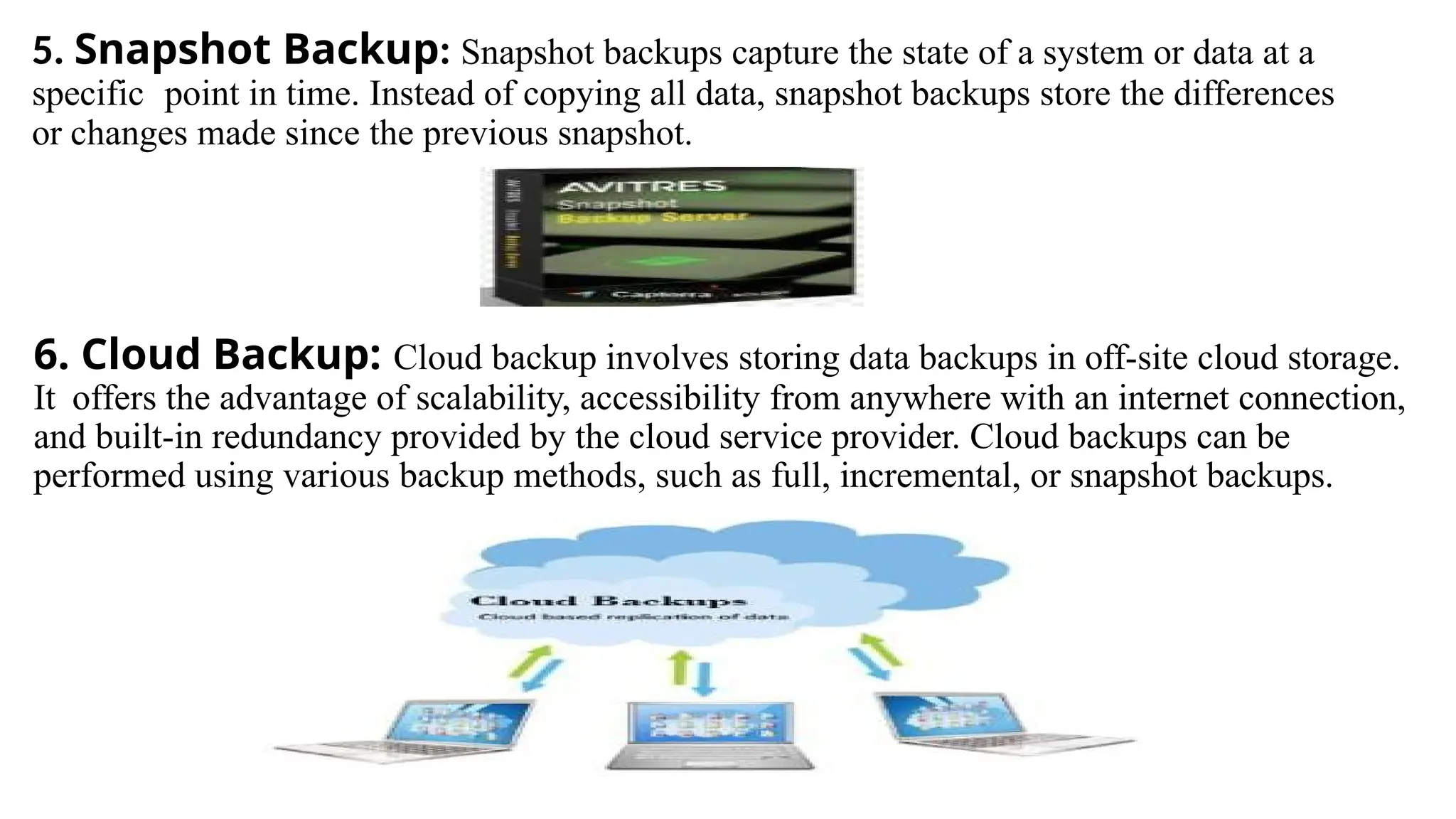
3. Differential Backup: Differential backups capture all changes made since the last
full backup. Unlike incremental backups, which only include changes since the last backup
(whether full or incremental), differential backups include changes since the last full backup.
This results in faster recovery compared to incremental backups, as only the last full backup
and the differential backup need to be restored.
4. Mirror Backup: A mirror backup creates an exact replica of the source data or system. It
involves copying all files and directories to a separate storage device or location. Mirror
backups provide a straightforward recovery process, as the backup is a direct copy of the
original data. However, they can consume significant storage space and may not offer
versioning or point-in- time recovery capabilities
5. Snapshot Backup: Snapshot backups capture the state of a system or data at a
specific point in time. Instead of copying all data, snapshot backups store the differences
or changes made since the previous snapshot.
6. Cloud Backup: Cloud backup involves storing data backups in off-site cloud storage.
It offers the advantage of scalability, accessibility from anywhere with an internet connection,
and built-in redundancy provided by the cloud service provider. Cloud backups can be
performed using various backup methods, such as full, incremental, or snapshot backups.
Restore for disaster recovery
• The restore phase is a key component of the overall disaster recovery plan and involves the
following:
Assess the situation: Before initiating the restore process, assess the extent of the damage caused by
the disaster and determine the scope of the restoration effort. Identify the affected systems,
applications, and data that need to be restored.
Activate the disaster recovery plan: Refer to the documented disaster recovery plan, which should
outline the procedures and guidelines for restoring various components of the IT infrastructure.
Follow the plan's instructions to ensure a structured and organized approach to the restore process.
Retrieve backups: Retrieve the backup copies of the affected data, applications, or systems
from the designated backup storage location. This may involve accessing backup tapes,
disk- based backups, or cloud-based backups depending on the backup strategy and
technology in place.
Validate backup integrity: Verify the integrity and consistency of the backup data before
proceeding with the restore process. This step ensures that the backups are viable and can
be relied upon for successful recovery.
 Restore data and applications: Start the restoration of data and applications based on the
recovery priorities defined in the disaster recovery plan. Begin with the most critical
systems and work your way down to less critical ones.
 Test and verify: After the restore process, conduct thorough testing to validate the
restored data, applications, and systems. Perform functional tests, check for data integrity,
and ensure that the restored components are working correctly.
 Update configurations and connections: Adjust configurations and re-
establish connections as necessary to integrate the restored systems back into the
production environment.
 Document the restore process: Maintain detailed documentation of the restore
process, including the steps performed, any issues encountered, and the actions taken to
resolve them.
Unit Three : Monitor network performance
• Basic concept of monitor network performance
 Monitoring network performance involves the systematic observation and analysis of a
computer network to ensure it operates efficiently, reliably, and securely.
 This process encompasses various aspects such as bandwidth utilization, latency,
packet loss, and device health.
 By continually assessing these factors, network administrators can identify and address
potential issues before they impact the user experience.
 Bandwidth monitoring helps optimize data transmission capacity, latency monitoring
ensures timely data delivery, and packet loss monitoring aids in maintaining a stable
and responsive network.
 Additionally, network performance monitoring includes traffic analysis, security
surveillance, and quality of service assessments to ensure that resources are allocated
effectively, potential security threats are detected, and the overall quality of
communication meets the desired standards.
 Utilizing specialized tools and reporting mechanisms, organizations can maintain a proactive
approach to network management, enhancing the overall reliability and performance of their network
infrastructure.
 Performing diagnostic test
 Performing network diagnostic tests involves a systematic process to assess and analyze the health,
performance, and functionality of a computer network. Here are the general steps you can follow to
conduct network diagnostic tests:
Identify the Issue:
 Begin by identifying the specific issue or symptoms that require diagnostic testing. This could
include slow network performance, connectivity problems, or unexpected outages.
Define Testing Objectives:
 Clearly define the objectives of your diagnostic tests. Determine what aspects of the network you
need to evaluate, such as bandwidth, latency, packet loss, or device health.
Select Appropriate Tools:
 Choose the appropriate network diagnostic tools for the specific tests you
want to perform. There are various tools available for different aspects of
network analysis, including:
Ping and Traceroute: For assessing connectivity and latency.
Network Performance Monitoring Tools: Such as Wireshark, Nagios, or PRTG for detailed
analysis of network traffic.
Bandwidth Testing Tools: Like Speedtest.net or iPerf for measuring available bandwidth.
Device Monitoring Software: To assess the health and performance of network devices.
Execute Diagnostic Tests:
 Perform the selected diagnostic tests. For example:
 Use ping to check connectivity and measure round-trip times.
 Conduct traceroute to identify the path and latency between your computer and a destination.
 Run bandwidth tests to evaluate the network's capacity.
 Utilize network monitoring tools to analyze traffic patterns and identify potential issues.
Interpret Results:
 Analyze the results of the diagnostic tests. Look for anomalies, deviations from
expected values, or patterns that may indicate network issues. Pay attention to any
packet loss, latency spikes, or irregularities in traffic.
Diagnose Network Issues:
 Based on the results, diagnose the root causes of identified network issues. This may
involve troubleshooting hardware, configuration settings, or addressing issues
related to network congestion.
Implement Solutions:
 Once the issues are identified, implement appropriate solutions. This could include
adjusting network configurations, upgrading hardware, optimizing settings, or
addressing specific issues with network devices.
Document and Report:
 Document the results of your diagnostic tests and the actions taken to address any
issues. This documentation is valuable for future reference and can help in maintaining a
proactive approach to network management.
Continuous Monitoring:
 Establish a routine for continuous monitoring of the network. Regularly perform
diagnostic tests to identify and address potential issues before they impact
network performance.
Analyze and respond information
 Analyzing and responding to information in a network involves monitoring network
traffic, identifying potential issues or anomalies, and taking appropriate actions to ensure
network security, performance, and reliability. Here are some ways of analyze and respond
to information in a network:
. Here are some ways of analyze and respond to information in a network:
1. Implement network-monitoring tools: Use network monitoring software or tools to
capture and analyze network traffic. These tools can provide real-time visibility into
network activity, including bandwidth utilization, packet loss, latency, and security
events.
2. Establish baseline and thresholds: Establish a baseline of normal network behavior by
monitoring network traffic patterns over time. Set thresholds or alerts for abnormal
network behavior, such as unusually high traffic volume, network congestion, or
security breaches.
3. Monitor network traffic: Continuously monitor network traffic to identify any
anomalies or deviations from the baseline. Observe patterns, trends, and irregularities that
may indicate network performance issues or security incidents.
4. Analyze network logs: Analyze log files generated by network devices, servers, and
security systems. Logs can provide valuable information about network events, errors,
and security incidents. Look for any suspicious or unusual activities that may require
investigation or response.
5. Identify security threats: Use intrusion detection and prevention systems (IDS/IPS)
or security information and event management (SIEM) solutions to detect and respond
to security threats. Analyze network traffic for signs of malware infections,
unauthorized access attempts, or other malicious activities.
6.Investigate network issues: When an issue or anomaly is detected, investigate the root
cause by analyzing relevant network logs, traffic patterns, and system configurations. Identify
the source of the problem, whether it's a misconfiguration, hardware failure, software bug, or
security incident.
7.Respond to network incidents: Take appropriate actions to address network incidents or
issues. This may involve implementing security measures, such as blocking malicious IP
addresses or isolating compromised devices. Troubleshoot network performance problems
and apply necessary fixes or optimizations.
8.Document and report: Keep detailed records of network incidents, actions taken, and their
outcomes. Document any changes made to network configurations or security settings.
Prepare reports summarizing network performance, security incidents, and actions taken for
management and future reference.
9.Continuous improvement: Regularly review and update network monitoring and response
strategies based on lessons learned from past incidents. Stay updated with emerging threats,
new technologies, and best practices in network monitoring and security.
Monitor software and files
 To monitor software and files using a network, you can employ various network
monitoring
techniques and tools. Here are some steps to monitor software and files using a network.
 Choose network-monitoring tools: Select network monitoring software or tools that
offer features for monitoring software and file activities. Look for tools that provide real-
time monitoring, alerting, and reporting capabilities specific to software and file
monitoring.
 Install monitoring agents or software: Install monitoring agents or software on the
systems or servers where the software and files are located. These agents will collect
data and send it to the central monitoring system for analysis.
 Set up file integrity monitoring: Implement file integrity monitoring (FIM) to detect
unauthorized changes to files. FIM tools can monitor file attributes, checksums, or
digital signatures to ensure the integrity and security of critical files. Any unauthorized
modifications can trigger an alert.
 Monitor network traffic: Utilize network-monitoring tools to capture and analyze
network traffic that is related to software and file activities. This can help identify any
 Enable logging and auditing: Enable logging and auditing features on servers and systems
hosting the software and files. Configure the logging settings to capture relevant
information about software installations, file accesses, modifications, and user activities.
Regularly review the logs for any suspicious or unauthorized activities.
 Configure alerts and notifications: Set up alerts and notifications within the network
monitoring tools to inform you of any abnormal software or file-related activities.
Configure the alerts to be sent via email, SMS, or other communication channels,
ensuring that the right individuals or teams are notified promptly.
 Perform regular analysis and reporting: Regularly analyze the collected data,
generate reports on software, and file activities. Look for patterns, trends, or
anomalies that may indicate security risks, compliance violations, or performance
issues. Share these reports with relevant stakeholders for visibility and informed
decision-making.
 Maintain patch management and vulnerability scanning: Regularly apply software
patches and updates to address known vulnerabilities. Conduct vulnerability scans to
identify any weaknesses in software or files that could be exploited by attackers. Monitor
the results of patching and vulnerability scanning activities to ensure compliance and
mitigate risks.
 Continuously review and refine monitoring strategies: Review your monitoring strategies
and tools periodically to ensure they remain effective and aligned with your organization's
evolving needs. Stay informed about emerging threats, new monitoring technologies, and
best practices in software and file monitoring to enhance your monitoring capabilities.
 Monitor performance indicators
 Monitoring the performance indicators of a network is essential to ensure its optimal
functionality. To monitor network performance, start by identifying relevant performance
indicators such as bandwidth utilization, latency, packet loss, network throughput, and
response times. Next, select network monitoring tools that can collect and analyze data on
these indicators. Deploy monitoring agents or sensors on critical network devices and
configure real- time monitoring to continuously track performance metrics. Set up
performance thresholds and alerts to receive notifications when indicators exceed or fall below
acceptable levels. Analyze historical data to identify trends and patterns, and periodically
conduct performance assessments. Utilize network traffic analysis tools to examine traffic
patterns and generate
performance
Improve network and systems
 Improving network and systems involves implementing strategies to enhance performance,
 A step to enhance your network performance can enhance your overall productivity
and business continuity.
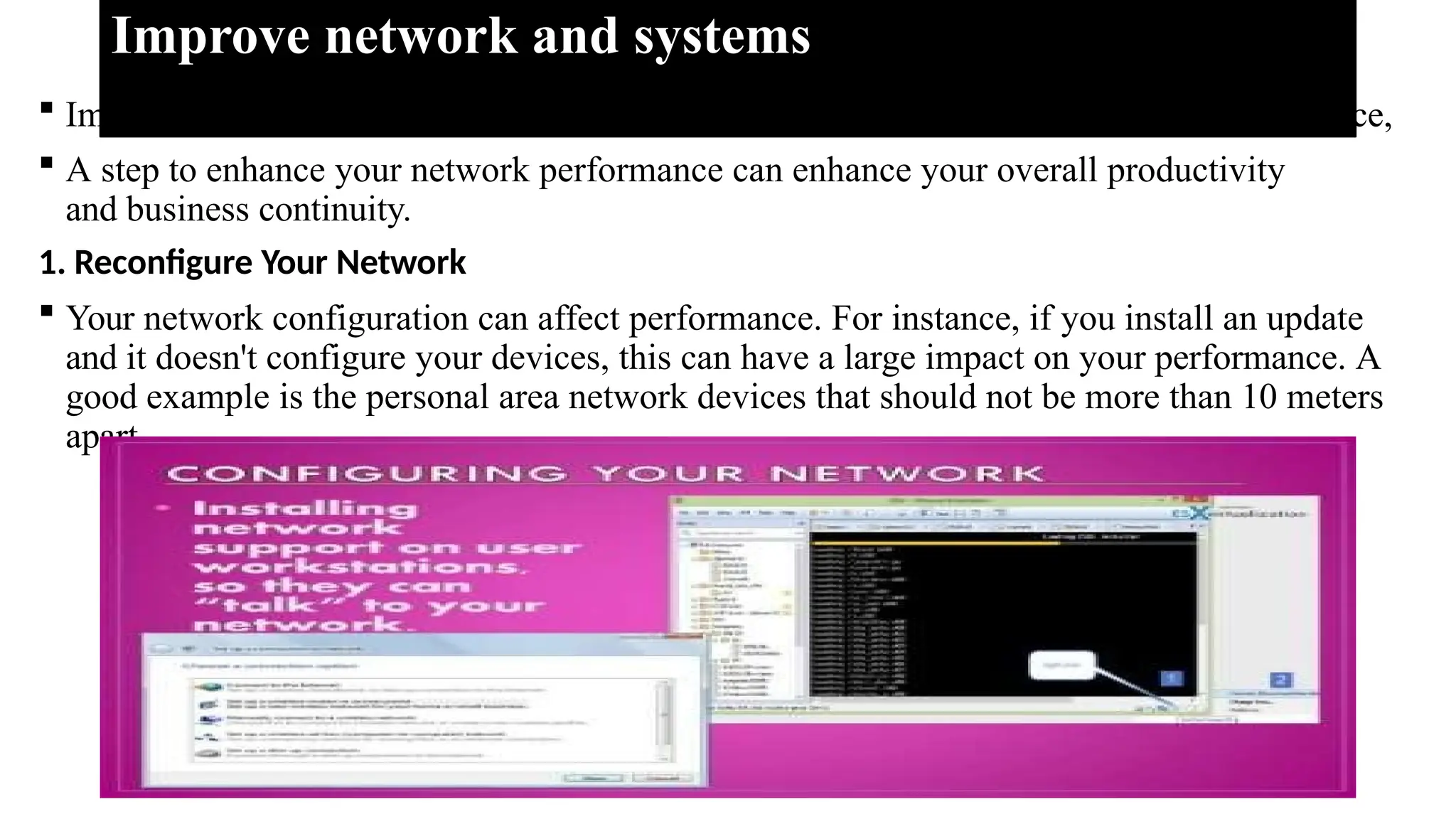
1. Reconfigure Your Network
 Your network configuration can affect performance. For instance, if you install an update
and it doesn't configure your devices, this can have a large impact on your performance. A
good example is the personal area network devices that should not be more than 10 meters
apart.
2. Check for System Defects And Viruses
 Viruses and system defects can break down a network infrastructure and degrade the
network performance. Some malwares can also control programs and applications in your
network. A flaw in the components or system can cause a network to behave unexpectedly.
3. Upgrade and Update Firmware and Software
 Often, businesses cannot keep up with the pace of technology and balance with the
software they run. You may end up having software running on outdated technology in your
network. You can also have old machines with new programs.
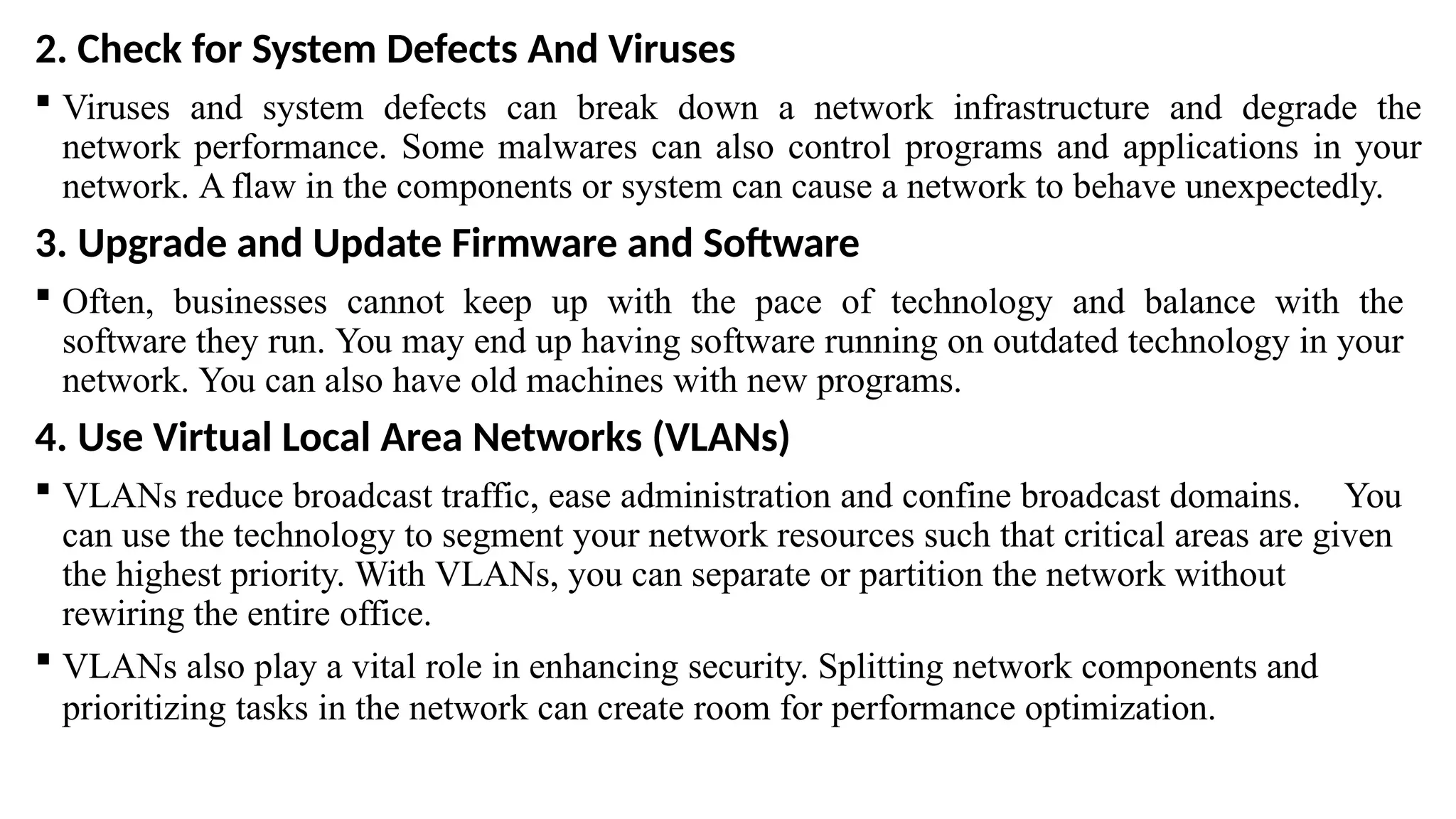
4. Use Virtual Local Area Networks (VLANs)
 VLANs reduce broadcast traffic, ease administration and confine broadcast domains. You
can use the technology to segment your network resources such that critical areas are given
the highest priority. With VLANs, you can separate or partition the network without
rewiring the entire office.
 VLANs also play a vital role in enhancing security. Splitting network components and
prioritizing tasks in the network can create room for performance optimization.
5. Provide a Guest Network
 Having multiple users on a network increases traffic, which affects network performance.
An enterprise network accommodating hundreds of guest users is bound to experience
slowdowns. Guests can demand bandwidth that your business would otherwise be using on
other important tasks.
6. User Education
 Educating your team on user behavior can enhance network performance. Often,
employees use their free time on their computers. They could choose to stream a show or
play video games, unaware of the impact of the activities on the network resources.
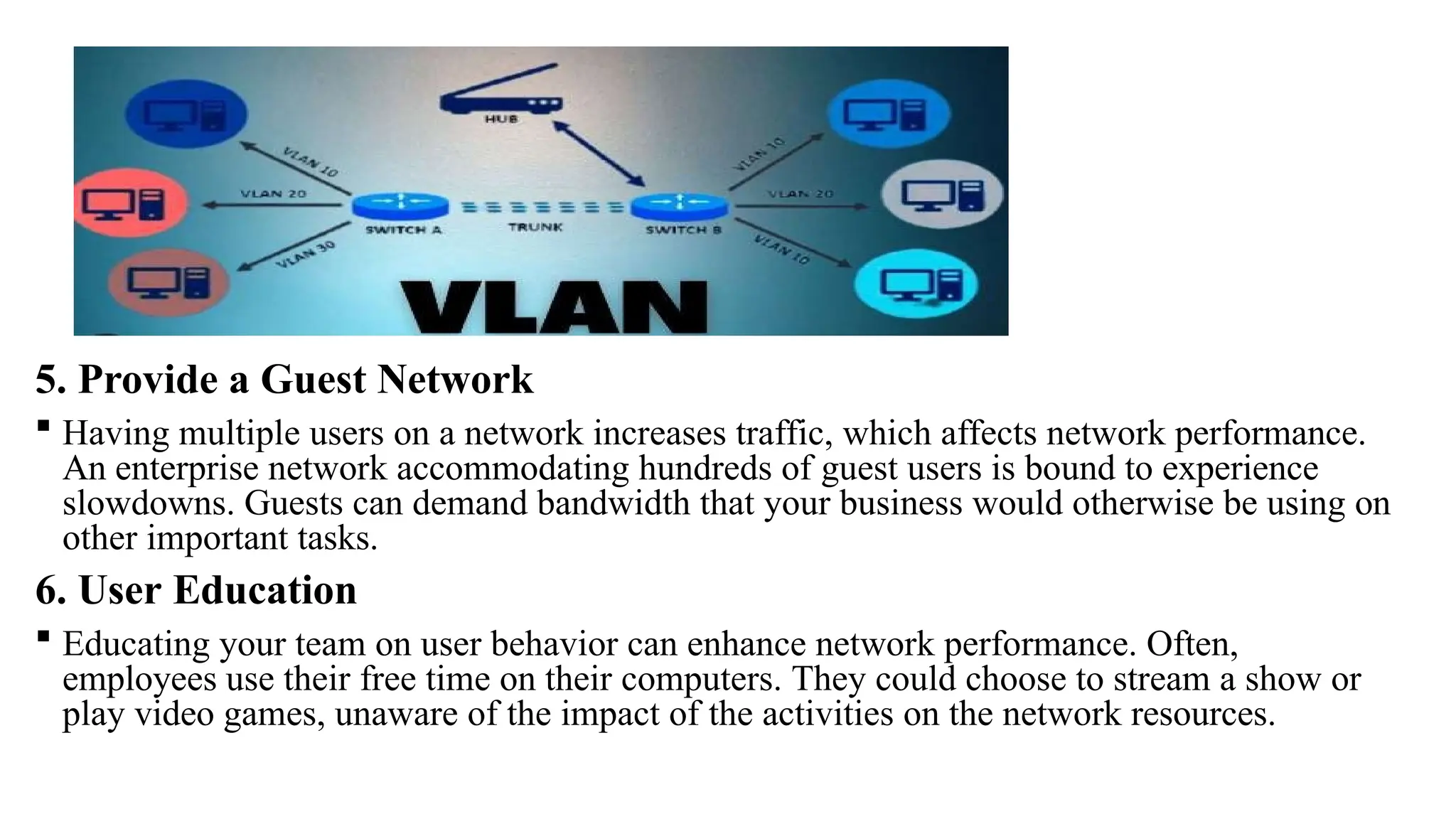
7. Network Monitoring:- Monitoring your network for traffic jams and bottlenecks can
help you diagnose problems, solve them in good time, and prevent advancing network
issues. For instance, if the network admin identifies backups as the reason behind
substandard network performance, they can schedule them for a time when the personnel are
not utilizing most of the network resources.
Unit Four : Migrate to New Technology
 Basic concept of Migrating to new technology
 Migrating to new technology involves the strategic transition from existing
technological
systems to advanced solutions.
Develop new skills.
 Developing new skills in new technology requires a systematic approach and a
commitment to continuous learning.
Here are steps to help you develop new skills in emerging
technologies:
1.Identify the technology: Start by identifying the specific technology or field
you want to develop skills in.
2. Set clear goals: Define your learning goals and objectives. Determine what
specific
skills, knowledge, or certifications you want to acquire in the new technology.
4. Select learning resources: Identify high-quality learning resources that
suit your preferred learning style. These resources may include online courses, tutorials,
books, video lectures, forums, or workshops.
5.Create a learning plan: Develop a learning plan that outlines the topics,
concepts, and skills you need to cover. Break down the learning process into manageable
chunks and set a schedule or timeline for your learning activities.
6.Embrace continuous learning: Technology evolves rapidly, so commit to
continuous learning. Stay curious, explore new developments, and keep up with industry
news and updates. Dedicate time regularly to learn and stay updated on advancements in the
technology you're focusing on.
Upgraded technology skills
 Upgrading technology skills is an ongoing process that requires dedication, perseverance,
and a commitment to lifelong learning. Embrace new challenges, be proactive in seeking
opportunities, and apply your upgraded skills in practical settings to maximize their
impact.
To upgrade your technology skills, you can follow these
one: Identify Areas for Improvement:
Set Clear Goals
Create a Learning Plan:
Engage in Practical Projects:
Stay Updated and Practice Continuously
Seek Feedback and Networking
Identify upgraded equipment.
 Upgraded equipment refers to the improved or advanced versions of technological devices
or
tools used in various domains. It involves the enhancement of hardware components,
software capabilities, performance, features, or functionalities of a specific piece of
equipment. Upgrades can include improvements in processing power, memory capacity,
storage capacity, connectivity options, display quality, battery life, security features, or any
other aspect that enhances the overall performance or user experience of the equipment.
Upgraded equipment often incorporates the latest technological advancements and
innovations to deliver superior performance, increased efficiency, and enhanced
capabilities compared to previous versions or older models.
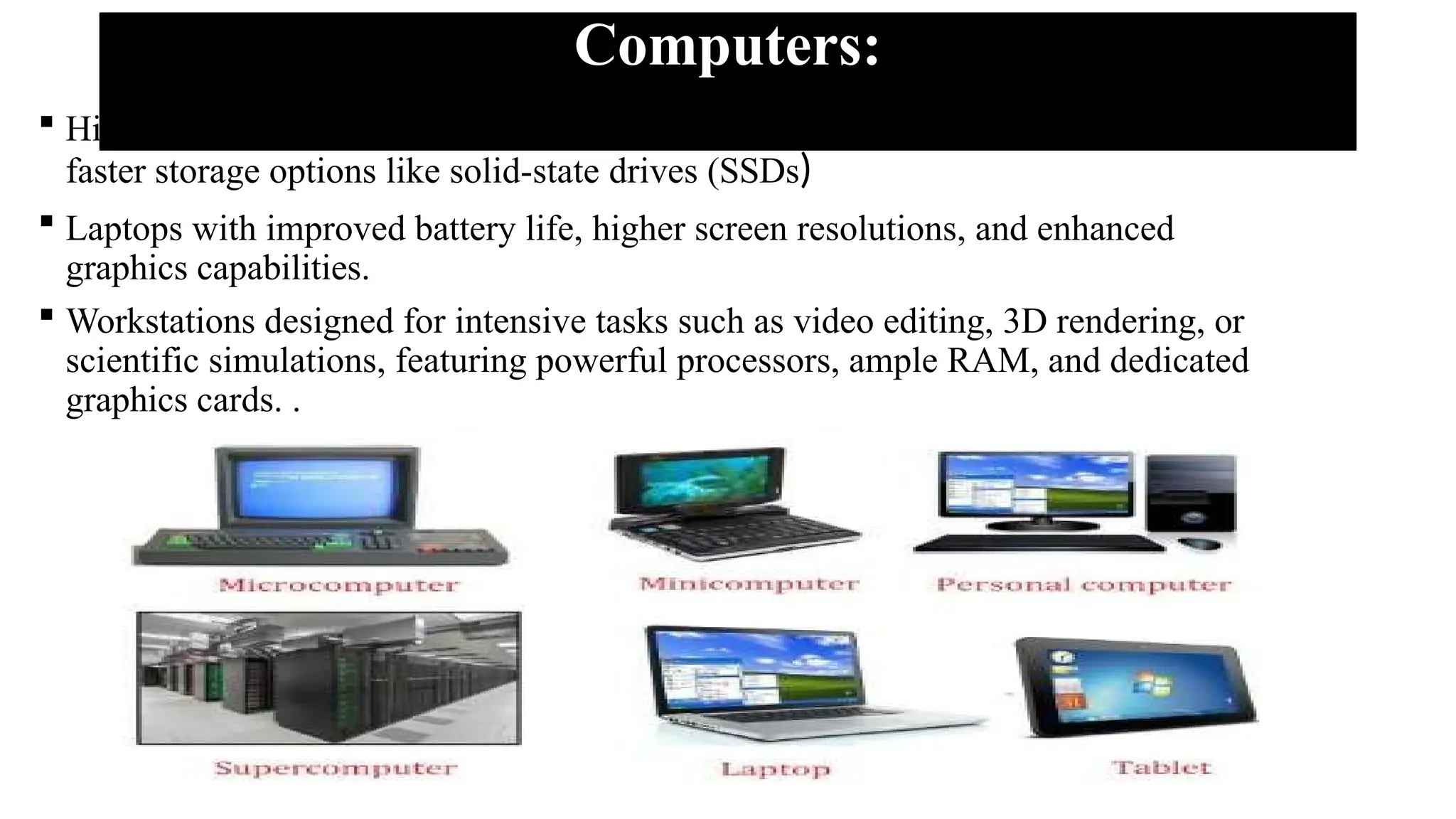
Computers:
 High-performance desktop computers with advanced processors, increased RAM, and
faster storage options like solid-state drives (SSDs)
 Laptops with improved battery life, higher screen resolutions, and enhanced
graphics capabilities.
 Workstations designed for intensive tasks such as video editing, 3D rendering, or
scientific simulations, featuring powerful processors, ample RAM, and dedicated
graphics cards. .
Smartphones:
 Flagship smartphones with faster processors, larger RAM capacity, and improved
camera technologies.
 Devices with 5G connectivity for faster internet speeds and lower latency.
 Smartphones equipped with advanced biometric authentication methods like
facial recognition or under-display fingerprint sensors.
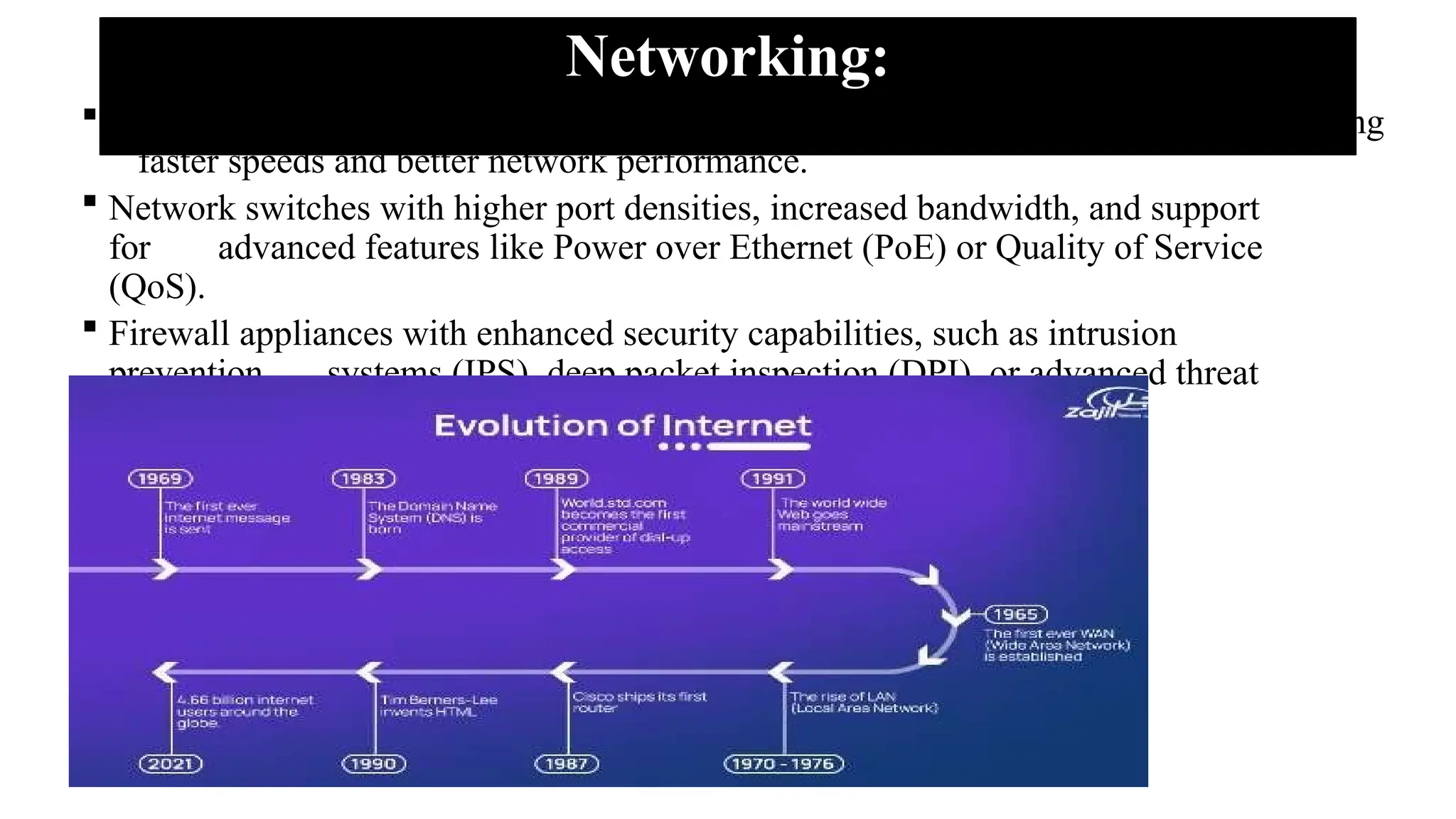
Networking:
 Upgraded routers with the latest Wi-Fi standards (such as Wi-Fi 6 or Wi-Fi 6E) offering
faster speeds and better network performance.
 Network switches with higher port densities, increased bandwidth, and support
for advanced features like Power over Ethernet (PoE) or Quality of Service
(QoS).
 Firewall appliances with enhanced security capabilities, such as intrusion
prevention systems (IPS), deep packet inspection (DPI), or advanced threat
protection (ATP).
Cameras and Photography:
 Digital cameras with higher megapixel counts, improved low-light performance,
and advanced autofocus systems.
 Mirror less cameras with faster burst shooting rates, improved image stabilization,
and high-resolution electronic viewfinders.
 Drones equipped with high-resolution cameras, obstacle avoidance sensors,
and intelligent flight modes for aerial photography and videography.
Virtual Reality (VR) and Augmented Reality (AR):
 VR headsets with higher display resolutions, wider field of view, and improved
tracking accuracy.
 AR glasses with lightweight designs, better transparent display technology, and enhanced
gesture recognition.
 Controllers and haptic devices that provide more precise and immersive
interactions within virtual environments.
Understand Sources of information for new or upgraded equipment
1. Manufacturer Websites: The official websites of equipment manufacturers
provide comprehensive and accurate information about their products. These websites
often include detailed specifications, features, pricing, and availability of the latest models
or upgrades.
2.Technology News Websites: Websites that specialize in technology news
and reviews, such as CNET, Engadget, The Verge, PCMag, and Gizmodo, offer up-to-date
coverage on new and upgraded equipment. They provide in-depth articles, reviews,
comparisons, and expert insights into the latest technology trends and advancements.
3.Industry-specific Publications: Industry publications and magazines
dedicated to specific fields or sectors often feature articles and reviews about new or
upgraded equipment. Examples include Wired, Popular Science, IEEE Spectrum, or
Automotive News, depending on your area of interest.
4.Online Forums and Communities: Online forums and
communities focused on specific equipment or technology domains are valuable
sources of information. Platforms like Reddit, specialized forums, or dedicated
Facebook groups allow users to discuss, share experiences, and ask questions about
new or upgraded equipment.
5. Professional Networks and Colleagues: Networking with professionals in
your industry or field can provide valuable insights into new or upgraded equipment.
Engaging with colleagues, attending industry events, or joining professional organizations can
help you tap into their expertise and firsthand experiences with the equipment you are
interested in.
Use new or upgraded equipment
 When organizations want to make a significant change to their business systems,

new technology or new equipment is generally part of the change. Using new or
upgraded equipment typically involves several steps to ensure a smooth and efficient
transition.
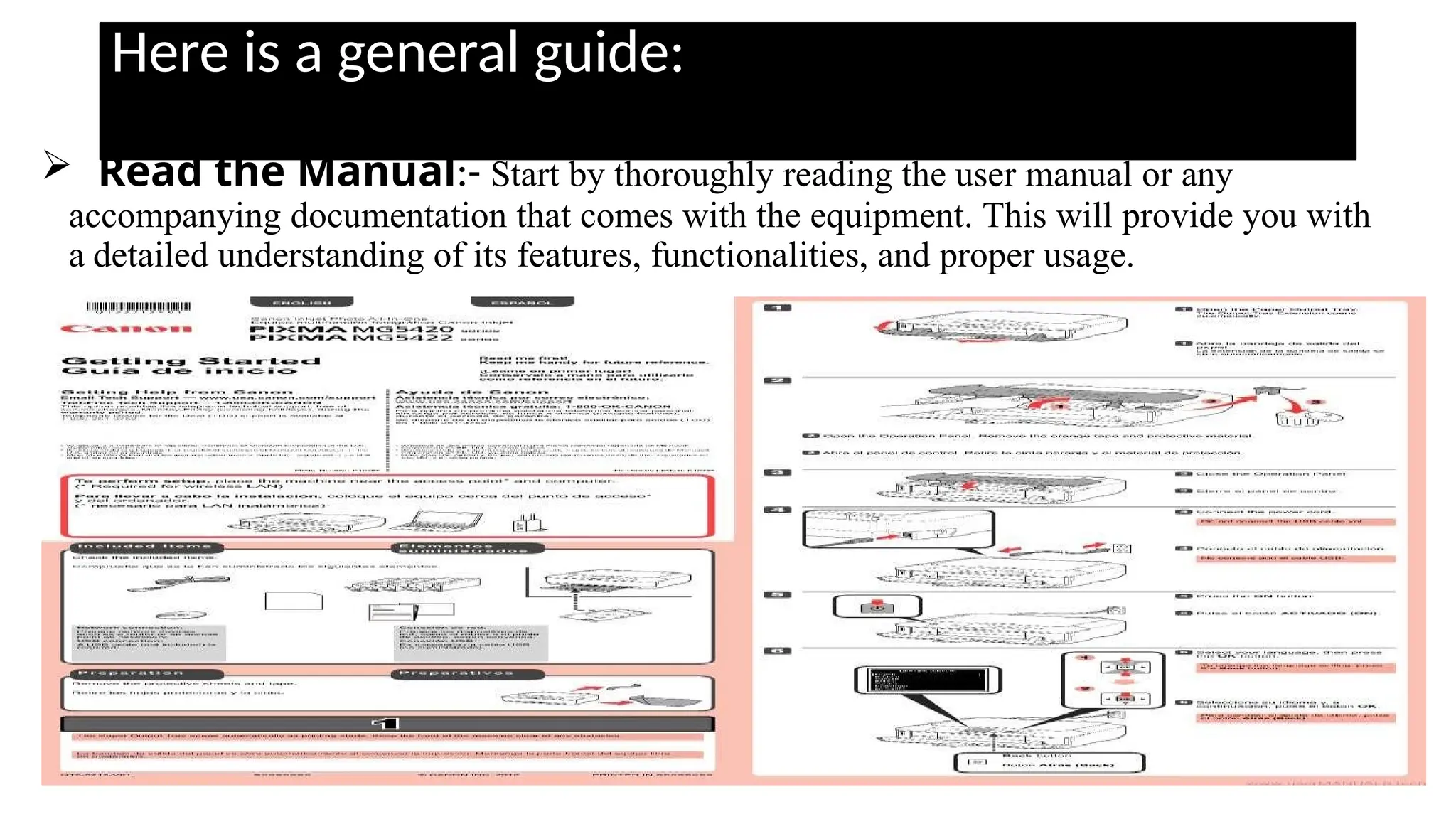
Here is a general guide:
 Read the Manual:- Start by thoroughly reading the user manual or any
accompanying documentation that comes with the equipment. This will provide you with
a detailed understanding of its features, functionalities, and proper usage.
 Familiarize Yourself: Take some time to get familiar with the equipment.
Explore its buttons, controls, and settings. Understand how to power it on/off, adjust
settings, and navigate through different menus or options.
 Practice Hands-On: Engage in hands-on practice with the equipment. Start with
simple tasks or basic functions to gain confidence and gradually progress to more
complex operations. Experiment with different settings and features to understand their
impact and functionality.
 Seek Training or Tutorials: If available, attend training sessions or
workshops related to the equipment. Alternatively, search for online tutorials, video
guides, or forums where you can learn from others' experiences and expertise.
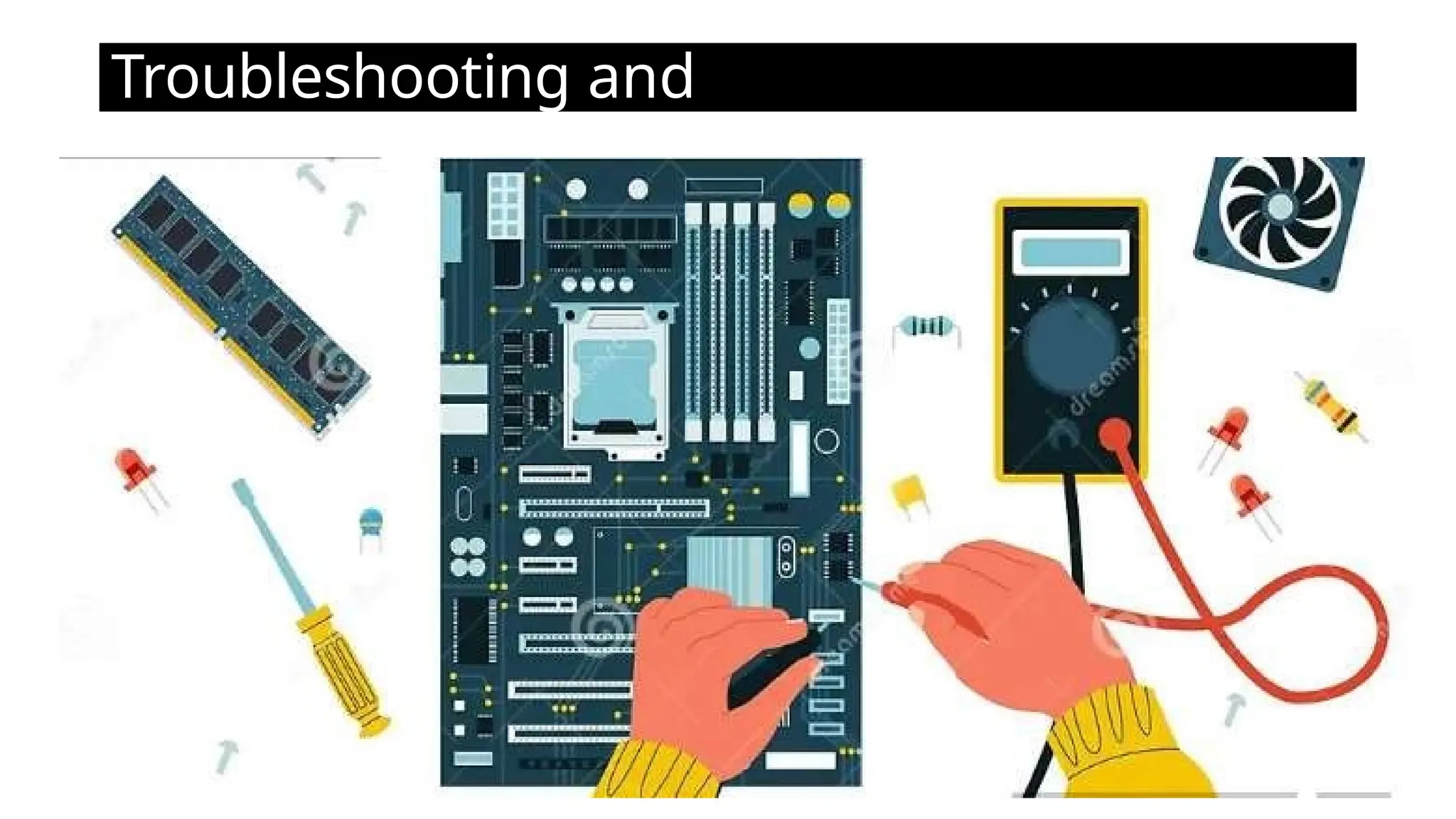
 Troubleshooting and Maintenance: Familiarize yourself with common
troubleshooting techniques specific to the equipment. Learn how to identify and
resolve common issues that may arise during usage.
Troubleshooting and
Maintenance

Provide Network System Administrationa.pptx

  • 1.
    Web Development andDatabase Administration Level-IV Unit of Competence: : Manage Network Security Unit One: Define a Process for Designing Security YEKA INDUSTRIAL COLLEGE Prepared By Instructor Nahom
  • 2.
    1.1. Network SecurityDesign Process 1.1.1. Introduction to network security design  Network security design is a strategic approach to creating a secure and resilient network infrastructure.  It involves planning, implementing, and managing various security measures to protect data, systems, and communication within a network.  Here's an introduction to key considerations in network security design: o Risk Assessment: Identify and evaluate potential risks and threats to the network. This includes understanding the value of assets, potential vulnerabilities, and the likelihood of various security incidents. oSecurity Goals and Objectives: Define clear security goals and objectives aligned with the organization's overall business objectives. These may include confidentiality, integrity, availability, and compliance with industry regulations.
  • 3.
    Cont’d o Defense-in-Depth Strategy:Implement multiple layers of security controls to create a defense-in-depth strategy. This approach involves using a combination of technologies, policies, and procedures to mitigate risks at various levels. o Segmentation: Divide the network into segments to contain and isolate potential security incidents. Segmentation helps prevent lateral movement of attackers within the network and limits the impact of security breaches.
  • 4.
    Dial-up Connection How itworks: Uses public telephone lines via a modem (56K). Advantages: Economic & widely available Minimal hardware cost Easy configuration Disadvantages: Slow connection (56 Kbps) Telephone line is occupied during use Leased Line Connection Description: Dedicated data connection with fixed bandwidth, ensuring high-speed and reliable internet.
  • 5.
    Types of LeasedLines: ADSL (Asymmetric DSL): Higher download speed (1.5 - 8 Mbps), slower upload. SDSL (Symmetric DSL): Same speed for upload/download (up to 3 Mbps). VDSL (Very High Data Rate DSL): Fastest speeds (13 - 52 Mbps download). HDSL (High Data Rate DSL): Equal bandwidth in both directions. Advantages: Fast, reliable, always-on Data and voice at the same time Disadvantages: Not available everywhere Requires special ADSL modem
  • 6.
    Cable Connection How itworks: Uses cable television infrastructure. Characteristics:  Separate cable from phone line  Fixed monthly fee  Fast and reliable Advantages:  Very fast, always on  Doesn’t affect phone calls Disadvantages: o Availability issues in some areas o
  • 7.
    Wireless (Wi-Fi) Connection Definition:Data transmission without physical cables using electromagnetic waves. WLAN (Wireless LAN): A network that allows wireless communication between devices. Advantages:  No need for physical cables  Flexible and convenient for mobile devices Disadvantages:  Can be slower than wired connections 
  • 8.
    Launching Internet BrowserSoftware Popular Web Browsers:  Google Chrome  Mozilla Firefox  Microsoft Edge  Internet Explorer Steps to Launch: • Ensure modem is on and connected • Verify proper connection software configuration • Open browser and start browsing!
  • 9.
    Conclusion Recap of KeyPoints: ISPs provide essential services for internet access. Different connection types (Dial-up, Leased, Cable, Wireless) offer varying speeds and reliability. Choosing the right ISP is based on your needs (speed, cost, number of users). Modern browsers are essential tools for internet access.
  • 10.
    Access Control Privileges ViewThe user can view elements, as well as their alarms and properties, and relationships to other elements that the user can view. Manage The user can perform nonintrusive actions (such as Ping or TraceRoute) as well as update element information (such as custom properties). Access: The user can access remote managed elements by using “connect to” operations with adapters that support cut-through telnet such as the Event Manager, OpenView, and Netcool*. An example operation is using the Console capability in the Elements hierarchy. Define :The user can perform administrative tasks such as adding scripts, sites, and service model elements, as well as creating, deleting, and changing the definition of adapters, service models and SLAs in Operations Center. Undefined: Not defining access privileges avoids conflicts. For example, the two groups in the following figure have the following permissions at the top (root) Access Control level  The admins group has Define privileges explicitly defined. The users group has undefined Define privileges. Therefore, a member of both groups has Define privileges.
  • 12.
    Maintain System integrityand security System integrity  System integrity refers to the state of a computer system or network being complete, accurate, and secure. It involves ensuring that the system operates as intended, without unauthorized modifications, corruption, or compromise. System integrity encompasses various aspects, including data integrity, configuration integrity, and overall security.  Data Integrity: Data integrity refers to the accuracy, consistency, and reliability of data stored within a system. It ensures that data remains unchanged and uncorrupted throughout its lifecycle. Measures such as data validation, checksums, and error detection techniques are used to maintain data integrity.  Configuration Integrity: Configuration integrity involves verifying and maintaining the integrity of system configurations, settings, and parameters.  It ensures that the system is properly configured according to established standards and best practices. Unauthorized changes to system configurations can introduce vulnerabilities or disrupt system functionality.
  • 13.
    Software Integrity: Softwareintegrity focuses on ensuring that software applications and programs are free from defects, vulnerabilities, or unauthorized modifications. It involves implementing secure coding practices, performing regular software updates and patching, and conducting code reviews and software testing to identify and fix vulnerabilities. Hardware Integrity: Hardware integrity refers to the assurance that computer hardware components are functioning correctly and have not been tampered with or compromised. It involves validating the authenticity and integrity of hardware components, monitoring for hardware failures, and protecting against unauthorized modifications or hardware-based attacks. System Security: System security is a critical aspect of system integrity. It involves protecting the system against unauthorized access, data breaches, malware, and other security threats. This includes implementing access controls, strong authentication mechanisms, encryption, intrusion detection and prevention systems, and ongoing monitoring and auditing of system activities.  Maintaining system integrity is essential to ensure the reliability, availability, and confidentiality of information, as well as the proper functioning of computer systems and networks. It requires a combination of technical controls, security measures, and proactive monitoring to prevent unauthorized changes, detect potential vulnerabilities, and respond promptly to security incidents.
  • 14.
  • 15.
    System security  Thesecurity of a computer system is a crucial task. It is a process of ensuring the confidentiality and integrity of the OS. Security is one of most important as well as the major task in order to keep all the threats or other malicious tasks or attacks or program away from the computer’s software system.  A system is said to be secure if its resources are used and accessed as intended under all the circumstances, but no system can guarantee absolute security from several of various malicious threats and unauthorized access. The security of a system can be threatened via two violations:  Threat: A program that has the potential to cause serious damage to the system.  Attack: An attempt to break security and make unauthorized use of an asset.  Security violations affecting the system can be categorized as malicious and accidental threats. Malicious threats, as the name suggests are a kind of harmful computer code or web script designed to create system vulnerabilities leading to back doors and security breaches. Accidental Threats, on the other hand, are comparatively easier to be protected against.
  • 16.
  • 17.
    Unit Two: Disseminatedisaster recovery plan  A Disaster Recovery Plan (DRP) is a structured approach to responding to and recovering from events that can cause data loss, system downtime, and other disruptions to normal business operations.  Modern organizations have to operate on a 24/7 basis in order to stay competitive in the market. It is important to create a disaster recovery (DR) plan so as to ensure that your business can continue to operate even during a DR event. However, when designing a DR plan, many businesses overlook the importance of network disaster recovery.  A network disaster recovery plan includes a set of procedures required to effectively respond to a disaster that affects a network and causes its disruption. Network disaster recovery planning generally entails: Listing the steps which should be undertaken in order to restore network connectivity Identifying people responsible for conducting network disaster recovery Assessing possible consequences of a network failure Determining the best strategies to mitigate them
  • 18.
    Possible Causes ofNetwork Failures  Network services are required for ensuring an uninterrupted flow of communications and data transfer within your IT infrastructure. Various factors can lead to network failure. These include:  Hardware failure. Network equipment such as routers, switches, modems, gateways, or any other device can fail and, as a result, affect the performance of all other devices connected to them.  Cascading failure. A single network consists of multiple routers, nodes, or switches. One of those network components might become overloaded and stop working, which can trigger a cascade of failures within a single network.  Issues with the internet connection. Failure to set up an internet connection can cause problems with network connectivity and interrupt data transfer.  Human errors. Sometimes, network connectivity problems might be the result of mistakes made by employees when working with network equipment or manually configuring network components.
  • 19.
     Network attacks.Network services can get disrupted after a cyber-attack, whose aim is to prevent the organization from delivering its services, forcing it to shut down.  Natural or man-made disaster. Disasters of any type can significantly damage or even destroy your production center and virtual infrastructure, thus causing significant business losses. Tips for Disaster Recovery Planning
  • 20.
    Backup and restore Backupfor disaster recovery  Backup is a crucial element of disaster recovery, providing a means to safeguard critical data, applications, and systems in case of unforeseen events. It involves creating duplicate copies of essential information and storing them on separate devices or off-site locations. These backups are performed regularly to capture the most up-to-date data and ensure its availability for recovery purposes.  There are several types of backups that can be employed, each offering different levels of data protection and recovery options.  Some common types of backups include: 1. Full Backup: A full backup involves creating a complete copy of all data and files in a system or storage device. It captures all data, regardless of whether it has changed since the last backup. Full backups are comprehensive but can be time-consuming and require significant storage space.
  • 21.
    • Full Backup 2.Incremental Backup: Incremental backups only capture and store changes made since the last backup, whether it was a full or incremental backup. This approach is more efficient in terms of time and storage space, as it only backs up the modified or new data. However, recovery from incremental backups may require multiple backup sets to be restored.
  • 22.
    3. Differential Backup:Differential backups capture all changes made since the last full backup. Unlike incremental backups, which only include changes since the last backup (whether full or incremental), differential backups include changes since the last full backup. This results in faster recovery compared to incremental backups, as only the last full backup and the differential backup need to be restored. 4. Mirror Backup: A mirror backup creates an exact replica of the source data or system. It involves copying all files and directories to a separate storage device or location. Mirror backups provide a straightforward recovery process, as the backup is a direct copy of the original data. However, they can consume significant storage space and may not offer versioning or point-in- time recovery capabilities
  • 23.
    5. Snapshot Backup:Snapshot backups capture the state of a system or data at a specific point in time. Instead of copying all data, snapshot backups store the differences or changes made since the previous snapshot. 6. Cloud Backup: Cloud backup involves storing data backups in off-site cloud storage. It offers the advantage of scalability, accessibility from anywhere with an internet connection, and built-in redundancy provided by the cloud service provider. Cloud backups can be performed using various backup methods, such as full, incremental, or snapshot backups.
  • 24.
    Restore for disasterrecovery • The restore phase is a key component of the overall disaster recovery plan and involves the following: Assess the situation: Before initiating the restore process, assess the extent of the damage caused by the disaster and determine the scope of the restoration effort. Identify the affected systems, applications, and data that need to be restored. Activate the disaster recovery plan: Refer to the documented disaster recovery plan, which should outline the procedures and guidelines for restoring various components of the IT infrastructure. Follow the plan's instructions to ensure a structured and organized approach to the restore process. Retrieve backups: Retrieve the backup copies of the affected data, applications, or systems from the designated backup storage location. This may involve accessing backup tapes, disk- based backups, or cloud-based backups depending on the backup strategy and technology in place. Validate backup integrity: Verify the integrity and consistency of the backup data before proceeding with the restore process. This step ensures that the backups are viable and can be relied upon for successful recovery.
  • 25.
     Restore dataand applications: Start the restoration of data and applications based on the recovery priorities defined in the disaster recovery plan. Begin with the most critical systems and work your way down to less critical ones.  Test and verify: After the restore process, conduct thorough testing to validate the restored data, applications, and systems. Perform functional tests, check for data integrity, and ensure that the restored components are working correctly.  Update configurations and connections: Adjust configurations and re- establish connections as necessary to integrate the restored systems back into the production environment.  Document the restore process: Maintain detailed documentation of the restore process, including the steps performed, any issues encountered, and the actions taken to resolve them.
  • 26.
    Unit Three :Monitor network performance • Basic concept of monitor network performance  Monitoring network performance involves the systematic observation and analysis of a computer network to ensure it operates efficiently, reliably, and securely.  This process encompasses various aspects such as bandwidth utilization, latency, packet loss, and device health.  By continually assessing these factors, network administrators can identify and address potential issues before they impact the user experience.  Bandwidth monitoring helps optimize data transmission capacity, latency monitoring ensures timely data delivery, and packet loss monitoring aids in maintaining a stable and responsive network.  Additionally, network performance monitoring includes traffic analysis, security surveillance, and quality of service assessments to ensure that resources are allocated effectively, potential security threats are detected, and the overall quality of communication meets the desired standards.
  • 27.
     Utilizing specializedtools and reporting mechanisms, organizations can maintain a proactive approach to network management, enhancing the overall reliability and performance of their network infrastructure.  Performing diagnostic test  Performing network diagnostic tests involves a systematic process to assess and analyze the health, performance, and functionality of a computer network. Here are the general steps you can follow to conduct network diagnostic tests: Identify the Issue:  Begin by identifying the specific issue or symptoms that require diagnostic testing. This could include slow network performance, connectivity problems, or unexpected outages. Define Testing Objectives:  Clearly define the objectives of your diagnostic tests. Determine what aspects of the network you need to evaluate, such as bandwidth, latency, packet loss, or device health. Select Appropriate Tools:  Choose the appropriate network diagnostic tools for the specific tests you want to perform. There are various tools available for different aspects of network analysis, including: Ping and Traceroute: For assessing connectivity and latency.
  • 28.
    Network Performance MonitoringTools: Such as Wireshark, Nagios, or PRTG for detailed analysis of network traffic. Bandwidth Testing Tools: Like Speedtest.net or iPerf for measuring available bandwidth. Device Monitoring Software: To assess the health and performance of network devices. Execute Diagnostic Tests:  Perform the selected diagnostic tests. For example:  Use ping to check connectivity and measure round-trip times.  Conduct traceroute to identify the path and latency between your computer and a destination.  Run bandwidth tests to evaluate the network's capacity.  Utilize network monitoring tools to analyze traffic patterns and identify potential issues. Interpret Results:  Analyze the results of the diagnostic tests. Look for anomalies, deviations from expected values, or patterns that may indicate network issues. Pay attention to any packet loss, latency spikes, or irregularities in traffic. Diagnose Network Issues:  Based on the results, diagnose the root causes of identified network issues. This may involve troubleshooting hardware, configuration settings, or addressing issues related to network congestion.
  • 29.
    Implement Solutions:  Oncethe issues are identified, implement appropriate solutions. This could include adjusting network configurations, upgrading hardware, optimizing settings, or addressing specific issues with network devices. Document and Report:  Document the results of your diagnostic tests and the actions taken to address any issues. This documentation is valuable for future reference and can help in maintaining a proactive approach to network management. Continuous Monitoring:  Establish a routine for continuous monitoring of the network. Regularly perform diagnostic tests to identify and address potential issues before they impact network performance. Analyze and respond information  Analyzing and responding to information in a network involves monitoring network traffic, identifying potential issues or anomalies, and taking appropriate actions to ensure network security, performance, and reliability. Here are some ways of analyze and respond to information in a network:
  • 30.
    . Here aresome ways of analyze and respond to information in a network: 1. Implement network-monitoring tools: Use network monitoring software or tools to capture and analyze network traffic. These tools can provide real-time visibility into network activity, including bandwidth utilization, packet loss, latency, and security events. 2. Establish baseline and thresholds: Establish a baseline of normal network behavior by monitoring network traffic patterns over time. Set thresholds or alerts for abnormal network behavior, such as unusually high traffic volume, network congestion, or security breaches. 3. Monitor network traffic: Continuously monitor network traffic to identify any anomalies or deviations from the baseline. Observe patterns, trends, and irregularities that may indicate network performance issues or security incidents. 4. Analyze network logs: Analyze log files generated by network devices, servers, and security systems. Logs can provide valuable information about network events, errors, and security incidents. Look for any suspicious or unusual activities that may require investigation or response. 5. Identify security threats: Use intrusion detection and prevention systems (IDS/IPS) or security information and event management (SIEM) solutions to detect and respond to security threats. Analyze network traffic for signs of malware infections, unauthorized access attempts, or other malicious activities.
  • 31.
    6.Investigate network issues:When an issue or anomaly is detected, investigate the root cause by analyzing relevant network logs, traffic patterns, and system configurations. Identify the source of the problem, whether it's a misconfiguration, hardware failure, software bug, or security incident. 7.Respond to network incidents: Take appropriate actions to address network incidents or issues. This may involve implementing security measures, such as blocking malicious IP addresses or isolating compromised devices. Troubleshoot network performance problems and apply necessary fixes or optimizations. 8.Document and report: Keep detailed records of network incidents, actions taken, and their outcomes. Document any changes made to network configurations or security settings. Prepare reports summarizing network performance, security incidents, and actions taken for management and future reference. 9.Continuous improvement: Regularly review and update network monitoring and response strategies based on lessons learned from past incidents. Stay updated with emerging threats, new technologies, and best practices in network monitoring and security.
  • 32.
    Monitor software andfiles  To monitor software and files using a network, you can employ various network monitoring techniques and tools. Here are some steps to monitor software and files using a network.  Choose network-monitoring tools: Select network monitoring software or tools that offer features for monitoring software and file activities. Look for tools that provide real- time monitoring, alerting, and reporting capabilities specific to software and file monitoring.  Install monitoring agents or software: Install monitoring agents or software on the systems or servers where the software and files are located. These agents will collect data and send it to the central monitoring system for analysis.  Set up file integrity monitoring: Implement file integrity monitoring (FIM) to detect unauthorized changes to files. FIM tools can monitor file attributes, checksums, or digital signatures to ensure the integrity and security of critical files. Any unauthorized modifications can trigger an alert.  Monitor network traffic: Utilize network-monitoring tools to capture and analyze network traffic that is related to software and file activities. This can help identify any
  • 33.
     Enable loggingand auditing: Enable logging and auditing features on servers and systems hosting the software and files. Configure the logging settings to capture relevant information about software installations, file accesses, modifications, and user activities. Regularly review the logs for any suspicious or unauthorized activities.  Configure alerts and notifications: Set up alerts and notifications within the network monitoring tools to inform you of any abnormal software or file-related activities. Configure the alerts to be sent via email, SMS, or other communication channels, ensuring that the right individuals or teams are notified promptly.  Perform regular analysis and reporting: Regularly analyze the collected data, generate reports on software, and file activities. Look for patterns, trends, or anomalies that may indicate security risks, compliance violations, or performance issues. Share these reports with relevant stakeholders for visibility and informed decision-making.  Maintain patch management and vulnerability scanning: Regularly apply software patches and updates to address known vulnerabilities. Conduct vulnerability scans to identify any weaknesses in software or files that could be exploited by attackers. Monitor the results of patching and vulnerability scanning activities to ensure compliance and mitigate risks.
  • 34.
     Continuously reviewand refine monitoring strategies: Review your monitoring strategies and tools periodically to ensure they remain effective and aligned with your organization's evolving needs. Stay informed about emerging threats, new monitoring technologies, and best practices in software and file monitoring to enhance your monitoring capabilities.  Monitor performance indicators  Monitoring the performance indicators of a network is essential to ensure its optimal functionality. To monitor network performance, start by identifying relevant performance indicators such as bandwidth utilization, latency, packet loss, network throughput, and response times. Next, select network monitoring tools that can collect and analyze data on these indicators. Deploy monitoring agents or sensors on critical network devices and configure real- time monitoring to continuously track performance metrics. Set up performance thresholds and alerts to receive notifications when indicators exceed or fall below acceptable levels. Analyze historical data to identify trends and patterns, and periodically conduct performance assessments. Utilize network traffic analysis tools to examine traffic patterns and generate performance
  • 35.
    Improve network andsystems  Improving network and systems involves implementing strategies to enhance performance,  A step to enhance your network performance can enhance your overall productivity and business continuity. 1. Reconfigure Your Network  Your network configuration can affect performance. For instance, if you install an update and it doesn't configure your devices, this can have a large impact on your performance. A good example is the personal area network devices that should not be more than 10 meters apart.
  • 36.
    2. Check forSystem Defects And Viruses  Viruses and system defects can break down a network infrastructure and degrade the network performance. Some malwares can also control programs and applications in your network. A flaw in the components or system can cause a network to behave unexpectedly. 3. Upgrade and Update Firmware and Software  Often, businesses cannot keep up with the pace of technology and balance with the software they run. You may end up having software running on outdated technology in your network. You can also have old machines with new programs. 4. Use Virtual Local Area Networks (VLANs)  VLANs reduce broadcast traffic, ease administration and confine broadcast domains. You can use the technology to segment your network resources such that critical areas are given the highest priority. With VLANs, you can separate or partition the network without rewiring the entire office.  VLANs also play a vital role in enhancing security. Splitting network components and prioritizing tasks in the network can create room for performance optimization.
  • 37.
    5. Provide aGuest Network  Having multiple users on a network increases traffic, which affects network performance. An enterprise network accommodating hundreds of guest users is bound to experience slowdowns. Guests can demand bandwidth that your business would otherwise be using on other important tasks. 6. User Education  Educating your team on user behavior can enhance network performance. Often, employees use their free time on their computers. They could choose to stream a show or play video games, unaware of the impact of the activities on the network resources.
  • 38.
    7. Network Monitoring:-Monitoring your network for traffic jams and bottlenecks can help you diagnose problems, solve them in good time, and prevent advancing network issues. For instance, if the network admin identifies backups as the reason behind substandard network performance, they can schedule them for a time when the personnel are not utilizing most of the network resources.
  • 39.
    Unit Four :Migrate to New Technology  Basic concept of Migrating to new technology  Migrating to new technology involves the strategic transition from existing technological systems to advanced solutions. Develop new skills.  Developing new skills in new technology requires a systematic approach and a commitment to continuous learning. Here are steps to help you develop new skills in emerging technologies: 1.Identify the technology: Start by identifying the specific technology or field you want to develop skills in. 2. Set clear goals: Define your learning goals and objectives. Determine what specific skills, knowledge, or certifications you want to acquire in the new technology.
  • 40.
    4. Select learningresources: Identify high-quality learning resources that suit your preferred learning style. These resources may include online courses, tutorials, books, video lectures, forums, or workshops. 5.Create a learning plan: Develop a learning plan that outlines the topics, concepts, and skills you need to cover. Break down the learning process into manageable chunks and set a schedule or timeline for your learning activities. 6.Embrace continuous learning: Technology evolves rapidly, so commit to continuous learning. Stay curious, explore new developments, and keep up with industry news and updates. Dedicate time regularly to learn and stay updated on advancements in the technology you're focusing on. Upgraded technology skills  Upgrading technology skills is an ongoing process that requires dedication, perseverance, and a commitment to lifelong learning. Embrace new challenges, be proactive in seeking opportunities, and apply your upgraded skills in practical settings to maximize their impact.
  • 41.
    To upgrade yourtechnology skills, you can follow these one: Identify Areas for Improvement: Set Clear Goals Create a Learning Plan: Engage in Practical Projects: Stay Updated and Practice Continuously Seek Feedback and Networking Identify upgraded equipment.  Upgraded equipment refers to the improved or advanced versions of technological devices or tools used in various domains. It involves the enhancement of hardware components, software capabilities, performance, features, or functionalities of a specific piece of equipment. Upgrades can include improvements in processing power, memory capacity, storage capacity, connectivity options, display quality, battery life, security features, or any other aspect that enhances the overall performance or user experience of the equipment. Upgraded equipment often incorporates the latest technological advancements and innovations to deliver superior performance, increased efficiency, and enhanced capabilities compared to previous versions or older models.
  • 42.
    Computers:  High-performance desktopcomputers with advanced processors, increased RAM, and faster storage options like solid-state drives (SSDs)  Laptops with improved battery life, higher screen resolutions, and enhanced graphics capabilities.  Workstations designed for intensive tasks such as video editing, 3D rendering, or scientific simulations, featuring powerful processors, ample RAM, and dedicated graphics cards. .
  • 43.
    Smartphones:  Flagship smartphoneswith faster processors, larger RAM capacity, and improved camera technologies.  Devices with 5G connectivity for faster internet speeds and lower latency.  Smartphones equipped with advanced biometric authentication methods like facial recognition or under-display fingerprint sensors.
  • 44.
    Networking:  Upgraded routerswith the latest Wi-Fi standards (such as Wi-Fi 6 or Wi-Fi 6E) offering faster speeds and better network performance.  Network switches with higher port densities, increased bandwidth, and support for advanced features like Power over Ethernet (PoE) or Quality of Service (QoS).  Firewall appliances with enhanced security capabilities, such as intrusion prevention systems (IPS), deep packet inspection (DPI), or advanced threat protection (ATP).
  • 45.
    Cameras and Photography: Digital cameras with higher megapixel counts, improved low-light performance, and advanced autofocus systems.  Mirror less cameras with faster burst shooting rates, improved image stabilization, and high-resolution electronic viewfinders.  Drones equipped with high-resolution cameras, obstacle avoidance sensors, and intelligent flight modes for aerial photography and videography.
  • 46.
    Virtual Reality (VR)and Augmented Reality (AR):  VR headsets with higher display resolutions, wider field of view, and improved tracking accuracy.  AR glasses with lightweight designs, better transparent display technology, and enhanced gesture recognition.  Controllers and haptic devices that provide more precise and immersive interactions within virtual environments.
  • 47.
    Understand Sources ofinformation for new or upgraded equipment 1. Manufacturer Websites: The official websites of equipment manufacturers provide comprehensive and accurate information about their products. These websites often include detailed specifications, features, pricing, and availability of the latest models or upgrades. 2.Technology News Websites: Websites that specialize in technology news and reviews, such as CNET, Engadget, The Verge, PCMag, and Gizmodo, offer up-to-date coverage on new and upgraded equipment. They provide in-depth articles, reviews, comparisons, and expert insights into the latest technology trends and advancements. 3.Industry-specific Publications: Industry publications and magazines dedicated to specific fields or sectors often feature articles and reviews about new or upgraded equipment. Examples include Wired, Popular Science, IEEE Spectrum, or Automotive News, depending on your area of interest. 4.Online Forums and Communities: Online forums and communities focused on specific equipment or technology domains are valuable sources of information. Platforms like Reddit, specialized forums, or dedicated Facebook groups allow users to discuss, share experiences, and ask questions about new or upgraded equipment.
  • 48.
    5. Professional Networksand Colleagues: Networking with professionals in your industry or field can provide valuable insights into new or upgraded equipment. Engaging with colleagues, attending industry events, or joining professional organizations can help you tap into their expertise and firsthand experiences with the equipment you are interested in. Use new or upgraded equipment  When organizations want to make a significant change to their business systems, new technology or new equipment is generally part of the change. Using new or upgraded equipment typically involves several steps to ensure a smooth and efficient transition.
  • 49.
    Here is ageneral guide:  Read the Manual:- Start by thoroughly reading the user manual or any accompanying documentation that comes with the equipment. This will provide you with a detailed understanding of its features, functionalities, and proper usage.
  • 50.
     Familiarize Yourself:Take some time to get familiar with the equipment. Explore its buttons, controls, and settings. Understand how to power it on/off, adjust settings, and navigate through different menus or options.  Practice Hands-On: Engage in hands-on practice with the equipment. Start with simple tasks or basic functions to gain confidence and gradually progress to more complex operations. Experiment with different settings and features to understand their impact and functionality.  Seek Training or Tutorials: If available, attend training sessions or workshops related to the equipment. Alternatively, search for online tutorials, video guides, or forums where you can learn from others' experiences and expertise.  Troubleshooting and Maintenance: Familiarize yourself with common troubleshooting techniques specific to the equipment. Learn how to identify and resolve common issues that may arise during usage.
  • 51.