Programming for Data
Science with Python
N A N O D E G R E E P R O G R A M S Y L L A B U S
Programming for Data Science with Python | 2
Overview
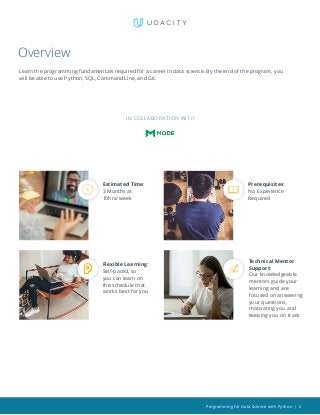
Learn the programming fundamentals required for a career in data science. By the end of the program, you
will be able to use Python, SQL, Command Line, and Git.
Prerequisites:
No Experience
Required
Flexible Learning:
Self-paced, so
you can learn on
the schedule that
works best for you
Estimated Time:
3 Months at
10hrs/week
IN COLL ABOR ATION WITH
Technical Mentor
Support:
Our knowledgeable
mentors guide your
learning and are
focused on answering
your questions,
motivating you and
keeping you on track
Programming for Data Science with Python | 3
Course 1: Introduction to SQL
Learn SQL fundamentals such as JOINs, Aggregations, and Subqueries. Learn how to use SQL to answer
complex business problems.
LEARNING OUTCOMES
LESSON ONE Basic SQL
• Write common SQL commands including SELECT, FROM,
and WHERE
• Use logical operators like LIKE, AND, and OR
LESSON TWO SQL Joins
• Write JOINs in SQL, as you are now able to combine data
from multiple sources to answer more complex business
questions
• Understand different types of JOINs and when to use
each type
LESSON THREE SQL Aggregations
• Write common aggregations in SQL including COUNT,
SUM, MIN, and MAX
• Write CASE and DATE functions, as well as work with
NULLs
LESSON FOUR
Advanced SQL
Queries
• Use subqueries, also called CTEs, in a number of
different situations
• Use other window functions including RANK, NTILE,
LAG, LEAD new functions along with partitions to
complete complex tasks
Course Project
Investigate a Database
In this project, you’ll work with a relational database while working
with PostgreSQL. You’ll complete the entire data analysis process,
starting by posing a question, running appropriate SQL queries to
answer your questions and finishing by sharing your findings.
Programming for Data Science with Python | 4
Course 2: Introduction to Python
Programming
In this part, you’ll learn to represent and store data using Python data types and variables, and use conditionals
and loops to control the flow of your programs. You’ll harness the power of complex data structures like lists,
sets, dictionaries, and tuples to store collections of related data. You’ll define and document your own custom
functions, write scripts, and handle errors. You will also learn to use two powerful Python libraries - Numpy, a
scientific computing package, and Pandas, a data manipulation package.
LEARNING OUTCOMES
LESSON ONE
Why Python
Programming
• Gain an overview of what you’ll be learning and doing in
the course
• Understand why you should learn programming with
Python
LESSON TWO
Data Types and
Operators
• Represent data using Python’s data types: integers,
floats, booleans, strings, lists, tuples, sets, dictionaries,
compound data structures
• Perform computations and create logical statements
using Python’s operators: Arithmetic, Assignment,
Comparison, Logical, Membership, Identity
• Declare, assign, and reassign values using Python variables
• Modify values using built-in functions and methods
• Practice whitespace and style guidelines
Course Project
Explore US Bikeshare
Data
You will use Python to answer interesting questions about bikeshare
trip data collected from three US cities. You will write code to collect
the data, compute descriptive statistics, and create an interactive
experience in the terminal that presents the answers to your
questions.
Programming for Data Science with Python | 5
LESSON THREE Control FLow
• Write conditional expressions using if statements and
boolean expressions to add decision making to your
Python programs
• Use for and while loops along with useful built-in
functions to iterate over and manipulate lists, sets, and
dictionaries
• Skip iterations in loops using break and continue
• Condense for loops to create lists efficiently with list
comprehensions
LESSON FOUR Functions
• Define your own custom functions
• Create and reference variables using the appropriate scope
• Add documentation to functions using docstrings
• Define lambda expressions to quickly create anonymous
functions
• Use iterators and generators to create streams of data
LESSON FIVE Scripting
• Install Python 3 and set up your programming
environment
• Run and edit python scripts
• Interact with raw input from users
• Identify and handle errors and exceptions in your code
• Open, read, and write to files
• Find and use modules in Python Standard Library and
third-party libraries
• Experiment in the terminal using a Python Interpreter
LESSON SIX Numpy
• Create, access, modify, and sort multidimensional
NumPy arrays (ndarrays)
• Load and save ndarrays
• Use slicing, boolean indexing, and set operations to
select or change subsets of an ndarray
• Understand difference between a view and a copy of
ndarray
• Perform element-wise operations on ndarrays
• Use broadcasting to perform operations on ndarrays of
different sizes.
LESSON SEVEN Pandas
• Create, access, and modify the main objects in Pandas,
Series and DataFrames
• Perform arithmetic operations on Series and
DataFrames
• Load data into a DataFrame
• Deal with Not a Number (NaN) values
Programming for Data Science with Python | 6
Course 3: Introduction to Version Control
Learn how to use version control and share your work with other people in the data science industry.
LEARNING OUTCOMES
LESSON ONE Shell Workshop
• The Unix shell is a powerful tool for developers of all sorts.
Get a quick introduction to the basics of using it on your
computer.
LESSON TWO
Purpose &
Terminology
• Learn why developers use version control and discover ways
you use version control in your daily life
• Get an overview of essential Git vocabulary
• Configure Git using the command line
LESSON THREE Create a Git Repo
• Create your first Git repository with git init
• Copy an existing Git repository with git clone
• Review the current state of a repository with the powerful git
status
LESSON FOUR
Review a Repo’s
History
• Review a repo’s commit history git log
• Customize git log’s output using command line flags in order
to reveal more (or less) information about each commit
• Use the git show command to display just one commit
Course Project
Post your work on
Github
In this project, you will learn important tools that all programmers
use. First, you’ll get an introduction to working in the terminal. Next,
you’ll learn to use git and Github to manage versions of a program
and collaborate with others on programming projects. In this project
you will post two different versions of a Jupyter Notebook capturing
your learnings from the course, and add commits to your project Git
repository.
Programming for Data Science with Python | 7
LESSON FIVE
Add Commits to a
Repo
• Master the Git workflow and make commits to an example
project
• Use git diff to identify what parts of a file have been changed
in a commit
• Learn how to mark files as “untracked” using .gitignore
LESSON SIX
Tagging, Branching,
and Merging
• Tagging, Branching, and Merging
• Organize your commits with tags and branches
• Jump to particular tags and branches using git checkout
• Learn how to merge together changes on different branches
and crush those pesky merge conflicts
LESSON SEVEN Undoing Changes
• Learn how and when to edit or delete an existing commit
• Use git commit’s -amend flag to alter the last commit
• Use git reset and git revert to undo and erase commits
Programming for Data Science with Python | 8
Our Classroom Experience
REAL-WORLD PROJECTS
Build your skills through industry-relevant projects. Get
personalized feedback from our network of 900+ project
reviewers. Our simple interface makes it easy to submit
your projects as often as you need and receive unlimited
feedback on your work.
KNOWLEDGE
Find answers to your questions with Knowledge, our
proprietary wiki. Search questions asked by other students,
connect with technical mentors, and discover in real-time
how to solve the challenges that you encounter.
WORKSPACES
See your code in action. Check the output and quality of
your code by running them on workspaces that are a part
of our classroom.
QUIZZES
Check your understanding of concepts learned in the
program by answering simple and auto-graded quizzes.
Easily go back to the lessons to brush up on concepts
anytime you get an answer wrong.
CUSTOM STUDY PLANS
Create a custom study plan to suit your personal needs
and use this plan to keep track of your progress toward
your goal.
PROGRESS TRACKER
Stay on track to complete your Nanodegree program with
useful milestone reminders.
Programming for Data Science with Python | 9
Learn with the Best
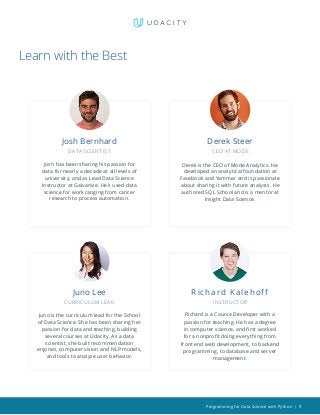
Derek Steer
CEO AT MODE
Derek is the CEO of Mode Analytics. He
developed an analytical foundation at
Facebook and Yammer and is passionate
about sharing it with future analysts. He
authored SQL School and is a mentor at
Insight Data Science.
Juno Lee
CURRICULUM LEAD
Juno is the curriculum lead for the School
of Data Science. She has been sharing her
passion for data and teaching, building
several courses at Udacity. As a data
scientist, she built recommendation
engines, computer vision and NLP models,
and tools to analyze user behavior.
Richard Kalehoff
INSTRUC TOR
Richard is a Course Developer with a
passion for teaching. He has a degree
in computer science, and first worked
for a nonprofit doing everything from
front end web development, to backend
programming, to database and server
management.
Josh Bernhard
DATA SCIENTIST
Josh has been sharing his passion for
data for nearly a decade at all levels of
university, and as Lead Data Science
Instructor at Galvanize. He’s used data
science for work ranging from cancer
research to process automation.
Programming for Data Science with Python | 10
Learn with the Best
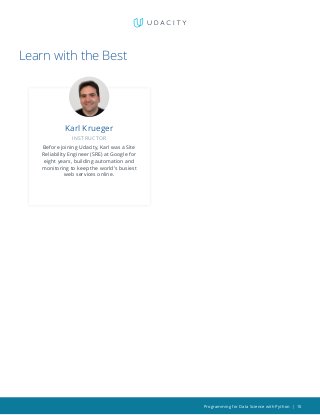
Karl Krueger
INSTRUC TOR
Before joining Udacity, Karl was a Site
Reliability Engineer (SRE) at Google for
eight years, building automation and
monitoring to keep the world’s busiest
web services online.
Programming for Data Science with Python | 11
All Our Nanodegree Programs Include:
TECHNICAL MENTOR SUPPORT
MENTORSHIP SERVICES
	 • Questions answered quickly by our team of
		 technical mentors
	 • 1000+ Mentors with a 4.7/5 average rating
	 • Support for all your technical questions
EXPERIENCED PROJECT REVIEWERS
REVIEWER SERVICES
	 • Personalized feedback & line by line code reviews
	 • 1600+ Reviewers with a 4.85/5 average rating
	 • 3 hour average project review turnaround time
	 • Unlimited submissions and feedback loops
	 • Practical tips and industry best practices
	 • Additional suggested resources to improve
PERSONAL CAREER SERVICES
CAREER SUPPORT
	 • Github portfolio review
	 • LinkedIn profile optimization
Programming for Data Science with Python | 12
Frequently Asked Questions
PROGR AM OVERVIEW
WHY SHOULD I ENROLL?
The Programming for Data Science with Python Nanodegree program offers
you the opportunity to learn the most important programming languages
used by data scientists today. Get your start into the fascinating field of data
science and learn Python, SQL, terminal, and git with the help of experienced
instructors.
WHAT JOBS WILL THIS PROGRAM PREPARE ME FOR?
This is an introductory program that is not designed to prepare you for a
specific job. However, as a graduate of this program, you will be proficient in
the programming skills used in many data analysis and data science roles,
including Python, SQL, Terminal, and Git.
HOW DO I KNOW IF THIS PROGRAM IS RIGHT FOR ME?
If you are interested in taking the first step into the field of Data Science, this
course is for you. This course will quickly teach you the foundational data
science programming tools (Python, SQL, Git). This course requires no pre-
requisite knowledge so you can get started now. Having mastered these in
demand tools you will be able to tackle real world data analysis problems.
Learning to program Python and SQL, the main programing languages used
by data scientists and analysts, is the core of this program. If you decide
to take the Programming for Data Science with Python, you’ll also learn
specialized data libraries for Python including Pandas and Numpy, and use
Git and the Terminal to share your work and learn about version control. By
learning these foundational programming skills, you will be ready to advance
your career in data.
WHAT IS THE DIFFERENCE BETWEEN THE PYTHON TRACK AND THE R
TRACK?
We offer two tracks to this program, one teaching Python and one teaching
R. These are both popular among data scientists. You can enroll in one or the
other, not both.
Both tracks cover the same fundamental concepts, but use a different
programming language. The SQL, command line, and Git curriculum is the
same in both tracks. This includes the first and third projects, which are the
same between the two tracks.
The programming course and project are different between the two tracks.
One course relies on Python, while the other relies on R. The projects for
the two courses rely on the same dataset and skills, but they differ in the
Programming for Data Science with Python | 13
FAQs Continued
approach and final deliverable. Learn more about the Programming for Data
Science with R Nanodegree program.
WHAT IS THE SCHOOL OF DATA SCIENCE, AND HOW DO I KNOW WHICH
PROGRAM TO CHOOSE?
Udacity’s School of Data consists of several different Nanodegree programs,
each of which offers the opportunity to build data skills, and advance your
career. These programs are organized around career roles like Business
Analyst, Data Analyst, Data Scientist, and Data Engineer.
The School of Data currently offers three clearly-defined career paths in
Business Analytics, Data Science, and Data Engineering. Whether you are
just getting started in data, are looking to augment your existing skill set with
in-demand data skills, or intend to pursue advanced studies and career roles,
Udacity’s School of Data has the right path for you! Visit How to Choose the
Data Science Program That’s Right for You to learn more.
ENROLLMENT AND ADMISSION
DO I NEED TO APPLY? WHAT ARE THE ADMISSION CRITERIA?
No. This Nanodegree program accepts all applicants regardless of experience
and specific background.
WHAT ARE THE PREREQUISITES FOR ENROLLMENT?
There are no prerequisites for enrolling aside from basic computer skills and
English proficiency. You should feel comfortable performing basic operations
on your computer like opening files and folders, opening applications, and
copying and pasting.
TUITION AND TERM OF PROGR AM
HOW IS THIS NANODEGREE PROGRAM STRUCTURED?
The Programming for Data Science with R Nanodegree program is comprised
of content and curriculum to support three (3) projects. We estimate that
students can complete the program in three (3) months, working 10 hours per
week.
Each project will be reviewed by the Udacity reviewer network. Feedback will
be provided, and if you do not pass the project, you will be asked to resubmit
the project until it passes.
HOW LONG IS THIS NANODEGREE PROGRAM?
Access to this Nanodegree program runs for the length of time specified in
the payment card above. If you do not graduate within that time period, you
will continue learning with month to month payments. See the Terms of Use
Programming for Data Science with Python | 14
FAQs Continued
and FAQs for other policies regarding the terms of access to our Nanodegree
programs.
I HAVE GRADUATED FROM THE PROGRAMMING FOR DATA SCIENCE WITH
R NANODEGREE PROGRAM AND I WANT TO KEEP LEARNING. WHERE
SHOULD I GO FROM HERE?
Check out our Data Analyst Nanodegree program to take the programming
skills you have learned and apply them to real world Data Analyst business
problems. Working on these more complex projects will deepen your
knowledge of coding and make you a more attractive candidate to be hired as
an data analyst.
You could also consider the Data Engineer Nanodegree program, which
focuses on data models, data warehouses, and data pipelines.
WHAT SOFTWARE AND VERSIONS WILL I NEED IN THIS PROGRAM?
To enroll, students should have basic computer skills, a Gmail account, and a
Facebook account to complete the projects.
SOFT WARE AND HARDWARE
WHAT SOFTWARE AND VERSIONS WILL I NEED IN THIS PROGRAM?
For this Nanodegree program, you will need a 64-bit computer and access to
the Internet.
Programming+for+Data+Science+with+Python+Nanodegree+Program+Syllabus.pdf

  • 1.
    Programming for Data Sciencewith Python N A N O D E G R E E P R O G R A M S Y L L A B U S
  • 2.
    Programming for DataScience with Python | 2 Overview Learn the programming fundamentals required for a career in data science. By the end of the program, you will be able to use Python, SQL, Command Line, and Git. Prerequisites: No Experience Required Flexible Learning: Self-paced, so you can learn on the schedule that works best for you Estimated Time: 3 Months at 10hrs/week IN COLL ABOR ATION WITH Technical Mentor Support: Our knowledgeable mentors guide your learning and are focused on answering your questions, motivating you and keeping you on track
  • 3.
    Programming for DataScience with Python | 3 Course 1: Introduction to SQL Learn SQL fundamentals such as JOINs, Aggregations, and Subqueries. Learn how to use SQL to answer complex business problems. LEARNING OUTCOMES LESSON ONE Basic SQL • Write common SQL commands including SELECT, FROM, and WHERE • Use logical operators like LIKE, AND, and OR LESSON TWO SQL Joins • Write JOINs in SQL, as you are now able to combine data from multiple sources to answer more complex business questions • Understand different types of JOINs and when to use each type LESSON THREE SQL Aggregations • Write common aggregations in SQL including COUNT, SUM, MIN, and MAX • Write CASE and DATE functions, as well as work with NULLs LESSON FOUR Advanced SQL Queries • Use subqueries, also called CTEs, in a number of different situations • Use other window functions including RANK, NTILE, LAG, LEAD new functions along with partitions to complete complex tasks Course Project Investigate a Database In this project, you’ll work with a relational database while working with PostgreSQL. You’ll complete the entire data analysis process, starting by posing a question, running appropriate SQL queries to answer your questions and finishing by sharing your findings.
  • 4.
    Programming for DataScience with Python | 4 Course 2: Introduction to Python Programming In this part, you’ll learn to represent and store data using Python data types and variables, and use conditionals and loops to control the flow of your programs. You’ll harness the power of complex data structures like lists, sets, dictionaries, and tuples to store collections of related data. You’ll define and document your own custom functions, write scripts, and handle errors. You will also learn to use two powerful Python libraries - Numpy, a scientific computing package, and Pandas, a data manipulation package. LEARNING OUTCOMES LESSON ONE Why Python Programming • Gain an overview of what you’ll be learning and doing in the course • Understand why you should learn programming with Python LESSON TWO Data Types and Operators • Represent data using Python’s data types: integers, floats, booleans, strings, lists, tuples, sets, dictionaries, compound data structures • Perform computations and create logical statements using Python’s operators: Arithmetic, Assignment, Comparison, Logical, Membership, Identity • Declare, assign, and reassign values using Python variables • Modify values using built-in functions and methods • Practice whitespace and style guidelines Course Project Explore US Bikeshare Data You will use Python to answer interesting questions about bikeshare trip data collected from three US cities. You will write code to collect the data, compute descriptive statistics, and create an interactive experience in the terminal that presents the answers to your questions.
  • 5.
    Programming for DataScience with Python | 5 LESSON THREE Control FLow • Write conditional expressions using if statements and boolean expressions to add decision making to your Python programs • Use for and while loops along with useful built-in functions to iterate over and manipulate lists, sets, and dictionaries • Skip iterations in loops using break and continue • Condense for loops to create lists efficiently with list comprehensions LESSON FOUR Functions • Define your own custom functions • Create and reference variables using the appropriate scope • Add documentation to functions using docstrings • Define lambda expressions to quickly create anonymous functions • Use iterators and generators to create streams of data LESSON FIVE Scripting • Install Python 3 and set up your programming environment • Run and edit python scripts • Interact with raw input from users • Identify and handle errors and exceptions in your code • Open, read, and write to files • Find and use modules in Python Standard Library and third-party libraries • Experiment in the terminal using a Python Interpreter LESSON SIX Numpy • Create, access, modify, and sort multidimensional NumPy arrays (ndarrays) • Load and save ndarrays • Use slicing, boolean indexing, and set operations to select or change subsets of an ndarray • Understand difference between a view and a copy of ndarray • Perform element-wise operations on ndarrays • Use broadcasting to perform operations on ndarrays of different sizes. LESSON SEVEN Pandas • Create, access, and modify the main objects in Pandas, Series and DataFrames • Perform arithmetic operations on Series and DataFrames • Load data into a DataFrame • Deal with Not a Number (NaN) values
  • 6.
    Programming for DataScience with Python | 6 Course 3: Introduction to Version Control Learn how to use version control and share your work with other people in the data science industry. LEARNING OUTCOMES LESSON ONE Shell Workshop • The Unix shell is a powerful tool for developers of all sorts. Get a quick introduction to the basics of using it on your computer. LESSON TWO Purpose & Terminology • Learn why developers use version control and discover ways you use version control in your daily life • Get an overview of essential Git vocabulary • Configure Git using the command line LESSON THREE Create a Git Repo • Create your first Git repository with git init • Copy an existing Git repository with git clone • Review the current state of a repository with the powerful git status LESSON FOUR Review a Repo’s History • Review a repo’s commit history git log • Customize git log’s output using command line flags in order to reveal more (or less) information about each commit • Use the git show command to display just one commit Course Project Post your work on Github In this project, you will learn important tools that all programmers use. First, you’ll get an introduction to working in the terminal. Next, you’ll learn to use git and Github to manage versions of a program and collaborate with others on programming projects. In this project you will post two different versions of a Jupyter Notebook capturing your learnings from the course, and add commits to your project Git repository.
  • 7.
    Programming for DataScience with Python | 7 LESSON FIVE Add Commits to a Repo • Master the Git workflow and make commits to an example project • Use git diff to identify what parts of a file have been changed in a commit • Learn how to mark files as “untracked” using .gitignore LESSON SIX Tagging, Branching, and Merging • Tagging, Branching, and Merging • Organize your commits with tags and branches • Jump to particular tags and branches using git checkout • Learn how to merge together changes on different branches and crush those pesky merge conflicts LESSON SEVEN Undoing Changes • Learn how and when to edit or delete an existing commit • Use git commit’s -amend flag to alter the last commit • Use git reset and git revert to undo and erase commits
  • 8.
    Programming for DataScience with Python | 8 Our Classroom Experience REAL-WORLD PROJECTS Build your skills through industry-relevant projects. Get personalized feedback from our network of 900+ project reviewers. Our simple interface makes it easy to submit your projects as often as you need and receive unlimited feedback on your work. KNOWLEDGE Find answers to your questions with Knowledge, our proprietary wiki. Search questions asked by other students, connect with technical mentors, and discover in real-time how to solve the challenges that you encounter. WORKSPACES See your code in action. Check the output and quality of your code by running them on workspaces that are a part of our classroom. QUIZZES Check your understanding of concepts learned in the program by answering simple and auto-graded quizzes. Easily go back to the lessons to brush up on concepts anytime you get an answer wrong. CUSTOM STUDY PLANS Create a custom study plan to suit your personal needs and use this plan to keep track of your progress toward your goal. PROGRESS TRACKER Stay on track to complete your Nanodegree program with useful milestone reminders.
  • 9.
    Programming for DataScience with Python | 9 Learn with the Best Derek Steer CEO AT MODE Derek is the CEO of Mode Analytics. He developed an analytical foundation at Facebook and Yammer and is passionate about sharing it with future analysts. He authored SQL School and is a mentor at Insight Data Science. Juno Lee CURRICULUM LEAD Juno is the curriculum lead for the School of Data Science. She has been sharing her passion for data and teaching, building several courses at Udacity. As a data scientist, she built recommendation engines, computer vision and NLP models, and tools to analyze user behavior. Richard Kalehoff INSTRUC TOR Richard is a Course Developer with a passion for teaching. He has a degree in computer science, and first worked for a nonprofit doing everything from front end web development, to backend programming, to database and server management. Josh Bernhard DATA SCIENTIST Josh has been sharing his passion for data for nearly a decade at all levels of university, and as Lead Data Science Instructor at Galvanize. He’s used data science for work ranging from cancer research to process automation.
  • 10.
    Programming for DataScience with Python | 10 Learn with the Best Karl Krueger INSTRUC TOR Before joining Udacity, Karl was a Site Reliability Engineer (SRE) at Google for eight years, building automation and monitoring to keep the world’s busiest web services online.
  • 11.
    Programming for DataScience with Python | 11 All Our Nanodegree Programs Include: TECHNICAL MENTOR SUPPORT MENTORSHIP SERVICES • Questions answered quickly by our team of technical mentors • 1000+ Mentors with a 4.7/5 average rating • Support for all your technical questions EXPERIENCED PROJECT REVIEWERS REVIEWER SERVICES • Personalized feedback & line by line code reviews • 1600+ Reviewers with a 4.85/5 average rating • 3 hour average project review turnaround time • Unlimited submissions and feedback loops • Practical tips and industry best practices • Additional suggested resources to improve PERSONAL CAREER SERVICES CAREER SUPPORT • Github portfolio review • LinkedIn profile optimization
  • 12.
    Programming for DataScience with Python | 12 Frequently Asked Questions PROGR AM OVERVIEW WHY SHOULD I ENROLL? The Programming for Data Science with Python Nanodegree program offers you the opportunity to learn the most important programming languages used by data scientists today. Get your start into the fascinating field of data science and learn Python, SQL, terminal, and git with the help of experienced instructors. WHAT JOBS WILL THIS PROGRAM PREPARE ME FOR? This is an introductory program that is not designed to prepare you for a specific job. However, as a graduate of this program, you will be proficient in the programming skills used in many data analysis and data science roles, including Python, SQL, Terminal, and Git. HOW DO I KNOW IF THIS PROGRAM IS RIGHT FOR ME? If you are interested in taking the first step into the field of Data Science, this course is for you. This course will quickly teach you the foundational data science programming tools (Python, SQL, Git). This course requires no pre- requisite knowledge so you can get started now. Having mastered these in demand tools you will be able to tackle real world data analysis problems. Learning to program Python and SQL, the main programing languages used by data scientists and analysts, is the core of this program. If you decide to take the Programming for Data Science with Python, you’ll also learn specialized data libraries for Python including Pandas and Numpy, and use Git and the Terminal to share your work and learn about version control. By learning these foundational programming skills, you will be ready to advance your career in data. WHAT IS THE DIFFERENCE BETWEEN THE PYTHON TRACK AND THE R TRACK? We offer two tracks to this program, one teaching Python and one teaching R. These are both popular among data scientists. You can enroll in one or the other, not both. Both tracks cover the same fundamental concepts, but use a different programming language. The SQL, command line, and Git curriculum is the same in both tracks. This includes the first and third projects, which are the same between the two tracks. The programming course and project are different between the two tracks. One course relies on Python, while the other relies on R. The projects for the two courses rely on the same dataset and skills, but they differ in the
  • 13.
    Programming for DataScience with Python | 13 FAQs Continued approach and final deliverable. Learn more about the Programming for Data Science with R Nanodegree program. WHAT IS THE SCHOOL OF DATA SCIENCE, AND HOW DO I KNOW WHICH PROGRAM TO CHOOSE? Udacity’s School of Data consists of several different Nanodegree programs, each of which offers the opportunity to build data skills, and advance your career. These programs are organized around career roles like Business Analyst, Data Analyst, Data Scientist, and Data Engineer. The School of Data currently offers three clearly-defined career paths in Business Analytics, Data Science, and Data Engineering. Whether you are just getting started in data, are looking to augment your existing skill set with in-demand data skills, or intend to pursue advanced studies and career roles, Udacity’s School of Data has the right path for you! Visit How to Choose the Data Science Program That’s Right for You to learn more. ENROLLMENT AND ADMISSION DO I NEED TO APPLY? WHAT ARE THE ADMISSION CRITERIA? No. This Nanodegree program accepts all applicants regardless of experience and specific background. WHAT ARE THE PREREQUISITES FOR ENROLLMENT? There are no prerequisites for enrolling aside from basic computer skills and English proficiency. You should feel comfortable performing basic operations on your computer like opening files and folders, opening applications, and copying and pasting. TUITION AND TERM OF PROGR AM HOW IS THIS NANODEGREE PROGRAM STRUCTURED? The Programming for Data Science with R Nanodegree program is comprised of content and curriculum to support three (3) projects. We estimate that students can complete the program in three (3) months, working 10 hours per week. Each project will be reviewed by the Udacity reviewer network. Feedback will be provided, and if you do not pass the project, you will be asked to resubmit the project until it passes. HOW LONG IS THIS NANODEGREE PROGRAM? Access to this Nanodegree program runs for the length of time specified in the payment card above. If you do not graduate within that time period, you will continue learning with month to month payments. See the Terms of Use
  • 14.
    Programming for DataScience with Python | 14 FAQs Continued and FAQs for other policies regarding the terms of access to our Nanodegree programs. I HAVE GRADUATED FROM THE PROGRAMMING FOR DATA SCIENCE WITH R NANODEGREE PROGRAM AND I WANT TO KEEP LEARNING. WHERE SHOULD I GO FROM HERE? Check out our Data Analyst Nanodegree program to take the programming skills you have learned and apply them to real world Data Analyst business problems. Working on these more complex projects will deepen your knowledge of coding and make you a more attractive candidate to be hired as an data analyst. You could also consider the Data Engineer Nanodegree program, which focuses on data models, data warehouses, and data pipelines. WHAT SOFTWARE AND VERSIONS WILL I NEED IN THIS PROGRAM? To enroll, students should have basic computer skills, a Gmail account, and a Facebook account to complete the projects. SOFT WARE AND HARDWARE WHAT SOFTWARE AND VERSIONS WILL I NEED IN THIS PROGRAM? For this Nanodegree program, you will need a 64-bit computer and access to the Internet.