Professional SQL for Developers
Paul Irwin
CTO, Docio
Chief Software Engineer, feature[23]
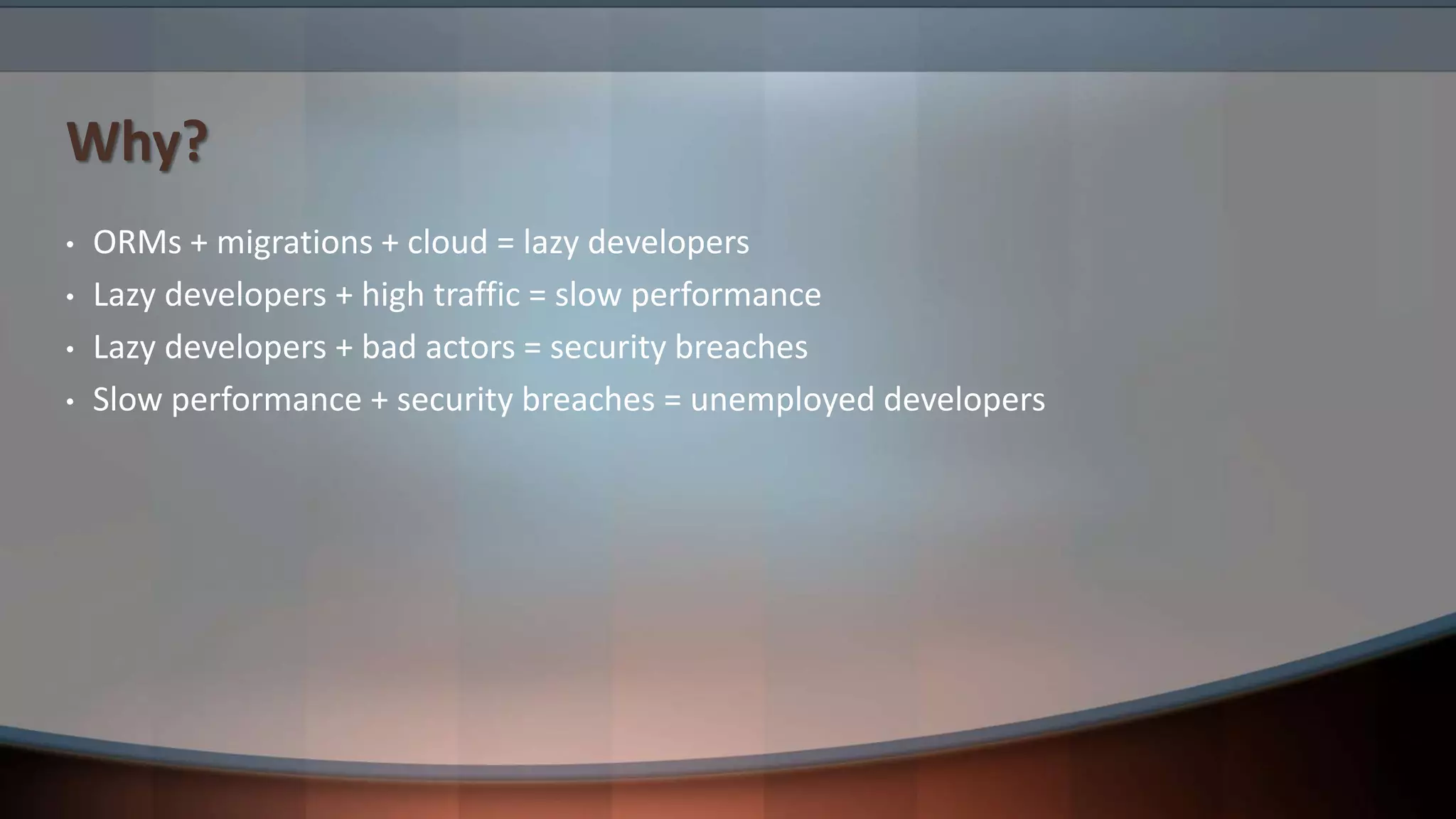
Why?
• ORMs + migrations + cloud = lazy developers
• Lazy developers + high traffic = slow performance
• Lazy developers + bad actors = security breaches
• Slow performance + security breaches = unemployed developers
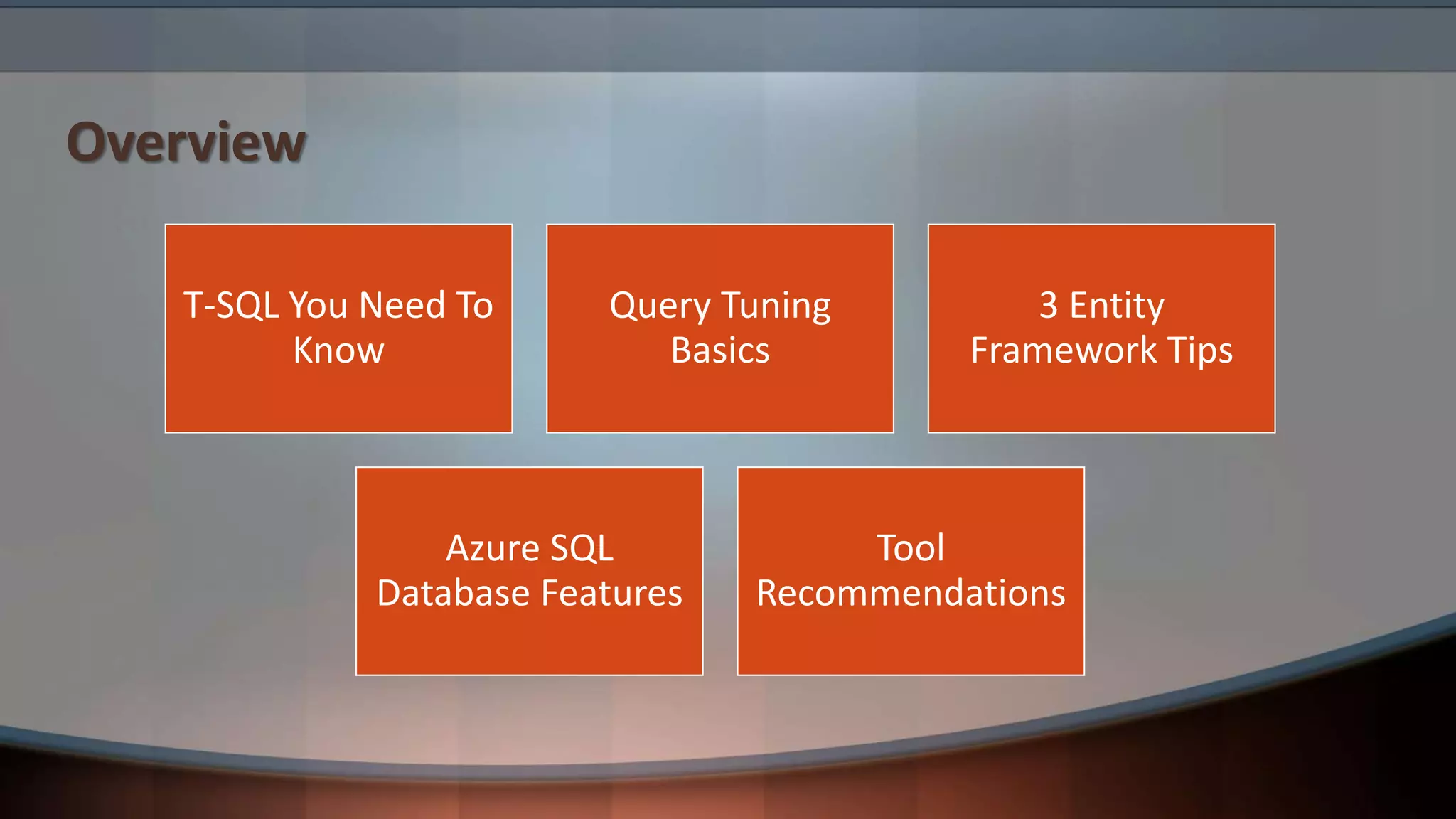
Overview
T-SQL You Need To
Know
Query Tuning
Basics
3 Entity
Framework Tips
Azure SQL
Database Features
Tool
Recommendations
T-SQL You Need To Know
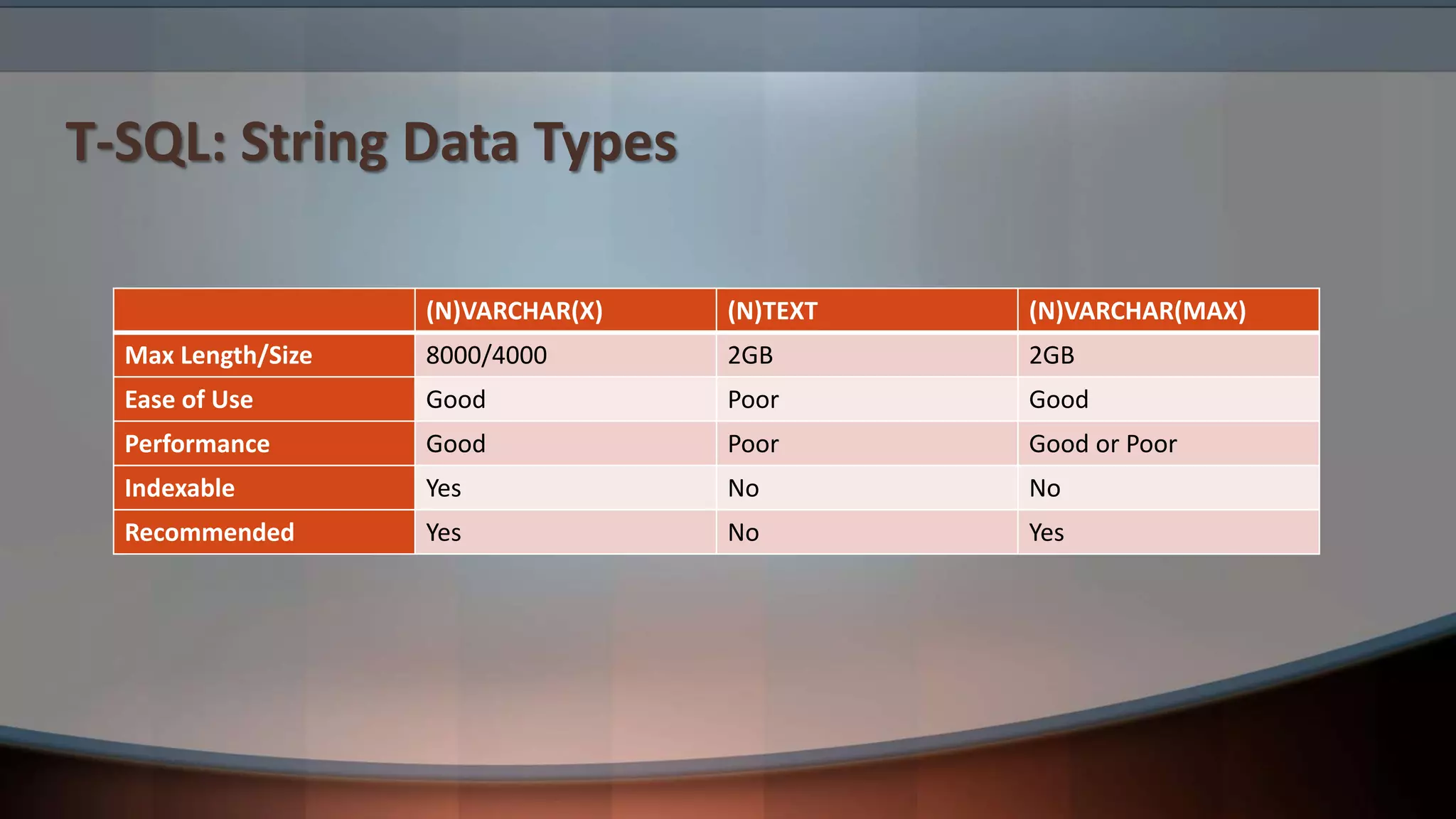
T-SQL: String Data Types
(N)VARCHAR(X) (N)TEXT (N)VARCHAR(MAX)
Max Length/Size 8000/4000 2GB 2GB
Ease of Use Good Poor Good
Performance Good Poor Good or Poor
Indexable Yes No No
Recommended Yes No Yes
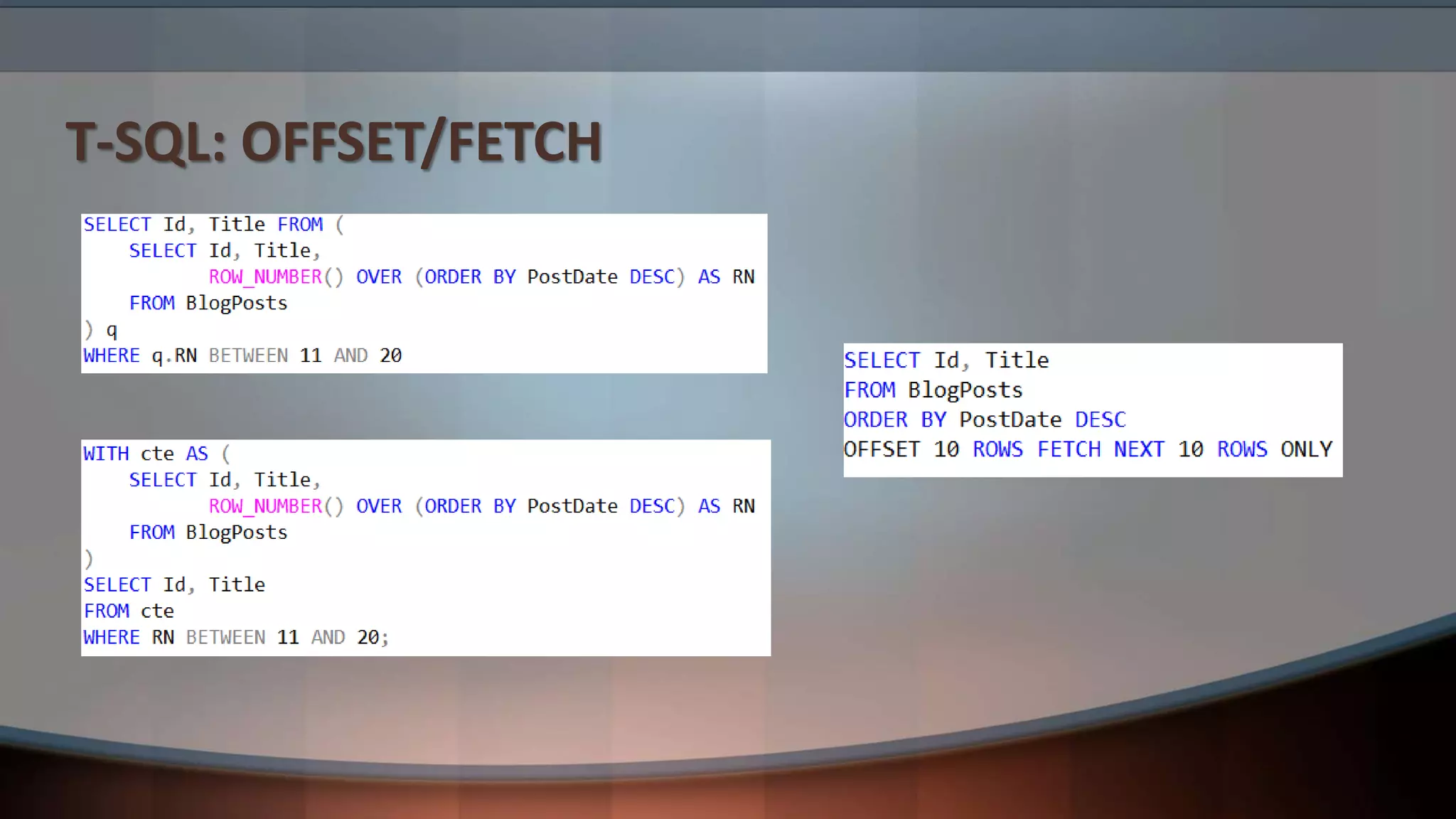
T-SQL: OFFSET/FETCH
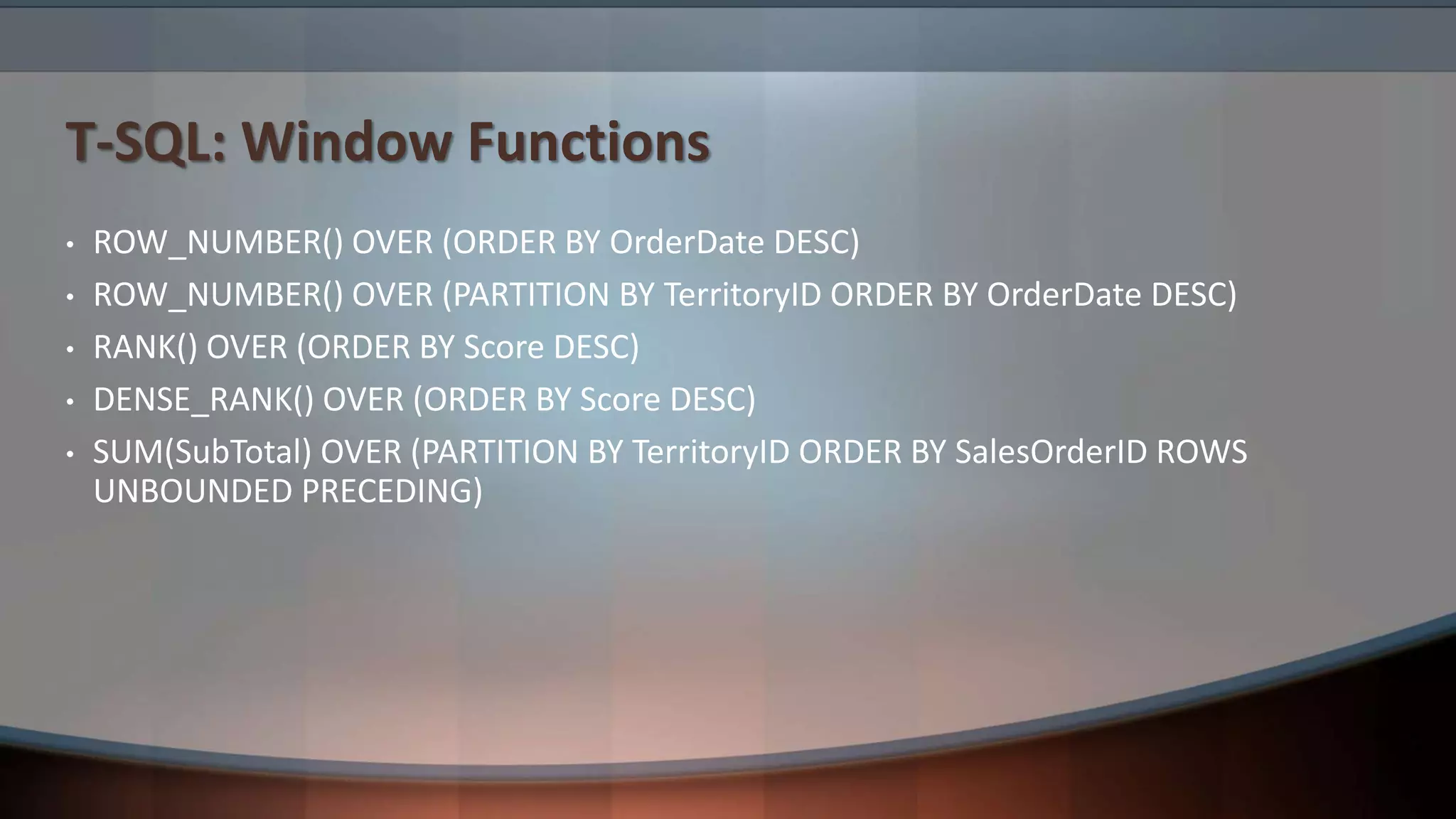
T-SQL: Window Functions
• ROW_NUMBER() OVER (ORDER BY OrderDate DESC)
• ROW_NUMBER() OVER (PARTITION BY TerritoryID ORDER BY OrderDate DESC)
• RANK() OVER (ORDER BY Score DESC)
• DENSE_RANK() OVER (ORDER BY Score DESC)
• SUM(SubTotal) OVER (PARTITION BY TerritoryID ORDER BY SalesOrderID ROWS
UNBOUNDED PRECEDING)
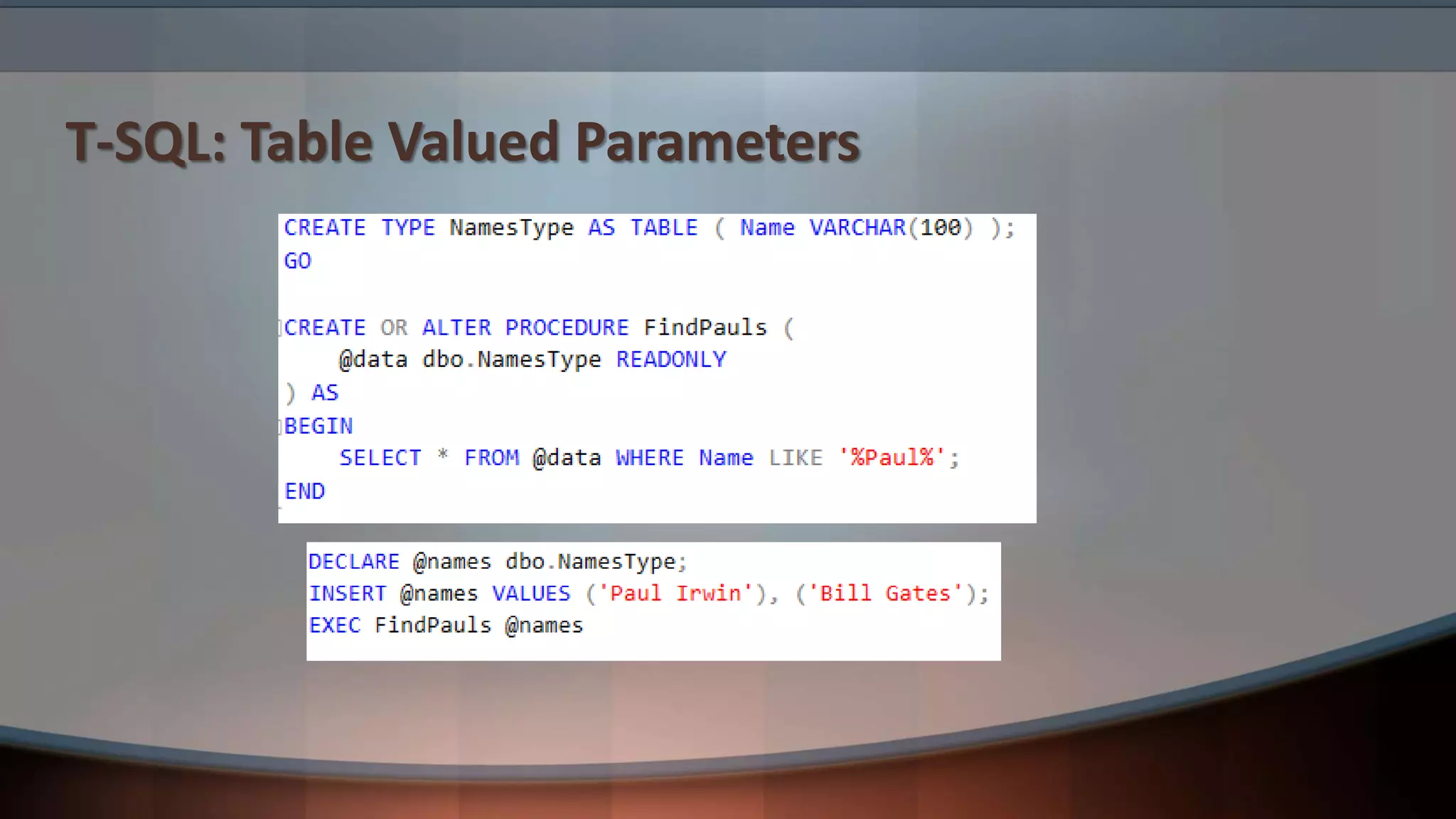
T-SQL: Table Valued Parameters
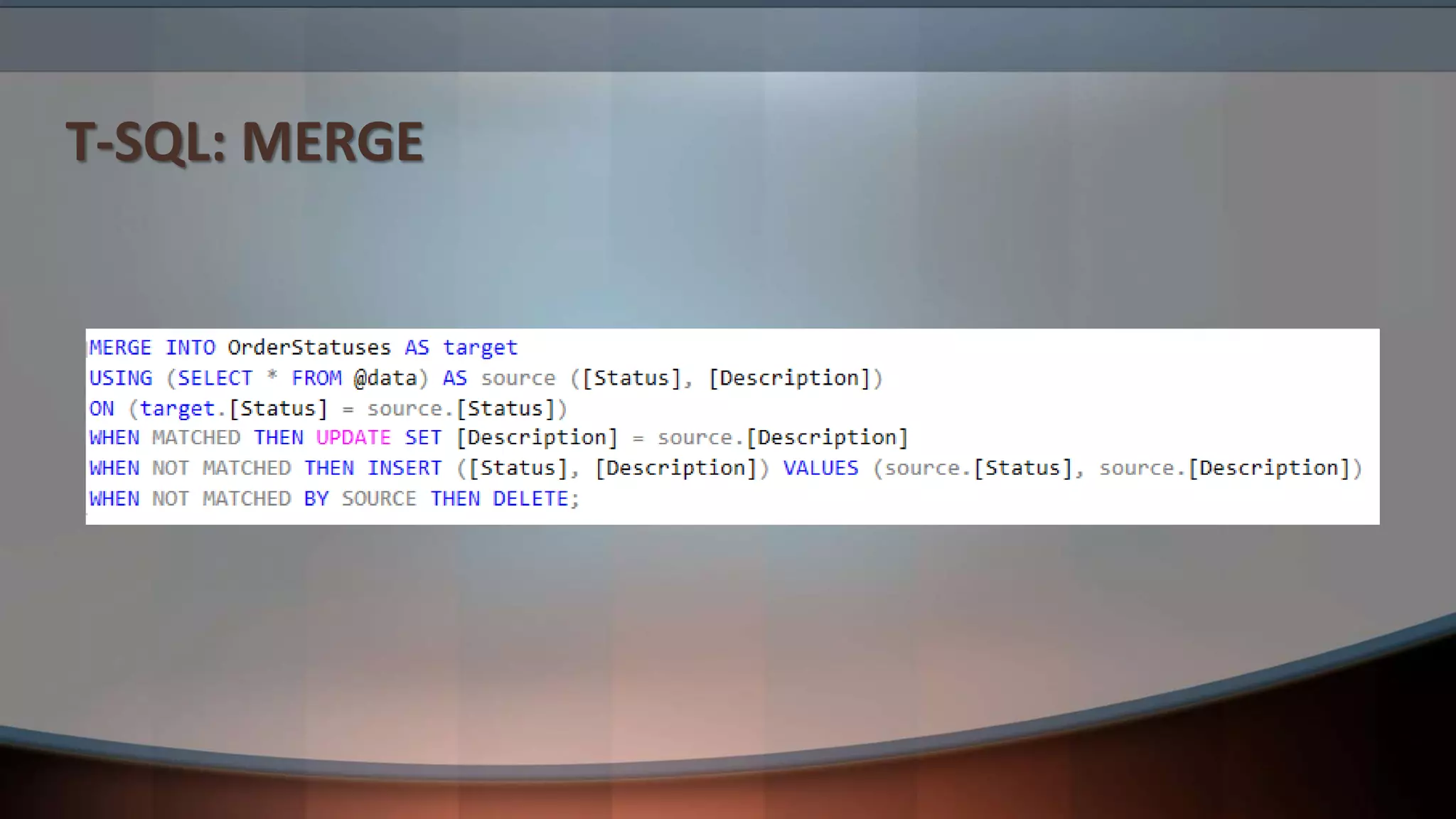
T-SQL: MERGE
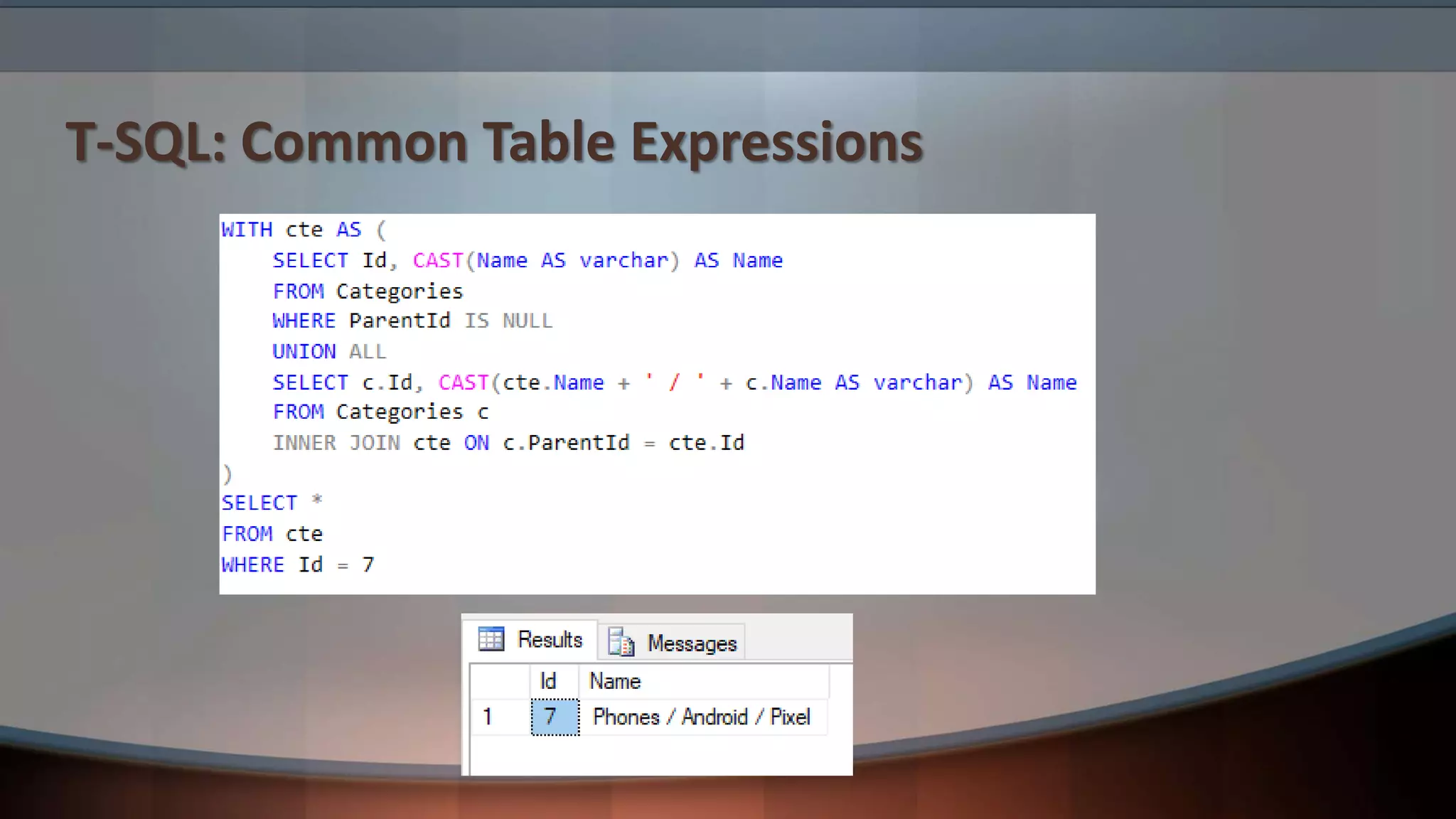
T-SQL: Common Table Expressions
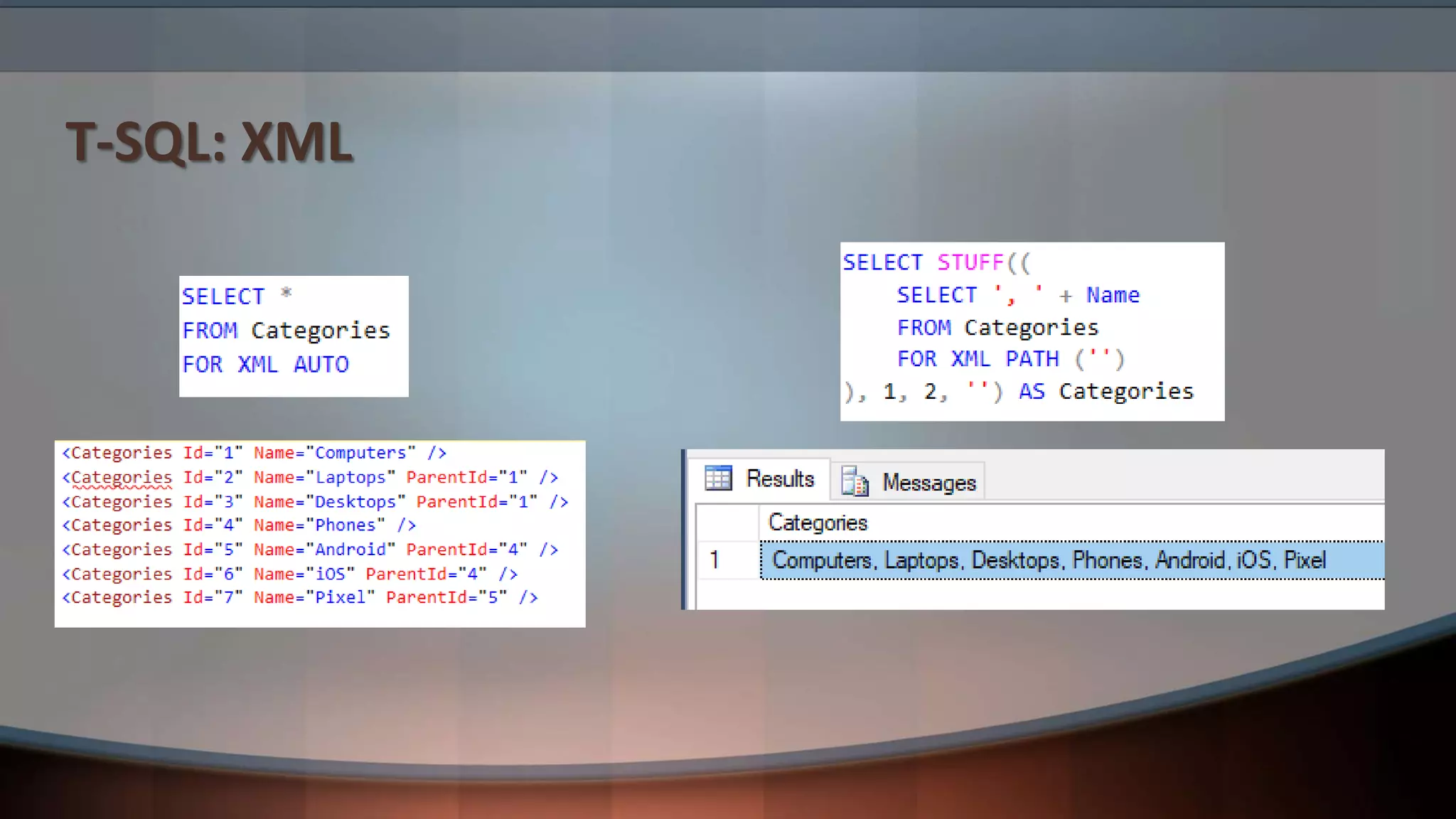
T-SQL: XML
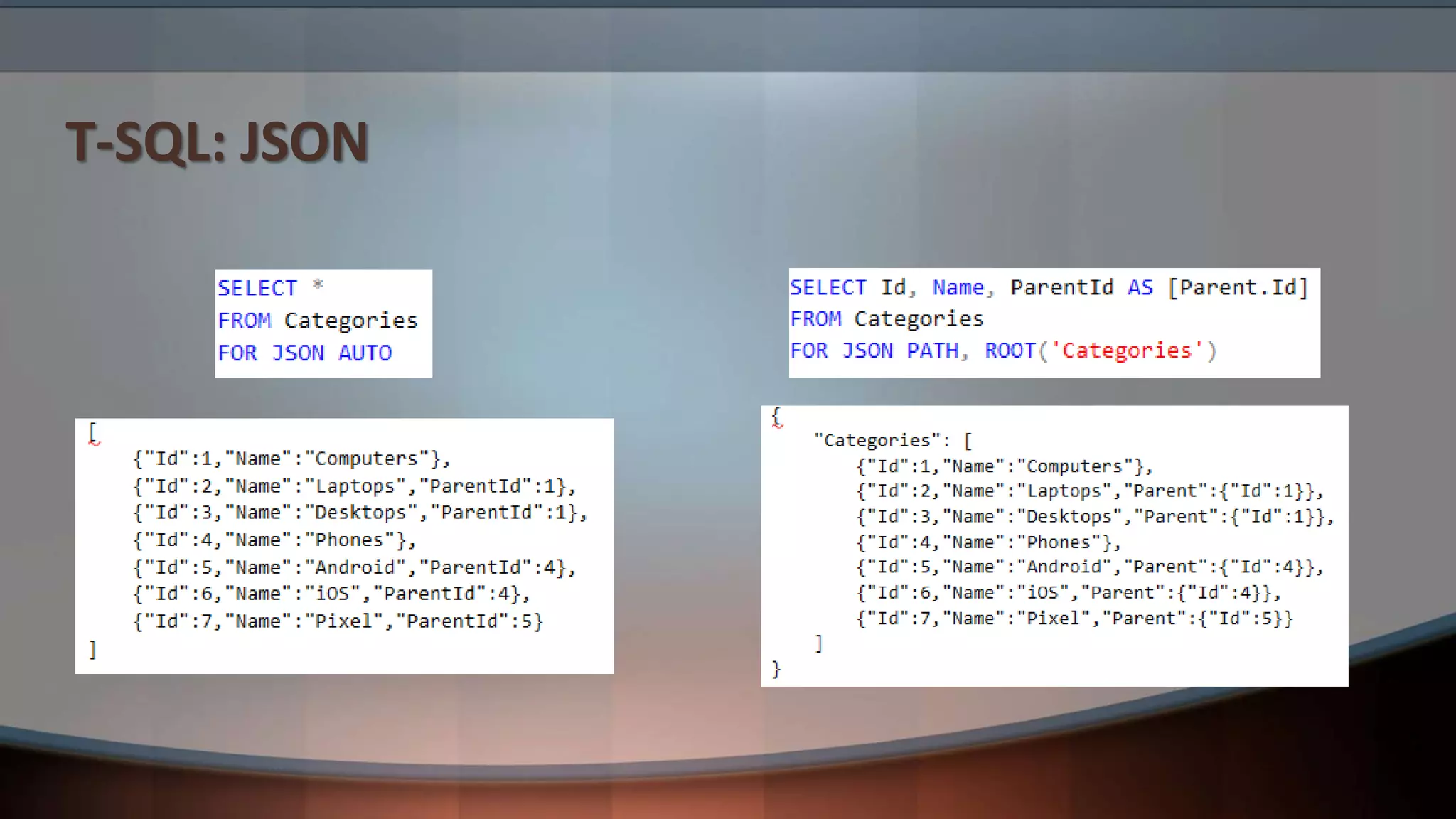
T-SQL: JSON
Query Tuning Basics
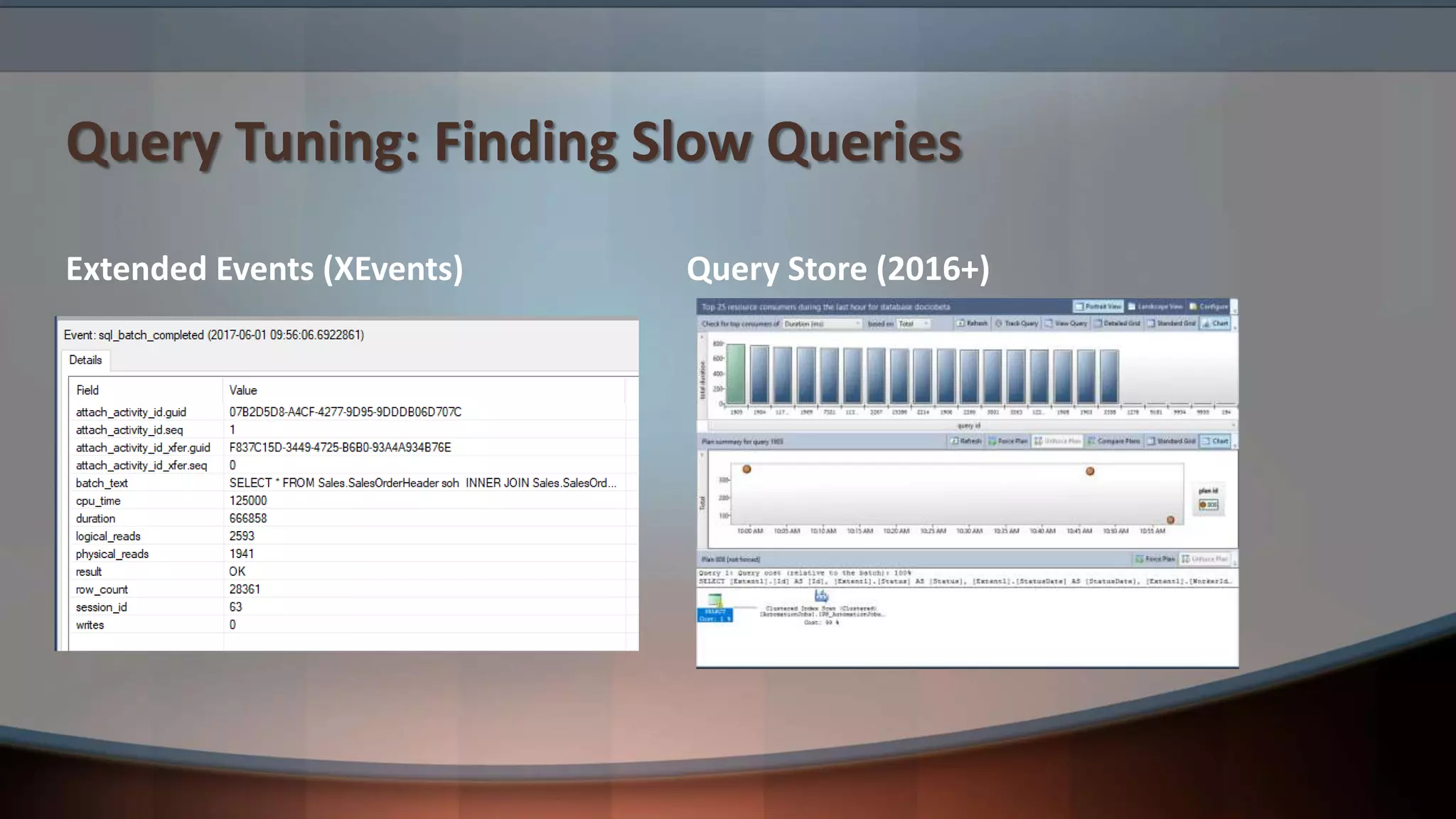
Query Tuning: Finding Slow Queries
Extended Events (XEvents) Query Store (2016+)
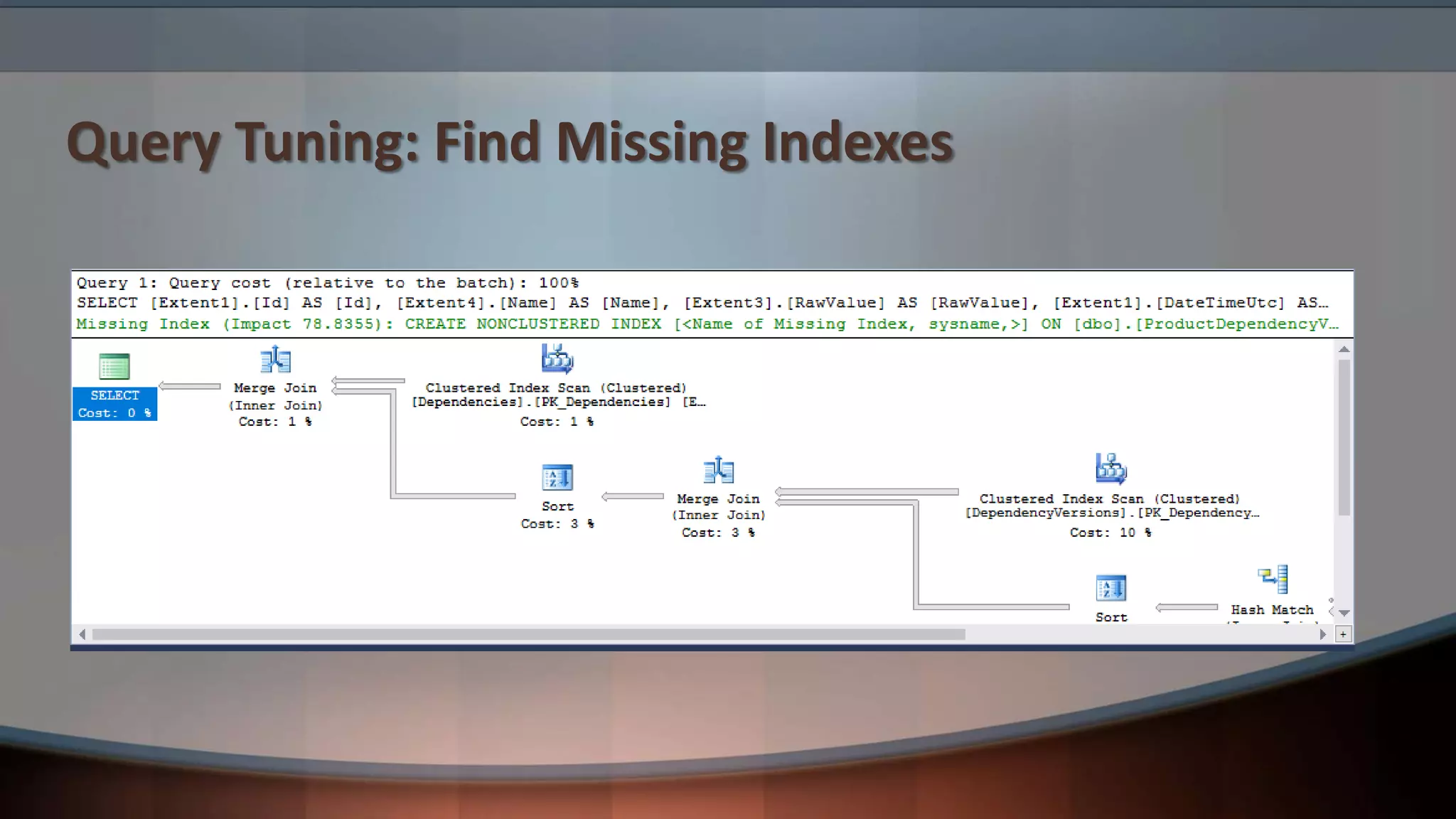
Query Tuning: Find Missing Indexes
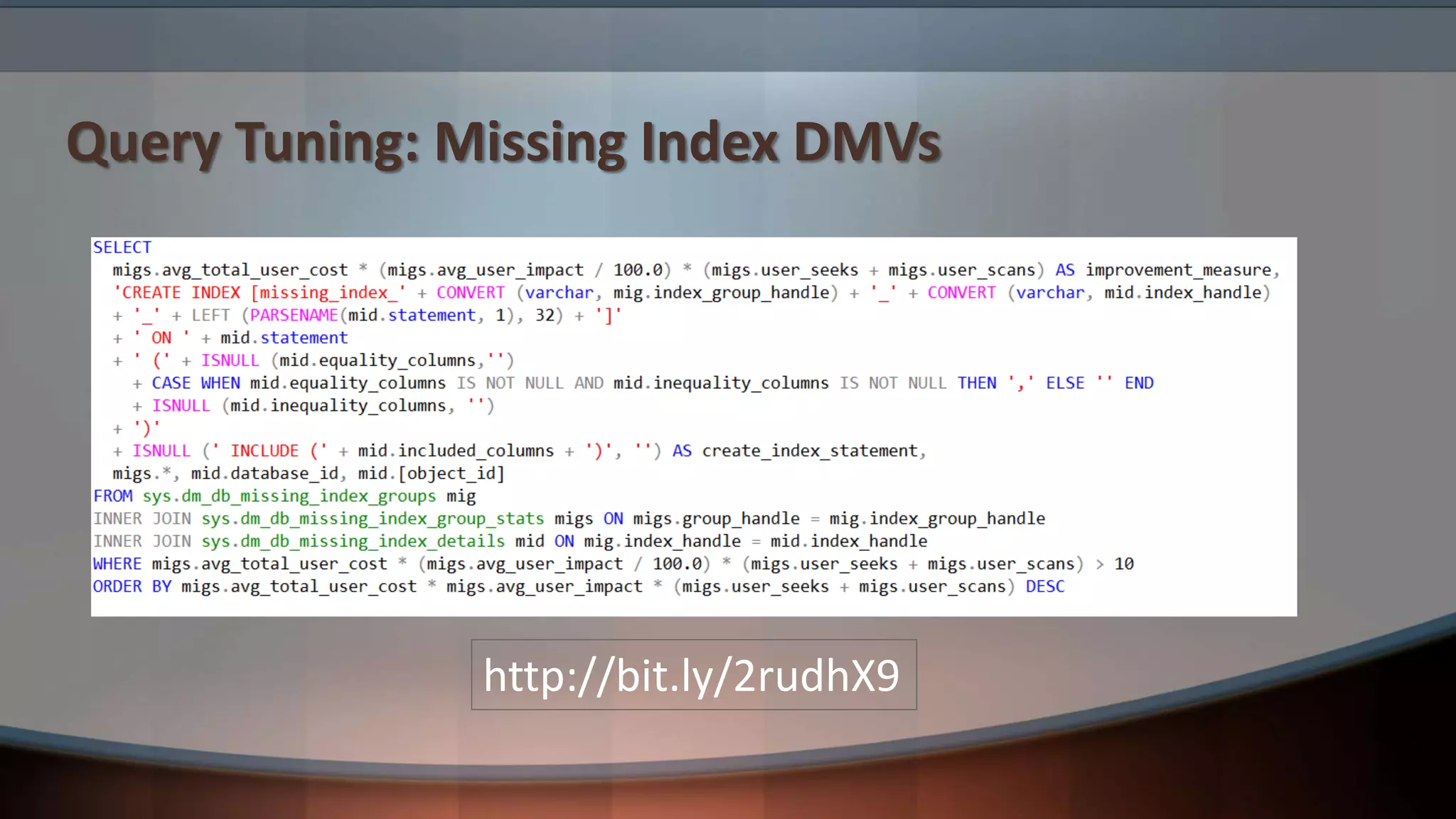
Query Tuning: Missing Index DMVs
http://bit.ly/2rudhX9
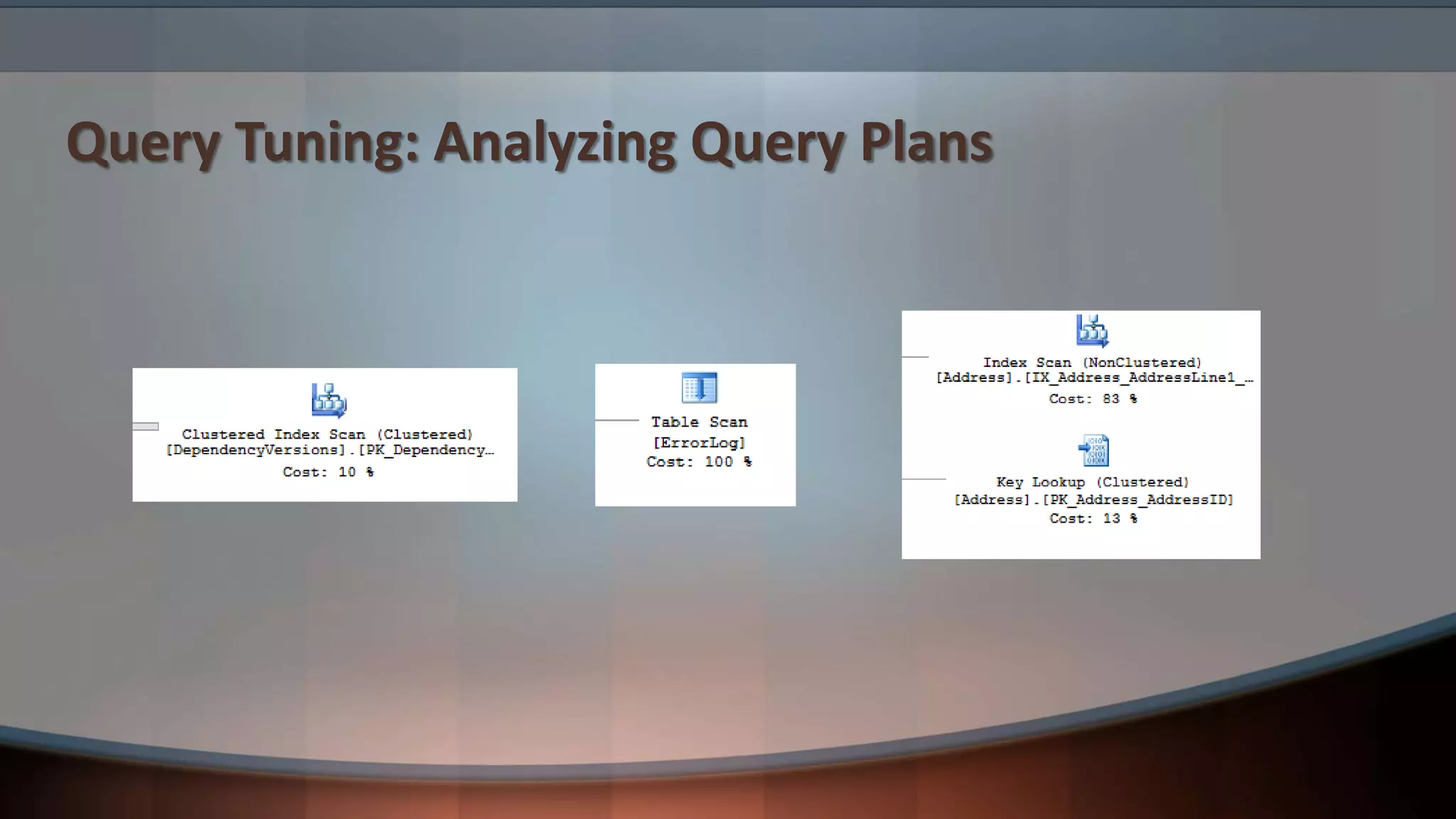
Query Tuning: Analyzing Query Plans
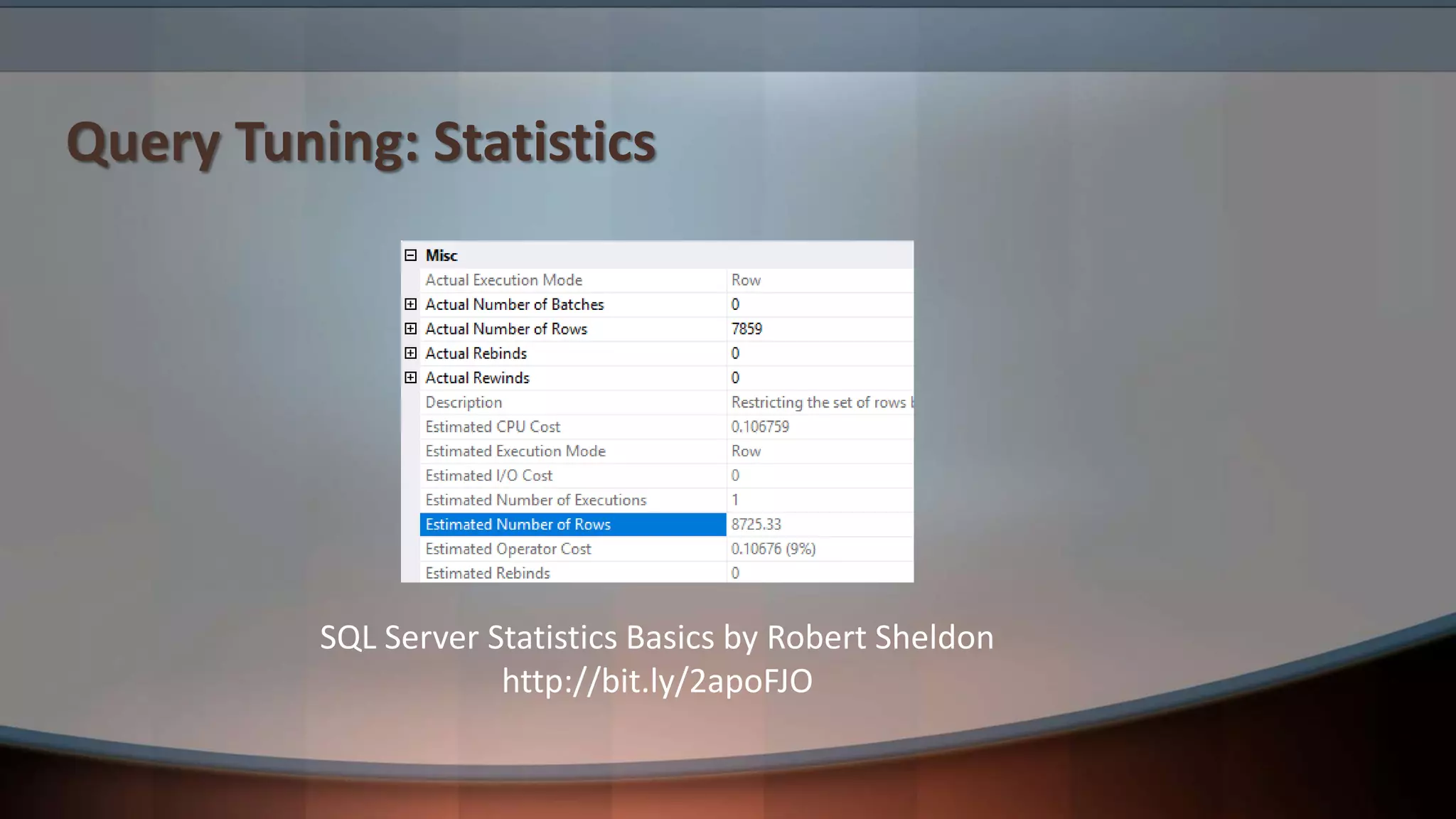
Query Tuning: Statistics
SQL Server Statistics Basics by Robert Sheldon
http://bit.ly/2apoFJO
3 Entity Framework Tips
EF Tip #1: Limit LINQ
• Complex LINQ queries:
• Can be hard to tune
• Can be hard to maintain
• Require a code push to change
• Heuristics:
• Limit LINQ to 3-4 simple clauses (from, join, where, select, etc.)
• Anything more complex goes into a sproc
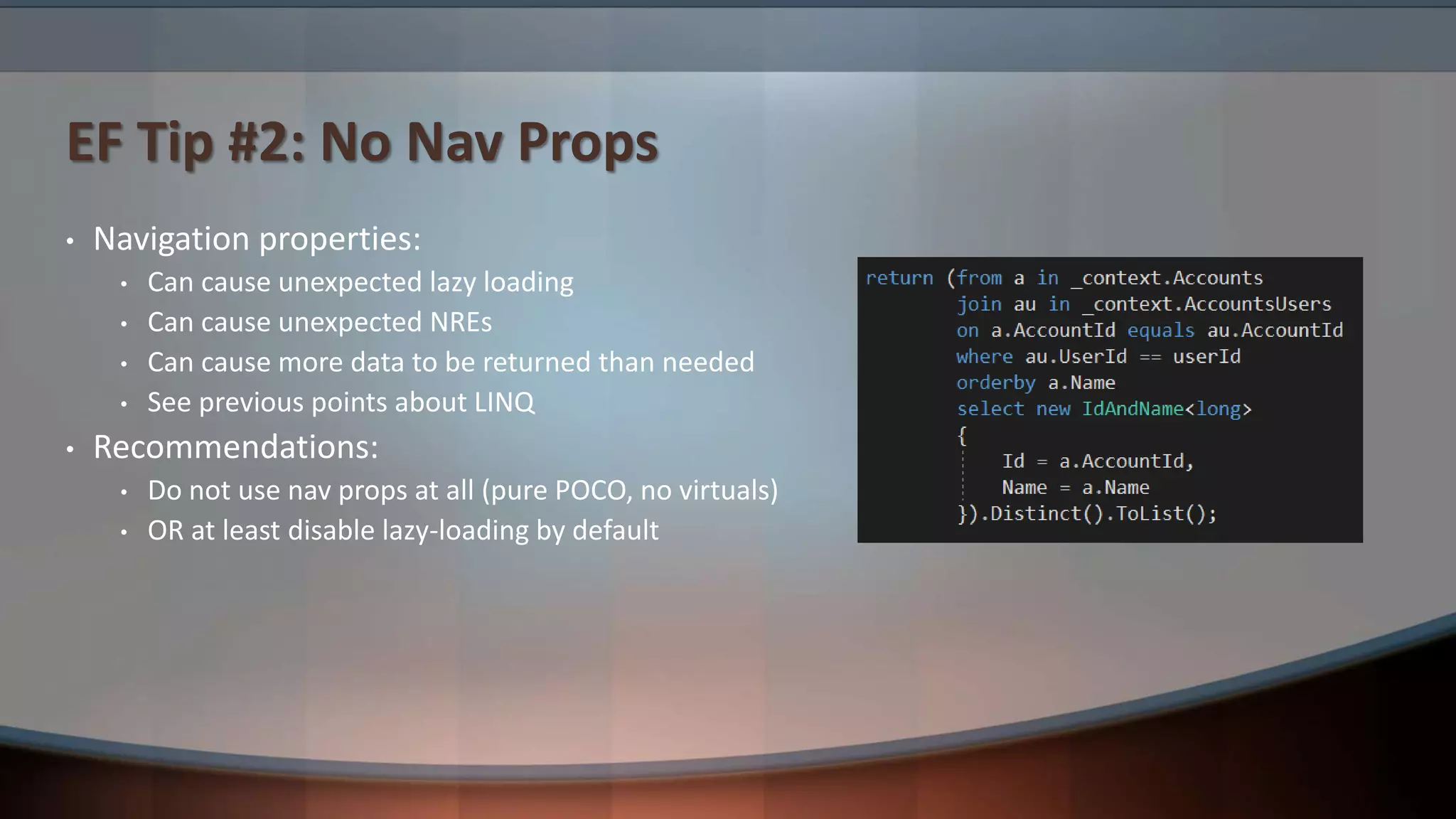
EF Tip #2: No Nav Props
• Navigation properties:
• Can cause unexpected lazy loading
• Can cause unexpected NREs
• Can cause more data to be returned than needed
• See previous points about LINQ
• Recommendations:
• Do not use nav props at all (pure POCO, no virtuals)
• OR at least disable lazy-loading by default
EF Tip #3: No Code-First Migrations
• Code-first migrations:
• Can’t be verified at compile time
• Can cause git merge issues due to .resx binary data
• Require use of fragile __MigrationHistory table
• Are difficult to use with multiple team members’ local DBs
• Can’t do schema comparison
• Can’t be deployed without running code
• Recommendations:
• Don’t use them at all (use DACPAC instead)
• OR institute very deliberate team process around them
Azure SQL Database Features
Azure SQL Database: Security
• TLS
• Encrypt=True;TrustServerCertificate=False
• Transparent Data Encryption
• Always Encrypted
• Row-level Security
• Dynamic Data Masking
• Auditing
• Threat Detection
• Security Center
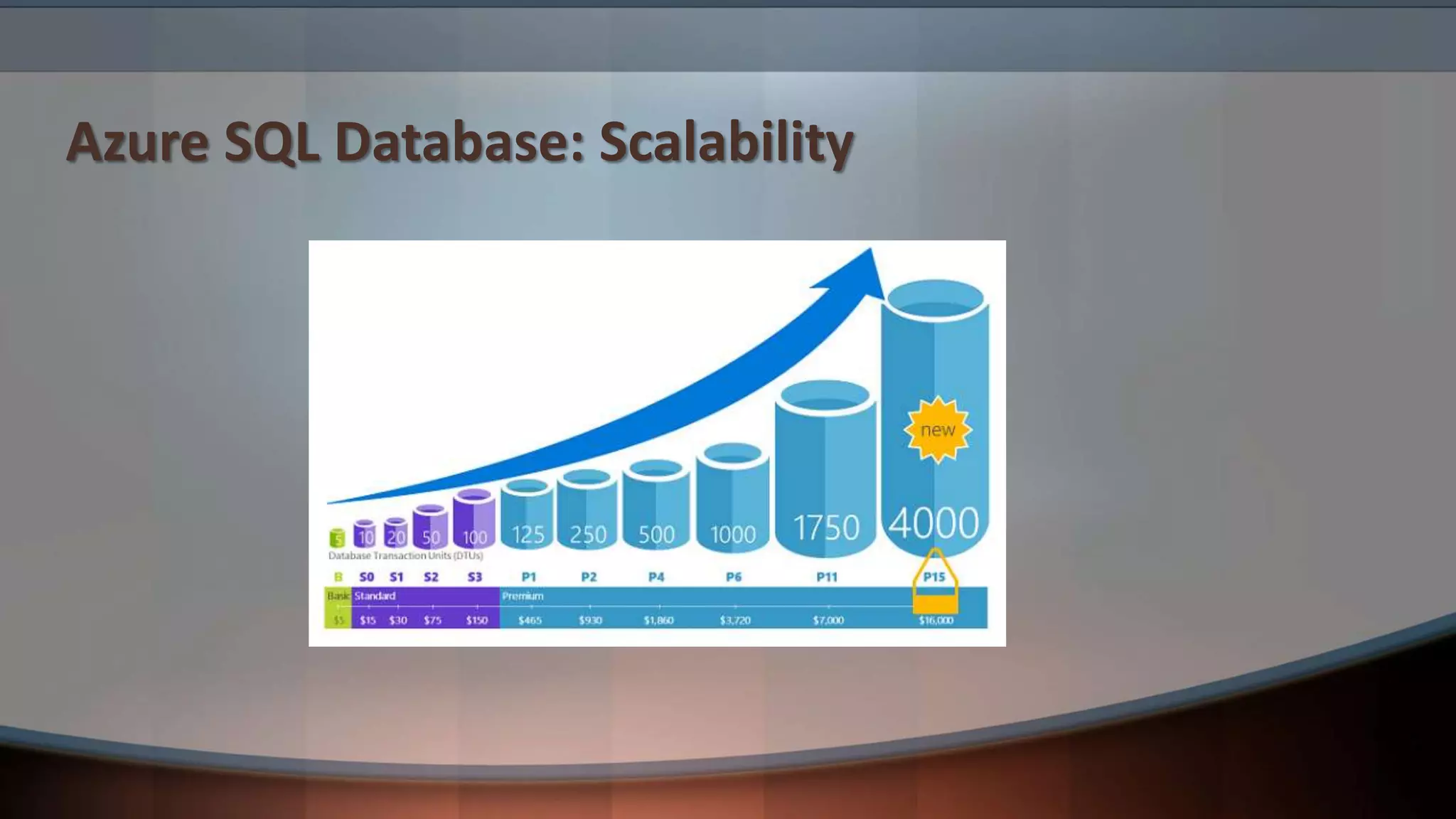
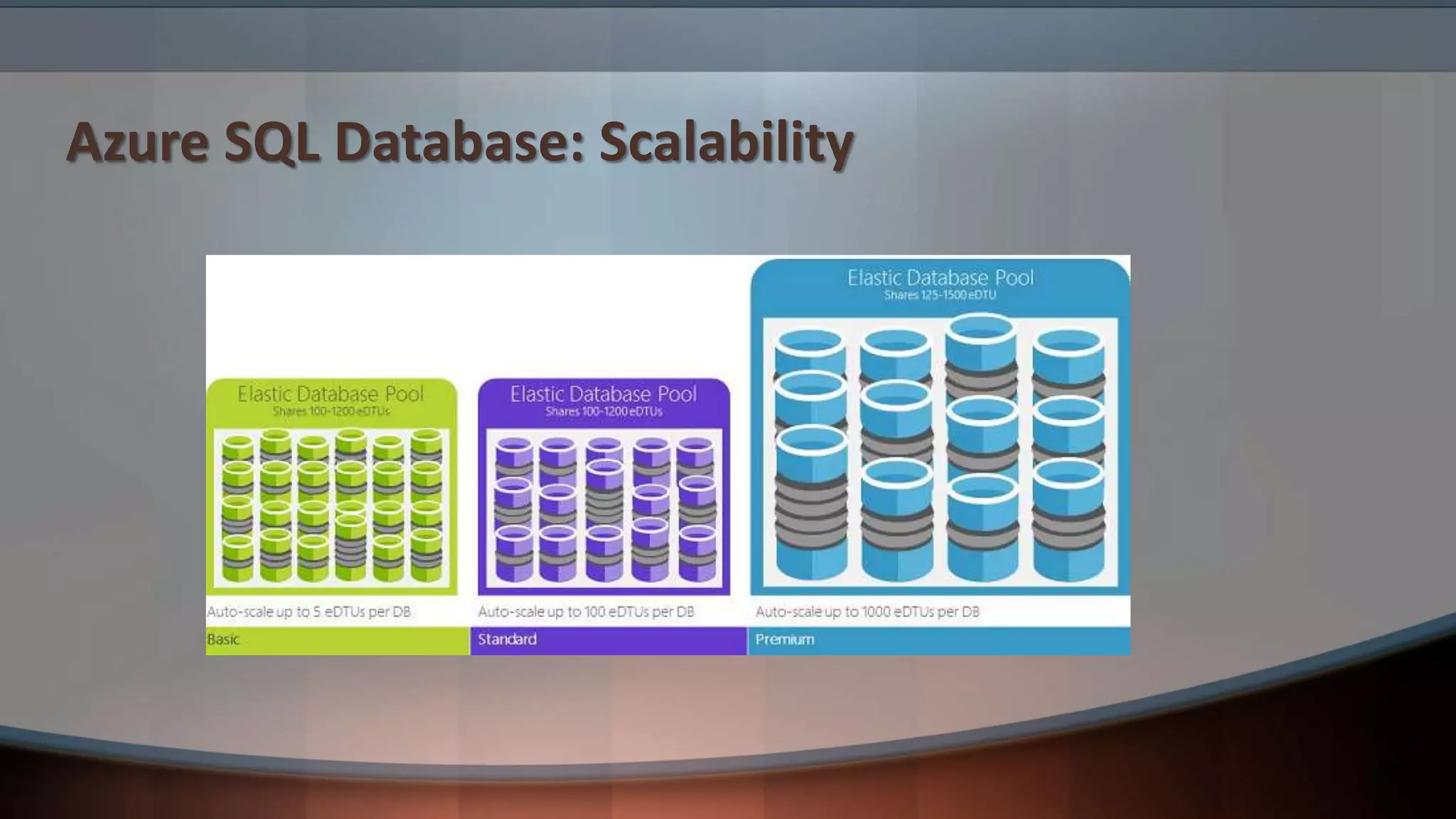
Azure SQL Database: Scalability
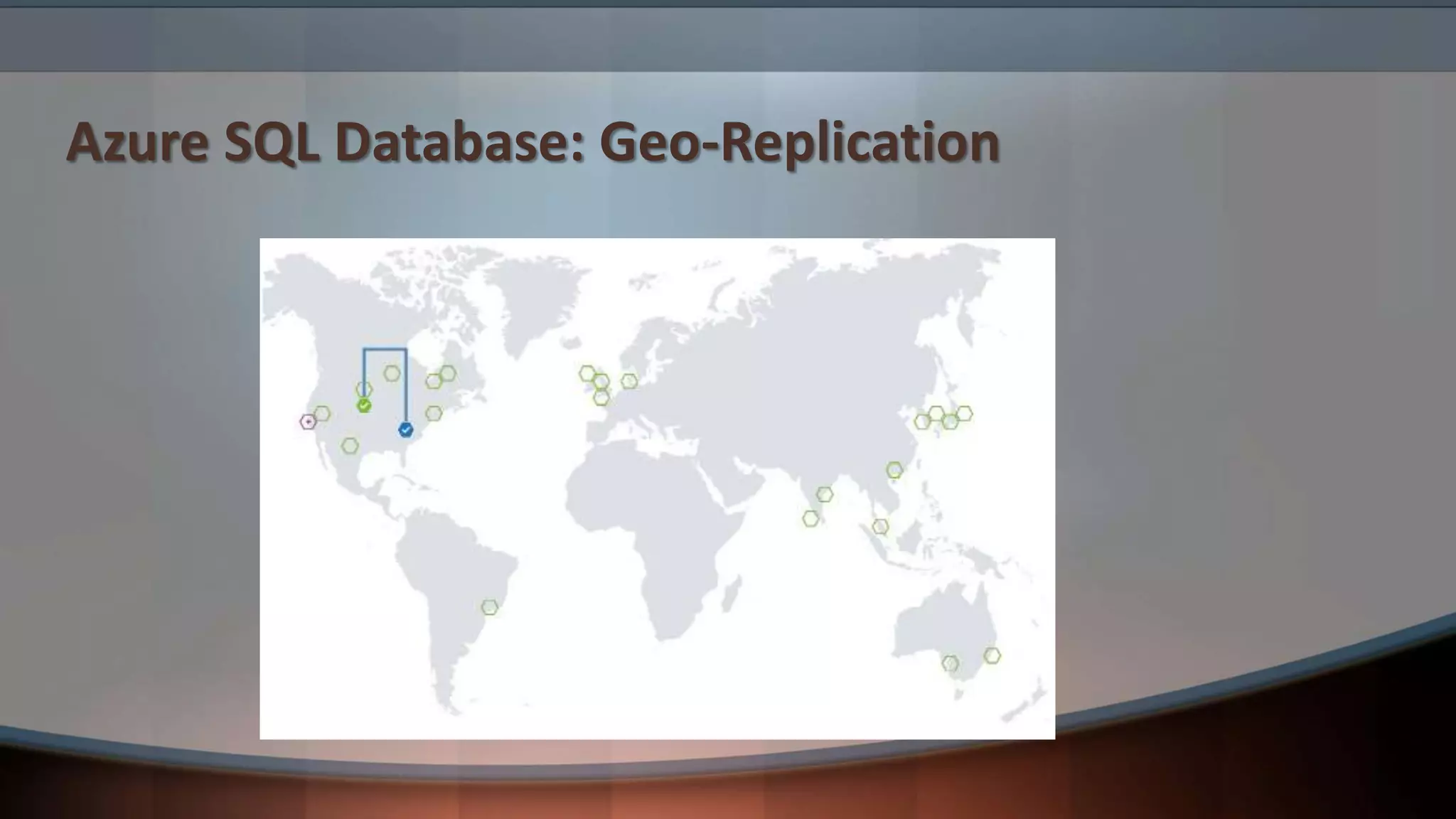
Azure SQL Database: Geo-Replication
Tools
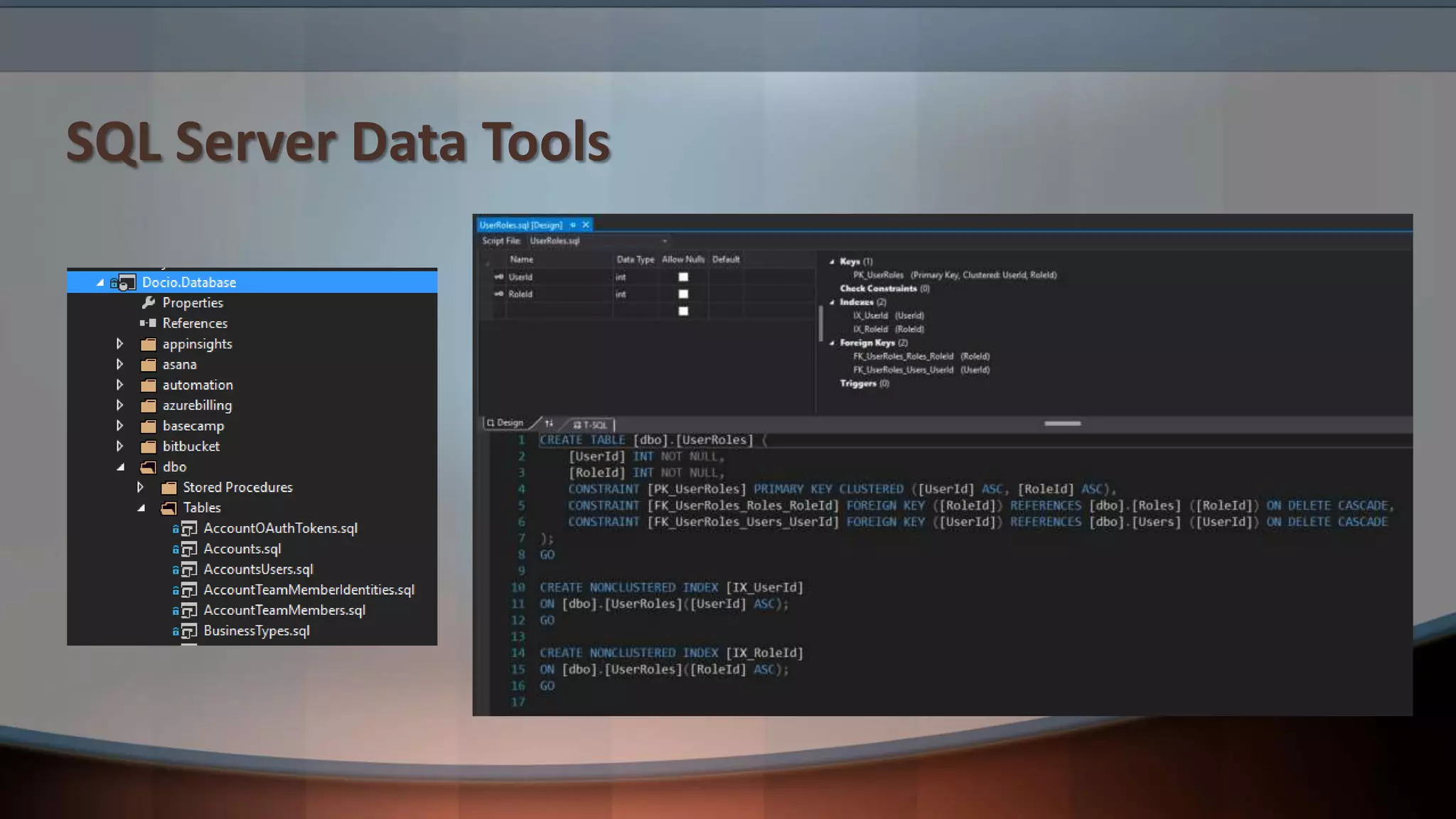
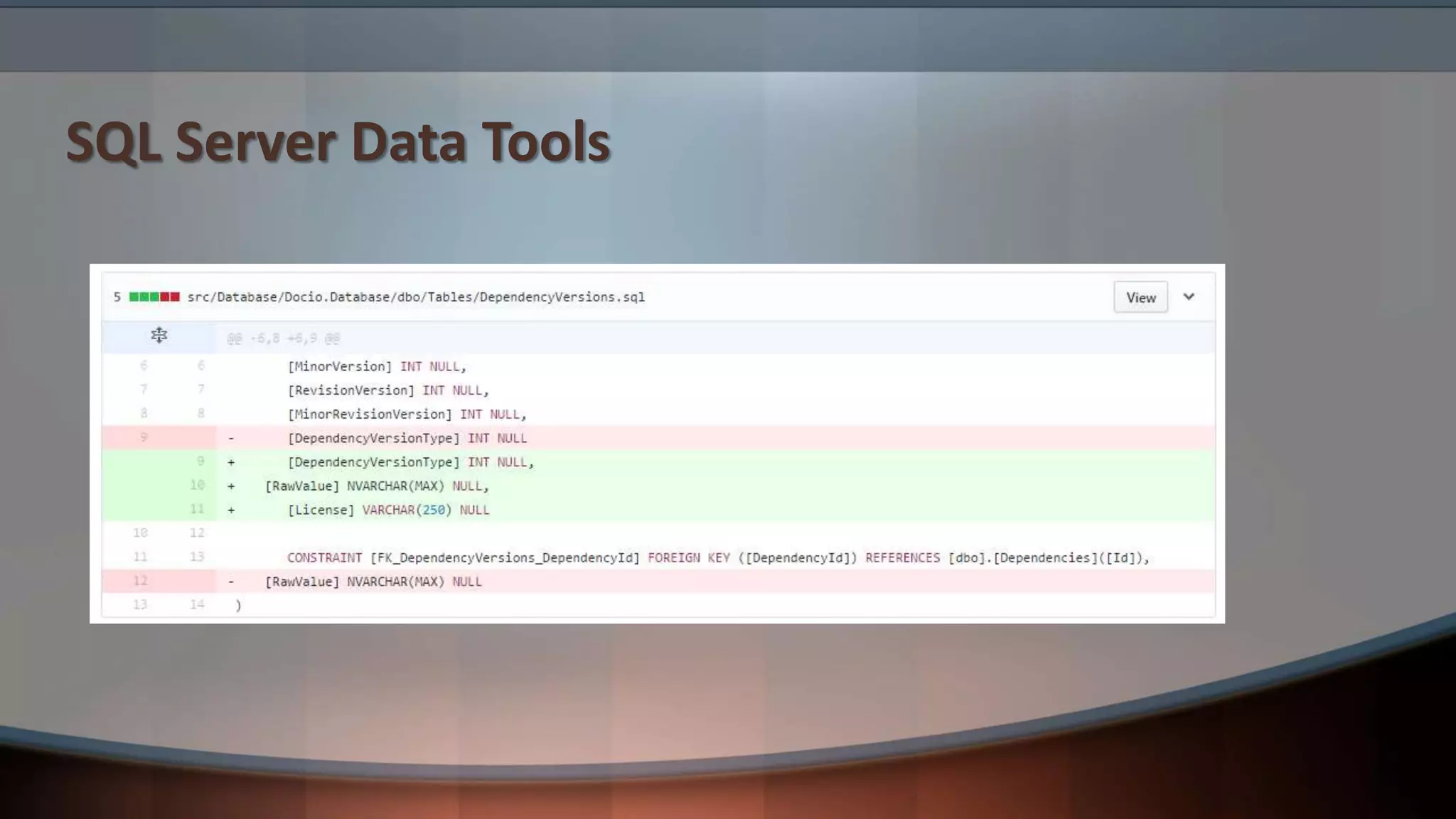
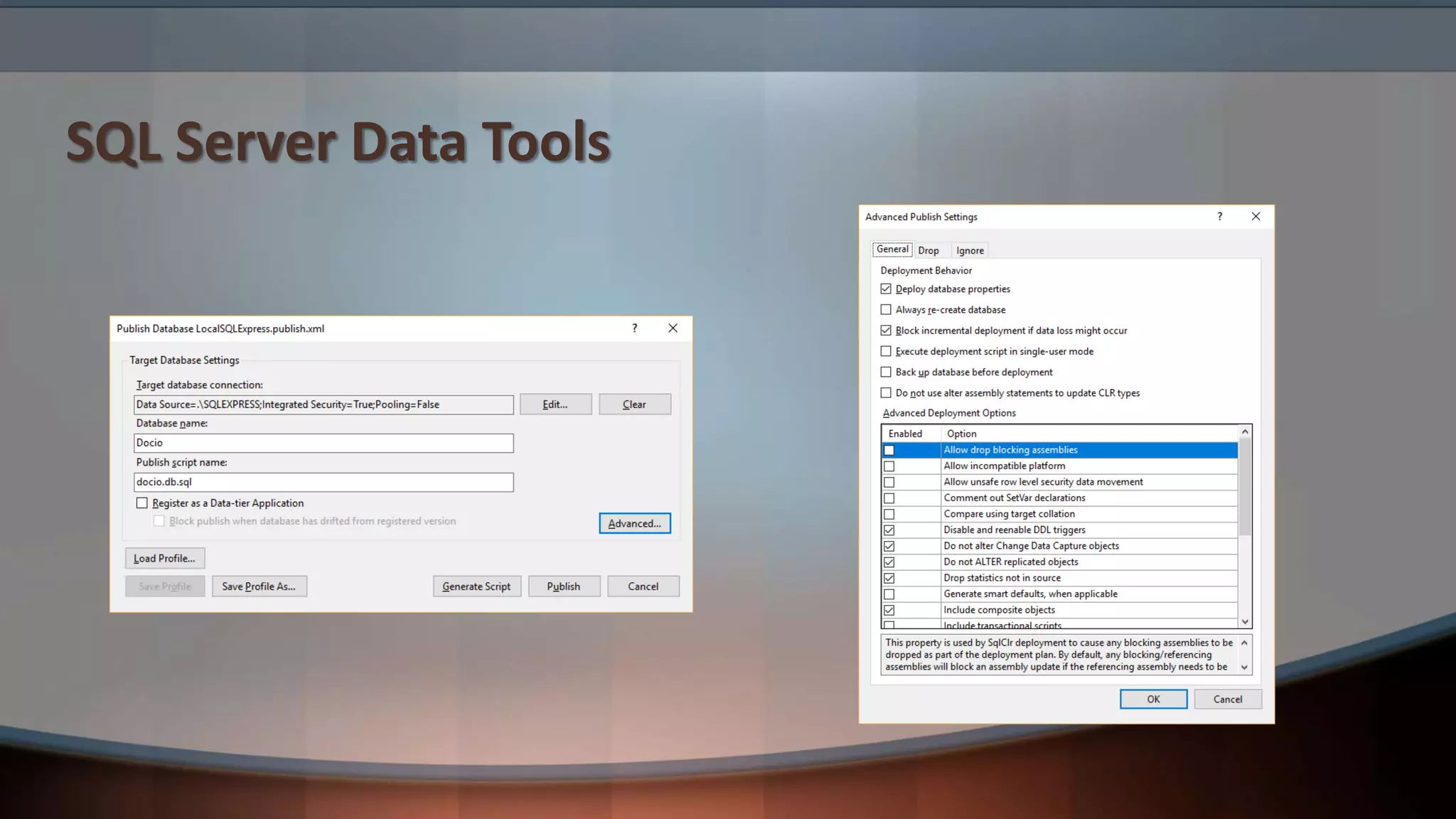
SQL Server Data Tools
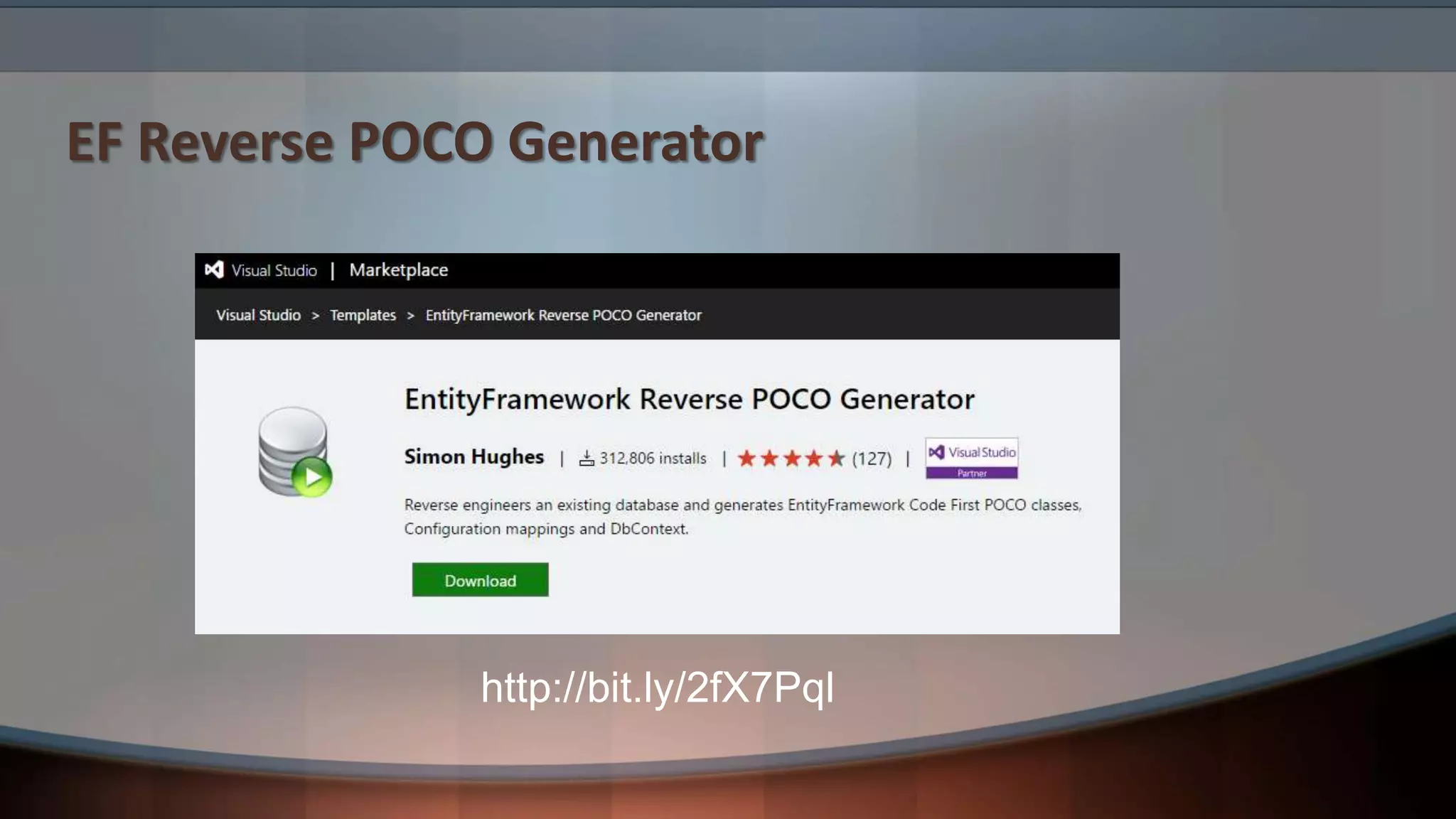
EF Reverse POCO Generator
http://bit.ly/2fX7Pql
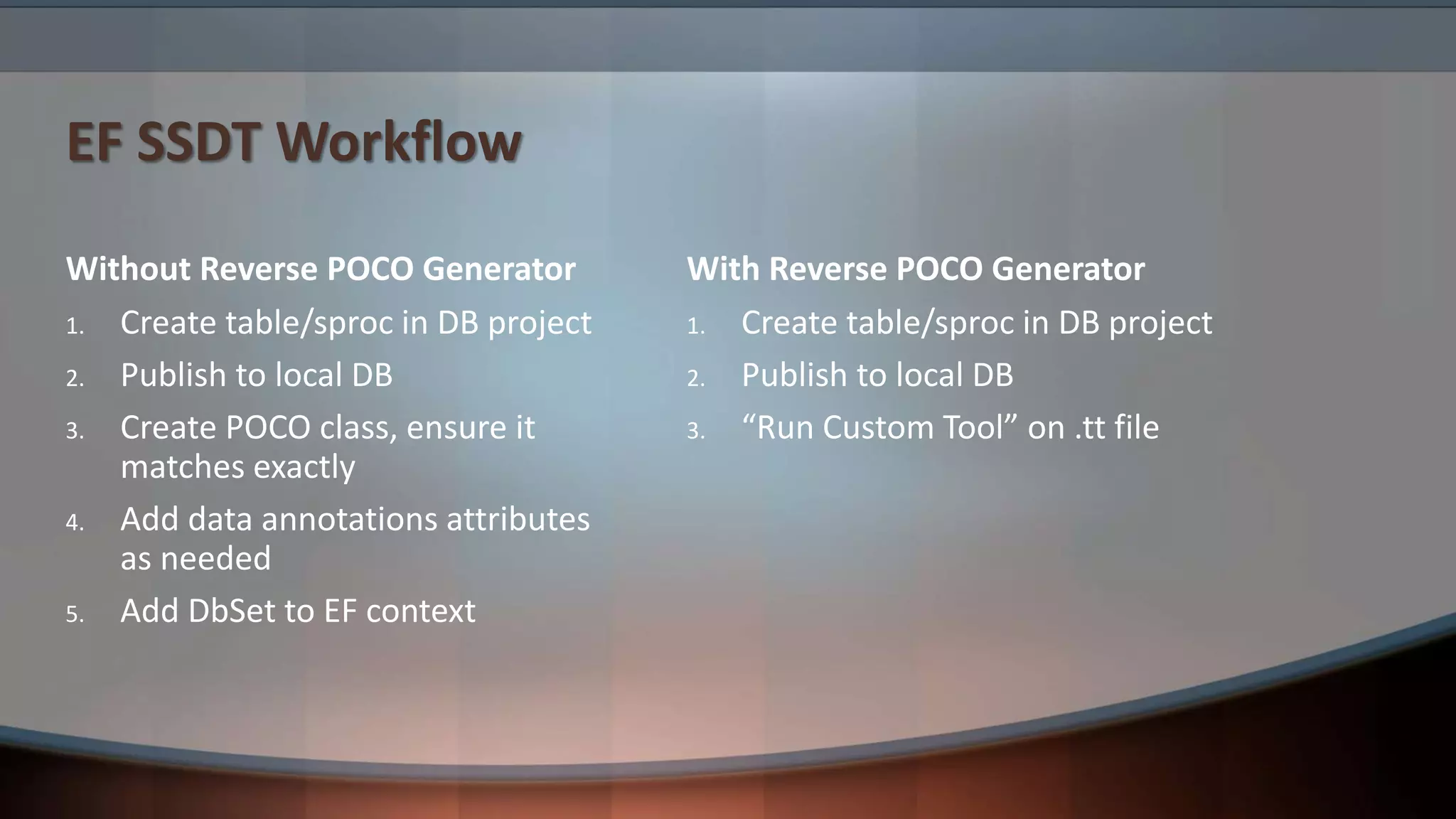
EF SSDT Workflow
Without Reverse POCO Generator
1. Create table/sproc in DB project
2. Publish to local DB
3. Create POCO class, ensure it
matches exactly
4. Add data annotations attributes
as needed
5. Add DbSet to EF context
With Reverse POCO Generator
1. Create table/sproc in DB project
2. Publish to local DB
3. “Run Custom Tool” on .tt file
EF Reverse POCO Generator Tips
• ConnectionStringName in app.config
• GenerateSeparateFiles = true;
• ForeignKeyFilter = (ForeignKey fk) => null;
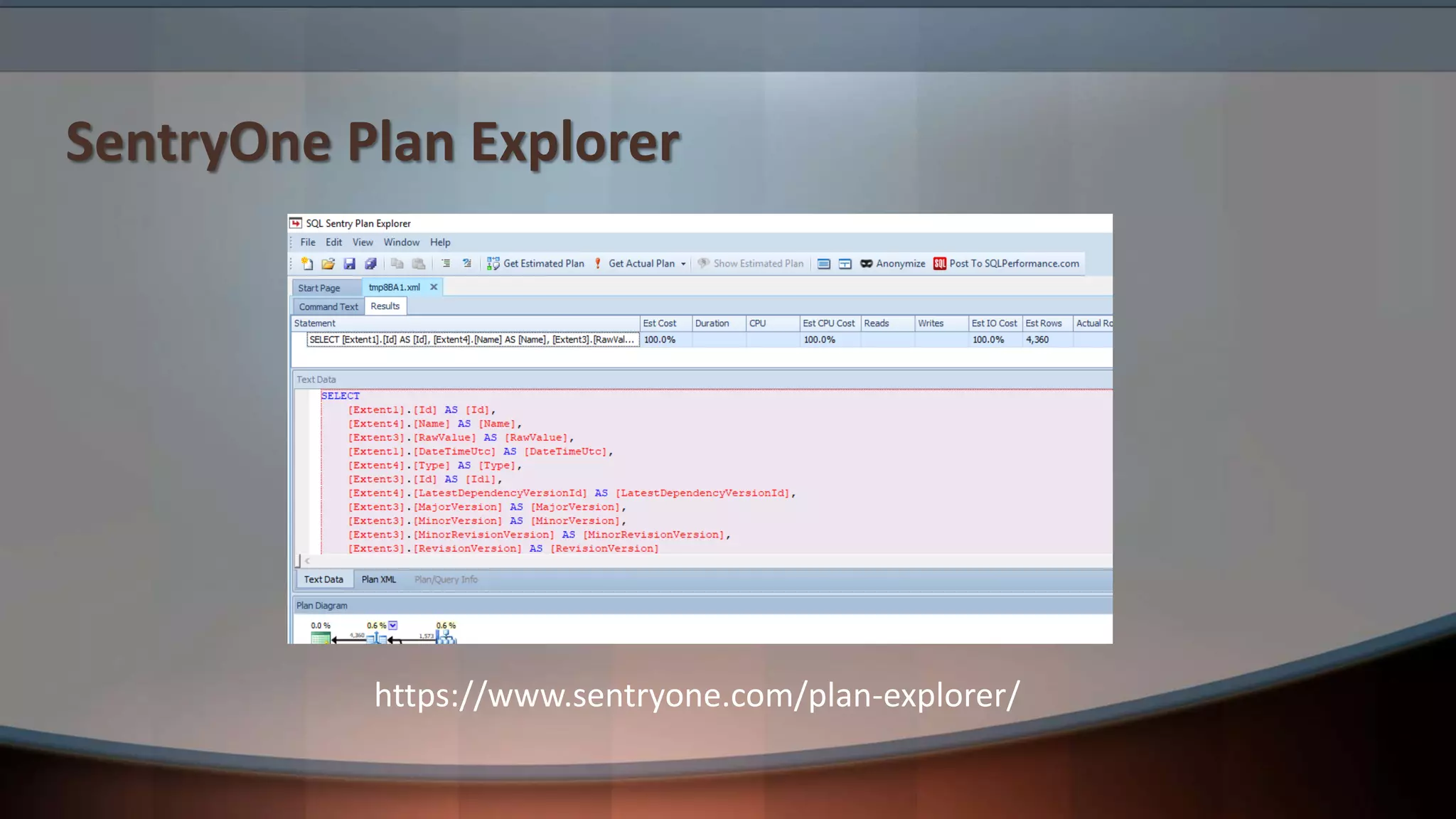
SentryOne Plan Explorer
https://www.sentryone.com/plan-explorer/
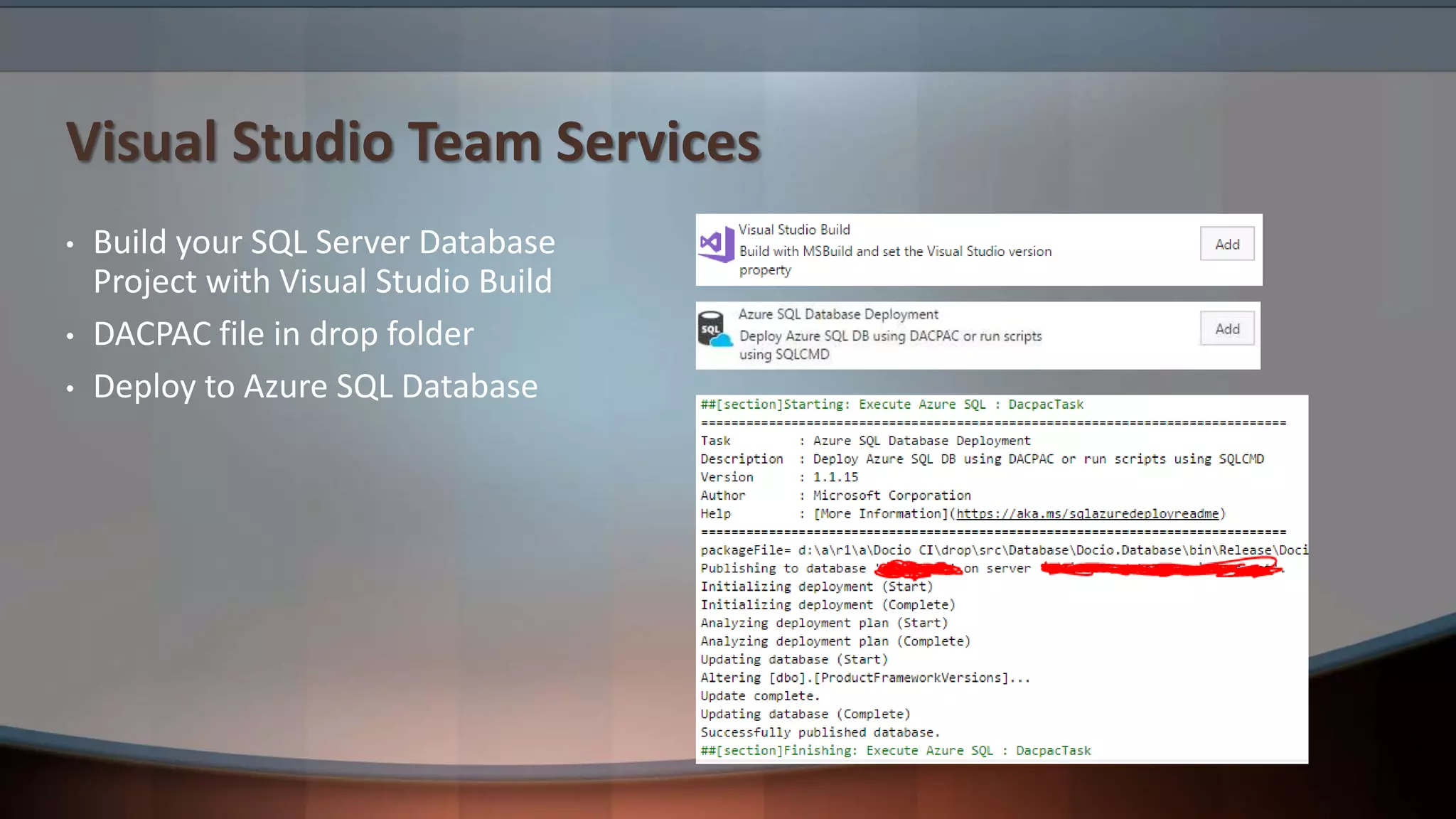
Visual Studio Team Services
• Build your SQL Server Database
Project with Visual Studio Build
• DACPAC file in drop folder
• Deploy to Azure SQL Database
Summary
Take-Aways
• Learn some T-SQL for fun and profit
• Tune queries early and often
• With Entity Framework, less is more
• Take advantage of cloud security and scalability
• Use tools to help you code, version, tune, and deploy
Q&A

Professional SQL for Developers

  • 1.
    Professional SQL forDevelopers Paul Irwin CTO, Docio Chief Software Engineer, feature[23]
  • 4.
    Why? • ORMs +migrations + cloud = lazy developers • Lazy developers + high traffic = slow performance • Lazy developers + bad actors = security breaches • Slow performance + security breaches = unemployed developers
  • 5.
    Overview T-SQL You NeedTo Know Query Tuning Basics 3 Entity Framework Tips Azure SQL Database Features Tool Recommendations
  • 6.
  • 7.
    T-SQL: String DataTypes (N)VARCHAR(X) (N)TEXT (N)VARCHAR(MAX) Max Length/Size 8000/4000 2GB 2GB Ease of Use Good Poor Good Performance Good Poor Good or Poor Indexable Yes No No Recommended Yes No Yes
  • 8.
  • 9.
    T-SQL: Window Functions •ROW_NUMBER() OVER (ORDER BY OrderDate DESC) • ROW_NUMBER() OVER (PARTITION BY TerritoryID ORDER BY OrderDate DESC) • RANK() OVER (ORDER BY Score DESC) • DENSE_RANK() OVER (ORDER BY Score DESC) • SUM(SubTotal) OVER (PARTITION BY TerritoryID ORDER BY SalesOrderID ROWS UNBOUNDED PRECEDING)
  • 10.
  • 11.
  • 12.
  • 13.
  • 14.
  • 15.
  • 16.
    Query Tuning: FindingSlow Queries Extended Events (XEvents) Query Store (2016+)
  • 17.
    Query Tuning: FindMissing Indexes
  • 18.
    Query Tuning: MissingIndex DMVs http://bit.ly/2rudhX9
  • 19.
  • 20.
    Query Tuning: Statistics SQLServer Statistics Basics by Robert Sheldon http://bit.ly/2apoFJO
  • 21.
  • 22.
    EF Tip #1:Limit LINQ • Complex LINQ queries: • Can be hard to tune • Can be hard to maintain • Require a code push to change • Heuristics: • Limit LINQ to 3-4 simple clauses (from, join, where, select, etc.) • Anything more complex goes into a sproc
  • 23.
    EF Tip #2:No Nav Props • Navigation properties: • Can cause unexpected lazy loading • Can cause unexpected NREs • Can cause more data to be returned than needed • See previous points about LINQ • Recommendations: • Do not use nav props at all (pure POCO, no virtuals) • OR at least disable lazy-loading by default
  • 24.
    EF Tip #3:No Code-First Migrations • Code-first migrations: • Can’t be verified at compile time • Can cause git merge issues due to .resx binary data • Require use of fragile __MigrationHistory table • Are difficult to use with multiple team members’ local DBs • Can’t do schema comparison • Can’t be deployed without running code • Recommendations: • Don’t use them at all (use DACPAC instead) • OR institute very deliberate team process around them
  • 25.
  • 26.
    Azure SQL Database:Security • TLS • Encrypt=True;TrustServerCertificate=False • Transparent Data Encryption • Always Encrypted • Row-level Security • Dynamic Data Masking • Auditing • Threat Detection • Security Center
  • 27.
  • 28.
  • 29.
    Azure SQL Database:Geo-Replication
  • 30.
  • 31.
  • 32.
  • 33.
  • 34.
    EF Reverse POCOGenerator http://bit.ly/2fX7Pql
  • 35.
    EF SSDT Workflow WithoutReverse POCO Generator 1. Create table/sproc in DB project 2. Publish to local DB 3. Create POCO class, ensure it matches exactly 4. Add data annotations attributes as needed 5. Add DbSet to EF context With Reverse POCO Generator 1. Create table/sproc in DB project 2. Publish to local DB 3. “Run Custom Tool” on .tt file
  • 36.
    EF Reverse POCOGenerator Tips • ConnectionStringName in app.config • GenerateSeparateFiles = true; • ForeignKeyFilter = (ForeignKey fk) => null;
  • 37.
  • 38.
    Visual Studio TeamServices • Build your SQL Server Database Project with Visual Studio Build • DACPAC file in drop folder • Deploy to Azure SQL Database
  • 39.
  • 40.
    Take-Aways • Learn someT-SQL for fun and profit • Tune queries early and often • With Entity Framework, less is more • Take advantage of cloud security and scalability • Use tools to help you code, version, tune, and deploy
  • 41.