An Introduction to
Entity Relationship
Diagrams (ERDs)
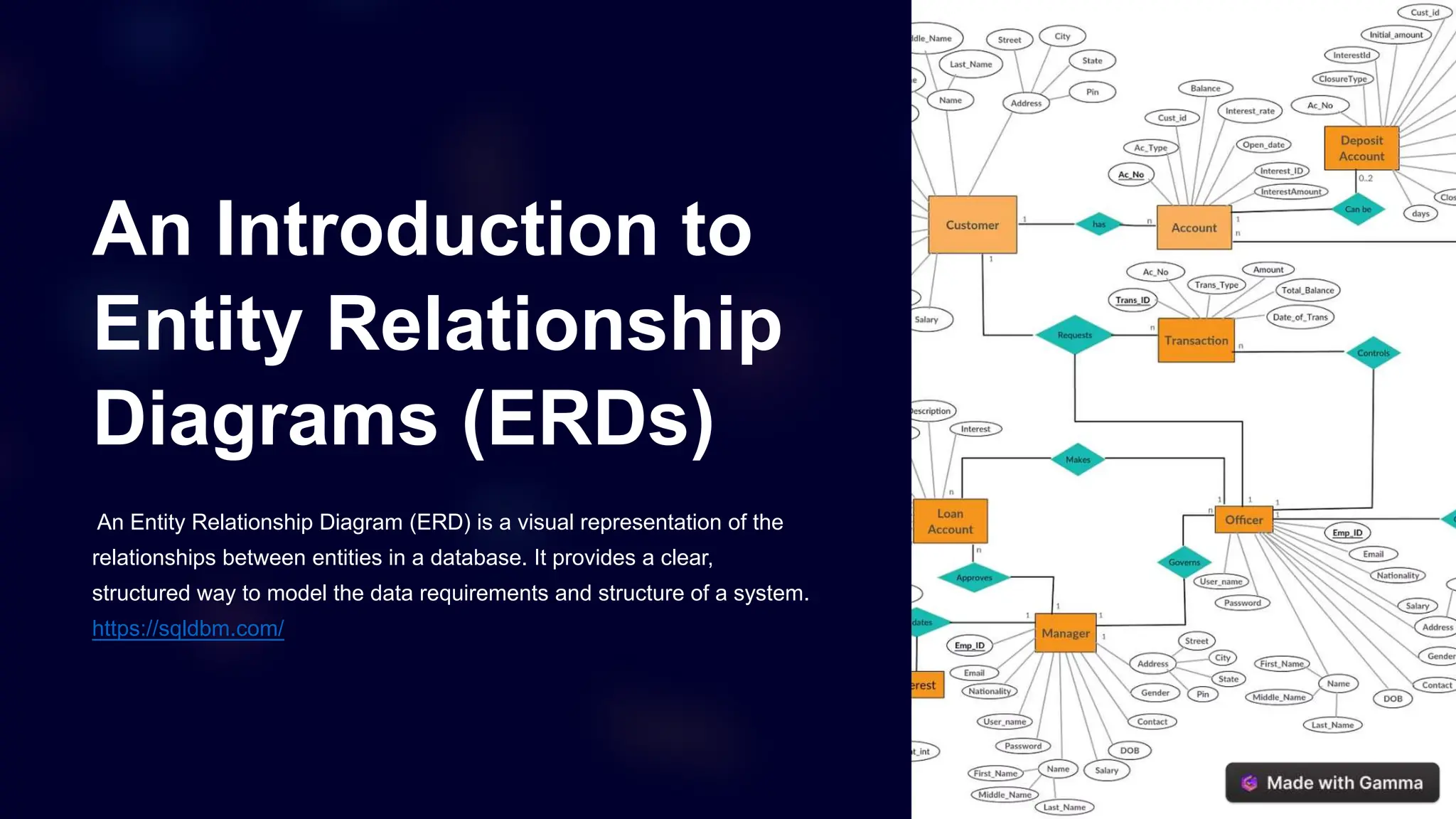
An Entity Relationship Diagram (ERD) is a visual representation of the
relationships between entities in a database. It provides a clear,
structured way to model the data requirements and structure of a system.
https://sqldbm.com/
Purpose and Benefits of an ERD
1 Data Modeling
An ERD helps model
the data requirements
and structure of a
system, ensuring all
necessary entities and
relationships are
captured.
2 Communication
ERDs facilitate
communication
between stakeholders,
allowing everyone to
visualize and
understand the data
landscape.
3 Database Design
An ERD can be used
as a blueprint to guide
the actual database
design and
implementation
process.
Key Components of an ERD
Entities
Entities represent the key
objects or things in the
system, such as customers,
products, or orders.
Attributes
Attributes describe the
properties of an entity, such
as a customer's name,
address, or order date.
Relationships
Relationships define how
entities are connected,
such as a customer placing
an order or a product being
in a category.
Identifying Entities
Nouns
Entities are typically nouns that represent
the key concepts in the system, such as
"customer" or "product".
Real-World Objects
Entities should represent tangible or
logical objects that are relevant to the
domain, like "employee" or "order".
Independence
Entities should be independent and have
their own set of attributes, rather than
being a property of another entity.
Uniqueness
Each entity should have a unique
identifier, such as a primary key, to
distinguish it from other entities.
Defining Relationships
1
One-to-One
A single instance of one entity is
associated with a single instance of
another entity. 2 One-to-Many
A single instance of one entity is
associated with multiple instances
of another entity.
3
Many-to-Many
Multiple instances of one entity are
associated with multiple instances
of another entity.
Cardinality and Optionality
Cardinality
Cardinality defines the number of instances
of one entity that can be associated with the
number of instances of another entity.
Optionality
Optionality determines whether the
relationship between entities is mandatory or
optional, represented by a 1 or 0,
respectively.
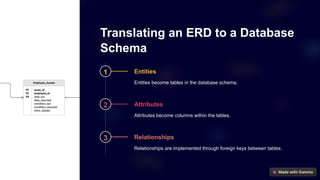
Translating an ERD to a Database
Schema
1 Entities
Entities become tables in the database schema.
2 Attributes
Attributes become columns within the tables.
3 Relationships
Relationships are implemented through foreign keys between tables.
Best Practices for Creating an
Effective ERD
1 Clarity
Use clear, concise naming conventions
for entities and relationships to ensure
the diagram is easy to understand.
2 Consistency
Maintain consistency in the level of
detail and representation of entities
and relationships throughout the
diagram.
3 Flexibility
Design the ERD to be adaptable to
future changes and requirements in the
system.
4 Validation
Review the ERD with stakeholders to
ensure it accurately reflects the data
requirements and relationships.

print ERD | SQL Database Modeler

  • 1.
    An Introduction to EntityRelationship Diagrams (ERDs) An Entity Relationship Diagram (ERD) is a visual representation of the relationships between entities in a database. It provides a clear, structured way to model the data requirements and structure of a system. https://sqldbm.com/
  • 2.
    Purpose and Benefitsof an ERD 1 Data Modeling An ERD helps model the data requirements and structure of a system, ensuring all necessary entities and relationships are captured. 2 Communication ERDs facilitate communication between stakeholders, allowing everyone to visualize and understand the data landscape. 3 Database Design An ERD can be used as a blueprint to guide the actual database design and implementation process.
  • 3.
    Key Components ofan ERD Entities Entities represent the key objects or things in the system, such as customers, products, or orders. Attributes Attributes describe the properties of an entity, such as a customer's name, address, or order date. Relationships Relationships define how entities are connected, such as a customer placing an order or a product being in a category.
  • 4.
    Identifying Entities Nouns Entities aretypically nouns that represent the key concepts in the system, such as "customer" or "product". Real-World Objects Entities should represent tangible or logical objects that are relevant to the domain, like "employee" or "order". Independence Entities should be independent and have their own set of attributes, rather than being a property of another entity. Uniqueness Each entity should have a unique identifier, such as a primary key, to distinguish it from other entities.
  • 5.
    Defining Relationships 1 One-to-One A singleinstance of one entity is associated with a single instance of another entity. 2 One-to-Many A single instance of one entity is associated with multiple instances of another entity. 3 Many-to-Many Multiple instances of one entity are associated with multiple instances of another entity.
  • 6.
    Cardinality and Optionality Cardinality Cardinalitydefines the number of instances of one entity that can be associated with the number of instances of another entity. Optionality Optionality determines whether the relationship between entities is mandatory or optional, represented by a 1 or 0, respectively.
  • 7.
    Translating an ERDto a Database Schema 1 Entities Entities become tables in the database schema. 2 Attributes Attributes become columns within the tables. 3 Relationships Relationships are implemented through foreign keys between tables.
  • 8.
    Best Practices forCreating an Effective ERD 1 Clarity Use clear, concise naming conventions for entities and relationships to ensure the diagram is easy to understand. 2 Consistency Maintain consistency in the level of detail and representation of entities and relationships throughout the diagram. 3 Flexibility Design the ERD to be adaptable to future changes and requirements in the system. 4 Validation Review the ERD with stakeholders to ensure it accurately reflects the data requirements and relationships.