Pricelist Revamp & Print Formats in Odoo
18
Enterprise
Enterprise
Introduction
In this slide, we’ll discuss the Pricelist Revamp & Print Formats in
Odoo 18. Odoo 18 offers enhanced features for pricelist
management and customization of print formats to streamline
our sales processes and improve customer experience. We can
easily compare multiple price lists side by side to identify
differences and make informed pricing decisions. In print
formats, we can create and customize print templates for price
lists, quotations, orders, and invoices to match our brand and
preferences.
Enterprise
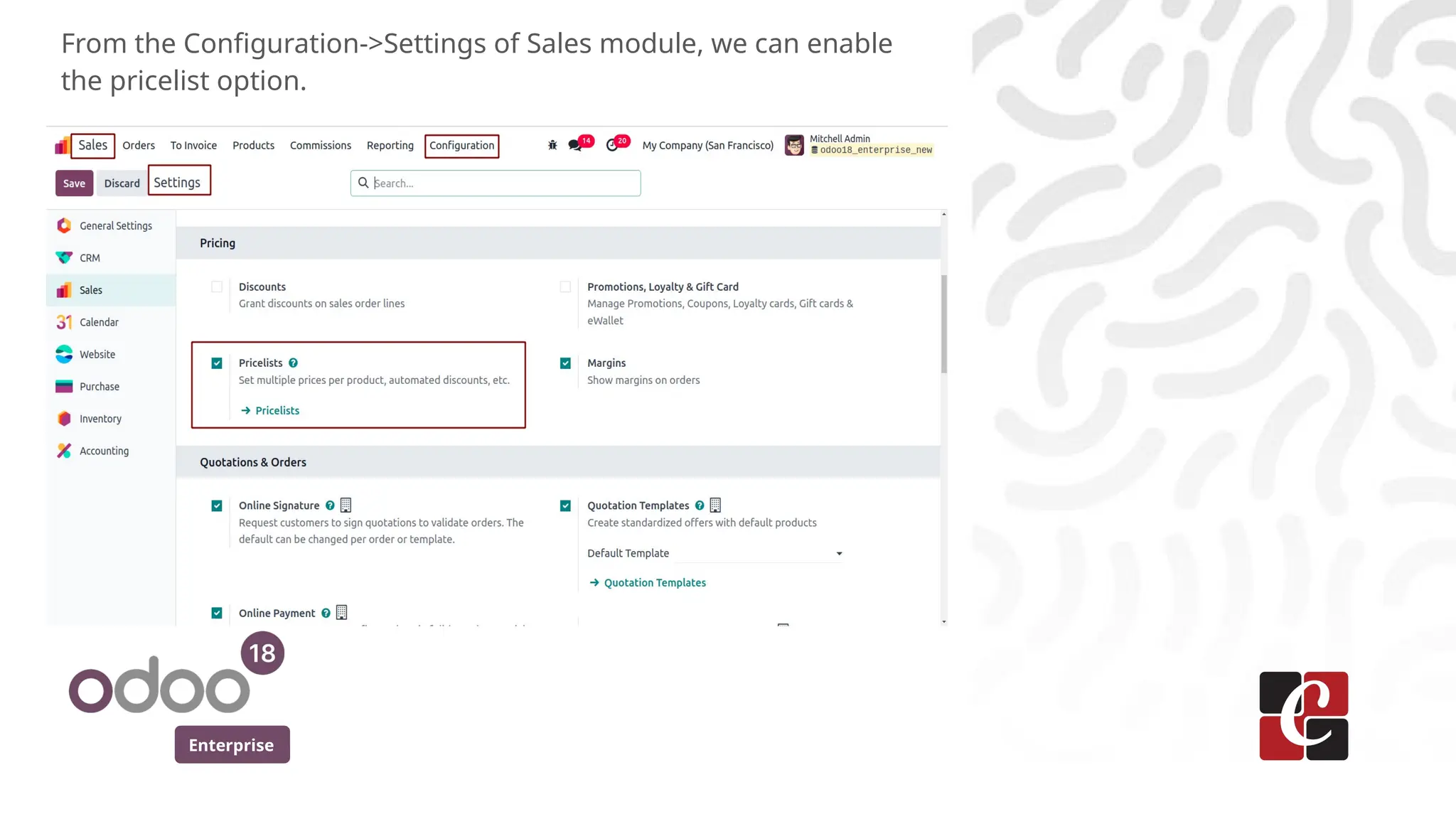
From the Configuration->Settings of Sales module, we can enable
the pricelist option.
Enterprise
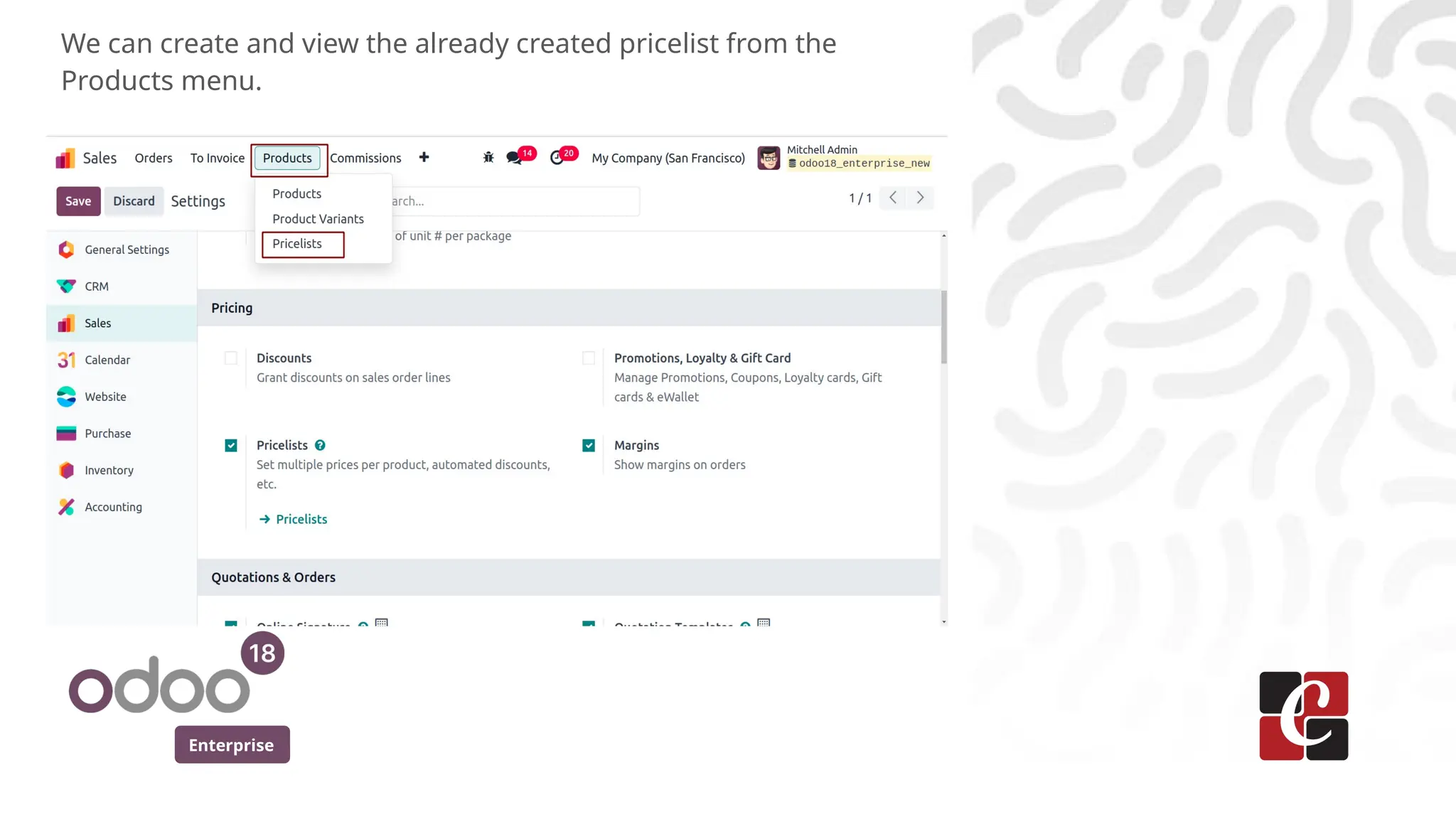
We can create and view the already created pricelist from the
Products menu.
Enterprise
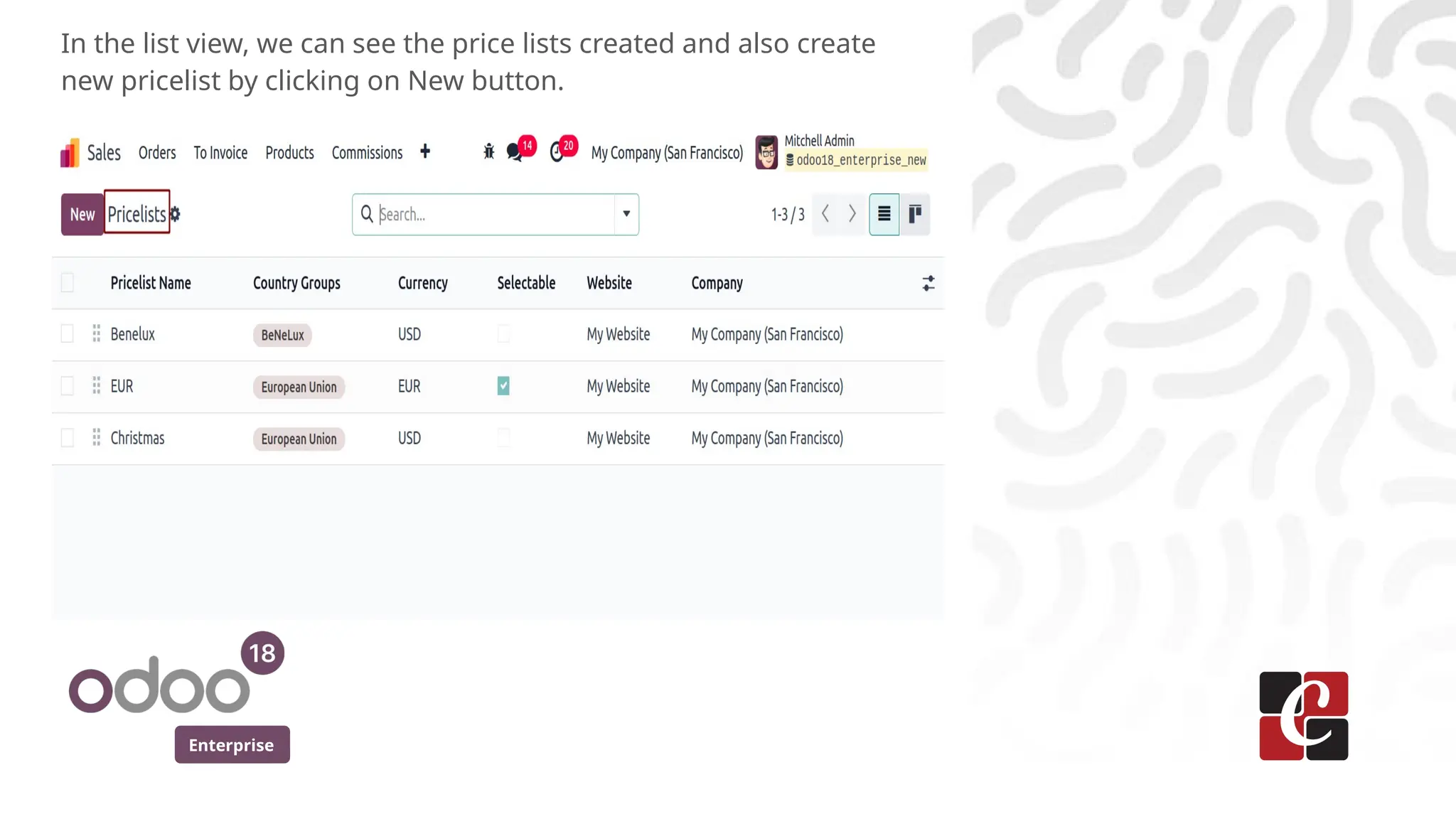
In the list view, we can see the price lists created and also create
new pricelist by clicking on New button.
Enterprise
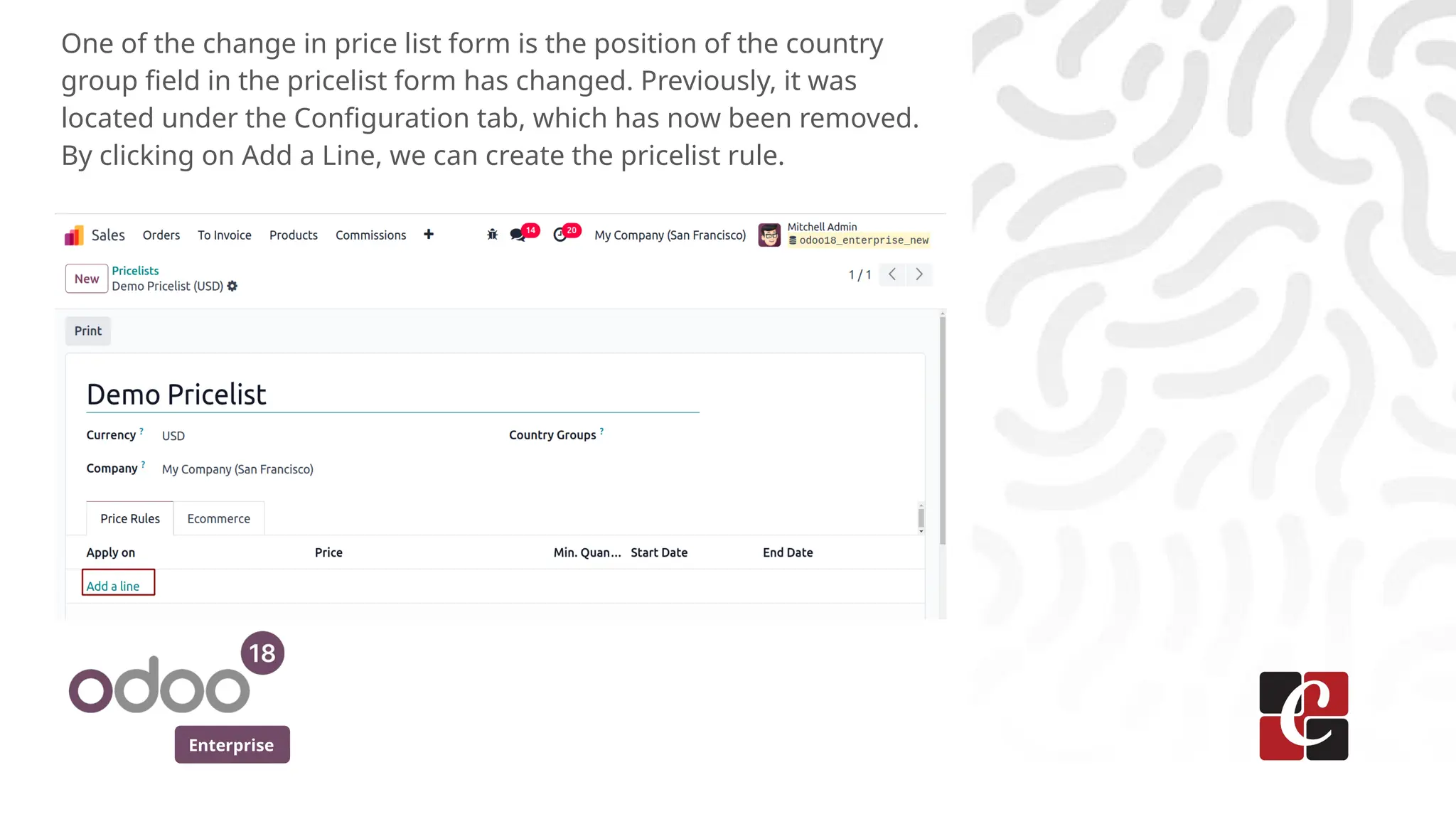
One of the change in price list form is the position of the country
group field in the pricelist form has changed. Previously, it was
located under the Configuration tab, which has now been removed.
By clicking on Add a Line, we can create the pricelist rule.
Enterprise
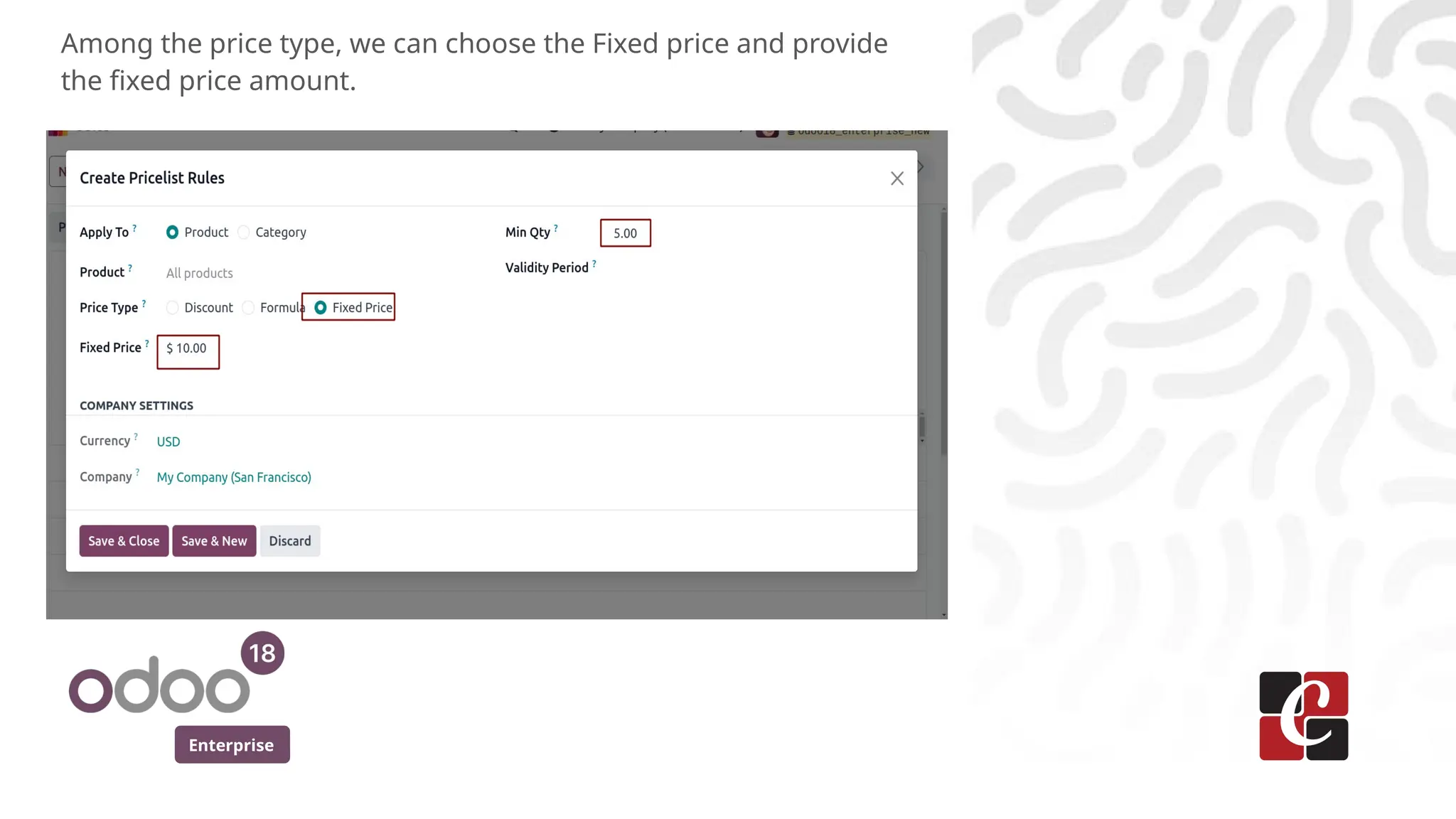
Among the price type, we can choose the Fixed price and provide
the fixed price amount.
Enterprise
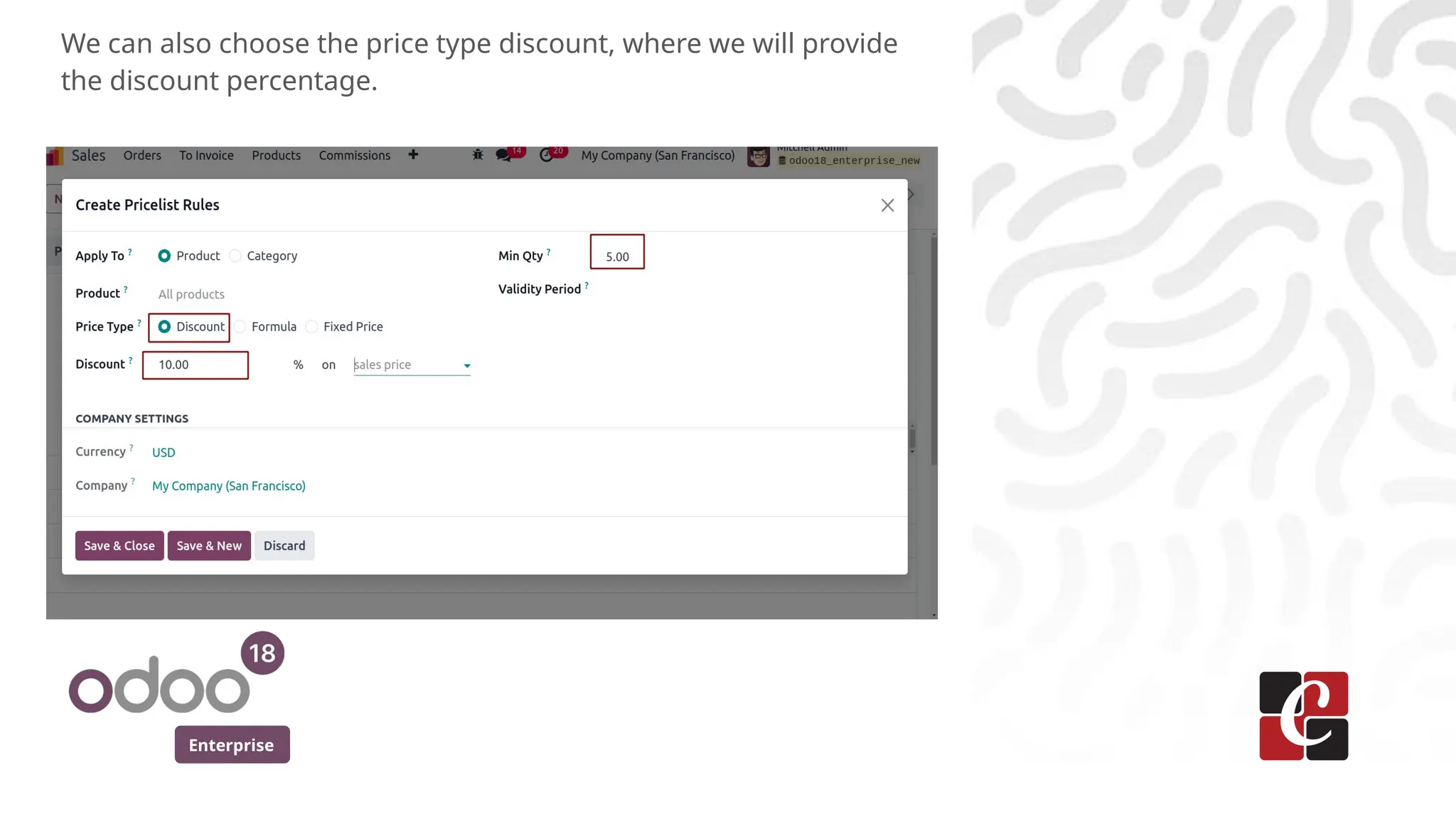
We can also choose the price type discount, where we will provide
the discount percentage.
Enterprise
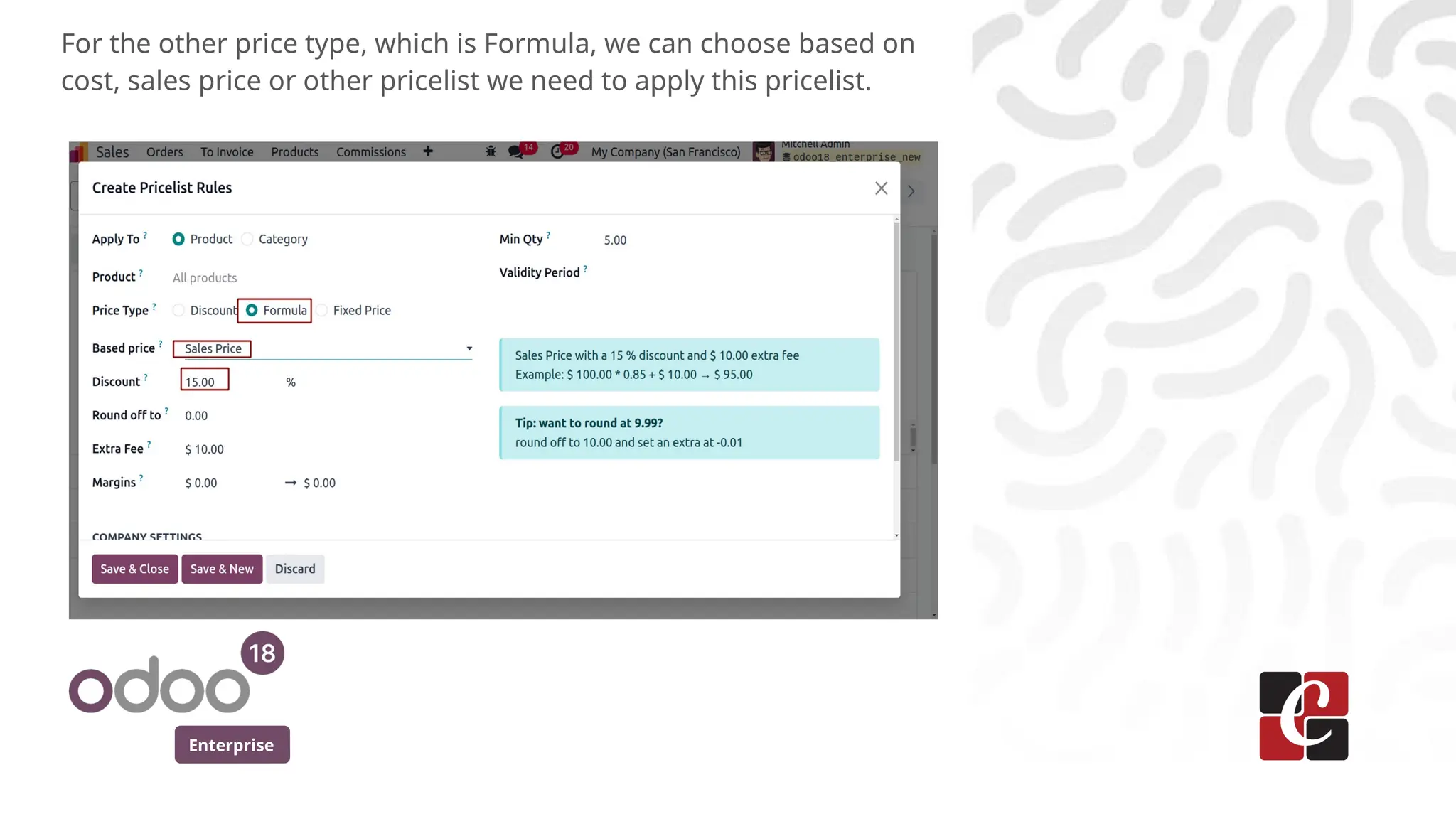
For the other price type, which is Formula, we can choose based on
cost, sales price or other pricelist we need to apply this pricelist.
Enterprise
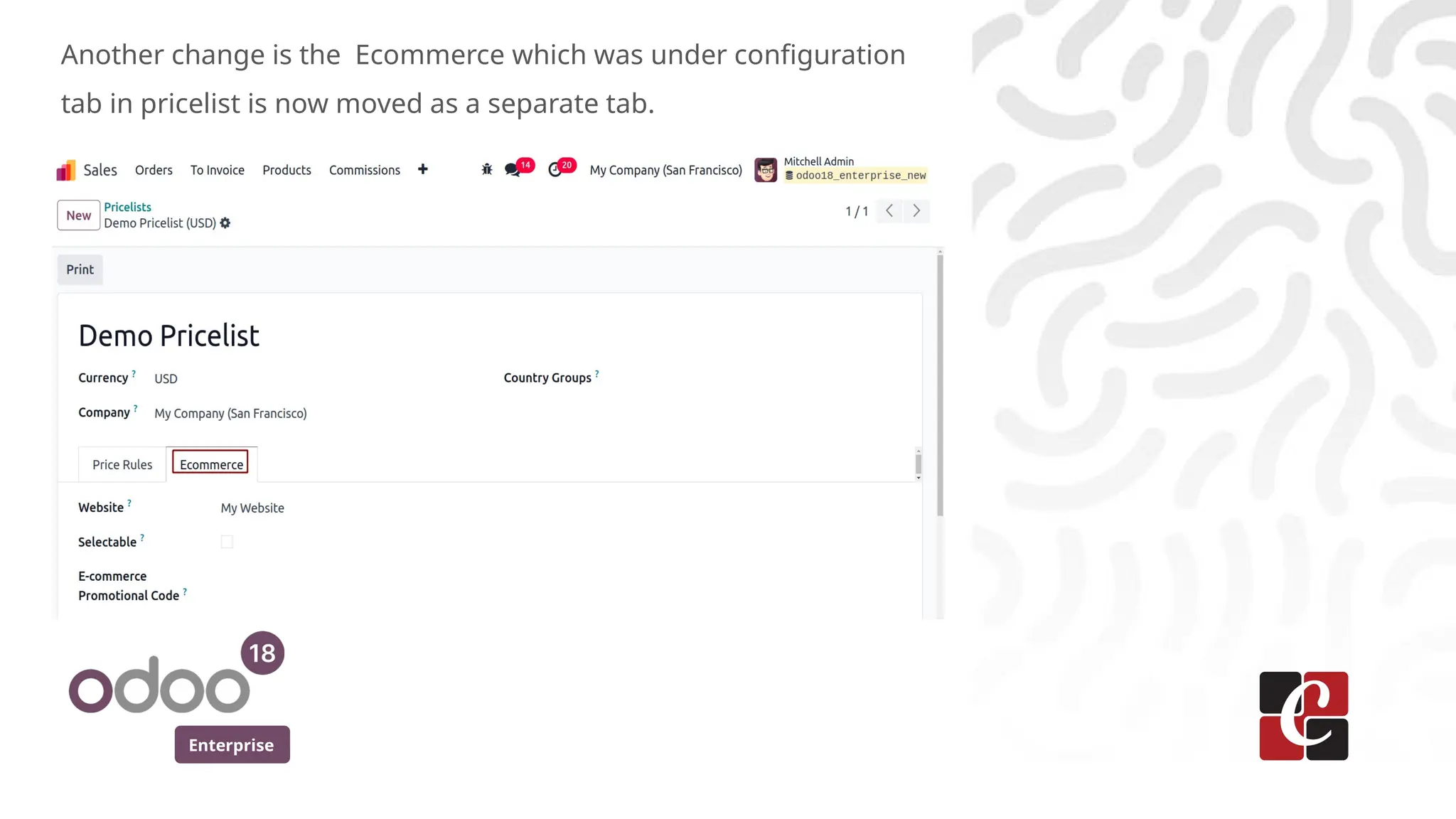
Another change is the Ecommerce which was under configuration
tab in pricelist is now moved as a separate tab.
Enterprise
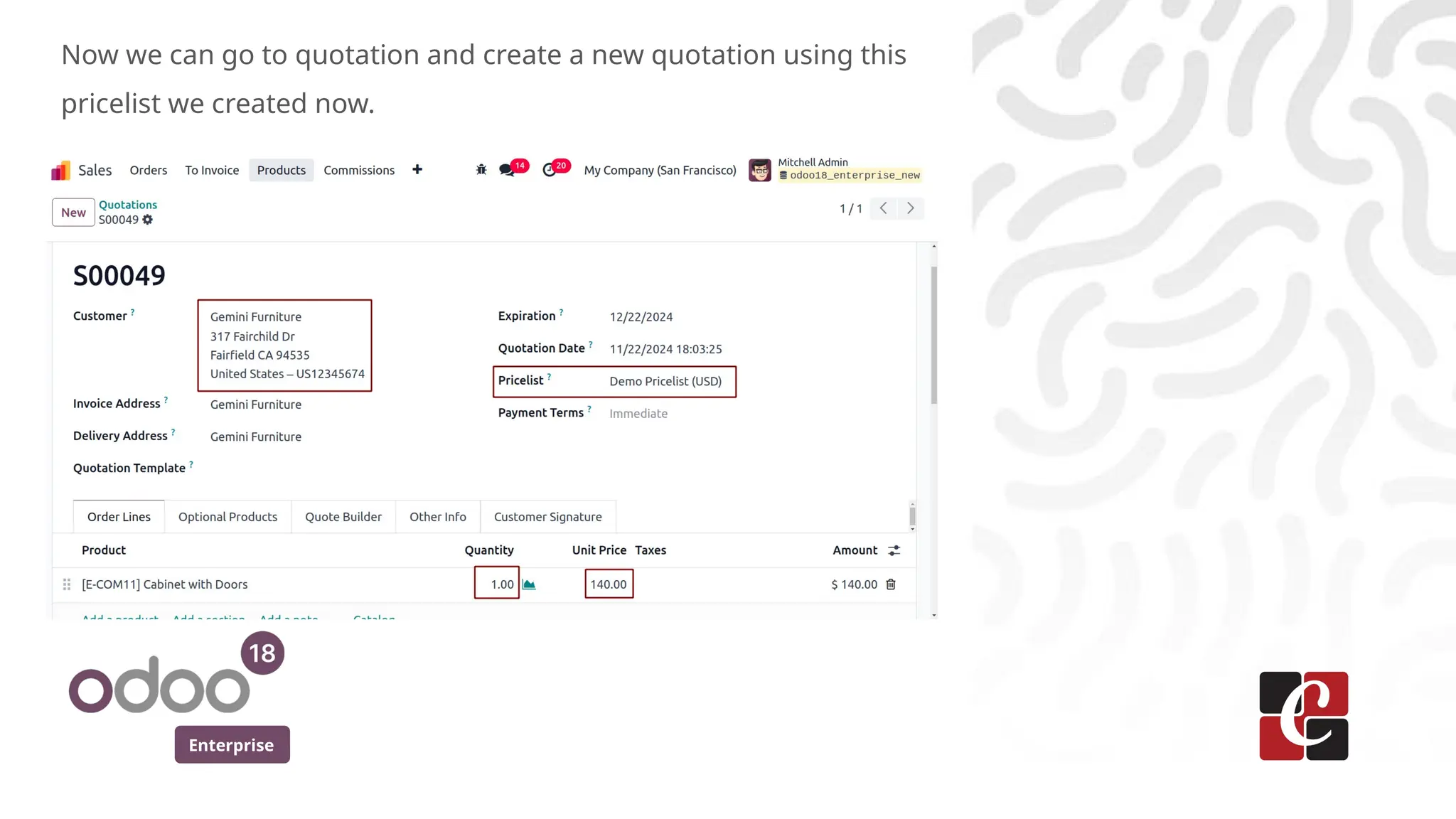
Now we can go to quotation and create a new quotation using this
pricelist we created now.
Enterprise
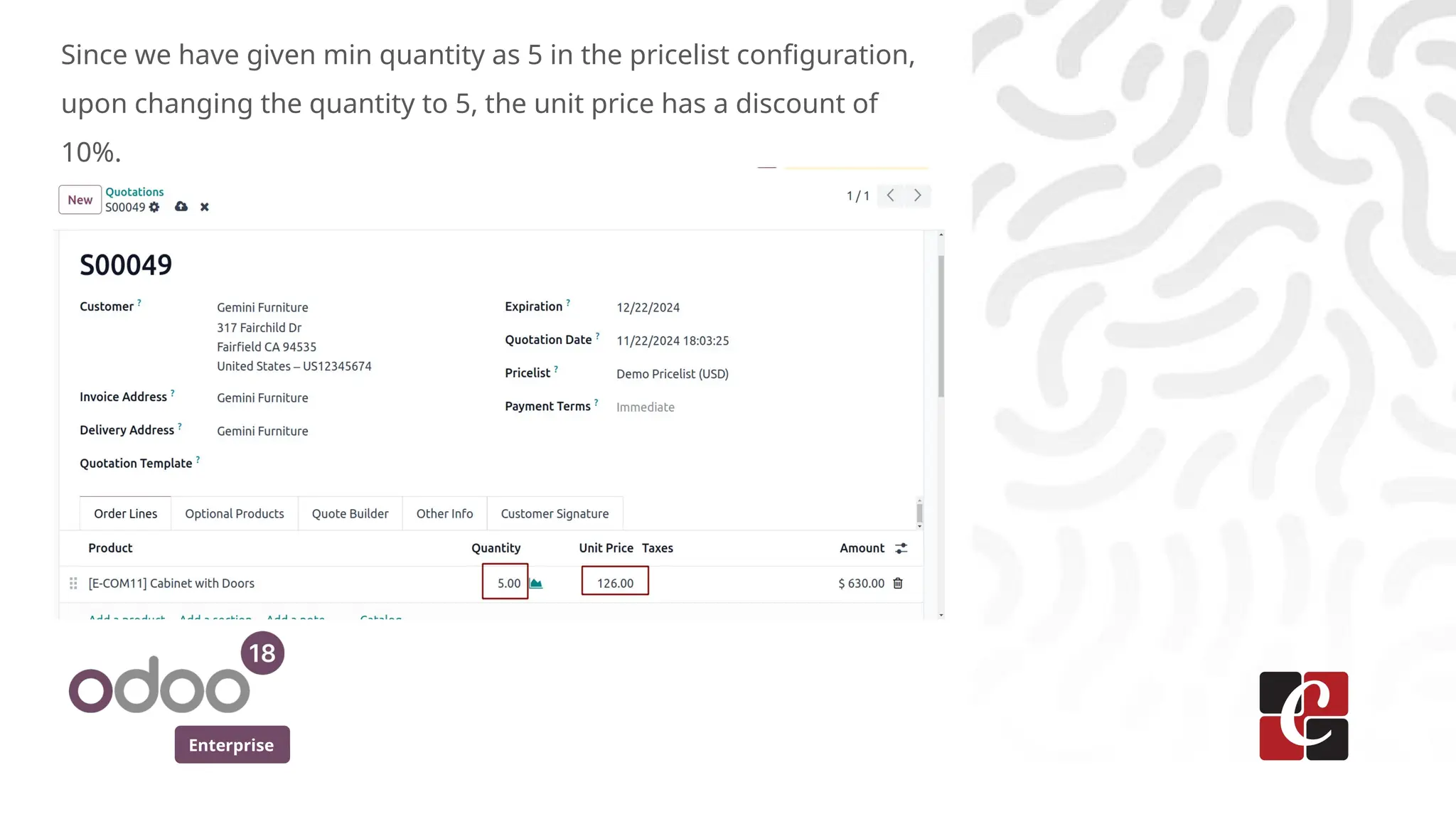
Since we have given min quantity as 5 in the pricelist configuration,
upon changing the quantity to 5, the unit price has a discount of
10%.
Enterprise
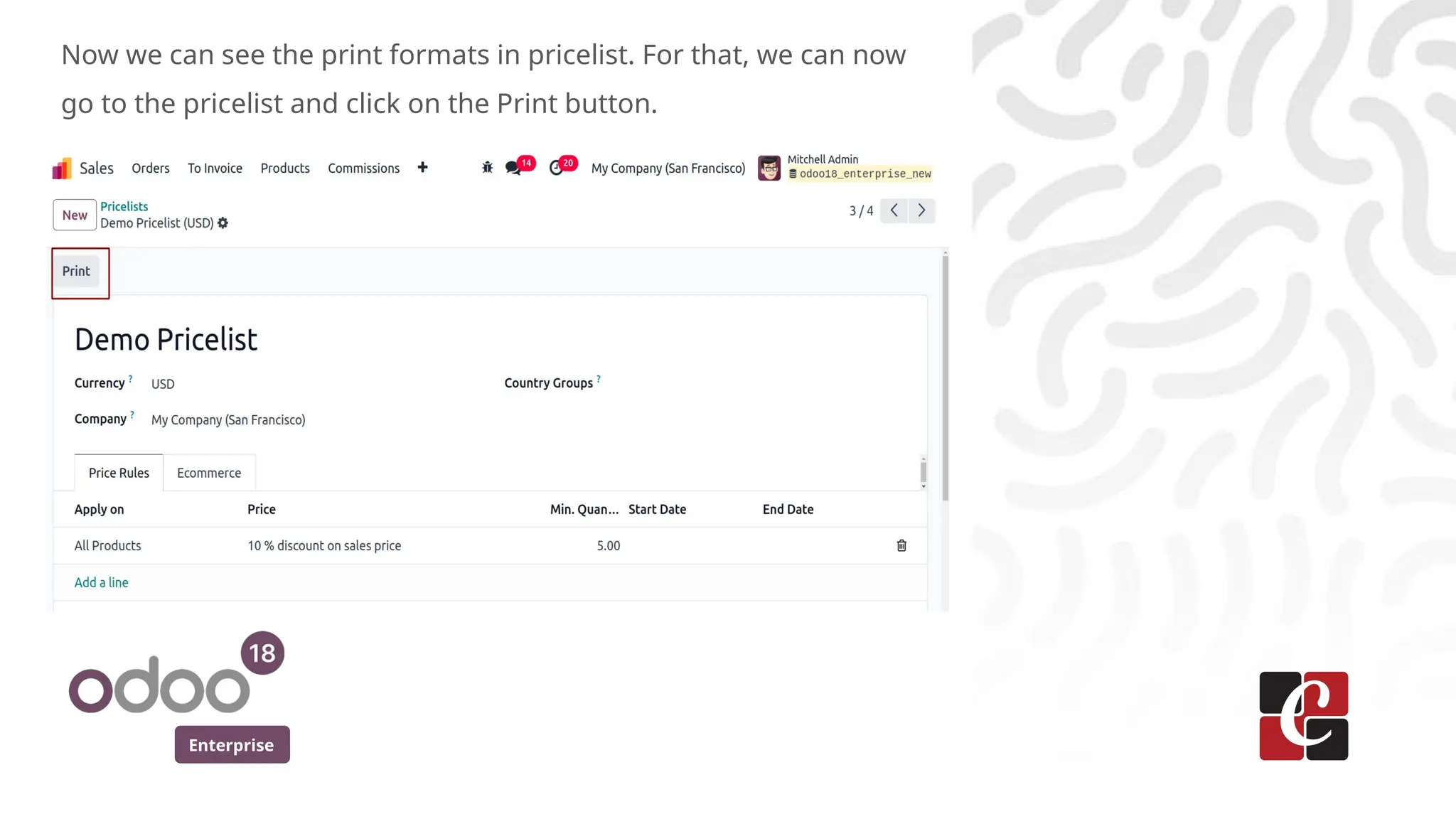
Now we can see the print formats in pricelist. For that, we can now
go to the pricelist and click on the Print button.
Enterprise
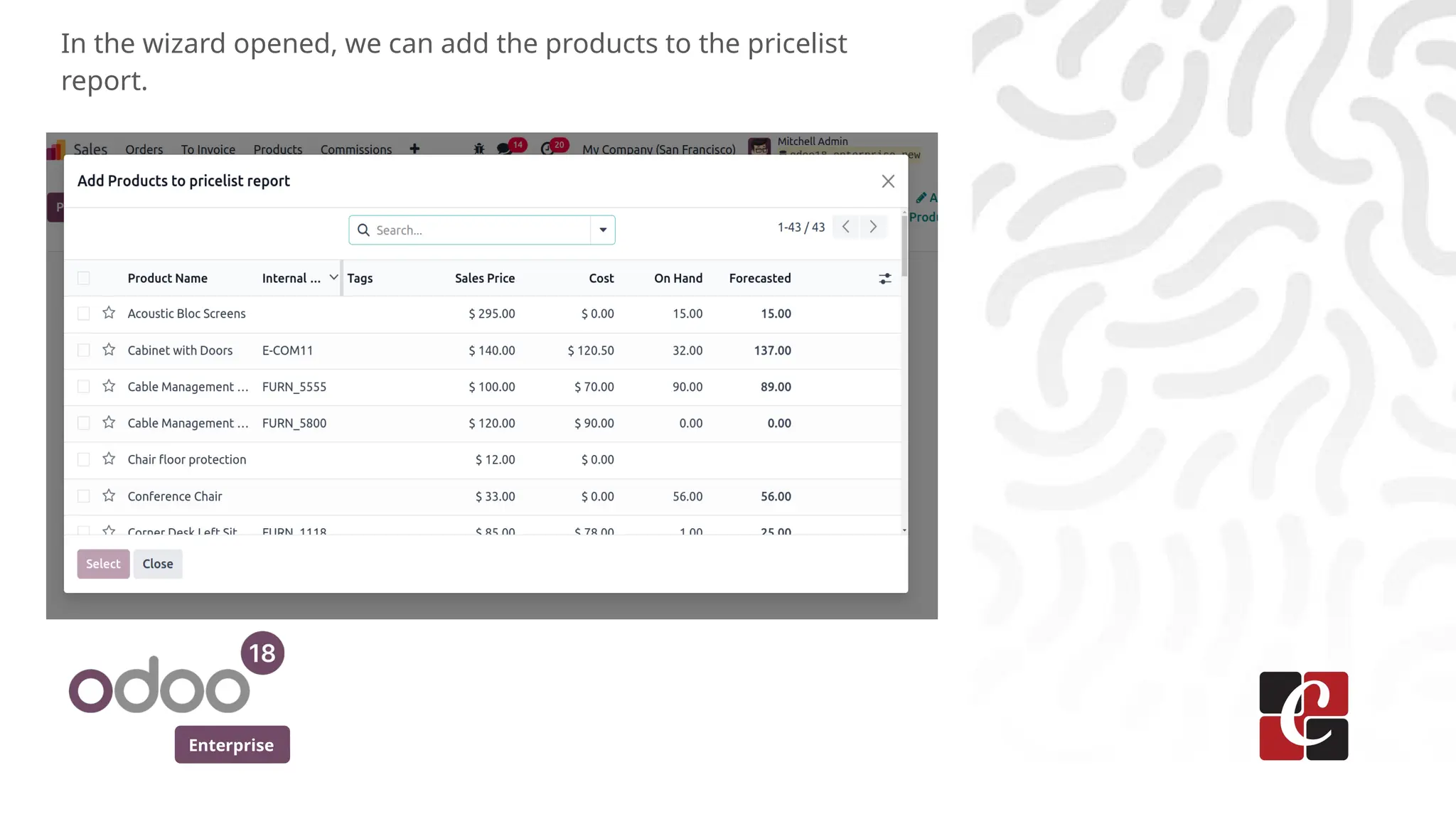
In the wizard opened, we can add the products to the pricelist
report.
Enterprise
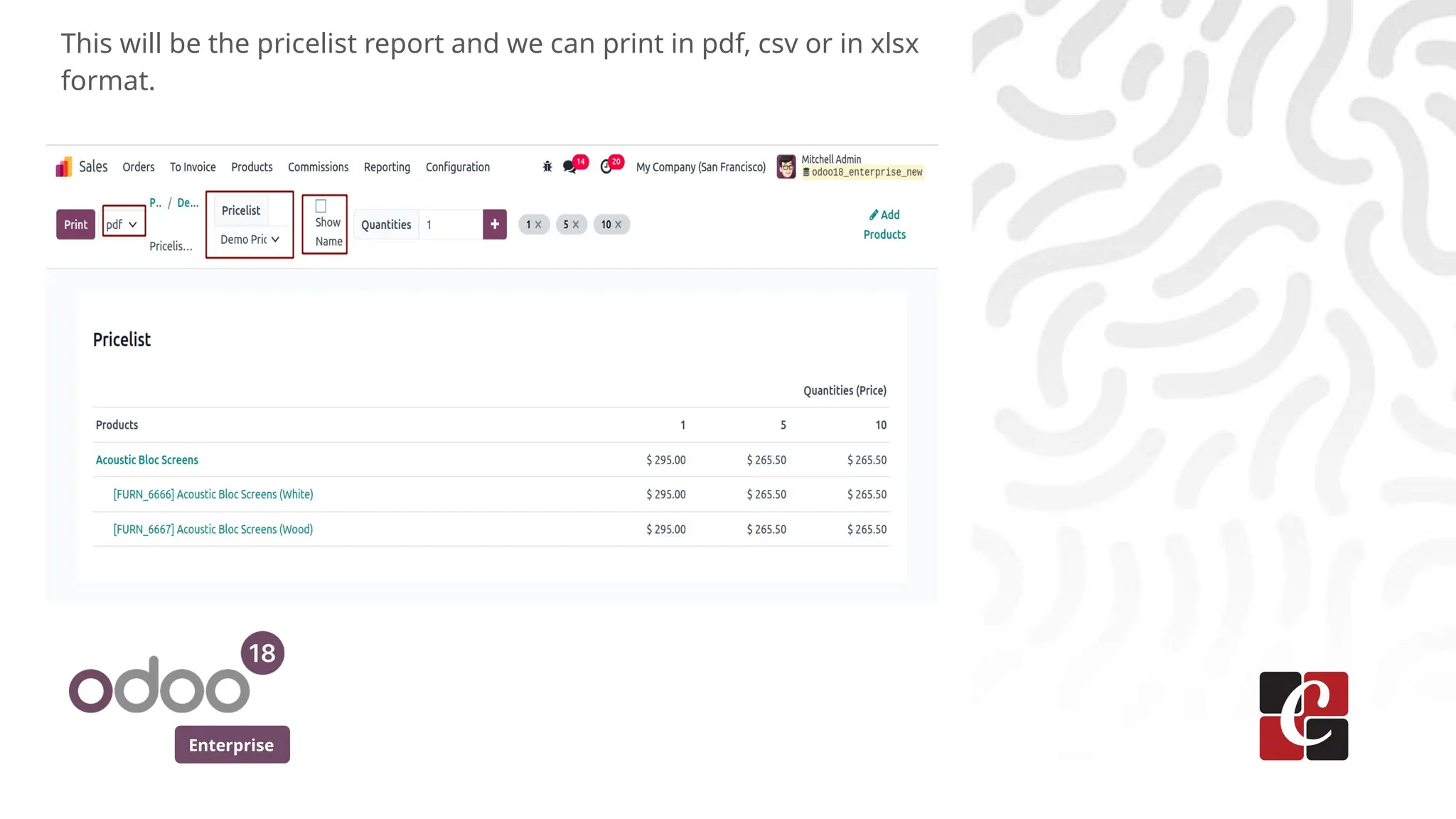
This will be the pricelist report and we can print in pdf, csv or in xlsx
format.
Enterprise
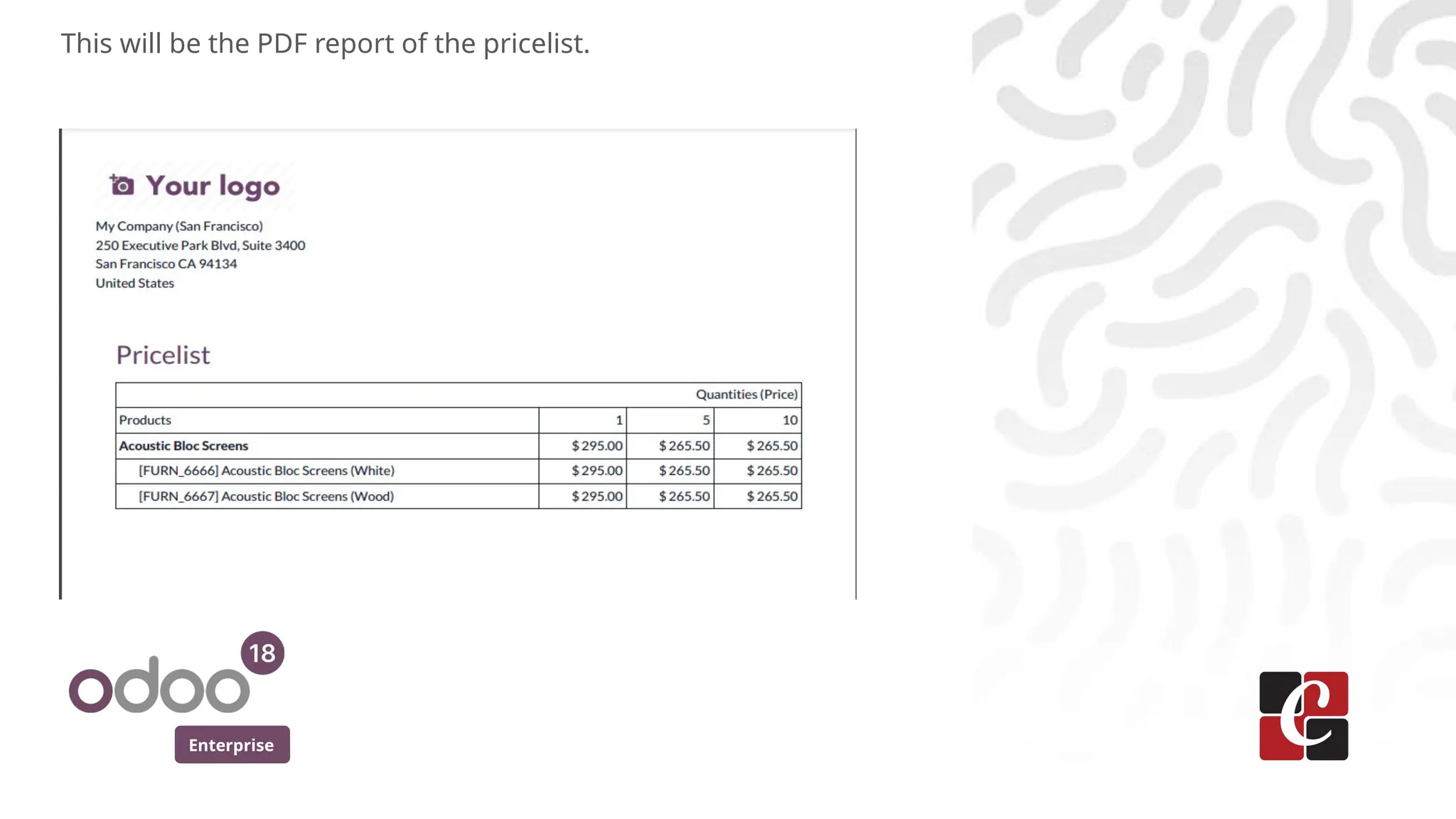
This will be the PDF report of the pricelist.
Enterprise
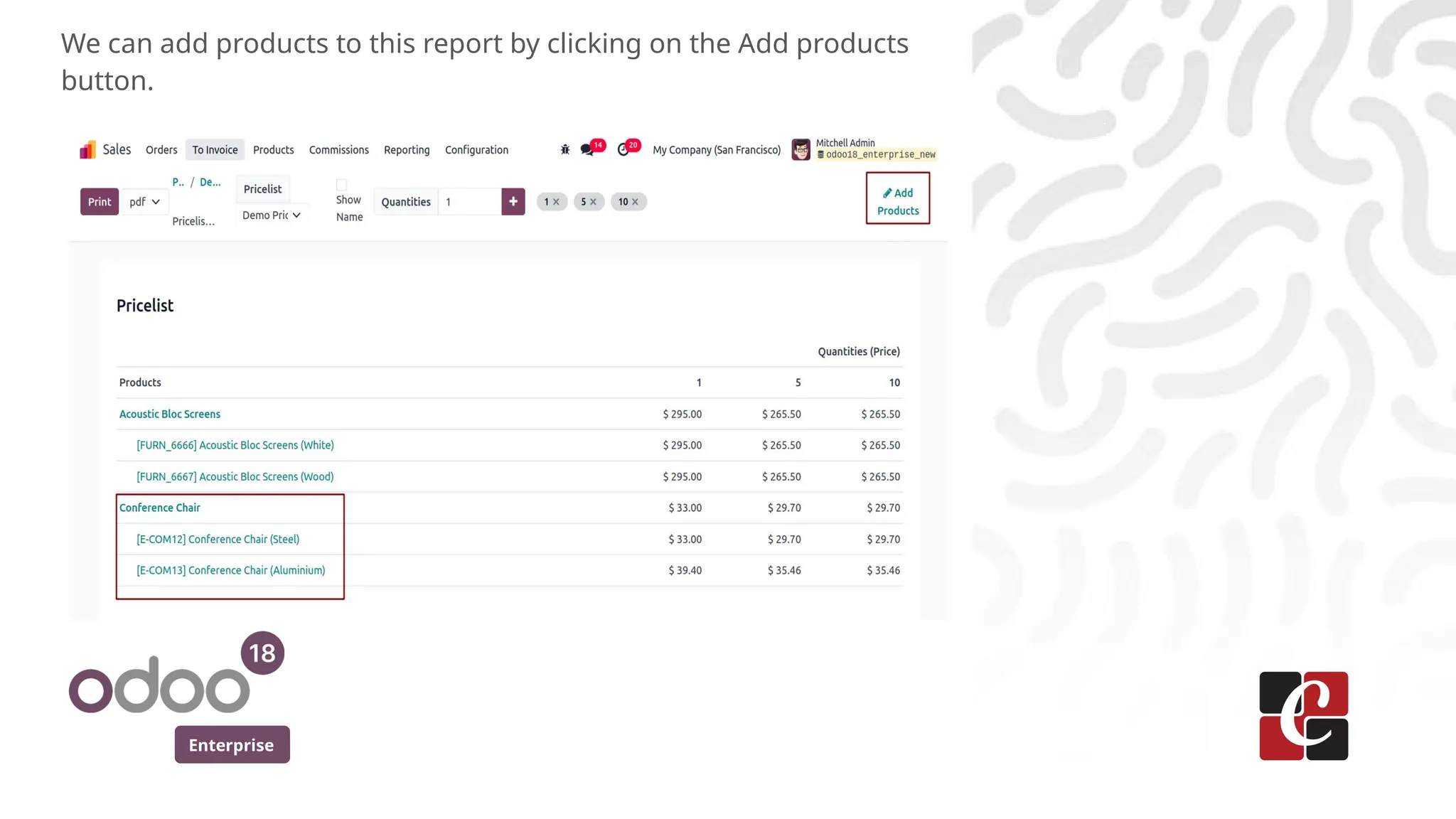
We can add products to this report by clicking on the Add products
button.
For More Info.
Check our company website for related blogs
and Odoo book.
Check our YouTube channel for
functional and technical videos in Odoo.
Enterprise
www.cybrosys.com

Pricelist Revamp & Print Formats in Odoo 18

  • 1.
    Pricelist Revamp &Print Formats in Odoo 18 Enterprise
  • 2.
    Enterprise Introduction In this slide,we’ll discuss the Pricelist Revamp & Print Formats in Odoo 18. Odoo 18 offers enhanced features for pricelist management and customization of print formats to streamline our sales processes and improve customer experience. We can easily compare multiple price lists side by side to identify differences and make informed pricing decisions. In print formats, we can create and customize print templates for price lists, quotations, orders, and invoices to match our brand and preferences.
  • 3.
    Enterprise From the Configuration->Settingsof Sales module, we can enable the pricelist option.
  • 4.
    Enterprise We can createand view the already created pricelist from the Products menu.
  • 5.
    Enterprise In the listview, we can see the price lists created and also create new pricelist by clicking on New button.
  • 6.
    Enterprise One of thechange in price list form is the position of the country group field in the pricelist form has changed. Previously, it was located under the Configuration tab, which has now been removed. By clicking on Add a Line, we can create the pricelist rule.
  • 7.
    Enterprise Among the pricetype, we can choose the Fixed price and provide the fixed price amount.
  • 8.
    Enterprise We can alsochoose the price type discount, where we will provide the discount percentage.
  • 9.
    Enterprise For the otherprice type, which is Formula, we can choose based on cost, sales price or other pricelist we need to apply this pricelist.
  • 10.
    Enterprise Another change isthe Ecommerce which was under configuration tab in pricelist is now moved as a separate tab.
  • 11.
    Enterprise Now we cango to quotation and create a new quotation using this pricelist we created now.
  • 12.
    Enterprise Since we havegiven min quantity as 5 in the pricelist configuration, upon changing the quantity to 5, the unit price has a discount of 10%.
  • 13.
    Enterprise Now we cansee the print formats in pricelist. For that, we can now go to the pricelist and click on the Print button.
  • 14.
    Enterprise In the wizardopened, we can add the products to the pricelist report.
  • 15.
    Enterprise This will bethe pricelist report and we can print in pdf, csv or in xlsx format.
  • 16.
    Enterprise This will bethe PDF report of the pricelist.
  • 17.
    Enterprise We can addproducts to this report by clicking on the Add products button.
  • 18.
    For More Info. Checkour company website for related blogs and Odoo book. Check our YouTube channel for functional and technical videos in Odoo. Enterprise www.cybrosys.com