POLYGLOT MULE TRANSFORMERS
ALLOWS DIFFERENT PROGRAMMING LANGUAGES COEXIST
BASIC CONSIDERATIONS
• Anypoint Studio provides a set of transformers to
handle the most common data transformation
scenarios
• Developer can chain transformers if a transformer did
not exist for specific needs
• The DataWeave Transform Message component can be
used in place of most other transformers
SPECIAL CASES
• Transforming complex data structures
• Applying complex business rules
• The available transformers cannot meet the
requirement
• Simply throw the old lines of code into a component
instead of having to reengineer the code’s behavior
through a series of different Mule components
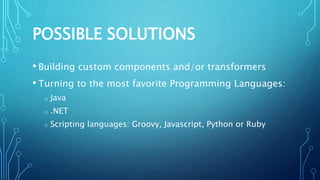
POSSIBLE SOLUTIONS
• Building custom components and/or transformers
• Turning to the most favorite Programming Languages:
o Java
o .NET
o Scripting languages: Groovy, Javascript, Python or Ruby
JAVA
[ This topic is discussed in different presentation ]
.NET
[ This topic is discussed in different presentation ]
SCRIPT COMPONENT (1/2)
Basic usage: To set up in the scripting component,
identify what scripting engine to use, and the script
itself, which you can reference or type directly into the
element.
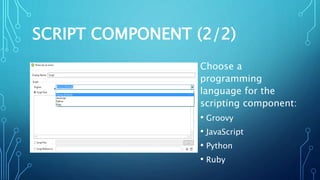
SCRIPT COMPONENT (2/2)
Choose a
programming
language for the
scripting component:
• Groovy
• JavaScript
• Python
• Ruby
SCRIPT ENGINE: GROOVY (1/2)
Placing a Groovy (JavaScript, Python, or Ruby)
Component is actually the same as placing a Script
component and then selecting the Groovy (JavaScript,
Python, or Ruby) engine.
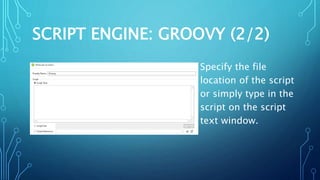
SCRIPT ENGINE: GROOVY (2/2)
Specify the file
location of the script
or simply type in the
script on the script
text window.
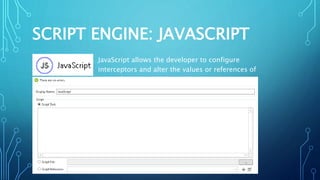
SCRIPT ENGINE: JAVASCRIPT
JavaScript allows the developer to configure interceptors and
alter the values or references of particular properties in a script.
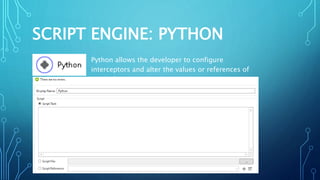
SCRIPT ENGINE: PYTHON
Python allows the developer to configure interceptors and alter the
values or references of particular properties in a script.
SCRIPT ENGINE: RUBY
Ruby allows the developer to configure interceptors and alter the values
or references of particular properties in a script.
POLYGLOT: DESIGN (DEMO)
Putting all available Scripting Languages in a row.
POLYGLOT: IMPLEMENTATION
<![CDATA[return "Groovyn"]]>
<![CDATA[message.payload = payload +
"JavaScriptn";
result = message;]]>
<![CDATA[result = payload + "Pythonn"]]>
<![CDATA[return $payload + "Rubyn"]]>
POLYGLOT: EXECUTION
Executing the configuration via a browser or REST
client:
SUMMARY
Mule allows developers to:
• Build their own component and/or transformer
• Simply write their favorite programming language
• Put the different programming languages in a row
RESOURCES:
• https://docs.mulesoft.com/mule-user-guide/v/3.8/script-component-
reference
• https://docs.mulesoft.com/mule-user-guide/v/3.8/groovy-component-
reference
• https://docs.mulesoft.com/mule-user-guide/v/3.8/javascript-component-
reference
• https://docs.mulesoft.com/mule-user-guide/v/3.8/python-component-
reference
• https://docs.mulesoft.com/mule-user-guide/v/3.8/ruby-component-
reference

Polyglot Mule Transformers