please send edited code of RCBug.java
RCBUG.java
import java.util.Random;
public class RCBug {
private EZImage bugPicture; // Member variable to store bug picture
private int x, y, startx, starty; // Member variables to store x, y, startx, starty
private int destx, desty; // Member variables to store destination values
private long starttime; // Member variable to store the start time
private long duration; // Member variable to store the duration
private boolean interpolation; // Member variable that is set to true if it is in the
interpolation state
//1) add the private static final variables here
// Constructor for RCBug takes 3 parameters
public RCBug(String filename,int posx, int posy){
// Set the current position of the bug
x=posx;y=posy;
// Create the image of the bug
bugPicture = EZ.addImage(filename, posx, posy);
// Move it to the starting position. This is actually redundant.
bugPicture.translateTo(x,y);
// Set interpolation mode to false initially
interpolation = false;
}
// Set the destination by giving it 3 variables
// Dur means duration and is measured in seconds
public void setDestination(int posx, int posy, long dur){
// Set destination position and duration
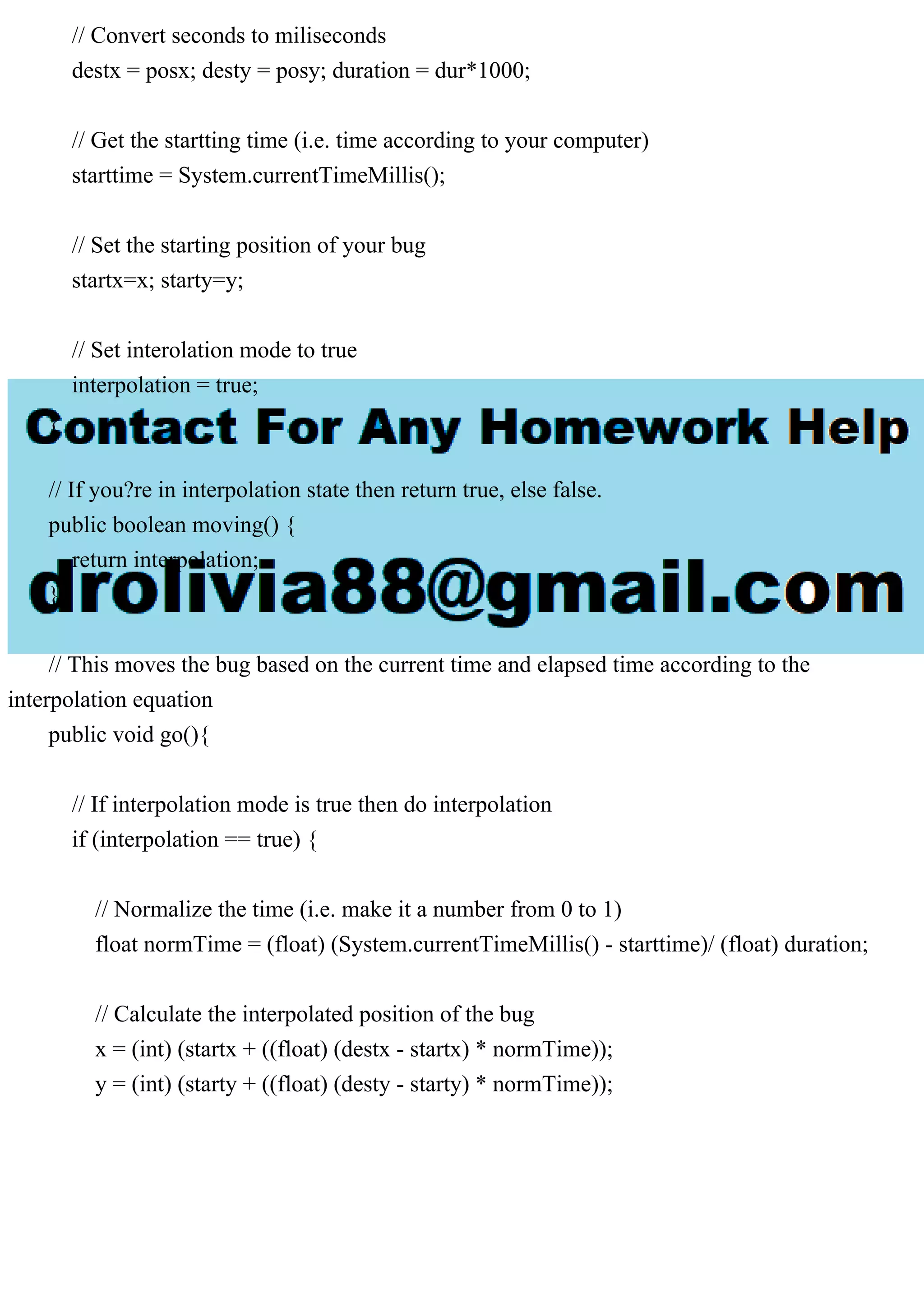
// Convert seconds to miliseconds
destx = posx; desty = posy; duration = dur*1000;
// Get the startting time (i.e. time according to your computer)
starttime = System.currentTimeMillis();
// Set the starting position of your bug
startx=x; starty=y;
// Set interolation mode to true
interpolation = true;
}
// If you?re in interpolation state then return true, else false.
public boolean moving() {
return interpolation;
}
// This moves the bug based on the current time and elapsed time according to the
interpolation equation
public void go(){
// If interpolation mode is true then do interpolation
if (interpolation == true) {
// Normalize the time (i.e. make it a number from 0 to 1)
float normTime = (float) (System.currentTimeMillis() - starttime)/ (float) duration;
// Calculate the interpolated position of the bug
x = (int) (startx + ((float) (destx - startx) * normTime));
y = (int) (starty + ((float) (desty - starty) * normTime));
// If the difference between current time and start time has exceeded the duration
// then the animation/interpolation is over.
if ((System.currentTimeMillis() - starttime) >= duration) {
// Set interpolation to false
interpolation = false;
// Move the bug all the way to the destination
x = destx; y = desty;
}
//2)add a random amount to the x and y coordinates
// Don?t forget to move the image itself.
bugPicture.translateTo(x,y);
}
}
}
RCBugMain.java
import java.awt.Color;
import java.io.InputStreamReader;
import java.util.Scanner;
public class RCBugMain {
public static void main(String[] args) {
// Setup EZ graphics system.
EZ.initialize(512, 512);
// Set background color to dark green
EZ.setBackgroundColor(new Color(0, 100, 0));
// Make an InputStreamReader object which reads from the keyboard.
// Make a Scanner object that uses the InputStreamReader
Scanner scanner = new Scanner(new InputStreamReader(System.in));
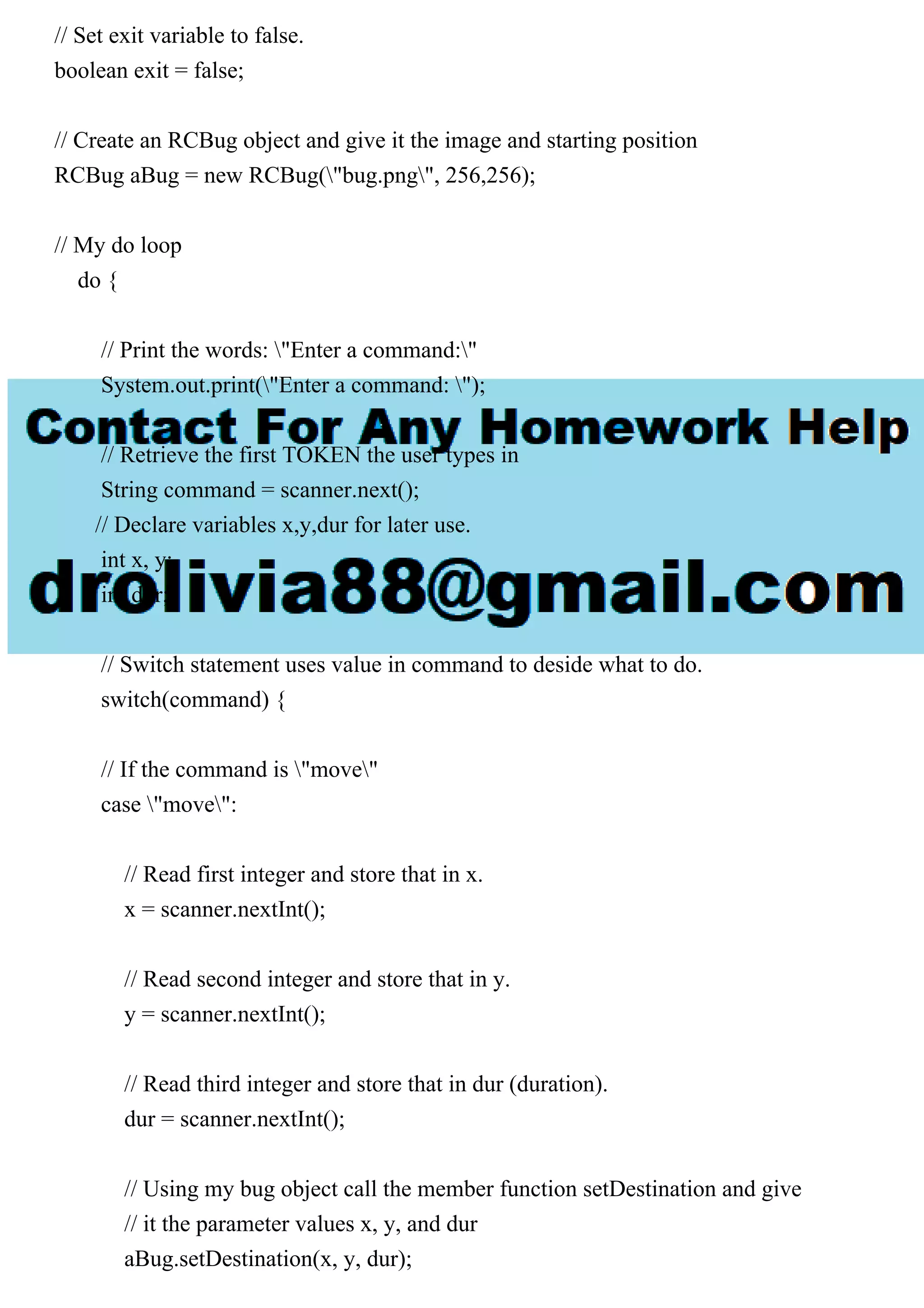
// Set exit variable to false.
boolean exit = false;
// Create an RCBug object and give it the image and starting position
RCBug aBug = new RCBug("bug.png", 256,256);
// My do loop
do {
// Print the words: "Enter a command:"
System.out.print("Enter a command: ");
// Retrieve the first TOKEN the user types in
String command = scanner.next();
// Declare variables x,y,dur for later use.
int x, y;
int dur;
// Switch statement uses value in command to deside what to do.
switch(command) {
// If the command is "move"
case "move":
// Read first integer and store that in x.
x = scanner.nextInt();
// Read second integer and store that in y.
y = scanner.nextInt();
// Read third integer and store that in dur (duration).
dur = scanner.nextInt();
// Using my bug object call the member function setDestination and give
// it the parameter values x, y, and dur
aBug.setDestination(x, y, dur);
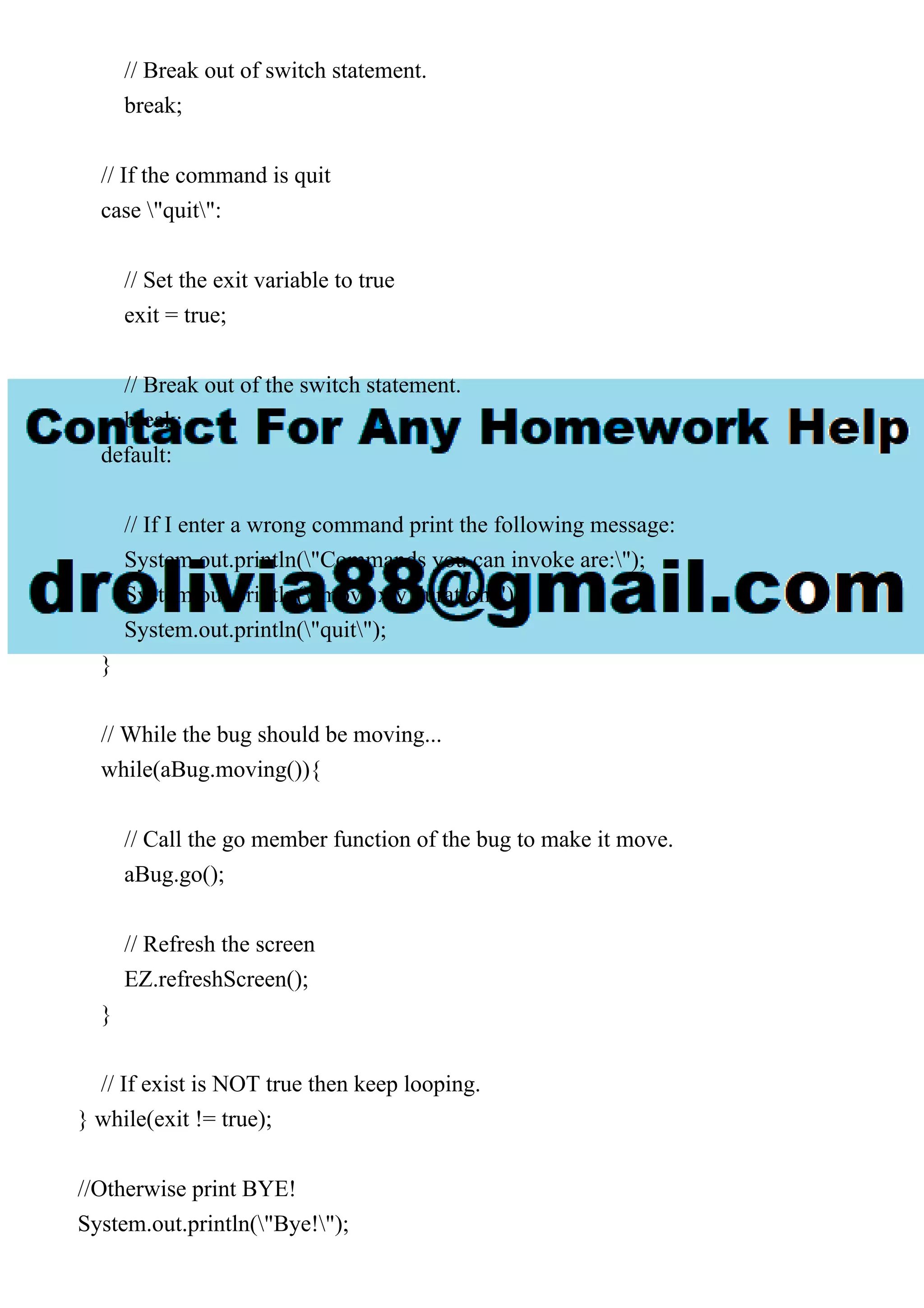
// Break out of switch statement.
break;
// If the command is quit
case "quit":
// Set the exit variable to true
exit = true;
// Break out of the switch statement.
break;
default:
// If I enter a wrong command print the following message:
System.out.println("Commands you can invoke are:");
System.out.println("move x y duration");
System.out.println("quit");
}
// While the bug should be moving...
while(aBug.moving()){
// Call the go member function of the bug to make it move.
aBug.go();
// Refresh the screen
EZ.refreshScreen();
}
// If exist is NOT true then keep looping.
} while(exit != true);
//Otherwise print BYE!
System.out.println("Bye!");
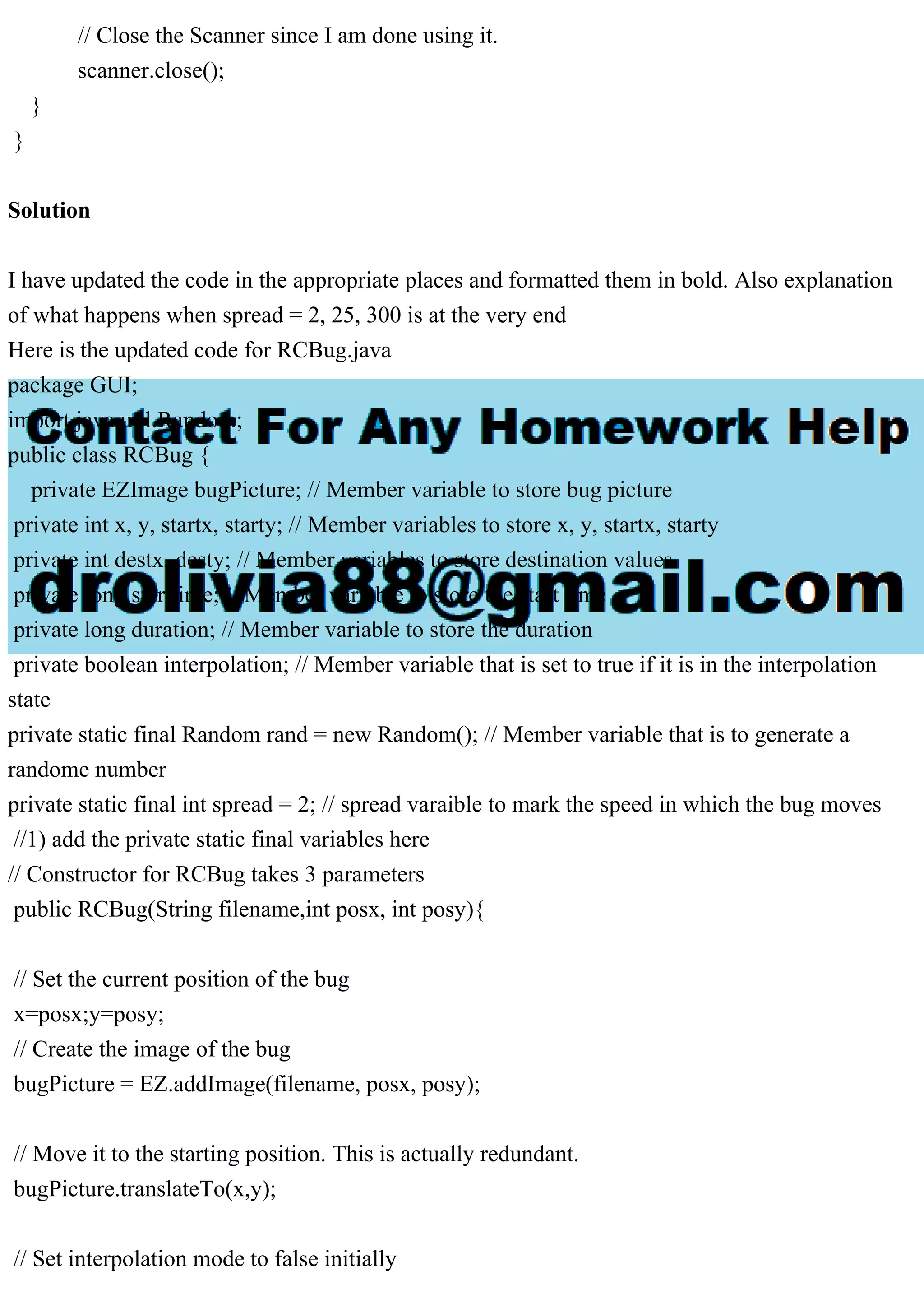
// Close the Scanner since I am done using it.
scanner.close();
}
}
Solution
I have updated the code in the appropriate places and formatted them in bold. Also explanation
of what happens when spread = 2, 25, 300 is at the very end
Here is the updated code for RCBug.java
package GUI;
import java.util.Random;
public class RCBug {
private EZImage bugPicture; // Member variable to store bug picture
private int x, y, startx, starty; // Member variables to store x, y, startx, starty
private int destx, desty; // Member variables to store destination values
private long starttime; // Member variable to store the start time
private long duration; // Member variable to store the duration
private boolean interpolation; // Member variable that is set to true if it is in the interpolation
state
private static final Random rand = new Random(); // Member variable that is to generate a
randome number
private static final int spread = 2; // spread varaible to mark the speed in which the bug moves
//1) add the private static final variables here
// Constructor for RCBug takes 3 parameters
public RCBug(String filename,int posx, int posy){
// Set the current position of the bug
x=posx;y=posy;
// Create the image of the bug
bugPicture = EZ.addImage(filename, posx, posy);
// Move it to the starting position. This is actually redundant.
bugPicture.translateTo(x,y);
// Set interpolation mode to false initially
interpolation = false;
}
// Set the destination by giving it 3 variables
// Dur means duration and is measured in seconds
public void setDestination(int posx, int posy, long dur){
// Set destination position and duration
// Convert seconds to miliseconds
destx = posx; desty = posy; duration = dur*1000;
// Get the startting time (i.e. time according to your computer)
starttime = System.currentTimeMillis();
// Set the starting position of your bug
startx=x; starty=y;
// Set interolation mode to true
interpolation = true;
}
// If you're in interpolation state then return true, else false.
public boolean moving() {
return interpolation;
}
// This moves the bug based on the current time and elapsed time according to the interpolation
equation
public void go(){
// If interpolation mode is true then do interpolation
if (interpolation == true) {
// Normalize the time (i.e. make it a number from 0 to 1)
float normTime = (float) (System.currentTimeMillis() - starttime)/ (float) duration;
// Calculate the interpolated position of the bug
x = (int) (startx + ((float) (destx - startx) * normTime));
y = (int) (starty + ((float) (desty - starty) * normTime));
// If the difference between current time and start time has exceeded the duration
// then the animation/interpolation is over.
if ((System.currentTimeMillis() - starttime) >= duration) {
// Set interpolation to false
interpolation = false;
// Move the bug all the way to the destination
x = destx; y = desty;
}
//2)add a random amount to the x and y coordinates
x+=rand.nextInt(spread)-spread/2;
y+=rand.nextInt(spread)-spread/2;
// Don't forget to move the image itself.
bugPicture.translateTo(x,y);
}
}
}
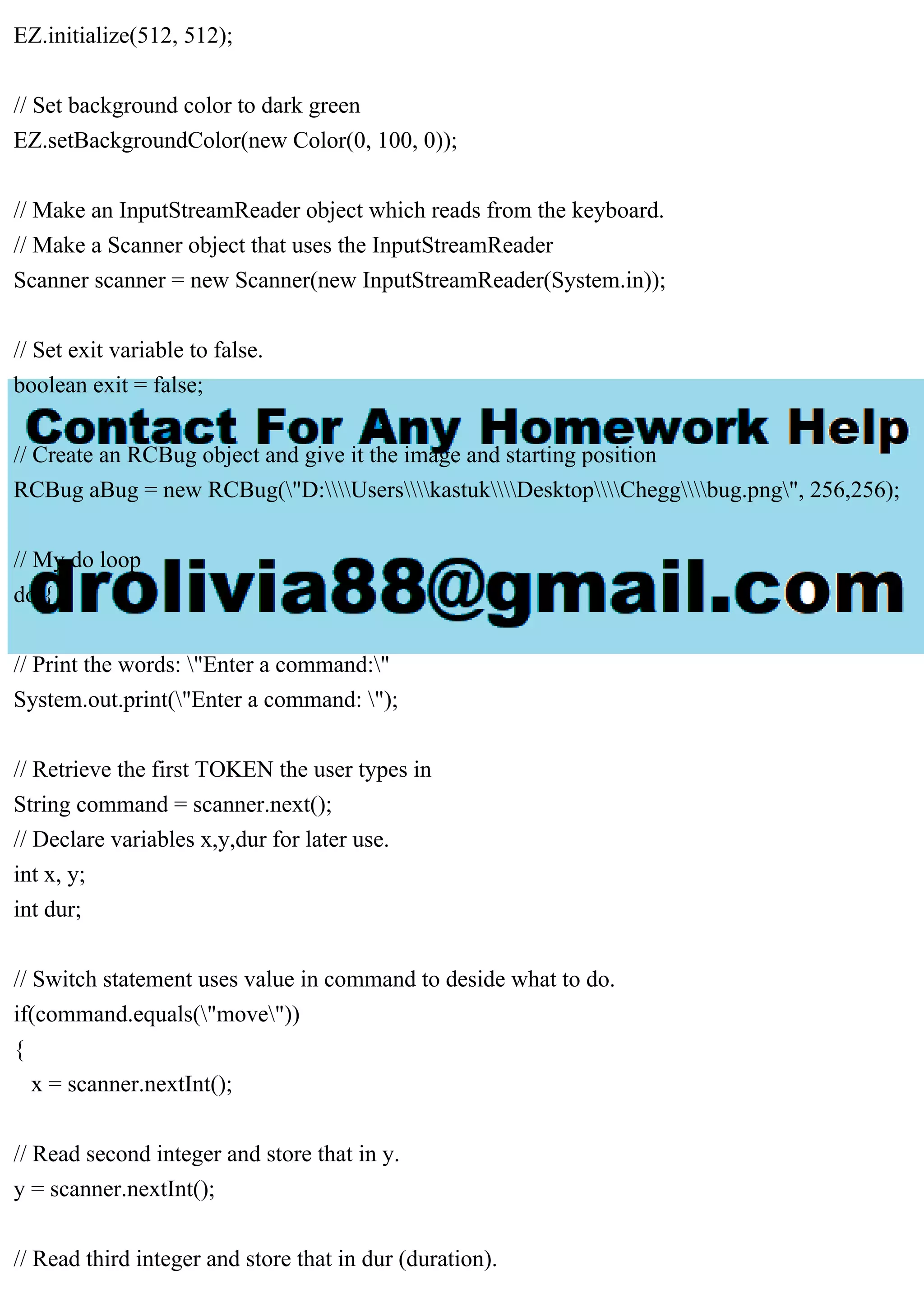
This is the updated code for RCBugMain.java
package GUI;
import java.awt.Color;
import java.io.InputStreamReader;
import java.util.Scanner;
public class RCBugMain {
public static void main(String[] args) {
// Setup EZ graphics system.
EZ.initialize(512, 512);
// Set background color to dark green
EZ.setBackgroundColor(new Color(0, 100, 0));
// Make an InputStreamReader object which reads from the keyboard.
// Make a Scanner object that uses the InputStreamReader
Scanner scanner = new Scanner(new InputStreamReader(System.in));
// Set exit variable to false.
boolean exit = false;
// Create an RCBug object and give it the image and starting position
RCBug aBug = new RCBug("D:UserskastukDesktopCheggbug.png", 256,256);
// My do loop
do {
// Print the words: "Enter a command:"
System.out.print("Enter a command: ");
// Retrieve the first TOKEN the user types in
String command = scanner.next();
// Declare variables x,y,dur for later use.
int x, y;
int dur;
// Switch statement uses value in command to deside what to do.
if(command.equals("move"))
{
x = scanner.nextInt();
// Read second integer and store that in y.
y = scanner.nextInt();
// Read third integer and store that in dur (duration).
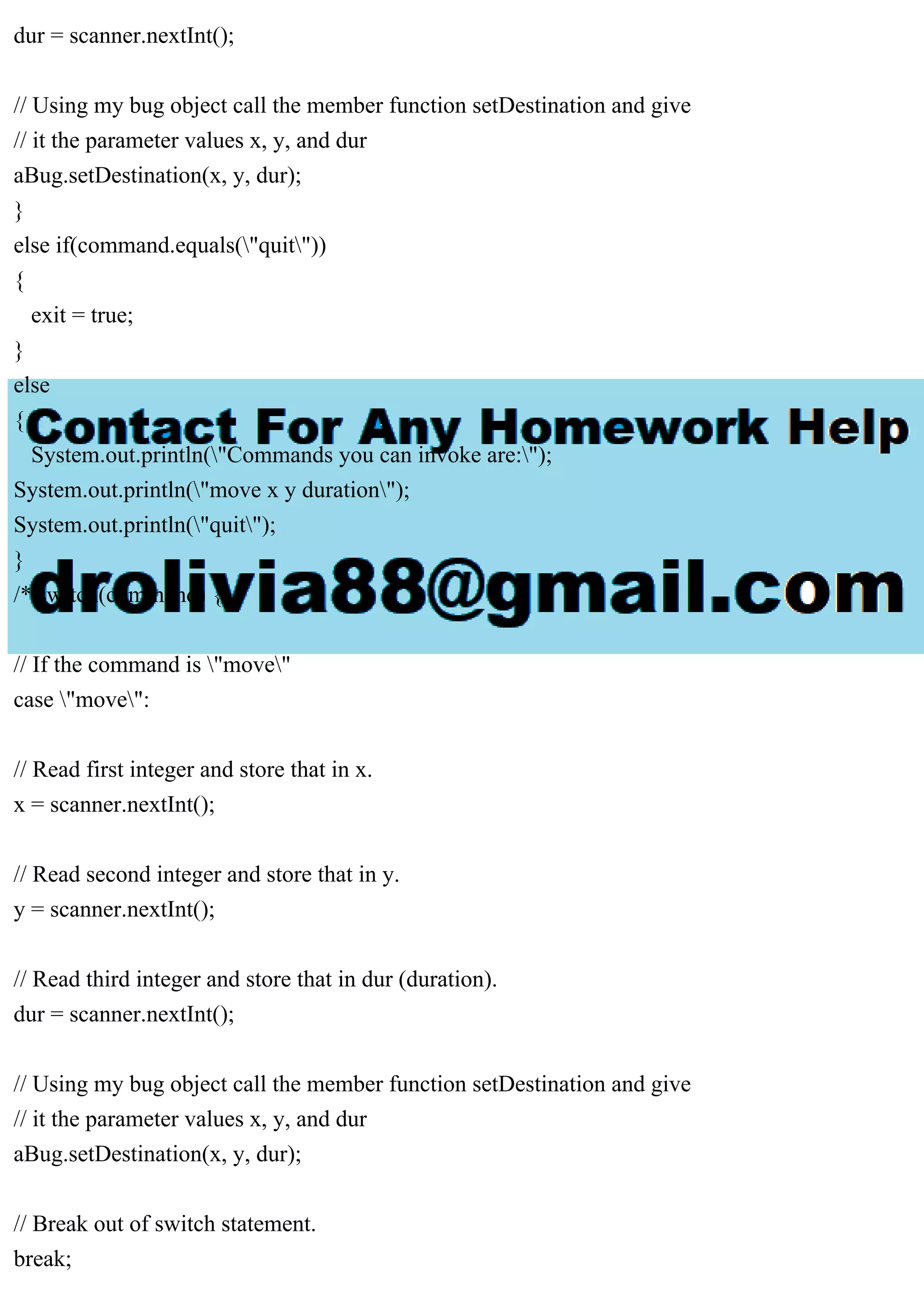
dur = scanner.nextInt();
// Using my bug object call the member function setDestination and give
// it the parameter values x, y, and dur
aBug.setDestination(x, y, dur);
}
else if(command.equals("quit"))
{
exit = true;
}
else
{
System.out.println("Commands you can invoke are:");
System.out.println("move x y duration");
System.out.println("quit");
}
/* switch(command) {
// If the command is "move"
case "move":
// Read first integer and store that in x.
x = scanner.nextInt();
// Read second integer and store that in y.
y = scanner.nextInt();
// Read third integer and store that in dur (duration).
dur = scanner.nextInt();
// Using my bug object call the member function setDestination and give
// it the parameter values x, y, and dur
aBug.setDestination(x, y, dur);
// Break out of switch statement.
break;
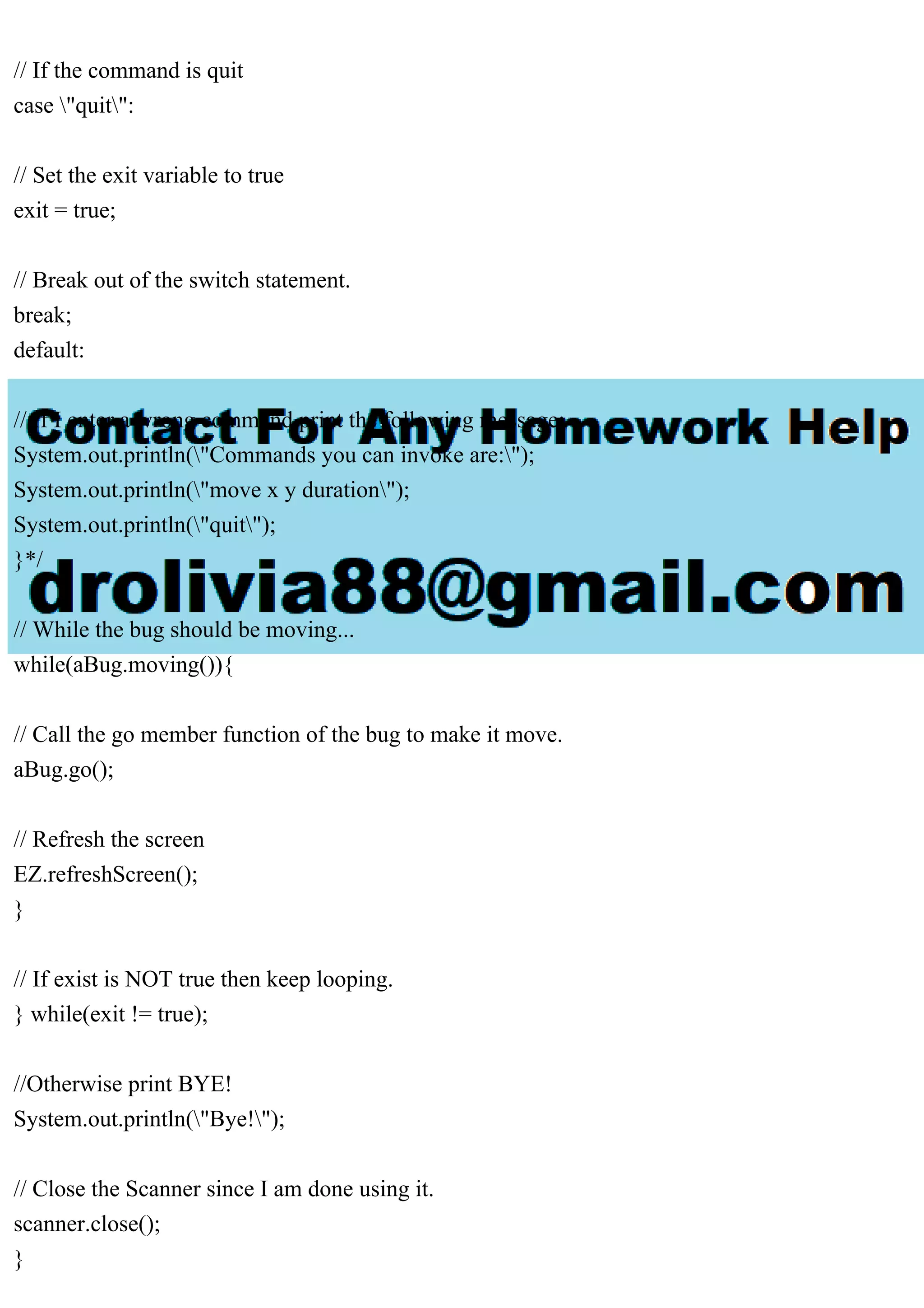
// If the command is quit
case "quit":
// Set the exit variable to true
exit = true;
// Break out of the switch statement.
break;
default:
// If I enter a wrong command print the following message:
System.out.println("Commands you can invoke are:");
System.out.println("move x y duration");
System.out.println("quit");
}*/
// While the bug should be moving...
while(aBug.moving()){
// Call the go member function of the bug to make it move.
aBug.go();
// Refresh the screen
EZ.refreshScreen();
}
// If exist is NOT true then keep looping.
} while(exit != true);
//Otherwise print BYE!
System.out.println("Bye!");
// Close the Scanner since I am done using it.
scanner.close();
}
}
Observation on O/P:
The spread variable is responsible for the speed in which the bug moves from one position to
another.
When spread =2, the bug moves at a very slow pace.
when spread = 25, it moves at a moderate pace.
when spread = 300, it moves at a very faster pace with a distorting image.

please send edited code of RCBug.javaRCBUG.javaimport java.util..pdf

  • 1.
    please send editedcode of RCBug.java RCBUG.java import java.util.Random; public class RCBug { private EZImage bugPicture; // Member variable to store bug picture private int x, y, startx, starty; // Member variables to store x, y, startx, starty private int destx, desty; // Member variables to store destination values private long starttime; // Member variable to store the start time private long duration; // Member variable to store the duration private boolean interpolation; // Member variable that is set to true if it is in the interpolation state //1) add the private static final variables here // Constructor for RCBug takes 3 parameters public RCBug(String filename,int posx, int posy){ // Set the current position of the bug x=posx;y=posy; // Create the image of the bug bugPicture = EZ.addImage(filename, posx, posy); // Move it to the starting position. This is actually redundant. bugPicture.translateTo(x,y); // Set interpolation mode to false initially interpolation = false; } // Set the destination by giving it 3 variables // Dur means duration and is measured in seconds public void setDestination(int posx, int posy, long dur){ // Set destination position and duration
  • 2.
    // Convert secondsto miliseconds destx = posx; desty = posy; duration = dur*1000; // Get the startting time (i.e. time according to your computer) starttime = System.currentTimeMillis(); // Set the starting position of your bug startx=x; starty=y; // Set interolation mode to true interpolation = true; } // If you?re in interpolation state then return true, else false. public boolean moving() { return interpolation; } // This moves the bug based on the current time and elapsed time according to the interpolation equation public void go(){ // If interpolation mode is true then do interpolation if (interpolation == true) { // Normalize the time (i.e. make it a number from 0 to 1) float normTime = (float) (System.currentTimeMillis() - starttime)/ (float) duration; // Calculate the interpolated position of the bug x = (int) (startx + ((float) (destx - startx) * normTime)); y = (int) (starty + ((float) (desty - starty) * normTime));
  • 3.
    // If thedifference between current time and start time has exceeded the duration // then the animation/interpolation is over. if ((System.currentTimeMillis() - starttime) >= duration) { // Set interpolation to false interpolation = false; // Move the bug all the way to the destination x = destx; y = desty; } //2)add a random amount to the x and y coordinates // Don?t forget to move the image itself. bugPicture.translateTo(x,y); } } } RCBugMain.java import java.awt.Color; import java.io.InputStreamReader; import java.util.Scanner; public class RCBugMain { public static void main(String[] args) { // Setup EZ graphics system. EZ.initialize(512, 512); // Set background color to dark green EZ.setBackgroundColor(new Color(0, 100, 0)); // Make an InputStreamReader object which reads from the keyboard. // Make a Scanner object that uses the InputStreamReader Scanner scanner = new Scanner(new InputStreamReader(System.in));
  • 4.
    // Set exitvariable to false. boolean exit = false; // Create an RCBug object and give it the image and starting position RCBug aBug = new RCBug("bug.png", 256,256); // My do loop do { // Print the words: "Enter a command:" System.out.print("Enter a command: "); // Retrieve the first TOKEN the user types in String command = scanner.next(); // Declare variables x,y,dur for later use. int x, y; int dur; // Switch statement uses value in command to deside what to do. switch(command) { // If the command is "move" case "move": // Read first integer and store that in x. x = scanner.nextInt(); // Read second integer and store that in y. y = scanner.nextInt(); // Read third integer and store that in dur (duration). dur = scanner.nextInt(); // Using my bug object call the member function setDestination and give // it the parameter values x, y, and dur aBug.setDestination(x, y, dur);
  • 5.
    // Break outof switch statement. break; // If the command is quit case "quit": // Set the exit variable to true exit = true; // Break out of the switch statement. break; default: // If I enter a wrong command print the following message: System.out.println("Commands you can invoke are:"); System.out.println("move x y duration"); System.out.println("quit"); } // While the bug should be moving... while(aBug.moving()){ // Call the go member function of the bug to make it move. aBug.go(); // Refresh the screen EZ.refreshScreen(); } // If exist is NOT true then keep looping. } while(exit != true); //Otherwise print BYE! System.out.println("Bye!");
  • 6.
    // Close theScanner since I am done using it. scanner.close(); } } Solution I have updated the code in the appropriate places and formatted them in bold. Also explanation of what happens when spread = 2, 25, 300 is at the very end Here is the updated code for RCBug.java package GUI; import java.util.Random; public class RCBug { private EZImage bugPicture; // Member variable to store bug picture private int x, y, startx, starty; // Member variables to store x, y, startx, starty private int destx, desty; // Member variables to store destination values private long starttime; // Member variable to store the start time private long duration; // Member variable to store the duration private boolean interpolation; // Member variable that is set to true if it is in the interpolation state private static final Random rand = new Random(); // Member variable that is to generate a randome number private static final int spread = 2; // spread varaible to mark the speed in which the bug moves //1) add the private static final variables here // Constructor for RCBug takes 3 parameters public RCBug(String filename,int posx, int posy){ // Set the current position of the bug x=posx;y=posy; // Create the image of the bug bugPicture = EZ.addImage(filename, posx, posy); // Move it to the starting position. This is actually redundant. bugPicture.translateTo(x,y); // Set interpolation mode to false initially
  • 7.
    interpolation = false; } //Set the destination by giving it 3 variables // Dur means duration and is measured in seconds public void setDestination(int posx, int posy, long dur){ // Set destination position and duration // Convert seconds to miliseconds destx = posx; desty = posy; duration = dur*1000; // Get the startting time (i.e. time according to your computer) starttime = System.currentTimeMillis(); // Set the starting position of your bug startx=x; starty=y; // Set interolation mode to true interpolation = true; } // If you're in interpolation state then return true, else false. public boolean moving() { return interpolation; } // This moves the bug based on the current time and elapsed time according to the interpolation equation public void go(){ // If interpolation mode is true then do interpolation if (interpolation == true) { // Normalize the time (i.e. make it a number from 0 to 1) float normTime = (float) (System.currentTimeMillis() - starttime)/ (float) duration;
  • 8.
    // Calculate theinterpolated position of the bug x = (int) (startx + ((float) (destx - startx) * normTime)); y = (int) (starty + ((float) (desty - starty) * normTime)); // If the difference between current time and start time has exceeded the duration // then the animation/interpolation is over. if ((System.currentTimeMillis() - starttime) >= duration) { // Set interpolation to false interpolation = false; // Move the bug all the way to the destination x = destx; y = desty; } //2)add a random amount to the x and y coordinates x+=rand.nextInt(spread)-spread/2; y+=rand.nextInt(spread)-spread/2; // Don't forget to move the image itself. bugPicture.translateTo(x,y); } } } This is the updated code for RCBugMain.java package GUI; import java.awt.Color; import java.io.InputStreamReader; import java.util.Scanner; public class RCBugMain { public static void main(String[] args) { // Setup EZ graphics system.
  • 9.
    EZ.initialize(512, 512); // Setbackground color to dark green EZ.setBackgroundColor(new Color(0, 100, 0)); // Make an InputStreamReader object which reads from the keyboard. // Make a Scanner object that uses the InputStreamReader Scanner scanner = new Scanner(new InputStreamReader(System.in)); // Set exit variable to false. boolean exit = false; // Create an RCBug object and give it the image and starting position RCBug aBug = new RCBug("D:UserskastukDesktopCheggbug.png", 256,256); // My do loop do { // Print the words: "Enter a command:" System.out.print("Enter a command: "); // Retrieve the first TOKEN the user types in String command = scanner.next(); // Declare variables x,y,dur for later use. int x, y; int dur; // Switch statement uses value in command to deside what to do. if(command.equals("move")) { x = scanner.nextInt(); // Read second integer and store that in y. y = scanner.nextInt(); // Read third integer and store that in dur (duration).
  • 10.
    dur = scanner.nextInt(); //Using my bug object call the member function setDestination and give // it the parameter values x, y, and dur aBug.setDestination(x, y, dur); } else if(command.equals("quit")) { exit = true; } else { System.out.println("Commands you can invoke are:"); System.out.println("move x y duration"); System.out.println("quit"); } /* switch(command) { // If the command is "move" case "move": // Read first integer and store that in x. x = scanner.nextInt(); // Read second integer and store that in y. y = scanner.nextInt(); // Read third integer and store that in dur (duration). dur = scanner.nextInt(); // Using my bug object call the member function setDestination and give // it the parameter values x, y, and dur aBug.setDestination(x, y, dur); // Break out of switch statement. break;
  • 11.
    // If thecommand is quit case "quit": // Set the exit variable to true exit = true; // Break out of the switch statement. break; default: // If I enter a wrong command print the following message: System.out.println("Commands you can invoke are:"); System.out.println("move x y duration"); System.out.println("quit"); }*/ // While the bug should be moving... while(aBug.moving()){ // Call the go member function of the bug to make it move. aBug.go(); // Refresh the screen EZ.refreshScreen(); } // If exist is NOT true then keep looping. } while(exit != true); //Otherwise print BYE! System.out.println("Bye!"); // Close the Scanner since I am done using it. scanner.close(); }
  • 12.
    } Observation on O/P: Thespread variable is responsible for the speed in which the bug moves from one position to another. When spread =2, the bug moves at a very slow pace. when spread = 25, it moves at a moderate pace. when spread = 300, it moves at a very faster pace with a distorting image.