Gilang Ramadhan
Academy Content Writer Dicoding
Associate Android Developer
Play with Testing on Android
Play with
Testing?
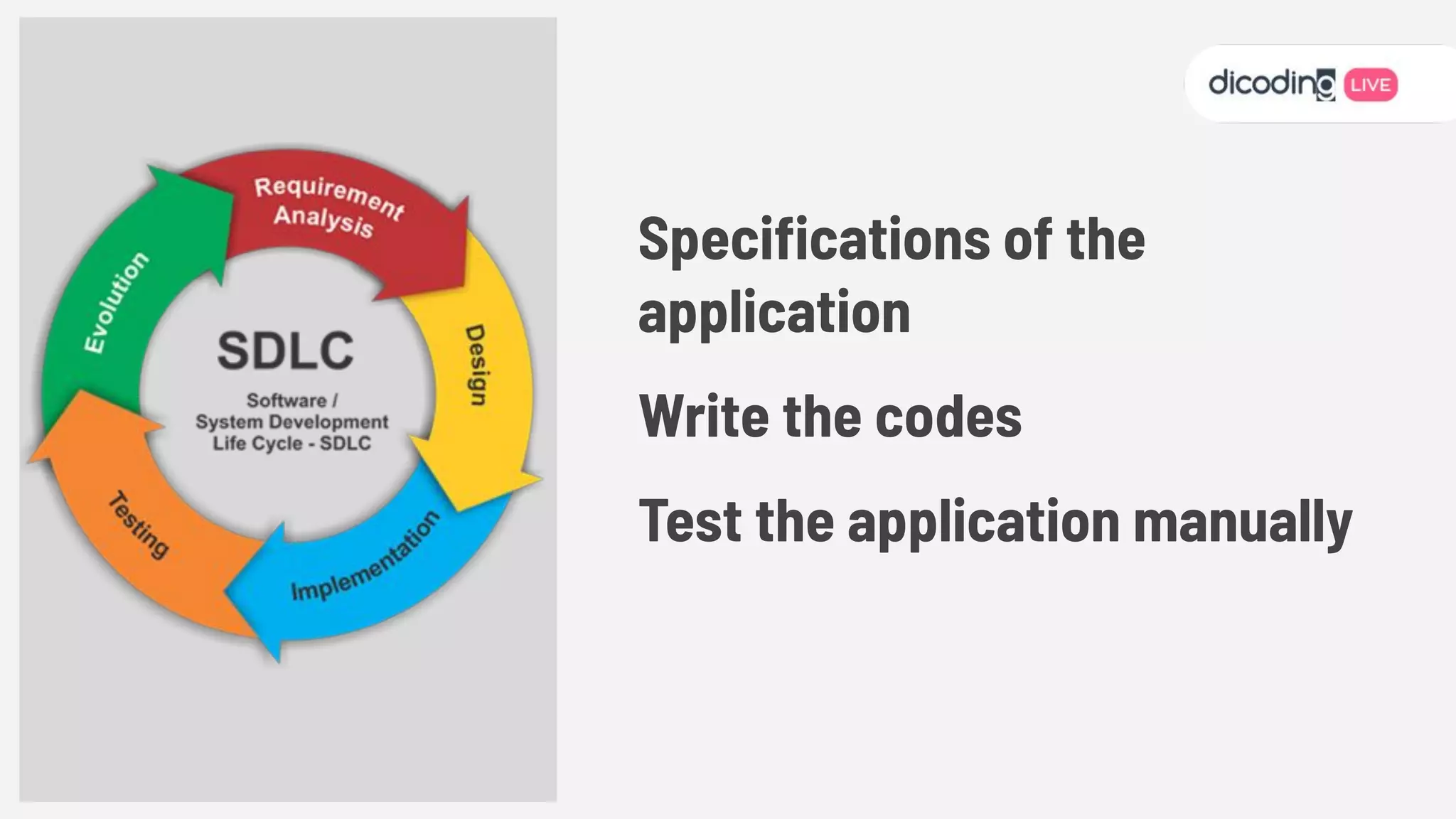
Specications of the
application
Write the codes
Test the application manually
New Feature,
New Bugs...
How to get started?
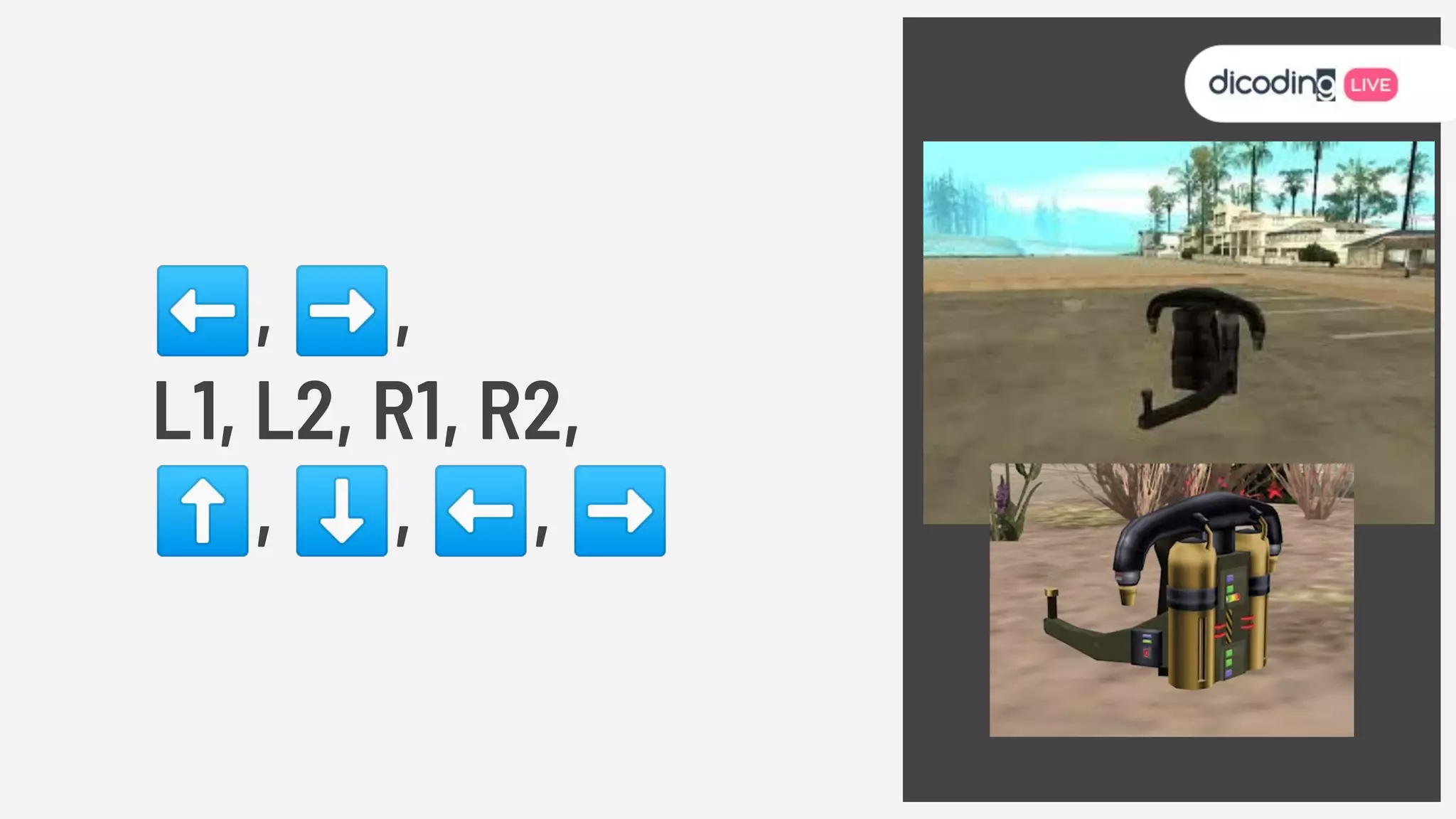
⬅, ➡,
L1, L2, R1, R2,
⬆, ⬇, ⬅, ➡
Android
Jetpack
Source : Android Jetpack
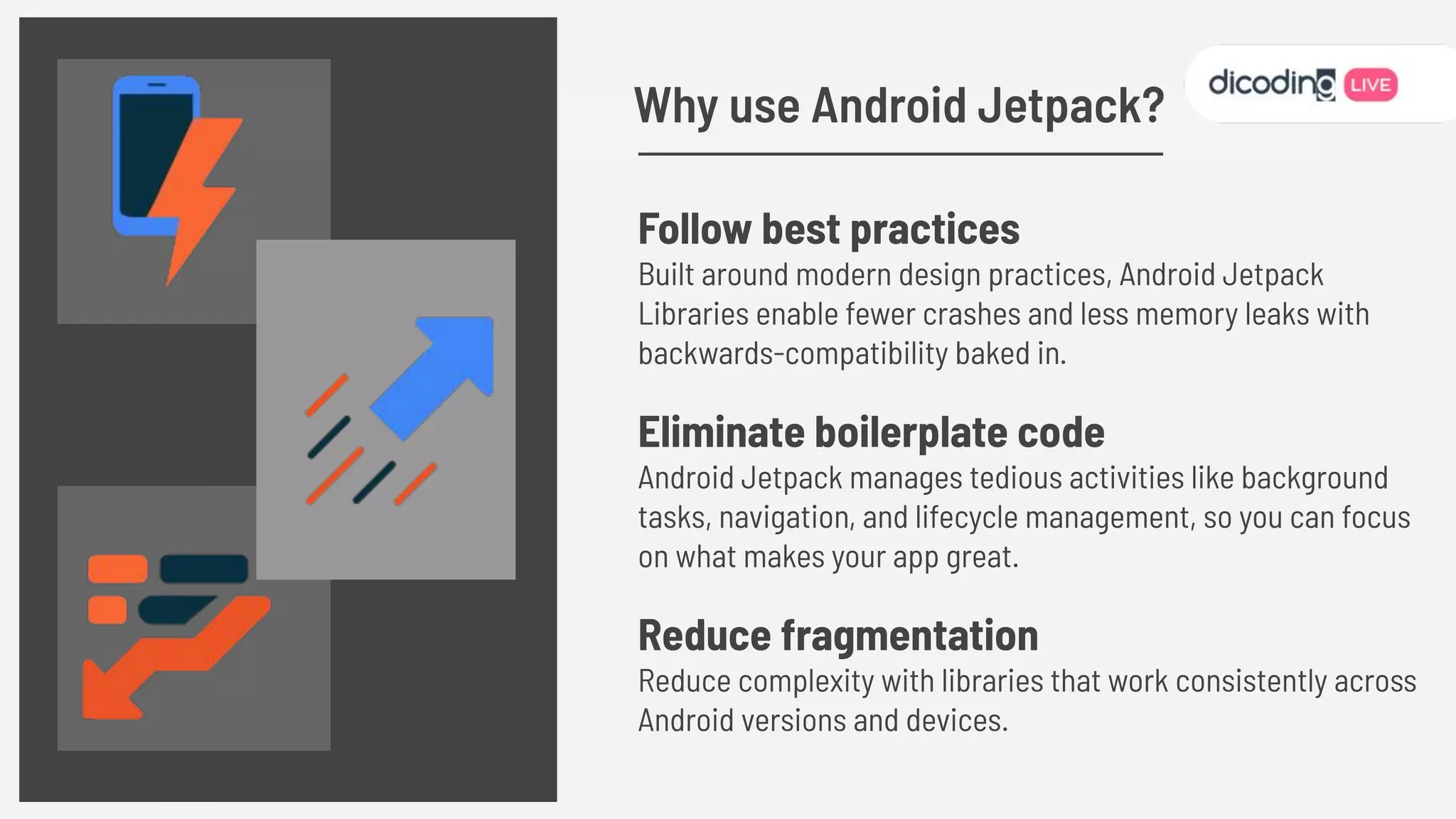
Follow best practices
Built around modern design practices, Android Jetpack
Libraries enable fewer crashes and less memory leaks with
backwards-compatibility baked in.
Eliminate boilerplate code
Android Jetpack manages tedious activities like background
tasks, navigation, and lifecycle management, so you can focus
on what makes your app great.
Reduce fragmentation
Reduce complexity with libraries that work consistently across
Android versions and devices.
Why use Android Jetpack?
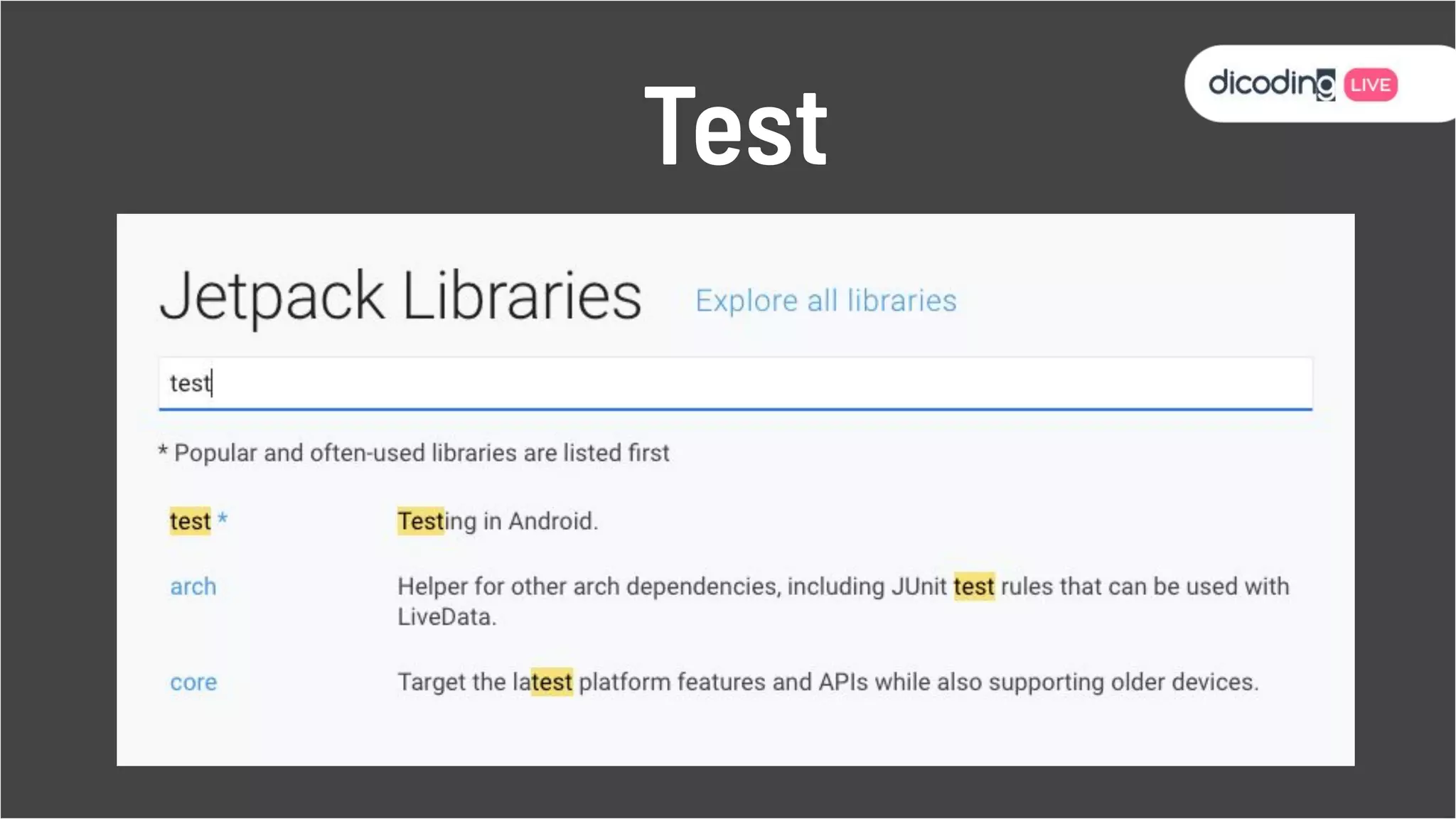
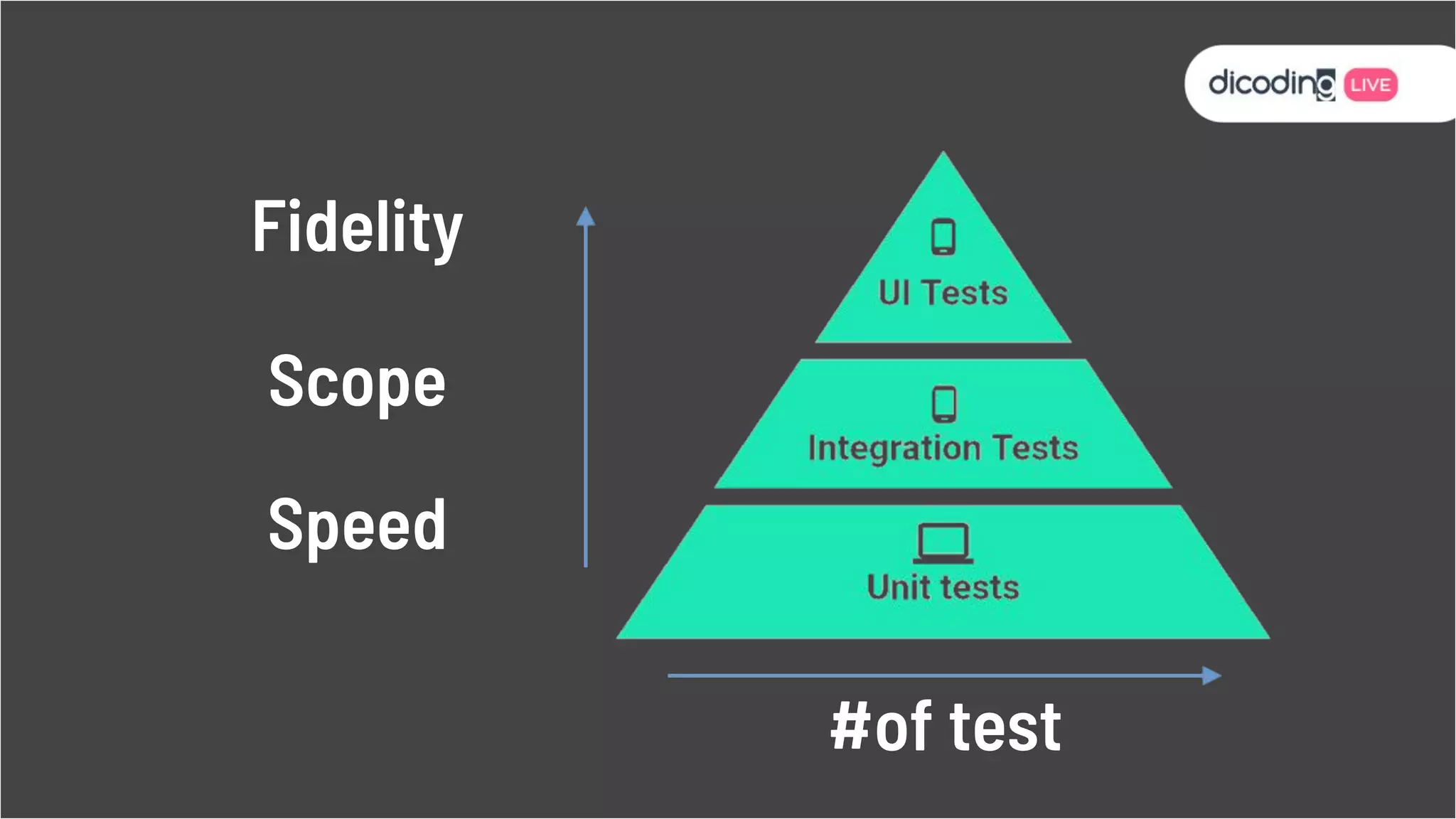
Test
Speed Scope Fidelity
Speed
Scope
Fidelity
#of test
Testing Terminology
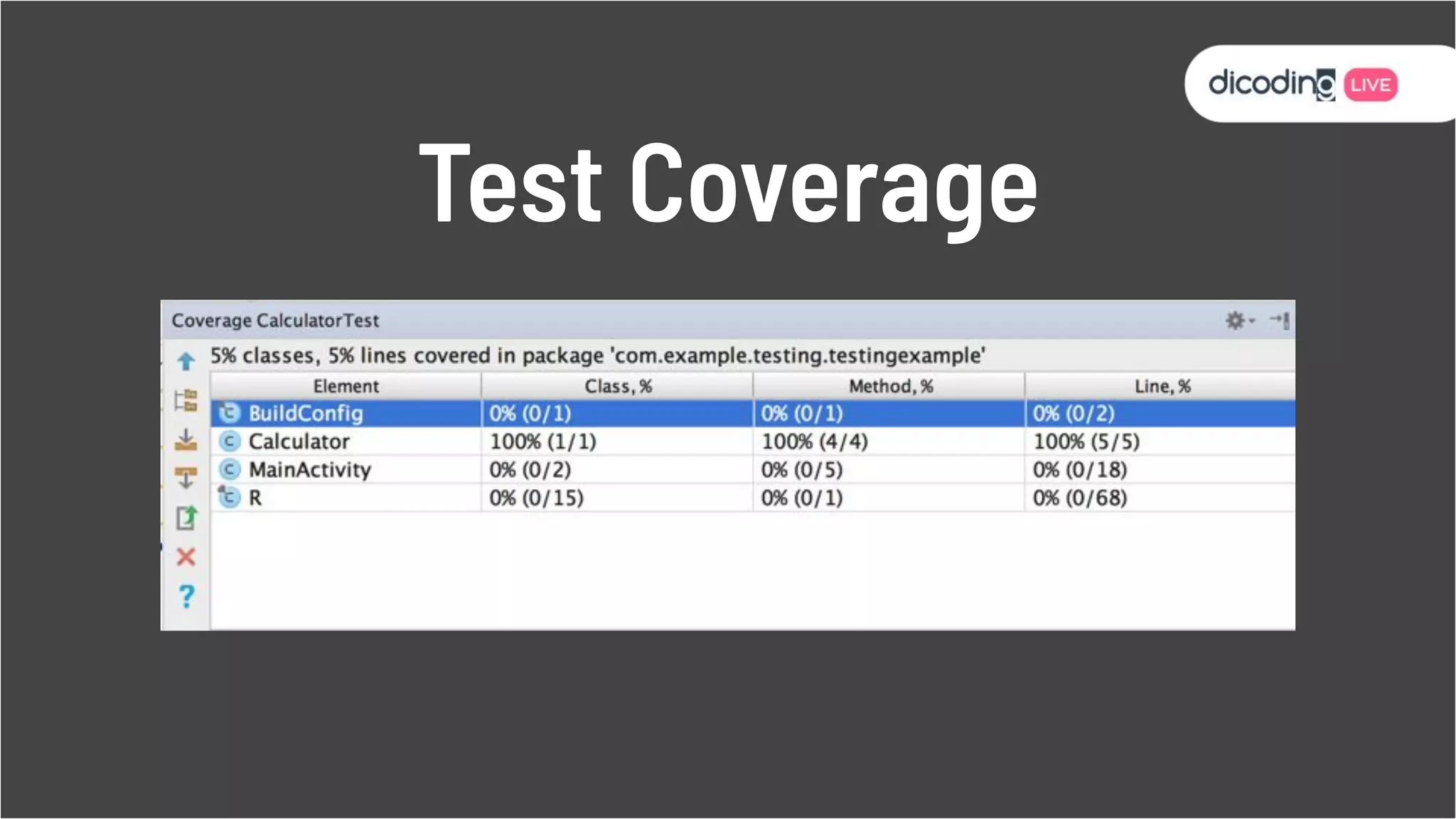
“The percentage of your
code that is executed by
your tests”
Test Coverage
Test Coverage
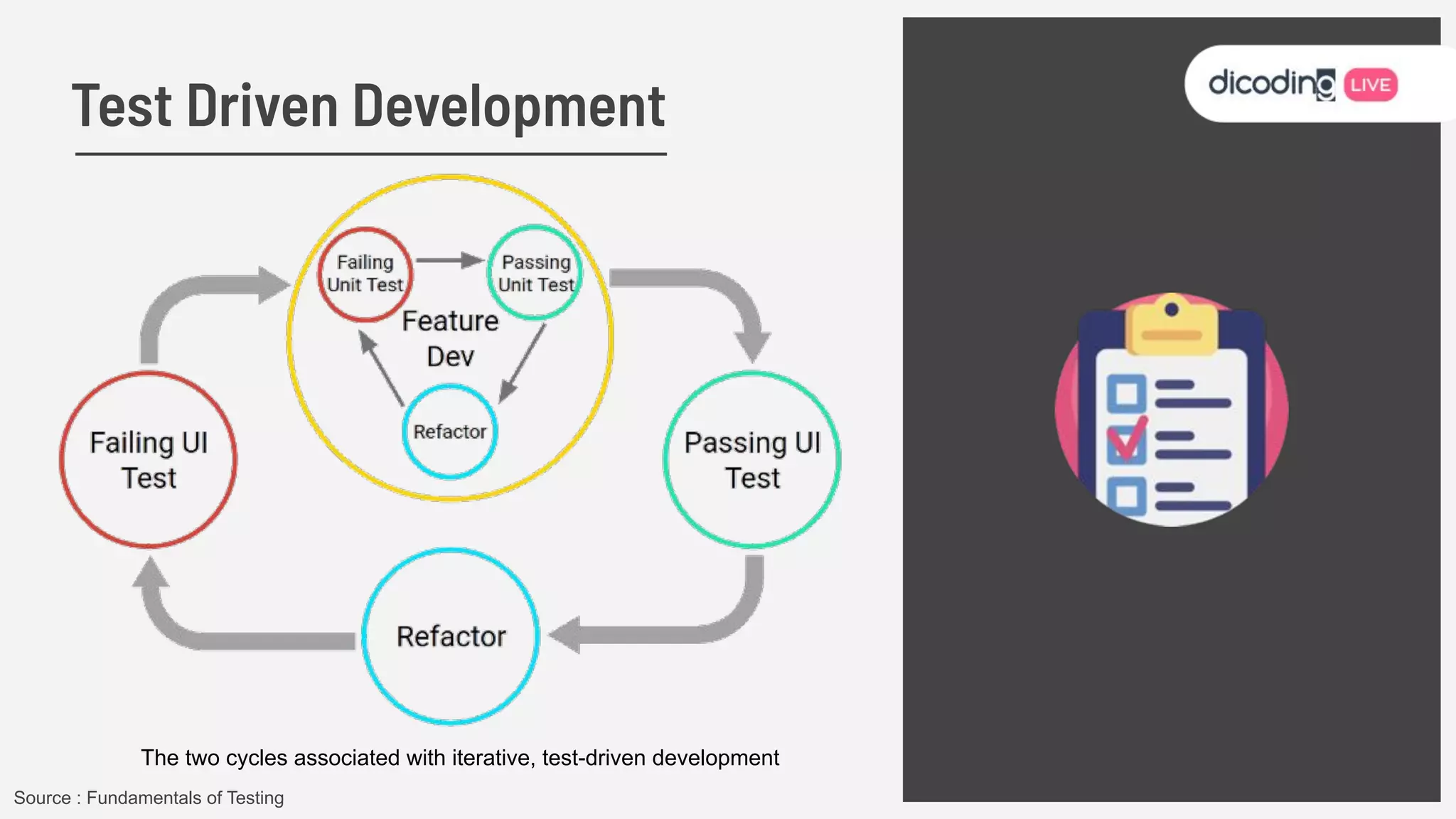
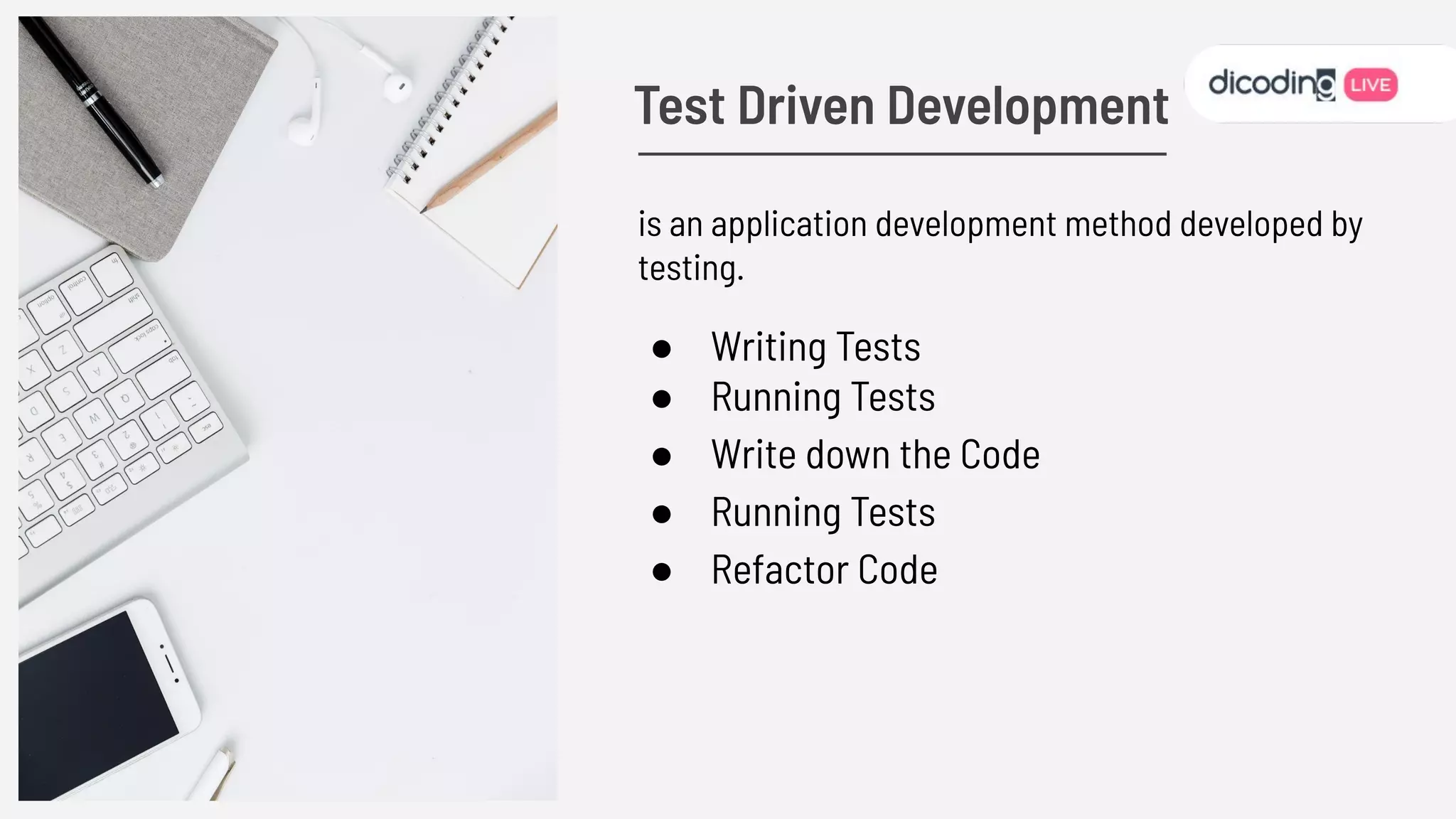
Test Driven Development
The two cycles associated with iterative, test-driven development
Source : Fundamentals of Testing
is an application development method developed by
testing.
● Writing Tests
● Running Tests
● Write down the Code
● Running Tests
● Refactor Code
Test Driven Development
● More Productive
● Code is neater Safer
● Refactoring
● Minimizing Bug
● Documentation
Advantages of using TDD
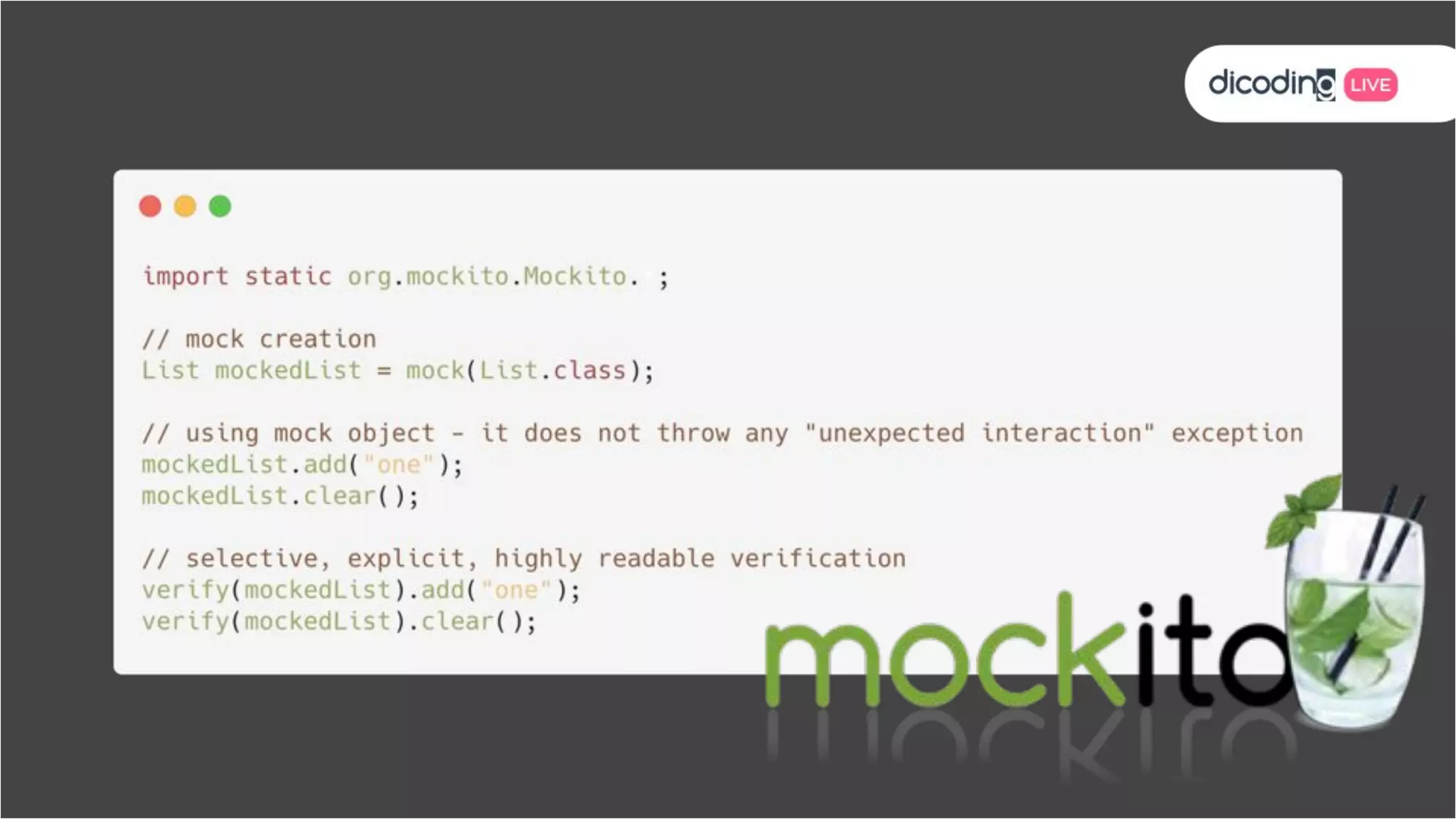
Test Doubles
● Do not mock types you don’t own
● Don’t mock value objects
● Don’t mock everything
● Show love with your tests!
Test Doubles
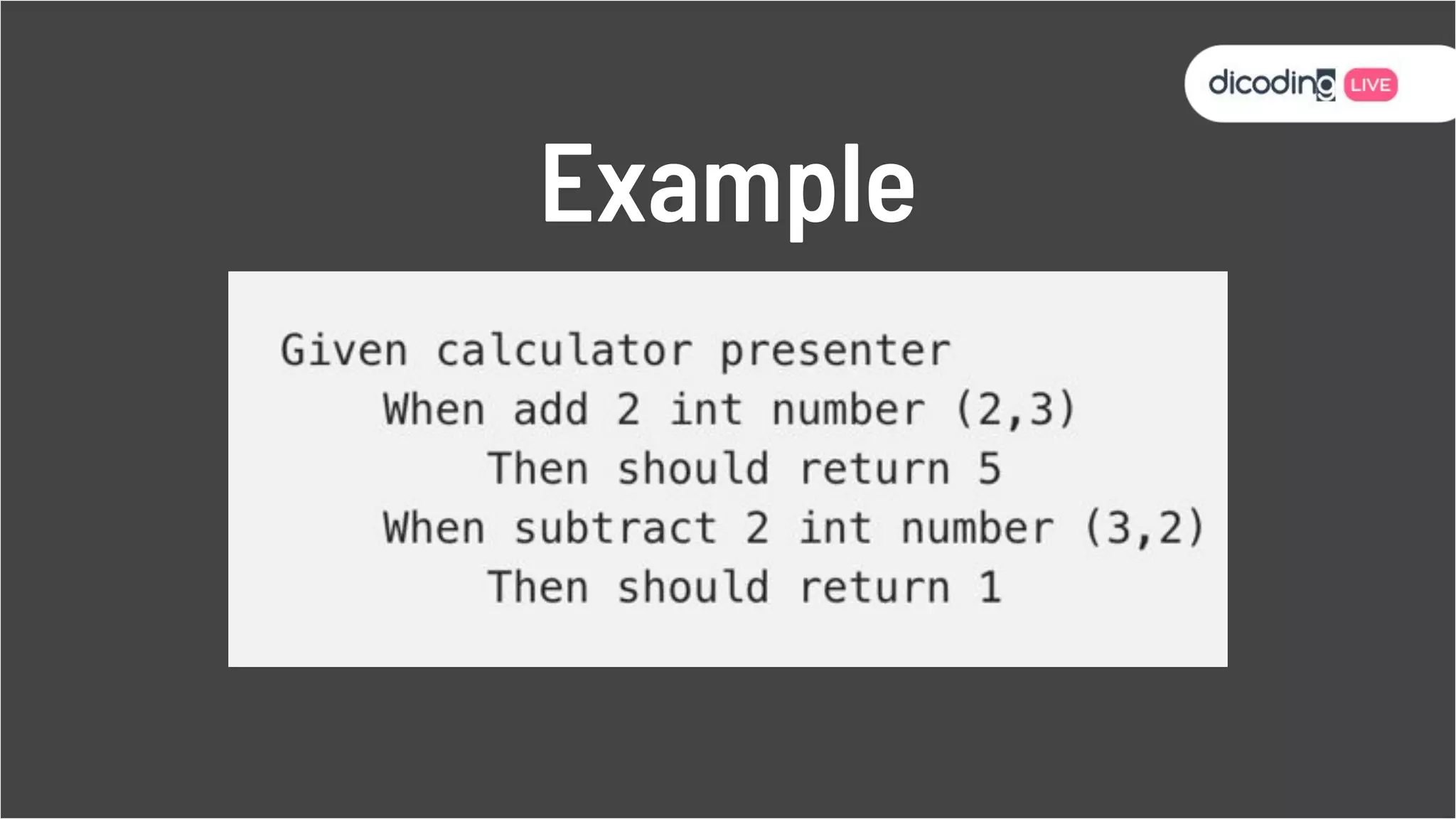
Given, When, Then
“Arrange, Act,
Assert”
Example
Architecture Pattern
REPLACE ME
The important features of a testable architecture are:
● Each class should have a clearly
dened purpose.
● Limit and be explicit about which
classes know about other classes.
● Use constructor injection.
● Keep Android code out of the view
model.
Architecture Pattern
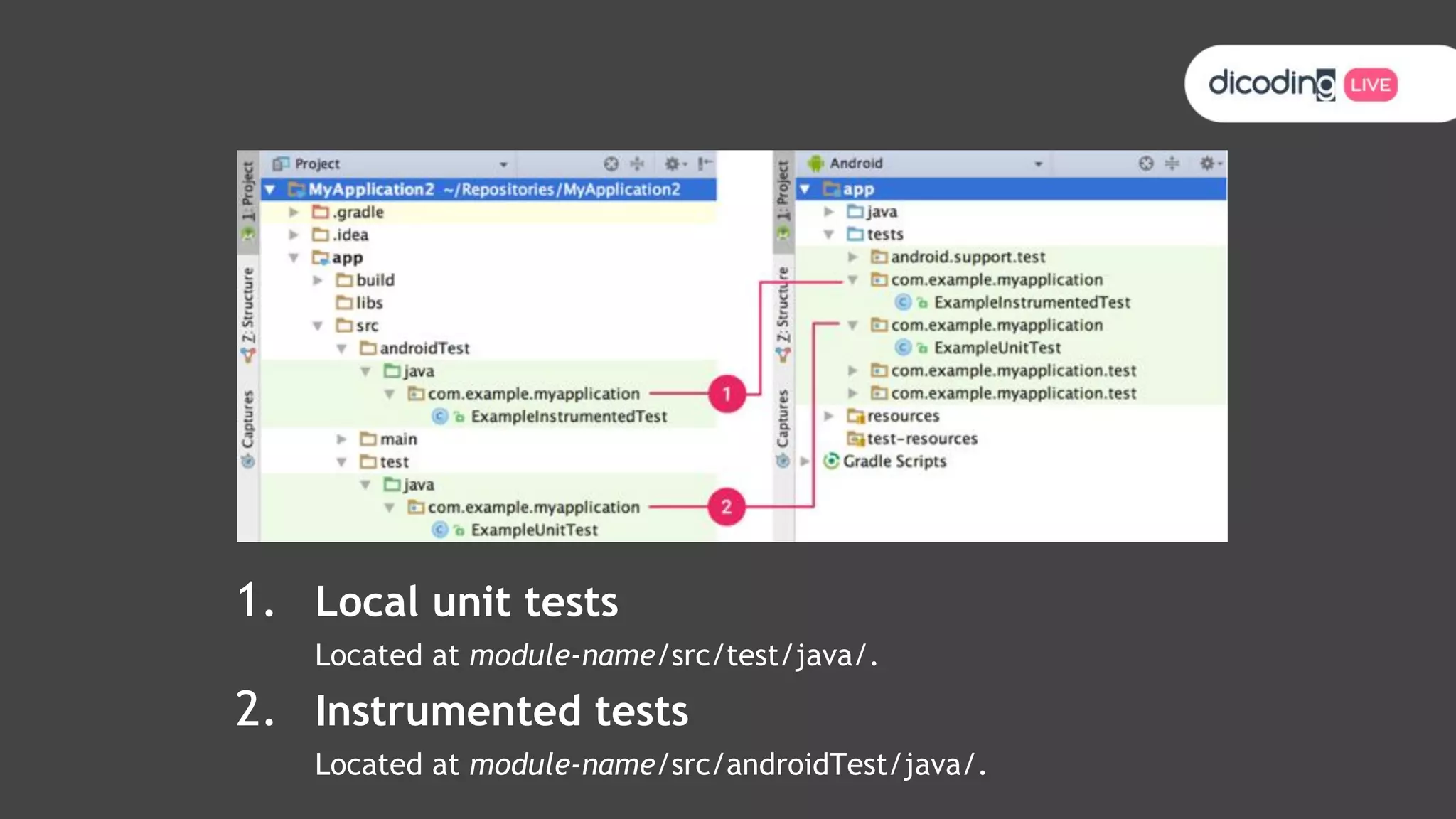
1. Local unit tests
Located at module-name/src/test/java/.
2. Instrumented tests
Located at module-name/src/androidTest/java/.
1. Run Toolbar.
2. Testing Toolbar.
3. Context Menu.
4. Test Status Icon.
5. Jump to Code.
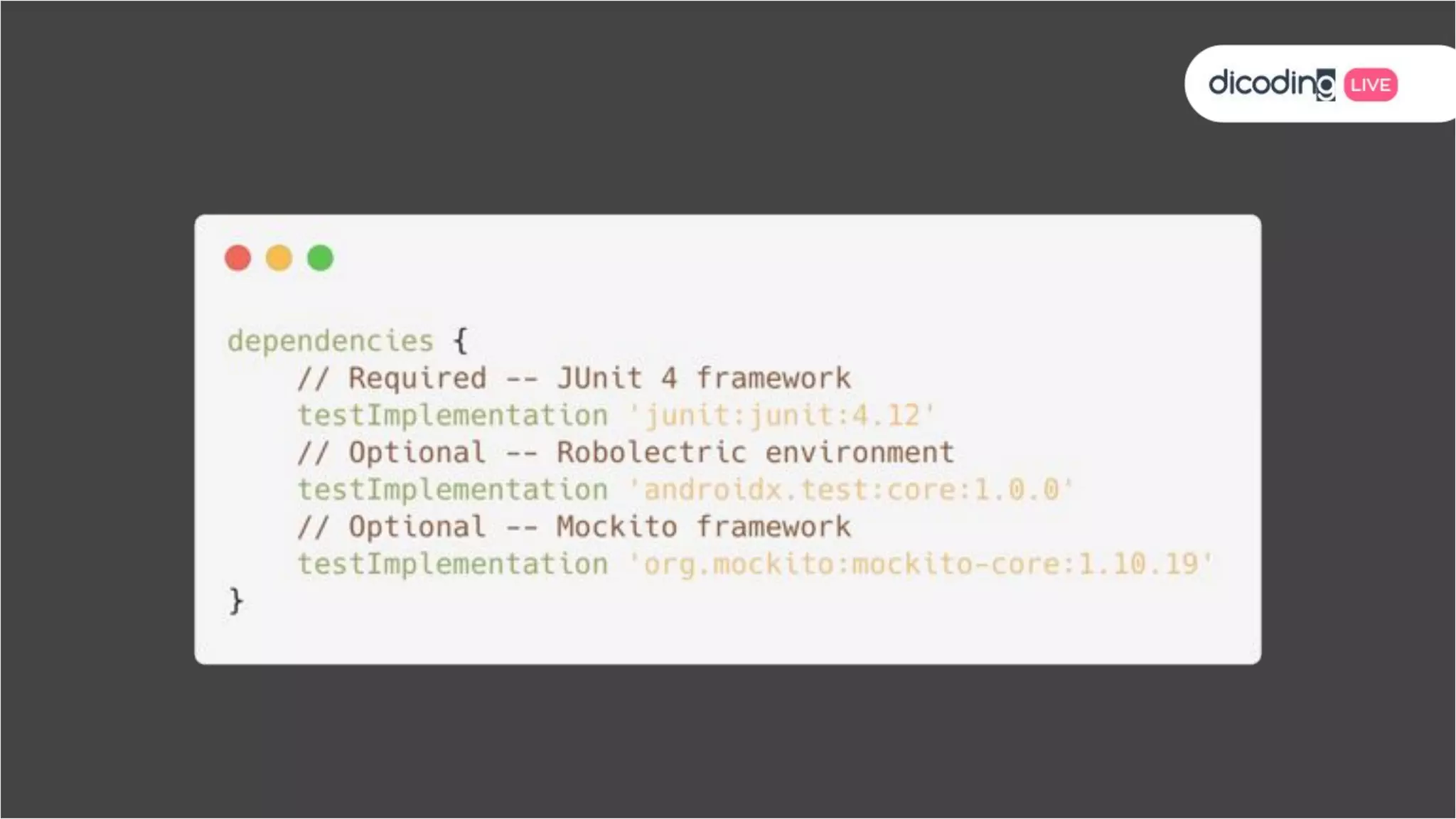
Unit Test
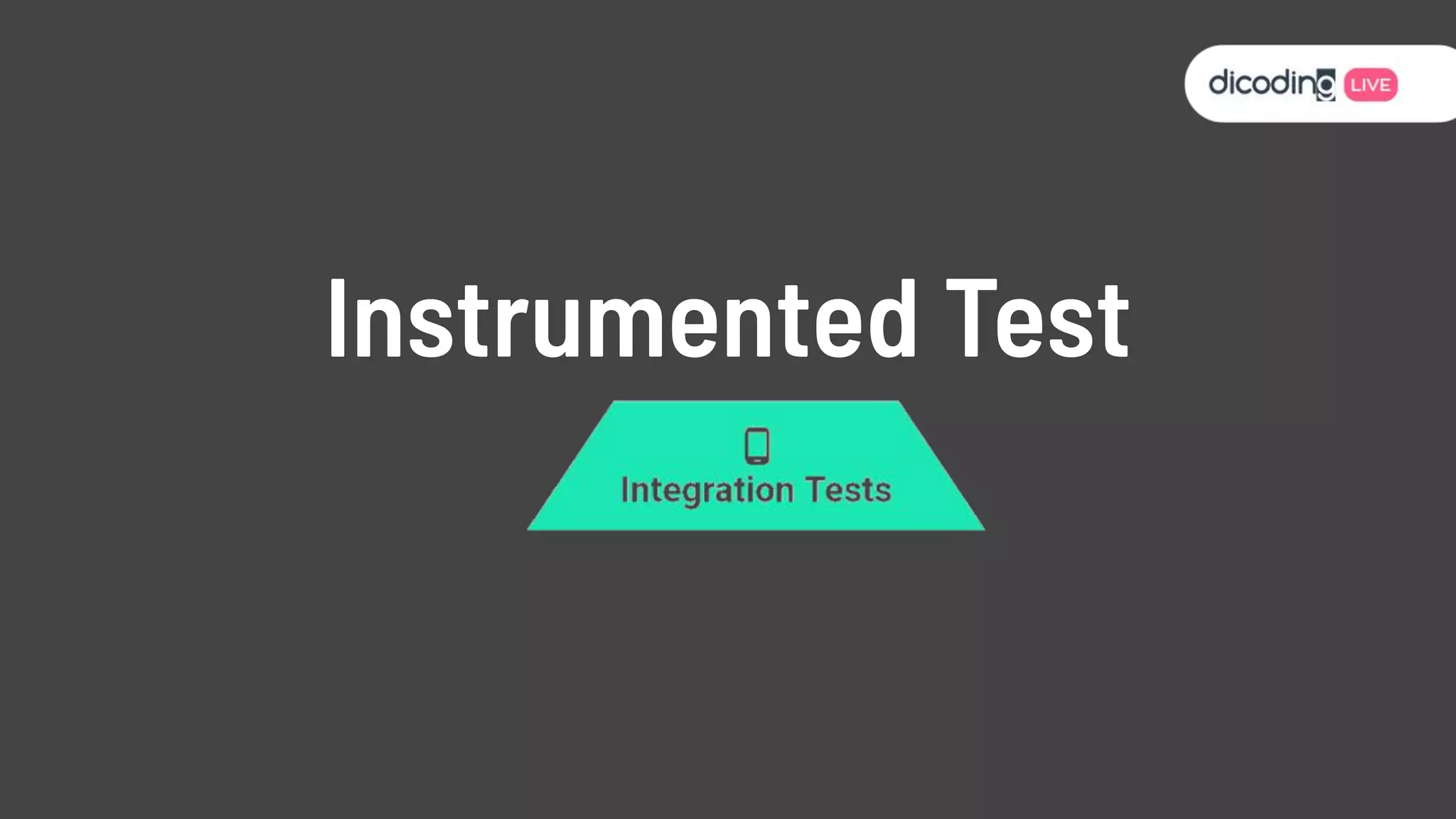
Instrumented Test
Let’s Try Together
Source:
● Advanced Android in Kotlin 05.1: Testing
Basics Updated
● Advanced Android in Kotlin 05.2:
Introduction to Test Doubles and
Dependency Injection
● Advanced Android in Kotlin 05.3: Survey of
Testing Topics
What we've covered:
● How to run tests from Android Studio.
● The difference between local (test) and
instrumentation tests (androidTest).
● How to write local unit tests using JUnit and
Hamcrest.
● Setting up ViewModel tests with the AndroidX Test
Library.
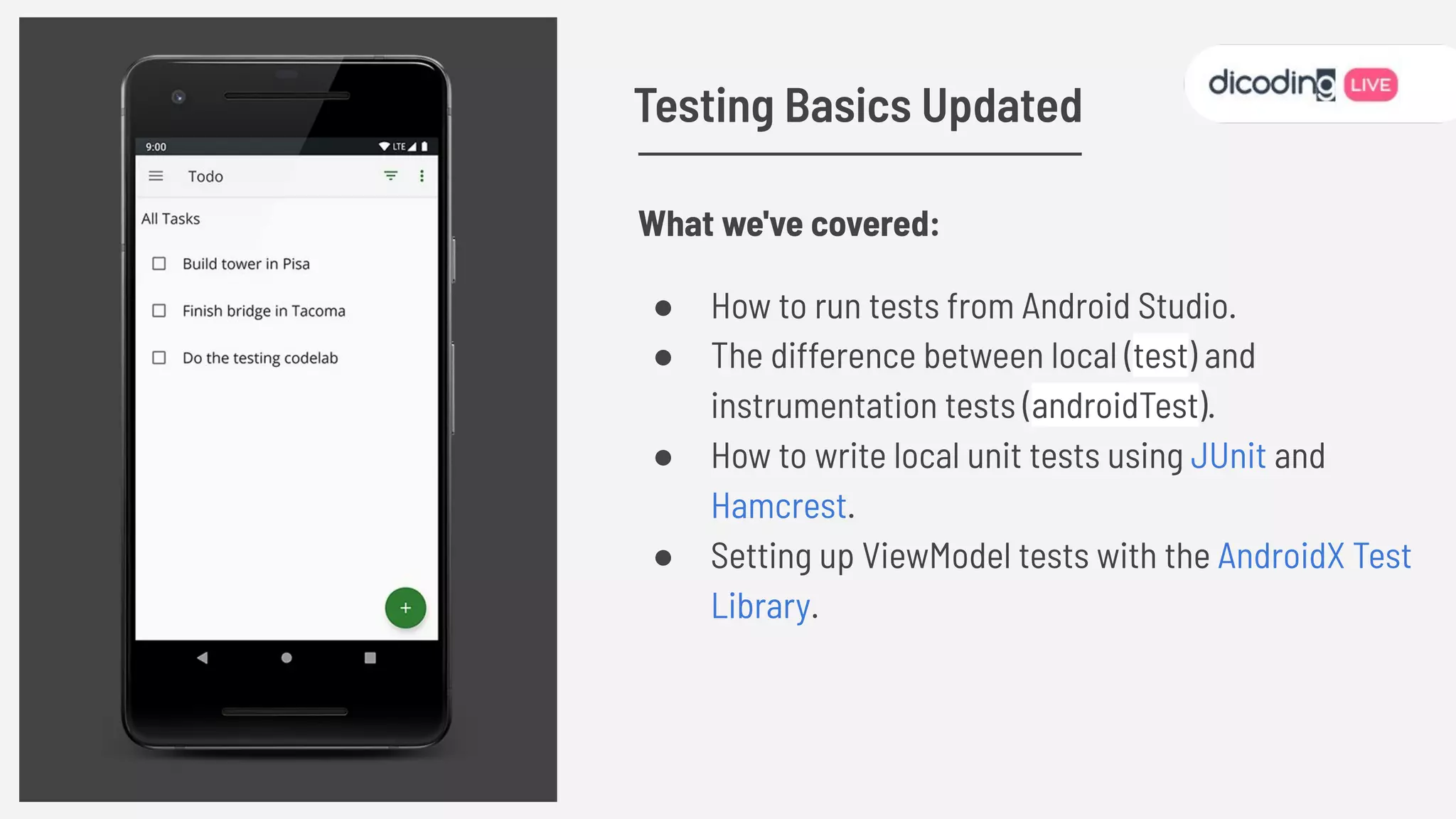
Testing Basics Updated
What we've covered:
● What you want to test and your testing strategy determine the kinds of test you are
going to implement for your app. Unit tests are focused and fast. Integration
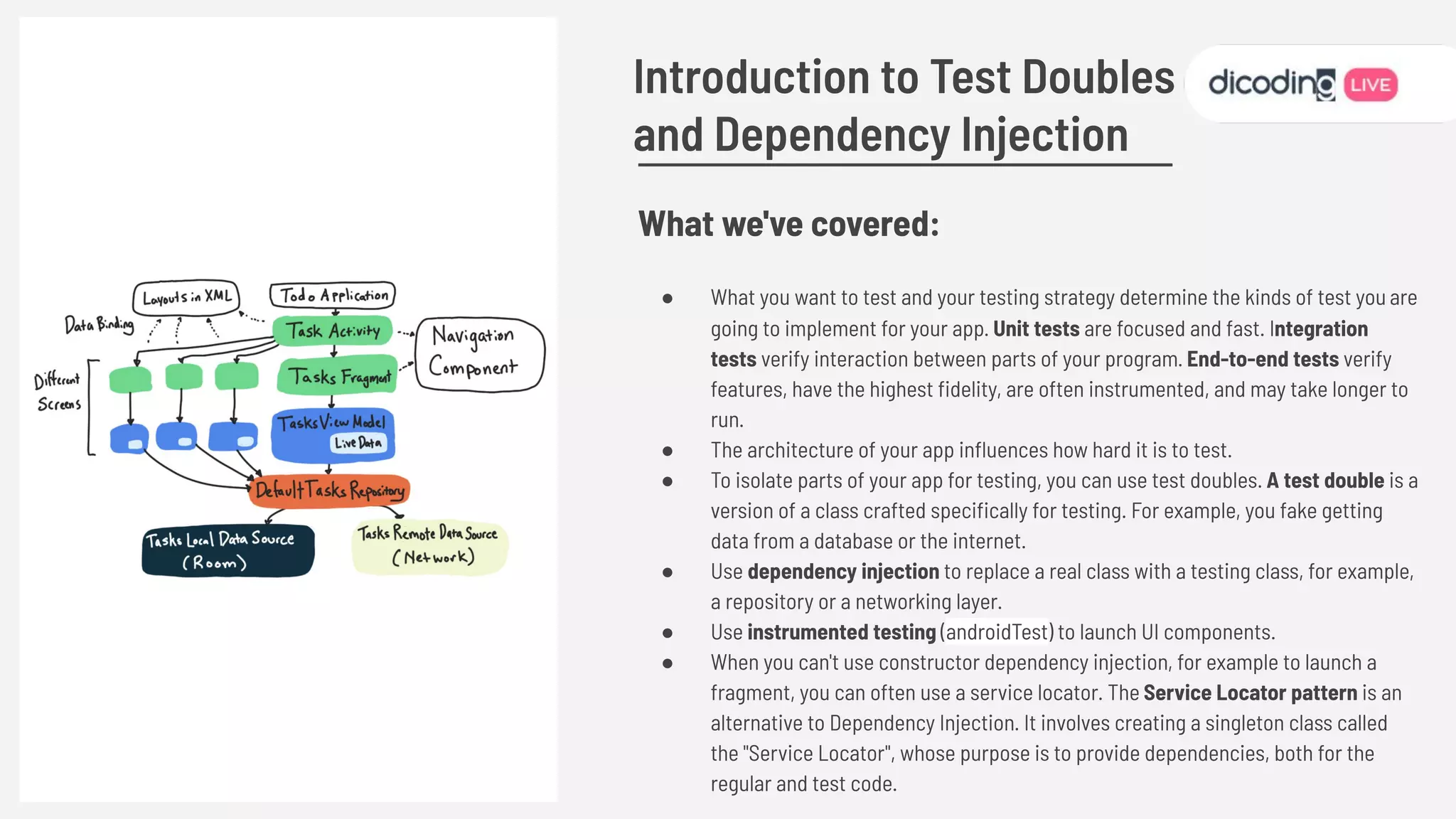
tests verify interaction between parts of your program. End-to-end tests verify
features, have the highest delity, are often instrumented, and may take longer to
run.
● The architecture of your app influences how hard it is to test.
● To isolate parts of your app for testing, you can use test doubles. A test double is a
version of a class crafted specically for testing. For example, you fake getting
data from a database or the internet.
● Use dependency injection to replace a real class with a testing class, for example,
a repository or a networking layer.
● Use instrumented testing (androidTest) to launch UI components.
● When you can't use constructor dependency injection, for example to launch a
fragment, you can often use a service locator. The Service Locator pattern is an
alternative to Dependency Injection. It involves creating a singleton class called
the "Service Locator", whose purpose is to provide dependencies, both for the
regular and test code.
Introduction to Test Doubles
and Dependency Injection
What we've covered:
● A review of testing coroutines from previous lessons, including
covering the usage of runBlocking versus runBlockingTest.
● How to test coroutines that use viewModelScope by using
TestCoroutineDispatcher
● TestCoroutineDispatcher's ability to pauseDispatcher and
resumeDispatcher to control coroutine execution
● Testing error handling by updating a fake
● Testing your data layer, including your DAO and local data source
● Using IdlingResource (and the CountingIldingResource subclass)
to write end to end tests that both include long running code and
work with the data binding library.
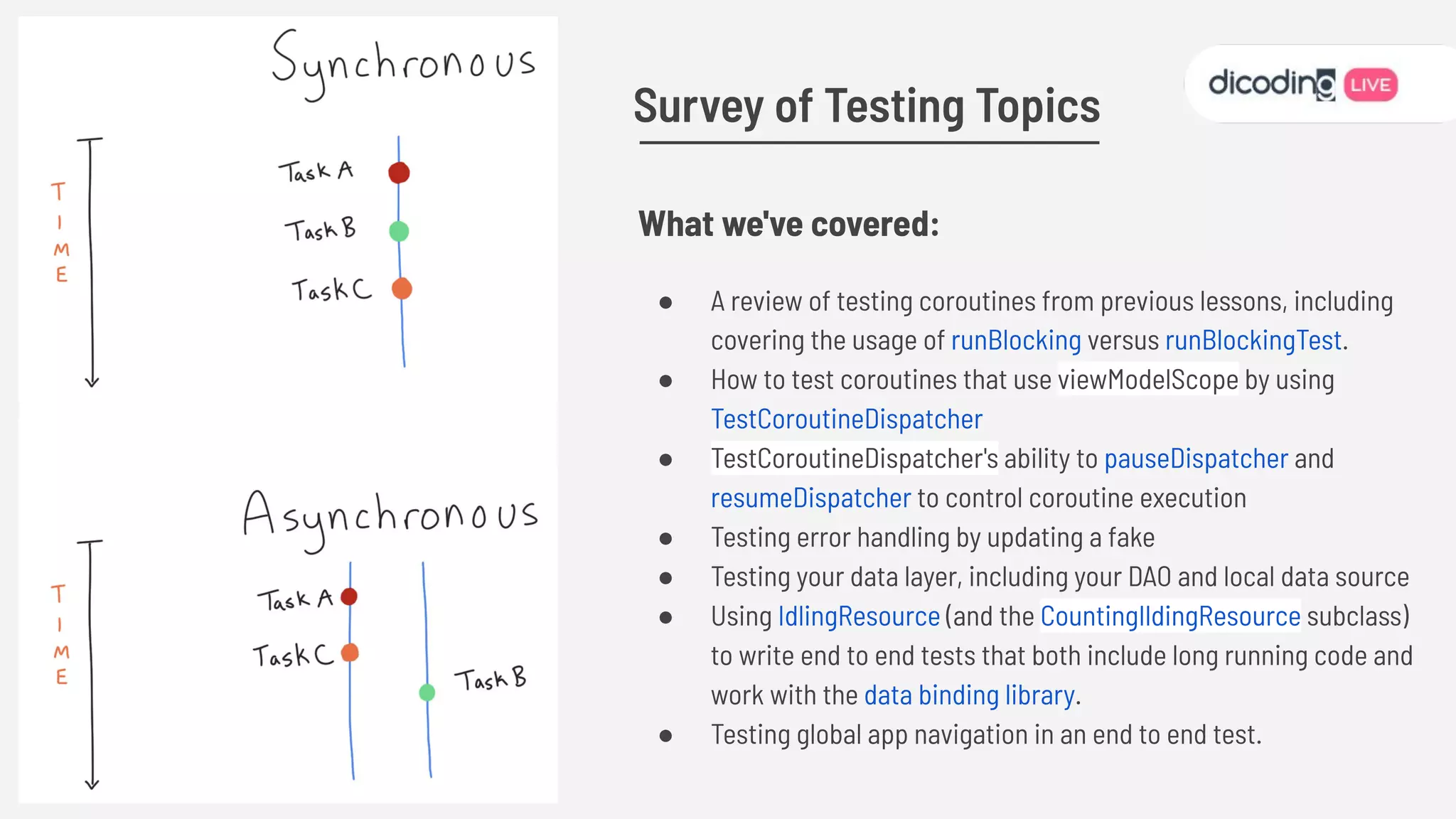
● Testing global app navigation in an end to end test.
Survey of Testing Topics
Advantages of Testing
Testing also provides you with the following
advantages:
● Rapid feedback on failures.
● Early failure detection in the
development cycle.
● Safer code refactoring, letting you
optimize code without worrying about
regressions.
● Stable development velocity, helping
you minimize technical debt.
“Code without tests is bad code”
Michael Feathers, Working Effectively with Legacy Code
REPLACE ME
Belajar Android
Jetpack PRO
Contact:
gilang@dicoding.com
www.dicoding.com
Follow us: @dicoding
Credit:
Unsplash
Google
Pexels

Play with Testing on Android - Gilang Ramadhan (Academy Content Writer at Dicoding)

  • 1.
    Gilang Ramadhan Academy ContentWriter Dicoding Associate Android Developer Play with Testing on Android
  • 2.
  • 3.
    Specications of the application Writethe codes Test the application manually
  • 5.
  • 6.
    How to getstarted?
  • 9.
    ⬅, ➡, L1, L2,R1, R2, ⬆, ⬇, ⬅, ➡
  • 10.
  • 11.
    Follow best practices Builtaround modern design practices, Android Jetpack Libraries enable fewer crashes and less memory leaks with backwards-compatibility baked in. Eliminate boilerplate code Android Jetpack manages tedious activities like background tasks, navigation, and lifecycle management, so you can focus on what makes your app great. Reduce fragmentation Reduce complexity with libraries that work consistently across Android versions and devices. Why use Android Jetpack?
  • 12.
  • 13.
  • 14.
  • 15.
  • 16.
    “The percentage ofyour code that is executed by your tests” Test Coverage
  • 17.
  • 18.
    Test Driven Development Thetwo cycles associated with iterative, test-driven development Source : Fundamentals of Testing
  • 19.
    is an applicationdevelopment method developed by testing. ● Writing Tests ● Running Tests ● Write down the Code ● Running Tests ● Refactor Code Test Driven Development
  • 20.
    ● More Productive ●Code is neater Safer ● Refactoring ● Minimizing Bug ● Documentation Advantages of using TDD
  • 21.
  • 22.
    ● Do notmock types you don’t own ● Don’t mock value objects ● Don’t mock everything ● Show love with your tests! Test Doubles
  • 23.
  • 24.
  • 25.
  • 26.
    REPLACE ME The importantfeatures of a testable architecture are: ● Each class should have a clearly defined purpose. ● Limit and be explicit about which classes know about other classes. ● Use constructor injection. ● Keep Android code out of the view model. Architecture Pattern
  • 27.
    1. Local unittests Located at module-name/src/test/java/. 2. Instrumented tests Located at module-name/src/androidTest/java/.
  • 28.
    1. Run Toolbar. 2.Testing Toolbar. 3. Context Menu. 4. Test Status Icon. 5. Jump to Code.
  • 29.
  • 32.
  • 37.
    Let’s Try Together Source: ●Advanced Android in Kotlin 05.1: Testing Basics Updated ● Advanced Android in Kotlin 05.2: Introduction to Test Doubles and Dependency Injection ● Advanced Android in Kotlin 05.3: Survey of Testing Topics
  • 38.
    What we've covered: ●How to run tests from Android Studio. ● The difference between local (test) and instrumentation tests (androidTest). ● How to write local unit tests using JUnit and Hamcrest. ● Setting up ViewModel tests with the AndroidX Test Library. Testing Basics Updated
  • 39.
    What we've covered: ●What you want to test and your testing strategy determine the kinds of test you are going to implement for your app. Unit tests are focused and fast. Integration tests verify interaction between parts of your program. End-to-end tests verify features, have the highest fidelity, are often instrumented, and may take longer to run. ● The architecture of your app influences how hard it is to test. ● To isolate parts of your app for testing, you can use test doubles. A test double is a version of a class crafted specifically for testing. For example, you fake getting data from a database or the internet. ● Use dependency injection to replace a real class with a testing class, for example, a repository or a networking layer. ● Use instrumented testing (androidTest) to launch UI components. ● When you can't use constructor dependency injection, for example to launch a fragment, you can often use a service locator. The Service Locator pattern is an alternative to Dependency Injection. It involves creating a singleton class called the "Service Locator", whose purpose is to provide dependencies, both for the regular and test code. Introduction to Test Doubles and Dependency Injection
  • 40.
    What we've covered: ●A review of testing coroutines from previous lessons, including covering the usage of runBlocking versus runBlockingTest. ● How to test coroutines that use viewModelScope by using TestCoroutineDispatcher ● TestCoroutineDispatcher's ability to pauseDispatcher and resumeDispatcher to control coroutine execution ● Testing error handling by updating a fake ● Testing your data layer, including your DAO and local data source ● Using IdlingResource (and the CountingIldingResource subclass) to write end to end tests that both include long running code and work with the data binding library. ● Testing global app navigation in an end to end test. Survey of Testing Topics
  • 41.
    Advantages of Testing Testingalso provides you with the following advantages: ● Rapid feedback on failures. ● Early failure detection in the development cycle. ● Safer code refactoring, letting you optimize code without worrying about regressions. ● Stable development velocity, helping you minimize technical debt.
  • 42.
    “Code without testsis bad code” Michael Feathers, Working Effectively with Legacy Code
  • 43.
  • 44.