PL/SQL
• https://www.slideshare.net/slideshow/class-01-23894673/23894673#8
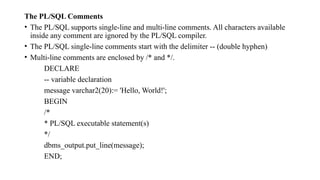
The PL/SQL Comments
• The PL/SQL supports single-line and multi-line comments. All characters available
inside any comment are ignored by the PL/SQL compiler.
• The PL/SQL single-line comments start with the delimiter -- (double hyphen)
• Multi-line comments are enclosed by /* and */.
DECLARE
-- variable declaration
message varchar2(20):= 'Hello, World!';
BEGIN
/*
* PL/SQL executable statement(s)
*/
dbms_output.put_line(message);
END;
• We noted earlier that PL/SQL is not a stand-alone programming
language; rather, it exists only as a tool within the Oracle environment.
• As a result, it does not really have any capabilities to accept input
from a user.
• The lack of this ability is compensated with the special feature of the
SQL Developer and SQL*Plus tools called a substitution variable.
• Similarly, it is often helpful to provide the user with some pertinent
information with the help of the DBMS_OUTPUT.PUT_LINE
statement.
• DBMS_OUTPUT.PUT_LINE statement may be used in a script to
display information on the screen.
• The DBMS_OUTPUT.PUT_LINE is a call to the procedure
PUT_LINE. This procedure is a part of the DBMS_OUTPUT package
that is owned by the Oracle user SYS.
• The DBMS_OUTPUT.PUT_LINE statement writes information to the
buffer for storage.
• After a program has completed, the information from the buffer is
displayed on the screen. The size of the buffer can be set between 2000
and 1 million bytes.
• To see the results of the DBMS_OUTPUT.PUT_LINE statement on the
screen, you need to enable it.
• https://www.pearsonitcertification.com/articles/article.aspx?p=317891
9&seqNum=3#:~:text=Oracle%20user%20SYS.-,The%20DBMS_OU
TPUT.,2000%20and%201%20million%20bytes
.
• To enable the DBMS_OUTPUT statement in SQL*Plus, you enter one of the following
statements before the PL/SQL block:
SET SERVEROUTPUT ON;
or
SET SERVEROUTPUT ON SIZE 5000;
• The first SET statement enables the DBMS_OUTPUT.PUT_LINE statement, with the
default value for the buffer size being used.
• The second SET statement not only enables the DBMS_OUTPUT.PUT_LINE statement
but also changes the buffer size from its default value to 5000 bytes.
• Similarly, if you do not want information to be displayed on the screen by the
DBMS_OUTPUT.PUT_LINE statement, you can issue the following SET command prior
to the PL/SQL block:
SET SERVEROUTPUT OFF;

PL SQL Introduction- Blocks&example.pptx

  • 1.
  • 17.
  • 19.
    The PL/SQL Comments •The PL/SQL supports single-line and multi-line comments. All characters available inside any comment are ignored by the PL/SQL compiler. • The PL/SQL single-line comments start with the delimiter -- (double hyphen) • Multi-line comments are enclosed by /* and */. DECLARE -- variable declaration message varchar2(20):= 'Hello, World!'; BEGIN /* * PL/SQL executable statement(s) */ dbms_output.put_line(message); END;
  • 20.
    • We notedearlier that PL/SQL is not a stand-alone programming language; rather, it exists only as a tool within the Oracle environment. • As a result, it does not really have any capabilities to accept input from a user. • The lack of this ability is compensated with the special feature of the SQL Developer and SQL*Plus tools called a substitution variable. • Similarly, it is often helpful to provide the user with some pertinent information with the help of the DBMS_OUTPUT.PUT_LINE statement.
  • 21.
    • DBMS_OUTPUT.PUT_LINE statementmay be used in a script to display information on the screen. • The DBMS_OUTPUT.PUT_LINE is a call to the procedure PUT_LINE. This procedure is a part of the DBMS_OUTPUT package that is owned by the Oracle user SYS. • The DBMS_OUTPUT.PUT_LINE statement writes information to the buffer for storage. • After a program has completed, the information from the buffer is displayed on the screen. The size of the buffer can be set between 2000 and 1 million bytes. • To see the results of the DBMS_OUTPUT.PUT_LINE statement on the screen, you need to enable it.
  • 22.
  • 23.
    • To enablethe DBMS_OUTPUT statement in SQL*Plus, you enter one of the following statements before the PL/SQL block: SET SERVEROUTPUT ON; or SET SERVEROUTPUT ON SIZE 5000; • The first SET statement enables the DBMS_OUTPUT.PUT_LINE statement, with the default value for the buffer size being used. • The second SET statement not only enables the DBMS_OUTPUT.PUT_LINE statement but also changes the buffer size from its default value to 5000 bytes. • Similarly, if you do not want information to be displayed on the screen by the DBMS_OUTPUT.PUT_LINE statement, you can issue the following SET command prior to the PL/SQL block: SET SERVEROUTPUT OFF;