Types of Strings In PHP
By. Sharon M.
What is String
In PHP, a string is a sequence of characters. It is a data type that can be
used to store text, such as a person's name, a company's name, or a
product description.
Single quotes
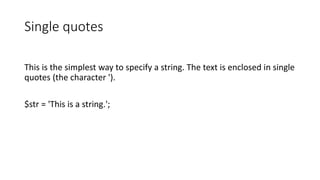
This is the simplest way to specify a string. The text is enclosed in single
quotes (the character ').
$str = 'This is a string.';
Double quotes
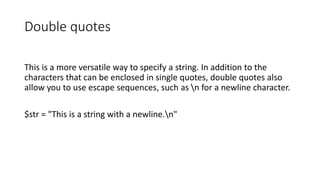
This is a more versatile way to specify a string. In addition to the
characters that can be enclosed in single quotes, double quotes also
allow you to use escape sequences, such as n for a newline character.
$str = "This is a string with a newline.n"
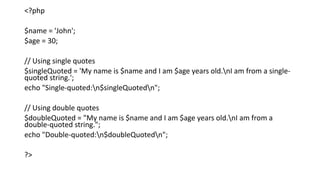
<?php
$name = 'John';
$age = 30;
// Using single quotes
$singleQuoted = 'My name is $name and I am $age years old.nI am from a single-
quoted string.';
echo "Single-quoted:n$singleQuotedn";
// Using double quotes
$doubleQuoted = "My name is $name and I am $age years old.nI am from a
double-quoted string.";
echo "Double-quoted:n$doubleQuotedn";
?>
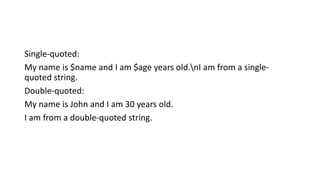
Single-quoted:
My name is $name and I am $age years old.nI am from a single-
quoted string.
Double-quoted:
My name is John and I am 30 years old.
I am from a double-quoted string.
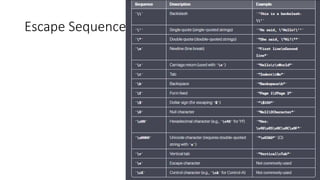
Escape Sequences
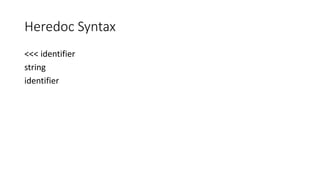
Heredoc Syntax
<<< identifier
string
identifier
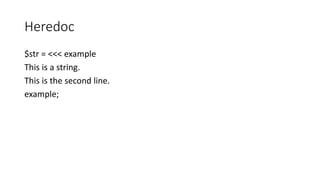
Heredoc
$str = <<< example
This is a string.
This is the second line.
example;
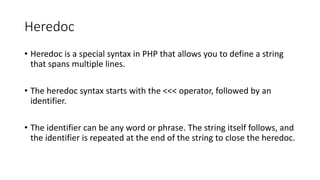
Heredoc
• Heredoc is a special syntax in PHP that allows you to define a string
that spans multiple lines.
• The heredoc syntax starts with the <<< operator, followed by an
identifier.
• The identifier can be any word or phrase. The string itself follows, and
the identifier is repeated at the end of the string to close the heredoc.
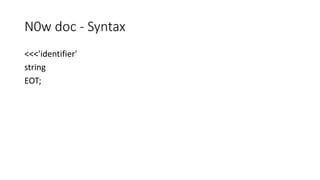
N0w doc - Syntax
<<<'identifier'
string
EOT;
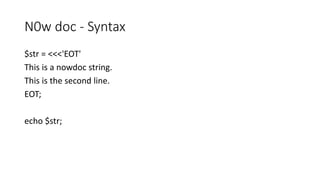
N0w doc - Syntax
$str = <<<'EOT'
This is a nowdoc string.
This is the second line.
EOT;
echo $str;
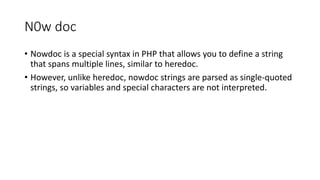
N0w doc
• Nowdoc is a special syntax in PHP that allows you to define a string
that spans multiple lines, similar to heredoc.
• However, unlike heredoc, nowdoc strings are parsed as single-quoted
strings, so variables and special characters are not interpreted.
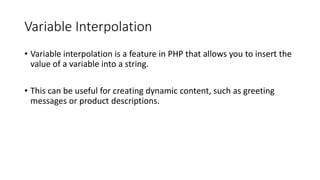
Variable Interpolation
• Variable interpolation is a feature in PHP that allows you to insert the
value of a variable into a string.
• This can be useful for creating dynamic content, such as greeting
messages or product descriptions.
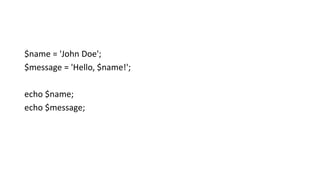
$name = 'John Doe';
$message = 'Hello, $name!';
echo $name;
echo $message;
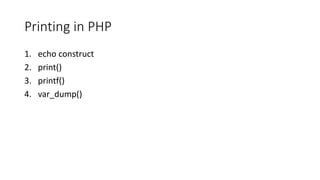
Printing in PHP
1. echo construct
2. print()
3. printf()
4. var_dump()
echo construct
The echo keyword in PHP is used to output text. It is not a function, so
it does not have parentheses.
The arguments to echo are a list of expressions separated by commas.
Expressions can be strings, variables, numbers, or other PHP
constructs.
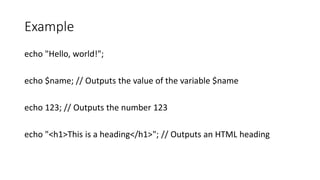
Example
echo "Hello, world!";
echo $name; // Outputs the value of the variable $name
echo 123; // Outputs the number 123
echo "<h1>This is a heading</h1>"; // Outputs an HTML heading
• PHP, the print statement is used to output text or variables to the
web page.
• It functions similarly to the echo statement but has a subtle
difference:
• print is a language construct rather than a function, and it always
returns a value of 1.
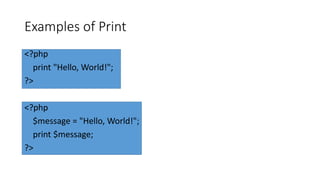
Examples of Print
<?php
print "Hello, World!";
?>
<?php
$message = "Hello, World!";
print $message;
?>
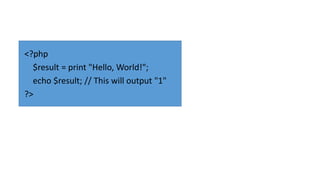
<?php
$result = print "Hello, World!";
echo $result; // This will output "1"
?>
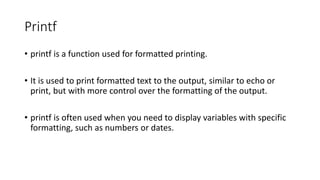
Printf
• printf is a function used for formatted printing.
• It is used to print formatted text to the output, similar to echo or
print, but with more control over the formatting of the output.
• printf is often used when you need to display variables with specific
formatting, such as numbers or dates.
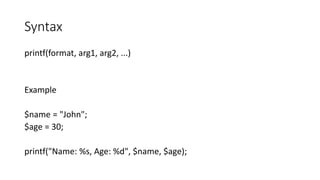
Syntax
printf(format, arg1, arg2, ...)
Example
$name = "John";
$age = 30;
printf("Name: %s, Age: %d", $name, $age);
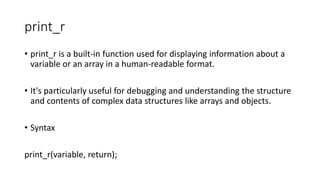
print_r
• print_r is a built-in function used for displaying information about a
variable or an array in a human-readable format.
• It's particularly useful for debugging and understanding the structure
and contents of complex data structures like arrays and objects.
• Syntax
print_r(variable, return);
Example
$array = array('apple', 'banana', 'cherry');
print_r($array);
o/p
Array
(
[0] => apple
[1] => banana
[2] => cherry
)
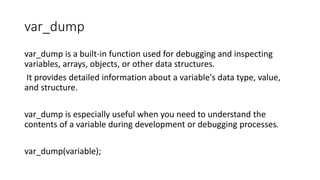
var_dump
var_dump is a built-in function used for debugging and inspecting
variables, arrays, objects, or other data structures.
It provides detailed information about a variable's data type, value,
and structure.
var_dump is especially useful when you need to understand the
contents of a variable during development or debugging processes.
var_dump(variable);
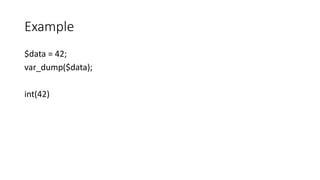
Example
$data = 42;
var_dump($data);
int(42)
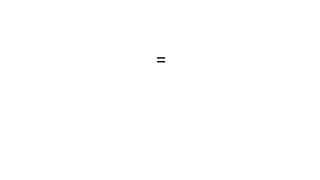
=
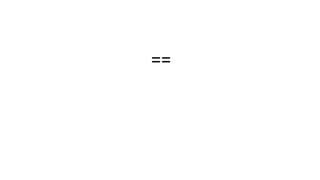
==
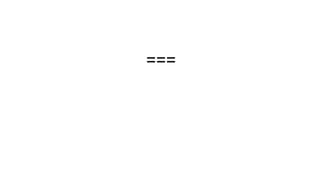
===
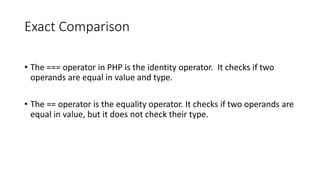
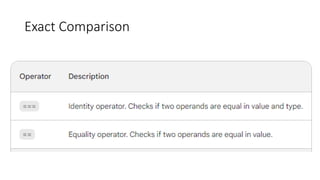
Exact Comparison
• The === operator in PHP is the identity operator. It checks if two
operands are equal in value and type.
• The == operator is the equality operator. It checks if two operands are
equal in value, but it does not check their type.
Exact Comparison
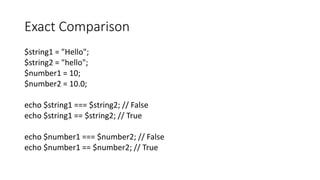
Exact Comparison
$string1 = "Hello";
$string2 = "hello";
$number1 = 10;
$number2 = 10.0;
echo $string1 === $string2; // False
echo $string1 == $string2; // True
echo $number1 === $number2; // False
echo $number1 == $number2; // True
Exact Comparison
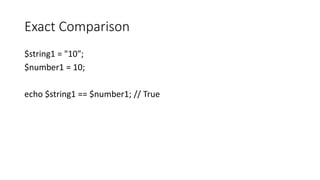
$string1 = "10";
$number1 = 10;
echo $string1 == $number1; // True
Exact Comparison
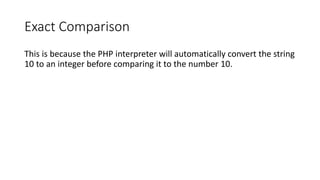
This is because the PHP interpreter will automatically convert the string
10 to an integer before comparing it to the number 10.
Approximate Equality
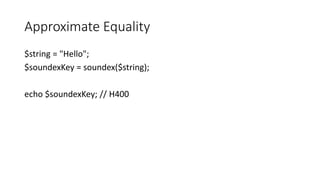
$string = "Hello";
$soundexKey = soundex($string);
echo $soundexKey; // H400
Approximate Equality
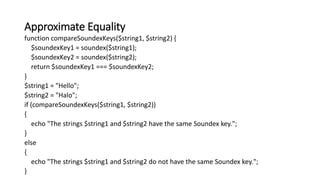
function compareSoundexKeys($string1, $string2) {
$soundexKey1 = soundex($string1);
$soundexKey2 = soundex($string2);
return $soundexKey1 === $soundexKey2;
}
$string1 = "Hello";
$string2 = "Halo";
if (compareSoundexKeys($string1, $string2))
{
echo "The strings $string1 and $string2 have the same Soundex key.";
}
else
{
echo "The strings $string1 and $string2 do not have the same Soundex key.";
}
Approximate Equality
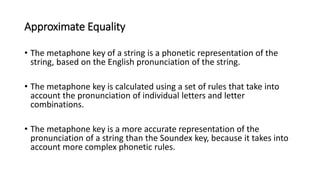
• The metaphone key of a string is a phonetic representation of the
string, based on the English pronunciation of the string.
• The metaphone key is calculated using a set of rules that take into
account the pronunciation of individual letters and letter
combinations.
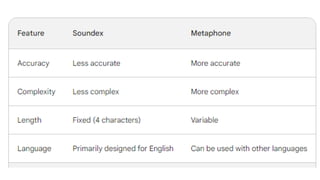
• The metaphone key is a more accurate representation of the
pronunciation of a string than the Soundex key, because it takes into
account more complex phonetic rules.
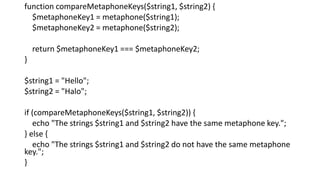
function compareMetaphoneKeys($string1, $string2) {
$metaphoneKey1 = metaphone($string1);
$metaphoneKey2 = metaphone($string2);
return $metaphoneKey1 === $metaphoneKey2;
}
$string1 = "Hello";
$string2 = "Halo";
if (compareMetaphoneKeys($string1, $string2)) {
echo "The strings $string1 and $string2 have the same metaphone key.";
} else {
echo "The strings $string1 and $string2 do not have the same metaphone
key.";
}
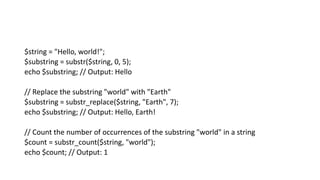
$string = "Hello, world!";
$substring = substr($string, 0, 5);
echo $substring; // Output: Hello
// Replace the substring "world" with "Earth"
$substring = substr_replace($string, "Earth", 7);
echo $substring; // Output: Hello, Earth!
// Count the number of occurrences of the substring "world" in a string
$count = substr_count($string, "world");
echo $count; // Output: 1
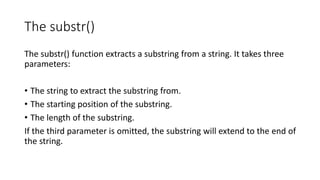
The substr()
The substr() function extracts a substring from a string. It takes three
parameters:
• The string to extract the substring from.
• The starting position of the substring.
• The length of the substring.
If the third parameter is omitted, the substring will extend to the end of
the string.
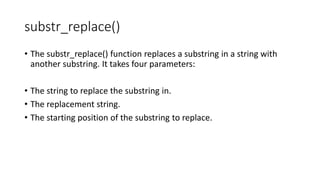
substr_replace()
• The substr_replace() function replaces a substring in a string with
another substring. It takes four parameters:
• The string to replace the substring in.
• The replacement string.
• The starting position of the substring to replace.
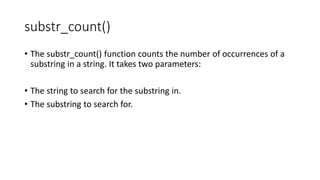
substr_count()
• The substr_count() function counts the number of occurrences of a
substring in a string. It takes two parameters:
• The string to search for the substring in.
• The substring to search for.
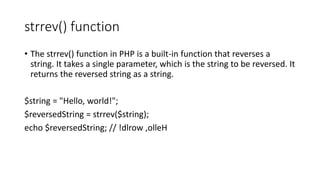
strrev() function
• The strrev() function in PHP is a built-in function that reverses a
string. It takes a single parameter, which is the string to be reversed. It
returns the reversed string as a string.
$string = "Hello, world!";
$reversedString = strrev($string);
echo $reversedString; // !dlrow ,olleH
str_repeat() function
• The str_repeat() function in PHP is a built-in function that repeats a
string a specified number of times. It takes two parameters:
• The string to be repeated.
• The number of times to repeat the string.
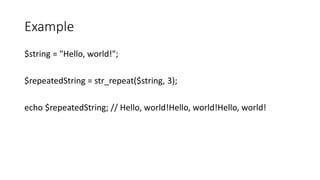
Example
$string = "Hello, world!";
$repeatedString = str_repeat($string, 3);
echo $repeatedString; // Hello, world!Hello, world!Hello, world!
str_pad() function
• The str_pad() function in PHP pads a string to a given length. It takes
four parameters:
• The string to be padded.
• The length of the new string.
• The string to use for padding (optional).
• The side of the string to pad (optional).
• If the padding string is not specified, then spaces will be used. If the
side of the string to pad is not specified, then the right side will be
padded.
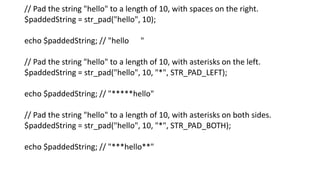
// Pad the string "hello" to a length of 10, with spaces on the right.
$paddedString = str_pad("hello", 10);
echo $paddedString; // "hello "
// Pad the string "hello" to a length of 10, with asterisks on the left.
$paddedString = str_pad("hello", 10, "*", STR_PAD_LEFT);
echo $paddedString; // "*****hello"
// Pad the string "hello" to a length of 10, with asterisks on both sides.
$paddedString = str_pad("hello", 10, "*", STR_PAD_BOTH);
echo $paddedString; // "***hello**"
explode() function
• The explode() function splits a string into an array, using a specified
delimiter.
• For example, the following code splits the string "hello, world!" into
the array ["hello", "world!"]:
$string = "hello, world!";
$array = explode(",", $string);
print_r($array);
o/p
Array
(
[0] => hello
[1] => world!
)
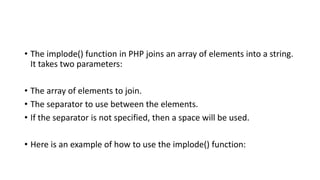
• The implode() function in PHP joins an array of elements into a string.
It takes two parameters:
• The array of elements to join.
• The separator to use between the elements.
• If the separator is not specified, then a space will be used.
• Here is an example of how to use the implode() function:
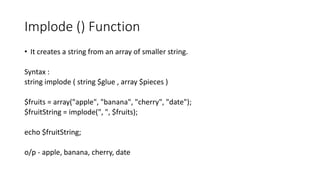
Implode () Function
• It creates a string from an array of smaller string.
Syntax :
string implode ( string $glue , array $pieces )
$fruits = array("apple", "banana", "cherry", "date");
$fruitString = implode(", ", $fruits);
echo $fruitString;
o/p - apple, banana, cherry, date
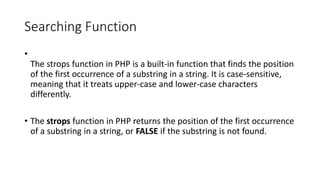
Searching Function
•
The strops function in PHP is a built-in function that finds the position
of the first occurrence of a substring in a string. It is case-sensitive,
meaning that it treats upper-case and lower-case characters
differently.
• The strops function in PHP returns the position of the first occurrence
of a substring in a string, or FALSE if the substring is not found.
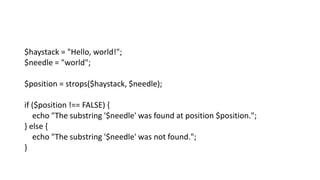
$haystack = "Hello, world!";
$needle = "world";
$position = strops($haystack, $needle);
if ($position !== FALSE) {
echo "The substring '$needle' was found at position $position.";
} else {
echo "The substring '$needle' was not found.";
}
•
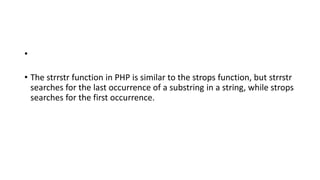
• The strrstr function in PHP is similar to the strops function, but strrstr
searches for the last occurrence of a substring in a string, while strops
searches for the first occurrence.
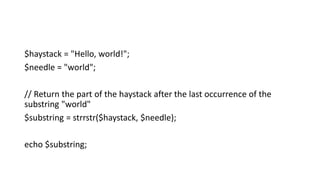
$haystack = "Hello, world!";
$needle = "world";
// Return the part of the haystack after the last occurrence of the
substring "world"
$substring = strrstr($haystack, $needle);
echo $substring;
php_string.pdf

php_string.pdf

  • 1.
    Types of StringsIn PHP By. Sharon M.
  • 2.
    What is String InPHP, a string is a sequence of characters. It is a data type that can be used to store text, such as a person's name, a company's name, or a product description.
  • 3.
    Single quotes This isthe simplest way to specify a string. The text is enclosed in single quotes (the character '). $str = 'This is a string.';
  • 4.
    Double quotes This isa more versatile way to specify a string. In addition to the characters that can be enclosed in single quotes, double quotes also allow you to use escape sequences, such as n for a newline character. $str = "This is a string with a newline.n"
  • 5.
    <?php $name = 'John'; $age= 30; // Using single quotes $singleQuoted = 'My name is $name and I am $age years old.nI am from a single- quoted string.'; echo "Single-quoted:n$singleQuotedn"; // Using double quotes $doubleQuoted = "My name is $name and I am $age years old.nI am from a double-quoted string."; echo "Double-quoted:n$doubleQuotedn"; ?>
  • 6.
    Single-quoted: My name is$name and I am $age years old.nI am from a single- quoted string. Double-quoted: My name is John and I am 30 years old. I am from a double-quoted string.
  • 7.
  • 8.
  • 9.
    Heredoc $str = <<<example This is a string. This is the second line. example;
  • 10.
    Heredoc • Heredoc isa special syntax in PHP that allows you to define a string that spans multiple lines. • The heredoc syntax starts with the <<< operator, followed by an identifier. • The identifier can be any word or phrase. The string itself follows, and the identifier is repeated at the end of the string to close the heredoc.
  • 11.
    N0w doc -Syntax <<<'identifier' string EOT;
  • 12.
    N0w doc -Syntax $str = <<<'EOT' This is a nowdoc string. This is the second line. EOT; echo $str;
  • 13.
    N0w doc • Nowdocis a special syntax in PHP that allows you to define a string that spans multiple lines, similar to heredoc. • However, unlike heredoc, nowdoc strings are parsed as single-quoted strings, so variables and special characters are not interpreted.
  • 14.
    Variable Interpolation • Variableinterpolation is a feature in PHP that allows you to insert the value of a variable into a string. • This can be useful for creating dynamic content, such as greeting messages or product descriptions.
  • 15.
    $name = 'JohnDoe'; $message = 'Hello, $name!'; echo $name; echo $message;
  • 16.
    Printing in PHP 1.echo construct 2. print() 3. printf() 4. var_dump()
  • 17.
    echo construct The echokeyword in PHP is used to output text. It is not a function, so it does not have parentheses. The arguments to echo are a list of expressions separated by commas. Expressions can be strings, variables, numbers, or other PHP constructs.
  • 18.
    Example echo "Hello, world!"; echo$name; // Outputs the value of the variable $name echo 123; // Outputs the number 123 echo "<h1>This is a heading</h1>"; // Outputs an HTML heading
  • 19.
    • PHP, theprint statement is used to output text or variables to the web page. • It functions similarly to the echo statement but has a subtle difference: • print is a language construct rather than a function, and it always returns a value of 1.
  • 20.
    Examples of Print <?php print"Hello, World!"; ?> <?php $message = "Hello, World!"; print $message; ?>
  • 21.
    <?php $result = print"Hello, World!"; echo $result; // This will output "1" ?>
  • 22.
    Printf • printf isa function used for formatted printing. • It is used to print formatted text to the output, similar to echo or print, but with more control over the formatting of the output. • printf is often used when you need to display variables with specific formatting, such as numbers or dates.
  • 23.
    Syntax printf(format, arg1, arg2,...) Example $name = "John"; $age = 30; printf("Name: %s, Age: %d", $name, $age);
  • 24.
    print_r • print_r isa built-in function used for displaying information about a variable or an array in a human-readable format. • It's particularly useful for debugging and understanding the structure and contents of complex data structures like arrays and objects. • Syntax print_r(variable, return);
  • 25.
    Example $array = array('apple','banana', 'cherry'); print_r($array); o/p Array ( [0] => apple [1] => banana [2] => cherry )
  • 26.
    var_dump var_dump is abuilt-in function used for debugging and inspecting variables, arrays, objects, or other data structures. It provides detailed information about a variable's data type, value, and structure. var_dump is especially useful when you need to understand the contents of a variable during development or debugging processes. var_dump(variable);
  • 27.
  • 28.
  • 29.
  • 30.
  • 31.
    Exact Comparison • The=== operator in PHP is the identity operator. It checks if two operands are equal in value and type. • The == operator is the equality operator. It checks if two operands are equal in value, but it does not check their type.
  • 32.
  • 33.
    Exact Comparison $string1 ="Hello"; $string2 = "hello"; $number1 = 10; $number2 = 10.0; echo $string1 === $string2; // False echo $string1 == $string2; // True echo $number1 === $number2; // False echo $number1 == $number2; // True
  • 34.
    Exact Comparison $string1 ="10"; $number1 = 10; echo $string1 == $number1; // True
  • 35.
    Exact Comparison This isbecause the PHP interpreter will automatically convert the string 10 to an integer before comparing it to the number 10.
  • 36.
    Approximate Equality $string ="Hello"; $soundexKey = soundex($string); echo $soundexKey; // H400
  • 37.
    Approximate Equality function compareSoundexKeys($string1,$string2) { $soundexKey1 = soundex($string1); $soundexKey2 = soundex($string2); return $soundexKey1 === $soundexKey2; } $string1 = "Hello"; $string2 = "Halo"; if (compareSoundexKeys($string1, $string2)) { echo "The strings $string1 and $string2 have the same Soundex key."; } else { echo "The strings $string1 and $string2 do not have the same Soundex key."; }
  • 38.
    Approximate Equality • Themetaphone key of a string is a phonetic representation of the string, based on the English pronunciation of the string. • The metaphone key is calculated using a set of rules that take into account the pronunciation of individual letters and letter combinations. • The metaphone key is a more accurate representation of the pronunciation of a string than the Soundex key, because it takes into account more complex phonetic rules.
  • 39.
    function compareMetaphoneKeys($string1, $string2){ $metaphoneKey1 = metaphone($string1); $metaphoneKey2 = metaphone($string2); return $metaphoneKey1 === $metaphoneKey2; } $string1 = "Hello"; $string2 = "Halo"; if (compareMetaphoneKeys($string1, $string2)) { echo "The strings $string1 and $string2 have the same metaphone key."; } else { echo "The strings $string1 and $string2 do not have the same metaphone key."; }
  • 41.
    $string = "Hello,world!"; $substring = substr($string, 0, 5); echo $substring; // Output: Hello // Replace the substring "world" with "Earth" $substring = substr_replace($string, "Earth", 7); echo $substring; // Output: Hello, Earth! // Count the number of occurrences of the substring "world" in a string $count = substr_count($string, "world"); echo $count; // Output: 1
  • 42.
    The substr() The substr()function extracts a substring from a string. It takes three parameters: • The string to extract the substring from. • The starting position of the substring. • The length of the substring. If the third parameter is omitted, the substring will extend to the end of the string.
  • 43.
    substr_replace() • The substr_replace()function replaces a substring in a string with another substring. It takes four parameters: • The string to replace the substring in. • The replacement string. • The starting position of the substring to replace.
  • 44.
    substr_count() • The substr_count()function counts the number of occurrences of a substring in a string. It takes two parameters: • The string to search for the substring in. • The substring to search for.
  • 45.
    strrev() function • Thestrrev() function in PHP is a built-in function that reverses a string. It takes a single parameter, which is the string to be reversed. It returns the reversed string as a string. $string = "Hello, world!"; $reversedString = strrev($string); echo $reversedString; // !dlrow ,olleH
  • 46.
    str_repeat() function • Thestr_repeat() function in PHP is a built-in function that repeats a string a specified number of times. It takes two parameters: • The string to be repeated. • The number of times to repeat the string.
  • 47.
    Example $string = "Hello,world!"; $repeatedString = str_repeat($string, 3); echo $repeatedString; // Hello, world!Hello, world!Hello, world!
  • 48.
    str_pad() function • Thestr_pad() function in PHP pads a string to a given length. It takes four parameters: • The string to be padded. • The length of the new string. • The string to use for padding (optional). • The side of the string to pad (optional). • If the padding string is not specified, then spaces will be used. If the side of the string to pad is not specified, then the right side will be padded.
  • 49.
    // Pad thestring "hello" to a length of 10, with spaces on the right. $paddedString = str_pad("hello", 10); echo $paddedString; // "hello " // Pad the string "hello" to a length of 10, with asterisks on the left. $paddedString = str_pad("hello", 10, "*", STR_PAD_LEFT); echo $paddedString; // "*****hello" // Pad the string "hello" to a length of 10, with asterisks on both sides. $paddedString = str_pad("hello", 10, "*", STR_PAD_BOTH); echo $paddedString; // "***hello**"
  • 50.
    explode() function • Theexplode() function splits a string into an array, using a specified delimiter. • For example, the following code splits the string "hello, world!" into the array ["hello", "world!"]:
  • 51.
    $string = "hello,world!"; $array = explode(",", $string); print_r($array); o/p Array ( [0] => hello [1] => world! )
  • 52.
    • The implode()function in PHP joins an array of elements into a string. It takes two parameters: • The array of elements to join. • The separator to use between the elements. • If the separator is not specified, then a space will be used. • Here is an example of how to use the implode() function:
  • 53.
    Implode () Function •It creates a string from an array of smaller string. Syntax : string implode ( string $glue , array $pieces ) $fruits = array("apple", "banana", "cherry", "date"); $fruitString = implode(", ", $fruits); echo $fruitString; o/p - apple, banana, cherry, date
  • 54.
    Searching Function • The stropsfunction in PHP is a built-in function that finds the position of the first occurrence of a substring in a string. It is case-sensitive, meaning that it treats upper-case and lower-case characters differently. • The strops function in PHP returns the position of the first occurrence of a substring in a string, or FALSE if the substring is not found.
  • 55.
    $haystack = "Hello,world!"; $needle = "world"; $position = strops($haystack, $needle); if ($position !== FALSE) { echo "The substring '$needle' was found at position $position."; } else { echo "The substring '$needle' was not found."; }
  • 56.
    • • The strrstrfunction in PHP is similar to the strops function, but strrstr searches for the last occurrence of a substring in a string, while strops searches for the first occurrence.
  • 57.
    $haystack = "Hello,world!"; $needle = "world"; // Return the part of the haystack after the last occurrence of the substring "world" $substring = strrstr($haystack, $needle); echo $substring;