Introduction to PHP(Personal Home Page=>Hypertext Preprocessor)
Introduction
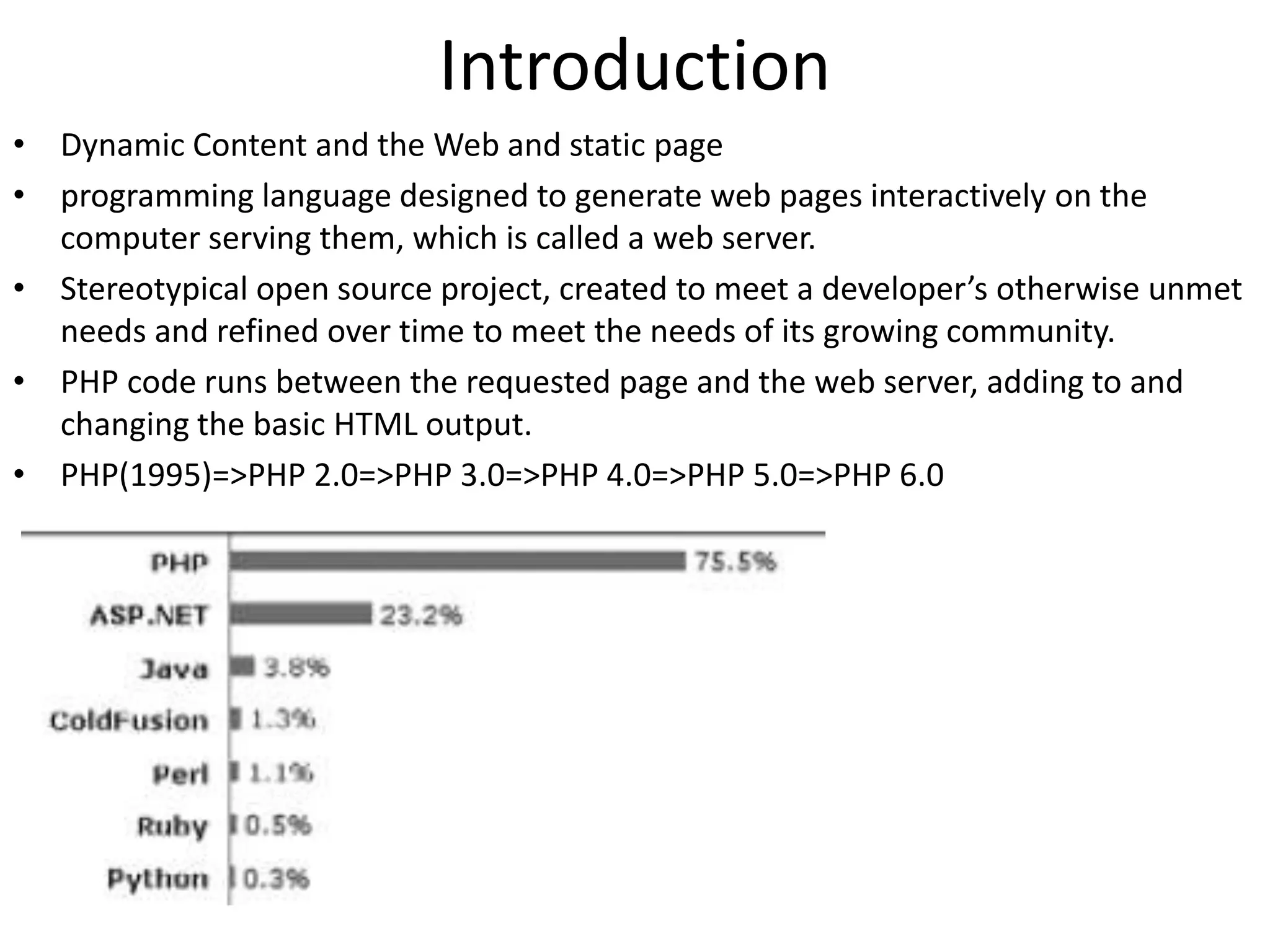
• Dynamic Content and the Web and static page
• programming language designed to generate web pages interactively on the
computer serving them, which is called a web server.
• Stereotypical open source project, created to meet a developer’s otherwise unmet
needs and refined over time to meet the needs of its growing community.
• PHP code runs between the requested page and the web server, adding to and
changing the basic HTML output.
• PHP(1995)=>PHP 2.0=>PHP 3.0=>PHP 4.0=>PHP 5.0=>PHP 6.0
Why Choose PHP?
• Speed of Development
– remove obstacles that stand in the way of effective and
flexible design
• PHP Is Open Source
– open source simply means free, which is, of course, a benefit
in itself.
• Performance
– it stores compiled code in memory, eliminating the overhead
of parsing and interpreting source files for every request.
• Portability
– run on many operating systems
– cooperate with many servers and databases.
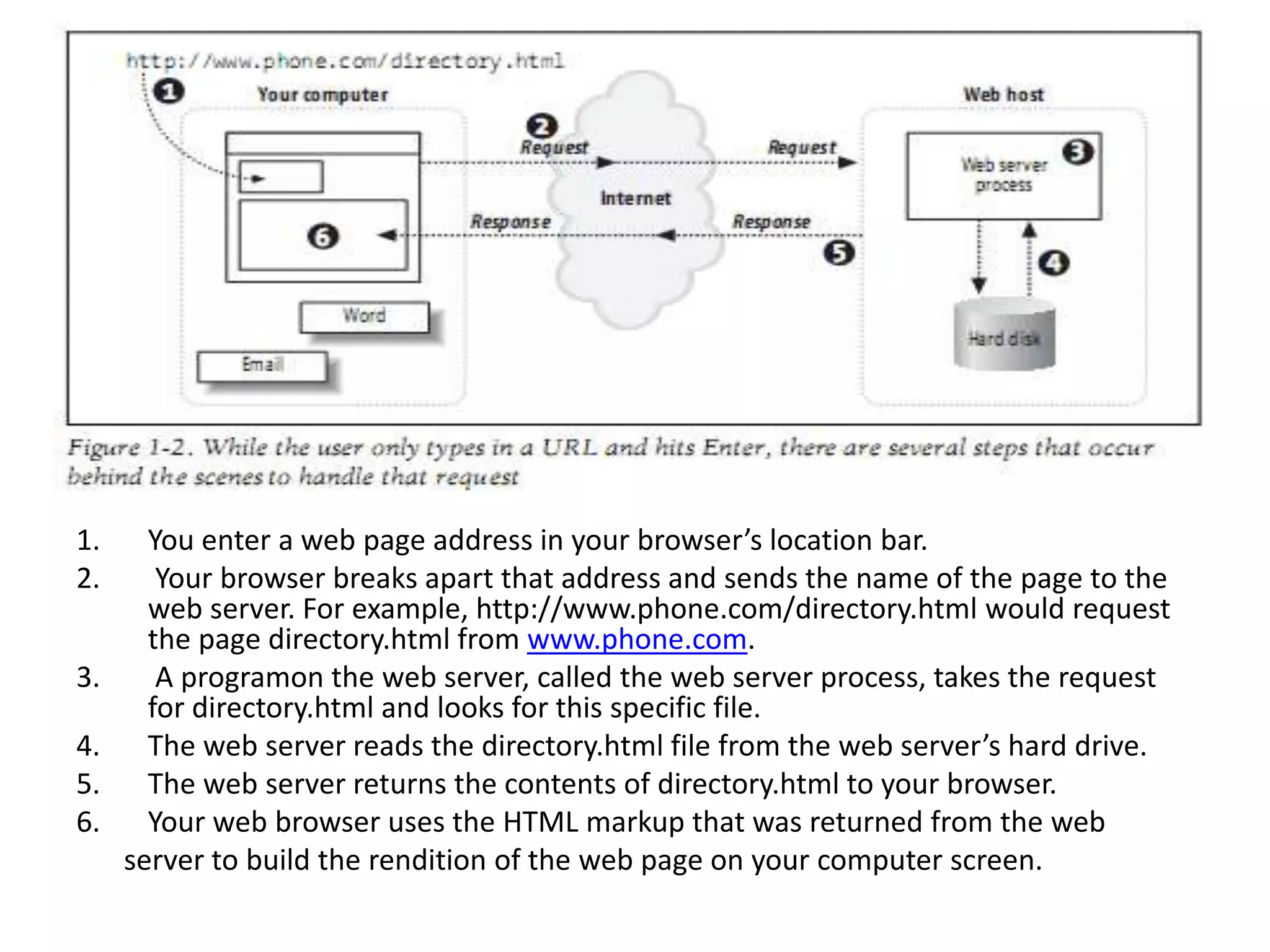
1. You enter a web page address in your browser’s location bar.
2. Your browser breaks apart that address and sends the name of the page to the
web server. For example, http://www.phone.com/directory.html would request
the page directory.html from www.phone.com.
3. A programon the web server, called the web server process, takes the request
for directory.html and looks for this specific file.
4. The web server reads the directory.html file from the web server’s hard drive.
5. The web server returns the contents of directory.html to your browser.
6. Your web browser uses the HTML markup that was returned from the web
server to build the rendition of the web page on your computer screen.
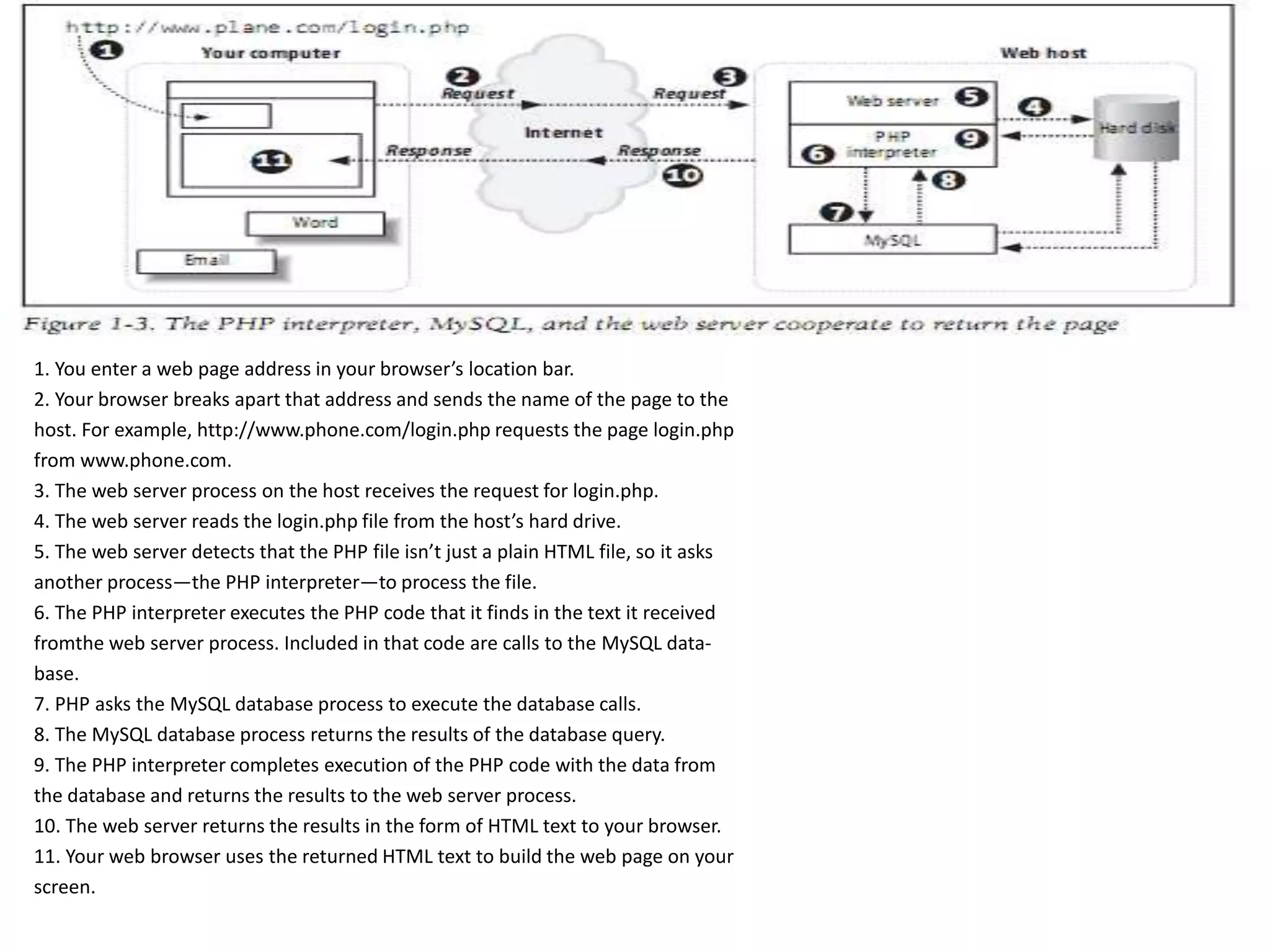
1. You enter a web page address in your browser’s location bar.
2. Your browser breaks apart that address and sends the name of the page to the
host. For example, http://www.phone.com/login.php requests the page login.php
from www.phone.com.
3. The web server process on the host receives the request for login.php.
4. The web server reads the login.php file from the host’s hard drive.
5. The web server detects that the PHP file isn’t just a plain HTML file, so it asks
another process—the PHP interpreter—to process the file.
6. The PHP interpreter executes the PHP code that it finds in the text it received
fromthe web server process. Included in that code are calls to the MySQL data-
base.
7. PHP asks the MySQL database process to execute the database calls.
8. The MySQL database process returns the results of the database query.
9. The PHP interpreter completes execution of the PHP code with the data from
the database and returns the results to the web server process.
10. The web server returns the results in the form of HTML text to your browser.
11. Your web browser uses the returned HTML text to build the web page on your
screen.
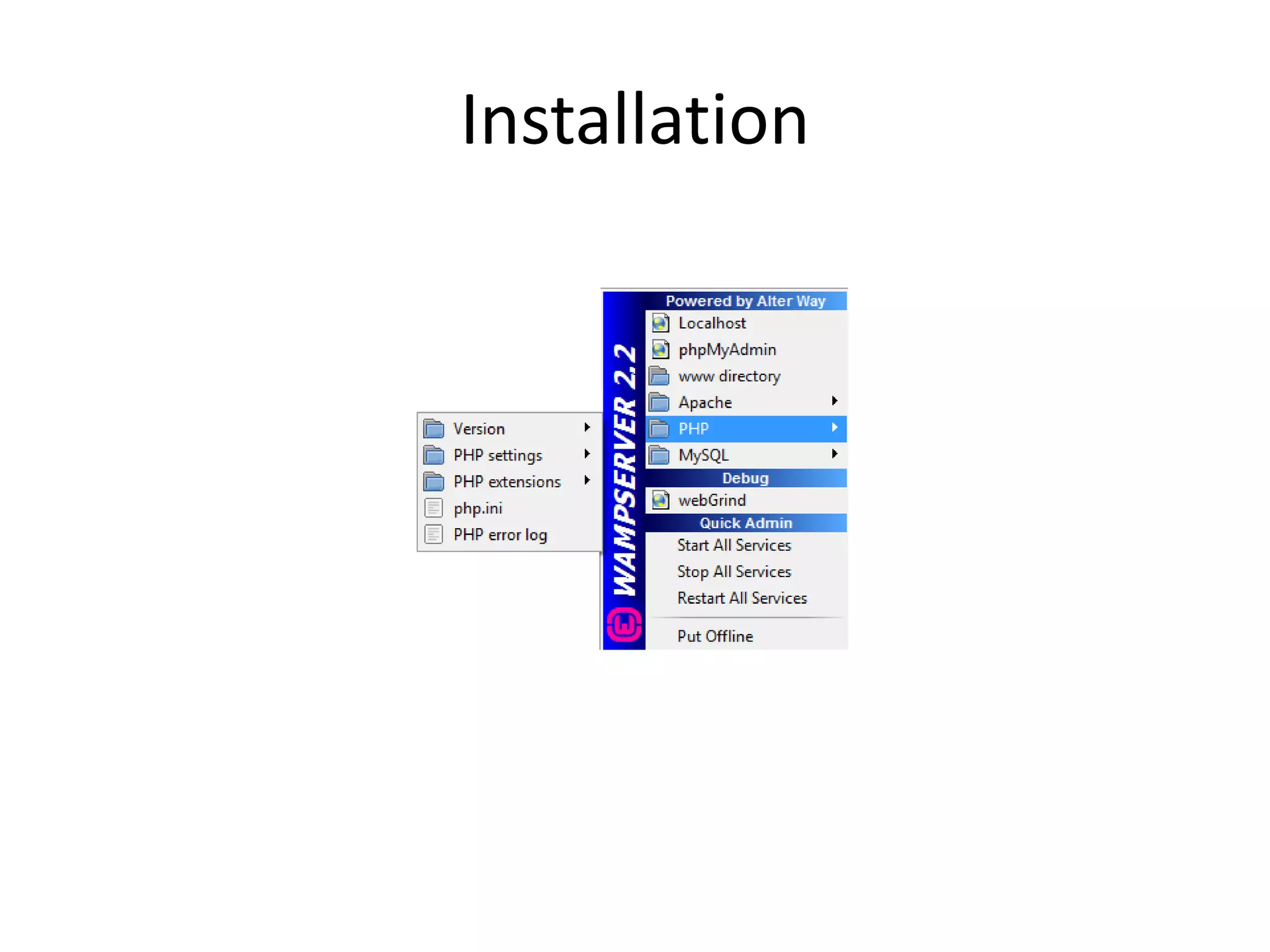
Installation
Comment
• comment is text in a script that is ignored by the
PHP engine. Comments can be used to make code
more readable or to annotate a script.
– // for single-line comments;
– /* …for multiline comments…*/
– # Title: My PHP program
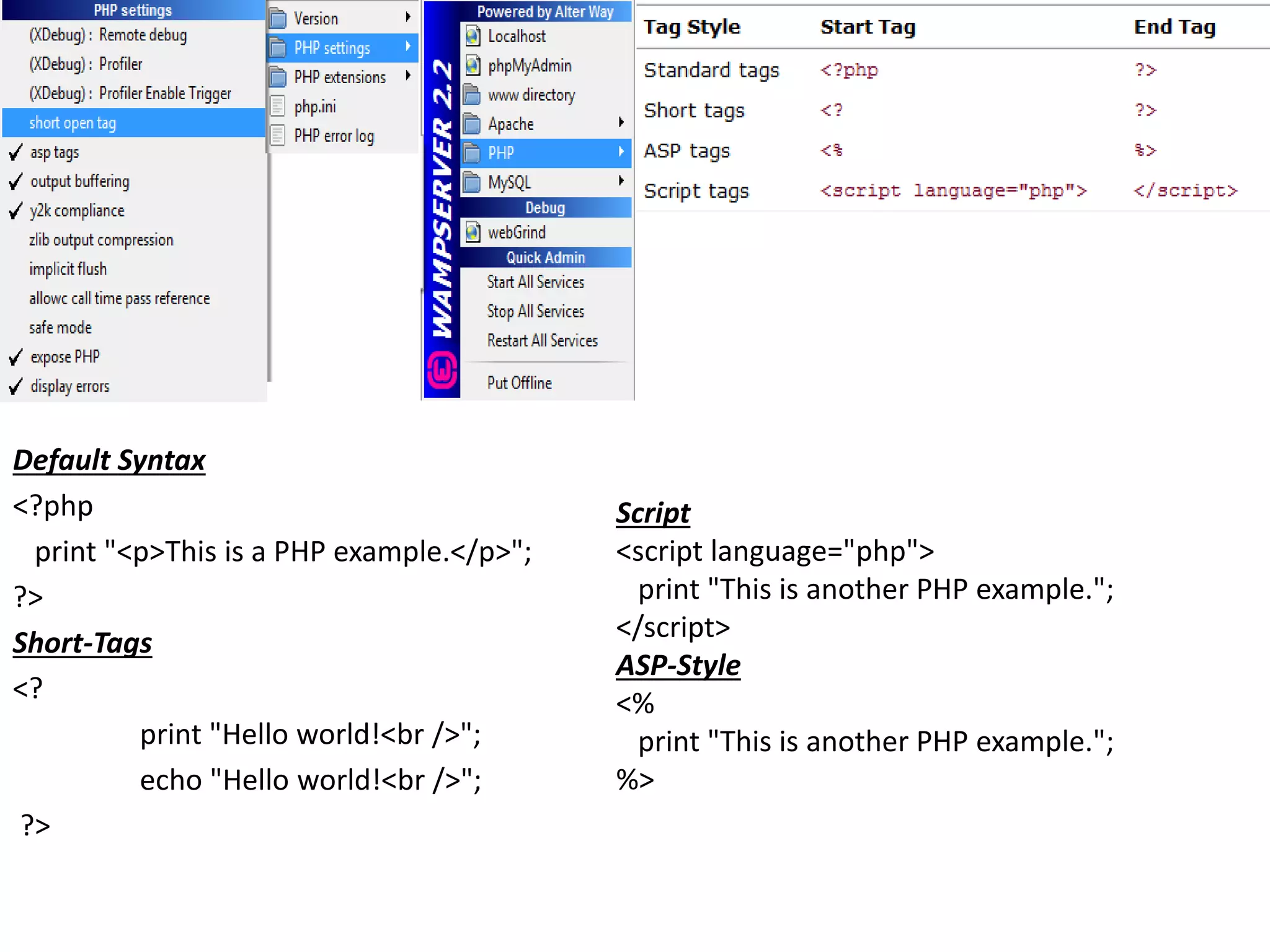
Default Syntax
<?php
print "<p>This is a PHP example.</p>";
?>
Short-Tags
<?
print "Hello world!<br />";
echo "Hello world!<br />";
?>
Script
<script language="php">
print "This is another PHP example.";
</script>
ASP-Style
<%
print "This is another PHP example.";
%>
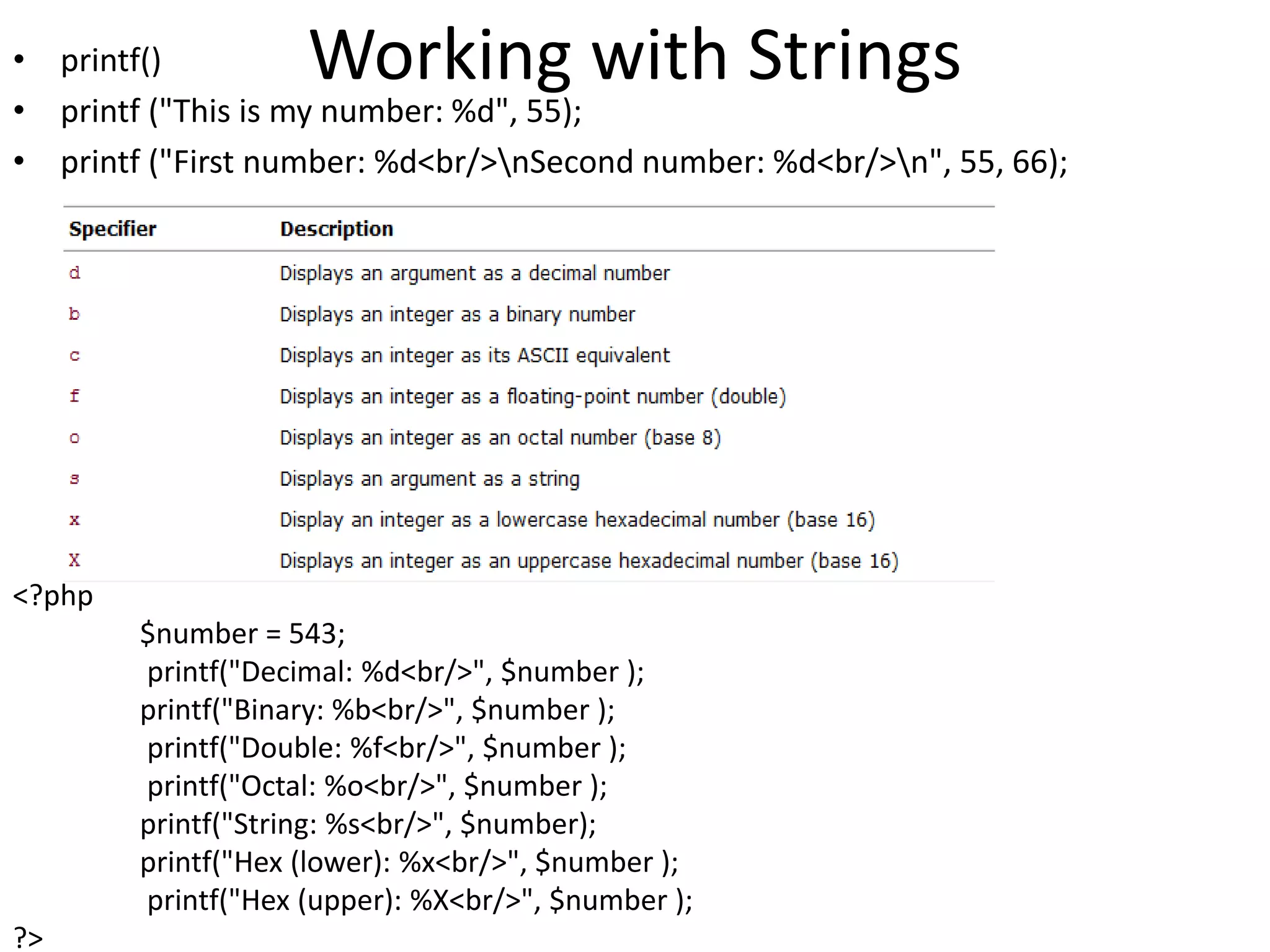
Working with Strings• printf()
• printf ("This is my number: %d", 55);
• printf ("First number: %d<br/>nSecond number: %d<br/>n", 55, 66);
<?php
$number = 543;
printf("Decimal: %d<br/>", $number );
printf("Binary: %b<br/>", $number );
printf("Double: %f<br/>", $number );
printf("Octal: %o<br/>", $number );
printf("String: %s<br/>", $number);
printf("Hex (lower): %x<br/>", $number );
printf("Hex (upper): %X<br/>", $number );
?>
•EX
•printf("%04d", 36); // prints "0036“
•printf ("% 4d", 36); // prints “ 36“
•EX: <pre> <?php print "The spaces will be visible"; ?> </pre>
•EX:
•printf ( "%'x4d", 36 ); // prints "xx36“
•printf( "%.2f", 5.333333); // prints "5.33“
•EX:
•$dosh = sprintf("%.2f", 2.334454);
•print "You have $dosh dollars to spend";
•EX:
•$test = "scallywag";
• print $test[5];
•// prints "s"
•print $test[2]; // prints "a“
•EX:printf (strlen($dosh));
•EX:
•$membership = "mz00xyz";
•printf (strpos($membership, "0") );
•EX:
•$test = "scallywag";
•print substr($test,6); // prints "wag"
•print substr($test,6,2); // prints "wa"
•EX:
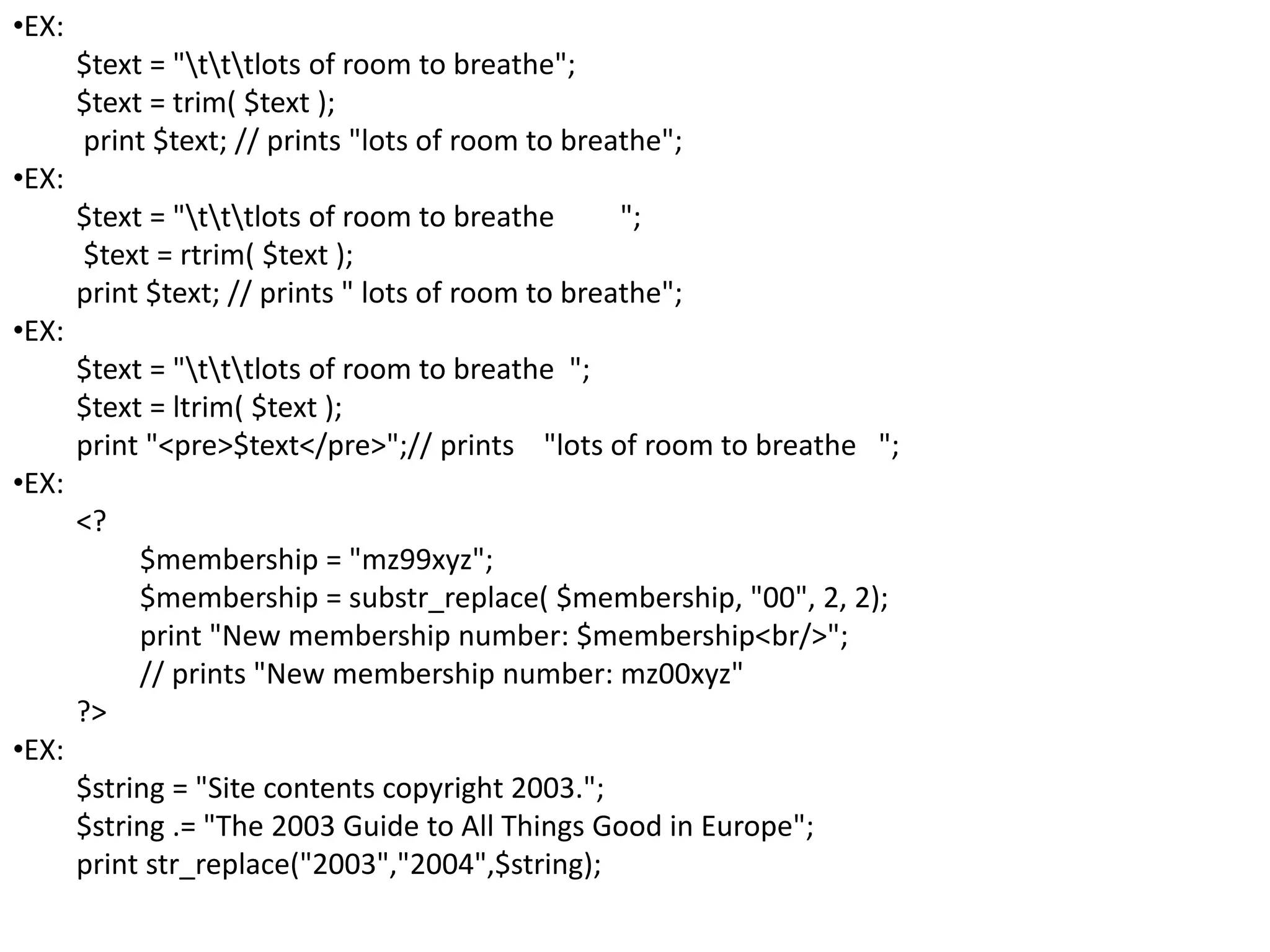
$text = "tttlots of room to breathe";
$text = trim( $text );
print $text; // prints "lots of room to breathe";
•EX:
$text = "tttlots of room to breathe ";
$text = rtrim( $text );
print $text; // prints " lots of room to breathe";
•EX:
$text = "tttlots of room to breathe ";
$text = ltrim( $text );
print "<pre>$text</pre>";// prints "lots of room to breathe ";
•EX:
<?
$membership = "mz99xyz";
$membership = substr_replace( $membership, "00", 2, 2);
print "New membership number: $membership<br/>";
// prints "New membership number: mz00xyz"
?>
•EX:
$string = "Site contents copyright 2003.";
$string .= "The 2003 Guide to All Things Good in Europe";
print str_replace("2003","2004",$string);
•EX:
$membership = "mz00xyz";
$membership = strtoupper( $membership );
print "$membership<P>"; // prints "MZ00XYZ“
•EX:
$string = "Given a long line, wordwrap() is useful as a means of";
$string .= "breaking it into a column and thereby making it easier to read";
print wordwrap($string);
//Given a long line, wordwrap() is useful as a means of breaking it into a
column and thereby making it easier to read
•EX:
$start_date = "2000-01-12";
$date_array = explode (“-",$start_date);
// $date[0] == "2000"
// $date[1] == "01"
// $date[2] == "12“
•EX:
print number_format(100000.56 ); // 100,001
print number_format (100000.5682, 2 ); // 100,001.56
print number_format(100000.56, 4 ); // 100,001.5600
print number_format (1000/00/56, , "-", " "); // 100-000-56
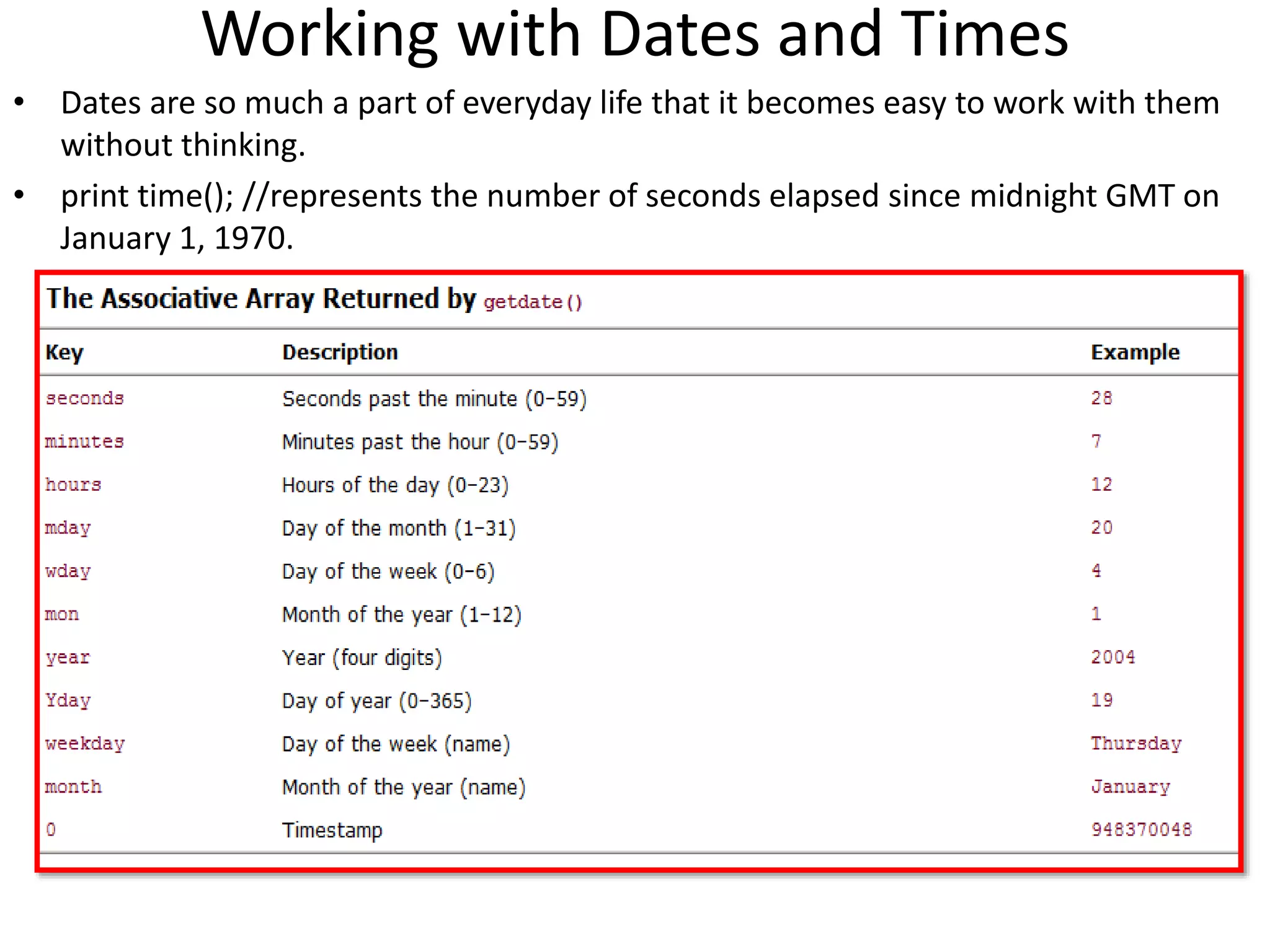
Working with Dates and Times
• Dates are so much a part of everyday life that it becomes easy to work with them
without thinking.
• print time(); //represents the number of seconds elapsed since midnight GMT on
January 1, 1970.
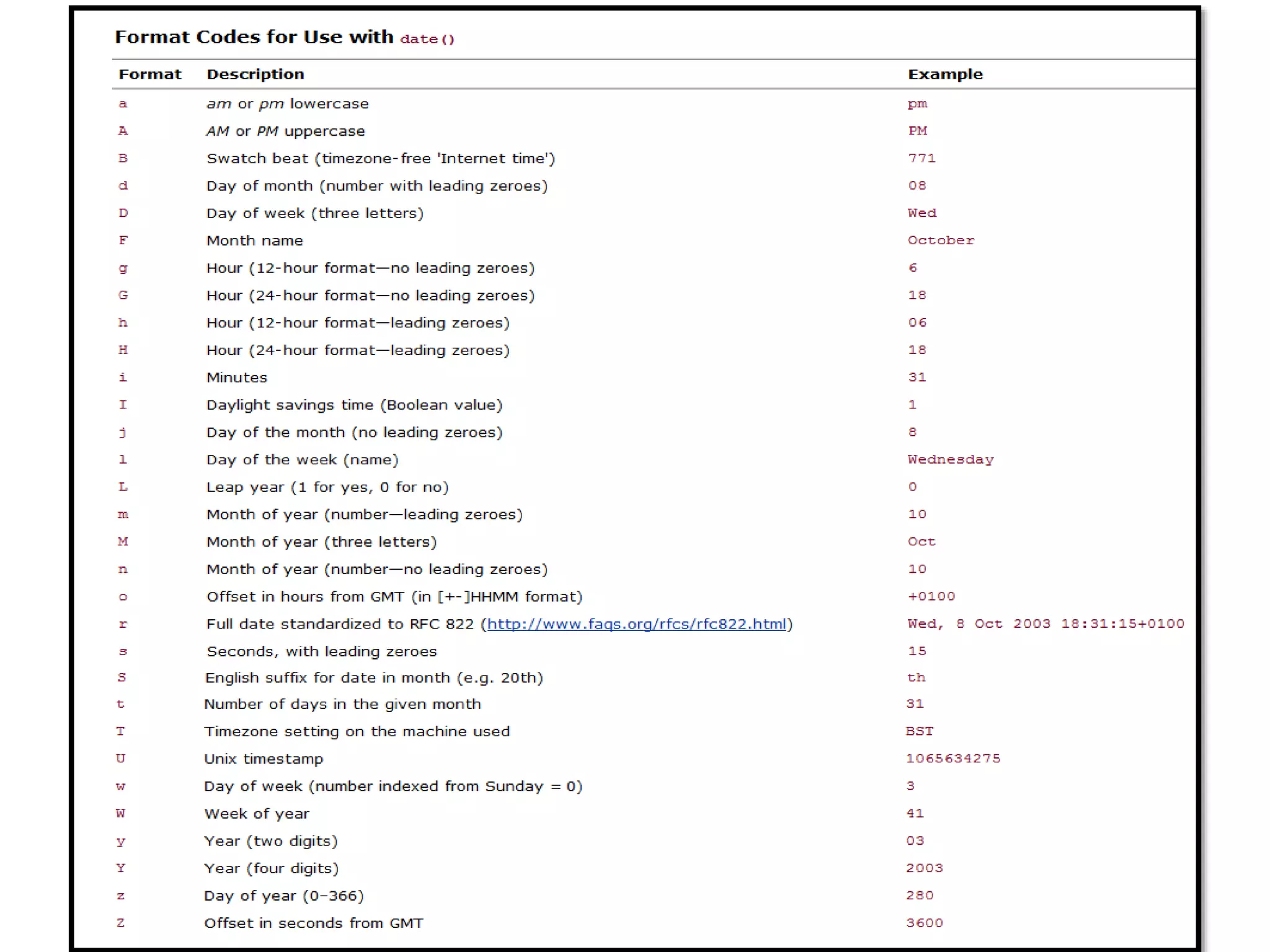
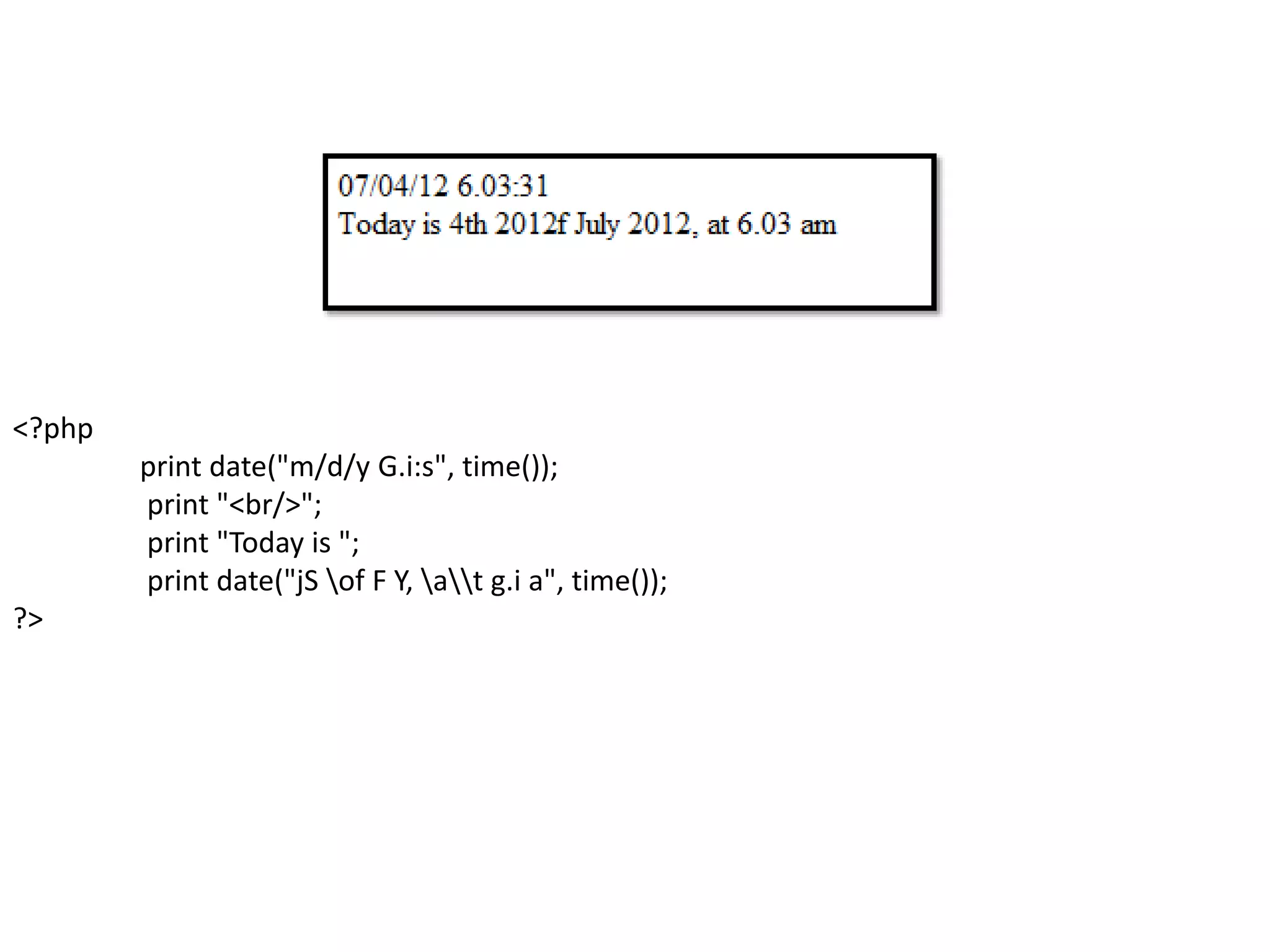
<?php
print date("m/d/y G.i:s", time());
print "<br/>";
print "Today is ";
print date("jS of F Y, at g.i a", time());
?>
Sending text to browser
• print "something";
• phpinfo();
• Note:
– $name = "john";
– print "hello, $name"; // hello, john
– print 'hello, $name';// hello, $name
Variables
• a special container you can define to hold a value.
• A variable consists of a name that you can choose, preceded by a
dollar ($) sign.
• A variable is a holder for a type of data. It can hold numbers, strings
of characters, objects, arrays, or booleans.
• EX1:
<%
$v1=100;
$v2=300;
Print(“$v1=”);
print("<table border=1>");
print("<tr><td>" . $v1 . "+" . $v2 . "=" . ($v1+$v2) . "</td></tr>");
print("<tr><td>" . $v1 . "-" . $v2 . "=" . ($v1-$v2) . "</td></tr>");
print("<tr><td>" . $v1 . "*" . $v2 . "=" . ($v1*$v2) . "</td></tr>");
print("<tr><td>" . $v1 . "/" . $v2 . "=" . ($v1/$v2) . "</td></tr>");
print("</table>");
%>
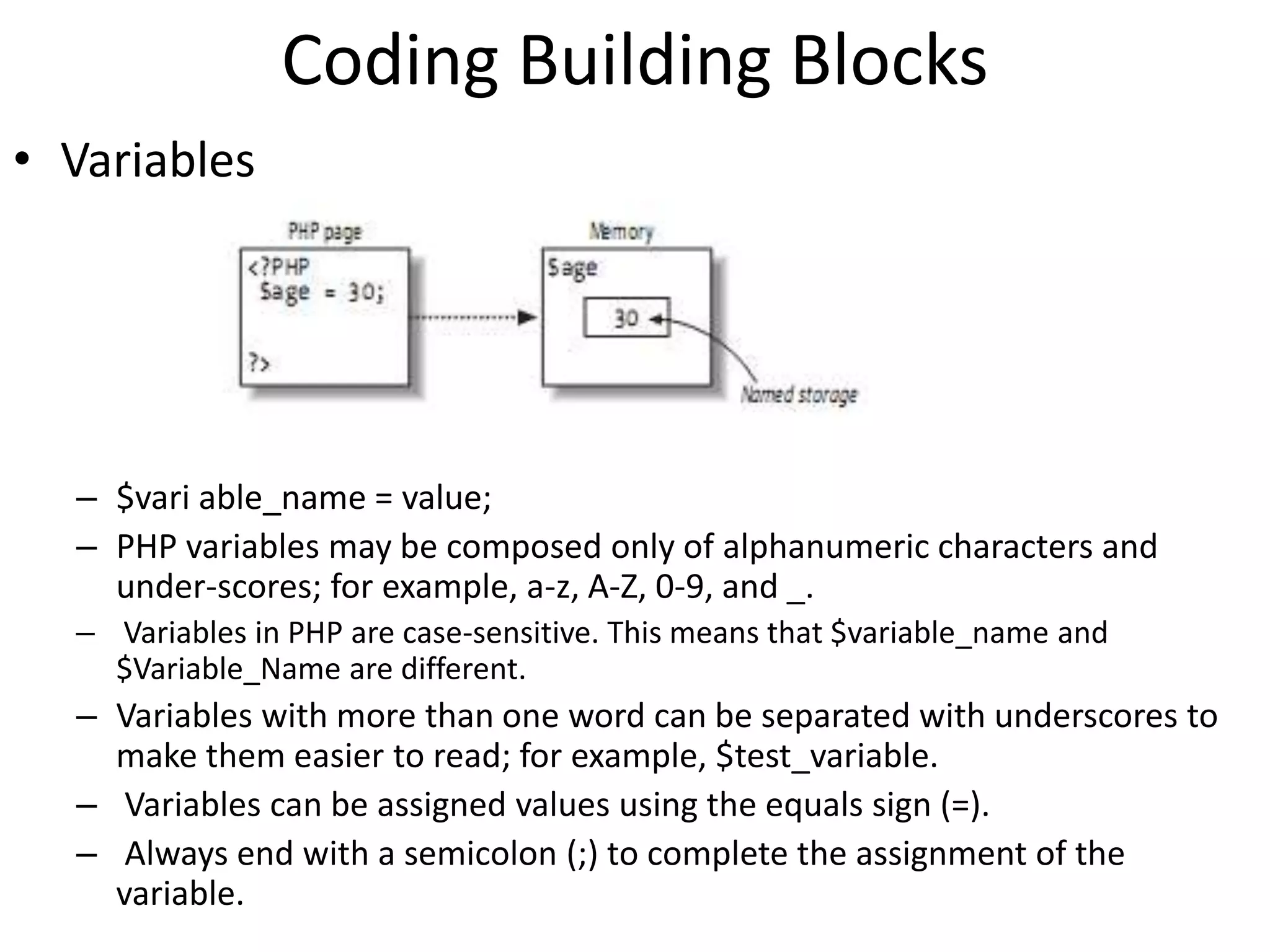
Coding Building Blocks
• Variables
– $vari able_name = value;
– PHP variables may be composed only of alphanumeric characters and
under-scores; for example, a-z, A-Z, 0-9, and _.
– Variables in PHP are case-sensitive. This means that $variable_name and
$Variable_Name are different.
– Variables with more than one word can be separated with underscores to
make them easier to read; for example, $test_variable.
– Variables can be assigned values using the equals sign (=).
– Always end with a semicolon (;) to complete the assignment of the
variable.
Datatypes• Data types as data is assigned to each variable
• Scalar Datatypes
– Boolean
– Integer
– Float//double
– String
• Compound Datatypes
– Array
• $province[n] = “Siem Reap“;
• $province[“siemReap”]=“Pouk”;
– Object
class appliance {
private $power;
function setPower($status) {
$this->power = $status;
}
}
...
$blender = new appliance;
$blender->setPower("on");
• Special Datatypes
– Null
– resource
EX1:
<?php
$testing; // declare without assigning
print gettype( $testing ); // NULL
print "<br />";
$testing = 6;
print gettype( $testing ); // integer
print "<br />";
$testing=“dfsd”;
print gettype( $testing ); // string
print "<br />";
$testing = 5.0;
print gettype( $testing ); // double
print "<br />";
$testing = true;
print gettype( $testing ); // boolean
print "<br />";
?>
EX2:
$testing = 5;
var_dump( $testing );
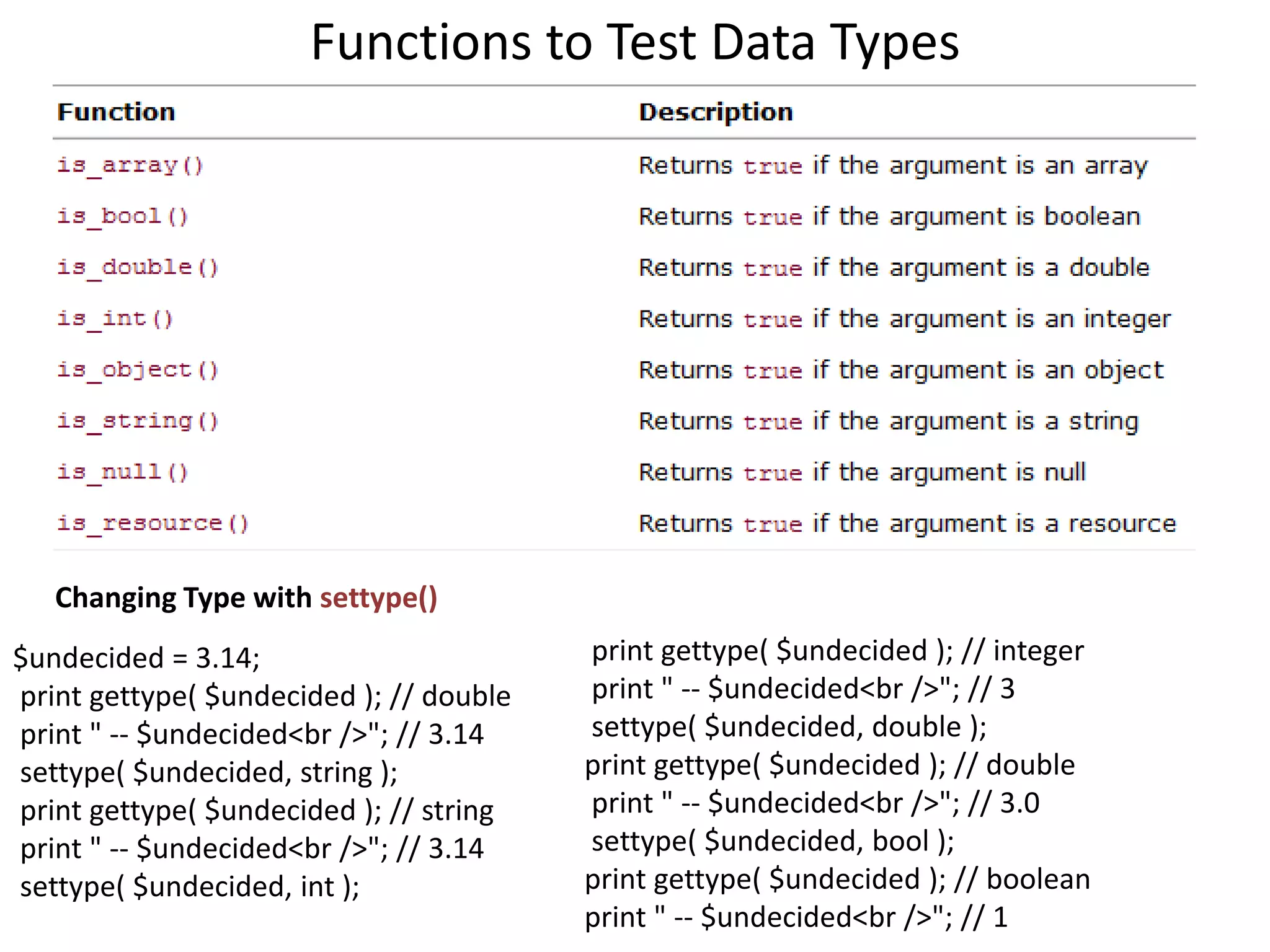
Functions to Test Data Types
Changing Type with settype()
$undecided = 3.14;
print gettype( $undecided ); // double
print " -- $undecided<br />"; // 3.14
settype( $undecided, string );
print gettype( $undecided ); // string
print " -- $undecided<br />"; // 3.14
settype( $undecided, int );
print gettype( $undecided ); // integer
print " -- $undecided<br />"; // 3
settype( $undecided, double );
print gettype( $undecided ); // double
print " -- $undecided<br />"; // 3.0
settype( $undecided, bool );
print gettype( $undecided ); // boolean
print " -- $undecided<br />"; // 1
Type Casting
$variable1 = 13;
$variable2 = (double)$variable1;
$variable1 = 4.7;
$variable2 = 5;
$variable3 = (int) $variable1 + $variable2; // $variable3 = 9
$variable1 = 1114;
$array1 = (array) $variable1;
print $array1[0]; // The value 1114 is output.
$model = "Toyota";
$new_obj = (object) $model;
The value can then be referenced as follows:
print $new_obj->scalar; // returns "Toyota"
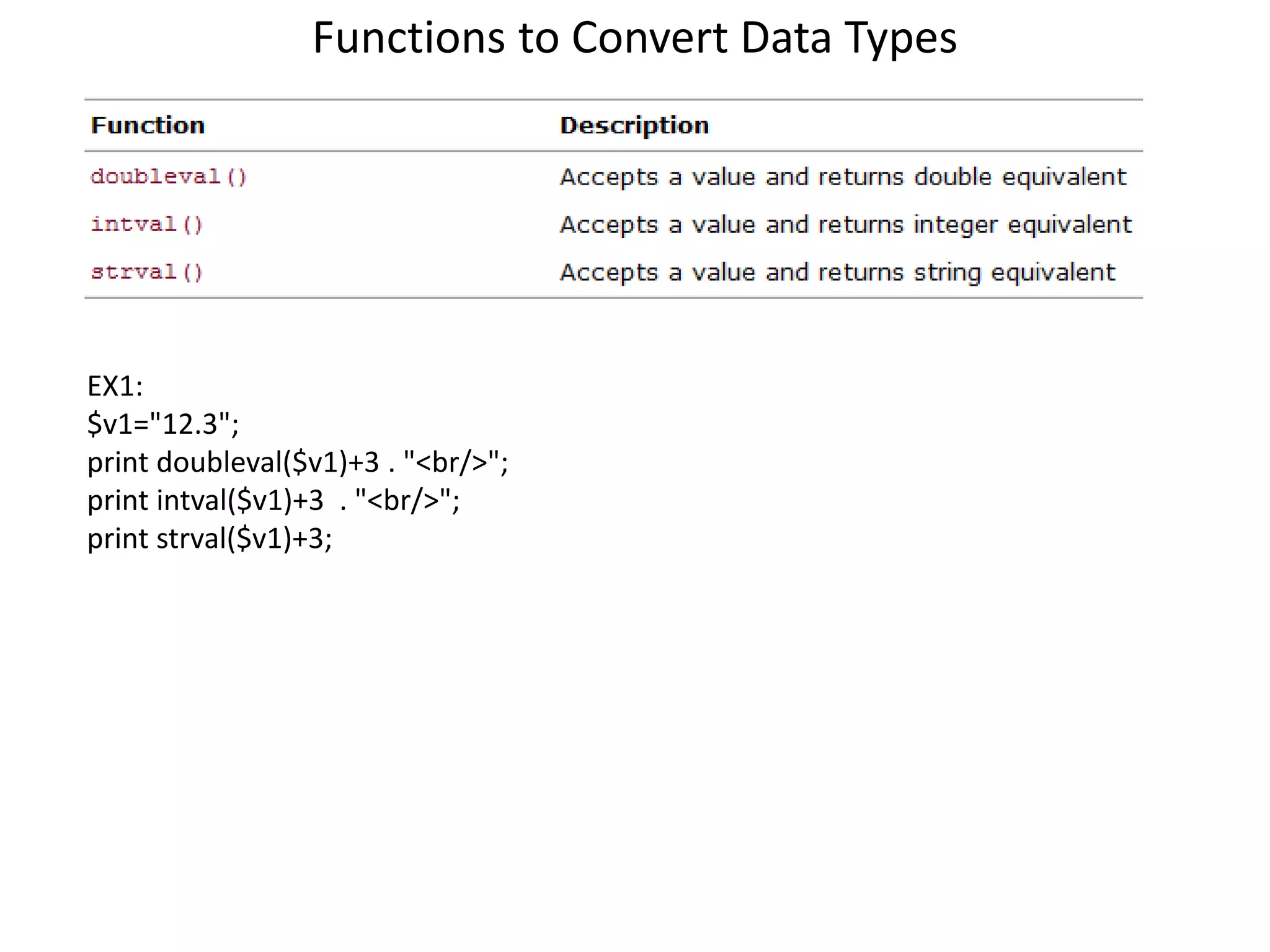
Functions to Convert Data Types
EX1:
$v1="12.3";
print doubleval($v1)+3 . "<br/>";
print intval($v1)+3 . "<br/>";
print strval($v1)+3;
Operators and Expressions
• Operators are symbols that enable you to use one or more
values to produce a new value. A value that is operated on
by an operator is referred to as an operand.
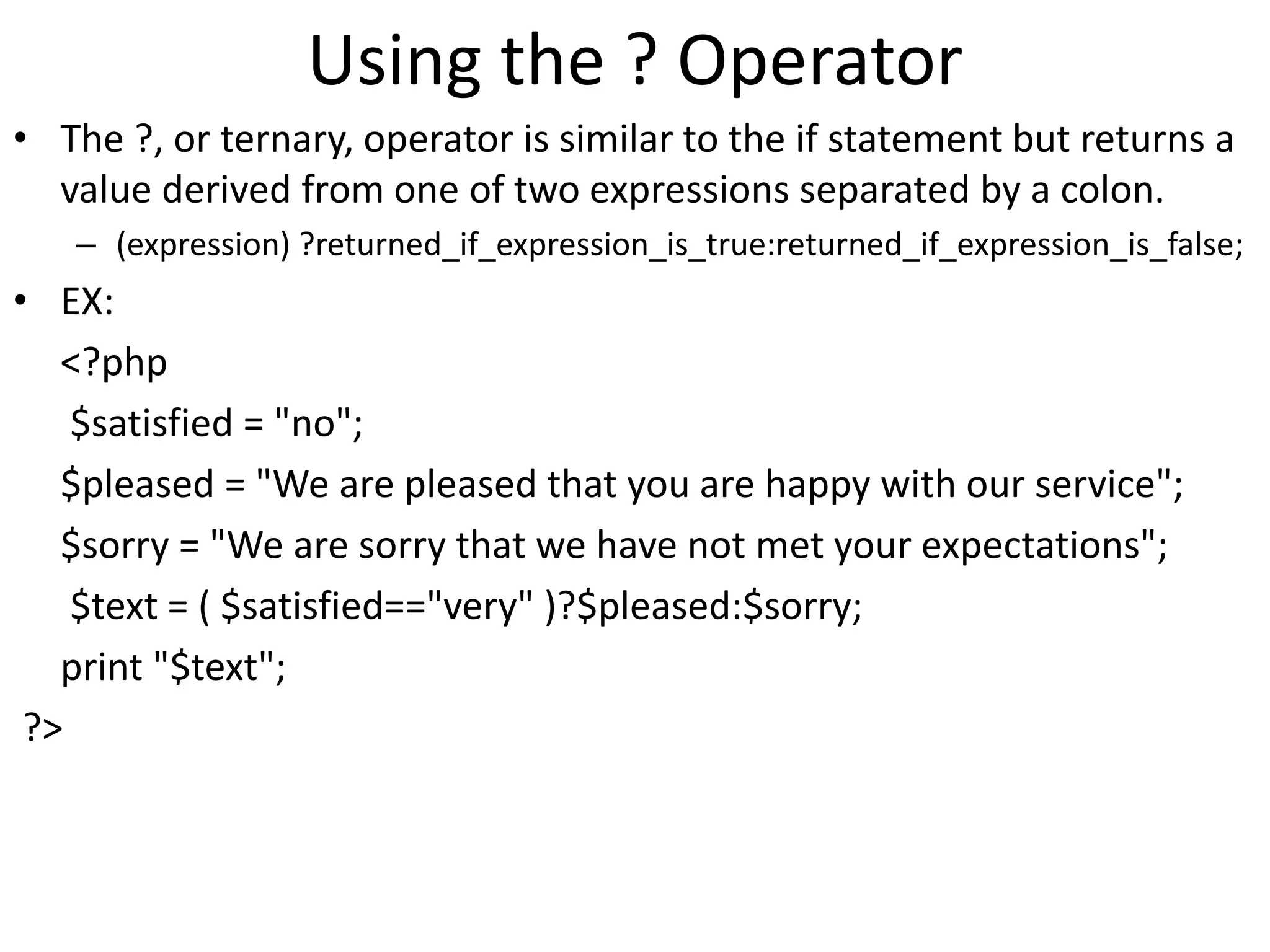
Using the ? Operator
• The ?, or ternary, operator is similar to the if statement but returns a
value derived from one of two expressions separated by a colon.
– (expression) ?returned_if_expression_is_true:returned_if_expression_is_false;
• EX:
<?php
$satisfied = "no";
$pleased = "We are pleased that you are happy with our service";
$sorry = "We are sorry that we have not met your expectations";
$text = ( $satisfied=="very" )?$pleased:$sorry;
print "$text";
?>
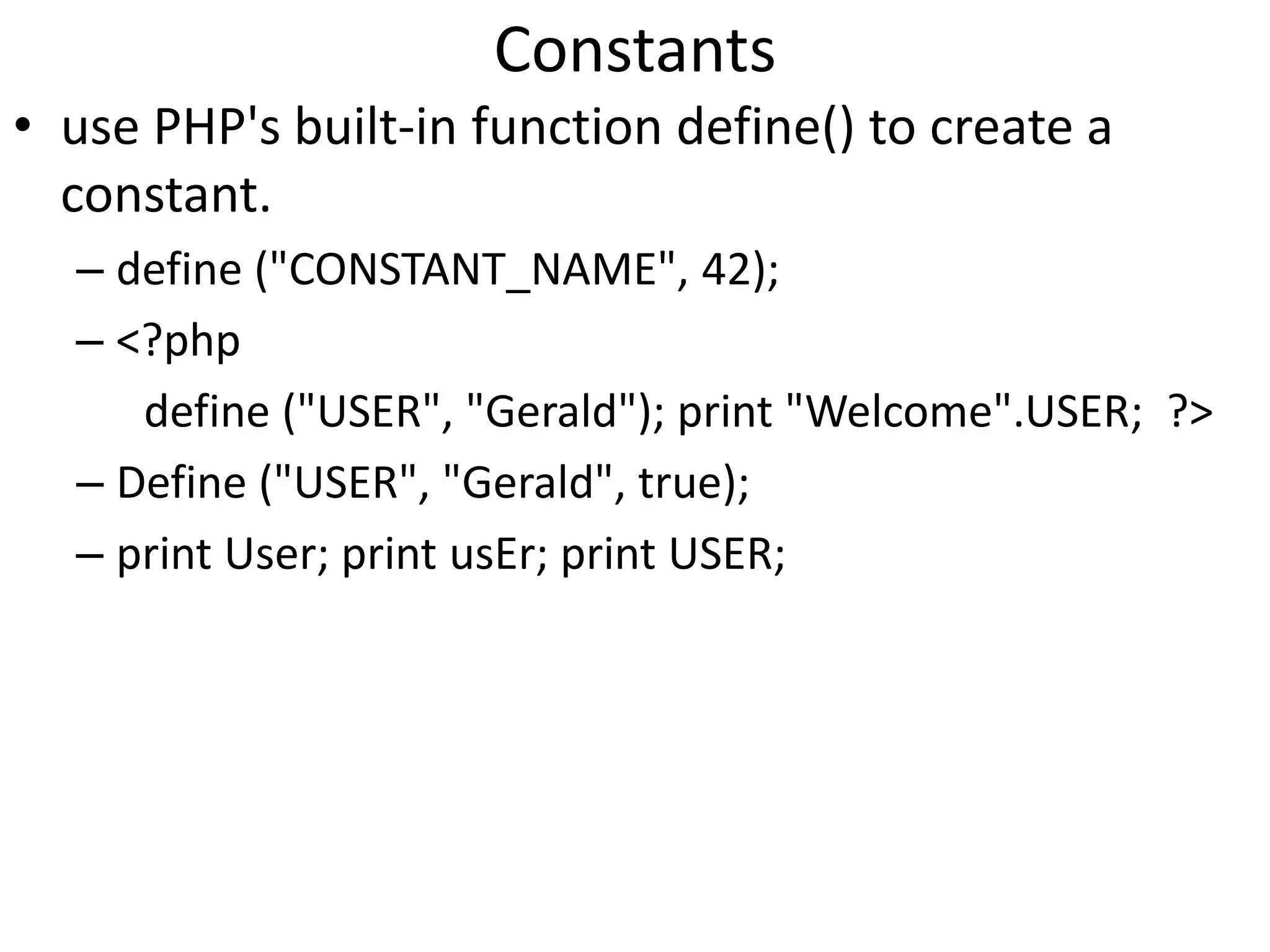
Constants
• use PHP's built-in function define() to create a
constant.
– define ("CONSTANT_NAME", 42);
– <?php
define ("USER", "Gerald"); print "Welcome".USER; ?>
– Define ("USER", "Gerald", true);
– print User; print usEr; print USER;
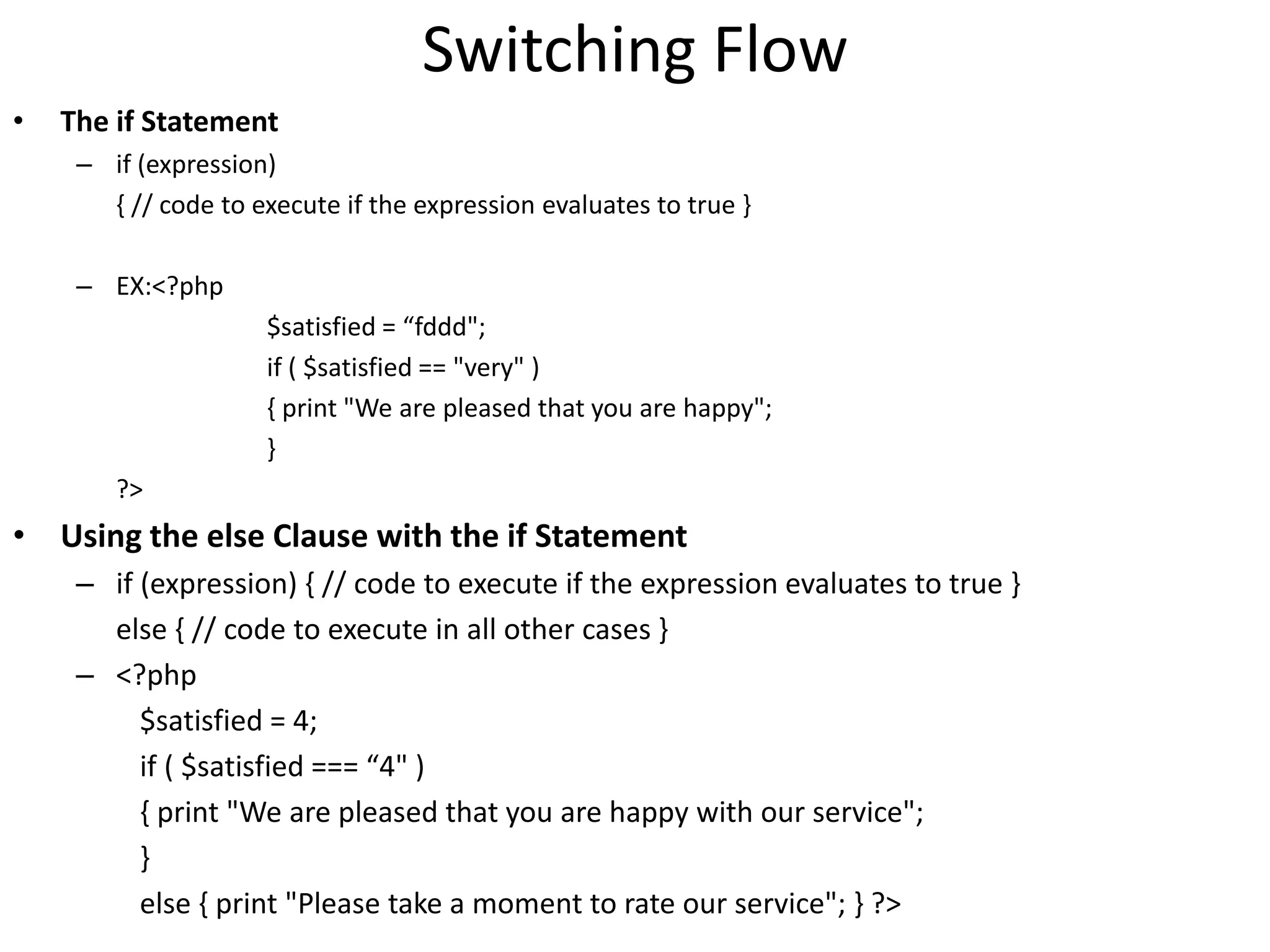
Switching Flow
• The if Statement
– if (expression)
{ // code to execute if the expression evaluates to true }
– EX:<?php
$satisfied = “fddd";
if ( $satisfied == "very" )
{ print "We are pleased that you are happy";
}
?>
• Using the else Clause with the if Statement
– if (expression) { // code to execute if the expression evaluates to true }
else { // code to execute in all other cases }
– <?php
$satisfied = 4;
if ( $satisfied === “4" )
{ print "We are pleased that you are happy with our service";
}
else { print "Please take a moment to rate our service"; } ?>
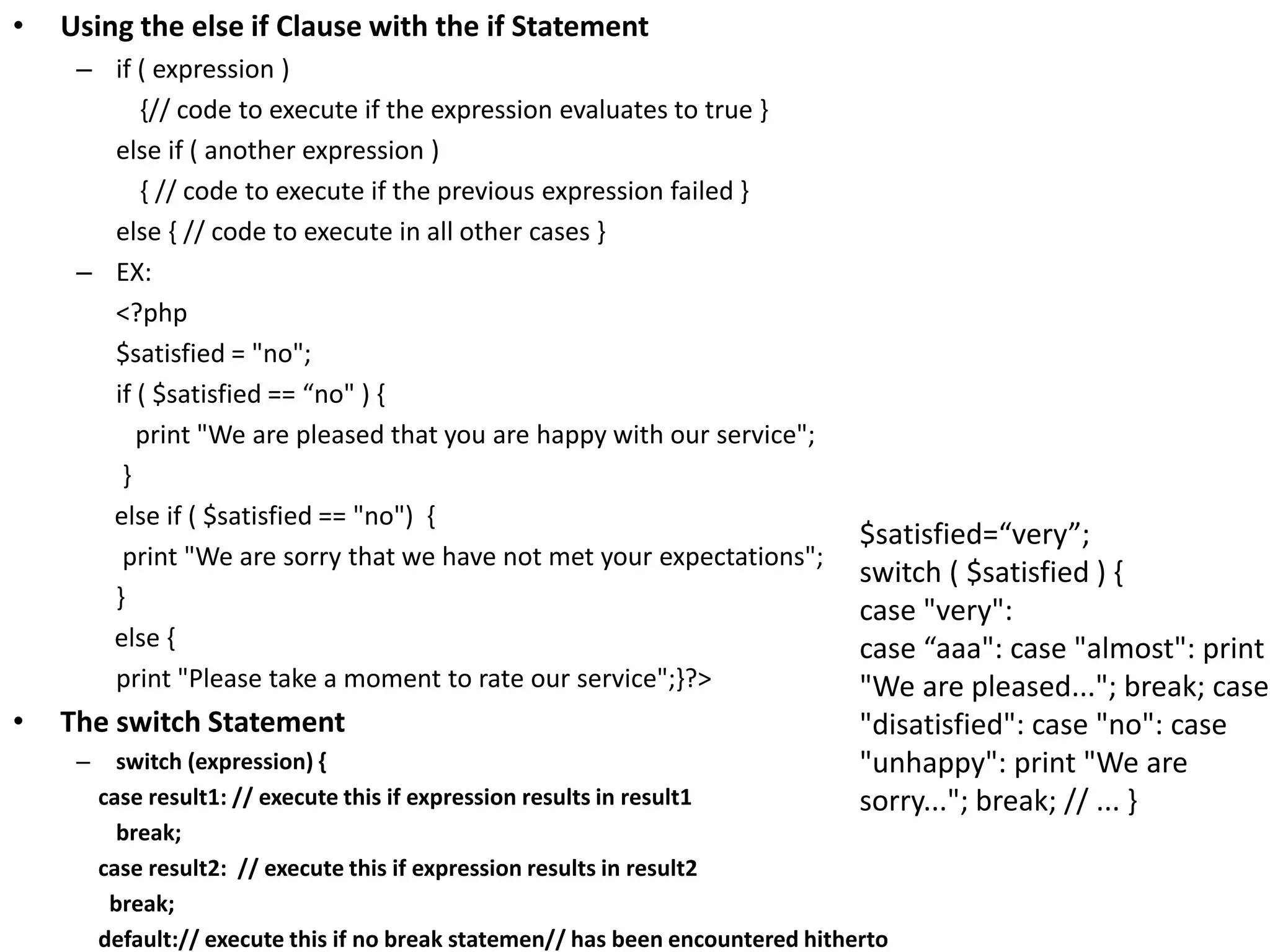
• Using the else if Clause with the if Statement
– if ( expression )
{// code to execute if the expression evaluates to true }
else if ( another expression )
{ // code to execute if the previous expression failed }
else { // code to execute in all other cases }
– EX:
<?php
$satisfied = "no";
if ( $satisfied == “no" ) {
print "We are pleased that you are happy with our service";
}
else if ( $satisfied == "no") {
print "We are sorry that we have not met your expectations";
}
else {
print "Please take a moment to rate our service";}?>
• The switch Statement
– switch (expression) {
case result1: // execute this if expression results in result1
break;
case result2: // execute this if expression results in result2
break;
default:// execute this if no break statemen// has been encountered hitherto
$satisfied=“very”;
switch ( $satisfied ) {
case "very":
case “aaa": case "almost": print
"We are pleased..."; break; case
"disatisfied": case "no": case
"unhappy": print "We are
sorry..."; break; // ... }
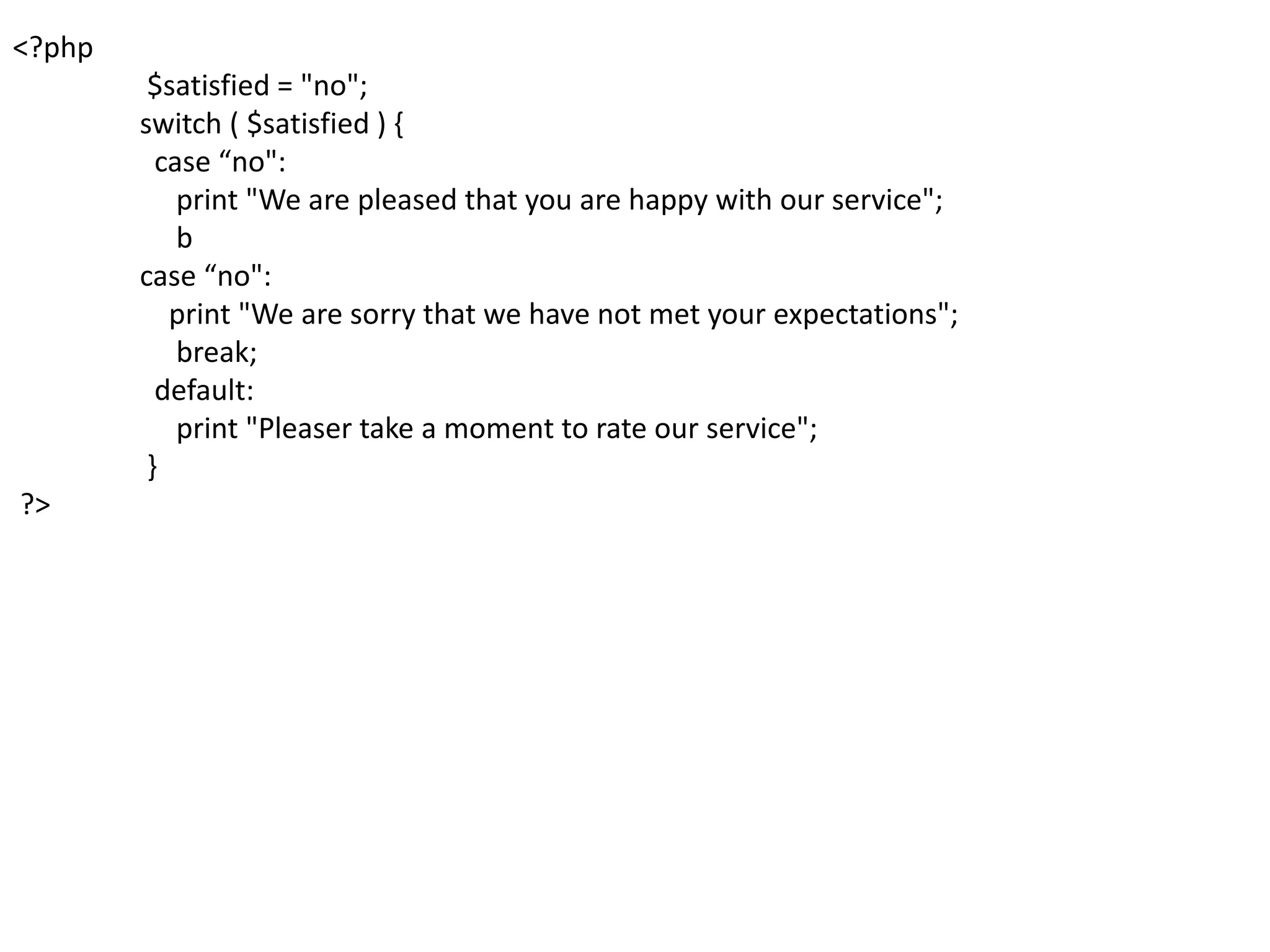
<?php
$satisfied = "no";
switch ( $satisfied ) {
case “no":
print "We are pleased that you are happy with our service";
b
case “no":
print "We are sorry that we have not met your expectations";
break;
default:
print "Pleaser take a moment to rate our service";
}
?>
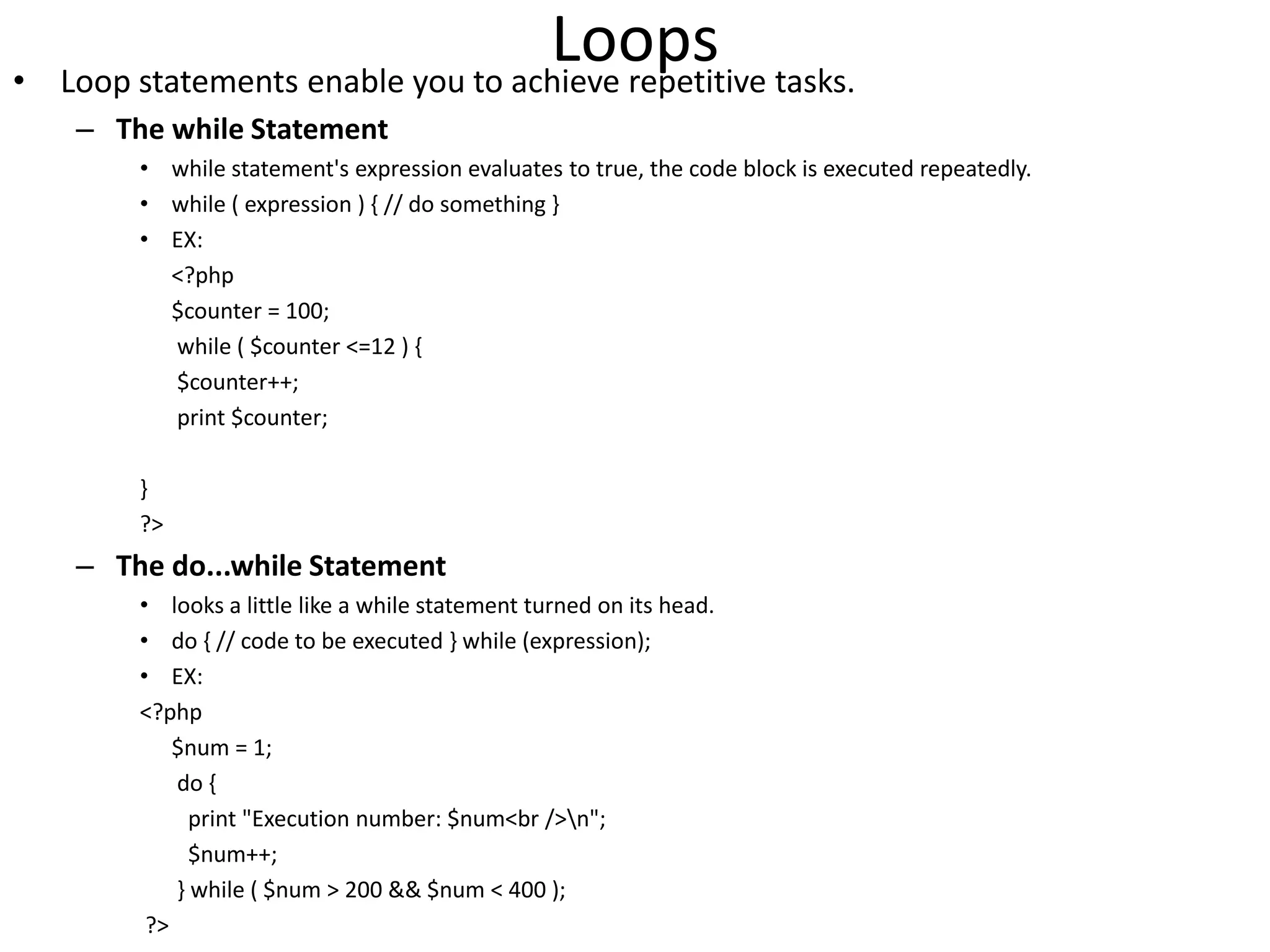
Loops• Loop statements enable you to achieve repetitive tasks.
– The while Statement
• while statement's expression evaluates to true, the code block is executed repeatedly.
• while ( expression ) { // do something }
• EX:
<?php
$counter = 100;
while ( $counter <=12 ) {
$counter++;
print $counter;
}
?>
– The do...while Statement
• looks a little like a while statement turned on its head.
• do { // code to be executed } while (expression);
• EX:
<?php
$num = 1;
do {
print "Execution number: $num<br />n";
$num++;
} while ( $num > 200 && $num < 400 );
?>
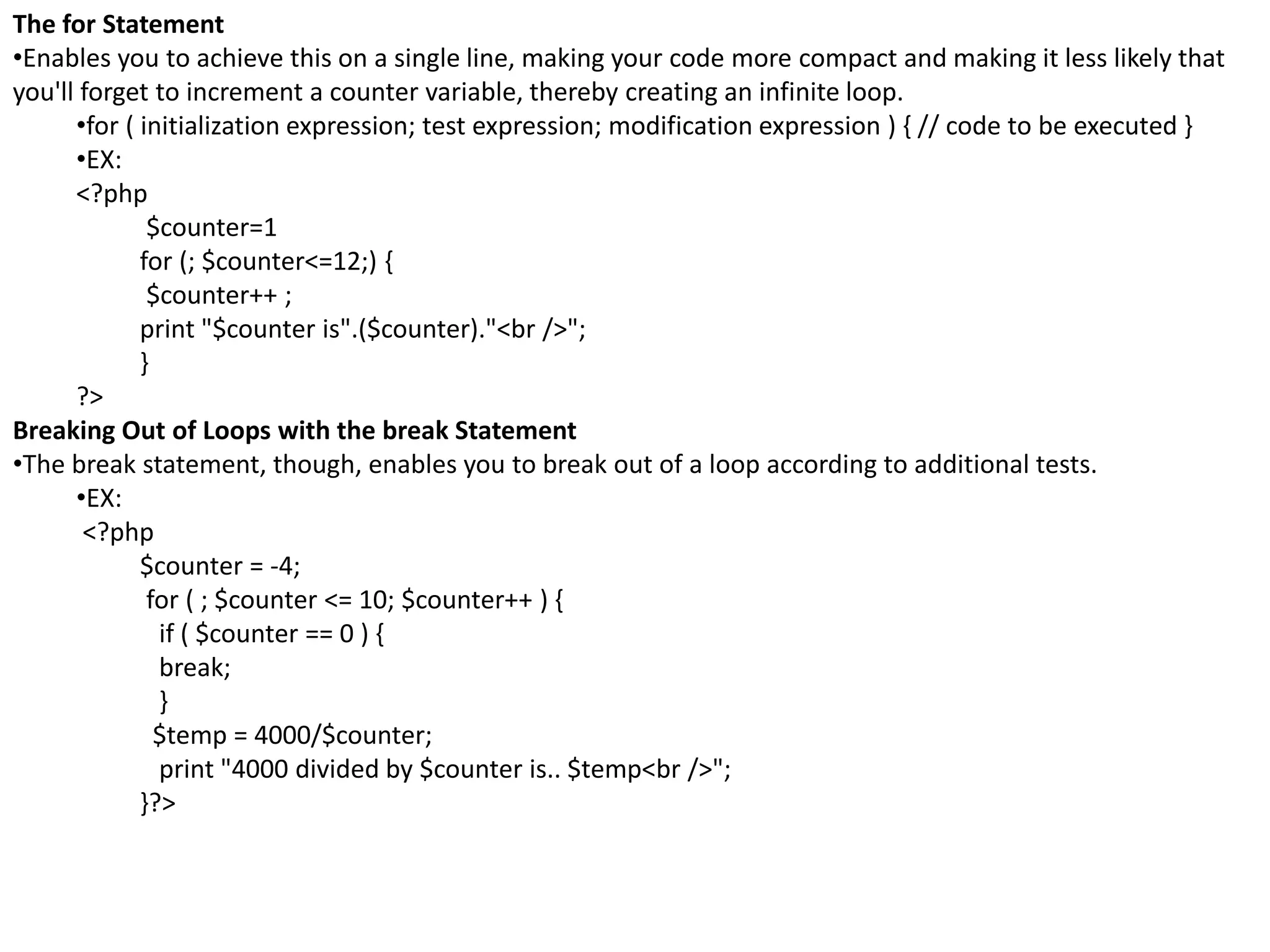
The for Statement
•Enables you to achieve this on a single line, making your code more compact and making it less likely that
you'll forget to increment a counter variable, thereby creating an infinite loop.
•for ( initialization expression; test expression; modification expression ) { // code to be executed }
•EX:
<?php
$counter=1
for (; $counter<=12;) {
$counter++ ;
print "$counter is".($counter)."<br />";
}
?>
Breaking Out of Loops with the break Statement
•The break statement, though, enables you to break out of a loop according to additional tests.
•EX:
<?php
$counter = -4;
for ( ; $counter <= 10; $counter++ ) {
if ( $counter == 0 ) {
break;
}
$temp = 4000/$counter;
print "4000 divided by $counter is.. $temp<br />";
}?>
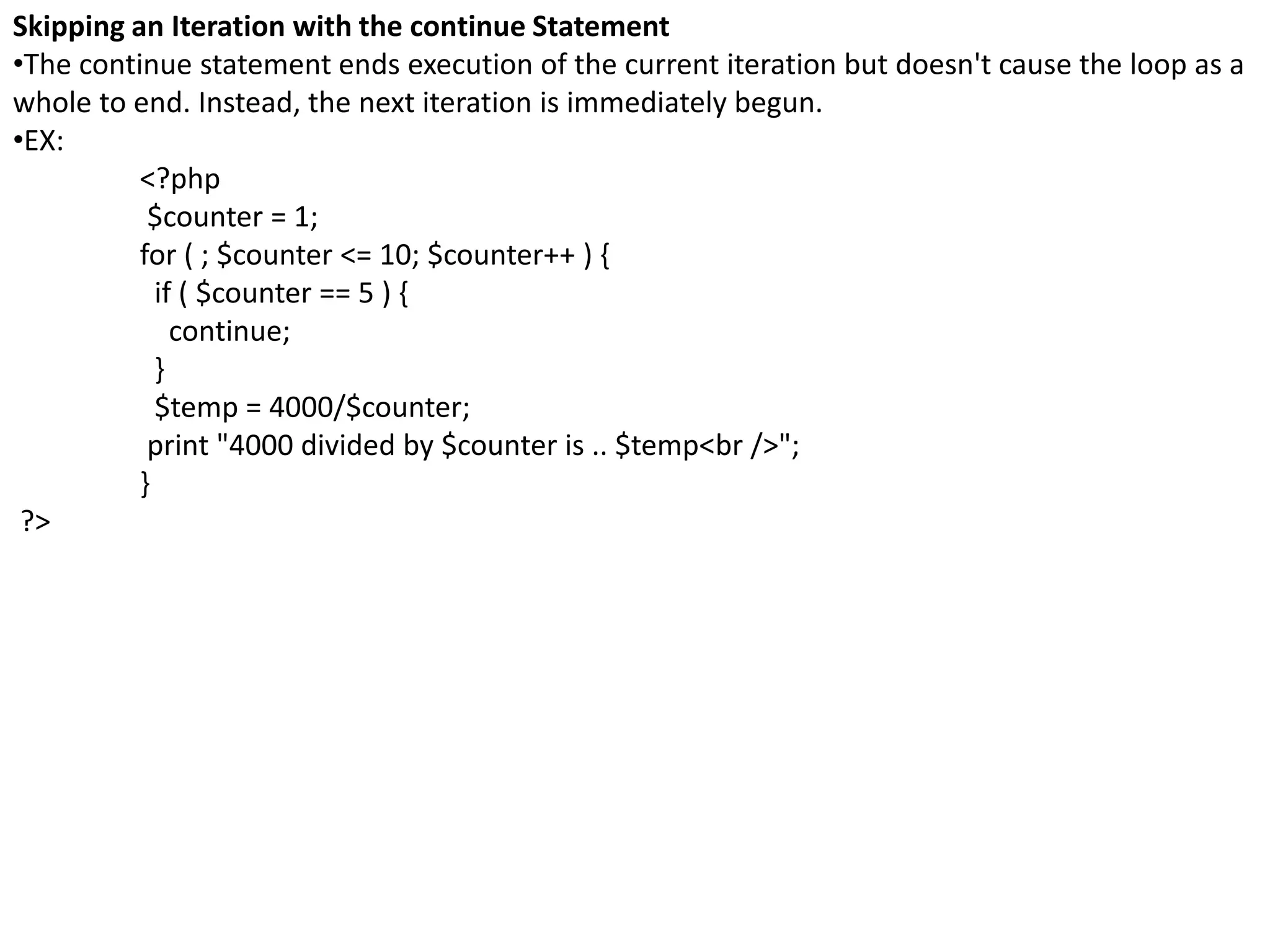
Skipping an Iteration with the continue Statement
•The continue statement ends execution of the current iteration but doesn't cause the loop as a
whole to end. Instead, the next iteration is immediately begun.
•EX:
<?php
$counter = 1;
for ( ; $counter <= 10; $counter++ ) {
if ( $counter == 5 ) {
continue;
}
$temp = 4000/$counter;
print "4000 divided by $counter is .. $temp<br />";
}
?>
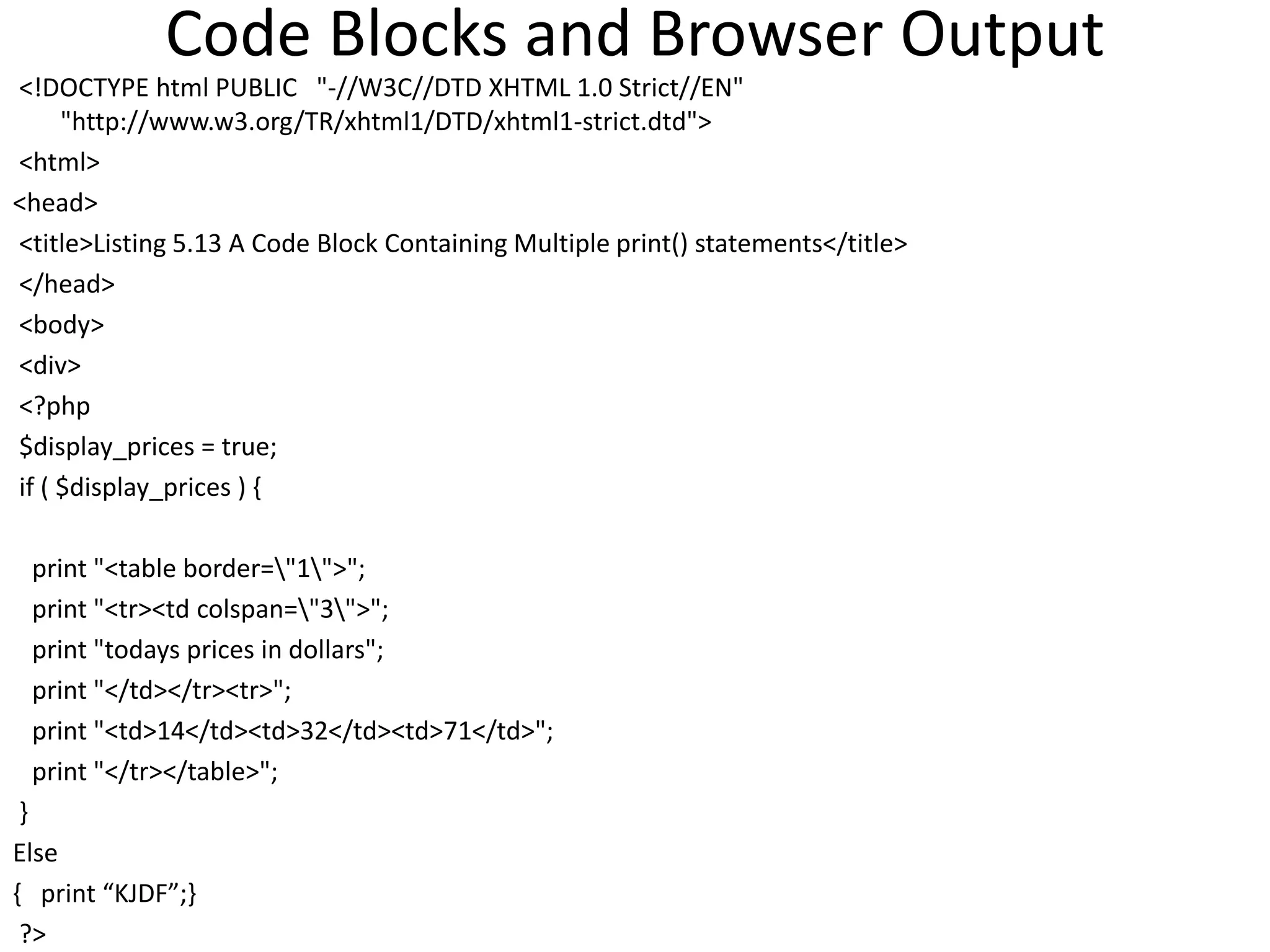
Code Blocks and Browser Output
<!DOCTYPE html PUBLIC "-//W3C//DTD XHTML 1.0 Strict//EN"
"http://www.w3.org/TR/xhtml1/DTD/xhtml1-strict.dtd">
<html>
<head>
<title>Listing 5.13 A Code Block Containing Multiple print() statements</title>
</head>
<body>
<div>
<?php
$display_prices = true;
if ( $display_prices ) {
print "<table border="1">";
print "<tr><td colspan="3">";
print "todays prices in dollars";
print "</td></tr><tr>";
print "<td>14</td><td>32</td><td>71</td>";
print "</tr></table>";
}
Else
{ print “KJDF”;}
?>
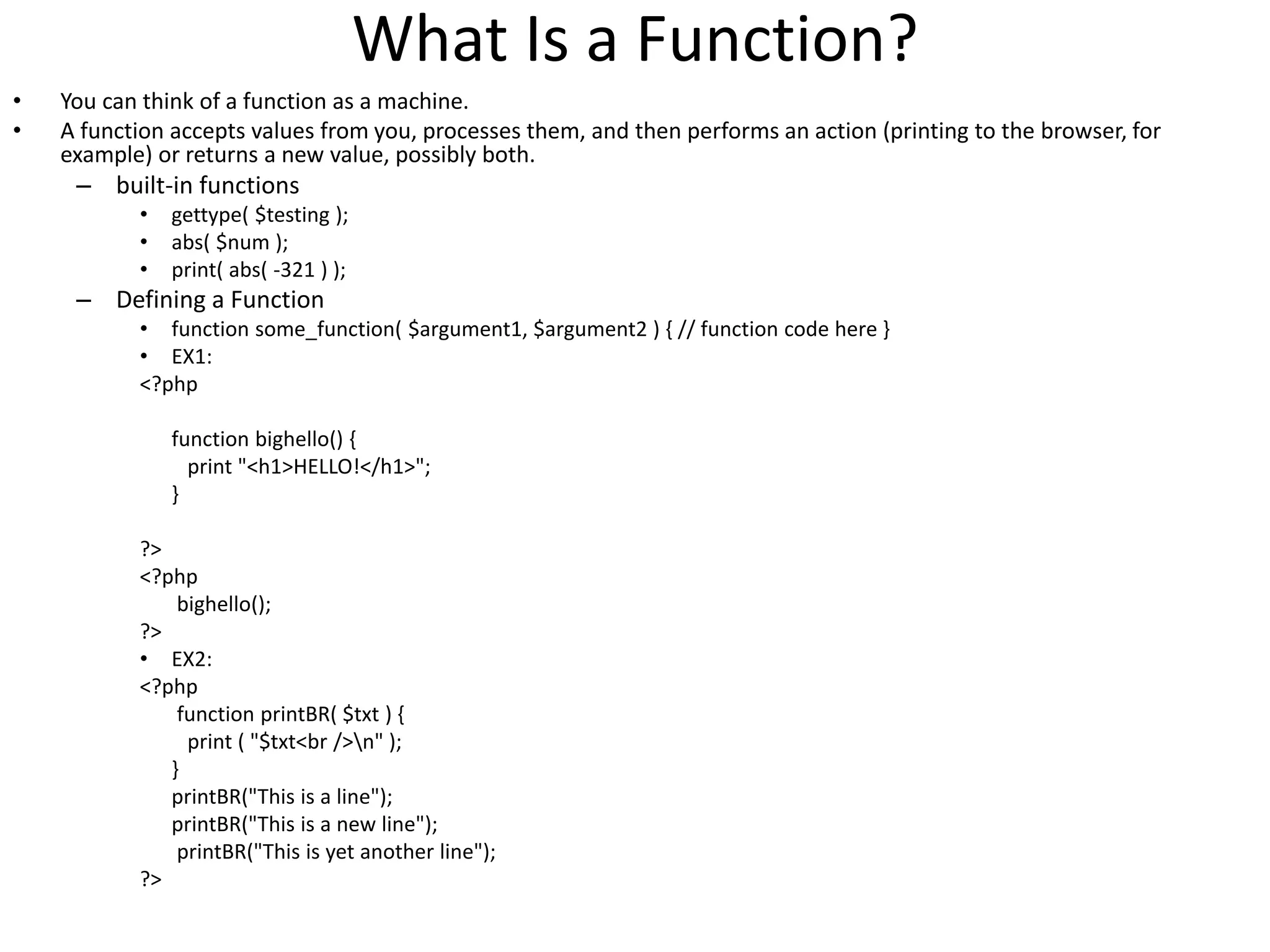
What Is a Function?
• You can think of a function as a machine.
• A function accepts values from you, processes them, and then performs an action (printing to the browser, for
example) or returns a new value, possibly both.
– built-in functions
• gettype( $testing );
• abs( $num );
• print( abs( -321 ) );
– Defining a Function
• function some_function( $argument1, $argument2 ) { // function code here }
• EX1:
<?php
function bighello() {
print "<h1>HELLO!</h1>";
}
?>
<?php
bighello();
?>
• EX2:
<?php
function printBR( $txt ) {
print ( "$txt<br />n" );
}
printBR("This is a line");
printBR("This is a new line");
printBR("This is yet another line");
?>
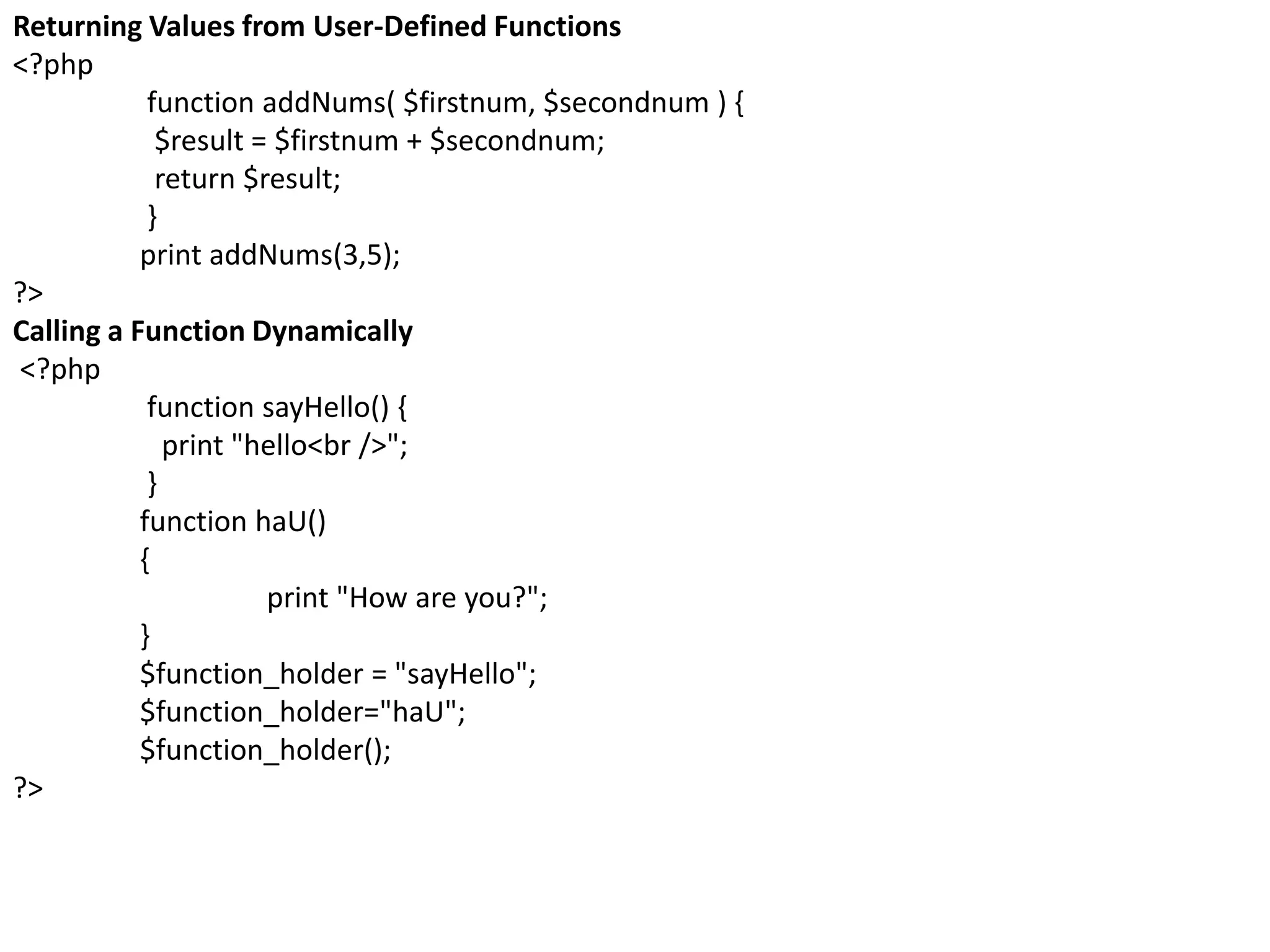
Returning Values from User-Defined Functions
<?php
function addNums( $firstnum, $secondnum ) {
$result = $firstnum + $secondnum;
return $result;
}
print addNums(3,5);
?>
Calling a Function Dynamically
<?php
function sayHello() {
print "hello<br />";
}
function haU()
{
print "How are you?";
}
$function_holder = "sayHello";
$function_holder="haU";
$function_holder();
?>
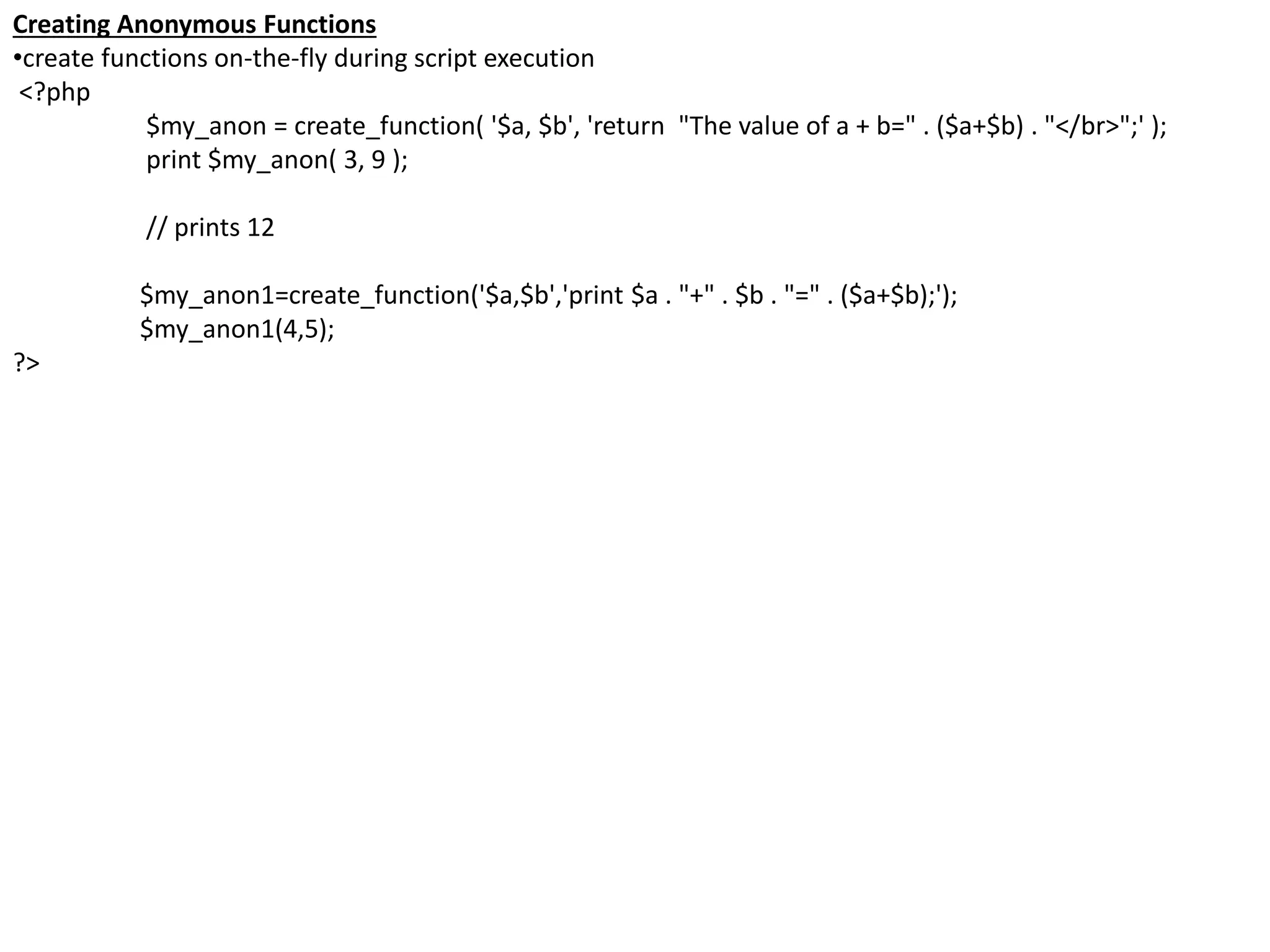
Creating Anonymous Functions
•create functions on-the-fly during script execution
<?php
$my_anon = create_function( '$a, $b', 'return "The value of a + b=" . ($a+$b) . "</br>";' );
print $my_anon( 3, 9 );
// prints 12
$my_anon1=create_function('$a,$b','print $a . "+" . $b . "=" . ($a+$b);');
$my_anon1(4,5);
?>
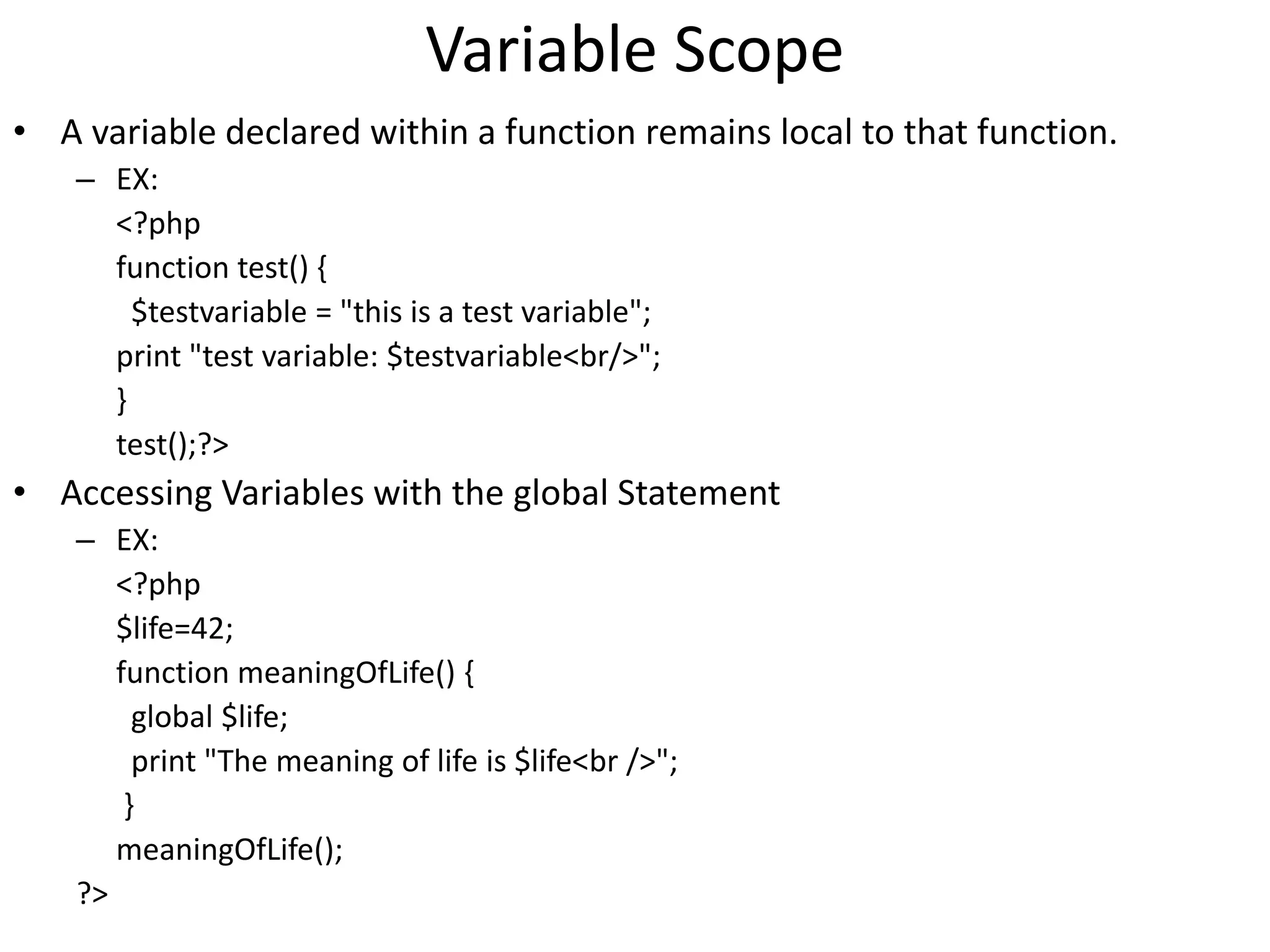
Variable Scope
• A variable declared within a function remains local to that function.
– EX:
<?php
function test() {
$testvariable = "this is a test variable";
print "test variable: $testvariable<br/>";
}
test();?>
• Accessing Variables with the global Statement
– EX:
<?php
$life=42;
function meaningOfLife() {
global $life;
print "The meaning of life is $life<br />";
}
meaningOfLife();
?>
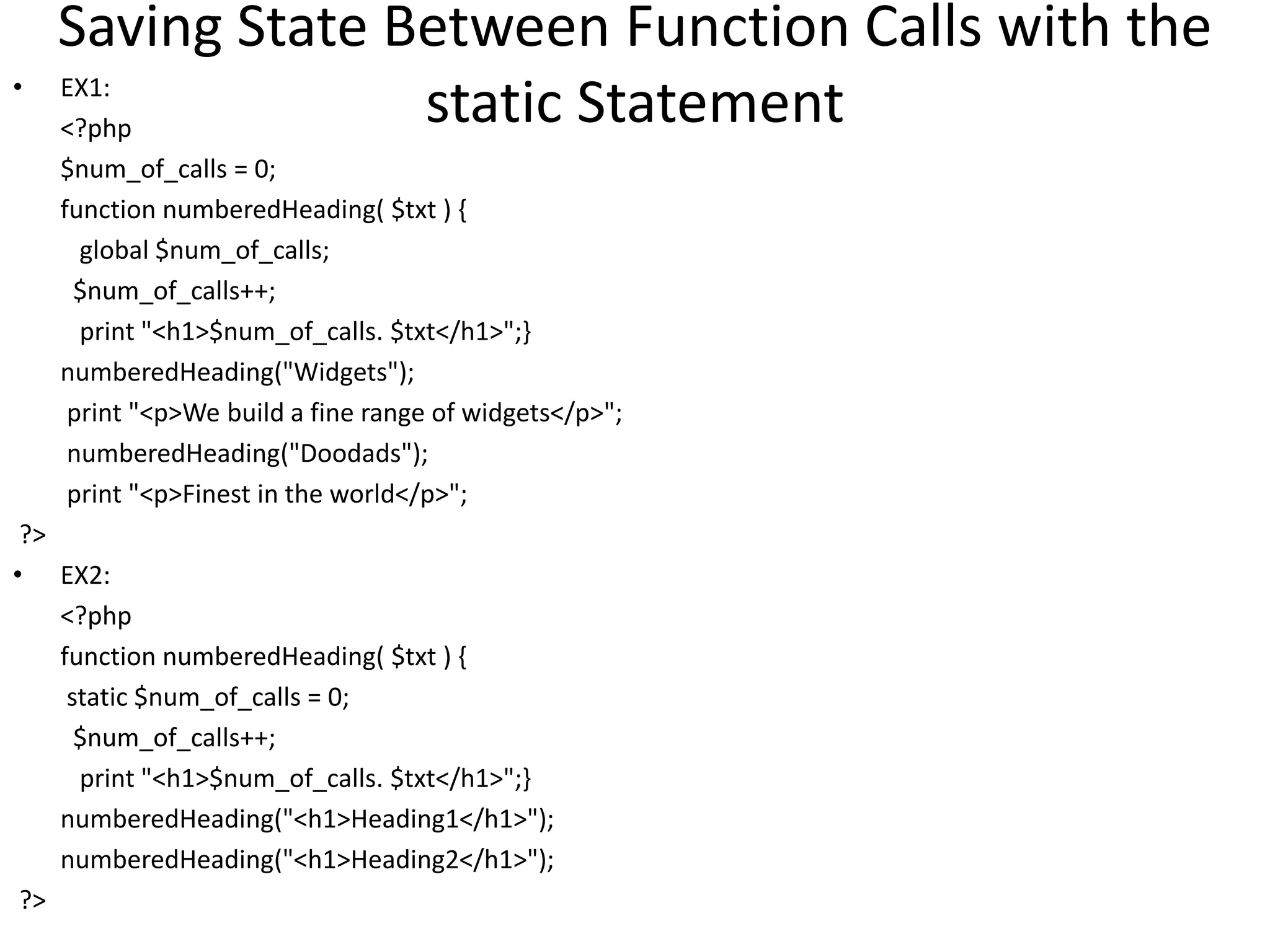
Saving State Between Function Calls with the
static Statement• EX1:
<?php
$num_of_calls = 0;
function numberedHeading( $txt ) {
global $num_of_calls;
$num_of_calls++;
print "<h1>$num_of_calls. $txt</h1>";}
numberedHeading("Widgets");
print "<p>We build a fine range of widgets</p>";
numberedHeading("Doodads");
print "<p>Finest in the world</p>";
?>
• EX2:
<?php
function numberedHeading( $txt ) {
static $num_of_calls = 0;
$num_of_calls++;
print "<h1>$num_of_calls. $txt</h1>";}
numberedHeading("<h1>Heading1</h1>");
numberedHeading("<h1>Heading2</h1>");
?>
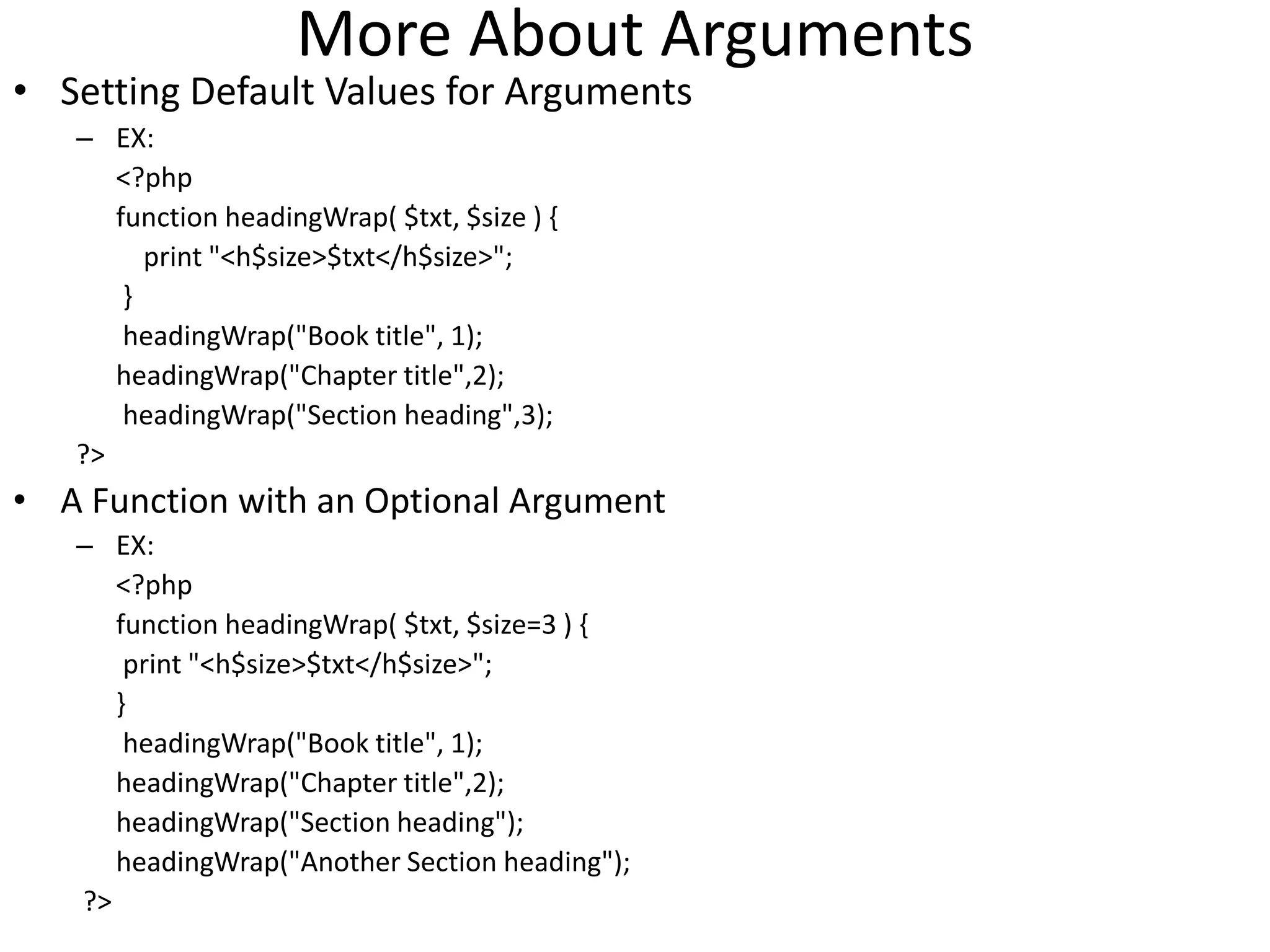
More About Arguments
• Setting Default Values for Arguments
– EX:
<?php
function headingWrap( $txt, $size ) {
print "<h$size>$txt</h$size>";
}
headingWrap("Book title", 1);
headingWrap("Chapter title",2);
headingWrap("Section heading",3);
?>
• A Function with an Optional Argument
– EX:
<?php
function headingWrap( $txt, $size=3 ) {
print "<h$size>$txt</h$size>";
}
headingWrap("Book title", 1);
headingWrap("Chapter title",2);
headingWrap("Section heading");
headingWrap("Another Section heading");
?>
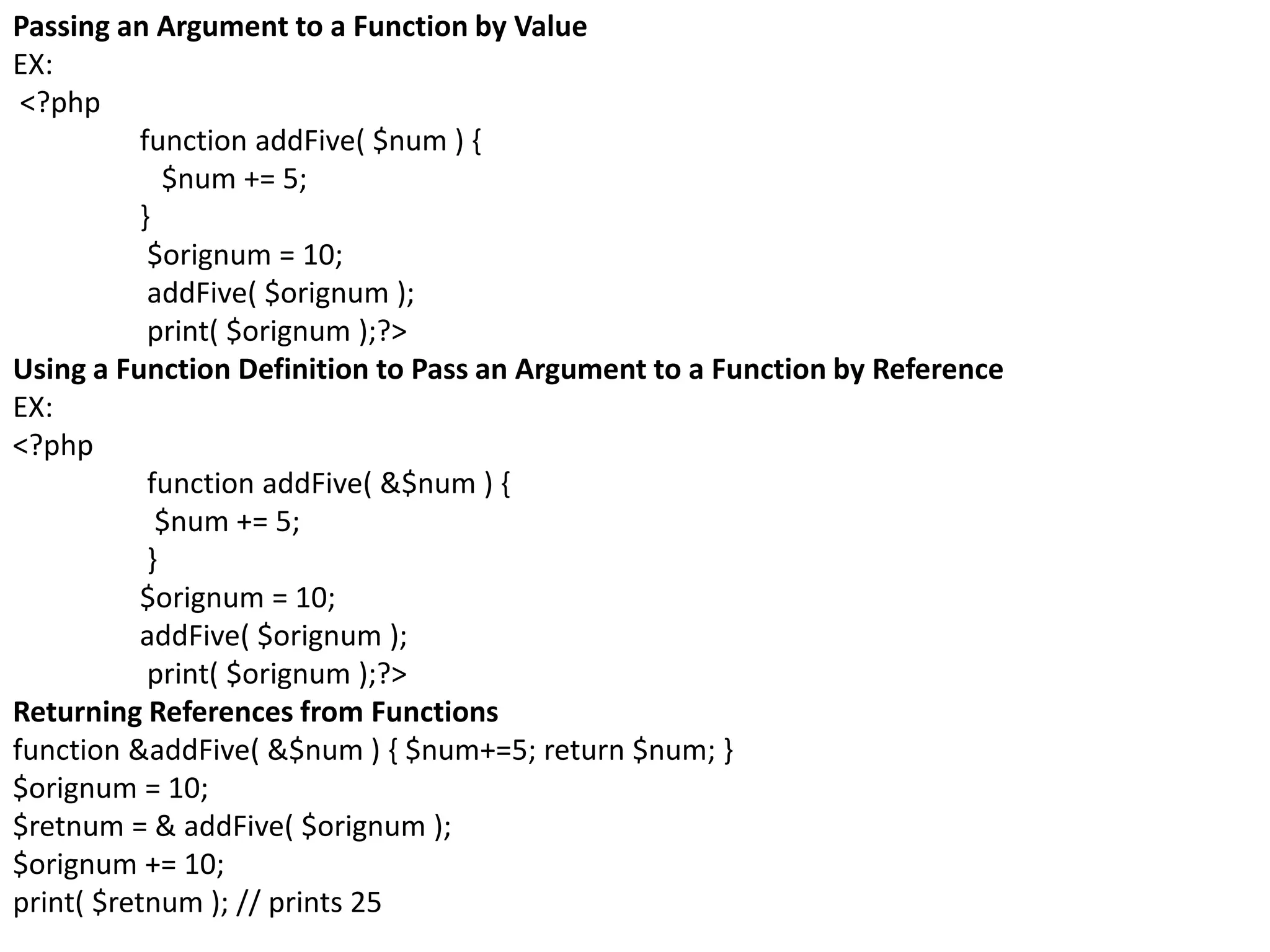
Passing an Argument to a Function by Value
EX:
<?php
function addFive( $num ) {
$num += 5;
}
$orignum = 10;
addFive( $orignum );
print( $orignum );?>
Using a Function Definition to Pass an Argument to a Function by Reference
EX:
<?php
function addFive( &$num ) {
$num += 5;
}
$orignum = 10;
addFive( $orignum );
print( $orignum );?>
Returning References from Functions
function &addFive( &$num ) { $num+=5; return $num; }
$orignum = 10;
$retnum = & addFive( $orignum );
$orignum += 10;
print( $retnum ); // prints 25
Arrays
• array as a filing cabinet—a single container that can store many discrete items.
• $users = array ("Bert", "Sharon", "Betty", "Harry");
• print $users[2];
• EX
$users[] = " Bert"; $users[] = " Sharon";
$users[] = " Betty"; $users[] = " Harry";
• <?php
$character = array ("name" => "bob","occupation" =>"superhero","age" =>30
,"special power" => "x-ray vision");
print $character['age']; ?>
<?php
$users = array ();
$users[0]=100;
$users[1]=200;
$users[2]=300;
$users[3]=400;
$users[4]=500;
$users[5]=600;
?>
•$users = array ("Bert", "Sharon", "Betty", "Harry" ); print $users[count($users)-1];
•print end($users);
•Looping Through an Array
•EX:
$users = array ("Bert", "Sharon", "Betty", "Harry");
foreach ( $users as $val ) { print "$val<br />"; }
•EX:
<?php
$character = array ( "name" => "bob","occupation" => "superhero", "age" => 30,
"special power" => "x-ray vision"
);
foreach ( $character as $key=>$val ) {
print "$key = $val<br />";
}
?>
Multidimensional Arrays
• is an array of arrays
– $array[1][2]
– EX:
<?php
$characters = array (
array ("name"=> "bob","occupation" => "superhero","age" => 30,
"specialty" =>"x-ray vision"),
array ("name" => "sally","occupation" => "superhero","age" => 24,
"specialty" => "superhuman strength"),
array ("name" => "mary","occupation" => "arch villain","age" => 63,
"specialty" =>"nanotechnology")
);
print $characters[0][occupation];
?>
<?php
$objects=array('Soda can' => array('Shape' => 'Cylinder','Color' => 'Red','Material' => 'Metal'),
'Notepad' => array('Shape' => 'Rectangle','Color' => 'White','Material' => 'Paper'),
'Apple' => array('Shape' => 'Sphere','Color' => 'Red','Material' => 'Fruit'),
'Orange' => array('Shape' => 'Sphere','Color' => 'Orange','Material' => 'Fruit'),
'Phonebook' => array('Shape' => 'Rectangle','Color' => 'Yellow','Material' => 'Paper'));
echo $objects['Soda can']['Shape'];
?>
<?php
foreach ($objects as $obj_key => $obj)
{
echo "$obj_key:<br>";
while (list ($key,$value)=each ($obj))
{
echo "$key = $value ";
}
echo "<br />";
}
?>
EX1:
<?php
$characters = array (array ("name"=> "bob","occupation" => "superhero",),
array ("name" => "sally","occupation" => "superhero",));
print_r( $characters);
?>
EX2:array_merge() accepts two or more arrays and returns a merged array combining all
their elements
$first = array("a", "b", "c"); $second = array(1,2,3); $third = array_merge( $first, $second );
foreach ( $third as $val ) { print "$val<br />"; }
EX3:array_push() accepts an array and any number of further parameters, each of which is
added to the array
$first = array ("a", "b", "c"); $total = array_push( $first, 1, 2, 3 ); print "There are $total
elements in $first<p>"; foreach ( $first as $val ) { print "$val<br/>"; } print "</p>";
EX3:
$first = array ("a", "b", "c"); $total = array_unshift( $first, 1, 2, 3 );
$first now contains the following:
1, 2, 3, "a", "b", "c"
EX4:array_shift() removes and returns the first element of an array passed to it as an
argument
$an_array = array("a", "b", "c");
while ( count( $an_array ) )
{ $val = array_shift( $an_array);
print "$val<br />"; print "there are ".count( $an_array )." elements in $an_array <br />"; }
EX:slice part of array: slice()
<?php
$first = array ("a", "b", "c", "d", "e", "f");
$second = array_slice($first, 2, 3);
foreach ( $second as $var ) {
print "$var<br />";
}
?>
=>c, d, e
EX: sorting array : sort()
$an_array = array ("x", "a", "f", "c");
sort( $an_array ); foreach ( $an_array as $var ) { print "$var<br />"; }
EX: asort() accepts an associative array and sorts its values just as sort() does.
$first = array("first"=>5,"second"=>2,"third"=>1);
asort( $first );
foreach ( $first as $key => $val ) { print "$key = $val<br />"; }
EX: ksort() accepts an associative array and sorts its keys
$first = array("x"=>5,"a"=>2,"f"=>1);
ksort( $first );
foreach ( $first as $key => $val ) { print "$key = $val<br />"; }

Ch1(introduction to php)

  • 1.
    Introduction to PHP(PersonalHome Page=>Hypertext Preprocessor)
  • 2.
    Introduction • Dynamic Contentand the Web and static page • programming language designed to generate web pages interactively on the computer serving them, which is called a web server. • Stereotypical open source project, created to meet a developer’s otherwise unmet needs and refined over time to meet the needs of its growing community. • PHP code runs between the requested page and the web server, adding to and changing the basic HTML output. • PHP(1995)=>PHP 2.0=>PHP 3.0=>PHP 4.0=>PHP 5.0=>PHP 6.0
  • 3.
    Why Choose PHP? •Speed of Development – remove obstacles that stand in the way of effective and flexible design • PHP Is Open Source – open source simply means free, which is, of course, a benefit in itself. • Performance – it stores compiled code in memory, eliminating the overhead of parsing and interpreting source files for every request. • Portability – run on many operating systems – cooperate with many servers and databases.
  • 4.
    1. You entera web page address in your browser’s location bar. 2. Your browser breaks apart that address and sends the name of the page to the web server. For example, http://www.phone.com/directory.html would request the page directory.html from www.phone.com. 3. A programon the web server, called the web server process, takes the request for directory.html and looks for this specific file. 4. The web server reads the directory.html file from the web server’s hard drive. 5. The web server returns the contents of directory.html to your browser. 6. Your web browser uses the HTML markup that was returned from the web server to build the rendition of the web page on your computer screen.
  • 5.
    1. You entera web page address in your browser’s location bar. 2. Your browser breaks apart that address and sends the name of the page to the host. For example, http://www.phone.com/login.php requests the page login.php from www.phone.com. 3. The web server process on the host receives the request for login.php. 4. The web server reads the login.php file from the host’s hard drive. 5. The web server detects that the PHP file isn’t just a plain HTML file, so it asks another process—the PHP interpreter—to process the file. 6. The PHP interpreter executes the PHP code that it finds in the text it received fromthe web server process. Included in that code are calls to the MySQL data- base. 7. PHP asks the MySQL database process to execute the database calls. 8. The MySQL database process returns the results of the database query. 9. The PHP interpreter completes execution of the PHP code with the data from the database and returns the results to the web server process. 10. The web server returns the results in the form of HTML text to your browser. 11. Your web browser uses the returned HTML text to build the web page on your screen.
  • 6.
  • 7.
    Comment • comment istext in a script that is ignored by the PHP engine. Comments can be used to make code more readable or to annotate a script. – // for single-line comments; – /* …for multiline comments…*/ – # Title: My PHP program
  • 8.
    Default Syntax <?php print "<p>Thisis a PHP example.</p>"; ?> Short-Tags <? print "Hello world!<br />"; echo "Hello world!<br />"; ?> Script <script language="php"> print "This is another PHP example."; </script> ASP-Style <% print "This is another PHP example."; %>
  • 9.
    Working with Strings•printf() • printf ("This is my number: %d", 55); • printf ("First number: %d<br/>nSecond number: %d<br/>n", 55, 66); <?php $number = 543; printf("Decimal: %d<br/>", $number ); printf("Binary: %b<br/>", $number ); printf("Double: %f<br/>", $number ); printf("Octal: %o<br/>", $number ); printf("String: %s<br/>", $number); printf("Hex (lower): %x<br/>", $number ); printf("Hex (upper): %X<br/>", $number ); ?>
  • 10.
    •EX •printf("%04d", 36); //prints "0036“ •printf ("% 4d", 36); // prints “ 36“ •EX: <pre> <?php print "The spaces will be visible"; ?> </pre> •EX: •printf ( "%'x4d", 36 ); // prints "xx36“ •printf( "%.2f", 5.333333); // prints "5.33“ •EX: •$dosh = sprintf("%.2f", 2.334454); •print "You have $dosh dollars to spend"; •EX: •$test = "scallywag"; • print $test[5]; •// prints "s" •print $test[2]; // prints "a“ •EX:printf (strlen($dosh)); •EX: •$membership = "mz00xyz"; •printf (strpos($membership, "0") ); •EX: •$test = "scallywag"; •print substr($test,6); // prints "wag" •print substr($test,6,2); // prints "wa"
  • 11.
    •EX: $text = "tttlotsof room to breathe"; $text = trim( $text ); print $text; // prints "lots of room to breathe"; •EX: $text = "tttlots of room to breathe "; $text = rtrim( $text ); print $text; // prints " lots of room to breathe"; •EX: $text = "tttlots of room to breathe "; $text = ltrim( $text ); print "<pre>$text</pre>";// prints "lots of room to breathe "; •EX: <? $membership = "mz99xyz"; $membership = substr_replace( $membership, "00", 2, 2); print "New membership number: $membership<br/>"; // prints "New membership number: mz00xyz" ?> •EX: $string = "Site contents copyright 2003."; $string .= "The 2003 Guide to All Things Good in Europe"; print str_replace("2003","2004",$string);
  • 12.
    •EX: $membership = "mz00xyz"; $membership= strtoupper( $membership ); print "$membership<P>"; // prints "MZ00XYZ“ •EX: $string = "Given a long line, wordwrap() is useful as a means of"; $string .= "breaking it into a column and thereby making it easier to read"; print wordwrap($string); //Given a long line, wordwrap() is useful as a means of breaking it into a column and thereby making it easier to read •EX: $start_date = "2000-01-12"; $date_array = explode (“-",$start_date); // $date[0] == "2000" // $date[1] == "01" // $date[2] == "12“ •EX: print number_format(100000.56 ); // 100,001 print number_format (100000.5682, 2 ); // 100,001.56 print number_format(100000.56, 4 ); // 100,001.5600 print number_format (1000/00/56, , "-", " "); // 100-000-56
  • 13.
    Working with Datesand Times • Dates are so much a part of everyday life that it becomes easy to work with them without thinking. • print time(); //represents the number of seconds elapsed since midnight GMT on January 1, 1970.
  • 15.
    <?php print date("m/d/y G.i:s",time()); print "<br/>"; print "Today is "; print date("jS of F Y, at g.i a", time()); ?>
  • 16.
    Sending text tobrowser • print "something"; • phpinfo(); • Note: – $name = "john"; – print "hello, $name"; // hello, john – print 'hello, $name';// hello, $name
  • 17.
    Variables • a specialcontainer you can define to hold a value. • A variable consists of a name that you can choose, preceded by a dollar ($) sign. • A variable is a holder for a type of data. It can hold numbers, strings of characters, objects, arrays, or booleans. • EX1: <% $v1=100; $v2=300; Print(“$v1=”); print("<table border=1>"); print("<tr><td>" . $v1 . "+" . $v2 . "=" . ($v1+$v2) . "</td></tr>"); print("<tr><td>" . $v1 . "-" . $v2 . "=" . ($v1-$v2) . "</td></tr>"); print("<tr><td>" . $v1 . "*" . $v2 . "=" . ($v1*$v2) . "</td></tr>"); print("<tr><td>" . $v1 . "/" . $v2 . "=" . ($v1/$v2) . "</td></tr>"); print("</table>"); %>
  • 18.
    Coding Building Blocks •Variables – $vari able_name = value; – PHP variables may be composed only of alphanumeric characters and under-scores; for example, a-z, A-Z, 0-9, and _. – Variables in PHP are case-sensitive. This means that $variable_name and $Variable_Name are different. – Variables with more than one word can be separated with underscores to make them easier to read; for example, $test_variable. – Variables can be assigned values using the equals sign (=). – Always end with a semicolon (;) to complete the assignment of the variable.
  • 19.
    Datatypes• Data typesas data is assigned to each variable • Scalar Datatypes – Boolean – Integer – Float//double – String • Compound Datatypes – Array • $province[n] = “Siem Reap“; • $province[“siemReap”]=“Pouk”; – Object class appliance { private $power; function setPower($status) { $this->power = $status; } } ... $blender = new appliance; $blender->setPower("on"); • Special Datatypes – Null – resource EX1: <?php $testing; // declare without assigning print gettype( $testing ); // NULL print "<br />"; $testing = 6; print gettype( $testing ); // integer print "<br />"; $testing=“dfsd”; print gettype( $testing ); // string print "<br />"; $testing = 5.0; print gettype( $testing ); // double print "<br />"; $testing = true; print gettype( $testing ); // boolean print "<br />"; ?> EX2: $testing = 5; var_dump( $testing );
  • 20.
    Functions to TestData Types Changing Type with settype() $undecided = 3.14; print gettype( $undecided ); // double print " -- $undecided<br />"; // 3.14 settype( $undecided, string ); print gettype( $undecided ); // string print " -- $undecided<br />"; // 3.14 settype( $undecided, int ); print gettype( $undecided ); // integer print " -- $undecided<br />"; // 3 settype( $undecided, double ); print gettype( $undecided ); // double print " -- $undecided<br />"; // 3.0 settype( $undecided, bool ); print gettype( $undecided ); // boolean print " -- $undecided<br />"; // 1
  • 21.
    Type Casting $variable1 =13; $variable2 = (double)$variable1; $variable1 = 4.7; $variable2 = 5; $variable3 = (int) $variable1 + $variable2; // $variable3 = 9 $variable1 = 1114; $array1 = (array) $variable1; print $array1[0]; // The value 1114 is output. $model = "Toyota"; $new_obj = (object) $model; The value can then be referenced as follows: print $new_obj->scalar; // returns "Toyota"
  • 22.
    Functions to ConvertData Types EX1: $v1="12.3"; print doubleval($v1)+3 . "<br/>"; print intval($v1)+3 . "<br/>"; print strval($v1)+3;
  • 23.
    Operators and Expressions •Operators are symbols that enable you to use one or more values to produce a new value. A value that is operated on by an operator is referred to as an operand.
  • 26.
    Using the ?Operator • The ?, or ternary, operator is similar to the if statement but returns a value derived from one of two expressions separated by a colon. – (expression) ?returned_if_expression_is_true:returned_if_expression_is_false; • EX: <?php $satisfied = "no"; $pleased = "We are pleased that you are happy with our service"; $sorry = "We are sorry that we have not met your expectations"; $text = ( $satisfied=="very" )?$pleased:$sorry; print "$text"; ?>
  • 27.
    Constants • use PHP'sbuilt-in function define() to create a constant. – define ("CONSTANT_NAME", 42); – <?php define ("USER", "Gerald"); print "Welcome".USER; ?> – Define ("USER", "Gerald", true); – print User; print usEr; print USER;
  • 28.
    Switching Flow • Theif Statement – if (expression) { // code to execute if the expression evaluates to true } – EX:<?php $satisfied = “fddd"; if ( $satisfied == "very" ) { print "We are pleased that you are happy"; } ?> • Using the else Clause with the if Statement – if (expression) { // code to execute if the expression evaluates to true } else { // code to execute in all other cases } – <?php $satisfied = 4; if ( $satisfied === “4" ) { print "We are pleased that you are happy with our service"; } else { print "Please take a moment to rate our service"; } ?>
  • 29.
    • Using theelse if Clause with the if Statement – if ( expression ) {// code to execute if the expression evaluates to true } else if ( another expression ) { // code to execute if the previous expression failed } else { // code to execute in all other cases } – EX: <?php $satisfied = "no"; if ( $satisfied == “no" ) { print "We are pleased that you are happy with our service"; } else if ( $satisfied == "no") { print "We are sorry that we have not met your expectations"; } else { print "Please take a moment to rate our service";}?> • The switch Statement – switch (expression) { case result1: // execute this if expression results in result1 break; case result2: // execute this if expression results in result2 break; default:// execute this if no break statemen// has been encountered hitherto $satisfied=“very”; switch ( $satisfied ) { case "very": case “aaa": case "almost": print "We are pleased..."; break; case "disatisfied": case "no": case "unhappy": print "We are sorry..."; break; // ... }
  • 30.
    <?php $satisfied = "no"; switch( $satisfied ) { case “no": print "We are pleased that you are happy with our service"; b case “no": print "We are sorry that we have not met your expectations"; break; default: print "Pleaser take a moment to rate our service"; } ?>
  • 31.
    Loops• Loop statementsenable you to achieve repetitive tasks. – The while Statement • while statement's expression evaluates to true, the code block is executed repeatedly. • while ( expression ) { // do something } • EX: <?php $counter = 100; while ( $counter <=12 ) { $counter++; print $counter; } ?> – The do...while Statement • looks a little like a while statement turned on its head. • do { // code to be executed } while (expression); • EX: <?php $num = 1; do { print "Execution number: $num<br />n"; $num++; } while ( $num > 200 && $num < 400 ); ?>
  • 32.
    The for Statement •Enablesyou to achieve this on a single line, making your code more compact and making it less likely that you'll forget to increment a counter variable, thereby creating an infinite loop. •for ( initialization expression; test expression; modification expression ) { // code to be executed } •EX: <?php $counter=1 for (; $counter<=12;) { $counter++ ; print "$counter is".($counter)."<br />"; } ?> Breaking Out of Loops with the break Statement •The break statement, though, enables you to break out of a loop according to additional tests. •EX: <?php $counter = -4; for ( ; $counter <= 10; $counter++ ) { if ( $counter == 0 ) { break; } $temp = 4000/$counter; print "4000 divided by $counter is.. $temp<br />"; }?>
  • 33.
    Skipping an Iterationwith the continue Statement •The continue statement ends execution of the current iteration but doesn't cause the loop as a whole to end. Instead, the next iteration is immediately begun. •EX: <?php $counter = 1; for ( ; $counter <= 10; $counter++ ) { if ( $counter == 5 ) { continue; } $temp = 4000/$counter; print "4000 divided by $counter is .. $temp<br />"; } ?>
  • 34.
    Code Blocks andBrowser Output <!DOCTYPE html PUBLIC "-//W3C//DTD XHTML 1.0 Strict//EN" "http://www.w3.org/TR/xhtml1/DTD/xhtml1-strict.dtd"> <html> <head> <title>Listing 5.13 A Code Block Containing Multiple print() statements</title> </head> <body> <div> <?php $display_prices = true; if ( $display_prices ) { print "<table border="1">"; print "<tr><td colspan="3">"; print "todays prices in dollars"; print "</td></tr><tr>"; print "<td>14</td><td>32</td><td>71</td>"; print "</tr></table>"; } Else { print “KJDF”;} ?>
  • 35.
    What Is aFunction? • You can think of a function as a machine. • A function accepts values from you, processes them, and then performs an action (printing to the browser, for example) or returns a new value, possibly both. – built-in functions • gettype( $testing ); • abs( $num ); • print( abs( -321 ) ); – Defining a Function • function some_function( $argument1, $argument2 ) { // function code here } • EX1: <?php function bighello() { print "<h1>HELLO!</h1>"; } ?> <?php bighello(); ?> • EX2: <?php function printBR( $txt ) { print ( "$txt<br />n" ); } printBR("This is a line"); printBR("This is a new line"); printBR("This is yet another line"); ?>
  • 36.
    Returning Values fromUser-Defined Functions <?php function addNums( $firstnum, $secondnum ) { $result = $firstnum + $secondnum; return $result; } print addNums(3,5); ?> Calling a Function Dynamically <?php function sayHello() { print "hello<br />"; } function haU() { print "How are you?"; } $function_holder = "sayHello"; $function_holder="haU"; $function_holder(); ?>
  • 37.
    Creating Anonymous Functions •createfunctions on-the-fly during script execution <?php $my_anon = create_function( '$a, $b', 'return "The value of a + b=" . ($a+$b) . "</br>";' ); print $my_anon( 3, 9 ); // prints 12 $my_anon1=create_function('$a,$b','print $a . "+" . $b . "=" . ($a+$b);'); $my_anon1(4,5); ?>
  • 38.
    Variable Scope • Avariable declared within a function remains local to that function. – EX: <?php function test() { $testvariable = "this is a test variable"; print "test variable: $testvariable<br/>"; } test();?> • Accessing Variables with the global Statement – EX: <?php $life=42; function meaningOfLife() { global $life; print "The meaning of life is $life<br />"; } meaningOfLife(); ?>
  • 39.
    Saving State BetweenFunction Calls with the static Statement• EX1: <?php $num_of_calls = 0; function numberedHeading( $txt ) { global $num_of_calls; $num_of_calls++; print "<h1>$num_of_calls. $txt</h1>";} numberedHeading("Widgets"); print "<p>We build a fine range of widgets</p>"; numberedHeading("Doodads"); print "<p>Finest in the world</p>"; ?> • EX2: <?php function numberedHeading( $txt ) { static $num_of_calls = 0; $num_of_calls++; print "<h1>$num_of_calls. $txt</h1>";} numberedHeading("<h1>Heading1</h1>"); numberedHeading("<h1>Heading2</h1>"); ?>
  • 40.
    More About Arguments •Setting Default Values for Arguments – EX: <?php function headingWrap( $txt, $size ) { print "<h$size>$txt</h$size>"; } headingWrap("Book title", 1); headingWrap("Chapter title",2); headingWrap("Section heading",3); ?> • A Function with an Optional Argument – EX: <?php function headingWrap( $txt, $size=3 ) { print "<h$size>$txt</h$size>"; } headingWrap("Book title", 1); headingWrap("Chapter title",2); headingWrap("Section heading"); headingWrap("Another Section heading"); ?>
  • 41.
    Passing an Argumentto a Function by Value EX: <?php function addFive( $num ) { $num += 5; } $orignum = 10; addFive( $orignum ); print( $orignum );?> Using a Function Definition to Pass an Argument to a Function by Reference EX: <?php function addFive( &$num ) { $num += 5; } $orignum = 10; addFive( $orignum ); print( $orignum );?> Returning References from Functions function &addFive( &$num ) { $num+=5; return $num; } $orignum = 10; $retnum = & addFive( $orignum ); $orignum += 10; print( $retnum ); // prints 25
  • 42.
    Arrays • array asa filing cabinet—a single container that can store many discrete items. • $users = array ("Bert", "Sharon", "Betty", "Harry"); • print $users[2]; • EX $users[] = " Bert"; $users[] = " Sharon"; $users[] = " Betty"; $users[] = " Harry"; • <?php $character = array ("name" => "bob","occupation" =>"superhero","age" =>30 ,"special power" => "x-ray vision"); print $character['age']; ?> <?php $users = array (); $users[0]=100; $users[1]=200; $users[2]=300; $users[3]=400; $users[4]=500; $users[5]=600; ?>
  • 43.
    •$users = array("Bert", "Sharon", "Betty", "Harry" ); print $users[count($users)-1]; •print end($users); •Looping Through an Array •EX: $users = array ("Bert", "Sharon", "Betty", "Harry"); foreach ( $users as $val ) { print "$val<br />"; } •EX: <?php $character = array ( "name" => "bob","occupation" => "superhero", "age" => 30, "special power" => "x-ray vision" ); foreach ( $character as $key=>$val ) { print "$key = $val<br />"; } ?>
  • 44.
    Multidimensional Arrays • isan array of arrays – $array[1][2] – EX: <?php $characters = array ( array ("name"=> "bob","occupation" => "superhero","age" => 30, "specialty" =>"x-ray vision"), array ("name" => "sally","occupation" => "superhero","age" => 24, "specialty" => "superhuman strength"), array ("name" => "mary","occupation" => "arch villain","age" => 63, "specialty" =>"nanotechnology") ); print $characters[0][occupation]; ?>
  • 45.
    <?php $objects=array('Soda can' =>array('Shape' => 'Cylinder','Color' => 'Red','Material' => 'Metal'), 'Notepad' => array('Shape' => 'Rectangle','Color' => 'White','Material' => 'Paper'), 'Apple' => array('Shape' => 'Sphere','Color' => 'Red','Material' => 'Fruit'), 'Orange' => array('Shape' => 'Sphere','Color' => 'Orange','Material' => 'Fruit'), 'Phonebook' => array('Shape' => 'Rectangle','Color' => 'Yellow','Material' => 'Paper')); echo $objects['Soda can']['Shape']; ?> <?php foreach ($objects as $obj_key => $obj) { echo "$obj_key:<br>"; while (list ($key,$value)=each ($obj)) { echo "$key = $value "; } echo "<br />"; } ?>
  • 46.
    EX1: <?php $characters = array(array ("name"=> "bob","occupation" => "superhero",), array ("name" => "sally","occupation" => "superhero",)); print_r( $characters); ?> EX2:array_merge() accepts two or more arrays and returns a merged array combining all their elements $first = array("a", "b", "c"); $second = array(1,2,3); $third = array_merge( $first, $second ); foreach ( $third as $val ) { print "$val<br />"; } EX3:array_push() accepts an array and any number of further parameters, each of which is added to the array $first = array ("a", "b", "c"); $total = array_push( $first, 1, 2, 3 ); print "There are $total elements in $first<p>"; foreach ( $first as $val ) { print "$val<br/>"; } print "</p>"; EX3: $first = array ("a", "b", "c"); $total = array_unshift( $first, 1, 2, 3 ); $first now contains the following: 1, 2, 3, "a", "b", "c" EX4:array_shift() removes and returns the first element of an array passed to it as an argument $an_array = array("a", "b", "c"); while ( count( $an_array ) ) { $val = array_shift( $an_array); print "$val<br />"; print "there are ".count( $an_array )." elements in $an_array <br />"; }
  • 47.
    EX:slice part ofarray: slice() <?php $first = array ("a", "b", "c", "d", "e", "f"); $second = array_slice($first, 2, 3); foreach ( $second as $var ) { print "$var<br />"; } ?> =>c, d, e EX: sorting array : sort() $an_array = array ("x", "a", "f", "c"); sort( $an_array ); foreach ( $an_array as $var ) { print "$var<br />"; } EX: asort() accepts an associative array and sorts its values just as sort() does. $first = array("first"=>5,"second"=>2,"third"=>1); asort( $first ); foreach ( $first as $key => $val ) { print "$key = $val<br />"; } EX: ksort() accepts an associative array and sorts its keys $first = array("x"=>5,"a"=>2,"f"=>1); ksort( $first ); foreach ( $first as $key => $val ) { print "$key = $val<br />"; }

Editor's Notes

  • #44 <?php $arr = array (1, 2,5,2,-3,5); //Duplicate /*$n=count($arr); for($i=0;$i<count($arr)-1;$i++) { for($j=$i+1;$j<count($arr);$j++) { if($arr[$i]==$arr[$j]) { for($k=$j;$k<$n;$k++) { $arr[$k]=$arr[$k+1]; } $j--; } } }*/ //Delete $n=count($arr); for($i=0;$i<$n;$i++) { if($arr[$i]==2) { $n=$n-1; for($j=$i;$j<$n;$j++) { $arr[$j]=$arr[$j+1]; } } print "n=$n;"; } /* //Sort for($i=0;$i<count($arr)-1;$i++) { for($j=$i+1;$j<count($arr);$j++) { if($arr[$i]>$arr[$j]) { $t=$arr[$i]; $arr[$i]=$arr[$j]; $arr[$j]=$t; } } } //search $b=false; for($i=0;$i<count($arr);$i++) { if($arr[$i]==57) { $b=true; break; } } if($b==false) { print "Not Found"; } else print "Found"; */ for($i=0;$i<$n;$i++) { print $arr[$i] . " "; } ?>