Make WebNot WarSay(Hello); to the Microsoft Web Platform for PHPGuy BursteinWeb Platform Advisorguyb@microsoft.com http://blogs.microsoft.co.il/blogs/bursteg Twitter:  @bursteg
Agenda for today’s talkGetting Started with PHP on WindowsInstalling PHP (apps) on WindowsExpression WebIIS7 for PHP DevelopmentNext Steps
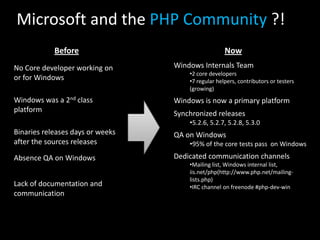
Microsoft and the PHP Community?!BeforeNow
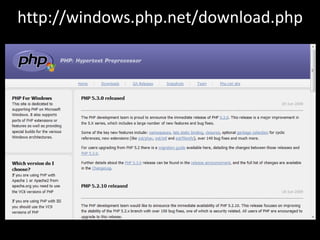
http://windows.php.net/download.php
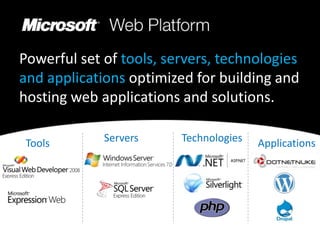
Powerful set of tools, servers, technologies and applications optimized for building and hosting web applications and solutions. ServersTechnologiesToolsApplications
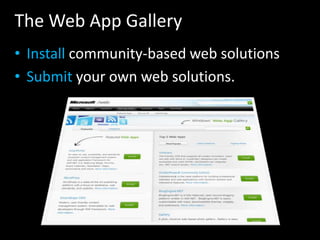
The Web App GalleryInstall community-based web solutionsSubmityour own web solutions.
Makes it simple for anyone using Windows Server or Client to design, develop, discover, deploy and run web applications.Install the latest versions of FREE Microsoft Web Platform tools, web server and extensions, database and frameworks including PHP. Stay up-to-date and explore what’s new. Runs on Windows XP, Windows Vista, Windows 7, Windows Server 2003, Windows Server 2008, and R2Microsoft Web Platform Installer
DemoThe Web Platform Installer
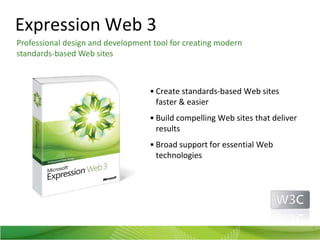
Expression Web 3Professionaldesign and development tool for creating modernstandards-based Web sitesCreate standards-based Web sites faster & easierBuild compelling Web sites that deliver resultsBroad support for essential Web technologies9
DEMOPHP in Expression Web 3
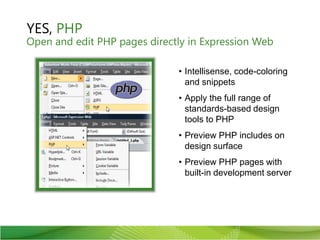
YES, PHPOpen and edit PHP pages directly in Expression WebIntellisense, code-coloring and snippetsApply the full range of standards-based design tools to PHPPreview PHP includes on design surfacePreview PHP pages with built-in development server
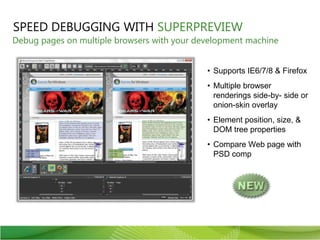
SPEED DEBUGGING WITH SUPERPREVIEWDebug pages on multiple browsers with your development machineSupports IE6/7/8 & FirefoxMultiple browser renderings side-by- side or onion-skin overlayElement position, size, & DOM tree propertiesCompare Web page with PSD comp
VS.Php for Visual StudioPHP IDE for Visual Studio 2008 and 2010First-class editor with intellisenseDebug native PHP applications locally or remotelyDeploy projects or work on remote servers directly using FTP or SFTP (SSH)Bundled with PHP5 runtime and Zend FrameworkIntegrated with IIS7, SilverlightJavaScript debugging.Net interoperability
IIS7 – The Interoperable Web ServerIntegrated support for Fast CGIReliable and fast PHP processingExtensible and easy to manageAllows full control over modules and featuresSame IIS on Dev and Production Environments
IIS 7 ModulesFactCGI handler mapping allows multiple versions of PHP in the same siteManage databases (MSSQL, MySQL)Friendly URL’s with URL RewriterOptimize your site for Search engines with SEO ToolkitPackage application using Web Deployment Tool
DemoPHP on IIS
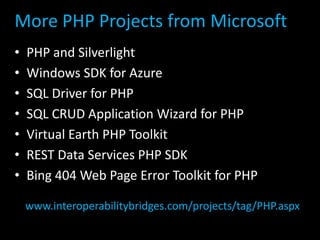
More PHP Projects from MicrosoftPHP and SilverlightWindows SDK for AzureSQL Driver for PHPSQL CRUD Application Wizard for PHPVirtual Earth PHP ToolkitREST Data Services PHP SDKBing 404 Web Page Error Toolkit for PHPwww.interoperabilitybridges.com/projects/tag/PHP.aspx
Program Overview for Web Proshttp://microsoft.com/web/websitespark
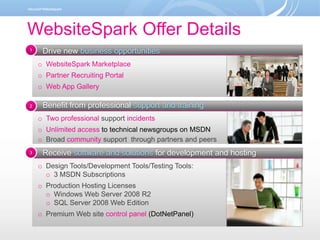
WebsiteSpark Offer Details1Drive new businessopportunitiesWebsiteSpark Marketplace
Partner Recruiting Portal
Web App GalleryBenefit from professional support and trainingTwo professional support incidents
Unlimited access to technical newsgroups on MSDN
Broad communitysupport  through partners and peersReceive software and solutions for development and hostingDesign Tools/Development Tools/Testing Tools:

Php On Windows

  • 1.
    Make WebNot WarSay(Hello);to the Microsoft Web Platform for PHPGuy BursteinWeb Platform Advisorguyb@microsoft.com http://blogs.microsoft.co.il/blogs/bursteg Twitter: @bursteg
  • 2.
    Agenda for today’stalkGetting Started with PHP on WindowsInstalling PHP (apps) on WindowsExpression WebIIS7 for PHP DevelopmentNext Steps
  • 3.
    Microsoft and thePHP Community?!BeforeNow
  • 4.
  • 5.
    Powerful set oftools, servers, technologies and applications optimized for building and hosting web applications and solutions. ServersTechnologiesToolsApplications
  • 6.
    The Web AppGalleryInstall community-based web solutionsSubmityour own web solutions.
  • 7.
    Makes it simplefor anyone using Windows Server or Client to design, develop, discover, deploy and run web applications.Install the latest versions of FREE Microsoft Web Platform tools, web server and extensions, database and frameworks including PHP. Stay up-to-date and explore what’s new. Runs on Windows XP, Windows Vista, Windows 7, Windows Server 2003, Windows Server 2008, and R2Microsoft Web Platform Installer
  • 8.
  • 9.
    Expression Web 3Professionaldesignand development tool for creating modernstandards-based Web sitesCreate standards-based Web sites faster & easierBuild compelling Web sites that deliver resultsBroad support for essential Web technologies9
  • 10.
  • 11.
    YES, PHPOpen andedit PHP pages directly in Expression WebIntellisense, code-coloring and snippetsApply the full range of standards-based design tools to PHPPreview PHP includes on design surfacePreview PHP pages with built-in development server
  • 12.
    SPEED DEBUGGING WITHSUPERPREVIEWDebug pages on multiple browsers with your development machineSupports IE6/7/8 & FirefoxMultiple browser renderings side-by- side or onion-skin overlayElement position, size, & DOM tree propertiesCompare Web page with PSD comp
  • 13.
    VS.Php for VisualStudioPHP IDE for Visual Studio 2008 and 2010First-class editor with intellisenseDebug native PHP applications locally or remotelyDeploy projects or work on remote servers directly using FTP or SFTP (SSH)Bundled with PHP5 runtime and Zend FrameworkIntegrated with IIS7, SilverlightJavaScript debugging.Net interoperability
  • 14.
    IIS7 – TheInteroperable Web ServerIntegrated support for Fast CGIReliable and fast PHP processingExtensible and easy to manageAllows full control over modules and featuresSame IIS on Dev and Production Environments
  • 15.
    IIS 7 ModulesFactCGIhandler mapping allows multiple versions of PHP in the same siteManage databases (MSSQL, MySQL)Friendly URL’s with URL RewriterOptimize your site for Search engines with SEO ToolkitPackage application using Web Deployment Tool
  • 16.
  • 17.
    More PHP Projectsfrom MicrosoftPHP and SilverlightWindows SDK for AzureSQL Driver for PHPSQL CRUD Application Wizard for PHPVirtual Earth PHP ToolkitREST Data Services PHP SDKBing 404 Web Page Error Toolkit for PHPwww.interoperabilitybridges.com/projects/tag/PHP.aspx
  • 18.
    Program Overview forWeb Proshttp://microsoft.com/web/websitespark
  • 19.
    WebsiteSpark Offer Details1Drivenew businessopportunitiesWebsiteSpark Marketplace
  • 20.
  • 21.
    Web App GalleryBenefitfrom professional support and trainingTwo professional support incidents
  • 22.
    Unlimited access totechnical newsgroups on MSDN
  • 23.
    Broad communitysupport through partners and peersReceive software and solutions for development and hostingDesign Tools/Development Tools/Testing Tools:

Editor's Notes

  • #2 A rich web stack that provides PHP with a complete supporting cast of technologies including a web server, database and set of tools for building, developing and hosting web sites and applications.
  • #6 The Microsoft Web Platform is a powerful set of tools, servers, technologies and applications optimized for building and hosting next generation web applications and solutionsDevelopment tools (Visual Studio, Expression Studio), Servers (IIS Web Server, SQL Server, and Windows Server) Frameworks (ASP.NET, Silverlight, MVC, AJAX) Languages (C#, VB.NET, IronRuby, IronPython, F#, javascript, and others)Applications – (over 15 available including, SubText, DotNetNuke, DasBlog and more)
  • #8 It all starts with the Web Platform Installer. The Web Platform Installer was built to make it simple for developers and web server administrators to get startdesigning, developing, deploying and running web applications on Windows. With the current 1.0 release, the Web PI provides a single tool to install all of Microsoft’s latest free web frameworks, server, database and tools such as ASP.NET, IIS Web Server and Visual Web Developer Express for both the server and client. In short, it’s all you need to build and run a web app on Windows.
  • #11 DEMO – Diagnostics and Debugging