A Brief Tutorial for
Phast Software
Case Study: Ethane Storage Tank
Prepared by Elham Khalati
A Brief Tutorial for Phast Software
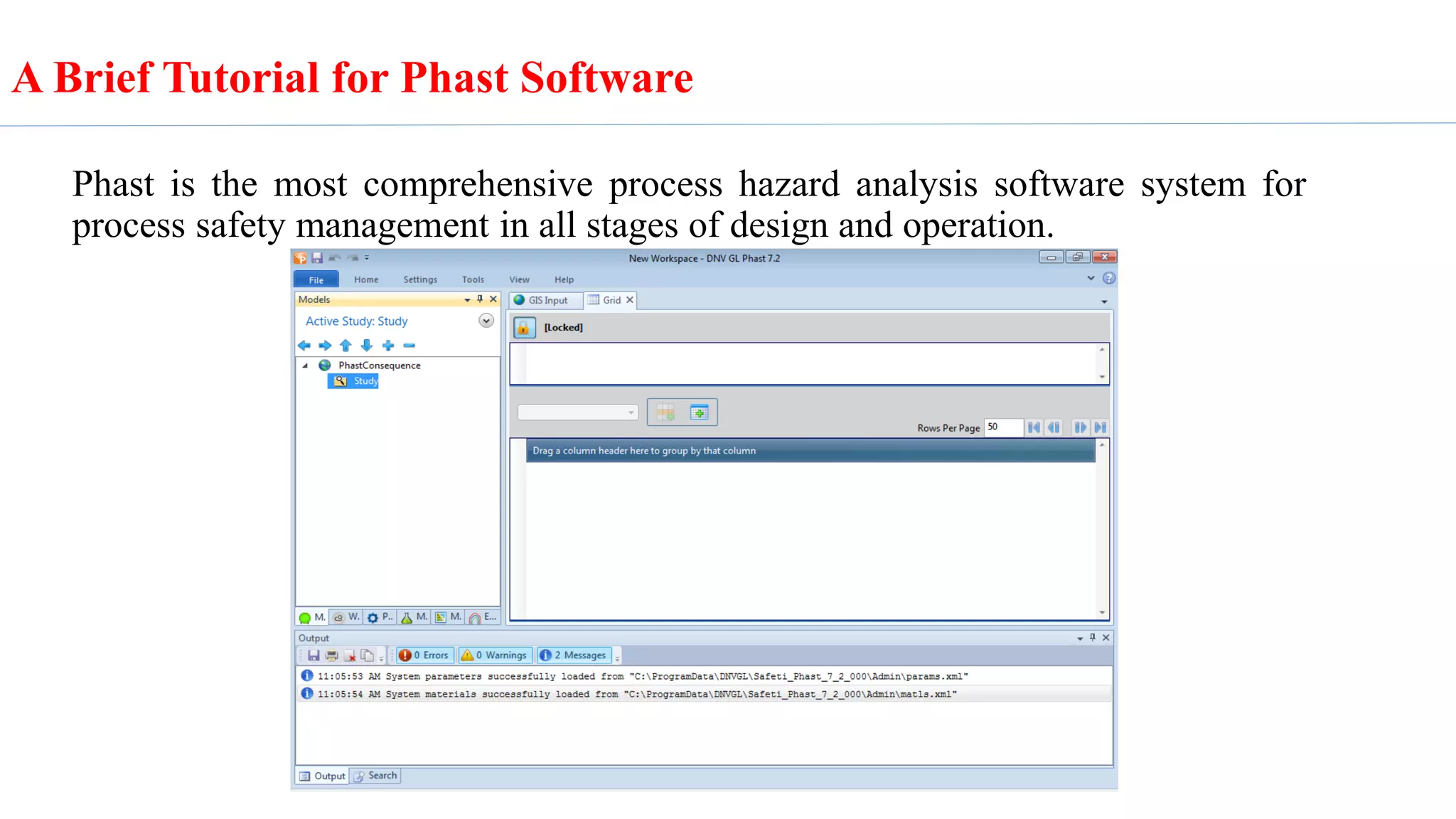
Phast is the most comprehensive process hazard analysis software system for
process safety management in all stages of design and operation.
Phast process hazard analysis software examines the progress of a potential
incident from the initial release to far-field dispersion analysis including
modelling of pool spreading and evaporation, and flammable and toxic effects. It
is the world's most comprehensive process hazard analysis software system. In
the following a brief procedure for modeling catastrophic rupture of ethane
storage.
A Brief Tutorial for Phast Software
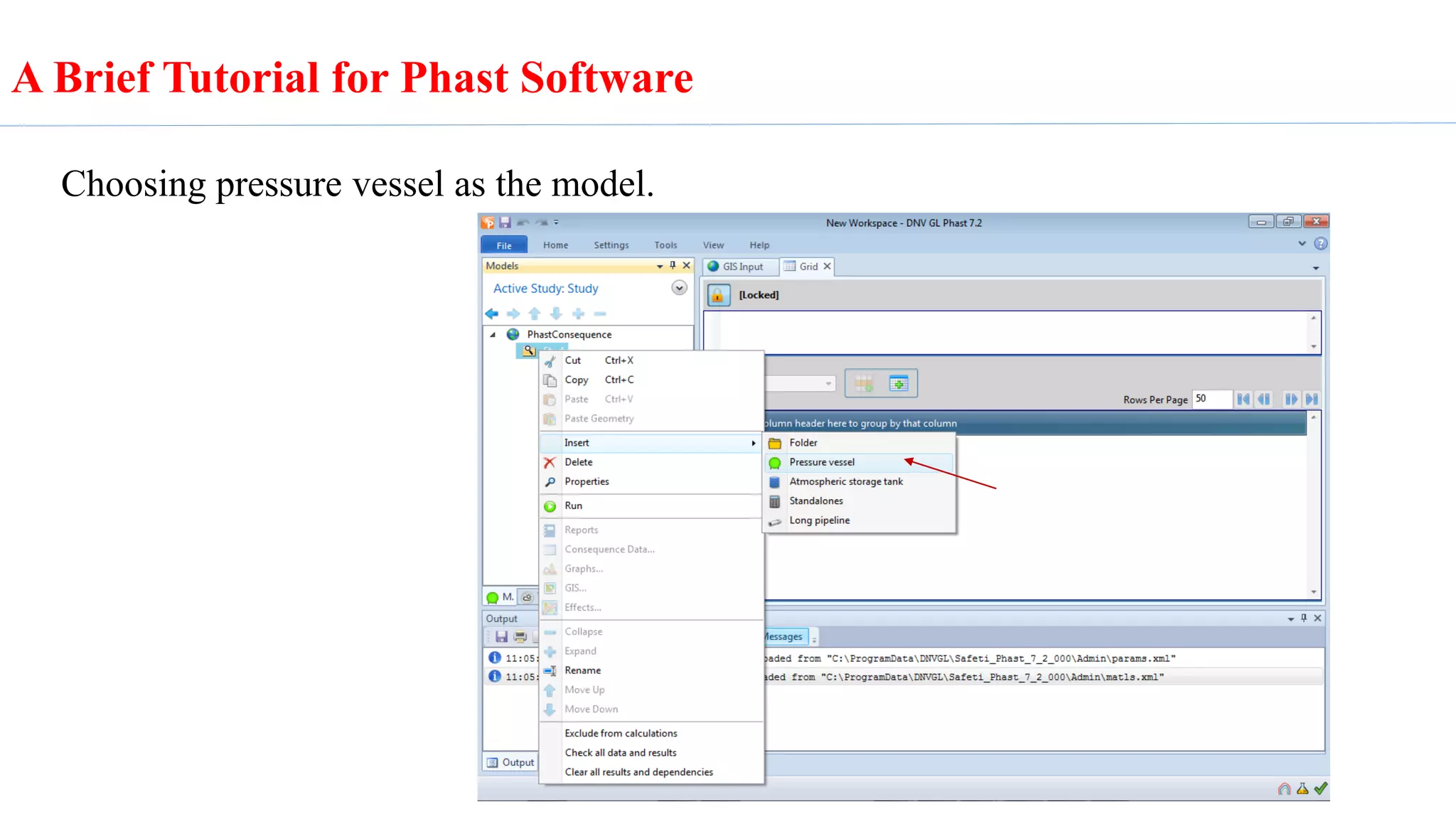
Choosing pressure vessel as the model.
A Brief Tutorial for Phast Software
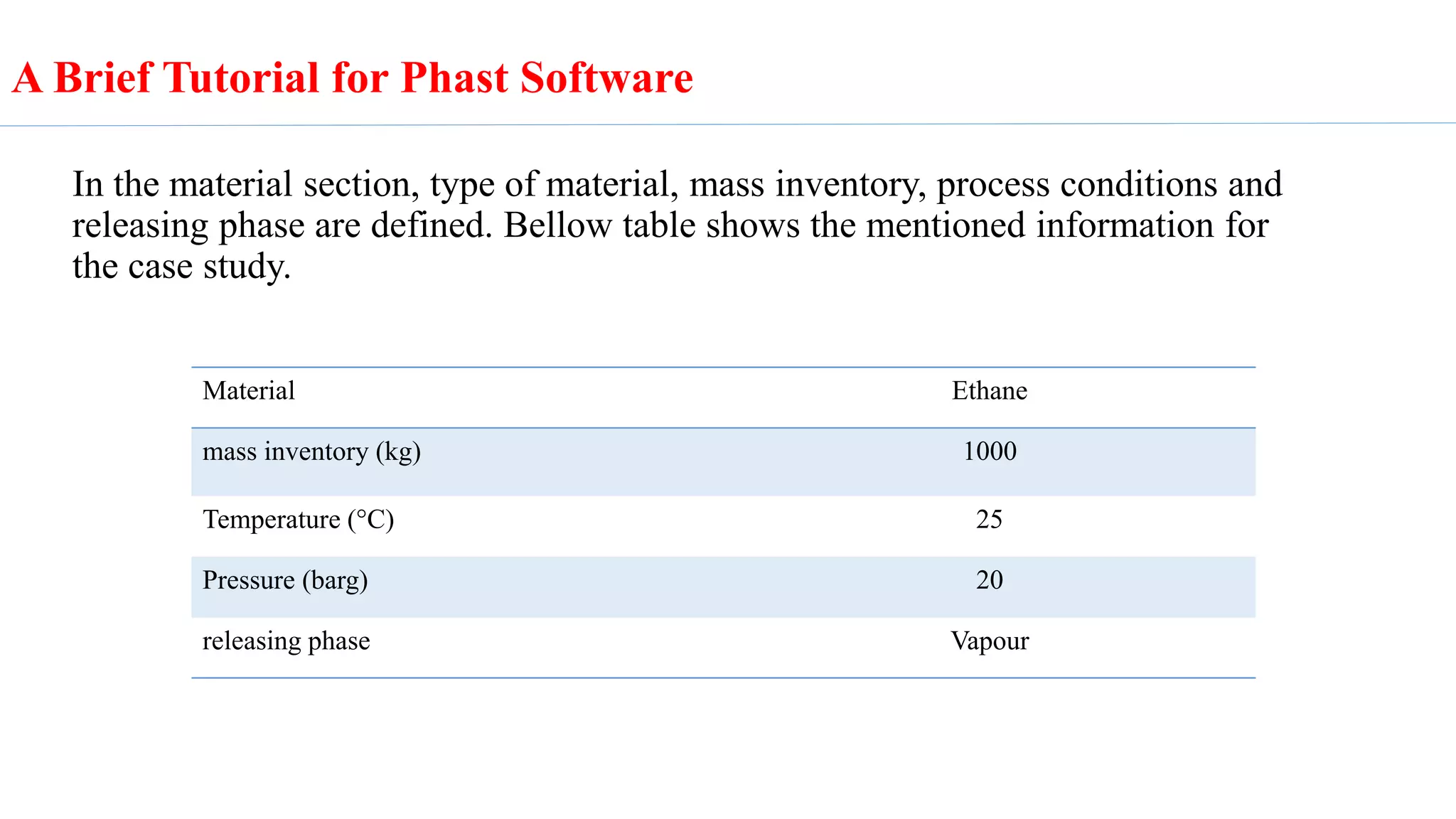
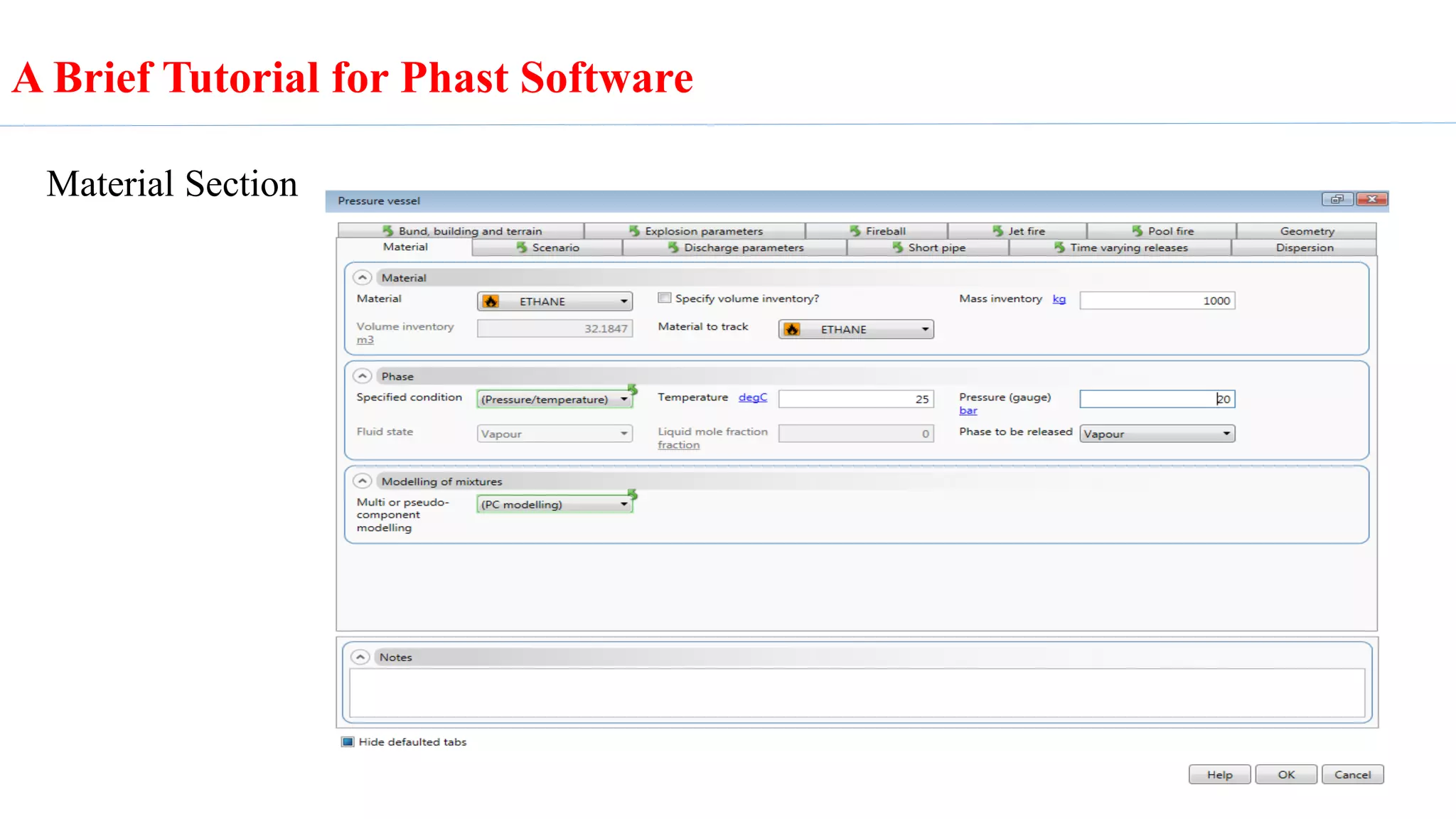
In the material section, type of material, mass inventory, process conditions and
releasing phase are defined. Bellow table shows the mentioned information for
the case study.
Material Ethane
mass inventory (kg) 1000
Temperature (°C) 25
Pressure (barg) 20
releasing phase Vapour
A Brief Tutorial for Phast Software
Material Section
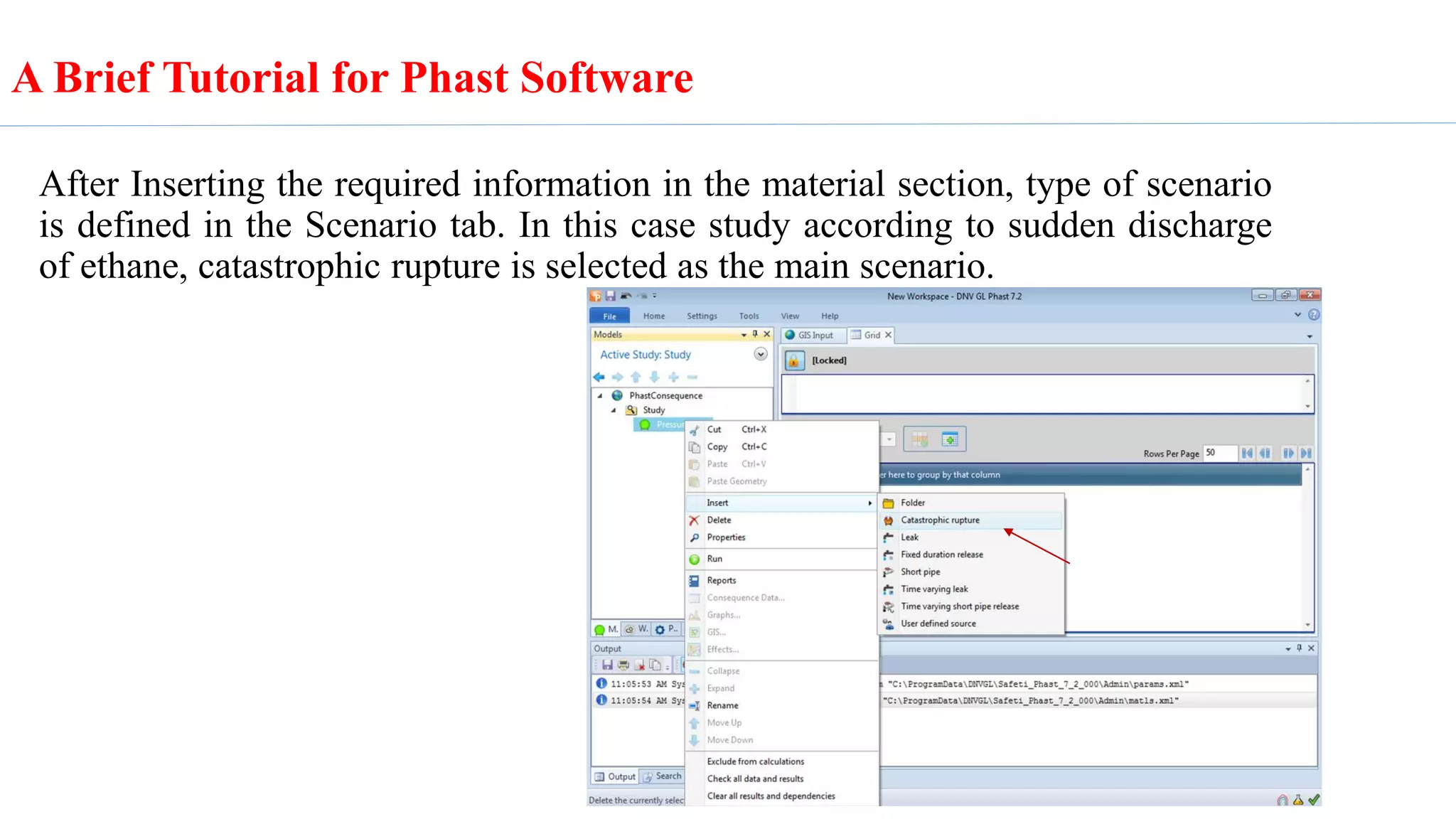
After Inserting the required information in the material section, type of scenario
is defined in the Scenario tab. In this case study according to sudden discharge
of ethane, catastrophic rupture is selected as the main scenario.
A Brief Tutorial for Phast Software
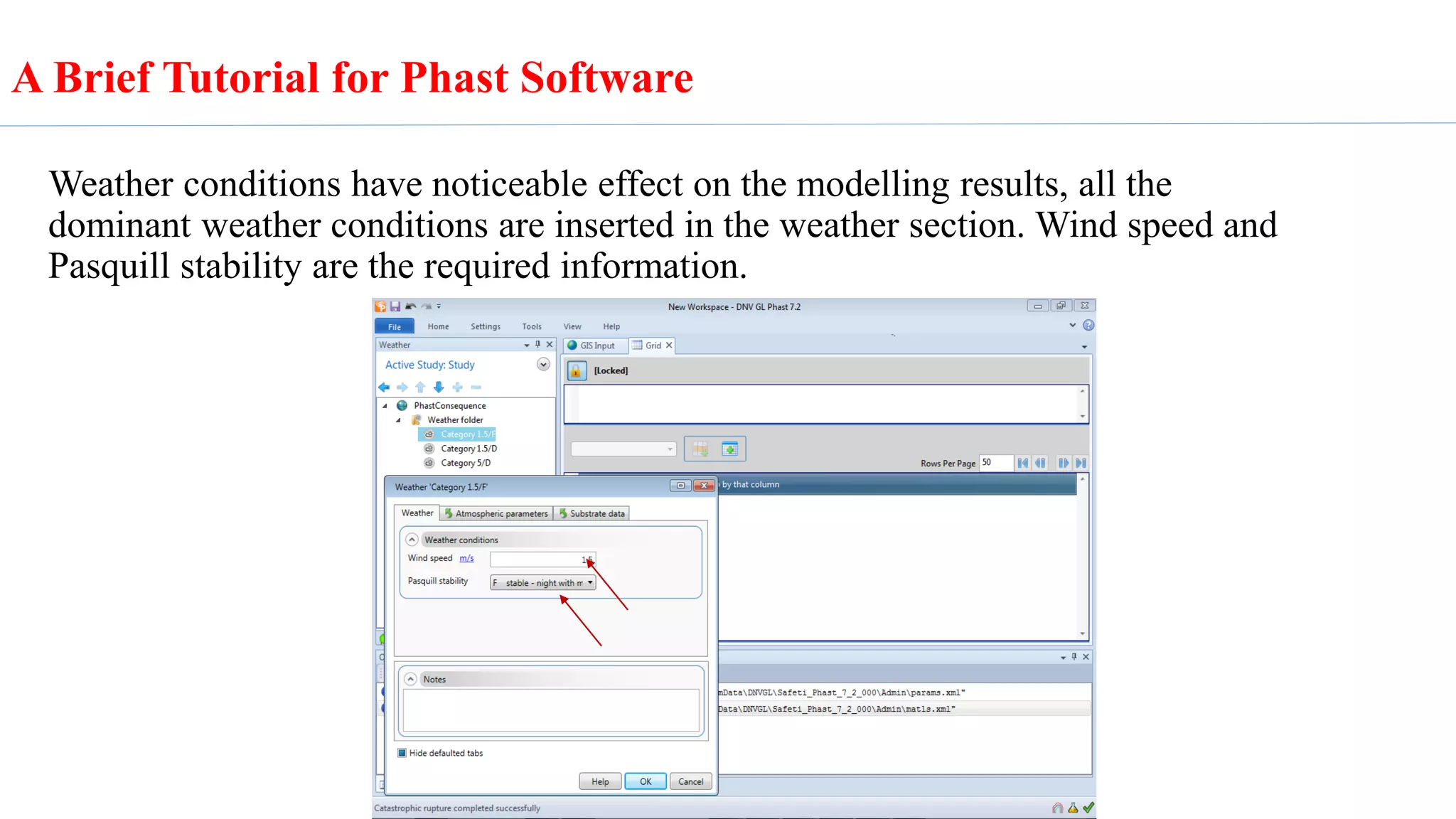
Weather conditions have noticeable effect on the modelling results, all the
dominant weather conditions are inserted in the weather section. Wind speed and
Pasquill stability are the required information.
A Brief Tutorial for Phast Software
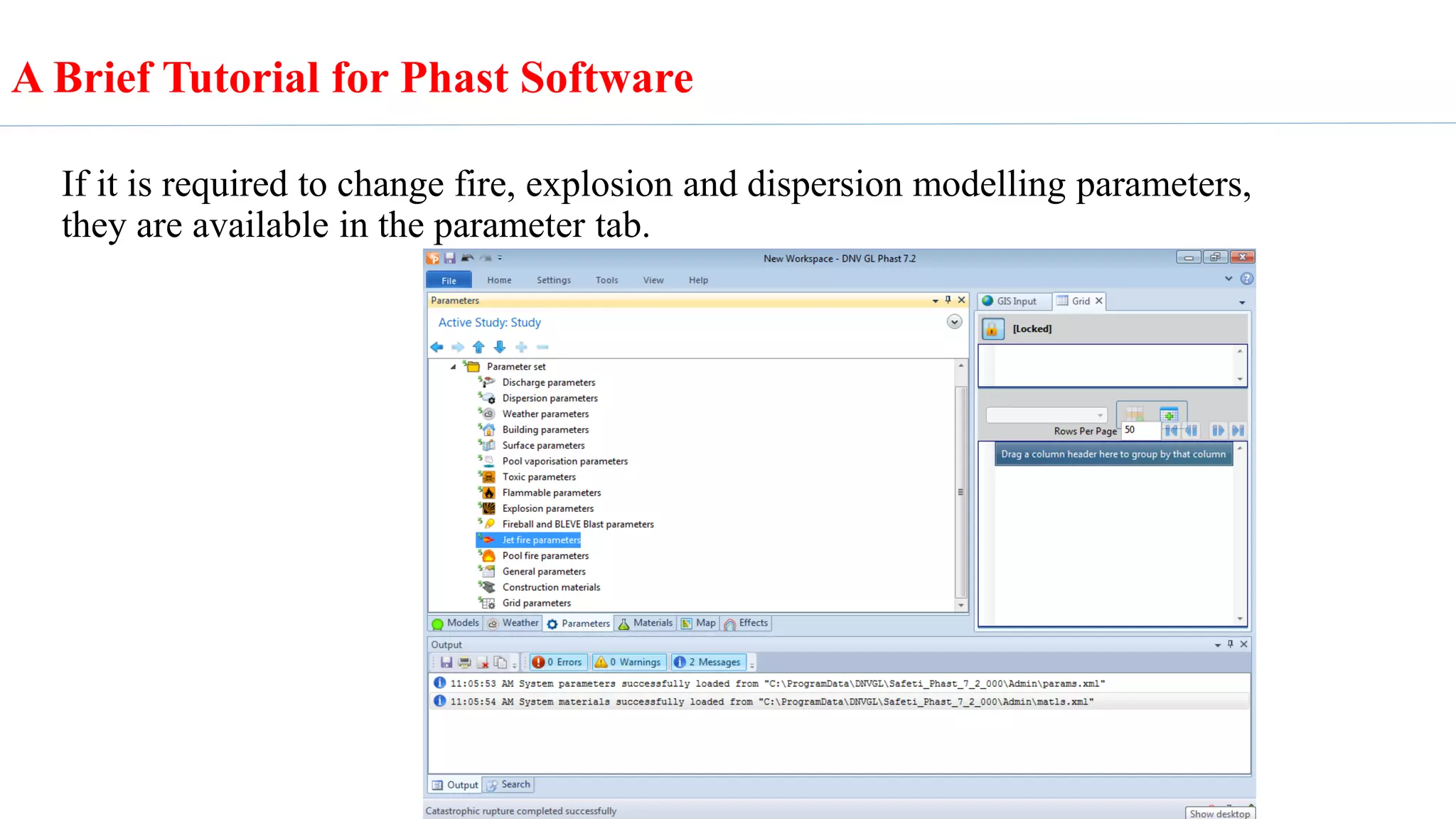
If it is required to change fire, explosion and dispersion modelling parameters,
they are available in the parameter tab.
A Brief Tutorial for Phast Software
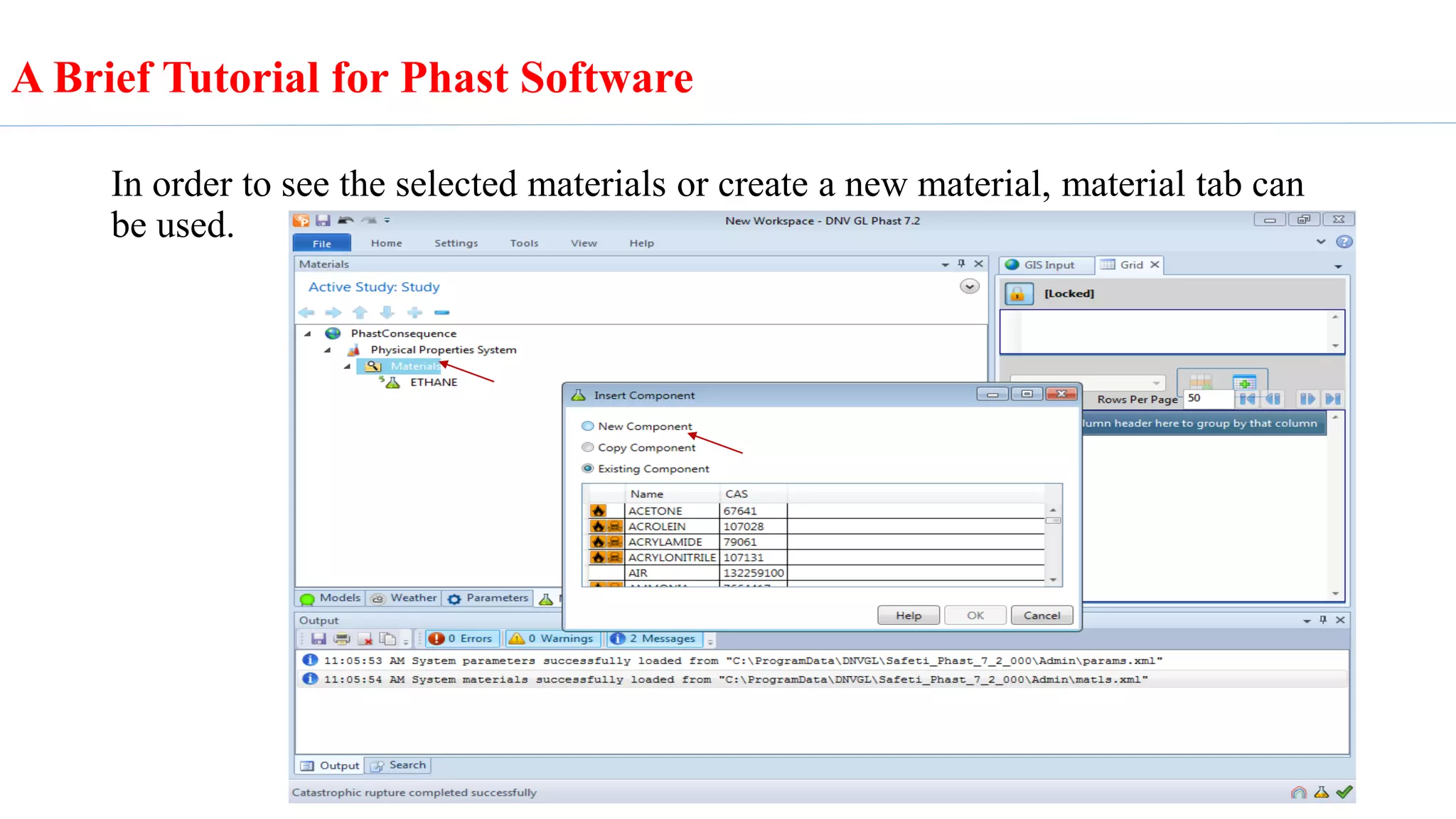
In order to see the selected materials or create a new material, material tab can
be used.
A Brief Tutorial for Phast Software
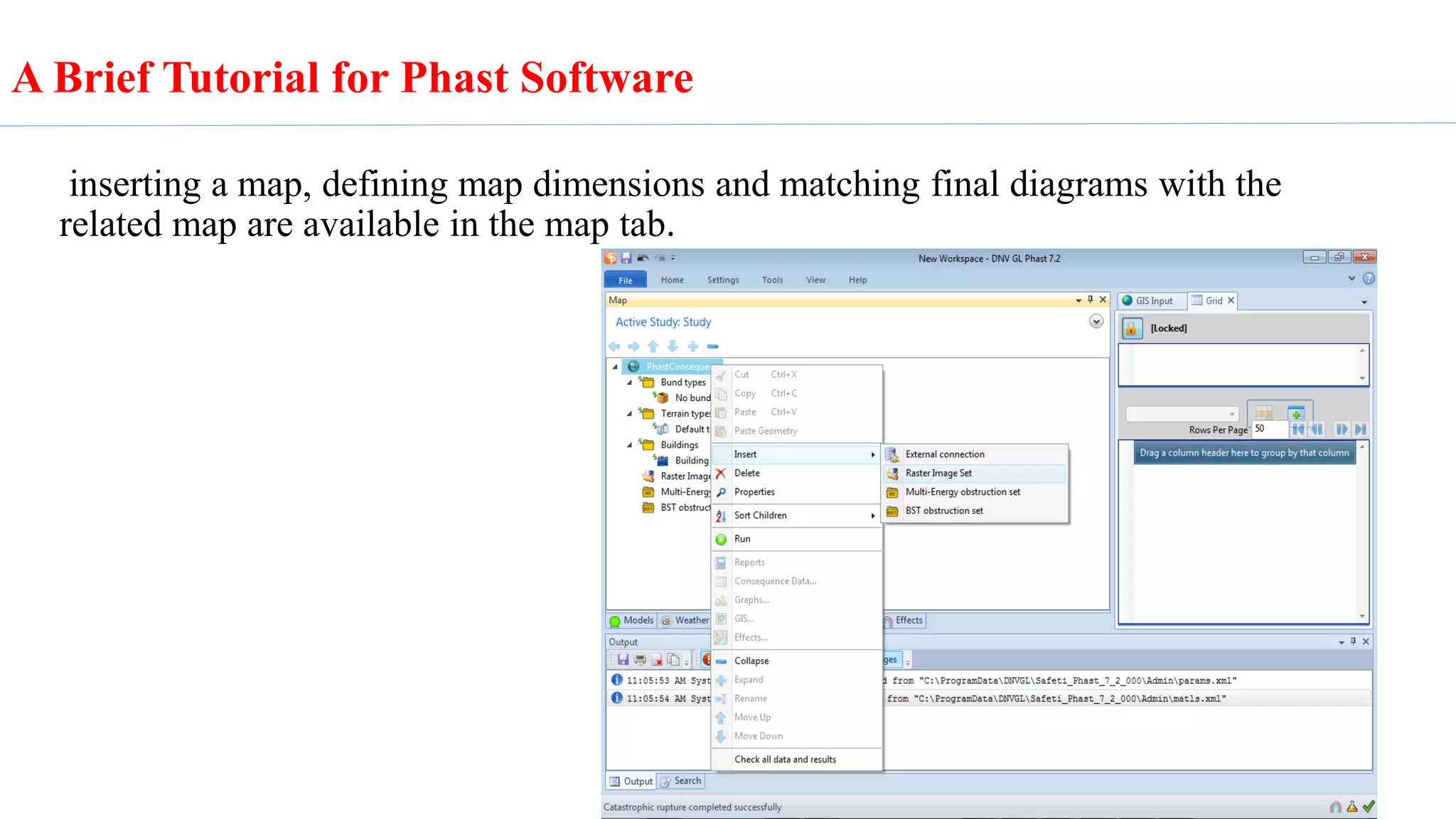
inserting a map, defining map dimensions and matching final diagrams with the
related map are available in the map tab.
A Brief Tutorial for Phast Software
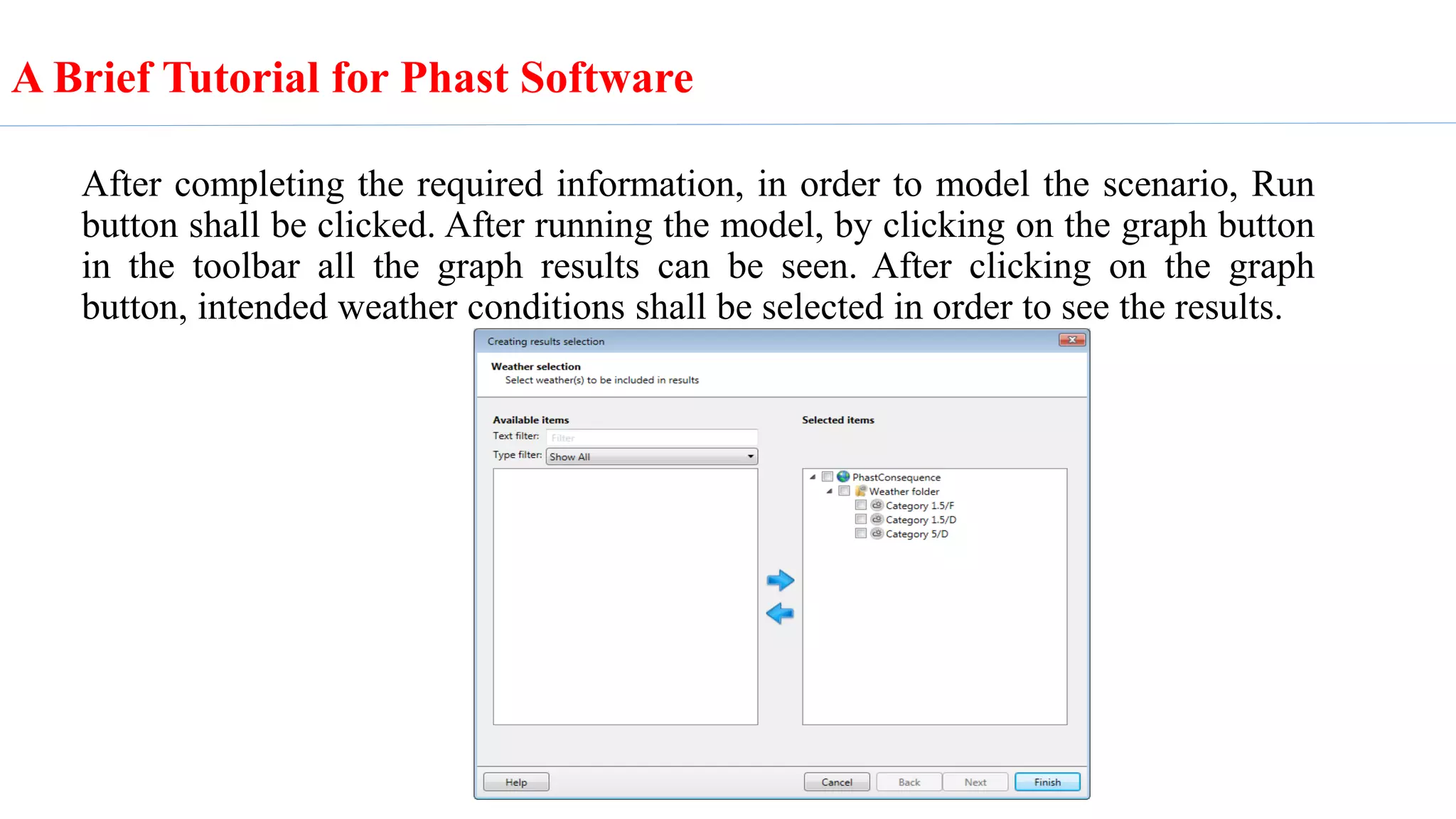
After completing the required information, in order to model the scenario, Run
button shall be clicked. After running the model, by clicking on the graph button
in the toolbar all the graph results can be seen. After clicking on the graph
button, intended weather conditions shall be selected in order to see the results.
A Brief Tutorial for Phast Software
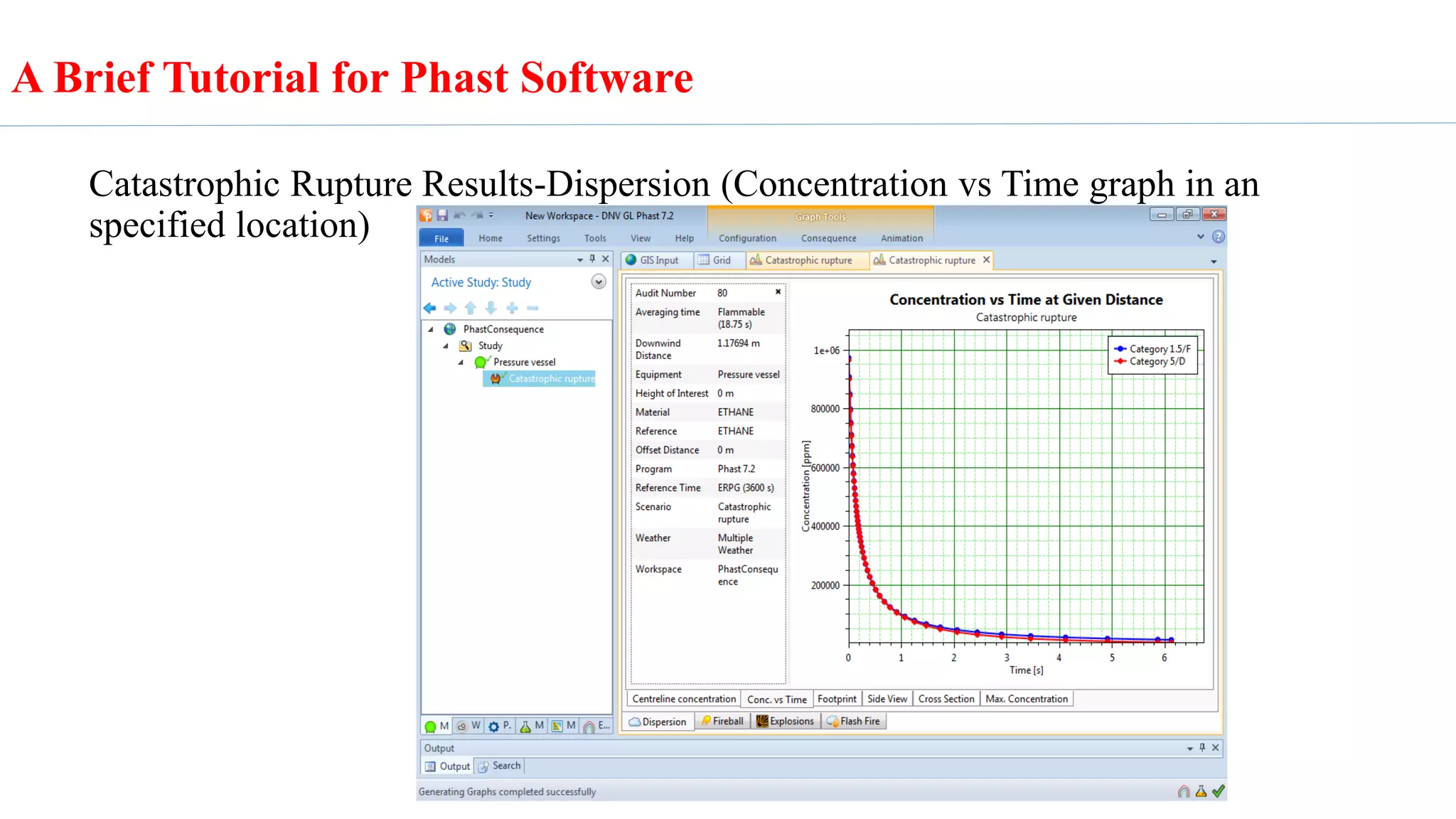
Catastrophic Rupture Results-Dispersion (Concentration vs Time graph in an
specified location)
A Brief Tutorial for Phast Software
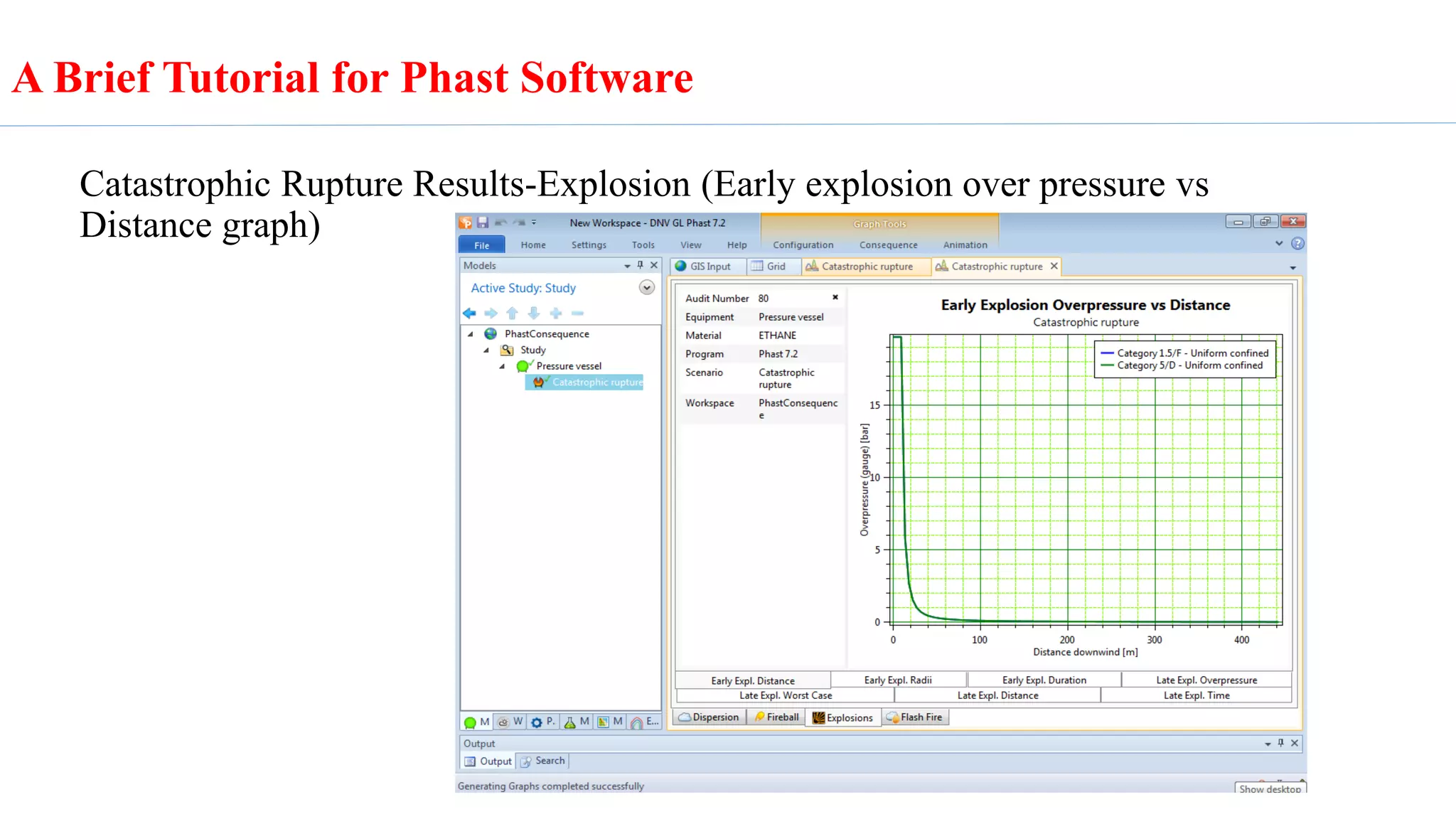
Catastrophic Rupture Results-Explosion (Early explosion over pressure vs
Distance graph)
A Brief Tutorial for Phast Software
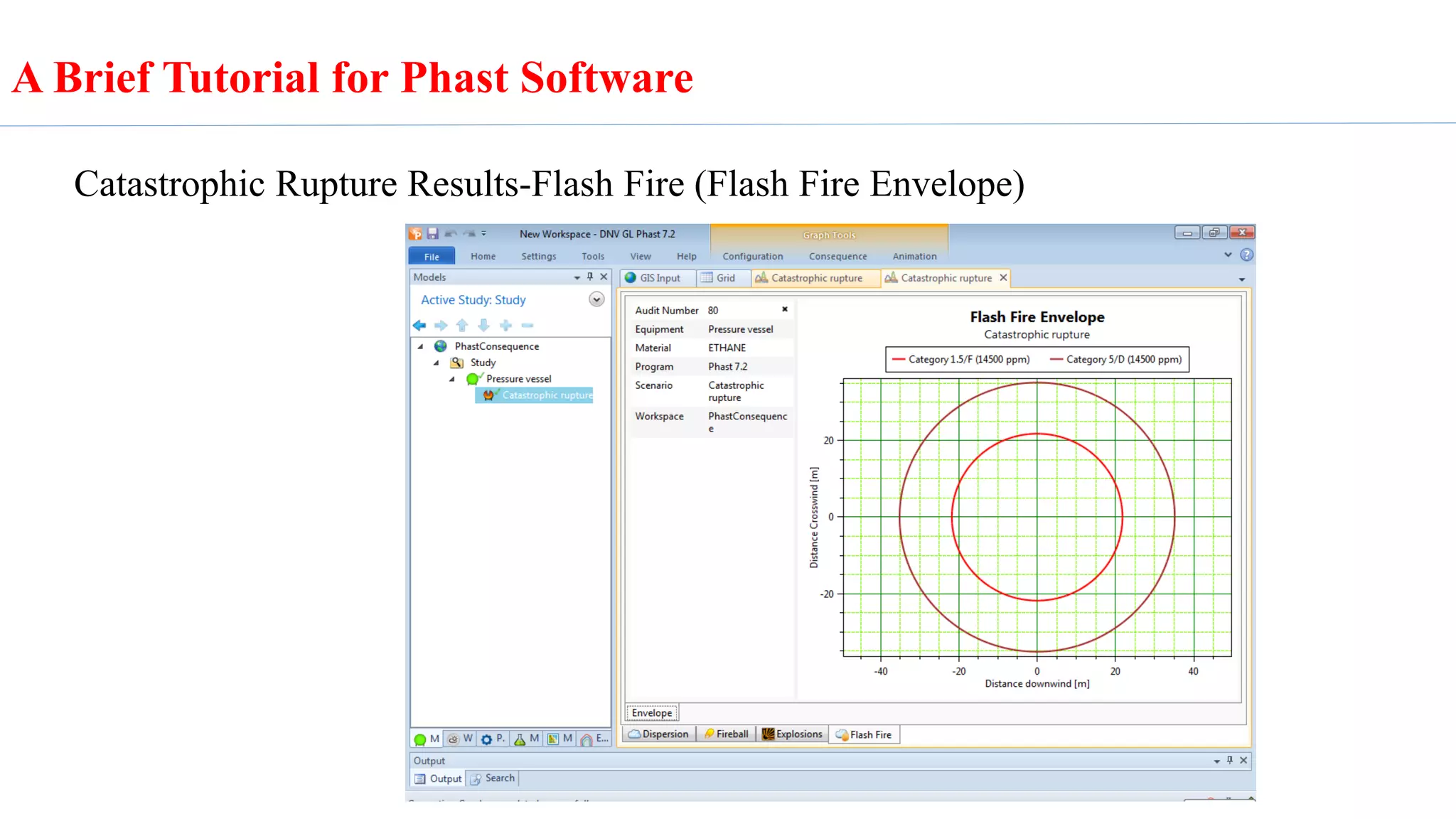
Catastrophic Rupture Results-Flash Fire (Flash Fire Envelope)
A Brief Tutorial for Phast Software

Phast software tutorial

  • 1.
    A Brief Tutorialfor Phast Software Case Study: Ethane Storage Tank Prepared by Elham Khalati
  • 2.
    A Brief Tutorialfor Phast Software Phast is the most comprehensive process hazard analysis software system for process safety management in all stages of design and operation.
  • 3.
    Phast process hazardanalysis software examines the progress of a potential incident from the initial release to far-field dispersion analysis including modelling of pool spreading and evaporation, and flammable and toxic effects. It is the world's most comprehensive process hazard analysis software system. In the following a brief procedure for modeling catastrophic rupture of ethane storage. A Brief Tutorial for Phast Software
  • 4.
    Choosing pressure vesselas the model. A Brief Tutorial for Phast Software
  • 5.
    In the materialsection, type of material, mass inventory, process conditions and releasing phase are defined. Bellow table shows the mentioned information for the case study. Material Ethane mass inventory (kg) 1000 Temperature (°C) 25 Pressure (barg) 20 releasing phase Vapour A Brief Tutorial for Phast Software
  • 6.
    A Brief Tutorialfor Phast Software Material Section
  • 7.
    After Inserting therequired information in the material section, type of scenario is defined in the Scenario tab. In this case study according to sudden discharge of ethane, catastrophic rupture is selected as the main scenario. A Brief Tutorial for Phast Software
  • 8.
    Weather conditions havenoticeable effect on the modelling results, all the dominant weather conditions are inserted in the weather section. Wind speed and Pasquill stability are the required information. A Brief Tutorial for Phast Software
  • 9.
    If it isrequired to change fire, explosion and dispersion modelling parameters, they are available in the parameter tab. A Brief Tutorial for Phast Software
  • 10.
    In order tosee the selected materials or create a new material, material tab can be used. A Brief Tutorial for Phast Software
  • 11.
    inserting a map,defining map dimensions and matching final diagrams with the related map are available in the map tab. A Brief Tutorial for Phast Software
  • 12.
    After completing therequired information, in order to model the scenario, Run button shall be clicked. After running the model, by clicking on the graph button in the toolbar all the graph results can be seen. After clicking on the graph button, intended weather conditions shall be selected in order to see the results. A Brief Tutorial for Phast Software
  • 13.
    Catastrophic Rupture Results-Dispersion(Concentration vs Time graph in an specified location) A Brief Tutorial for Phast Software
  • 14.
    Catastrophic Rupture Results-Explosion(Early explosion over pressure vs Distance graph) A Brief Tutorial for Phast Software
  • 15.
    Catastrophic Rupture Results-FlashFire (Flash Fire Envelope) A Brief Tutorial for Phast Software