Perl Development
Environment Tooling
Jason Crome
Technical Lead, All Around the World
August 25, 2016 Copyright 2016, Jason A. Crome
Who’s this for?
• Devs who need to work with multiple versions of Perl
(module authors, large enterprises, masochists, etc.)
• Devs who have been through dependency hell
• Devs who need a specific Perl setup but system restrictions
interfere
• Devs looking to make deployment easier
• People frustrated with bugs in system Perl
• People who want to use/test the latest Perl features
Copyright 2016, Jason A. CromeAugust 25, 2016
What We’ll Cover
• local::lib
• perlbrew
• plenv
• Carton
• Carmel and Pinto (very minimally)
Copyright 2016, Jason A. CromeAugust 25, 2016
local::lib
• Helps work with system Perl
• Helps avoid sysadmins
• Makes deployments easier
• Installs Perl modules to home (or another) directory,
rather than updating the system lib/ directory.
Copyright 2016, Jason A. CromeAugust 25, 2016
local::lib… But why?
• Sometimes you can’t install the Perl you need
• Sometimes you install from packages (Debian,
FreeBSD, etc.) that don’t update often.
• Sometimes your sysadmin is cautious and prevents
you from installing what you need
Copyright 2016, Jason A. CromeAugust 25, 2016
About local::lib
• Your local modules take precedence
• Your local modules have no effect on other users
• System Perl doesn’t even need local::lib
installed for you to use it! (to do this, look at the
bootstrapping technique)
Copyright 2016, Jason A. CromeAugust 25, 2016
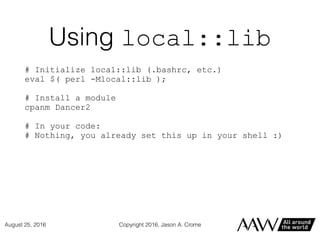
Using local::lib
# Initialize local::lib (.bashrc, etc.)
eval $( perl -Mlocal::lib );
# Install a module
cpanm Dancer2
# In your code:
# Nothing, you already set this up in your shell :)
Copyright 2016, Jason A. CromeAugust 25, 2016
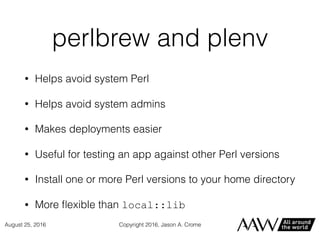
perlbrew and plenv
• Helps avoid system Perl
• Helps avoid system admins
• Makes deployments easier
• Useful for testing an app against other Perl versions
• Install one or more Perl versions to your home directory
• More flexible than local::lib
Copyright 2016, Jason A. CromeAugust 25, 2016
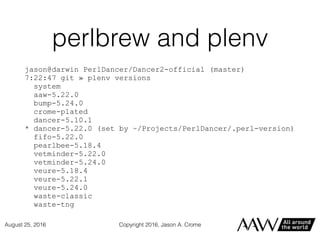
perlbrew and plenv
jason@darwin PerlDancer/Dancer2-official (master)
7:22:47 git » plenv versions
system
aaw-5.22.0
bump-5.24.0
crome-plated
dancer-5.10.1
* dancer-5.22.0 (set by ~/Projects/PerlDancer/.perl-version)
fifo-5.22.0
pearlbee-5.18.4
vetminder-5.22.0
vetminder-5.24.0
veure-5.18.4
veure-5.22.1
veure-5.24.0
waste-classic
waste-tng
Copyright 2016, Jason A. CromeAugust 25, 2016
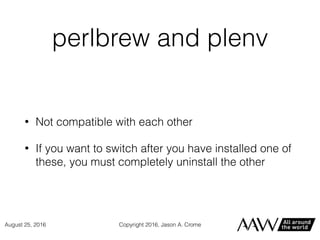
perlbrew and plenv
• Not compatible with each other
• If you want to switch after you have installed one of
these, you must completely uninstall the other
Copyright 2016, Jason A. CromeAugust 25, 2016
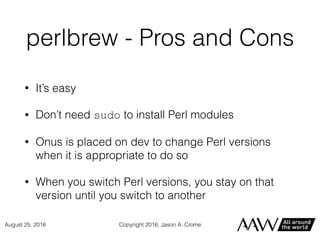
perlbrew - Pros and Cons
• It’s easy
• Don’t need sudo to install Perl modules
• Onus is placed on dev to change Perl versions
when it is appropriate to do so
• When you switch Perl versions, you stay on that
version until you switch to another
Copyright 2016, Jason A. CromeAugust 25, 2016
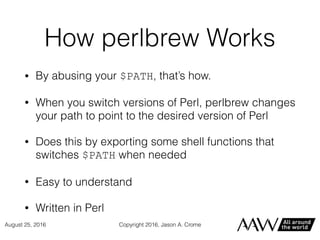
How perlbrew Works
• By abusing your $PATH, that’s how.
• When you switch versions of Perl, perlbrew changes
your path to point to the desired version of Perl
• Does this by exporting some shell functions that
switches $PATH when needed
• Easy to understand
• Written in Perl
Copyright 2016, Jason A. CromeAugust 25, 2016
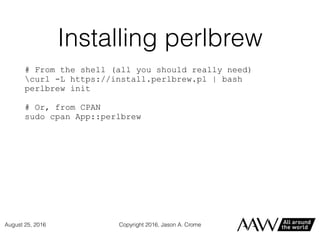
Installing perlbrew
# From the shell (all you should really need)
curl -L https://install.perlbrew.pl | bash
perlbrew init
# Or, from CPAN
sudo cpan App::perlbrew
Copyright 2016, Jason A. CromeAugust 25, 2016
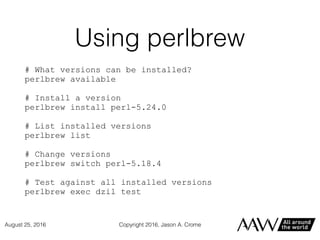
Using perlbrew
# What versions can be installed?
perlbrew available
# Install a version
perlbrew install perl-5.24.0
# List installed versions
perlbrew list
# Change versions
perlbrew switch perl-5.18.4
# Test against all installed versions
perlbrew exec dzil test
Copyright 2016, Jason A. CromeAugust 25, 2016
plenv - Pros and Cons
• Lets you set local and global Perl configs
• This leaves .perl-version files in its wake. Add
to .gitignore
• No $PATH munging to work
• Less functionality than perlbrew out of the box
Copyright 2016, Jason A. CromeAugust 25, 2016
How plenv works
• Installs to one location and adds it to your path
• Creates a shim for each executable (base Perl plus
those added through CPAN)
• Implemented in bash (no global shell functions)
• Shim looks at the appropriate .perl-version file
to determine which Perl version to use
Copyright 2016, Jason A. CromeAugust 25, 2016
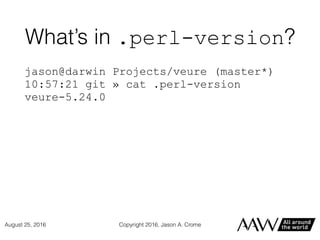
What’s in .perl-version?
jason@darwin Projects/veure (master*)
10:57:21 git » cat .perl-version
veure-5.24.0
Copyright 2016, Jason A. CromeAugust 25, 2016
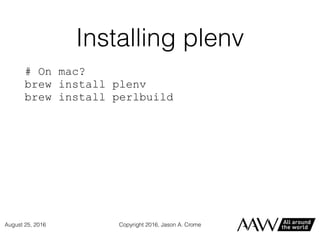
Installing plenv
# On mac?
brew install plenv
brew install perlbuild
Copyright 2016, Jason A. CromeAugust 25, 2016
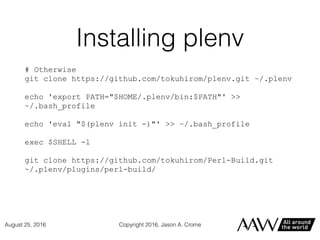
Installing plenv
# Otherwise
git clone https://github.com/tokuhirom/plenv.git ~/.plenv
echo 'export PATH="$HOME/.plenv/bin:$PATH"' >>
~/.bash_profile
echo 'eval "$(plenv init -)"' >> ~/.bash_profile
exec $SHELL -l
git clone https://github.com/tokuhirom/Perl-Build.git
~/.plenv/plugins/perl-build/
Copyright 2016, Jason A. CromeAugust 25, 2016
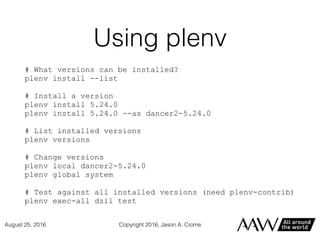
Using plenv
# What versions can be installed?
plenv install --list
# Install a version
plenv install 5.24.0
plenv install 5.24.0 --as dancer2-5.24.0
# List installed versions
plenv versions
# Change versions
plenv local dancer2-5.24.0
plenv global system
# Test against all installed versions (need plenv-contrib)
plenv exec-all dzil test
Copyright 2016, Jason A. CromeAugust 25, 2016
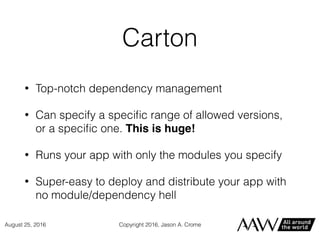
Carton
• Top-notch dependency management
• Can specify a specific range of allowed versions,
or a specific one. This is huge!
• Runs your app with only the modules you specify
• Super-easy to deploy and distribute your app with
no module/dependency hell
Copyright 2016, Jason A. CromeAugust 25, 2016
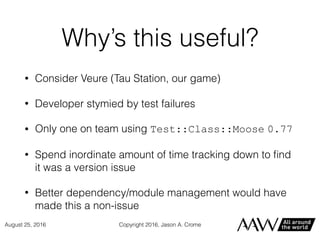
Why’s this useful?
• Consider Veure (Tau Station, our game)
• Developer stymied by test failures
• Only one on team using Test::Class::Moose 0.77
• Spend inordinate amount of time tracking down to find
it was a version issue
• Better dependency/module management would have
made this a non-issue
Copyright 2016, Jason A. CromeAugust 25, 2016
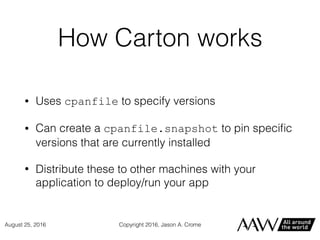
How Carton works
• Uses cpanfile to specify versions
• Can create a cpanfile.snapshot to pin specific
versions that are currently installed
• Distribute these to other machines with your
application to deploy/run your app
Copyright 2016, Jason A. CromeAugust 25, 2016
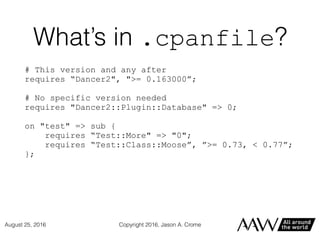
What’s in .cpanfile?
# This version and any after
requires “Dancer2", ">= 0.163000”;
# No specific version needed
requires "Dancer2::Plugin::Database" => 0;
on "test" => sub {
requires “Test::More" => "0";
requires “Test::Class::Moose”, ”>= 0.73, < 0.77”;
};
Copyright 2016, Jason A. CromeAugust 25, 2016
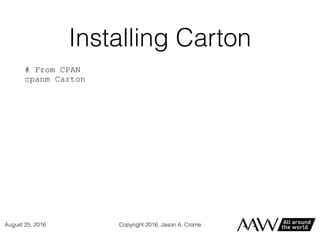
Installing Carton
# From CPAN
cpanm Carton
Copyright 2016, Jason A. CromeAugust 25, 2016
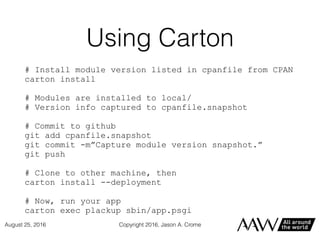
Using Carton
# Install module version listed in cpanfile from CPAN
carton install
# Modules are installed to local/
# Version info captured to cpanfile.snapshot
# Commit to github
git add cpanfile.snapshot
git commit -m”Capture module version snapshot.”
git push
# Clone to other machine, then
carton install --deployment
# Now, run your app
carton exec plackup sbin/app.psgi
Copyright 2016, Jason A. CromeAugust 25, 2016
Bundling with Carton
• carton bundle bundles the tarballs for your
modules and their dependencies into a directory
• Easy to distribute across a local network
• Deploy via carton install --cached
• Can install without CPAN or an internet connection
Copyright 2016, Jason A. CromeAugust 25, 2016
A final note
• Carton creates two things in your project directory:
local/ and .carton
• These should not be distributed with your app
• Make it easy: add to .gitignore
Copyright 2016, Jason A. CromeAugust 25, 2016
Carmel and Pinto
Honestly, I have little experience here
Both are marked experimental.
USE AT YOUR OWN RISK
Copyright 2016, Jason A. CromeAugust 25, 2016
Carmel
• Set up your own CPAN-like repositories of modules
• Carmel keeps a repo of all modules you build with
it
• When you need a module, uses cpanfile to
determine what it needs from that repo and builds
@INC appropriately.
• Carmel and Carton are made to work together
Copyright 2016, Jason A. CromeAugust 25, 2016
Pinto
• Pinto works like a self-curated PAUSE/CPAN
• Unlike CPAN, lets you keep different module versions
for dev, prod, test, etc.
• Has version control. Easy to rollback if you add a
broken module release
• Allows you to use only modules and versions you want
• Works when you are offline/CPAN is down
Copyright 2016, Jason A. CromeAugust 25, 2016
Thank you!
Copyright 2016, Jason A. CromeAugust 25, 2016
Resources
• local::lib - https://metacpan.org/pod/local::lib
• perlbrew - https://perlbrew.pl/
• plenv - https://github.com/tokuhirom/plenv
• Carton - https://metacpan.org/pod/Carton
• Carmel - https://metacpan.org/pod/Carmel
• Pinto - https://metacpan.org/pod/Pinto
Copyright 2016, Jason A. CromeAugust 25, 2016

Perl Development Environment Tooling

  • 1.
    Perl Development Environment Tooling JasonCrome Technical Lead, All Around the World August 25, 2016 Copyright 2016, Jason A. Crome
  • 2.
    Who’s this for? •Devs who need to work with multiple versions of Perl (module authors, large enterprises, masochists, etc.) • Devs who have been through dependency hell • Devs who need a specific Perl setup but system restrictions interfere • Devs looking to make deployment easier • People frustrated with bugs in system Perl • People who want to use/test the latest Perl features Copyright 2016, Jason A. CromeAugust 25, 2016
  • 3.
    What We’ll Cover •local::lib • perlbrew • plenv • Carton • Carmel and Pinto (very minimally) Copyright 2016, Jason A. CromeAugust 25, 2016
  • 4.
    local::lib • Helps workwith system Perl • Helps avoid sysadmins • Makes deployments easier • Installs Perl modules to home (or another) directory, rather than updating the system lib/ directory. Copyright 2016, Jason A. CromeAugust 25, 2016
  • 5.
    local::lib… But why? •Sometimes you can’t install the Perl you need • Sometimes you install from packages (Debian, FreeBSD, etc.) that don’t update often. • Sometimes your sysadmin is cautious and prevents you from installing what you need Copyright 2016, Jason A. CromeAugust 25, 2016
  • 6.
    About local::lib • Yourlocal modules take precedence • Your local modules have no effect on other users • System Perl doesn’t even need local::lib installed for you to use it! (to do this, look at the bootstrapping technique) Copyright 2016, Jason A. CromeAugust 25, 2016
  • 7.
    Using local::lib # Initializelocal::lib (.bashrc, etc.) eval $( perl -Mlocal::lib ); # Install a module cpanm Dancer2 # In your code: # Nothing, you already set this up in your shell :) Copyright 2016, Jason A. CromeAugust 25, 2016
  • 8.
    perlbrew and plenv •Helps avoid system Perl • Helps avoid system admins • Makes deployments easier • Useful for testing an app against other Perl versions • Install one or more Perl versions to your home directory • More flexible than local::lib Copyright 2016, Jason A. CromeAugust 25, 2016
  • 9.
    perlbrew and plenv jason@darwinPerlDancer/Dancer2-official (master) 7:22:47 git » plenv versions system aaw-5.22.0 bump-5.24.0 crome-plated dancer-5.10.1 * dancer-5.22.0 (set by ~/Projects/PerlDancer/.perl-version) fifo-5.22.0 pearlbee-5.18.4 vetminder-5.22.0 vetminder-5.24.0 veure-5.18.4 veure-5.22.1 veure-5.24.0 waste-classic waste-tng Copyright 2016, Jason A. CromeAugust 25, 2016
  • 10.
    perlbrew and plenv •Not compatible with each other • If you want to switch after you have installed one of these, you must completely uninstall the other Copyright 2016, Jason A. CromeAugust 25, 2016
  • 11.
    perlbrew - Prosand Cons • It’s easy • Don’t need sudo to install Perl modules • Onus is placed on dev to change Perl versions when it is appropriate to do so • When you switch Perl versions, you stay on that version until you switch to another Copyright 2016, Jason A. CromeAugust 25, 2016
  • 12.
    How perlbrew Works •By abusing your $PATH, that’s how. • When you switch versions of Perl, perlbrew changes your path to point to the desired version of Perl • Does this by exporting some shell functions that switches $PATH when needed • Easy to understand • Written in Perl Copyright 2016, Jason A. CromeAugust 25, 2016
  • 13.
    Installing perlbrew # Fromthe shell (all you should really need) curl -L https://install.perlbrew.pl | bash perlbrew init # Or, from CPAN sudo cpan App::perlbrew Copyright 2016, Jason A. CromeAugust 25, 2016
  • 14.
    Using perlbrew # Whatversions can be installed? perlbrew available # Install a version perlbrew install perl-5.24.0 # List installed versions perlbrew list # Change versions perlbrew switch perl-5.18.4 # Test against all installed versions perlbrew exec dzil test Copyright 2016, Jason A. CromeAugust 25, 2016
  • 15.
    plenv - Prosand Cons • Lets you set local and global Perl configs • This leaves .perl-version files in its wake. Add to .gitignore • No $PATH munging to work • Less functionality than perlbrew out of the box Copyright 2016, Jason A. CromeAugust 25, 2016
  • 16.
    How plenv works •Installs to one location and adds it to your path • Creates a shim for each executable (base Perl plus those added through CPAN) • Implemented in bash (no global shell functions) • Shim looks at the appropriate .perl-version file to determine which Perl version to use Copyright 2016, Jason A. CromeAugust 25, 2016
  • 17.
    What’s in .perl-version? jason@darwinProjects/veure (master*) 10:57:21 git » cat .perl-version veure-5.24.0 Copyright 2016, Jason A. CromeAugust 25, 2016
  • 18.
    Installing plenv # Onmac? brew install plenv brew install perlbuild Copyright 2016, Jason A. CromeAugust 25, 2016
  • 19.
    Installing plenv # Otherwise gitclone https://github.com/tokuhirom/plenv.git ~/.plenv echo 'export PATH="$HOME/.plenv/bin:$PATH"' >> ~/.bash_profile echo 'eval "$(plenv init -)"' >> ~/.bash_profile exec $SHELL -l git clone https://github.com/tokuhirom/Perl-Build.git ~/.plenv/plugins/perl-build/ Copyright 2016, Jason A. CromeAugust 25, 2016
  • 20.
    Using plenv # Whatversions can be installed? plenv install --list # Install a version plenv install 5.24.0 plenv install 5.24.0 --as dancer2-5.24.0 # List installed versions plenv versions # Change versions plenv local dancer2-5.24.0 plenv global system # Test against all installed versions (need plenv-contrib) plenv exec-all dzil test Copyright 2016, Jason A. CromeAugust 25, 2016
  • 21.
    Carton • Top-notch dependencymanagement • Can specify a specific range of allowed versions, or a specific one. This is huge! • Runs your app with only the modules you specify • Super-easy to deploy and distribute your app with no module/dependency hell Copyright 2016, Jason A. CromeAugust 25, 2016
  • 22.
    Why’s this useful? •Consider Veure (Tau Station, our game) • Developer stymied by test failures • Only one on team using Test::Class::Moose 0.77 • Spend inordinate amount of time tracking down to find it was a version issue • Better dependency/module management would have made this a non-issue Copyright 2016, Jason A. CromeAugust 25, 2016
  • 23.
    How Carton works •Uses cpanfile to specify versions • Can create a cpanfile.snapshot to pin specific versions that are currently installed • Distribute these to other machines with your application to deploy/run your app Copyright 2016, Jason A. CromeAugust 25, 2016
  • 24.
    What’s in .cpanfile? #This version and any after requires “Dancer2", ">= 0.163000”; # No specific version needed requires "Dancer2::Plugin::Database" => 0; on "test" => sub { requires “Test::More" => "0"; requires “Test::Class::Moose”, ”>= 0.73, < 0.77”; }; Copyright 2016, Jason A. CromeAugust 25, 2016
  • 25.
    Installing Carton # FromCPAN cpanm Carton Copyright 2016, Jason A. CromeAugust 25, 2016
  • 26.
    Using Carton # Installmodule version listed in cpanfile from CPAN carton install # Modules are installed to local/ # Version info captured to cpanfile.snapshot # Commit to github git add cpanfile.snapshot git commit -m”Capture module version snapshot.” git push # Clone to other machine, then carton install --deployment # Now, run your app carton exec plackup sbin/app.psgi Copyright 2016, Jason A. CromeAugust 25, 2016
  • 27.
    Bundling with Carton •carton bundle bundles the tarballs for your modules and their dependencies into a directory • Easy to distribute across a local network • Deploy via carton install --cached • Can install without CPAN or an internet connection Copyright 2016, Jason A. CromeAugust 25, 2016
  • 28.
    A final note •Carton creates two things in your project directory: local/ and .carton • These should not be distributed with your app • Make it easy: add to .gitignore Copyright 2016, Jason A. CromeAugust 25, 2016
  • 29.
    Carmel and Pinto Honestly,I have little experience here Both are marked experimental. USE AT YOUR OWN RISK Copyright 2016, Jason A. CromeAugust 25, 2016
  • 30.
    Carmel • Set upyour own CPAN-like repositories of modules • Carmel keeps a repo of all modules you build with it • When you need a module, uses cpanfile to determine what it needs from that repo and builds @INC appropriately. • Carmel and Carton are made to work together Copyright 2016, Jason A. CromeAugust 25, 2016
  • 31.
    Pinto • Pinto workslike a self-curated PAUSE/CPAN • Unlike CPAN, lets you keep different module versions for dev, prod, test, etc. • Has version control. Easy to rollback if you add a broken module release • Allows you to use only modules and versions you want • Works when you are offline/CPAN is down Copyright 2016, Jason A. CromeAugust 25, 2016
  • 32.
    Thank you! Copyright 2016,Jason A. CromeAugust 25, 2016
  • 33.
    Resources • local::lib -https://metacpan.org/pod/local::lib • perlbrew - https://perlbrew.pl/ • plenv - https://github.com/tokuhirom/plenv • Carton - https://metacpan.org/pod/Carton • Carmel - https://metacpan.org/pod/Carmel • Pinto - https://metacpan.org/pod/Pinto Copyright 2016, Jason A. CromeAugust 25, 2016