Performance Testing
Presenter name: Anusha Thalla
Email : info@3zenx.com
Website address: www.3ZenX.com
Table of contents
▪ Introduction to Performance Testing
▪ Types of Performance Testing
▪ Key Performance Metrics
▪ Performance Testing Process
▪ Benefits of Performance Testing
▪ Challenges of Performance Testing
▪ Best Practices for Performance Testing
▪ Performance Testing Tips
Introduction to Performance Testing
Performance testing is a type of software testing that aims to measure the speed,
responsiveness, and stability of a system under different load conditions. It helps identify
bottlenecks, detect performance degradation, and ensure the application meets performance
requirements. Performance testing is crucial for delivering a high-quality user experience and
preventing performance-related issues.
Types of Performance Testing
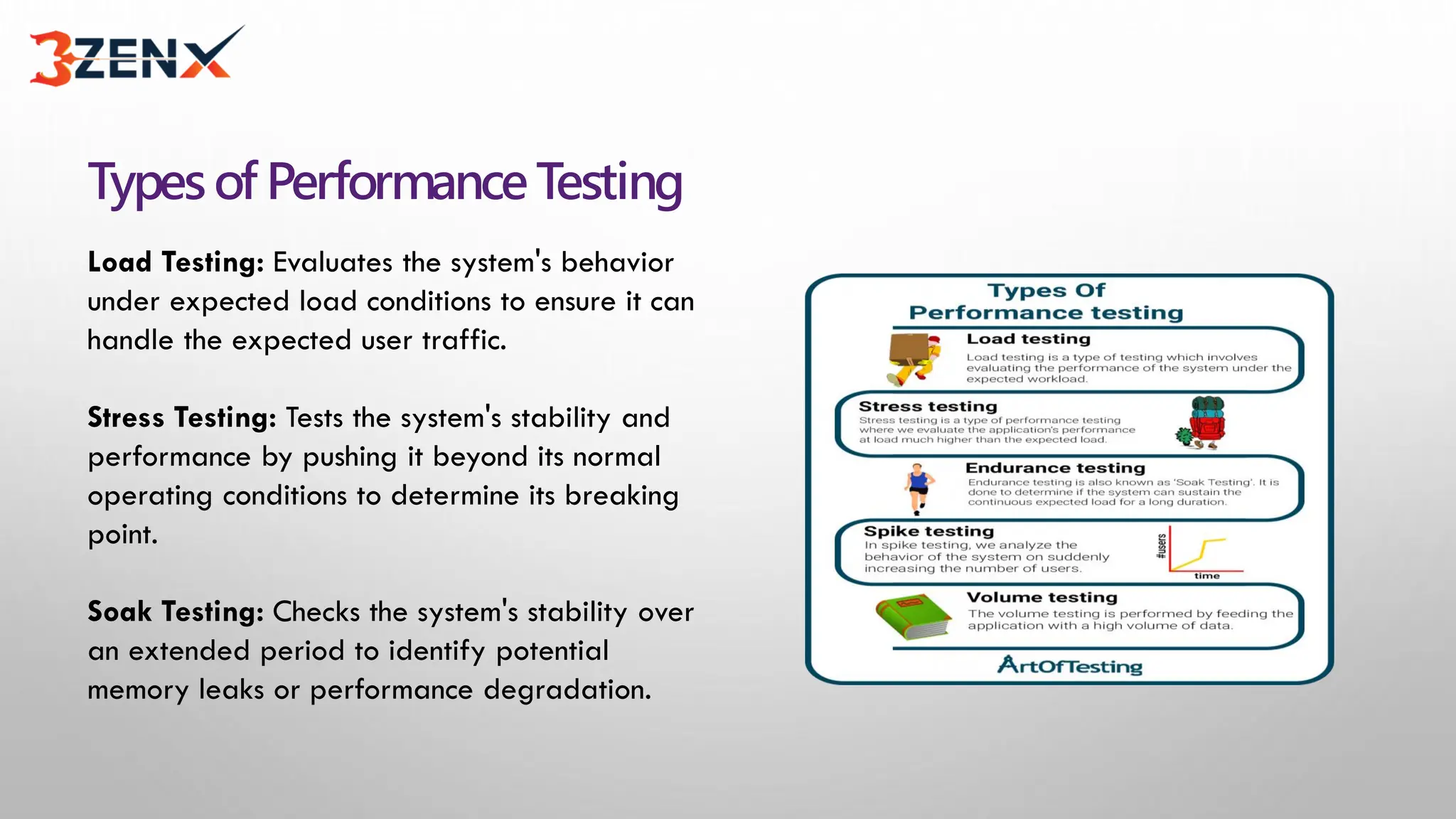
Load Testing: Evaluates the system's behavior
under expected load conditions to ensure it can
handle the expected user traffic.
Stress Testing: Tests the system's stability and
performance by pushing it beyond its normal
operating conditions to determine its breaking
point.
Soak Testing: Checks the system's stability over
an extended period to identify potential
memory leaks or performance degradation.
PerformanceTestingProcess
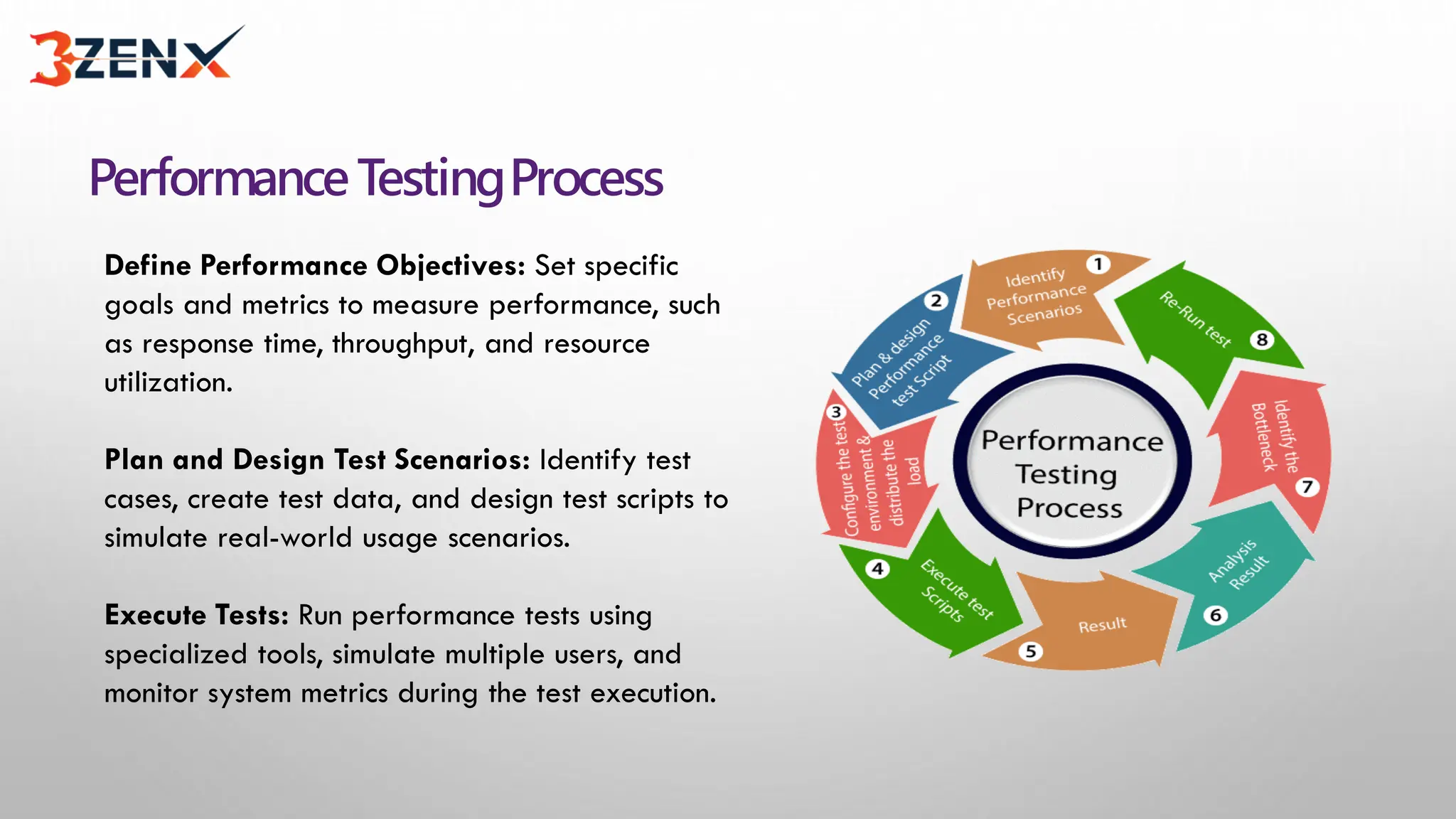
Define Performance Objectives: Set specific
goals and metrics to measure performance, such
as response time, throughput, and resource
utilization.
Plan and Design Test Scenarios: Identify test
cases, create test data, and design test scripts to
simulate real-world usage scenarios.
Execute Tests: Run performance tests using
specialized tools, simulate multiple users, and
monitor system metrics during the test execution.
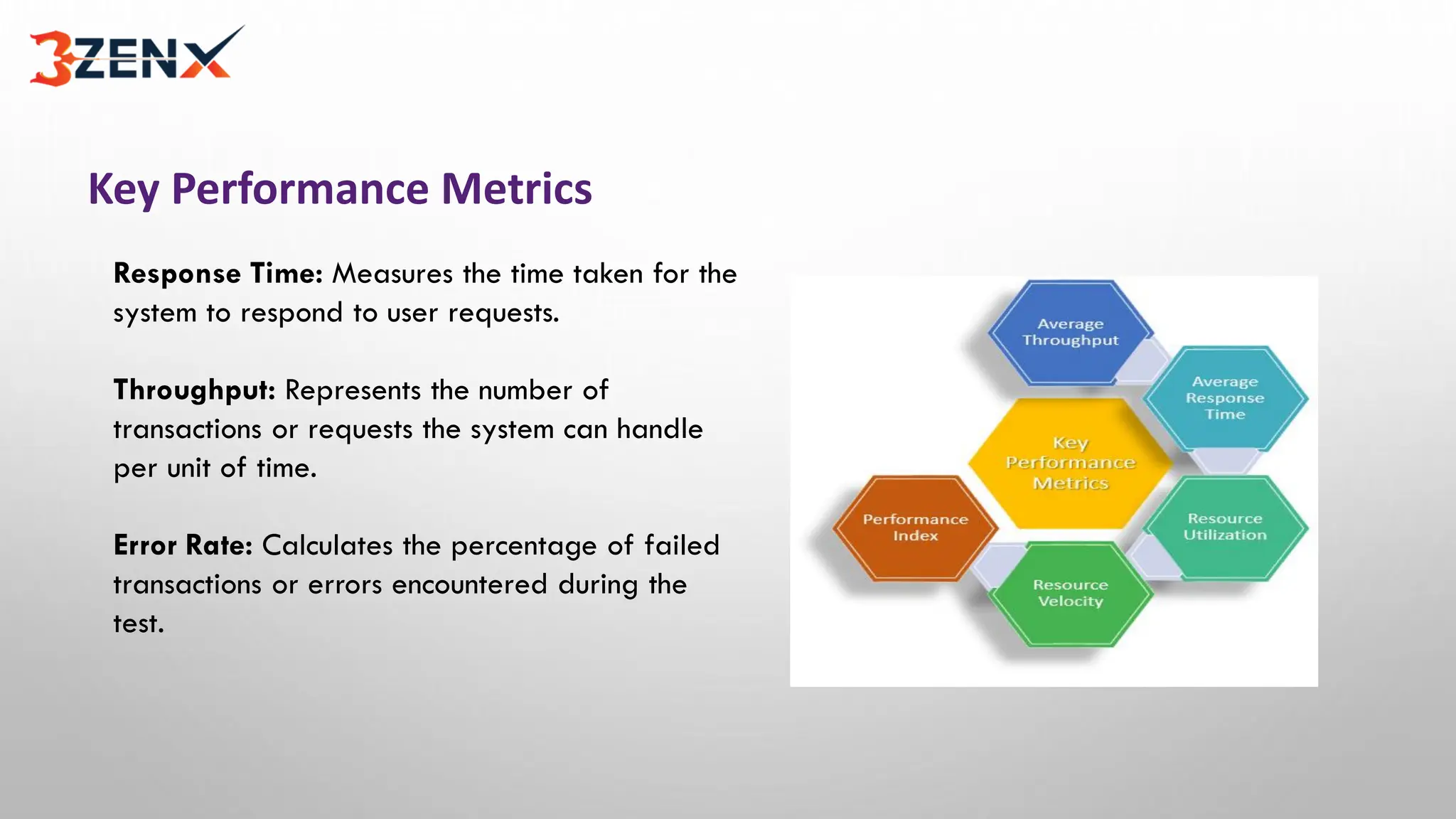
Key Performance Metrics
Response Time: Measures the time taken for the
system to respond to user requests.
Throughput: Represents the number of
transactions or requests the system can handle
per unit of time.
Error Rate: Calculates the percentage of failed
transactions or errors encountered during the
test.
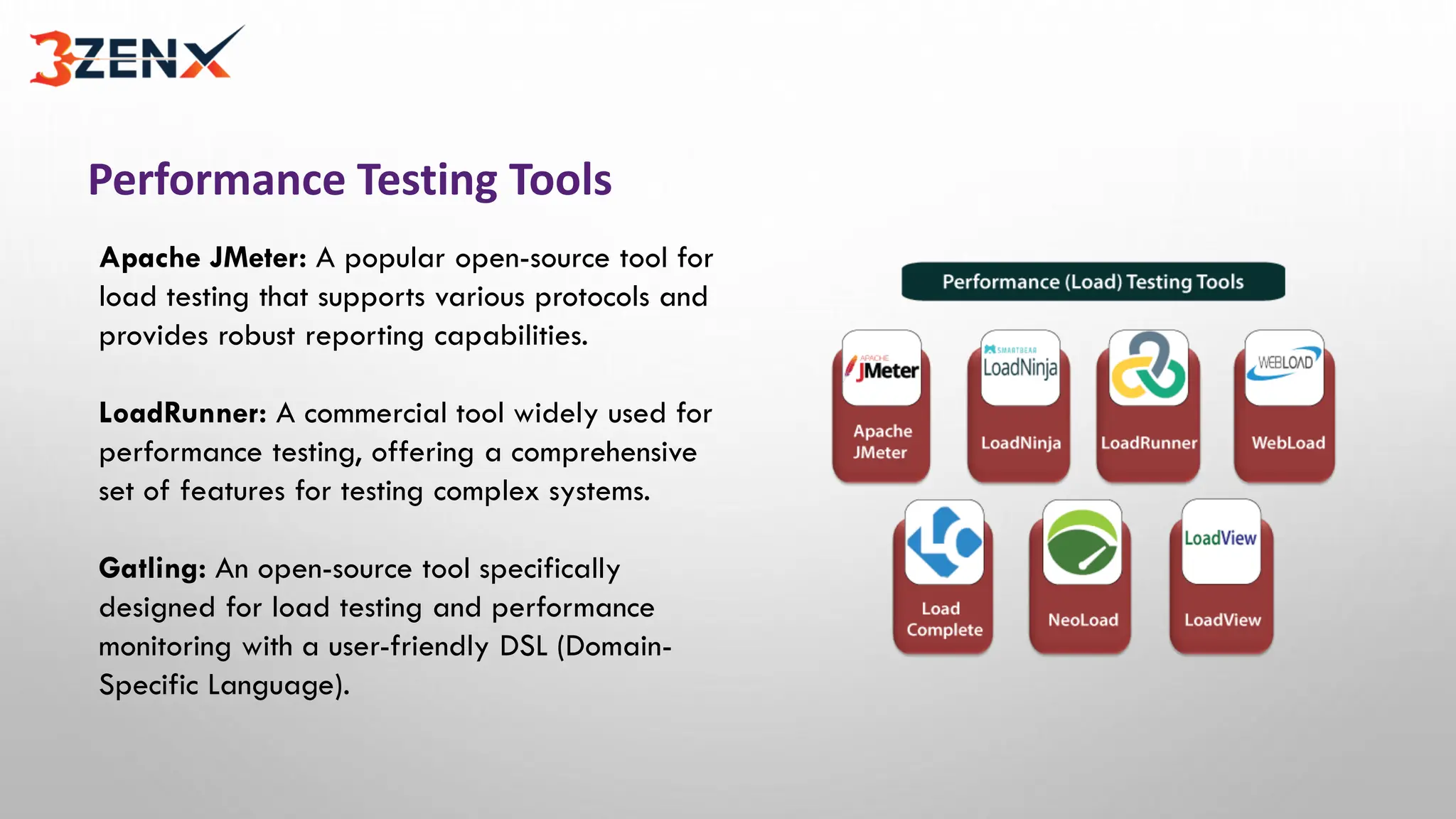
Performance Testing Tools
Apache JMeter: A popular open-source tool for
load testing that supports various protocols and
provides robust reporting capabilities.
LoadRunner: A commercial tool widely used for
performance testing, offering a comprehensive
set of features for testing complex systems.
Gatling: An open-source tool specifically
designed for load testing and performance
monitoring with a user-friendly DSL (Domain-
Specific Language).
Benefits of Performance Testing
Identifies Performance Bottlenecks: Pinpoints areas of the system that need optimization or
improvement to enhance overall performance.
Enhances User Experience: Ensures that the application meets user expectations in terms of
speed, responsiveness, and reliability.
Reduces Downtime and Costs: Helps identify and fix performance issues before they impact
the production environment, saving time and resources.
Challenges of Performance Testing
Test Environment: Creating a realistic test environment that accurately represents the
production setup can be complex and time-consuming.
Test Data: Generating and managing large volumes of realistic test data can be challenging,
especially for complex systems.
Analysis and Interpretation: Analyzing performance test results and identifying the root
cause of performance issues require expertise and experience.
Best Practices for Performance Testing
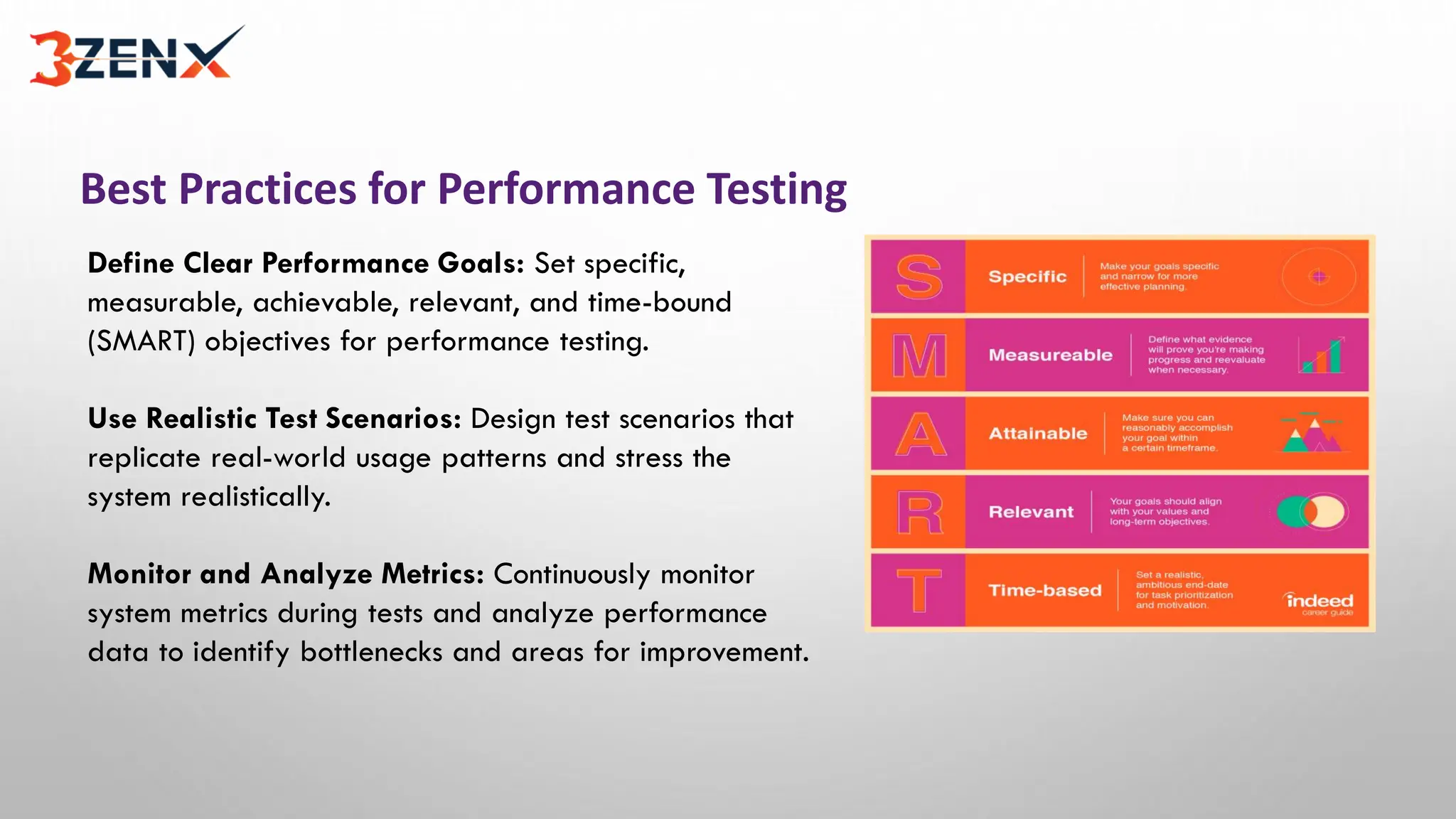
Define Clear Performance Goals: Set specific,
measurable, achievable, relevant, and time-bound
(SMART) objectives for performance testing.
Use Realistic Test Scenarios: Design test scenarios that
replicate real-world usage patterns and stress the
system realistically.
Monitor and Analyze Metrics: Continuously monitor
system metrics during tests and analyze performance
data to identify bottlenecks and areas for improvement.
Performance Testing Tips
Start Early: Begin performance testing as early as possible in the development lifecycle to
catch issues before they become costly to fix.
Test with Realistic Load: Simulate user load conditions that accurately represent the
expected traffic to ensure accurate performance evaluation.
Automate Performance Tests: Automating test execution and data collection helps save time
and ensures consistent and repeatable results.
Conclusion
Performance testing is essential for ensuring that software applications meet performance
requirements and deliver a smooth user experience. By identifying and addressing
performance bottlenecks early, organizations can enhance their reputation, reduce
downtime, and save costs. Implementing best practices, using appropriate tools, and
conducting thorough performance testing will contribute to the success of software projects.
Thank you

performance testing training in hyderabad

  • 1.
    Performance Testing Presenter name:Anusha Thalla Email : info@3zenx.com Website address: www.3ZenX.com
  • 2.
    Table of contents ▪Introduction to Performance Testing ▪ Types of Performance Testing ▪ Key Performance Metrics ▪ Performance Testing Process ▪ Benefits of Performance Testing ▪ Challenges of Performance Testing ▪ Best Practices for Performance Testing ▪ Performance Testing Tips
  • 3.
    Introduction to PerformanceTesting Performance testing is a type of software testing that aims to measure the speed, responsiveness, and stability of a system under different load conditions. It helps identify bottlenecks, detect performance degradation, and ensure the application meets performance requirements. Performance testing is crucial for delivering a high-quality user experience and preventing performance-related issues.
  • 4.
    Types of PerformanceTesting Load Testing: Evaluates the system's behavior under expected load conditions to ensure it can handle the expected user traffic. Stress Testing: Tests the system's stability and performance by pushing it beyond its normal operating conditions to determine its breaking point. Soak Testing: Checks the system's stability over an extended period to identify potential memory leaks or performance degradation.
  • 5.
    PerformanceTestingProcess Define Performance Objectives:Set specific goals and metrics to measure performance, such as response time, throughput, and resource utilization. Plan and Design Test Scenarios: Identify test cases, create test data, and design test scripts to simulate real-world usage scenarios. Execute Tests: Run performance tests using specialized tools, simulate multiple users, and monitor system metrics during the test execution.
  • 6.
    Key Performance Metrics ResponseTime: Measures the time taken for the system to respond to user requests. Throughput: Represents the number of transactions or requests the system can handle per unit of time. Error Rate: Calculates the percentage of failed transactions or errors encountered during the test.
  • 7.
    Performance Testing Tools ApacheJMeter: A popular open-source tool for load testing that supports various protocols and provides robust reporting capabilities. LoadRunner: A commercial tool widely used for performance testing, offering a comprehensive set of features for testing complex systems. Gatling: An open-source tool specifically designed for load testing and performance monitoring with a user-friendly DSL (Domain- Specific Language).
  • 8.
    Benefits of PerformanceTesting Identifies Performance Bottlenecks: Pinpoints areas of the system that need optimization or improvement to enhance overall performance. Enhances User Experience: Ensures that the application meets user expectations in terms of speed, responsiveness, and reliability. Reduces Downtime and Costs: Helps identify and fix performance issues before they impact the production environment, saving time and resources.
  • 9.
    Challenges of PerformanceTesting Test Environment: Creating a realistic test environment that accurately represents the production setup can be complex and time-consuming. Test Data: Generating and managing large volumes of realistic test data can be challenging, especially for complex systems. Analysis and Interpretation: Analyzing performance test results and identifying the root cause of performance issues require expertise and experience.
  • 10.
    Best Practices forPerformance Testing Define Clear Performance Goals: Set specific, measurable, achievable, relevant, and time-bound (SMART) objectives for performance testing. Use Realistic Test Scenarios: Design test scenarios that replicate real-world usage patterns and stress the system realistically. Monitor and Analyze Metrics: Continuously monitor system metrics during tests and analyze performance data to identify bottlenecks and areas for improvement.
  • 11.
    Performance Testing Tips StartEarly: Begin performance testing as early as possible in the development lifecycle to catch issues before they become costly to fix. Test with Realistic Load: Simulate user load conditions that accurately represent the expected traffic to ensure accurate performance evaluation. Automate Performance Tests: Automating test execution and data collection helps save time and ensures consistent and repeatable results.
  • 12.
    Conclusion Performance testing isessential for ensuring that software applications meet performance requirements and deliver a smooth user experience. By identifying and addressing performance bottlenecks early, organizations can enhance their reputation, reduce downtime, and save costs. Implementing best practices, using appropriate tools, and conducting thorough performance testing will contribute to the success of software projects.
  • 13.