Workshop OnLine Training
PRIMAVERA (P6)
Presented by : Ir. Aldrin Asnil, MT.
“Project management is
the use of specific
knowledge, skills, tools
and techniques to deliver
something of value to
people”
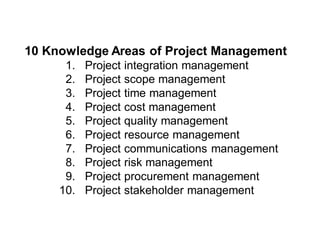
10 Knowledge Areas of Project Management
1. Project integration management
2. Project scope management
3. Project time management
4. Project cost management
5. Project quality management
6. Project resource management
7. Project communications management
8. Project risk management
9. Project procurement management
10. Project stakeholder management
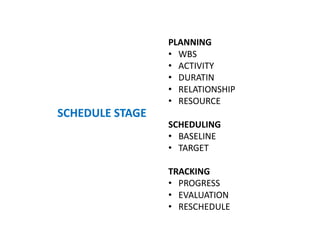
PLANNING
• WBS
• ACTIVITY
• DURATIN
• RELATIONSHIP
• RESOURCE
SCHEDULING
• BASELINE
• TARGET
TRACKING
• PROGRESS
• EVALUATION
• RESCHEDULE
SCHEDULE STAGE
METODOLOGI
CREATE EPS & OBS
CREATE & OPEN NEW FILE
CREATE & ASSIGN CALENDAR
CREATE & DISPLAY WBS
CREATE ACTIVITY & DURATION
ASSIGN & DISPLAY RELATIONSHIP
RUN & DISPLAY MASTER SCHEDULE
CRITICAL PATH & LATE SCHEDULE ANALYSIS
CREATE, ASSIGN & DISPLAY BASELINE
SCHEDULE CUSTOMIZE
CRETAE & ASSIGN RESOURCE
DISPLAY & ANALYSIS RESOURCE CURVE / GRAPH
UPDATE PROGRESS PLAN & ACTUAL
EARN VALUE ANALYSIS
REPORTING
SUMMARY
ABOUT PRIMAVERA (P6)
What is Primavera P6 ?
Oracle Primavera P6 is one of the most capable and effective
project management software tools available on the market. It is
designed to plan and manage all kinds of complex projects with
satisfying each team member’s planning requirements.
This high-performance planning and scheduling software provide
all the necessary tools and features which helps to manage your
project’s entire life cycle. For example, risk management, critical
path analysis, resource, and cost management are some of the
basic features of this great software. With the help of it,
organizations across all industries such as construction, oil & gas,
and manufacturing can successfully plan and manage their
projects in today’s uncertain economical conditions.
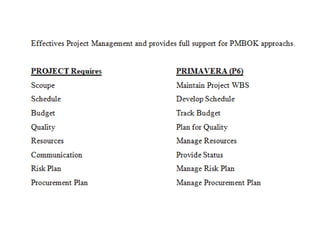
PMBOK Guide 5th Edition and Oracle Primavera P6
While Project Management Institutes’ (PMI) Project
Management Body of Knowledge (PMBOK) is one of
the most used project management guides worldwide,
it is entirely theoretical and does not address the
practical usage via a practical tool. In fact, it was not
meant to be. Nevertheless, with tools like Oracle
Primavera P6, the theoretical principles of PMBOK can
be practically implemented. This paper talks about the
Practical Applicability of Time Management Knowledge
Area, one of 10 knowledge areas in PMBOK, with the
help of Oracle Primavera P6.
PRIMAVERA (P6) DISPLAY
CHART, GRAPHIC & REPORT
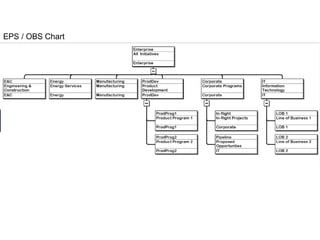
EPS / OBS Chart
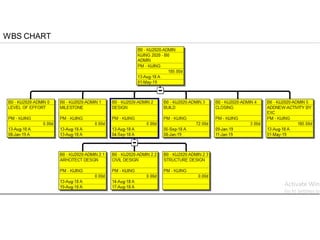
WBS CHART
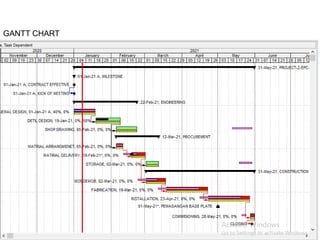
GANTT CHART
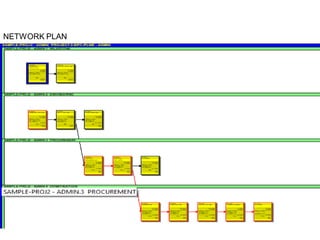
NETWORK PLAN
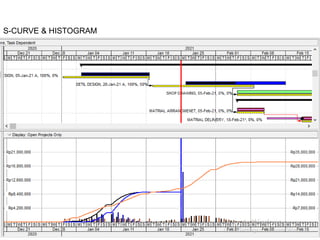
S-CURVE & HISTOGRAM
PRIMAVERA (P6) SYLLABUS
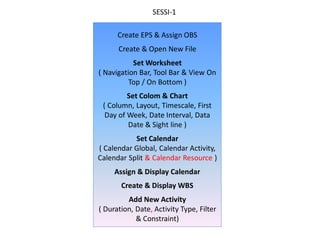
Create EPS & Assign OBS
Create & Open New File
Set Worksheet
( Navigation Bar, Tool Bar & View On
Top / On Bottom )
Set Colom & Chart
( Column, Layout, Timescale, First
Day of Week, Date Interval, Data
Date & Sight line )
Set Calendar
( Calendar Global, Calendar Activity,
Calendar Split & Calendar Resource )
Assign & Display Calendar
Create & Display WBS
Add New Activity
( Duration, Date, Activity Type, Filter
& Constraint)
SESSI-1
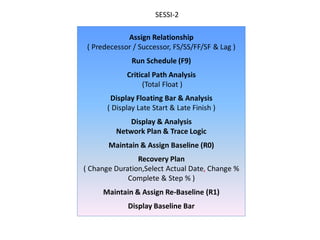
Assign Relationship
( Predecessor / Successor, FS/SS/FF/SF & Lag )
Run Schedule (F9)
Critical Path Analysis
(Total Float )
Display Floating Bar & Analysis
( Display Late Start & Late Finish )
Display & Analysis
Network Plan & Trace Logic
Maintain & Assign Baseline (R0)
Recovery Plan
( Change Duration,Select Actual Date, Change %
Complete & Step % )
Maintain & Assign Re-Baseline (R1)
Display Baseline Bar
SESSI-2
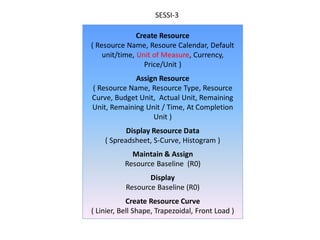
Create Resource
( Resource Name, Resoure Calendar, Default
unit/time, Unit of Measure, Currency,
Price/Unit )
Assign Resource
( Resource Name, Resource Type, Resource
Curve, Budget Unit, Actual Unit, Remaining
Unit, Remaining Unit / Time, At Completion
Unit )
Display Resource Data
( Spreadsheet, S-Curve, Histogram )
Maintain & Assign
Resource Baseline (R0)
Display
Resource Baseline (R0)
Create Resource Curve
( Linier, Bell Shape, Trapezoidal, Front Load )
SESSI-3
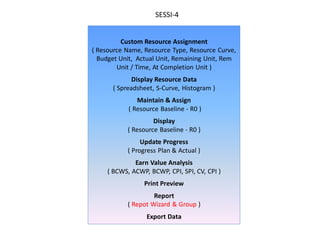
Custom Resource Assignment
( Resource Name, Resource Type, Resource Curve,
Budget Unit, Actual Unit, Remaining Unit, Rem
Unit / Time, At Completion Unit )
Display Resource Data
( Spreadsheet, S-Curve, Histogram )
Maintain & Assign
( Resource Baseline - R0 )
Display
( Resource Baseline - R0 )
Update Progress
( Progress Plan & Actual )
Earn Value Analysis
( BCWS, ACWP, BCWP, CPI, SPI, CV, CPI )
Print Preview
Report
( Repot Wizard & Group )
Export Data
SESSI-4
SUMMARY
PRIMAVERA (P6) SYLLABUS
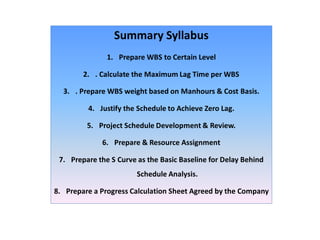
Summary Syllabus
1. Prepare WBS to Certain Level
2. . Calculate the Maximum Lag Time per WBS
3. . Prepare WBS weight based on Manhours & Cost Basis.
4. Justify the Schedule to Achieve Zero Lag.
5. Project Schedule Development & Review.
6. Prepare & Resource Assignment
7. Prepare the S Curve as the Basic Baseline for Delay Behind
Schedule Analysis.
8. Prepare a Progress Calculation Sheet Agreed by the Company
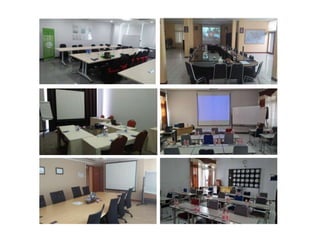
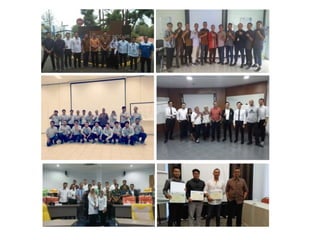
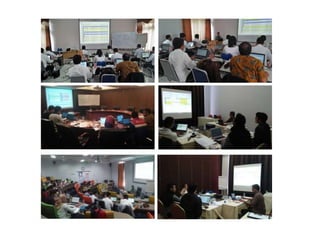
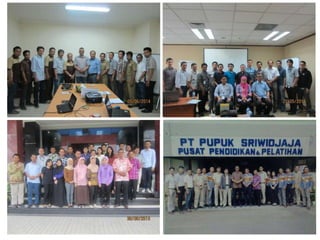
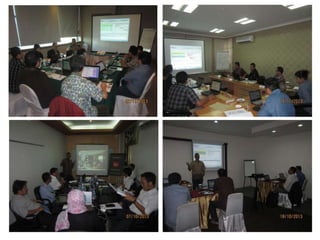
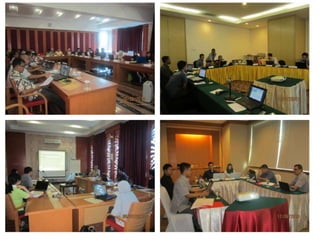
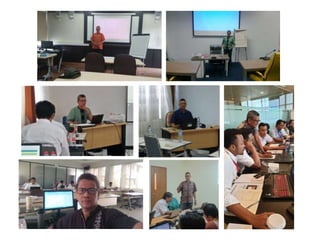
OUR EVENT TRAINING
SEMOGA BERMANFAAT
Info Training : 0818-1893 5091

P6_PRESENTED - Planning & Scheduling, by-AA - NEW, SEP-2022.pdf

  • 1.
    Workshop OnLine Training PRIMAVERA(P6) Presented by : Ir. Aldrin Asnil, MT.
  • 2.
    “Project management is theuse of specific knowledge, skills, tools and techniques to deliver something of value to people”
  • 3.
    10 Knowledge Areasof Project Management 1. Project integration management 2. Project scope management 3. Project time management 4. Project cost management 5. Project quality management 6. Project resource management 7. Project communications management 8. Project risk management 9. Project procurement management 10. Project stakeholder management
  • 9.
    PLANNING • WBS • ACTIVITY •DURATIN • RELATIONSHIP • RESOURCE SCHEDULING • BASELINE • TARGET TRACKING • PROGRESS • EVALUATION • RESCHEDULE SCHEDULE STAGE
  • 10.
    METODOLOGI CREATE EPS &OBS CREATE & OPEN NEW FILE CREATE & ASSIGN CALENDAR CREATE & DISPLAY WBS CREATE ACTIVITY & DURATION ASSIGN & DISPLAY RELATIONSHIP RUN & DISPLAY MASTER SCHEDULE CRITICAL PATH & LATE SCHEDULE ANALYSIS CREATE, ASSIGN & DISPLAY BASELINE SCHEDULE CUSTOMIZE CRETAE & ASSIGN RESOURCE DISPLAY & ANALYSIS RESOURCE CURVE / GRAPH UPDATE PROGRESS PLAN & ACTUAL EARN VALUE ANALYSIS REPORTING SUMMARY
  • 11.
  • 12.
    What is PrimaveraP6 ? Oracle Primavera P6 is one of the most capable and effective project management software tools available on the market. It is designed to plan and manage all kinds of complex projects with satisfying each team member’s planning requirements. This high-performance planning and scheduling software provide all the necessary tools and features which helps to manage your project’s entire life cycle. For example, risk management, critical path analysis, resource, and cost management are some of the basic features of this great software. With the help of it, organizations across all industries such as construction, oil & gas, and manufacturing can successfully plan and manage their projects in today’s uncertain economical conditions.
  • 13.
    PMBOK Guide 5thEdition and Oracle Primavera P6 While Project Management Institutes’ (PMI) Project Management Body of Knowledge (PMBOK) is one of the most used project management guides worldwide, it is entirely theoretical and does not address the practical usage via a practical tool. In fact, it was not meant to be. Nevertheless, with tools like Oracle Primavera P6, the theoretical principles of PMBOK can be practically implemented. This paper talks about the Practical Applicability of Time Management Knowledge Area, one of 10 knowledge areas in PMBOK, with the help of Oracle Primavera P6.
  • 15.
  • 16.
    EPS / OBSChart
  • 17.
  • 18.
  • 19.
  • 20.
  • 21.
  • 22.
    Create EPS &Assign OBS Create & Open New File Set Worksheet ( Navigation Bar, Tool Bar & View On Top / On Bottom ) Set Colom & Chart ( Column, Layout, Timescale, First Day of Week, Date Interval, Data Date & Sight line ) Set Calendar ( Calendar Global, Calendar Activity, Calendar Split & Calendar Resource ) Assign & Display Calendar Create & Display WBS Add New Activity ( Duration, Date, Activity Type, Filter & Constraint) SESSI-1
  • 23.
    Assign Relationship ( Predecessor/ Successor, FS/SS/FF/SF & Lag ) Run Schedule (F9) Critical Path Analysis (Total Float ) Display Floating Bar & Analysis ( Display Late Start & Late Finish ) Display & Analysis Network Plan & Trace Logic Maintain & Assign Baseline (R0) Recovery Plan ( Change Duration,Select Actual Date, Change % Complete & Step % ) Maintain & Assign Re-Baseline (R1) Display Baseline Bar SESSI-2

  • 24.
    Create Resource ( ResourceName, Resoure Calendar, Default unit/time, Unit of Measure, Currency, Price/Unit ) Assign Resource ( Resource Name, Resource Type, Resource Curve, Budget Unit, Actual Unit, Remaining Unit, Remaining Unit / Time, At Completion Unit ) Display Resource Data ( Spreadsheet, S-Curve, Histogram ) Maintain & Assign Resource Baseline (R0) Display Resource Baseline (R0) Create Resource Curve ( Linier, Bell Shape, Trapezoidal, Front Load ) SESSI-3
  • 25.
    Custom Resource Assignment (Resource Name, Resource Type, Resource Curve, Budget Unit, Actual Unit, Remaining Unit, Rem Unit / Time, At Completion Unit ) Display Resource Data ( Spreadsheet, S-Curve, Histogram ) Maintain & Assign ( Resource Baseline - R0 ) Display ( Resource Baseline - R0 ) Update Progress ( Progress Plan & Actual ) Earn Value Analysis ( BCWS, ACWP, BCWP, CPI, SPI, CV, CPI ) Print Preview Report ( Repot Wizard & Group ) Export Data SESSI-4
  • 26.
  • 27.
    Summary Syllabus 1. PrepareWBS to Certain Level 2. . Calculate the Maximum Lag Time per WBS 3. . Prepare WBS weight based on Manhours & Cost Basis. 4. Justify the Schedule to Achieve Zero Lag. 5. Project Schedule Development & Review. 6. Prepare & Resource Assignment 7. Prepare the S Curve as the Basic Baseline for Delay Behind Schedule Analysis. 8. Prepare a Progress Calculation Sheet Agreed by the Company
  • 28.
  • 37.