Operations: a
developer’s guide
Anna Shipman
@annashipman
@annashipman
Technical architect at the
Government Digital Service
@annashipman
My background
@annashipman
Previous career in
publishing
@annashipman
Self taught programmer:
HTML, CSS, terrible JS
@annashipman
First employed gig, 2005:
backend, Java
@annashipman
First job at GDS, 2012:
redirecting URLs
@annashipman
@annashipman
Wrote perl to generate
nginx config
@annashipman
Didn’t understand the
emails from the
infrastructure team
@annashipman
So joined the
infrastructure team
@annashipman
Which led to where I
am now…
@annashipman
Technical architect on a
large infrastructure project
@annashipman
What I learned has made
me a better developer
@annashipman
Knowing these things might
help you
@annashipman
Wrangling servers
Virtualisation
Containerisation
Some tools to make you a better developer
@annashipman
Each section will have a
take-home
@annashipman
1. Wrangling servers
@annashipman
How the internet works
Wrangling servers
@annashipman
“It’s a series of tubes”
—Sen. Ted Stevens
Wrangling servers
@annashipman
Servers
Wrangling servers
@annashipman
Where are your servers?
Wrangling servers
@annashipman
Where are your servers?
You own them (e.g. in the office)

Wrangling servers
@annashipman
Where are your servers?
You own them (e.g. in the office)
Shared hosting (e.g. Dreamhost)
Wrangling servers
@annashipman
Where are your servers?
You own them (e.g. in the office)
Shared hosting (e.g. Dreamhost)
The cloud (e.g. AWS)
Wrangling servers
@annashipman
Where are your servers?
You own them (e.g. in the office)
Shared hosting (e.g. Dreamhost)
The cloud (e.g. AWS)
PaaS/application hosting (e.g. Heroku)
Wrangling servers
@annashipman
Where are your servers?
You own them (e.g. in the office)
Shared hosting (e.g. Dreamhost)
The cloud (e.g. AWS)
PaaS/application hosting (e.g. Heroku)
Something else/don’t know
Wrangling servers
@annashipman
You need to make sure the
server has the software
you need
Wrangling servers
@annashipman
Handcrafting servers
Wrangling servers
@annashipman
But what happens if your
server dies?
Wrangling servers
@annashipman
It’s also easy to make a
mistake
Wrangling servers
@annashipman
Configuration management
Wrangling servers
@annashipman
Tools that use configuration
you’ve written to build
servers
Wrangling servers
https://www.getfilecloud.com/blog/2014/08/top-8-configuration-management-tools-for-sys-admins/
@annashipman
GOV.UK uses Puppet, my
current project uses Ansible
Wrangling servers
@annashipman
Config management tools
automate building your
servers
Wrangling servers
@annashipman
So it is reliable and
repeatable
Wrangling servers
@annashipman
Some getting started
guides at the end
Wrangling servers
@annashipman
If nothing else, just write a
script
Wrangling servers
@annashipman
“Cattle not pets”
Wrangling servers
@annashipman
You should not be afraid to
lose your servers
Wrangling servers
@annashipman
2. Virtualisation
@annashipman
Creating logical computing
resources from available
physical resources
Virtualisation
@annashipman
Virtual machines
Virtualisation
@annashipman
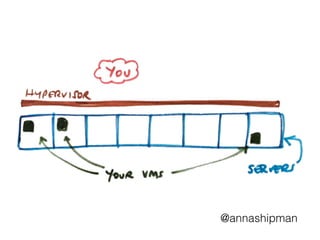
What’s a hypervisor?
Virtualisation
@annashipman
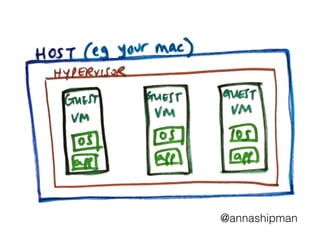
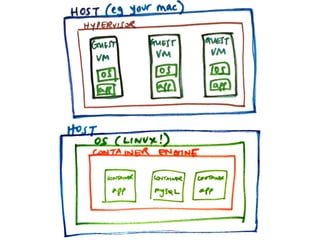
Hypervisor is the software
that runs the VMs
Virtualisation
@annashipman
@annashipman
Slight digression into
cloud computing
Virtualisation
@annashipman
“Someone else’s
computers”
Virtualisation
@annashipman
Your servers are in a data
centre
Virtualisation
@annashipman
A layer of abstraction that
pools the resources
Virtualisation
@annashipman
@annashipman
Some advantages of cloud computing
Virtualisation
@annashipman
Some advantages of cloud computing
Increased uptime & disaster recovery
Virtualisation
@annashipman
Some advantages of cloud computing
Increased uptime & disaster recovery
Can get a VM straight away
Virtualisation
@annashipman
Some advantages of cloud computing
Increased uptime & disaster recovery
Can get a VM straight away
Charged for what you use
Virtualisation
@annashipman
That’s the cloud – now
your computer
Virtualisation
@annashipman
How is virtualisation useful
to you?
Virtualisation
@annashipman
Used to be software = slow,
resource-intensive
Virtualisation
@annashipman
From 2005 Intel & AMD
started doing hardware-
accelerated virtualisation
Virtualisation
@annashipman
So can run lots of VMs on
your computer
Virtualisation
@annashipman
Vagrant is a lightweight way
to create VMs
Virtualisation
@annashipman
Vagrant.configure(2) do |config|
config.vm.box = "puppetlabs/centos-7.0-64-puppet"
config.vm.provider :virtualbox |vb|
vb.customize ["modifyvm", :id, "--memory", "2048"]
end
end
Virtualisation
@annashipman
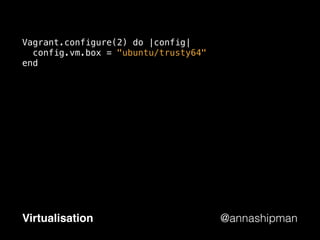
Vagrant.configure(2) do |config|
config.vm.box = "ubuntu/trusty64"
end
Virtualisation
@annashipman
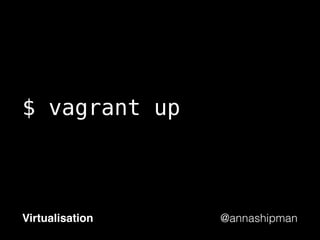
$ vagrant up
Virtualisation
@annashipman
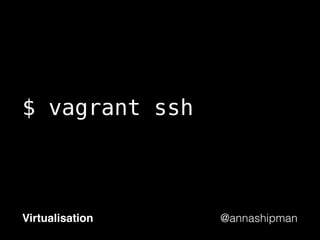
$ vagrant ssh
Virtualisation
@annashipman
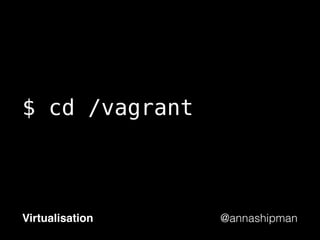
$ cd /vagrant
Virtualisation
@annashipman
Links to documentation and
simple examples at the end
Virtualisation
@annashipman
You can develop locally
using the same software as
is deployed remotely
Virtualisation
@annashipman
You can use configuration
management to build
your VM
Virtualisation
@annashipman
It makes it easy
to collaborate
Virtualisation
@annashipman
Vagrant makes it easy to
get started/pick up where
you left off
Virtualisation
@annashipman
Currently Otto uses Vagrant
Virtualisation
@annashipman
Vagrant can improve your
project tomorrow
Virtualisation
@annashipman
3. Containerisation
@annashipman
(Docker is not the only
containerisation tech)
Containerisation
@annashipman
Docker is based on
Linux Containers	 1.	 Put netting on garlic and put back outside

Containerisation
@annashipman
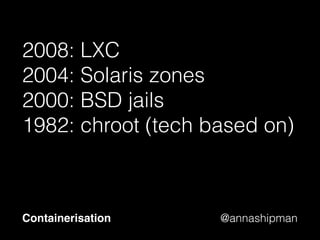
2008: LXC
2004: Solaris zones
2000: BSD jails
1982: chroot (tech based on)
Containerisation
@annashipman
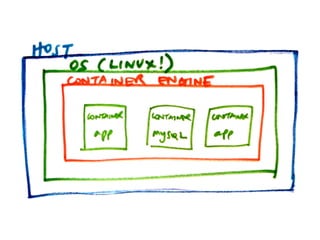
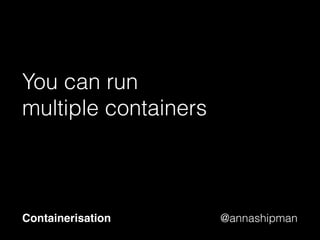
You can run
multiple containers
Containerisation
@annashipman
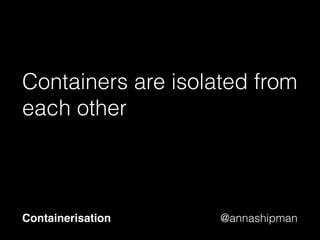
Containers are isolated from
each other
Containerisation
@annashipman
Why would you use
containers?
Containerisation
@annashipman
Configuring a VM can be
slow
Containerisation
@annashipman
You might instead decide to
take a snapshot
Containerisation
@annashipman
And that is what you deploy
to production
Containerisation
@annashipman
Containers are immutable
Containerisation
@annashipman
So you can be sure what
you’ve tested is what is
running in production
Containerisation
@annashipman
With all the
same dependencies	 1.	 Put netting on garlic and put back outside

Containerisation
@annashipman
However…
Containerisation
@annashipman
The immutability can make
developing locally difficult
Containerisation
@annashipman
You can’t run
them everywhere
Containerisation
@annashipman
Possibly a harder
concept to grasp
Containerisation
@annashipman
Right now, it’s not essential
that you understand Docker
unless you are interested
Containerisation
@annashipman
2 + 3: Virtualisation +
Containerisation
Turtles
@annashipman
Locally, it’s Vagrant
or Docker
Turtles
@annashipman
But if you deploy to
the cloud…
Turtles
@annashipman
@annashipman
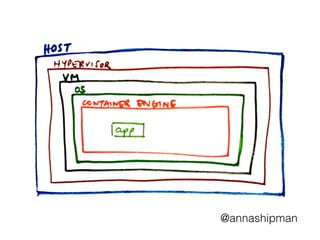
How do you know where the
problem is?
Turtles
@annashipman
It’s turtles all the way down
Turtles
@annashipman
BREAK
@annashipman
Wrangling servers
“Cattle not pets”
@annashipman
Virtualisation
Use Vagrant
@annashipman
Containerisation
You don’t need to learn
Docker right now
@annashipman
4. Some tools to make
you a better developer
@annashipman
“Should all my tools be written in
JavaScript (warning: if the
answer is ‘no’, there might be
a revolution!!!)”
—Remy
Tools
@annashipman
Build systems –
Grunt, Gulp…
Tools
@annashipman
Don’t just work
out of the box
Tools
@annashipman
Dependencies and plug-ins
Tools
@annashipman
You could use NPM
Tools
@annashipman
Make
Tools
@annashipman
Can create tasks to do
anything: clean,
compile, build…
Tools
@annashipman
Advantages of Make
Tools
@annashipman
Advantages of Make
Dependency tracking and resolution
Tools
@annashipman
Advantages of Make
Dependency tracking and resolution
Only does what it needs to
Tools
@annashipman
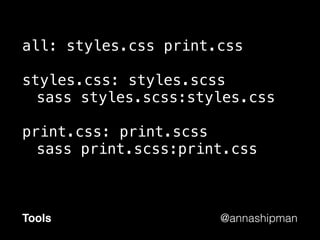
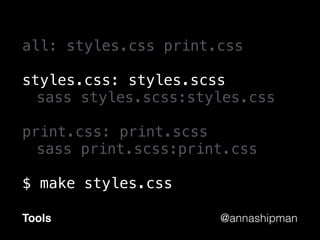
all: styles.css print.css
styles.css: styles.scss
sass styles.scss:styles.css
print.css: print.scss
sass print.scss:print.css
Tools
@annashipman
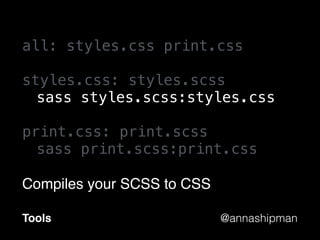
all: styles.css print.css
styles.css: styles.scss
sass styles.scss:styles.css
print.css: print.scss
sass print.scss:print.css
Compiles your SCSS to CSS
Tools
@annashipman
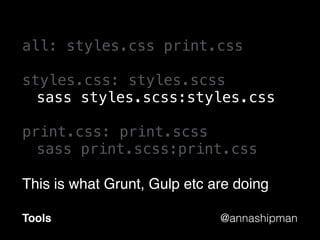
all: styles.css print.css
styles.css: styles.scss
sass styles.scss:styles.css
print.css: print.scss
sass print.scss:print.css
This is what Grunt, Gulp etc are doing
Tools
@annashipman
all: styles.css print.css
styles.css: styles.scss
sass styles.scss:styles.css
print.css: print.scss
sass print.scss:print.css
$ make styles.css
Tools
@annashipman
all: styles.css print.css
styles.css: styles.scss
sass styles.scss:styles.css
print.css: print.scss
sass print.scss:print.css
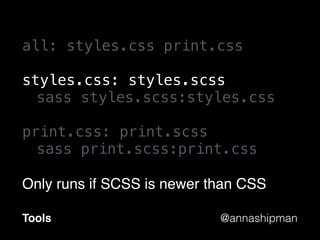
Only runs if SCSS is newer than CSS
Tools
@annashipman
all: styles.css print.css
styles.css: styles.scss
sass styles.scss:styles.css
print.css: print.scss
sass print.scss:print.css
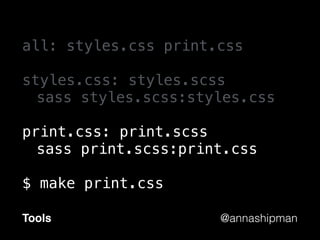
$ make print.css
Tools
@annashipman
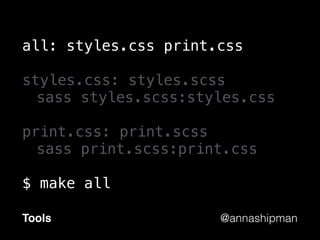
all: styles.css print.css
styles.css: styles.scss
sass styles.scss:styles.css
print.css: print.scss
sass print.scss:print.css
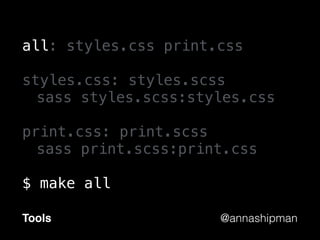
$ make all
Tools
@annashipman
all: styles.css print.css
styles.css: styles.scss
sass styles.scss:styles.css
print.css: print.scss
sass print.scss:print.css
$ make all
Tools
@annashipman
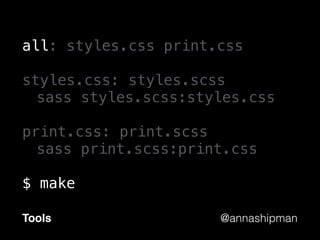
all: styles.css print.css
styles.css: styles.scss
sass styles.scss:styles.css
print.css: print.scss
sass print.scss:print.css
$ make
Tools
@annashipman
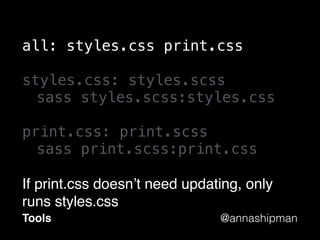
all: styles.css print.css
styles.css: styles.scss
sass styles.scss:styles.css
print.css: print.scss
sass print.scss:print.css
If print.css doesn’t need updating, only
runs styles.css
Tools
@annashipman
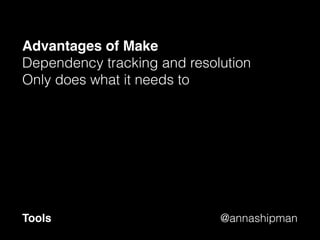
Advantages of Make
Dependency tracking and resolution
Only does what it needs to
Tools
@annashipman
Advantages of Make
Dependency tracking and resolution
Only does what it needs to
Included in your OS*
*Linux, Unix, MacOS
Tools
@annashipman
Has everything you need
Tools
@annashipman
It just isn’t written in JS
Tools
@annashipman
Unix tools
Tools
@annashipman
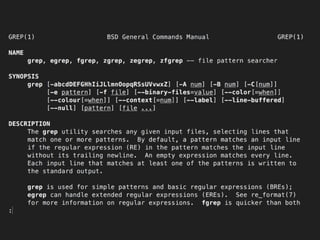
grep
Tools
@annashipman
grep
Search given input files for patterns
Tools
@annashipman
cat
Tools
@annashipman
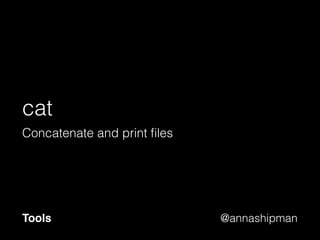
cat
Concatenate and print files
Tools
@annashipman
awk
Tools
@annashipman
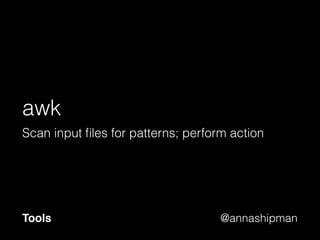
awk
Scan input files for patterns; perform action
Tools
@annashipman
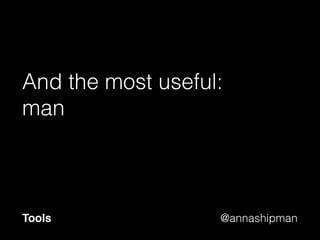
And the most useful:
man
Tools
@annashipman
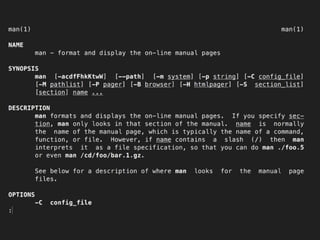
man
format and display manual pages
Tools
@annashipman
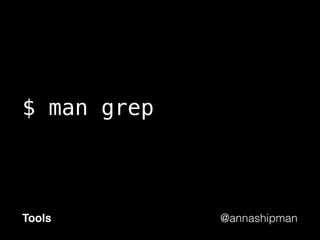
$ man grep
Tools
@annashipman
$ man man
Tools
@annashipman
Being unixy
Tools
@annashipman
Each tool does one thing
very well
Tools
@annashipman
Composable
Tools
@annashipman
|
Tools
@annashipman
| (Pipe)
Tools
@annashipman
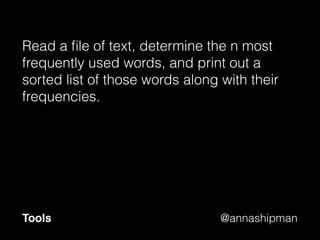
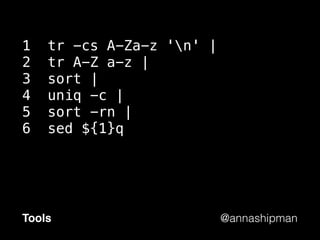
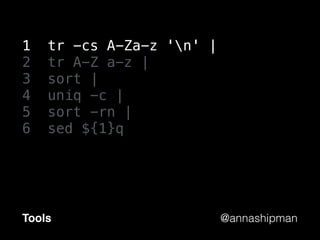
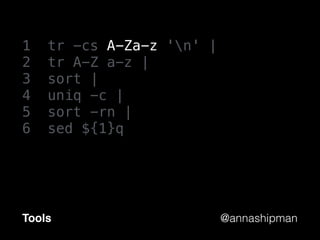
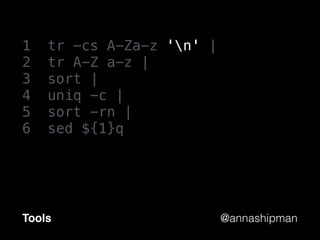
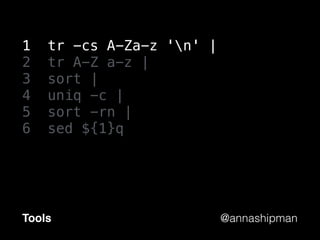
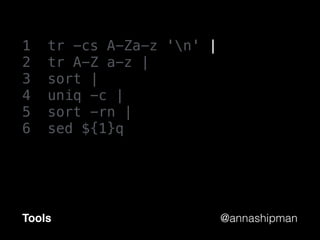
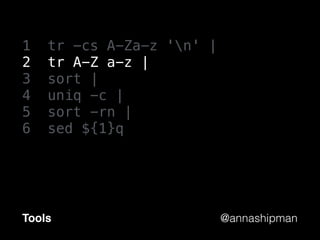
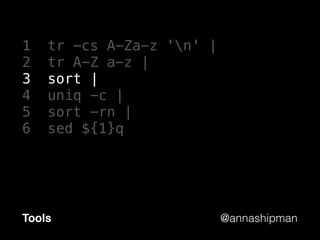
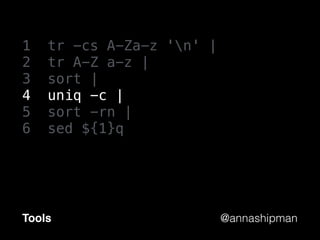
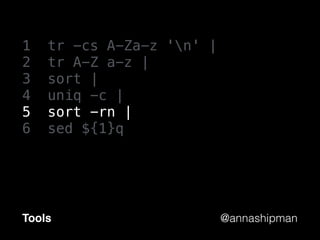
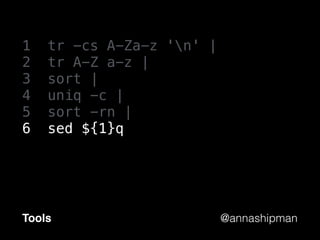
Read a file of text, determine the n most
frequently used words, and print out a
sorted list of those words along with their
frequencies.
Tools
@annashipman
1 tr -cs A-Za-z 'n' |
2 tr A-Z a-z |
3 sort |
4 uniq -c |
5 sort -rn |
6 sed ${1}q
Tools
@annashipman
1 tr -cs A-Za-z 'n' |
2 tr A-Z a-z |
3 sort |
4 uniq -c |
5 sort -rn |
6 sed ${1}q
Tools
@annashipman
1 tr -cs A-Za-z 'n' |
2 tr A-Z a-z |
3 sort |
4 uniq -c |
5 sort -rn |
6 sed ${1}q
Tools
@annashipman
1 tr -cs A-Za-z 'n' |
2 tr A-Z a-z |
3 sort |
4 uniq -c |
5 sort -rn |
6 sed ${1}q
Tools
@annashipman
1 tr -cs A-Za-z 'n' |
2 tr A-Z a-z |
3 sort |
4 uniq -c |
5 sort -rn |
6 sed ${1}q
Tools
@annashipman
1 tr -cs A-Za-z 'n' |
2 tr A-Z a-z |
3 sort |
4 uniq -c |
5 sort -rn |
6 sed ${1}q
Tools
@annashipman
1 tr -cs A-Za-z 'n' |
2 tr A-Z a-z |
3 sort |
4 uniq -c |
5 sort -rn |
6 sed ${1}q
Tools
@annashipman
1 tr -cs A-Za-z 'n' |
2 tr A-Z a-z |
3 sort |
4 uniq -c |
5 sort -rn |
6 sed ${1}q
Tools
@annashipman
1 tr -cs A-Za-z 'n' |
2 tr A-Z a-z |
3 sort |
4 uniq -c |
5 sort -rn |
6 sed ${1}q
Tools
@annashipman
1 tr -cs A-Za-z 'n' |
2 tr A-Z a-z |
3 sort |
4 uniq -c |
5 sort -rn |
6 sed ${1}q
Tools
@annashipman
1 tr -cs A-Za-z 'n' |
2 tr A-Z a-z |
3 sort |
4 uniq -c |
5 sort -rn |
6 sed ${1}q
Tools
@annashipman
Read a file of text, determine the n most
frequently used words, and print out a
sorted list of those words along with their
frequencies.
Tools
@annashipman
You might not want to write
all your programs in Unix
Tools
@annashipman
It can be really useful for
doing complex tasks
Tools
@annashipman
It’s worth getting familiar
with Unix tools locally
Tools
@annashipman
So that the first time isn’t
when you’re debugging on
the server
Tools
@annashipman
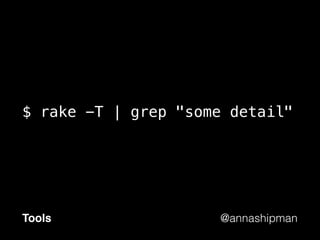
$ rake -T | grep "some detail"
Tools
@annashipman
Read the output
Tools
@annashipman
Git instructions
Tools
@annashipman
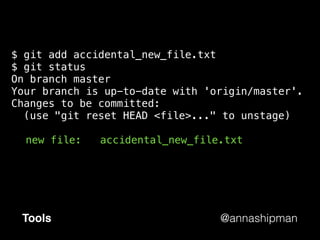
$ git add accidental_new_file.txt
$ git status
On branch master
Your branch is up-to-date with 'origin/master'.
Changes to be committed:
(use "git reset HEAD <file>..." to unstage)
new file: accidental_new_file.txt
Tools
@annashipman
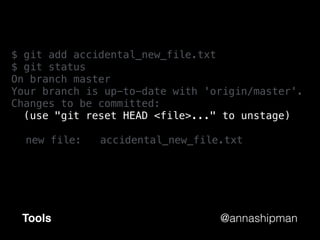
$ git add accidental_new_file.txt
$ git status
On branch master
Your branch is up-to-date with 'origin/master'.
Changes to be committed:
(use "git reset HEAD <file>..." to unstage)
new file: accidental_new_file.txt
Tools
@annashipman
Unix error messages
Tools
@annashipman
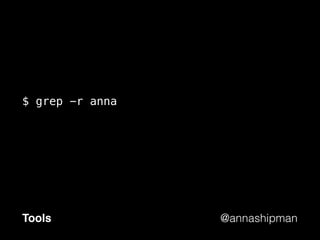
$ grep -r anna
Tools
@annashipman
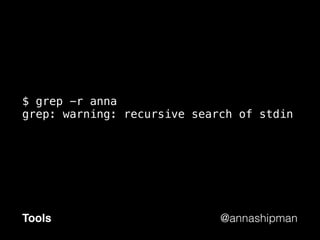
$ grep -r anna
grep: warning: recursive search of stdin
Tools
@annashipman
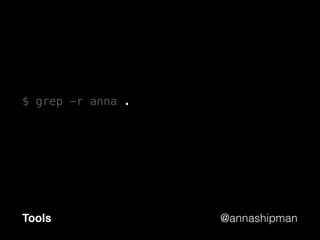
$ grep -r anna .
Tools
@annashipman
Unix tools can help you
Tools
@annashipman
The main three things you
should take home:
@annashipman
Use Vagrant
@annashipman
Unix tools are your friends
@annashipman
Read the output
Thank you!
Anna Shipman
@annashipman
Configuration management
https://www.scriptrock.com/articles/the-7-configuration-management-tools-you-need-to-know
http://gettingstartedwithchef.com/first-steps-with-chef.html
https://docs.vagrantup.com/v2/getting-started/provisioning.html
Virtualisation
http://searchvirtualdatacentre.techtarget.co.uk/definition/Virtualisation
http://searchservervirtualization.techtarget.com/definition/server-virtualization
http://www.infoworld.com/article/2621446/server-virtualization/server-virtualization-top-10-benefits-of-server-
virtualization.html
Using Vagrant
https://www.vagrantup.com/
http://blog.bennycornelissen.nl/otto-a-modern-developers-new-best-friend/
https://github.com/patrickdlee/vagrant-examples (Useful getting started examples)
Docker
http://patg.net/containers,virtualization,docker/2014/06/05/docker-intro/
https://zeltser.com/security-risks-and-benefits-of-docker-application/
Containerisation vs Virtualisation
http://www.slideshare.net/bcantrill/docker-and-the-future-of-containers-in-production
https://www.scriptrock.com/articles/docker-vs-vagrant
Make instead of Grunt/Gulp
http://blog.keithcirkel.co.uk/why-we-should-stop-using-grunt/
https://www.youtube.com/watch?v=0RYETb9YVrk (Talk on using NPM as a build tool)
https://blog.jcoglan.com/2014/02/05/building-javascript-projects-with-make/
Tools for better dev
http://www.leancrew.com/all-this/2011/12/more-shell-less-egg/ (More detail on the 6-line Unix program)

Operations: a developer's guide