Virtual Assistant
Save time and money with the support of a virtual assistant.
what is virtual assistance?
Virtual Assistance refers to the provision of administrative, technical,
or creative support services to businesses and individuals by a remote
worker, often known as a Virtual Assistant (VA). Virtual Assistants
typically operate from their own home office or a co-working space,
using technology to communicate and complete tasks for clients who
may be located anywhere in the world.
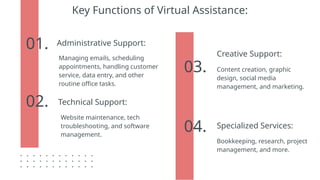
Key Functions of Virtual Assistance:
04.
01.
02.
03.
Administrative Support:
Managing emails, scheduling
appointments, handling customer
service, data entry, and other
routine office tasks.
Technical Support:
Website maintenance, tech
troubleshooting, and software
management.
Creative Support:
Content creation, graphic
design, social media
management, and marketing.
Specialized Services:
Bookkeeping, research, project
management, and more.
what do virtual assistance do?
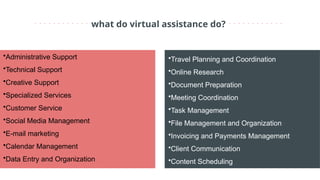
•Administrative Support
•Technical Support
•Creative Support
•Specialized Services
•Customer Service
•Social Media Management
•E-mail marketing
•Calendar Management
•Data Entry and Organization
•Travel Planning and Coordination
•Online Research
•Document Preparation
•Meeting Coordination
•Task Management
•File Management and Organization
•Invoicing and Payments Management
•Client Communication
•Content Scheduling
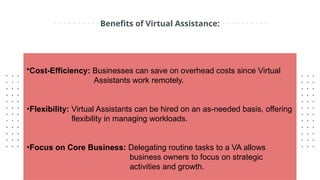
Benefits of Virtual Assistance:
•Cost-Efficiency: Businesses can save on overhead costs since Virtual
Assistants work remotely.
•Flexibility: Virtual Assistants can be hired on an as-needed basis, offering
flexibility in managing workloads.
•Focus on Core Business: Delegating routine tasks to a VA allows
business owners to focus on strategic
activities and growth.
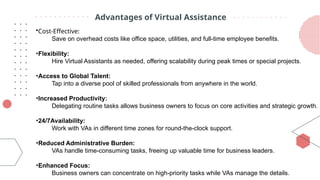
Advantages of Virtual Assistance
•Cost-Effective:
Save on overhead costs like office space, utilities, and full-time employee benefits.
•Flexibility:
Hire Virtual Assistants as needed, offering scalability during peak times or special projects.
•Access to Global Talent:
Tap into a diverse pool of skilled professionals from anywhere in the world.
•Increased Productivity:
Delegating routine tasks allows business owners to focus on core activities and strategic growth.
•24/7Availability:
Work with VAs in different time zones for round-the-clock support.
•Reduced Administrative Burden:
VAs handle time-consuming tasks, freeing up valuable time for business leaders.
•Enhanced Focus:
Business owners can concentrate on high-priority tasks while VAs manage the details.
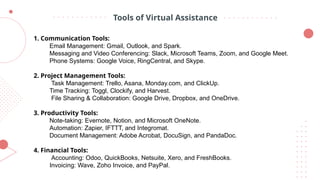
Tools of Virtual Assistance
1. Communication Tools:
Email Management: Gmail, Outlook, and Spark.
Messaging and Video Conferencing: Slack, Microsoft Teams, Zoom, and Google Meet.
Phone Systems: Google Voice, RingCentral, and Skype.
2. Project Management Tools:
Task Management: Trello, Asana, Monday.com, and ClickUp.
Time Tracking: Toggl, Clockify, and Harvest.
File Sharing & Collaboration: Google Drive, Dropbox, and OneDrive.
3. Productivity Tools:
Note-taking: Evernote, Notion, and Microsoft OneNote.
Automation: Zapier, IFTTT, and Integromat.
Document Management: Adobe Acrobat, DocuSign, and PandaDoc.
4. Financial Tools:
Accounting: Odoo, QuickBooks, Netsuite, Xero, and FreshBooks.
Invoicing: Wave, Zoho Invoice, and PayPal.
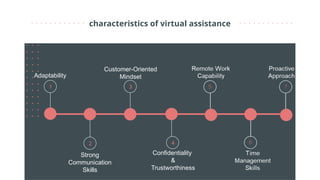
characteristics of virtual assistance
Adaptability
Confidentiality
&
Trustworthiness
Strong
Communication
Skills
Customer-Oriented
Mindset
1 3
2 4
CREDITS: This presentation template was created by
Slidesgo, including icons by Flaticon, and
infographics & images by Freepik.
Thanks!
Do you have any questions?
info@onestopda.com
www.onestopda.com

OnestopDA: Virtual Assistance, Redefined

  • 1.
    Virtual Assistant Save timeand money with the support of a virtual assistant.
  • 2.
    what is virtualassistance? Virtual Assistance refers to the provision of administrative, technical, or creative support services to businesses and individuals by a remote worker, often known as a Virtual Assistant (VA). Virtual Assistants typically operate from their own home office or a co-working space, using technology to communicate and complete tasks for clients who may be located anywhere in the world.
  • 3.
    Key Functions ofVirtual Assistance: 04. 01. 02. 03. Administrative Support: Managing emails, scheduling appointments, handling customer service, data entry, and other routine office tasks. Technical Support: Website maintenance, tech troubleshooting, and software management. Creative Support: Content creation, graphic design, social media management, and marketing. Specialized Services: Bookkeeping, research, project management, and more.
  • 4.
    what do virtualassistance do? •Administrative Support •Technical Support •Creative Support •Specialized Services •Customer Service •Social Media Management •E-mail marketing •Calendar Management •Data Entry and Organization •Travel Planning and Coordination •Online Research •Document Preparation •Meeting Coordination •Task Management •File Management and Organization •Invoicing and Payments Management •Client Communication •Content Scheduling
  • 5.
    Benefits of VirtualAssistance: •Cost-Efficiency: Businesses can save on overhead costs since Virtual Assistants work remotely. •Flexibility: Virtual Assistants can be hired on an as-needed basis, offering flexibility in managing workloads. •Focus on Core Business: Delegating routine tasks to a VA allows business owners to focus on strategic activities and growth.
  • 6.
    Advantages of VirtualAssistance •Cost-Effective: Save on overhead costs like office space, utilities, and full-time employee benefits. •Flexibility: Hire Virtual Assistants as needed, offering scalability during peak times or special projects. •Access to Global Talent: Tap into a diverse pool of skilled professionals from anywhere in the world. •Increased Productivity: Delegating routine tasks allows business owners to focus on core activities and strategic growth. •24/7Availability: Work with VAs in different time zones for round-the-clock support. •Reduced Administrative Burden: VAs handle time-consuming tasks, freeing up valuable time for business leaders. •Enhanced Focus: Business owners can concentrate on high-priority tasks while VAs manage the details.
  • 7.
    Tools of VirtualAssistance 1. Communication Tools: Email Management: Gmail, Outlook, and Spark. Messaging and Video Conferencing: Slack, Microsoft Teams, Zoom, and Google Meet. Phone Systems: Google Voice, RingCentral, and Skype. 2. Project Management Tools: Task Management: Trello, Asana, Monday.com, and ClickUp. Time Tracking: Toggl, Clockify, and Harvest. File Sharing & Collaboration: Google Drive, Dropbox, and OneDrive. 3. Productivity Tools: Note-taking: Evernote, Notion, and Microsoft OneNote. Automation: Zapier, IFTTT, and Integromat. Document Management: Adobe Acrobat, DocuSign, and PandaDoc. 4. Financial Tools: Accounting: Odoo, QuickBooks, Netsuite, Xero, and FreshBooks. Invoicing: Wave, Zoho Invoice, and PayPal.
  • 8.
    characteristics of virtualassistance Adaptability Confidentiality & Trustworthiness Strong Communication Skills Customer-Oriented Mindset 1 3 2 4
  • 9.
    CREDITS: This presentationtemplate was created by Slidesgo, including icons by Flaticon, and infographics & images by Freepik. Thanks! Do you have any questions? info@onestopda.com www.onestopda.com