@ITCAMPRO #ITCAMP17Community Conference for IT Professionals
One Azure Monitor to Rule Them All?
Marius Zaharia
Senior Cloud Architect
@LeCampusAzure
@ITCAMPRO #ITCAMP17Community Conference for IT Professionals
Many thanks to our sponsors & partners!
GOLD
SILVER
PARTNERS
PLATINUM
POWERED BY
@ITCAMPRO #ITCAMP17Community Conference for IT Professionals
• Governance axes and components
• Monitoring oriented services in Azure
• Focus on each of the services
• Demos
• Pros and cons
• Conclusion
Agenda
@ITCAMPRO #ITCAMP17Community Conference for IT Professionals
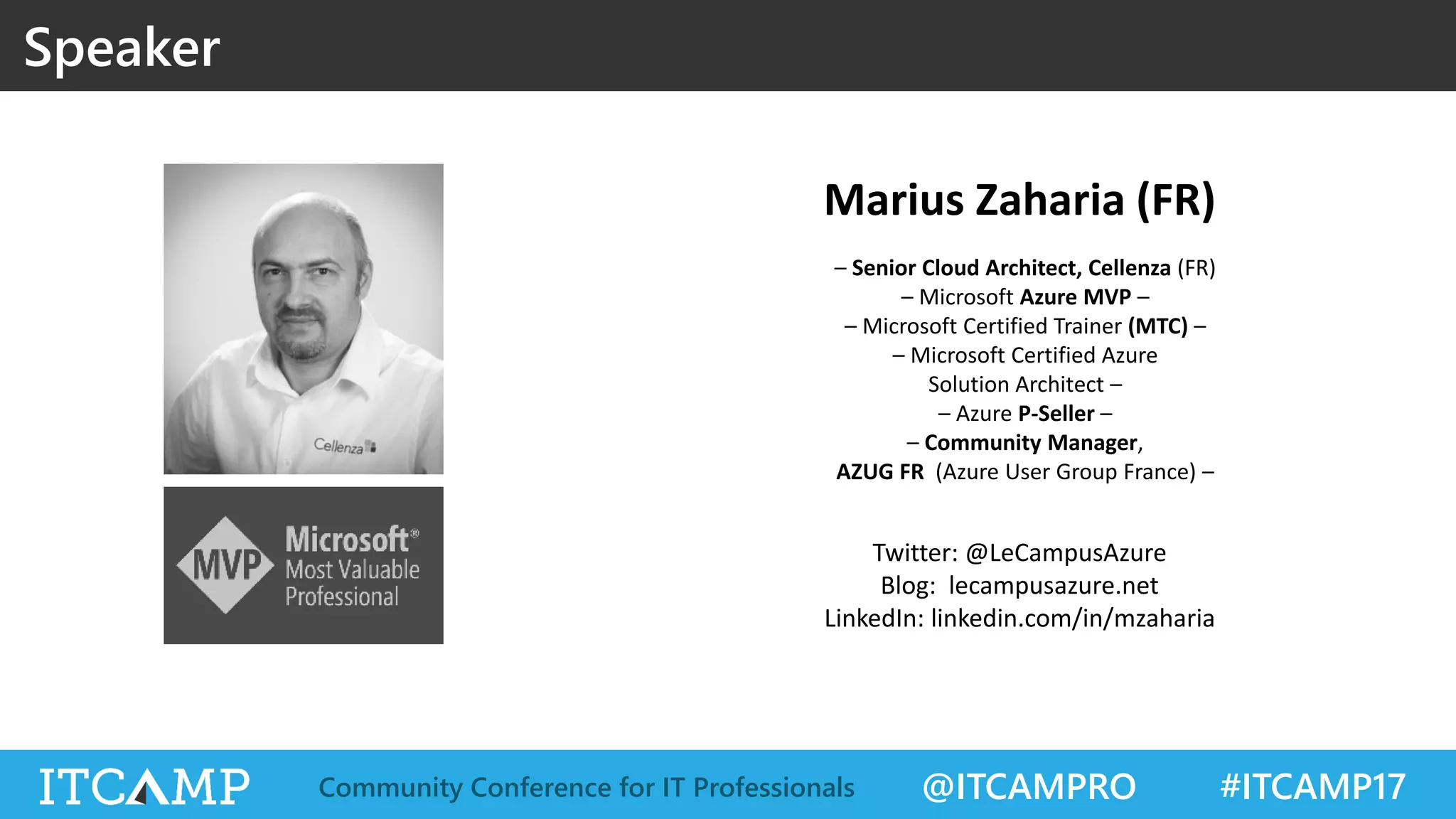
Speaker
Marius Zaharia (FR)
– Senior Cloud Architect, Cellenza (FR)
– Microsoft Azure MVP –
– Microsoft Certified Trainer (MTC) –
– Microsoft Certified Azure
Solution Architect –
– Azure P-Seller –
– Community Manager,
AZUG FR (Azure User Group France) –
Twitter: @LeCampusAzure
Blog: lecampusazure.net
LinkedIn: linkedin.com/in/mzaharia
@ITCAMPRO #ITCAMP17Community Conference for IT Professionals
After having BUILT so many awesome things in Azure,
Now it’s time to RUN them.
No, they don’t run alone on their own.
(even if they are in the cloud)
Their continuous Performance, Reliability,
Security and Availability
is YOUR JOB.
This session is all about it (well, almost all).
Question: “One Azure Monitor to Rule Them All?”
WHY THE “?” AT THE END
Intro
@ITCAMPRO #ITCAMP17Community Conference for IT Professionals
GOVERNANCE
AXES AND COMPONENTS
Azure
@ITCAMPRO #ITCAMP17Community Conference for IT Professionals
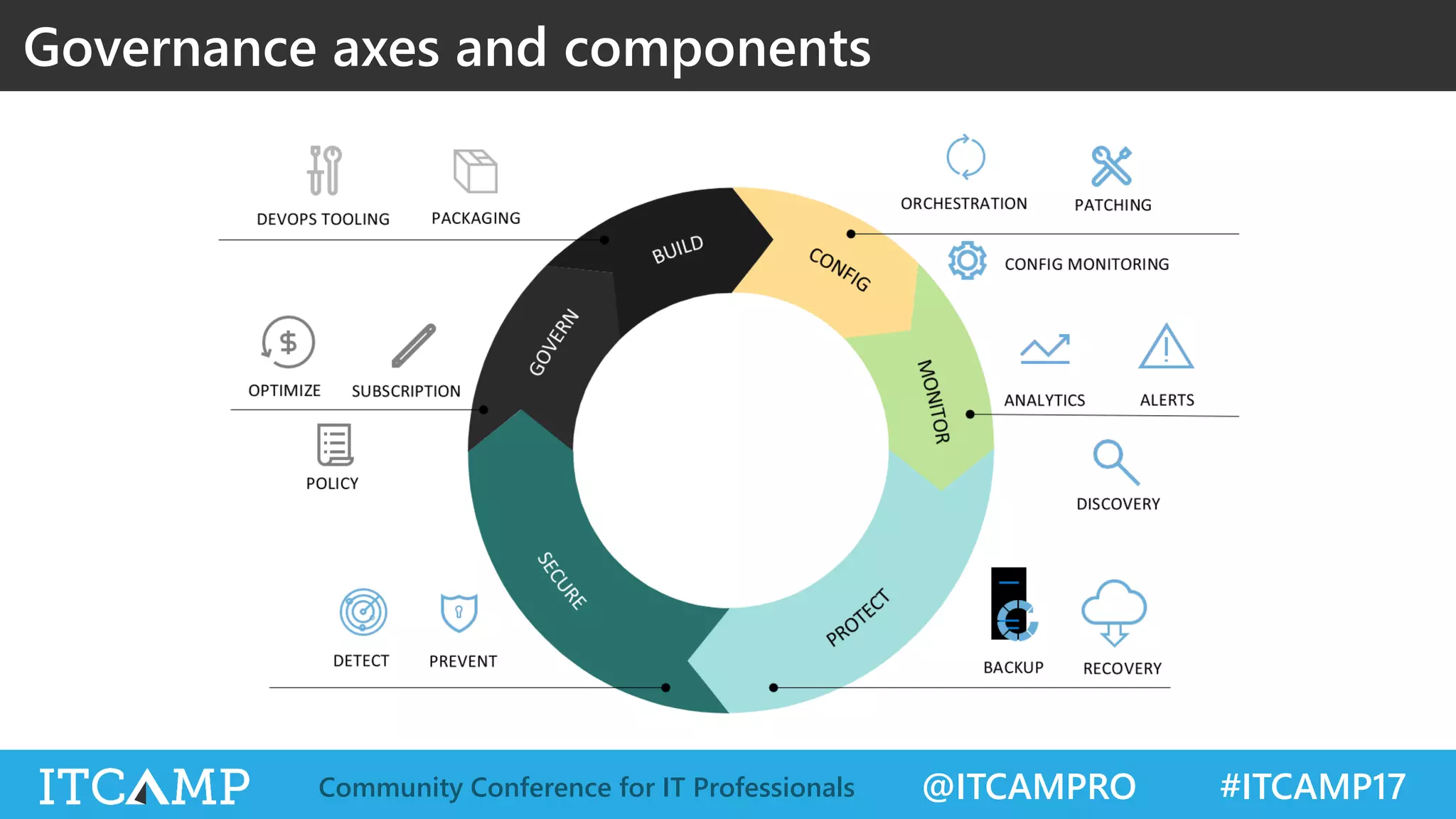
Governance axes and components
@ITCAMPRO #ITCAMP17Community Conference for IT Professionals
MONITORING ORIENTED SERVICES
Azure
@ITCAMPRO #ITCAMP17Community Conference for IT Professionals
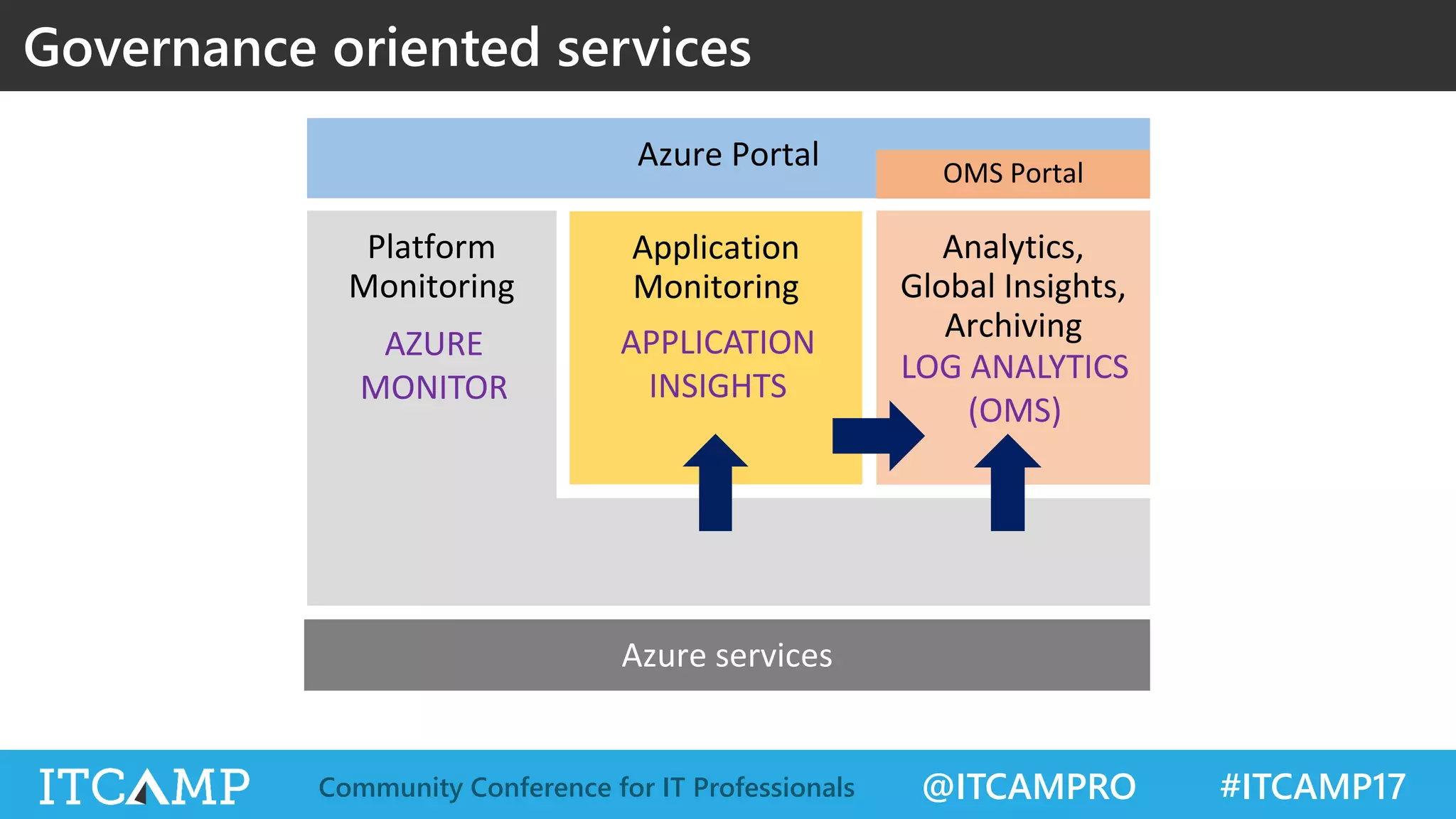
Governance oriented services
Platform
Monitoring
Analytics,
Global Insights,
Archiving
Application
Monitoring
Azure Portal
AZURE
MONITOR
APPLICATION
INSIGHTS
LOG ANALYTICS
(OMS)
OMS Portal
@ITCAMPRO #ITCAMP17Community Conference for IT Professionals
AZURE MONITOR
@ITCAMPRO #ITCAMP17Community Conference for IT Professionals
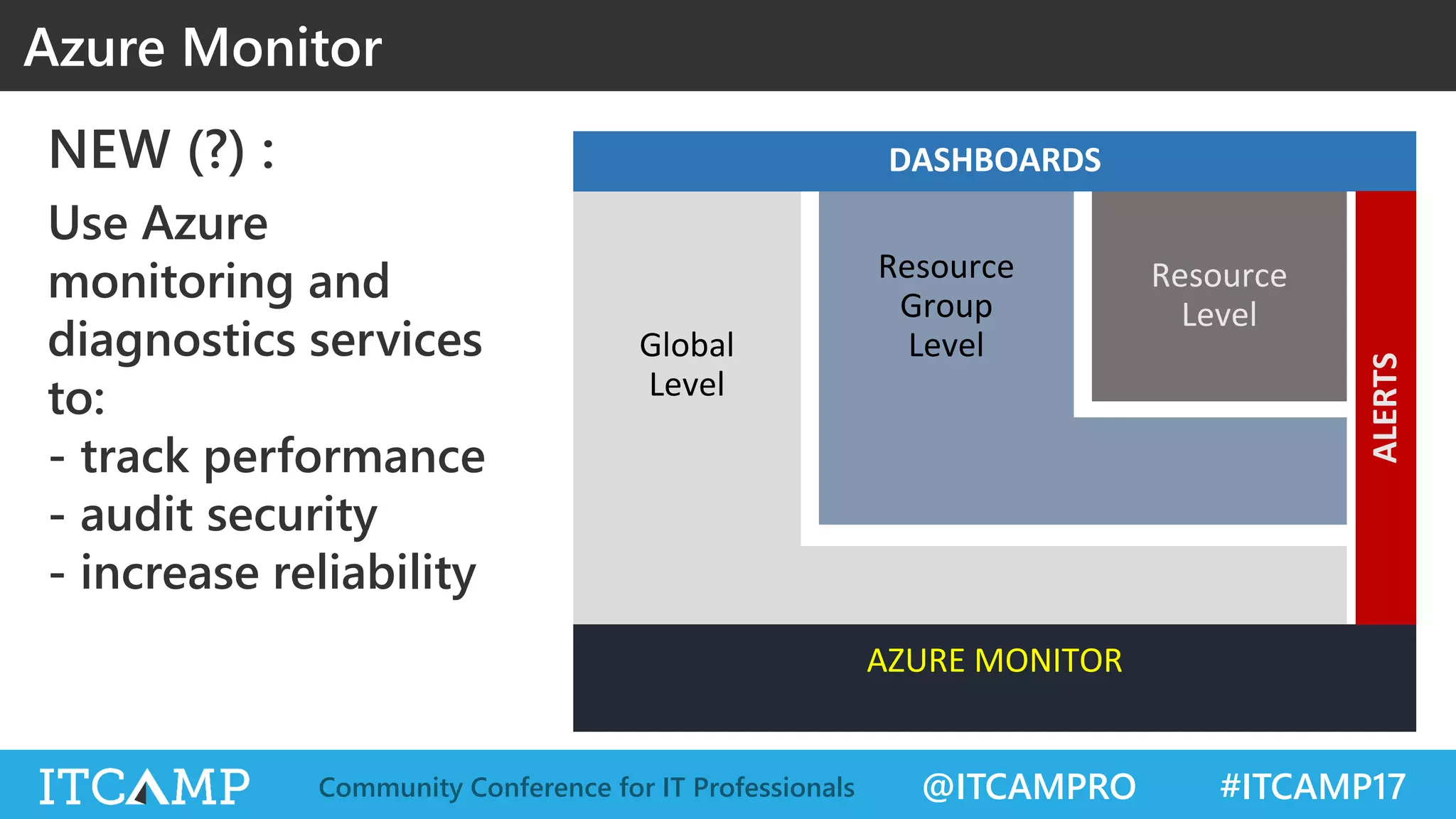
NEW (?) :
Use Azure
monitoring and
diagnostics services
to:
- track performance
- audit security
- increase reliability
Azure Monitor
Global
Level
Resource
Level
Resource
Group
Level
AZURE MONITOR
DASHBOARDS
ALERTS
@ITCAMPRO #ITCAMP17Community Conference for IT Professionals
Azure Monitor
@ITCAMPRO #ITCAMP17Community Conference for IT Professionals
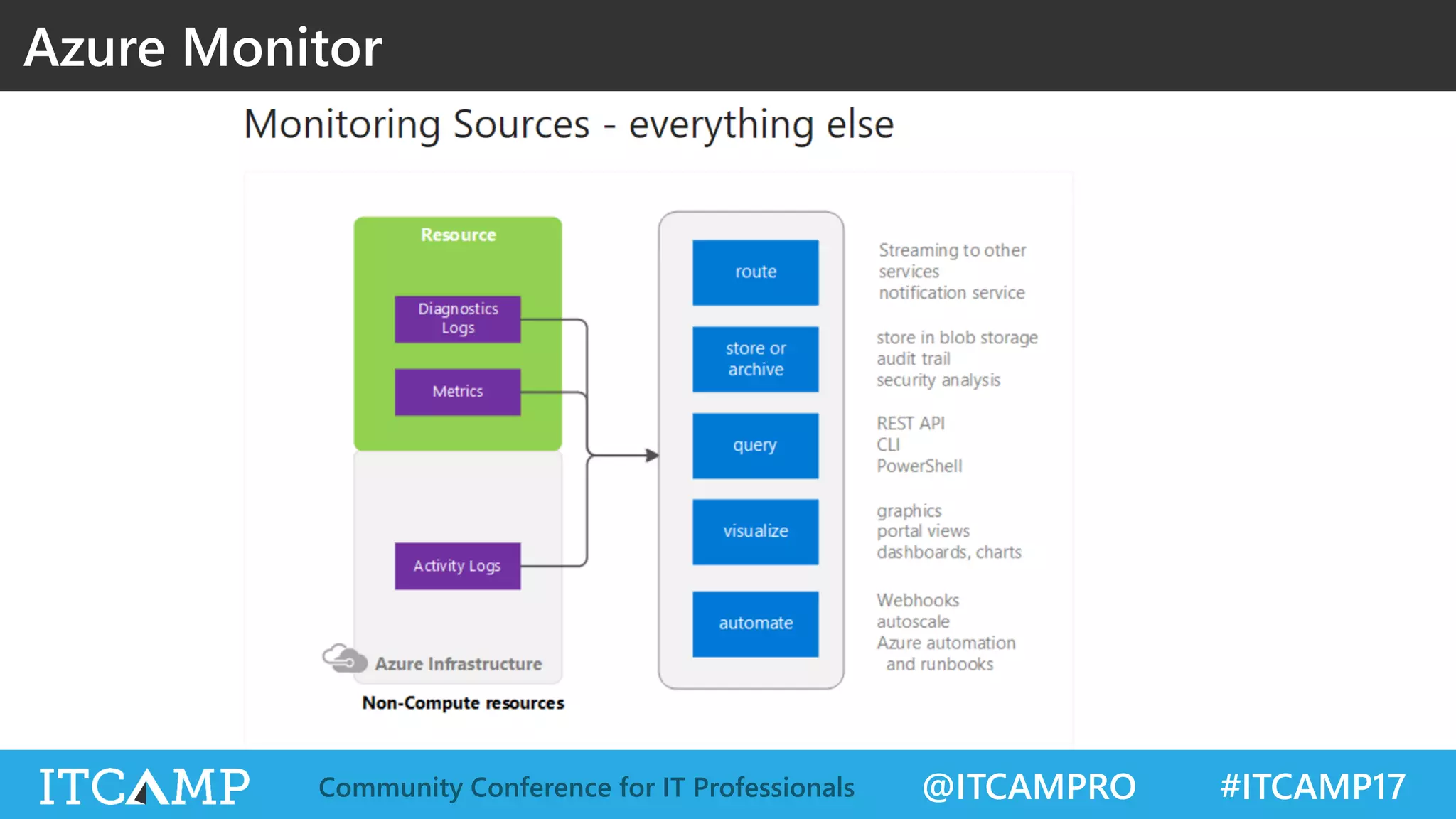
Azure Monitor
@ITCAMPRO #ITCAMP17Community Conference for IT Professionals
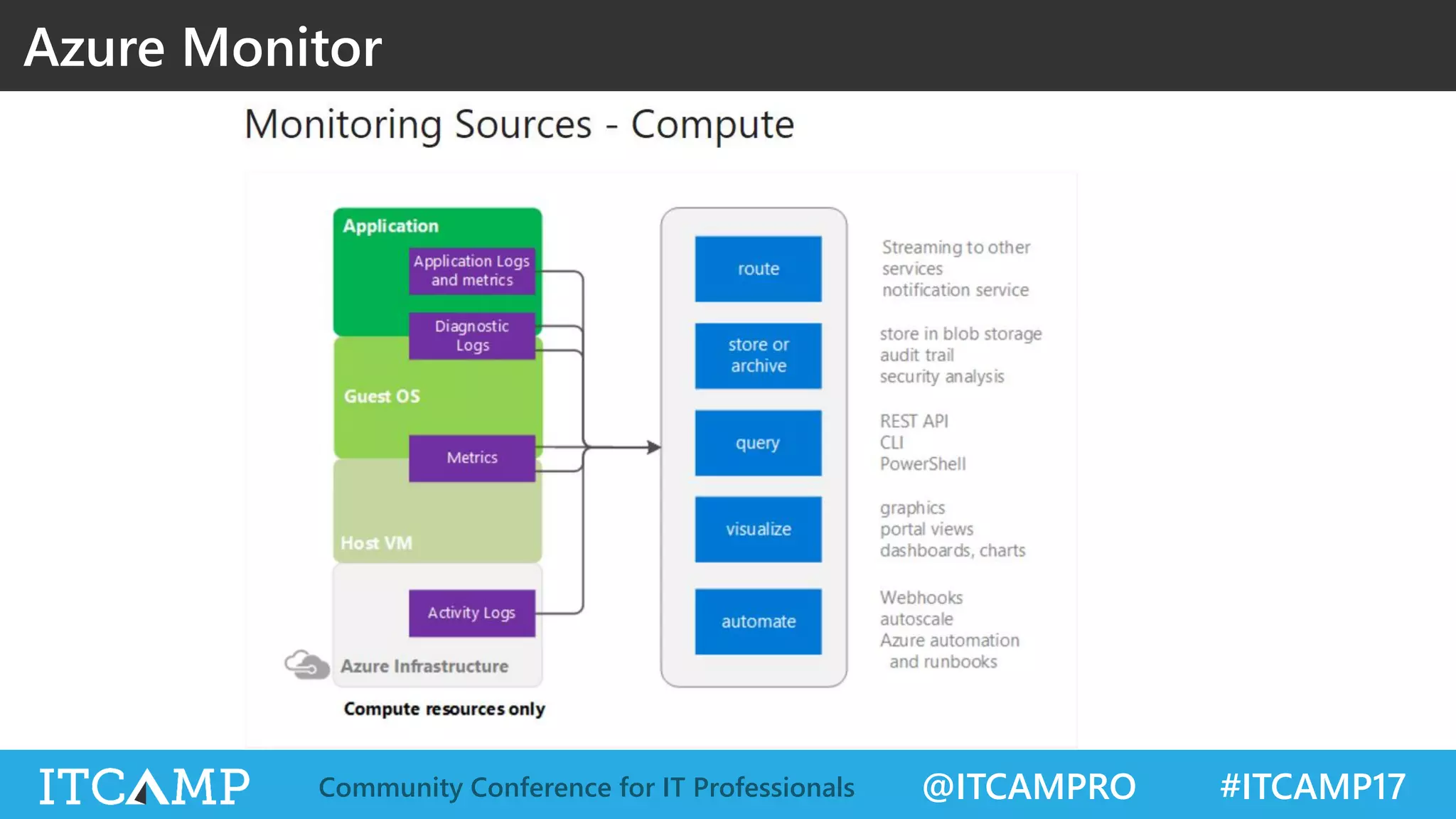
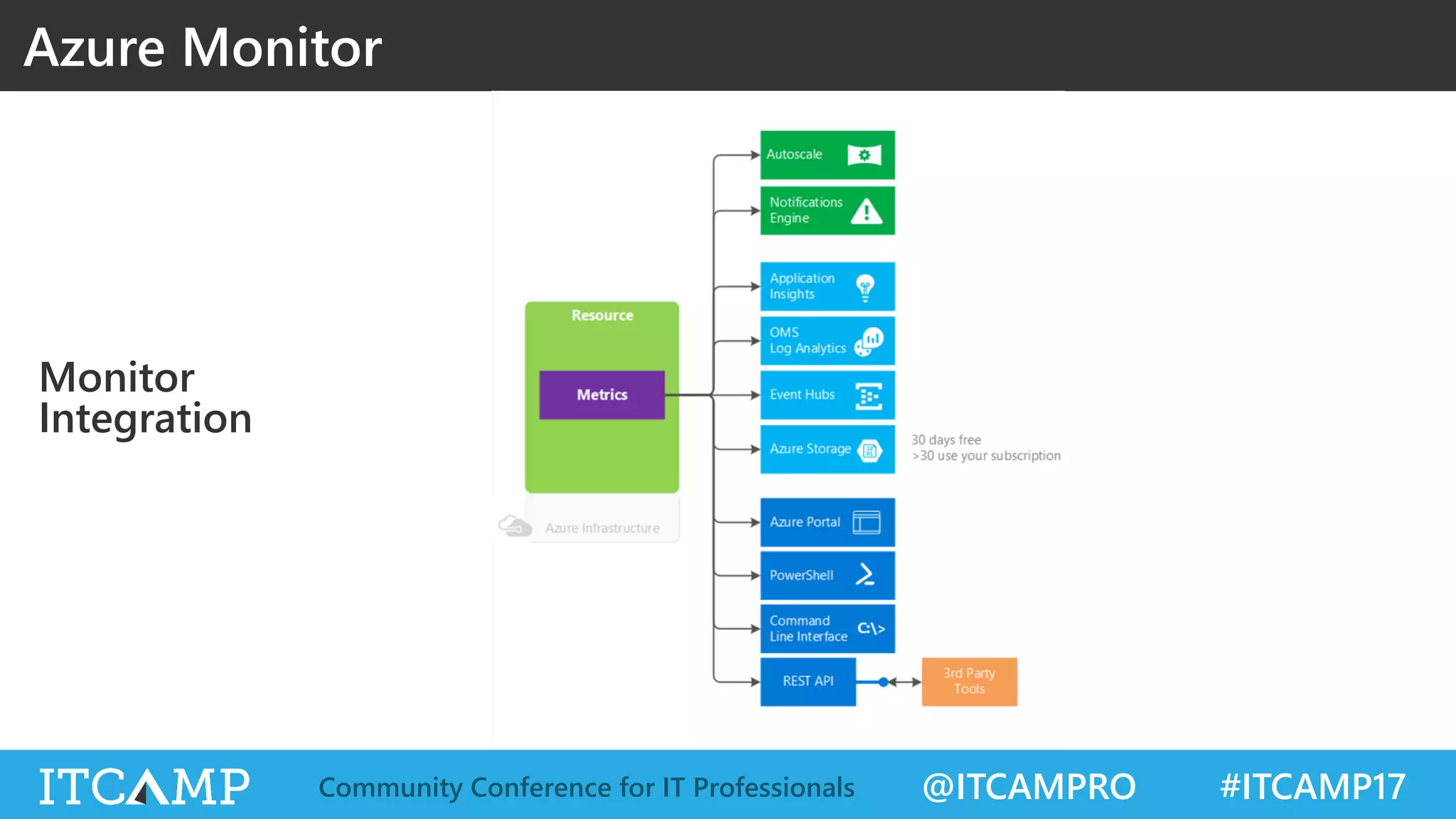
Monitor
Integration
Azure Monitor
@ITCAMPRO #ITCAMP17Community Conference for IT Professionals
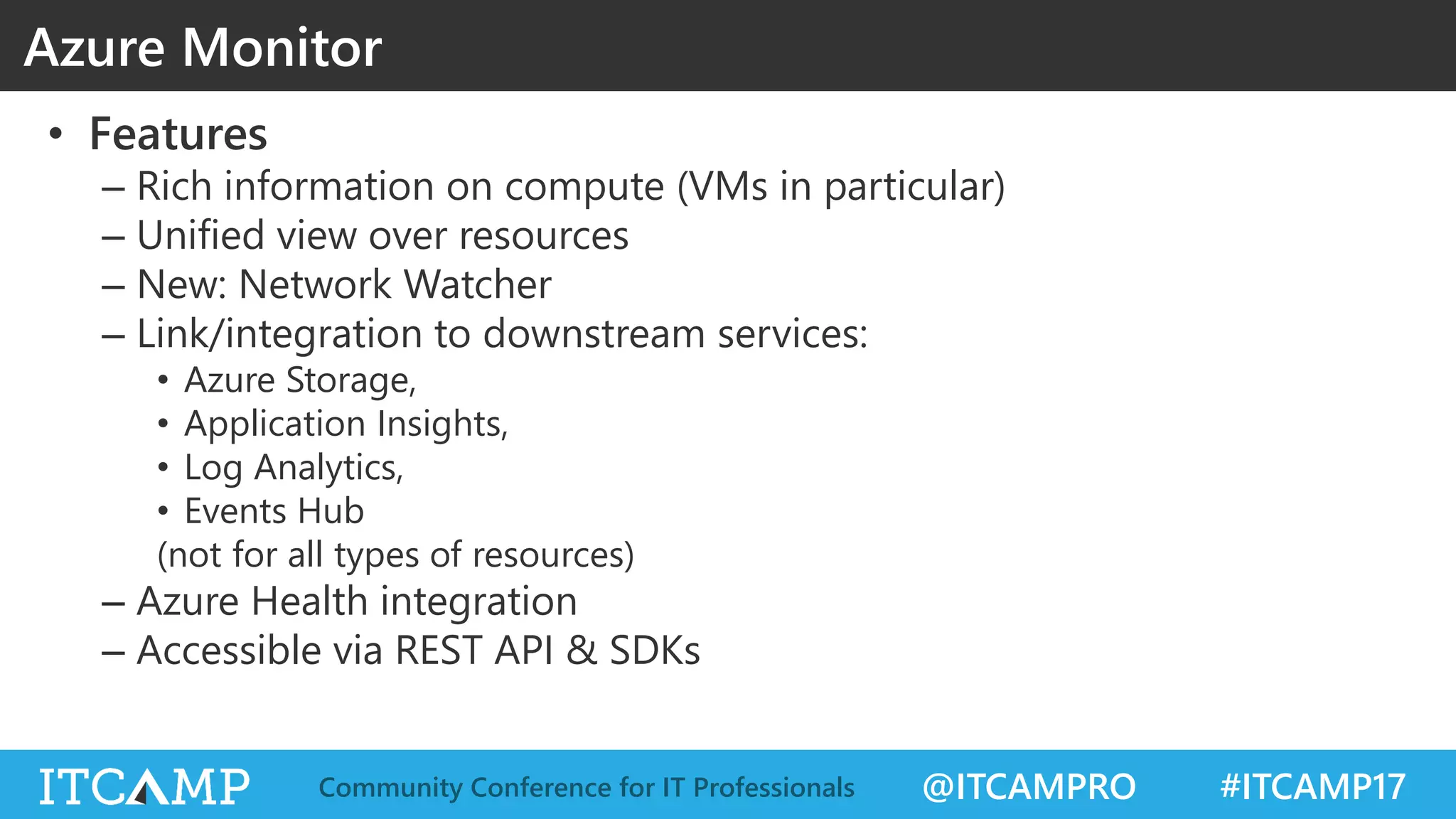
• Features
– Rich information on compute (VMs in particular)
– Unified view over resources
– New: Network Watcher
– Link/integration to downstream services:
• Azure Storage,
• Application Insights,
• Log Analytics,
• Events Hub
(not for all types of resources)
– Azure Health integration
– Accessible via REST API & SDKs
Azure Monitor
@ITCAMPRO #ITCAMP17Community Conference for IT Professionals
AZURE MONITOR, SETUP & RUN
DEMO
@ITCAMPRO #ITCAMP17Community Conference for IT Professionals
• PROS
– Native service (OOTB)
– Real time (1 min)
– Unified view over resources
– Link/integration to downstream services
– Accessible via REST API & SDKs
• CONS
– 30 retention max (enough maybe?)
– Aggregated view not possible
– Features not available [yet] for all types of resources; many
PaaS services have yet to come
Azure Monitor
@ITCAMPRO #ITCAMP17Community Conference for IT Professionals
APPLICATION INSIGHTS
@ITCAMPRO #ITCAMP17Community Conference for IT Professionals
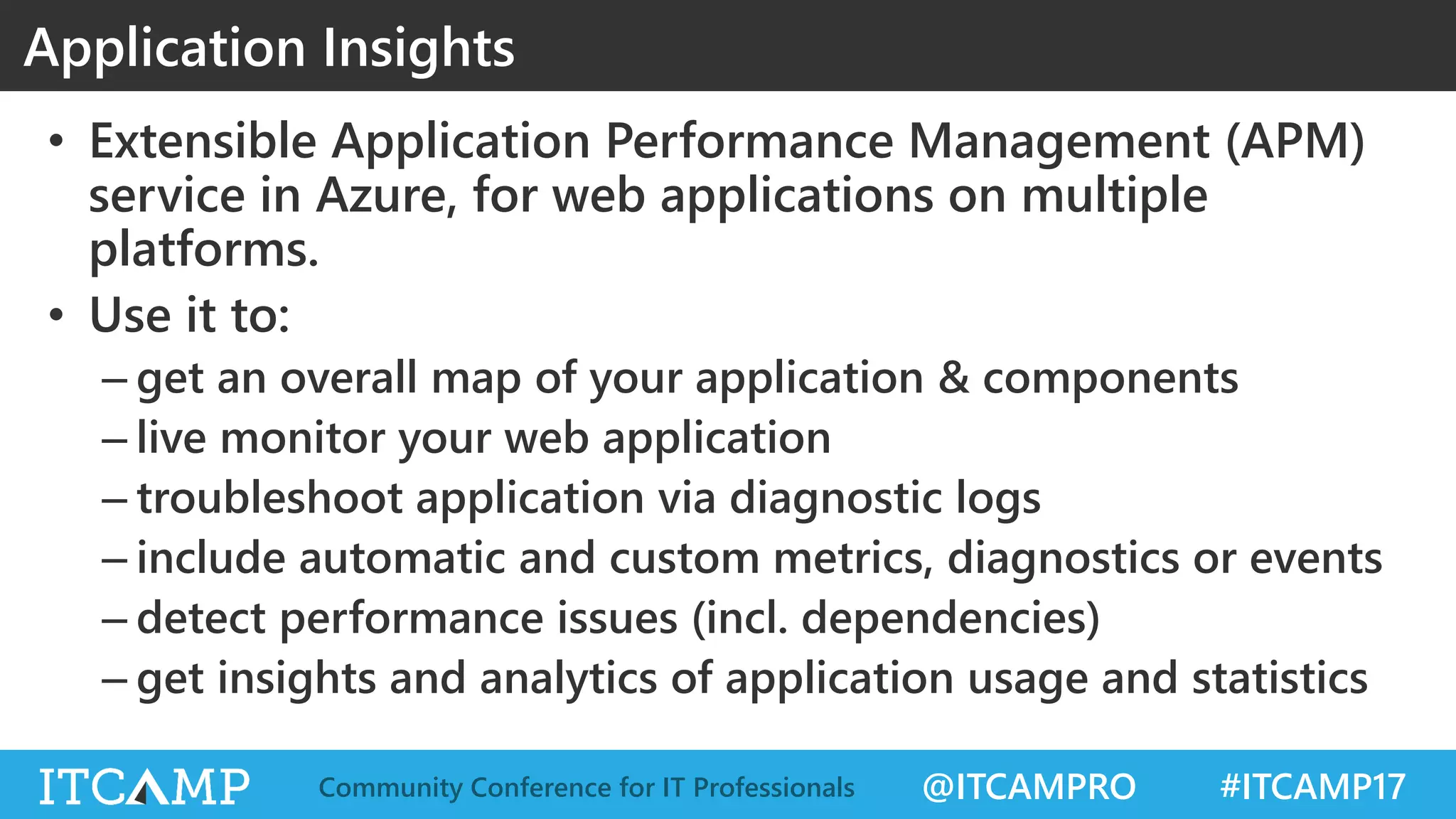
• Extensible Application Performance Management (APM)
service in Azure, for web applications on multiple
platforms.
• Use it to:
– get an overall map of your application & components
– live monitor your web application
– troubleshoot application via diagnostic logs
– include automatic and custom metrics, diagnostics or events
– detect performance issues (incl. dependencies)
– get insights and analytics of application usage and statistics
Application Insights
@ITCAMPRO #ITCAMP17Community Conference for IT Professionals
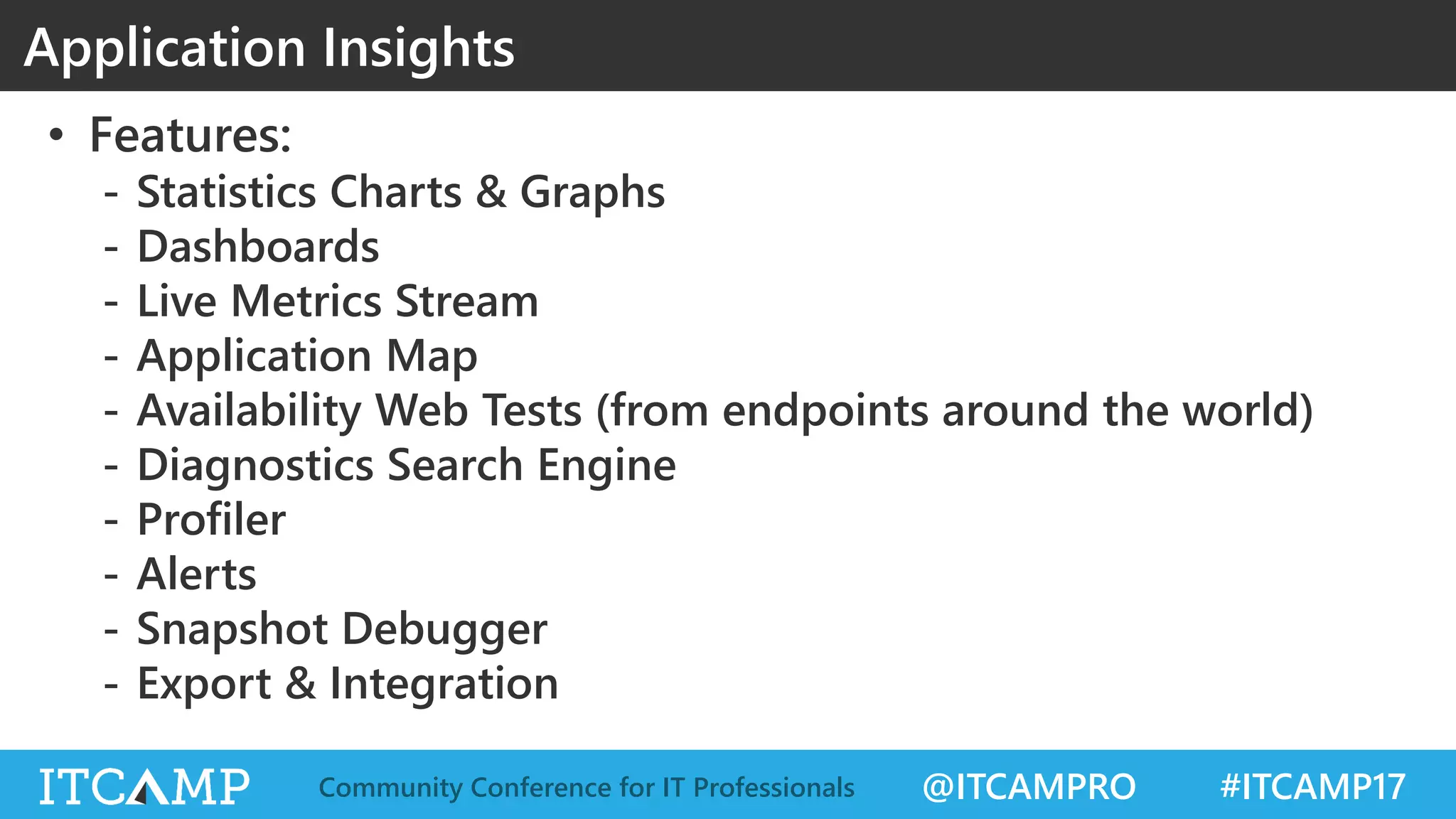
• Features:
- Statistics Charts & Graphs
- Dashboards
- Live Metrics Stream
- Application Map
- Availability Web Tests (from endpoints around the world)
- Diagnostics Search Engine
- Profiler
- Alerts
- Snapshot Debugger
- Export & Integration
Application Insights
@ITCAMPRO #ITCAMP17Community Conference for IT Professionals
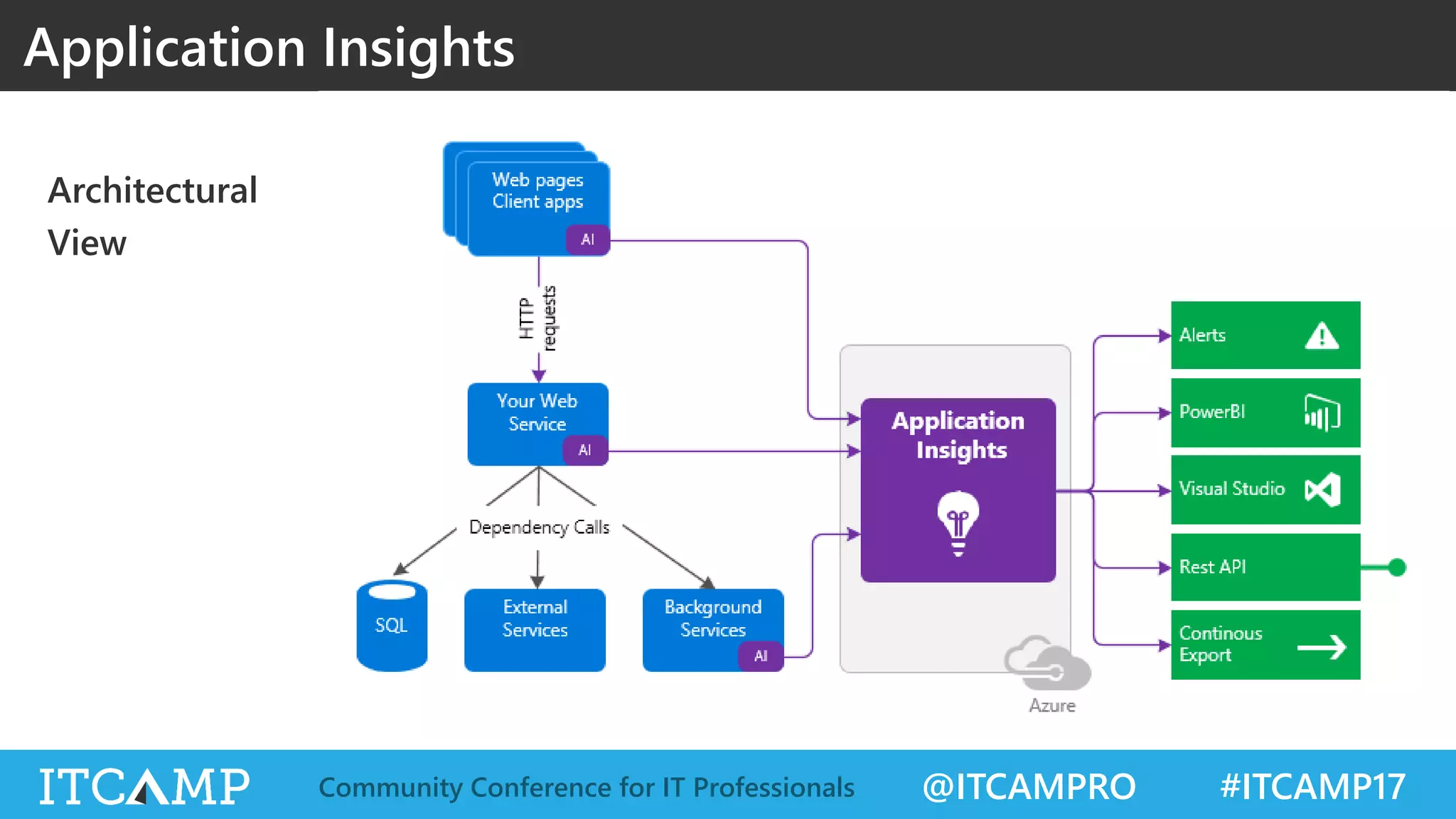
Architectural
View
Application Insights
@ITCAMPRO #ITCAMP17Community Conference for IT Professionals
APPLICATION INSIGHTS, SETUP & RUN
DEMO
@ITCAMPRO #ITCAMP17Community Conference for IT Professionals
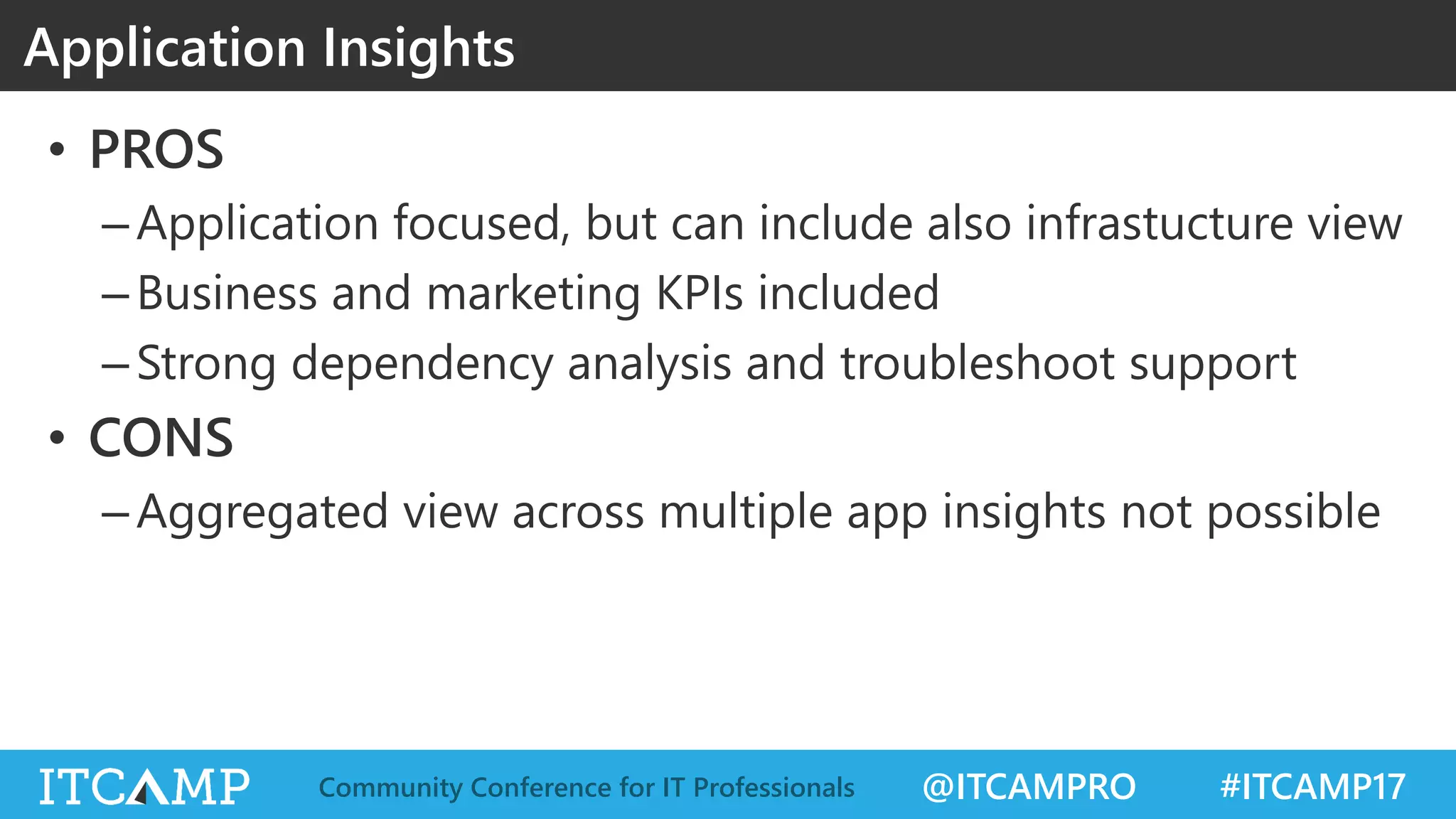
• PROS
–Application focused, but can include also infrastucture view
–Business and marketing KPIs included
–Strong dependency analysis and troubleshoot support
• CONS
–Aggregated view across multiple app insights not possible
Application Insights
@ITCAMPRO #ITCAMP17Community Conference for IT Professionals
LOG ANALYTICS
@ITCAMPRO #ITCAMP17Community Conference for IT Professionals
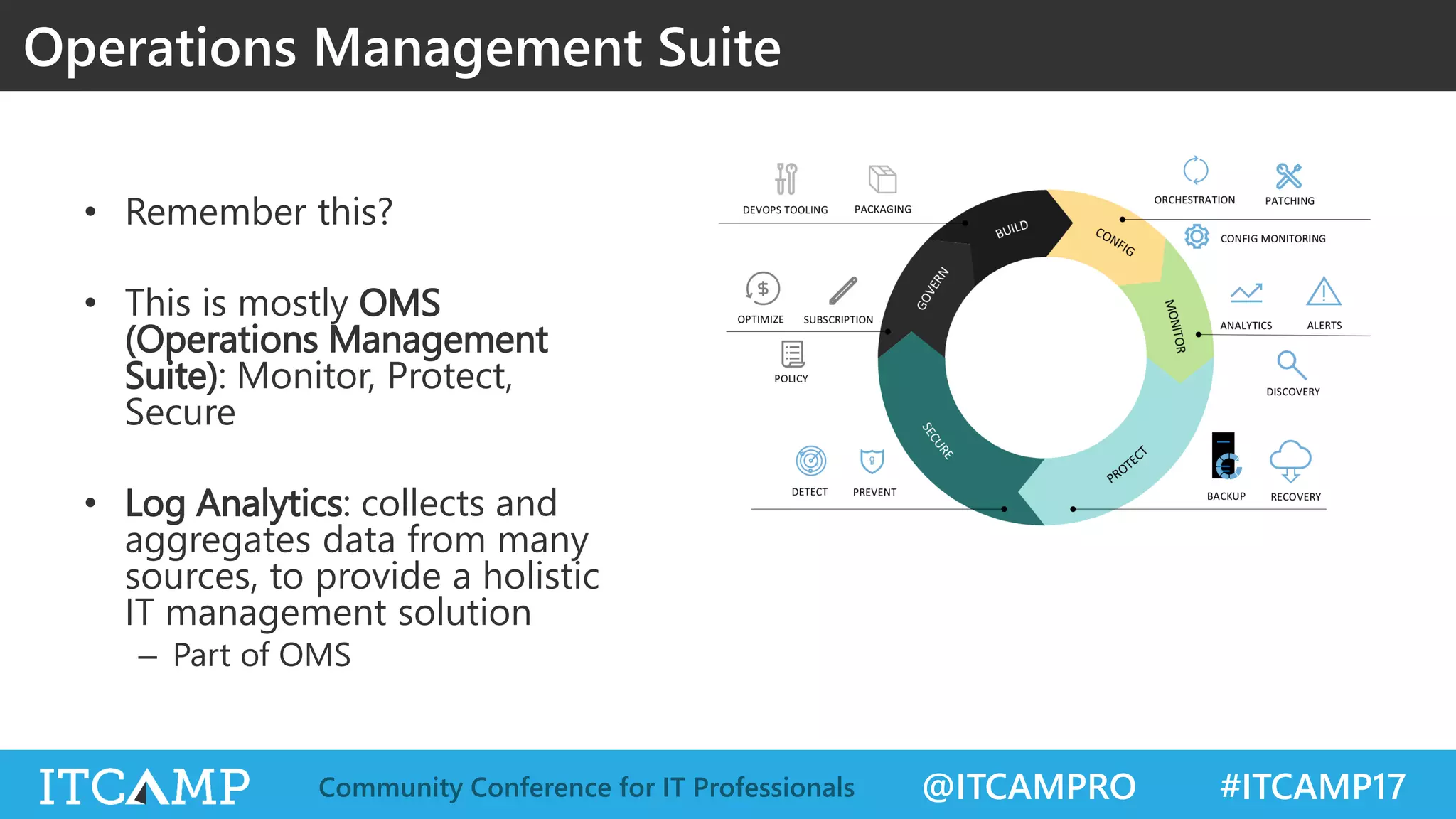
• Remember this?
• This is mostly OMS
(Operations Management
Suite): Monitor, Protect,
Secure
• Log Analytics: collects and
aggregates data from many
sources, to provide a holistic
IT management solution
– Part of OMS
Operations Management Suite
@ITCAMPRO #ITCAMP17Community Conference for IT Professionals
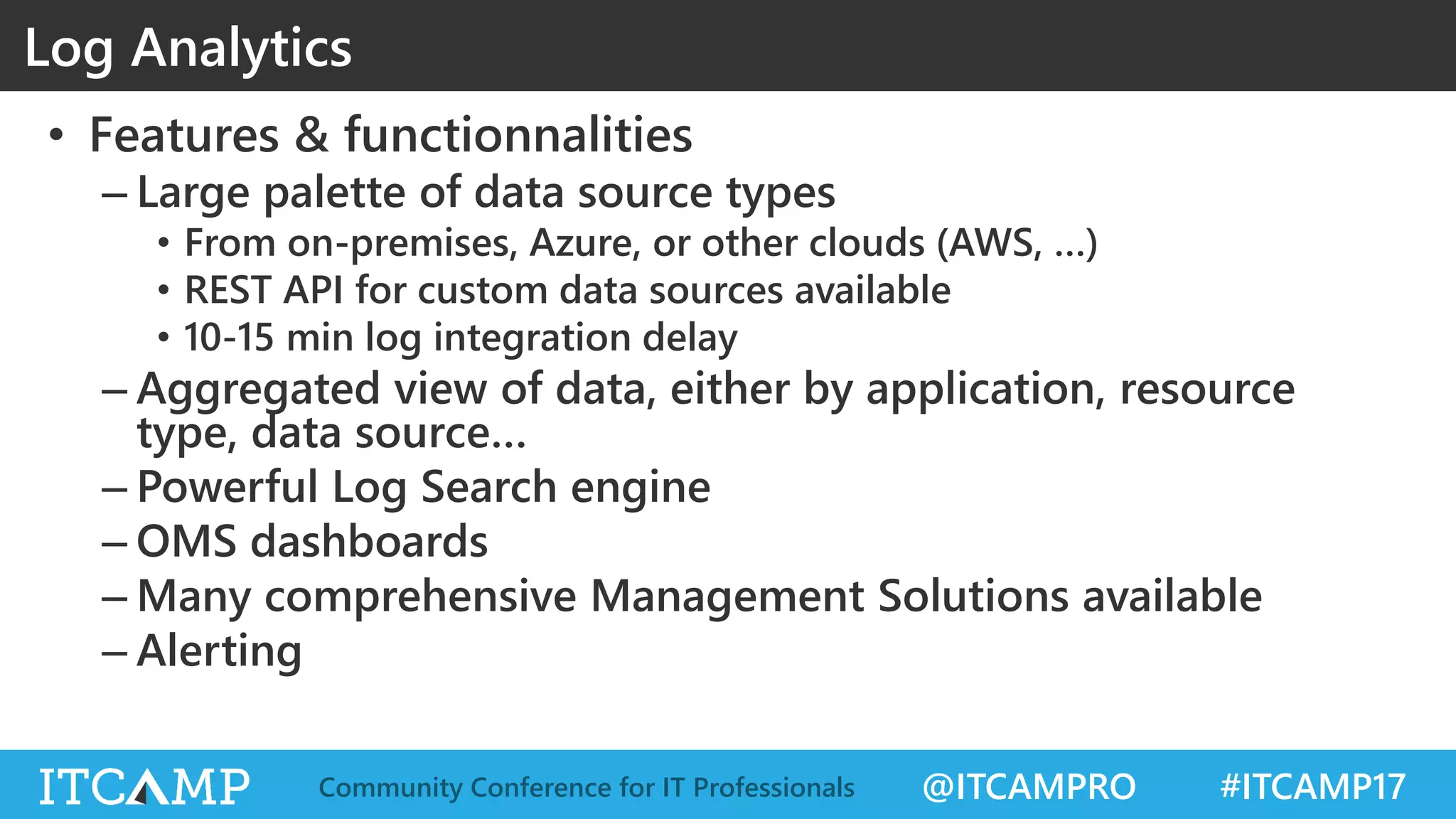
• Features & functionnalities
– Large palette of data source types
• From on-premises, Azure, or other clouds (AWS, …)
• REST API for custom data sources available
• 10-15 min log integration delay
– Aggregated view of data, either by application, resource
type, data source…
– Powerful Log Search engine
– OMS dashboards
– Many comprehensive Management Solutions available
– Alerting
Log Analytics
@ITCAMPRO #ITCAMP17Community Conference for IT Professionals
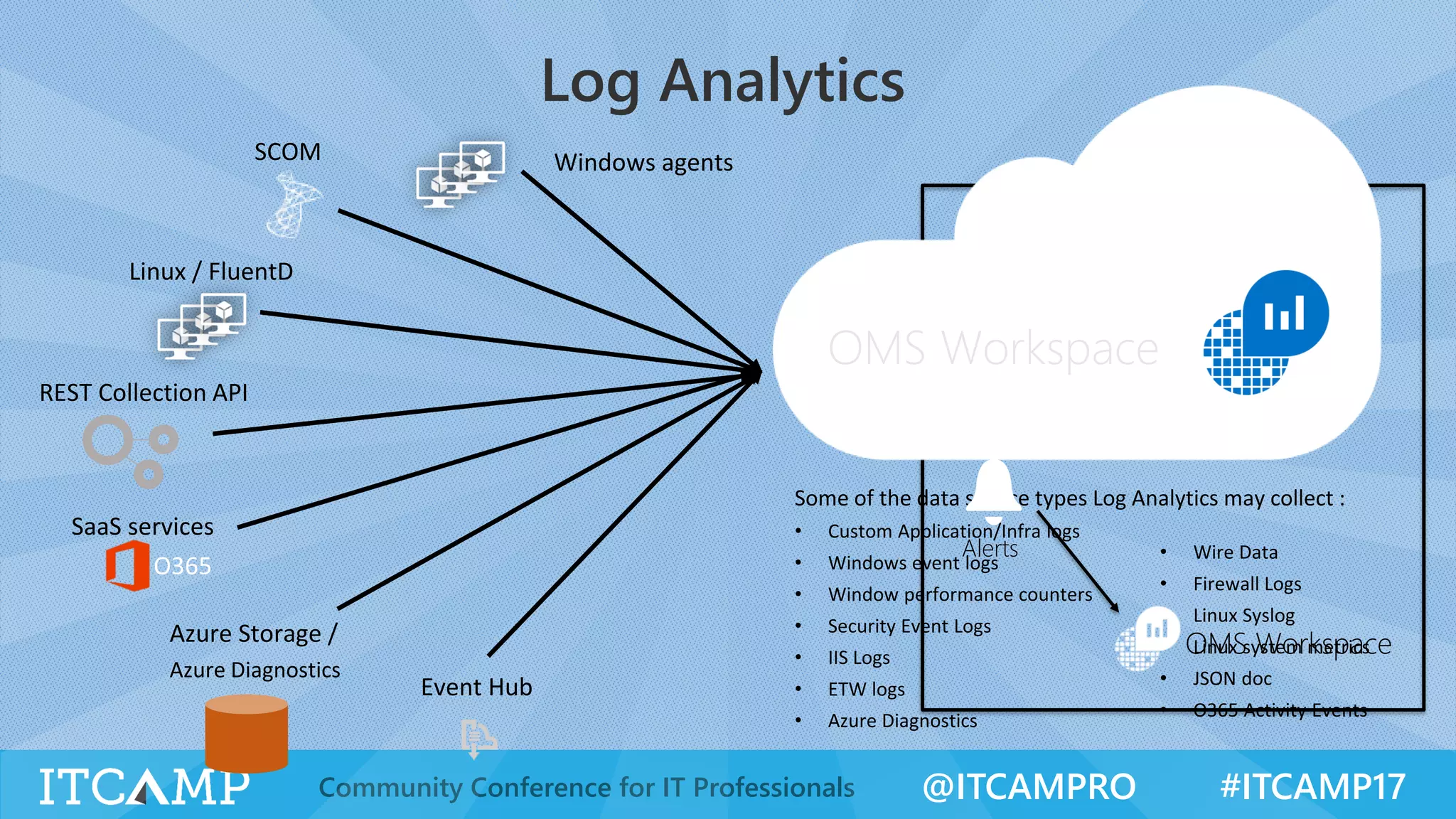
Log Analytics
Windows agentsSCOM
Linux / FluentD
Event Hub
Azure Storage /
Azure Diagnostics
REST Collection API
SaaS services
OMS Custom View
Monitor
Alerts
OMS Workspace
Log SearchOMS Workspace
@ITCAMPRO #ITCAMP17Community Conference for IT Professionals
LOG ANALYTICS, SETUP & RUN
DEMO
@ITCAMPRO #ITCAMP17Community Conference for IT Professionals
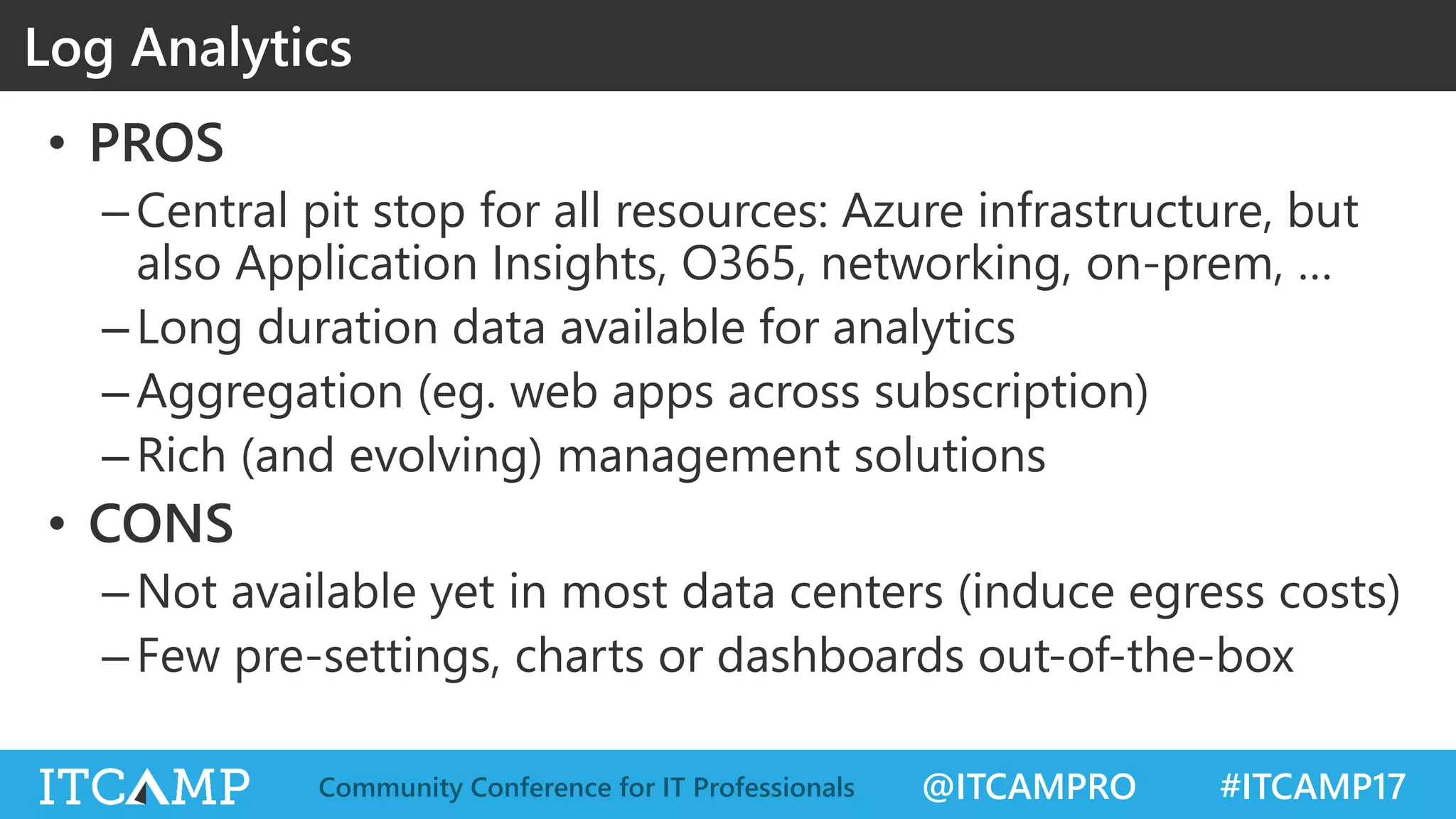
• PROS
–Central pit stop for all resources: Azure infrastructure, but
also Application Insights, O365, networking, on-prem, …
–Long duration data available for analytics
–Aggregation (eg. web apps across subscription)
–Rich (and evolving) management solutions
• CONS
–Not available yet in most data centers (induce egress costs)
–Few pre-settings, charts or dashboards out-of-the-box
Log Analytics
@ITCAMPRO #ITCAMP17Community Conference for IT Professionals
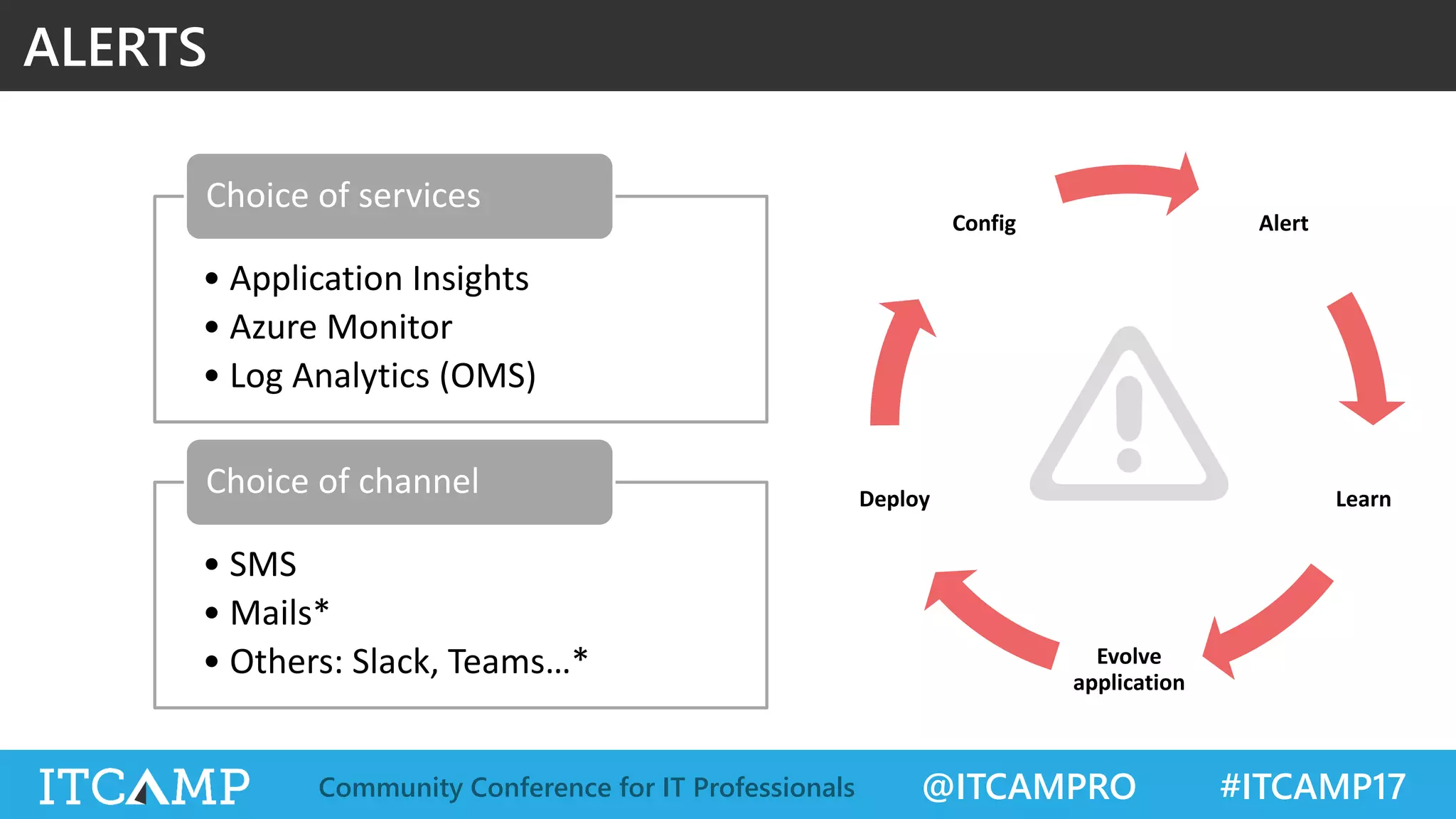
ALERTS
Alert
Learn
Evolve
application
Deploy
Config
• Application Insights
• Azure Monitor
• Log Analytics (OMS)
Choice of services
• SMS
• Mails*
• Others: Slack, Teams…*
Choice of channel
@ITCAMPRO #ITCAMP17Community Conference for IT Professionals
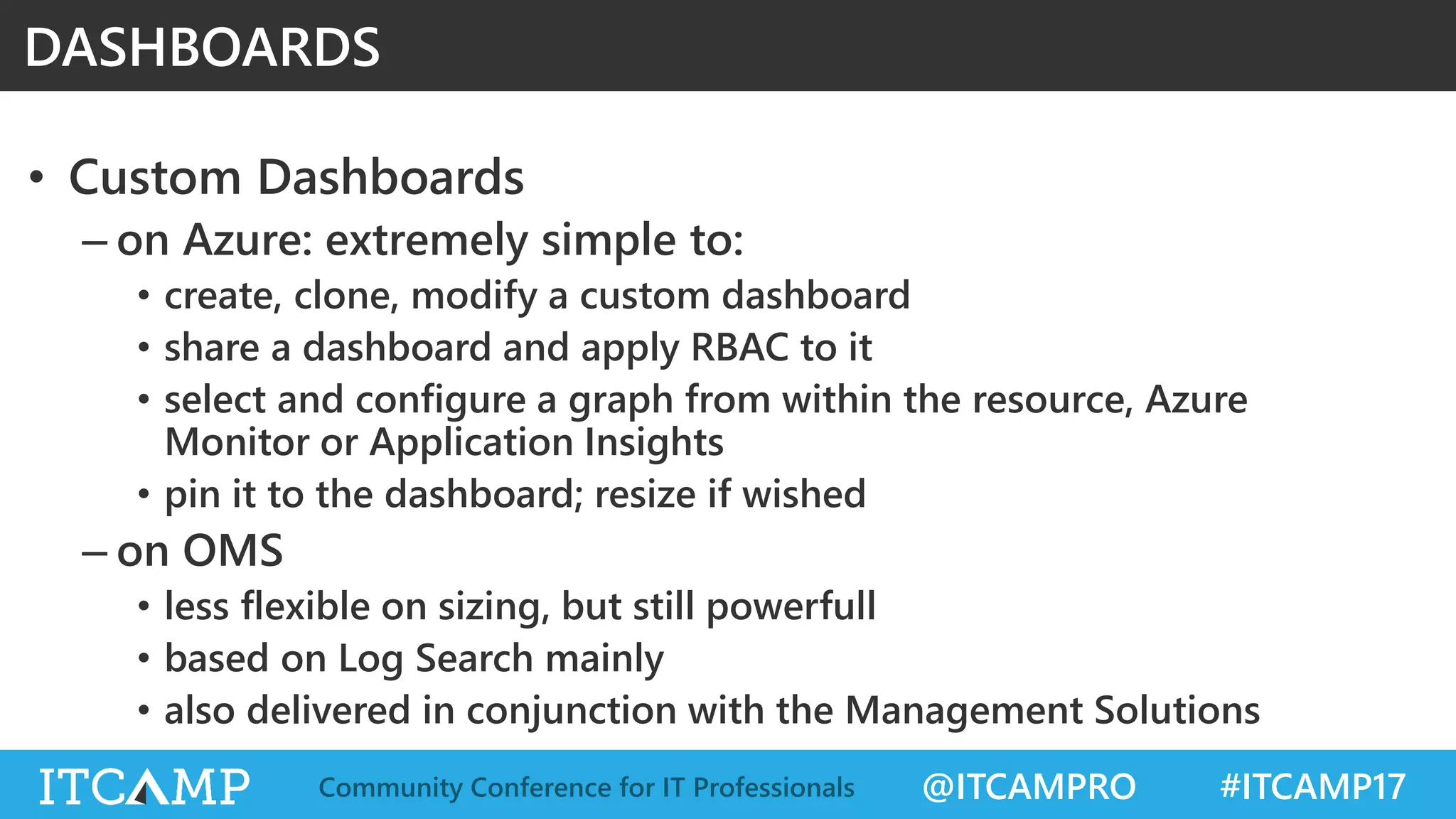
• Custom Dashboards
– on Azure: extremely simple to:
• create, clone, modify a custom dashboard
• share a dashboard and apply RBAC to it
• select and configure a graph from within the resource, Azure
Monitor or Application Insights
• pin it to the dashboard; resize if wished
– on OMS
• less flexible on sizing, but still powerfull
• based on Log Search mainly
• also delivered in conjunction with the Management Solutions
DASHBOARDS
@ITCAMPRO #ITCAMP17Community Conference for IT Professionals
DASHBOARDS
DEMO
@ITCAMPRO #ITCAMP17Community Conference for IT Professionals
CONCLUSION
Azure
@ITCAMPRO #ITCAMP17Community Conference for IT Professionals
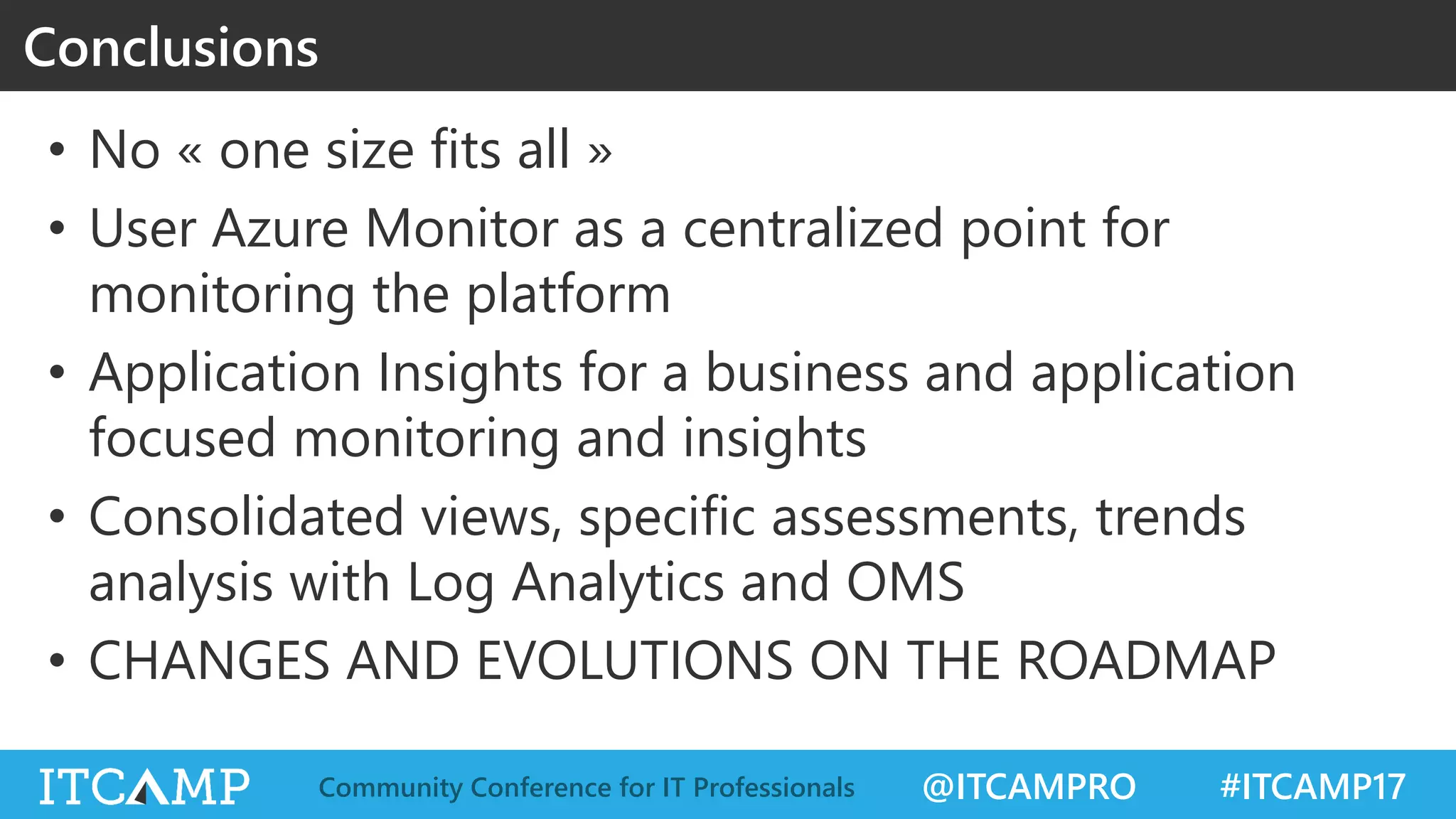
• No « one size fits all »
• User Azure Monitor as a centralized point for
monitoring the platform
• Application Insights for a business and application
focused monitoring and insights
• Consolidated views, specific assessments, trends
analysis with Log Analytics and OMS
• CHANGES AND EVOLUTIONS ON THE ROADMAP
Conclusions
@ITCAMPRO #ITCAMP17Community Conference for IT Professionals
THANK YOU. MERCI. MULȚUMESC!
Q & A

One Azure Monitor to Rule Them All? - Marius Zaharia

  • 1.
    @ITCAMPRO #ITCAMP17Community Conferencefor IT Professionals One Azure Monitor to Rule Them All? Marius Zaharia Senior Cloud Architect @LeCampusAzure
  • 2.
    @ITCAMPRO #ITCAMP17Community Conferencefor IT Professionals Many thanks to our sponsors & partners! GOLD SILVER PARTNERS PLATINUM POWERED BY
  • 3.
    @ITCAMPRO #ITCAMP17Community Conferencefor IT Professionals • Governance axes and components • Monitoring oriented services in Azure • Focus on each of the services • Demos • Pros and cons • Conclusion Agenda
  • 4.
    @ITCAMPRO #ITCAMP17Community Conferencefor IT Professionals Speaker Marius Zaharia (FR) – Senior Cloud Architect, Cellenza (FR) – Microsoft Azure MVP – – Microsoft Certified Trainer (MTC) – – Microsoft Certified Azure Solution Architect – – Azure P-Seller – – Community Manager, AZUG FR (Azure User Group France) – Twitter: @LeCampusAzure Blog: lecampusazure.net LinkedIn: linkedin.com/in/mzaharia
  • 5.
    @ITCAMPRO #ITCAMP17Community Conferencefor IT Professionals After having BUILT so many awesome things in Azure, Now it’s time to RUN them. No, they don’t run alone on their own. (even if they are in the cloud) Their continuous Performance, Reliability, Security and Availability is YOUR JOB. This session is all about it (well, almost all). Question: “One Azure Monitor to Rule Them All?” WHY THE “?” AT THE END Intro
  • 6.
    @ITCAMPRO #ITCAMP17Community Conferencefor IT Professionals GOVERNANCE AXES AND COMPONENTS Azure
  • 7.
    @ITCAMPRO #ITCAMP17Community Conferencefor IT Professionals Governance axes and components
  • 8.
    @ITCAMPRO #ITCAMP17Community Conferencefor IT Professionals MONITORING ORIENTED SERVICES Azure
  • 9.
    @ITCAMPRO #ITCAMP17Community Conferencefor IT Professionals Governance oriented services Platform Monitoring Analytics, Global Insights, Archiving Application Monitoring Azure Portal AZURE MONITOR APPLICATION INSIGHTS LOG ANALYTICS (OMS) OMS Portal
  • 10.
    @ITCAMPRO #ITCAMP17Community Conferencefor IT Professionals AZURE MONITOR
  • 11.
    @ITCAMPRO #ITCAMP17Community Conferencefor IT Professionals NEW (?) : Use Azure monitoring and diagnostics services to: - track performance - audit security - increase reliability Azure Monitor Global Level Resource Level Resource Group Level AZURE MONITOR DASHBOARDS ALERTS
  • 12.
    @ITCAMPRO #ITCAMP17Community Conferencefor IT Professionals Azure Monitor
  • 13.
    @ITCAMPRO #ITCAMP17Community Conferencefor IT Professionals Azure Monitor
  • 14.
    @ITCAMPRO #ITCAMP17Community Conferencefor IT Professionals Monitor Integration Azure Monitor
  • 15.
    @ITCAMPRO #ITCAMP17Community Conferencefor IT Professionals • Features – Rich information on compute (VMs in particular) – Unified view over resources – New: Network Watcher – Link/integration to downstream services: • Azure Storage, • Application Insights, • Log Analytics, • Events Hub (not for all types of resources) – Azure Health integration – Accessible via REST API & SDKs Azure Monitor
  • 16.
    @ITCAMPRO #ITCAMP17Community Conferencefor IT Professionals AZURE MONITOR, SETUP & RUN DEMO
  • 17.
    @ITCAMPRO #ITCAMP17Community Conferencefor IT Professionals • PROS – Native service (OOTB) – Real time (1 min) – Unified view over resources – Link/integration to downstream services – Accessible via REST API & SDKs • CONS – 30 retention max (enough maybe?) – Aggregated view not possible – Features not available [yet] for all types of resources; many PaaS services have yet to come Azure Monitor
  • 18.
    @ITCAMPRO #ITCAMP17Community Conferencefor IT Professionals APPLICATION INSIGHTS
  • 19.
    @ITCAMPRO #ITCAMP17Community Conferencefor IT Professionals • Extensible Application Performance Management (APM) service in Azure, for web applications on multiple platforms. • Use it to: – get an overall map of your application & components – live monitor your web application – troubleshoot application via diagnostic logs – include automatic and custom metrics, diagnostics or events – detect performance issues (incl. dependencies) – get insights and analytics of application usage and statistics Application Insights
  • 20.
    @ITCAMPRO #ITCAMP17Community Conferencefor IT Professionals • Features: - Statistics Charts & Graphs - Dashboards - Live Metrics Stream - Application Map - Availability Web Tests (from endpoints around the world) - Diagnostics Search Engine - Profiler - Alerts - Snapshot Debugger - Export & Integration Application Insights
  • 21.
    @ITCAMPRO #ITCAMP17Community Conferencefor IT Professionals Architectural View Application Insights
  • 22.
    @ITCAMPRO #ITCAMP17Community Conferencefor IT Professionals APPLICATION INSIGHTS, SETUP & RUN DEMO
  • 23.
    @ITCAMPRO #ITCAMP17Community Conferencefor IT Professionals • PROS –Application focused, but can include also infrastucture view –Business and marketing KPIs included –Strong dependency analysis and troubleshoot support • CONS –Aggregated view across multiple app insights not possible Application Insights
  • 24.
    @ITCAMPRO #ITCAMP17Community Conferencefor IT Professionals LOG ANALYTICS
  • 25.
    @ITCAMPRO #ITCAMP17Community Conferencefor IT Professionals • Remember this? • This is mostly OMS (Operations Management Suite): Monitor, Protect, Secure • Log Analytics: collects and aggregates data from many sources, to provide a holistic IT management solution – Part of OMS Operations Management Suite
  • 26.
    @ITCAMPRO #ITCAMP17Community Conferencefor IT Professionals • Features & functionnalities – Large palette of data source types • From on-premises, Azure, or other clouds (AWS, …) • REST API for custom data sources available • 10-15 min log integration delay – Aggregated view of data, either by application, resource type, data source… – Powerful Log Search engine – OMS dashboards – Many comprehensive Management Solutions available – Alerting Log Analytics
  • 27.
    @ITCAMPRO #ITCAMP17Community Conferencefor IT Professionals Log Analytics Windows agentsSCOM Linux / FluentD Event Hub Azure Storage / Azure Diagnostics REST Collection API SaaS services OMS Custom View Monitor Alerts OMS Workspace Log SearchOMS Workspace
  • 28.
    @ITCAMPRO #ITCAMP17Community Conferencefor IT Professionals LOG ANALYTICS, SETUP & RUN DEMO
  • 29.
    @ITCAMPRO #ITCAMP17Community Conferencefor IT Professionals • PROS –Central pit stop for all resources: Azure infrastructure, but also Application Insights, O365, networking, on-prem, … –Long duration data available for analytics –Aggregation (eg. web apps across subscription) –Rich (and evolving) management solutions • CONS –Not available yet in most data centers (induce egress costs) –Few pre-settings, charts or dashboards out-of-the-box Log Analytics
  • 30.
    @ITCAMPRO #ITCAMP17Community Conferencefor IT Professionals ALERTS Alert Learn Evolve application Deploy Config • Application Insights • Azure Monitor • Log Analytics (OMS) Choice of services • SMS • Mails* • Others: Slack, Teams…* Choice of channel
  • 31.
    @ITCAMPRO #ITCAMP17Community Conferencefor IT Professionals • Custom Dashboards – on Azure: extremely simple to: • create, clone, modify a custom dashboard • share a dashboard and apply RBAC to it • select and configure a graph from within the resource, Azure Monitor or Application Insights • pin it to the dashboard; resize if wished – on OMS • less flexible on sizing, but still powerfull • based on Log Search mainly • also delivered in conjunction with the Management Solutions DASHBOARDS
  • 32.
    @ITCAMPRO #ITCAMP17Community Conferencefor IT Professionals DASHBOARDS DEMO
  • 33.
    @ITCAMPRO #ITCAMP17Community Conferencefor IT Professionals CONCLUSION Azure
  • 34.
    @ITCAMPRO #ITCAMP17Community Conferencefor IT Professionals • No « one size fits all » • User Azure Monitor as a centralized point for monitoring the platform • Application Insights for a business and application focused monitoring and insights • Consolidated views, specific assessments, trends analysis with Log Analytics and OMS • CHANGES AND EVOLUTIONS ON THE ROADMAP Conclusions
  • 35.
    @ITCAMPRO #ITCAMP17Community Conferencefor IT Professionals THANK YOU. MERCI. MULȚUMESC! Q & A