Copyright © 2019, Oracle and/or its affiliates. All rights reserved.
Oracle Cloud Infrastructure Icon Set
for Topologies and Diagrams
Quick Guide and Assets
Last updated 2.03.2019
Copyright © 2019, Oracle and/or its affiliates. All rights reserved. | 2
Quick Guide: Introduction
Thank you for downloading Oracle Cloud Infrastructure Icon Set for topologies and diagrams.
The primary use of these icon is to create a unified visual language to illustrate topologies for
Oracle’s Cloud products and services. The symbols, graphics, and connecting lines on the following
pages will help you accurately communicate complex offerings, systems, ideas into an Oracle-
branded diagram. Please read the following quick guide to get started.
This set is available in the following formats:
• EPS (for print)
• SVG
• PNG
• Visio stencils
• PPT
Copyright © 2019, Oracle and/or its affiliates. All rights reserved. | 3
Quick Guide: Scaling and Colors
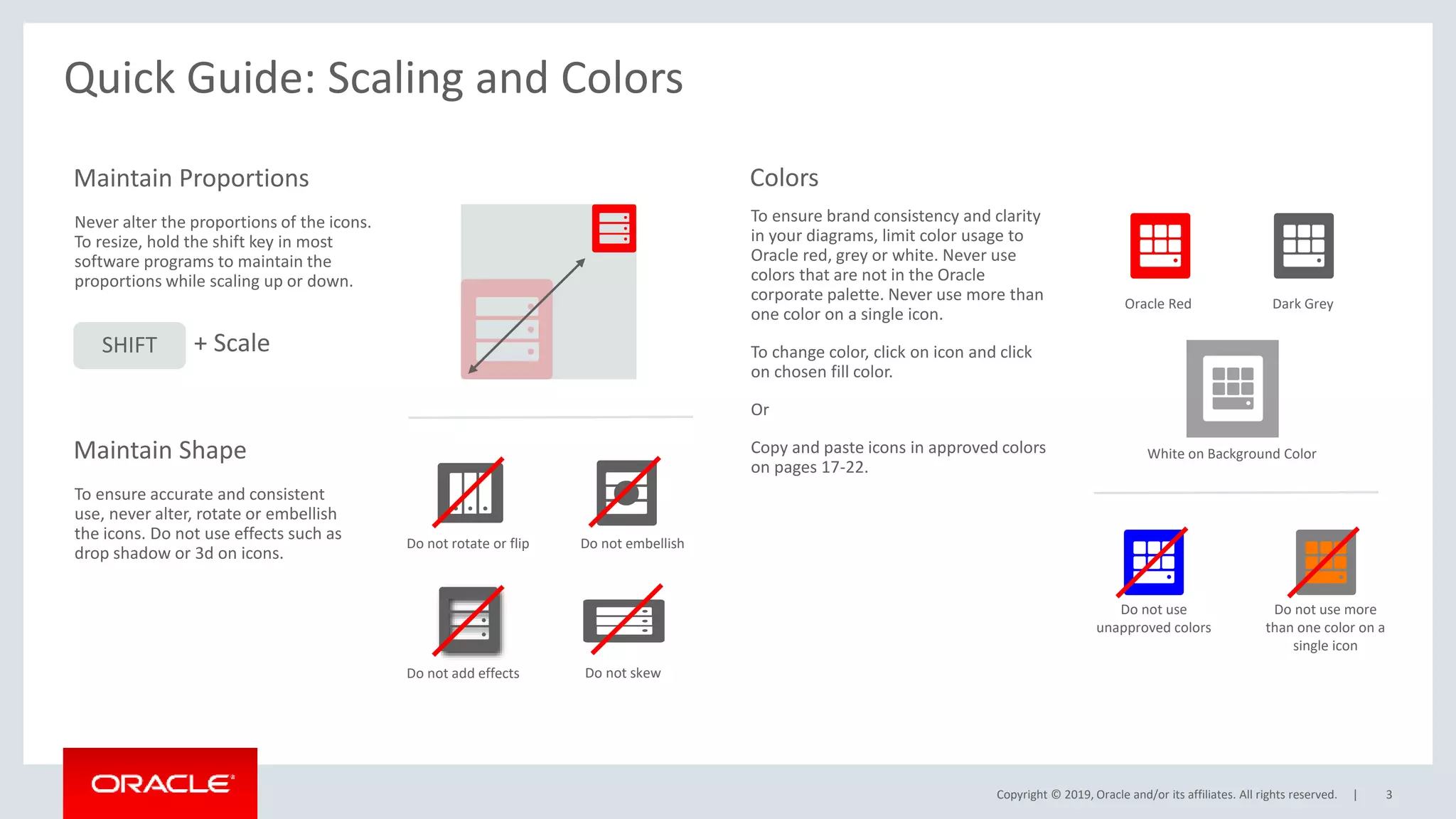
Never alter the proportions of the icons.
To resize, hold the shift key in most
software programs to maintain the
proportions while scaling up or down.
Maintain Proportions
To ensure brand consistency and clarity
in your diagrams, limit color usage to
Oracle red, grey or white. Never use
colors that are not in the Oracle
corporate palette. Never use more than
one color on a single icon.
To change color, click on icon and click
on chosen fill color.
Or
Copy and paste icons in approved colors
on pages 17-22.
Colors
Oracle Red Dark Grey
White on Background Color
To ensure accurate and consistent
use, never alter, rotate or embellish
the icons. Do not use effects such as
drop shadow or 3d on icons.
Maintain Shape
Do not rotate or flip Do not embellish
Do not skew
Do not add effects
SHIFT + Scale
Do not use
unapproved colors
Do not use more
than one color on a
single icon
Copyright © 2019, Oracle and/or its affiliates. All rights reserved. | 4
Quick Guide: Groupings
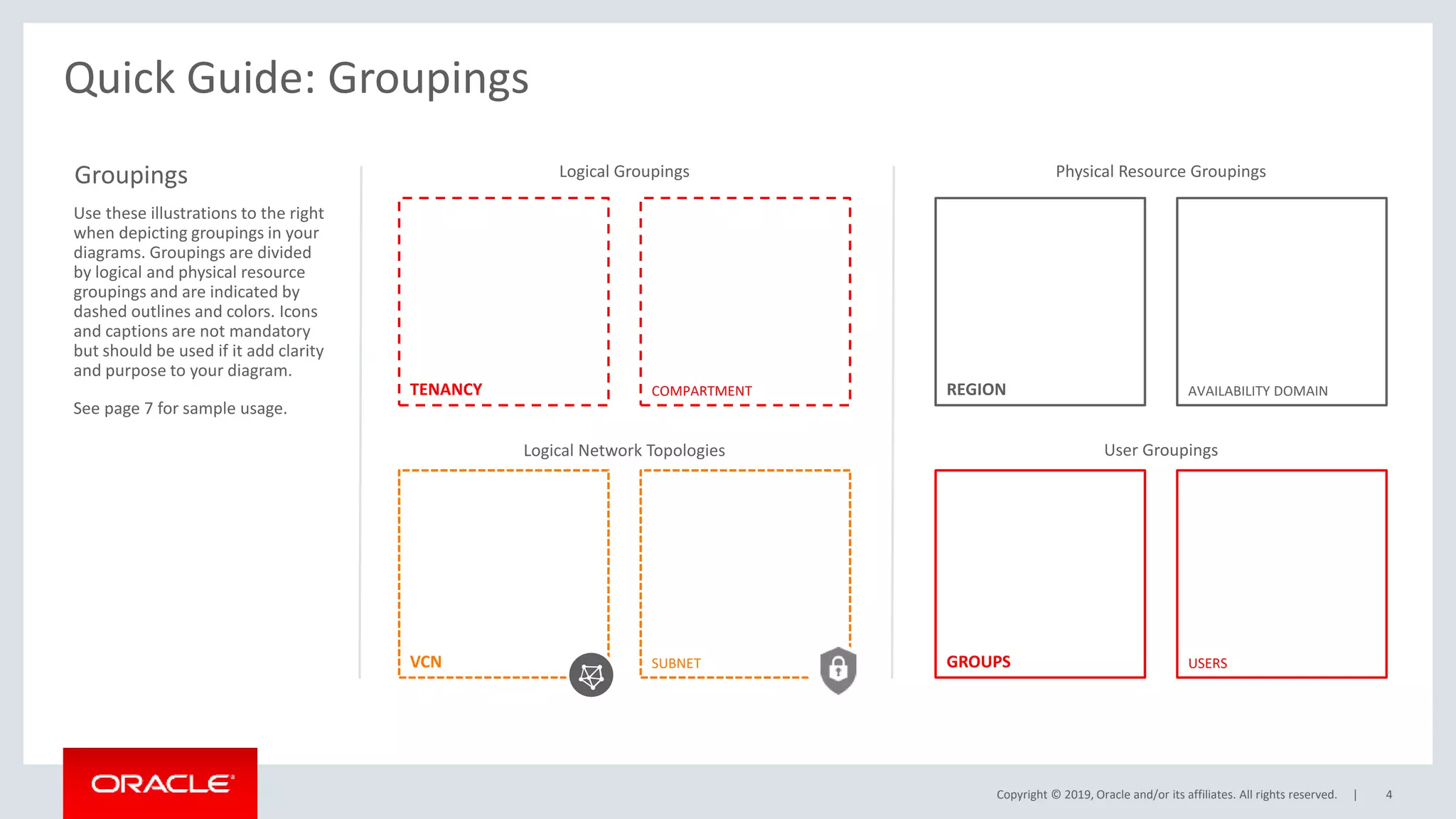
SUBNET
VCN
TENANCY COMPARTMENT REGION AVAILABILITY DOMAIN
GROUPS USERS
Logical Groupings Physical Resource Groupings
Logical Network Topologies User Groupings
Groupings
Use these illustrations to the right
when depicting groupings in your
diagrams. Groupings are divided
by logical and physical resource
groupings and are indicated by
dashed outlines and colors. Icons
and captions are not mandatory
but should be used if it add clarity
and purpose to your diagram.
See page 7 for sample usage.
Copyright © 2019, Oracle and/or its affiliates. All rights reserved. | 5
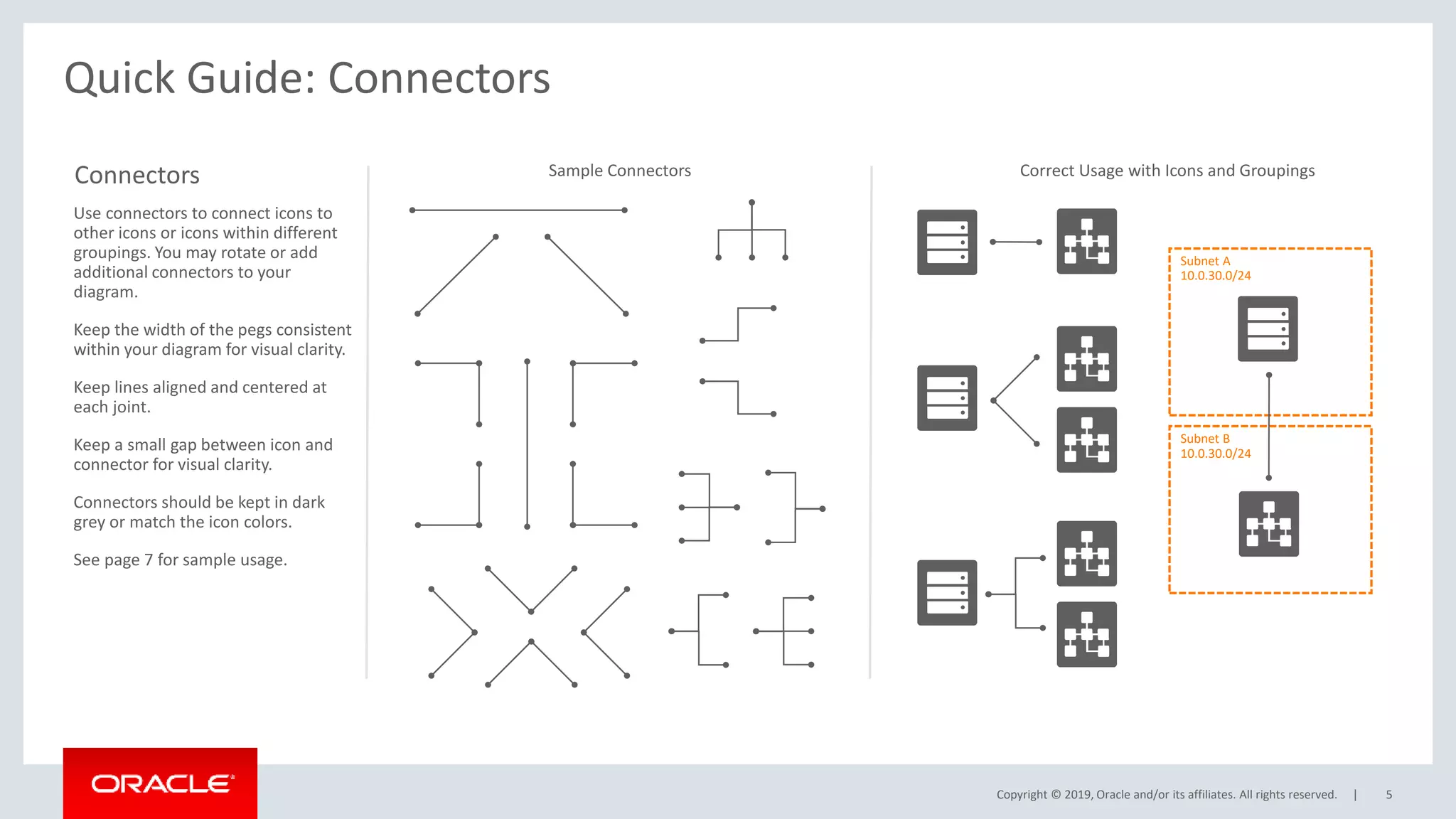
Quick Guide: Connectors
Connectors
Use connectors to connect icons to
other icons or icons within different
groupings. You may rotate or add
additional connectors to your
diagram.
Keep the width of the pegs consistent
within your diagram for visual clarity.
Keep lines aligned and centered at
each joint.
Keep a small gap between icon and
connector for visual clarity.
Connectors should be kept in dark
grey or match the icon colors.
See page 7 for sample usage.
Subnet B
10.0.30.0/24
Subnet A
10.0.30.0/24
Sample Connectors Correct Usage with Icons and Groupings
Copyright © 2019, Oracle and/or its affiliates. All rights reserved. | 6
Quick Guide: Adjusting Connectors
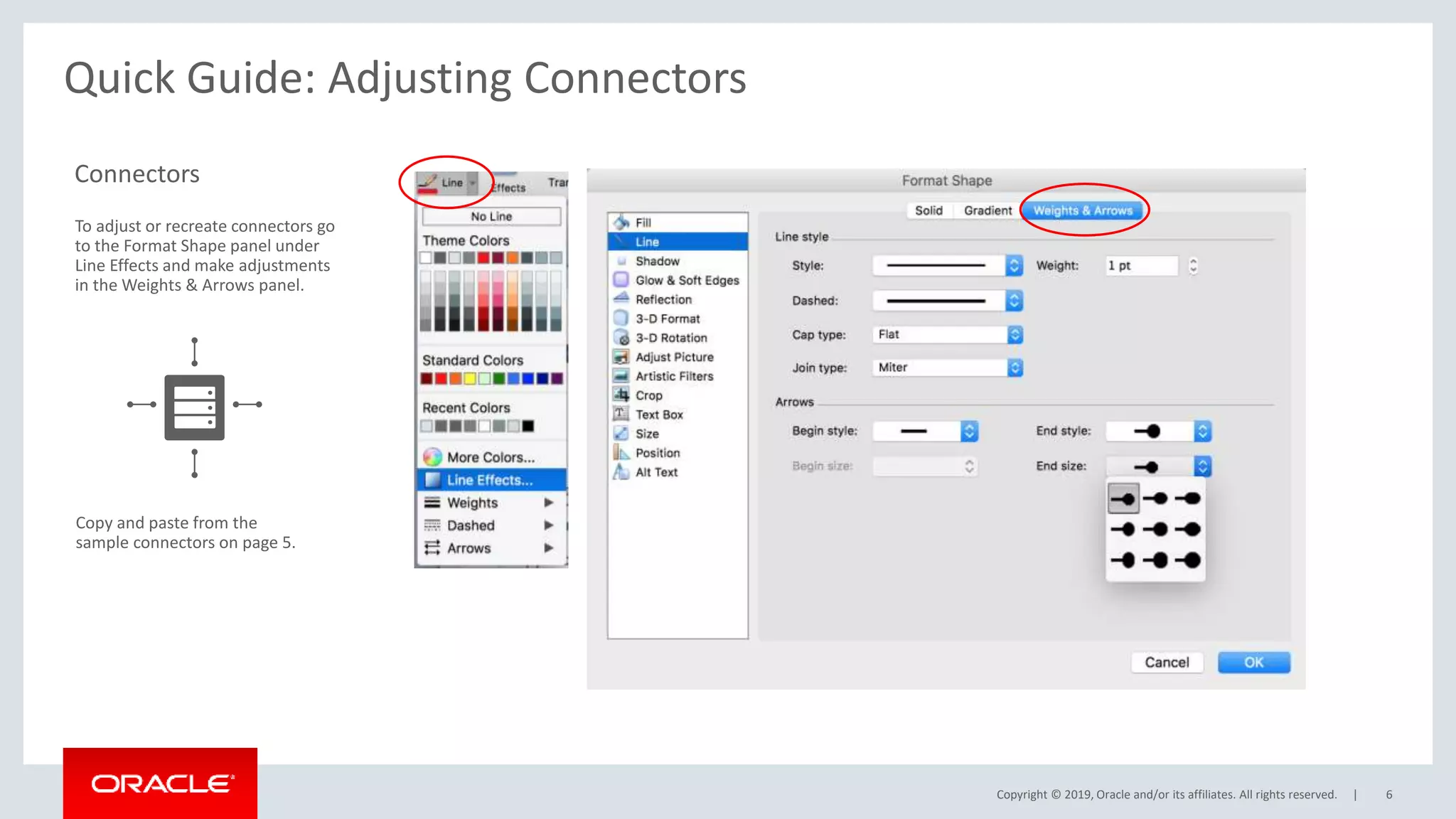
Connectors
To adjust or recreate connectors go
to the Format Shape panel under
Line Effects and make adjustments
in the Weights & Arrows panel.
Copy and paste from the
sample connectors on page 5.
Copyright © 2019, Oracle and/or its affiliates. All rights reserved. | 7
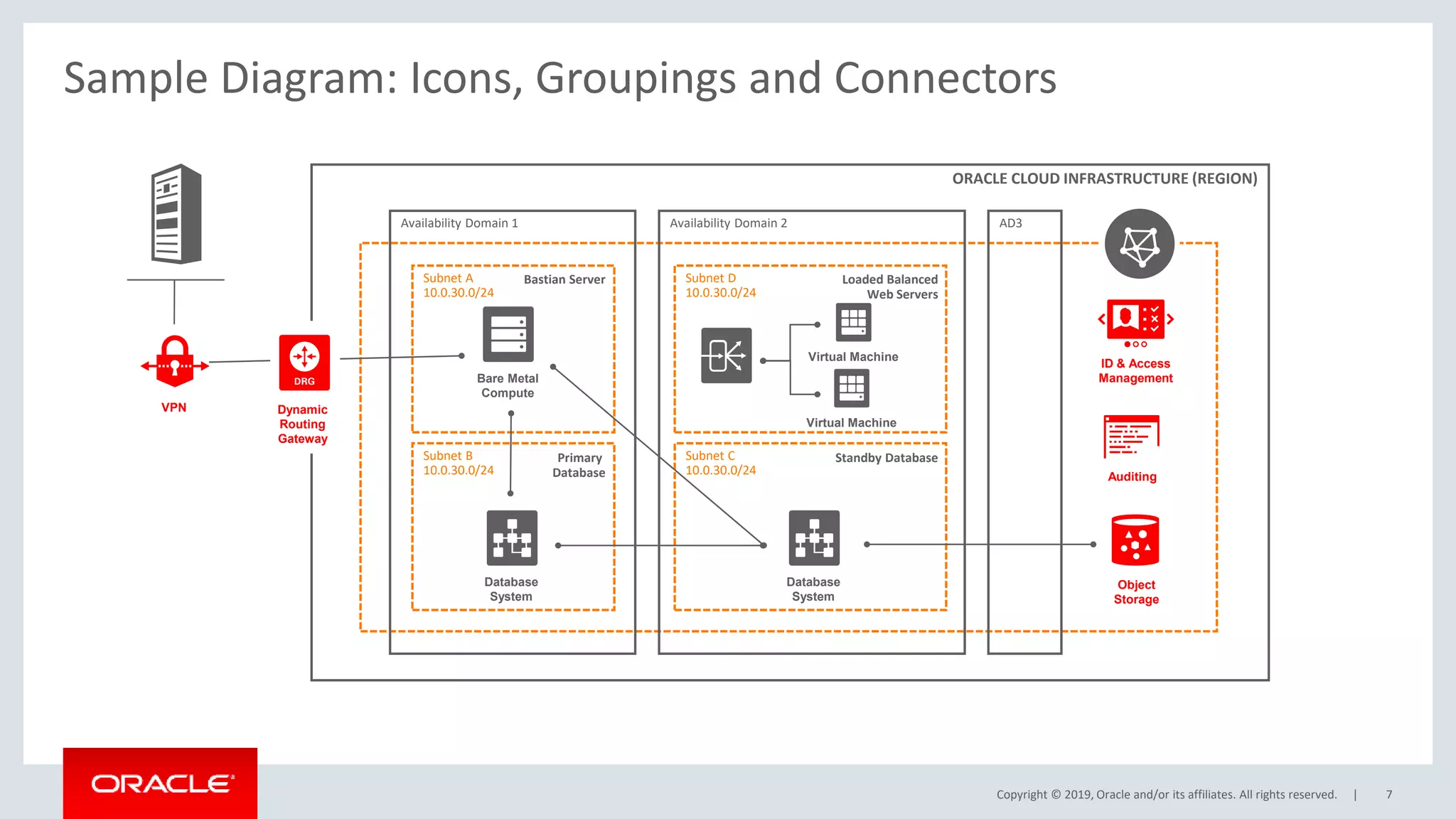
Sample Diagram: Icons, Groupings and Connectors
Subnet C
10.0.30.0/24
Subnet D
10.0.30.0/24
Subnet B
10.0.30.0/24
ORACLE CLOUD INFRASTRUCTURE (REGION)
Availability Domain 1 Availability Domain 2 AD3
Subnet A
10.0.30.0/24
Bastian Server
Primary
Database
Loaded Balanced
Web Servers
Standby Database
VPN Dynamic
Routing
Gateway
Bare Metal
Compute
Database
System
Virtual Machine
Virtual Machine
Database
System
ID & Access
Management
Auditing
Object
Storage
Copyright © 2019, Oracle and/or its affiliates. All rights reserved. | 8
Quick Guide: Captions
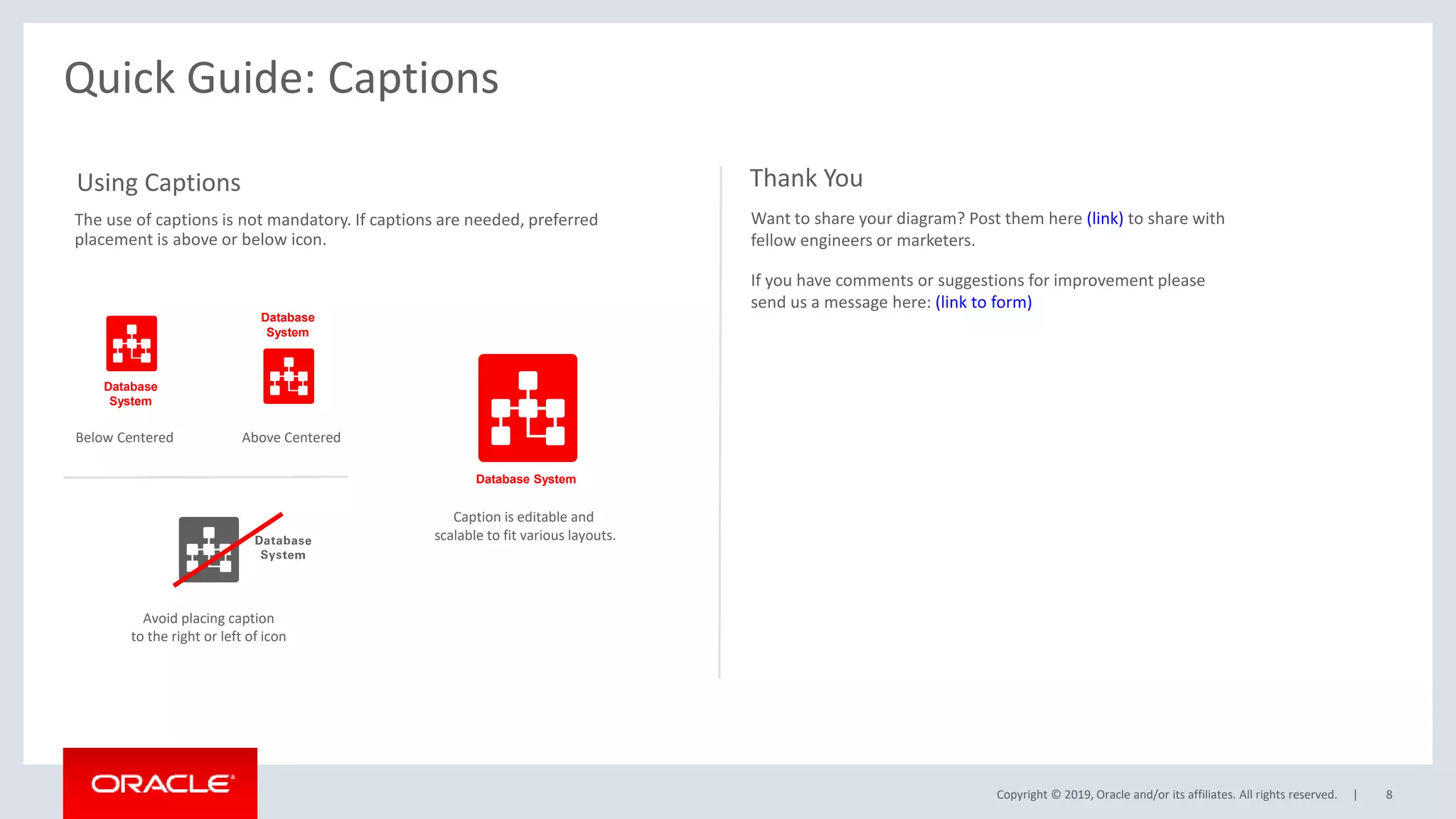
Using Captions
The use of captions is not mandatory. If captions are needed, preferred
placement is above or below icon.
Below Centered Above Centered
Avoid placing caption
to the right or left of icon
Want to share your diagram? Post them here (link) to share with
fellow engineers or marketers.
If you have comments or suggestions for improvement please
send us a message here: (link to form)
Thank You
Database
System
Database
System
Database System
Caption is editable and
scalable to fit various layouts.
Copyright © 2019, Oracle and/or its affiliates. All rights reserved. | 9
OCI Icons – Red, Grey and White with Captions
Copyright © 2019, Oracle and/or its affiliates. All rights reserved. |
Copyright © 2019, Oracle and/or its affiliates. All rights reserved. | 10
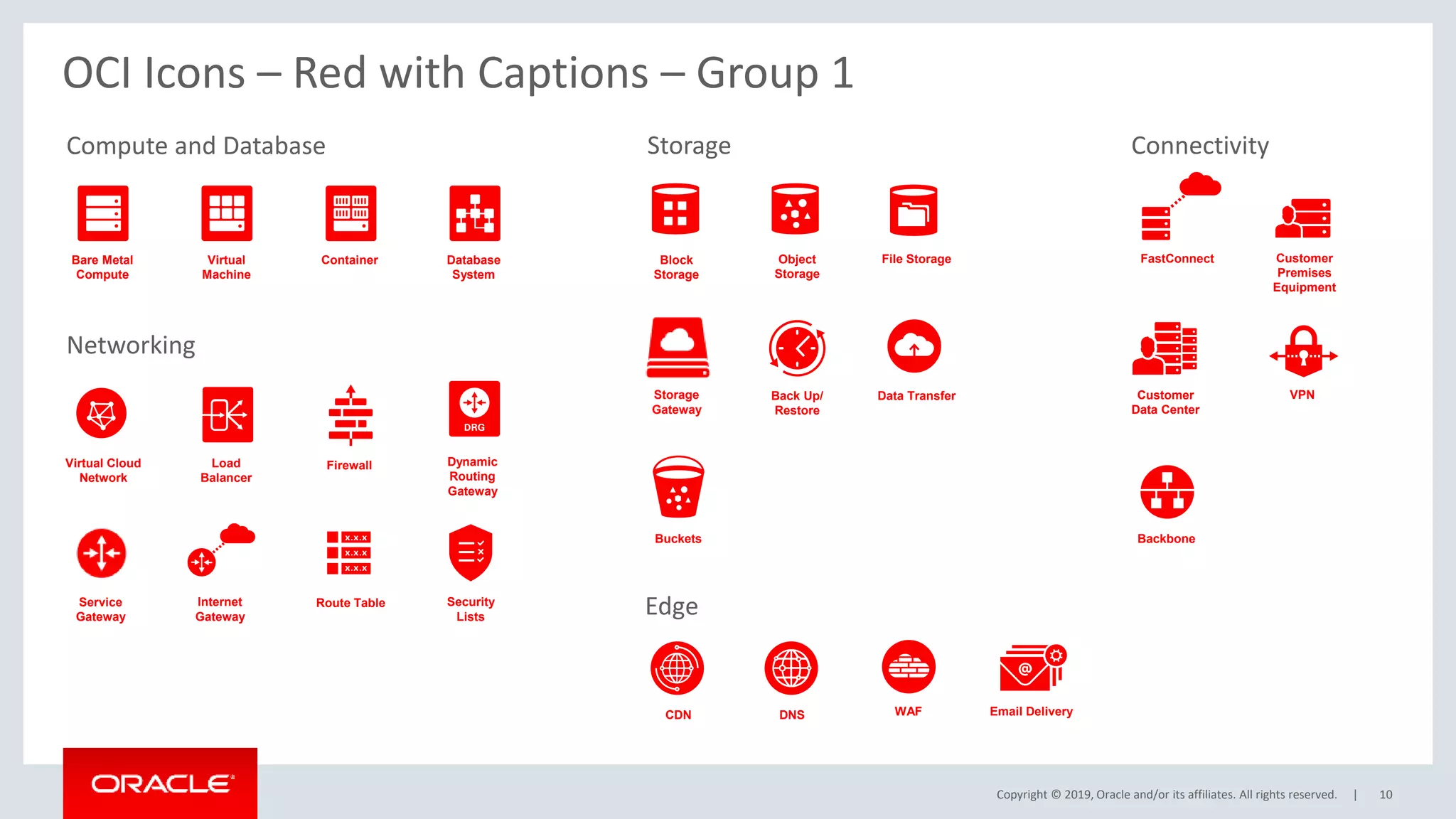
Bare Metal
Compute
Virtual
Machine
Container Database
System
Load
Balancer
Block
Storage
Object
Storage
Virtual Cloud
Network
Firewall
VPN
Internet
Gateway
Dynamic
Routing
Gateway
FastConnect Customer
Premises
Equipment
Customer
Data Center
Route Table Security
Lists
Back Up/
Restore
Buckets
File Storage
CDN DNS
Backbone
Data Transfer
WAF Email Delivery
Compute and Database Storage
Networking
Connectivity
Edge
Storage
Gateway
Service
Gateway
OCI Icons – Red with Captions – Group 1
Copyright © 2019, Oracle and/or its affiliates. All rights reserved. |
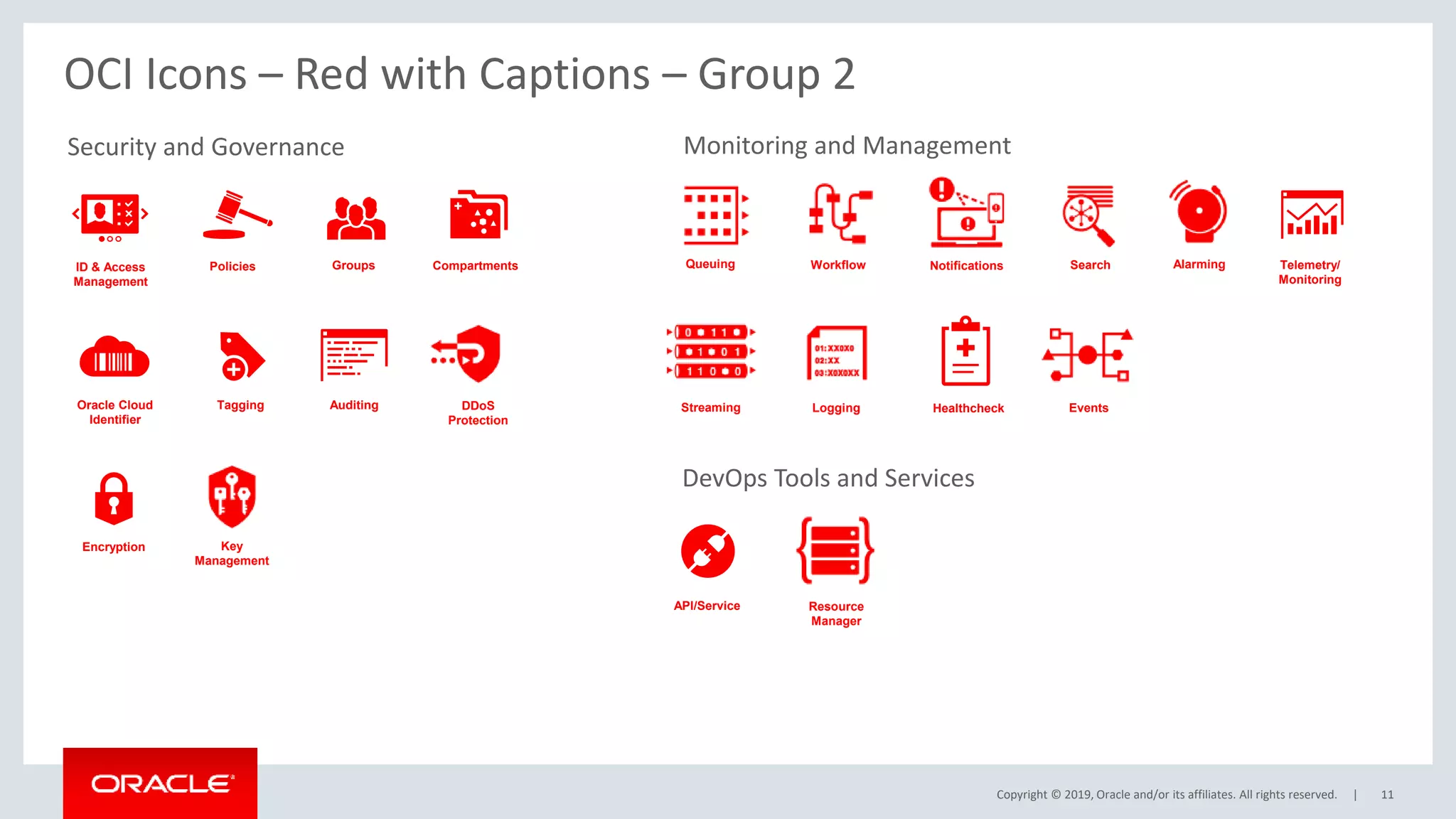
Security and Governance
11
OCI Icons – Red with Captions – Group 2
ID & Access
Management
Auditing
Groups Compartments
Oracle Cloud
Identifier
API/Service
Encryption
Policies Telemetry/
Monitoring
Healthcheck
Tagging
DevOps Tools and Services
Key
Management
Streaming
DDoS
Protection
Notifications
Queuing Workflow
Logging
Search Alarming
Resource
Manager
Monitoring and Management
Events
Copyright © 2019, Oracle and/or its affiliates. All rights reserved. | 12
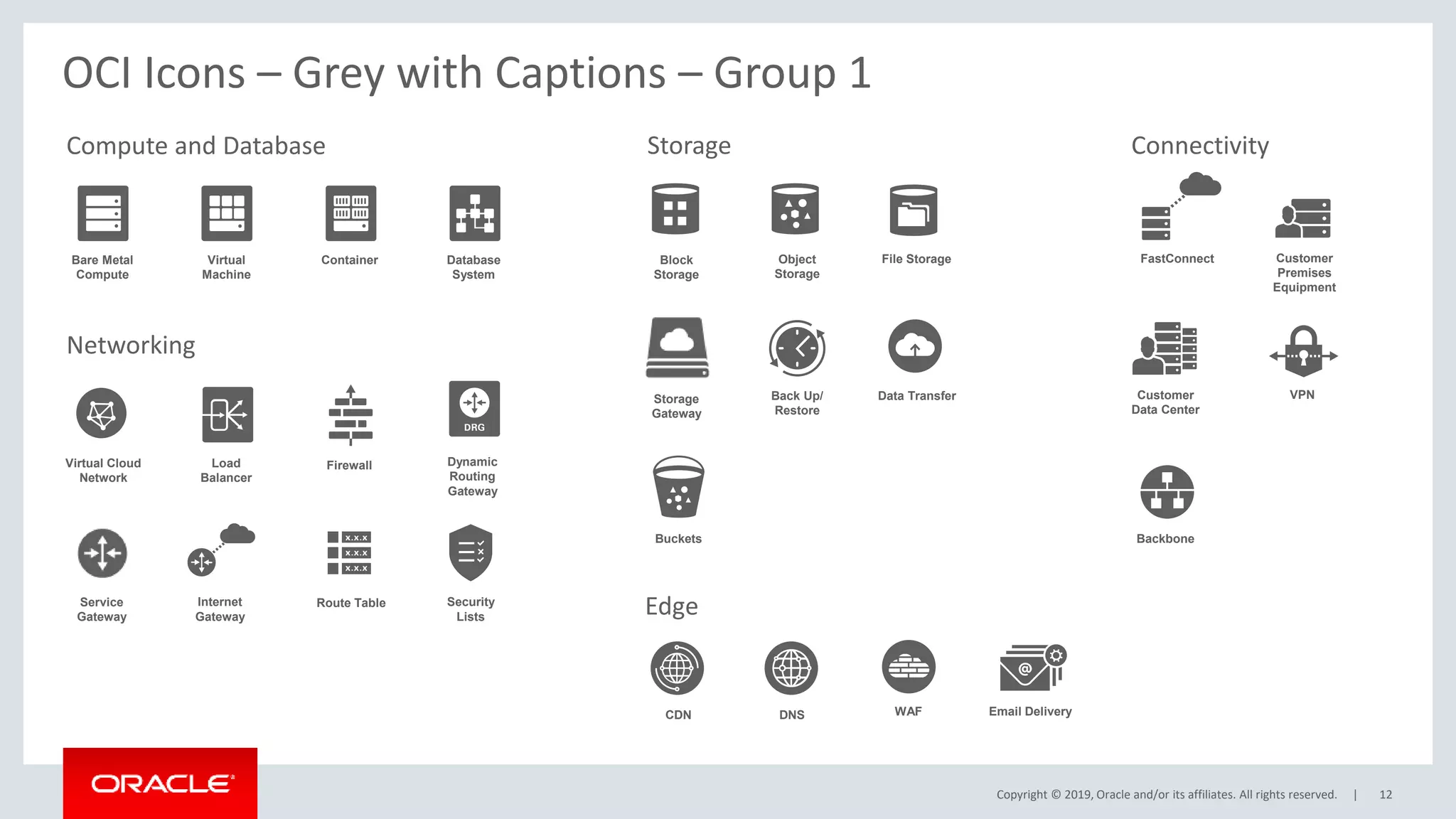
Bare Metal
Compute
Virtual
Machine
Container Database
System
Load
Balancer
Block
Storage
Object
Storage
Virtual Cloud
Network
Firewall
VPN
Internet
Gateway
Dynamic
Routing
Gateway
FastConnect Customer
Premises
Equipment
Customer
Data Center
Route Table Security
Lists
Back Up/
Restore
Buckets
File Storage
CDN DNS
Backbone
Data Transfer
WAF Email Delivery
Compute and Database Storage
Networking
Connectivity
Edge
Storage
Gateway
Service
Gateway
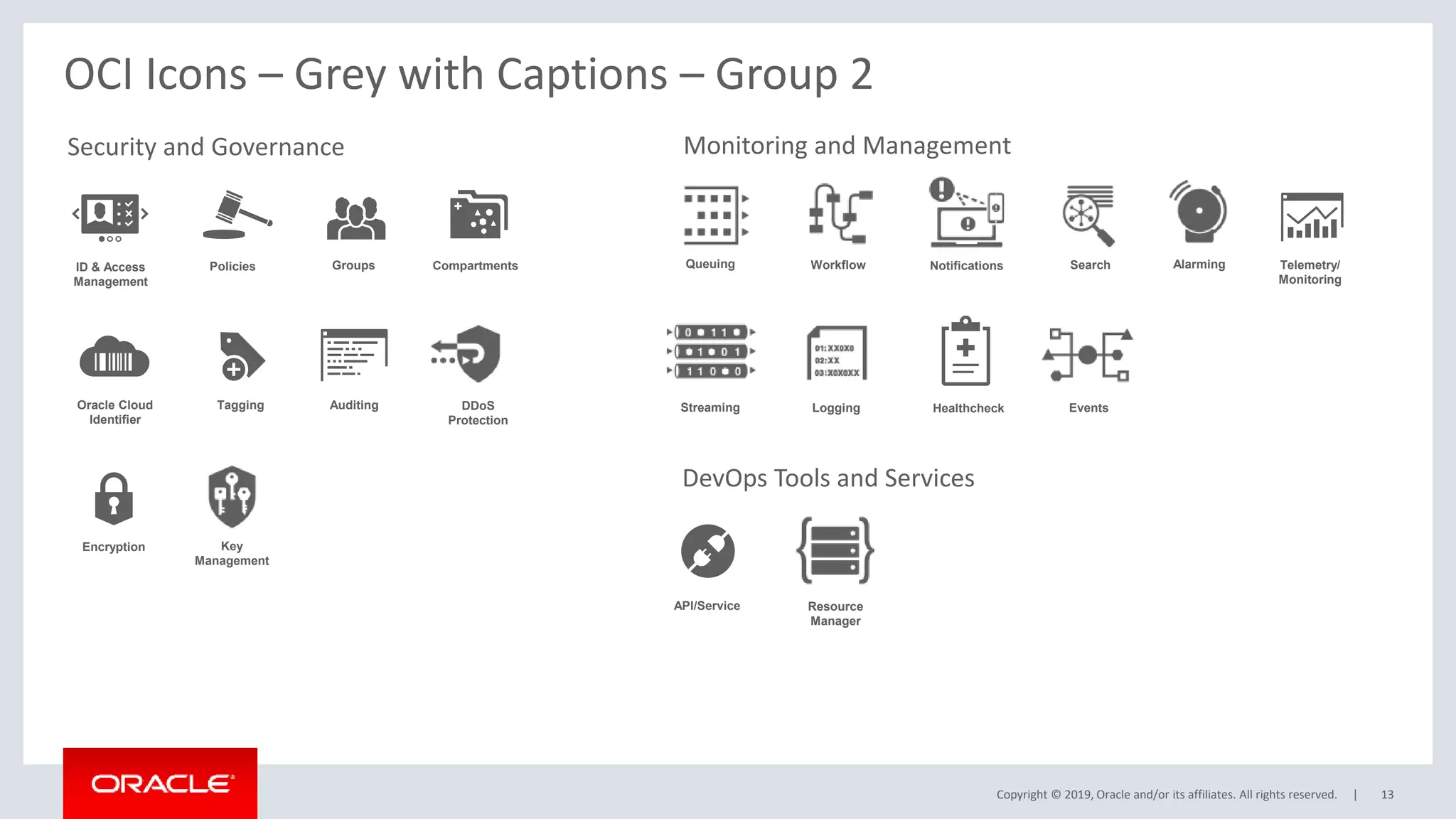
OCI Icons – Grey with Captions – Group 1
Copyright © 2019, Oracle and/or its affiliates. All rights reserved. |
Security and Governance
13
OCI Icons – Grey with Captions – Group 2
ID & Access
Management
Auditing
Groups Compartments
Oracle Cloud
Identifier
API/Service
Encryption
Policies Telemetry/
Monitoring
Healthcheck
Tagging
DevOps Tools and Services
Key
Management
Streaming
DDoS
Protection
Notifications
Queuing Workflow
Logging
Search Alarming
Resource
Manager
Monitoring and Management
Events
Copyright © 2019, Oracle and/or its affiliates. All rights reserved. | 14
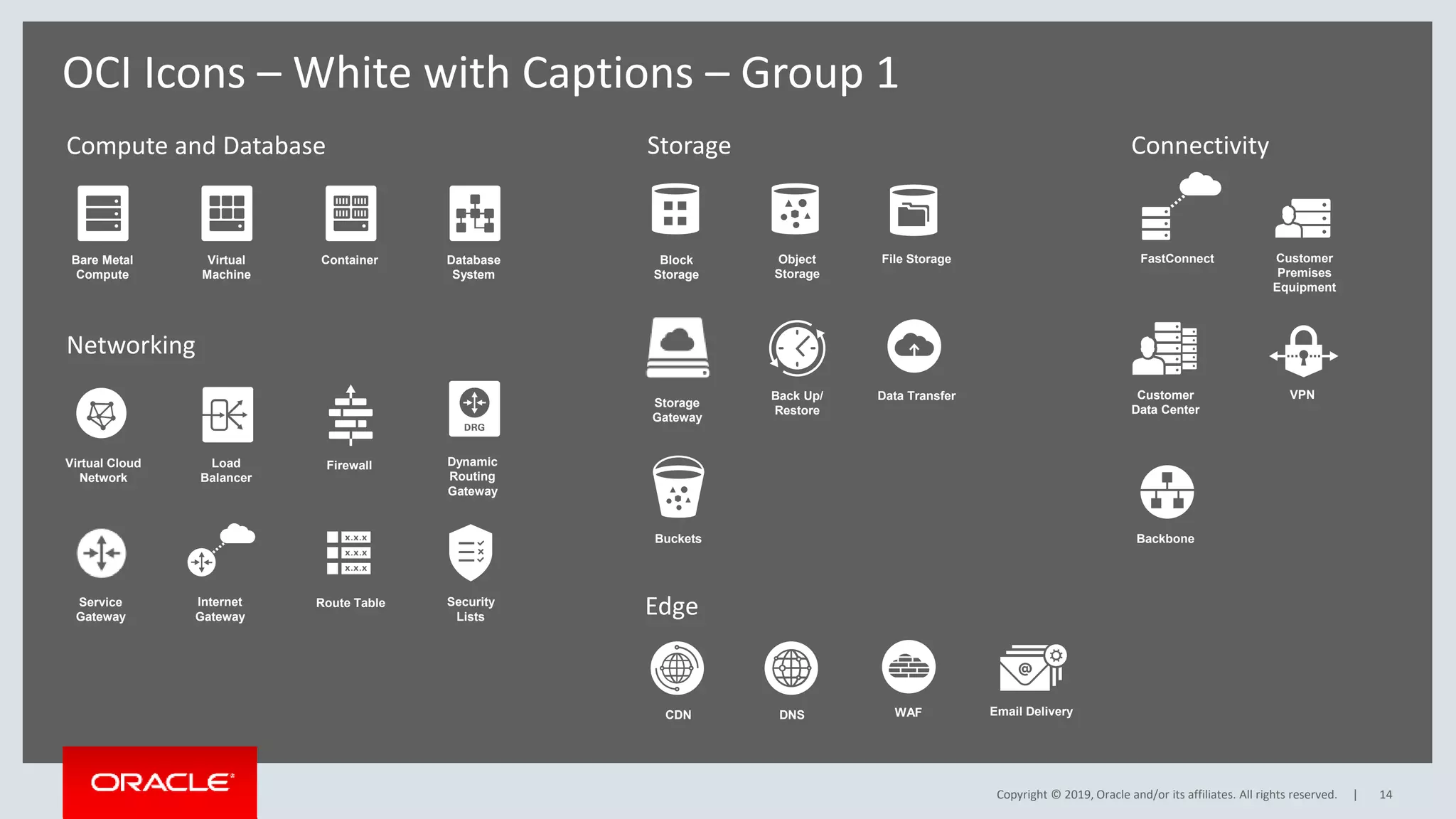
Bare Metal
Compute
Virtual
Machine
Container Database
System
Load
Balancer
Block
Storage
Object
Storage
Virtual Cloud
Network
Firewall
VPN
Internet
Gateway
Dynamic
Routing
Gateway
FastConnect Customer
Premises
Equipment
Customer
Data Center
Route Table Security
Lists
Back Up/
Restore
Buckets
File Storage
CDN DNS
Backbone
Data Transfer
WAF Email Delivery
Compute and Database Storage
Networking
Connectivity
Edge
Storage
Gateway
Service
Gateway
OCI Icons – White with Captions – Group 1
Copyright © 2019, Oracle and/or its affiliates. All rights reserved. |
Security and Governance
15
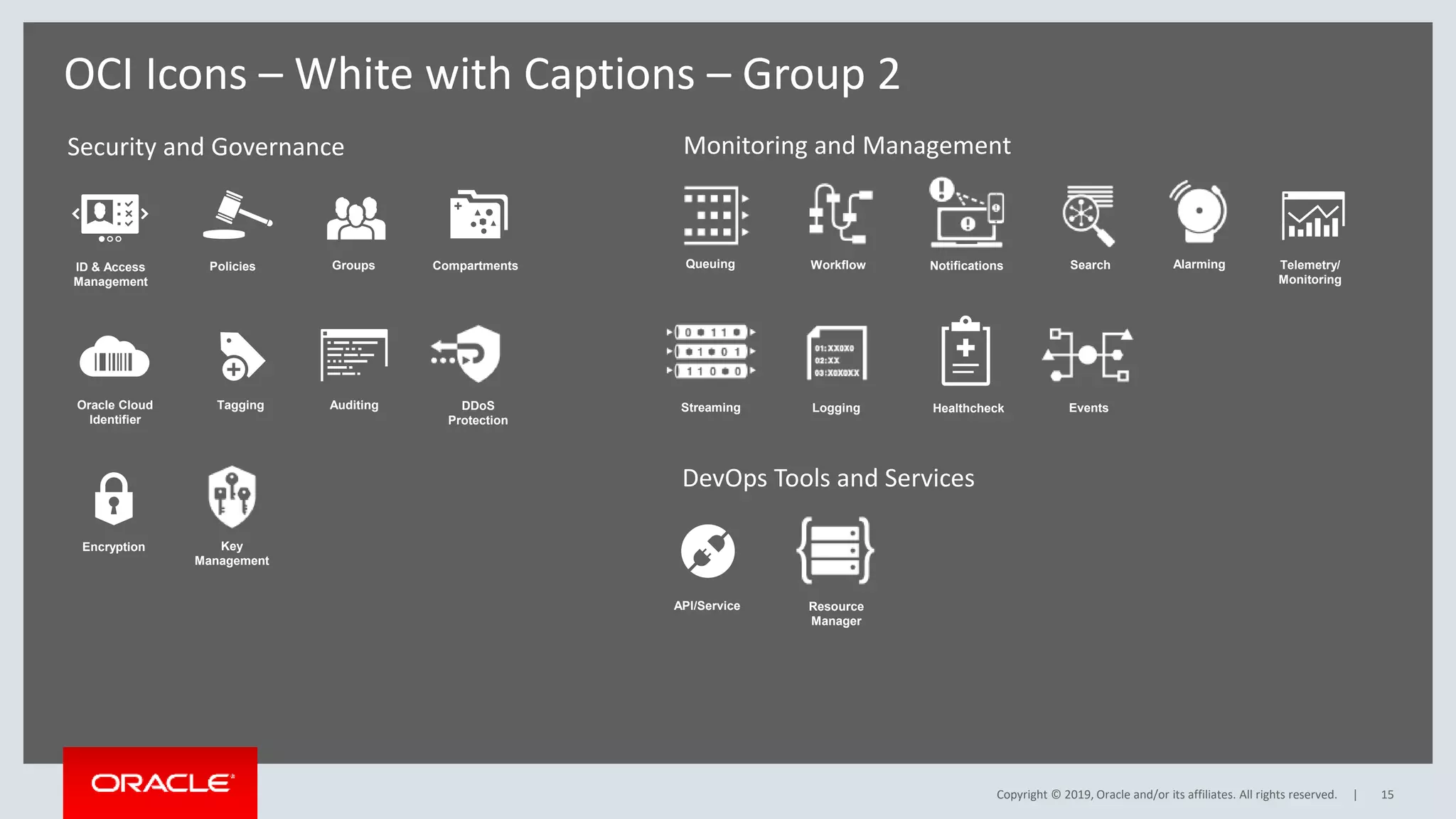
OCI Icons – White with Captions – Group 2
ID & Access
Management
Auditing
Groups Compartments
Oracle Cloud
Identifier
API/Service
Encryption
Policies Telemetry/
Monitoring
Healthcheck
Tagging
DevOps Tools and Services
Key
Management
Streaming
DDoS
Protection
Notifications
Queuing Workflow
Logging
Search Alarming
Resource
Manager
Monitoring and Management
Events
Copyright © 2019, Oracle and/or its affiliates. All rights reserved. |
Copyright © 2019, Oracle and/or its affiliates. All rights reserved. | 16
OCI Icons – Red, Grey and White
Copyright © 2019, Oracle and/or its affiliates. All rights reserved. |
Copyright © 2019, Oracle and/or its affiliates. All rights reserved. | 17
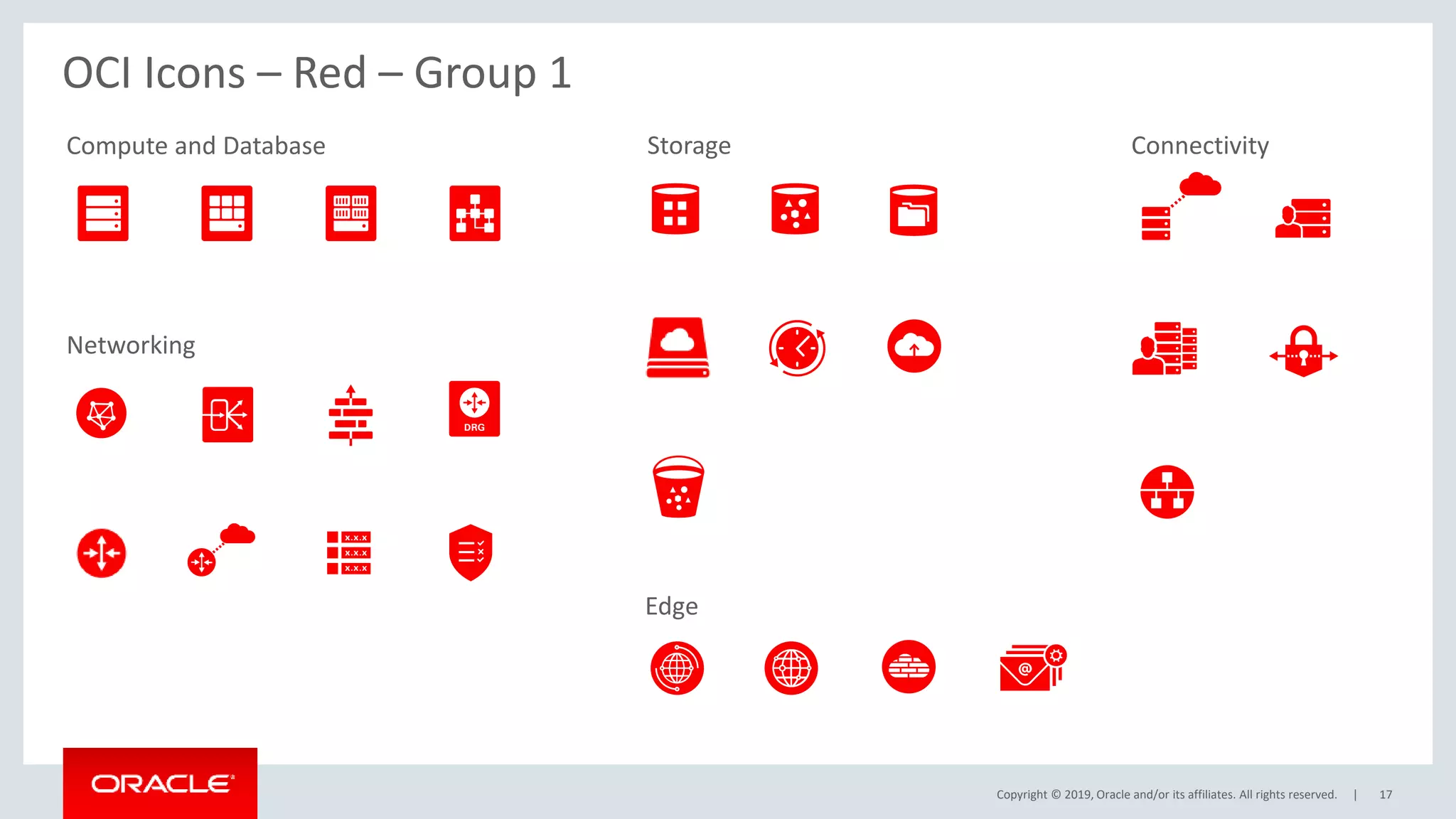
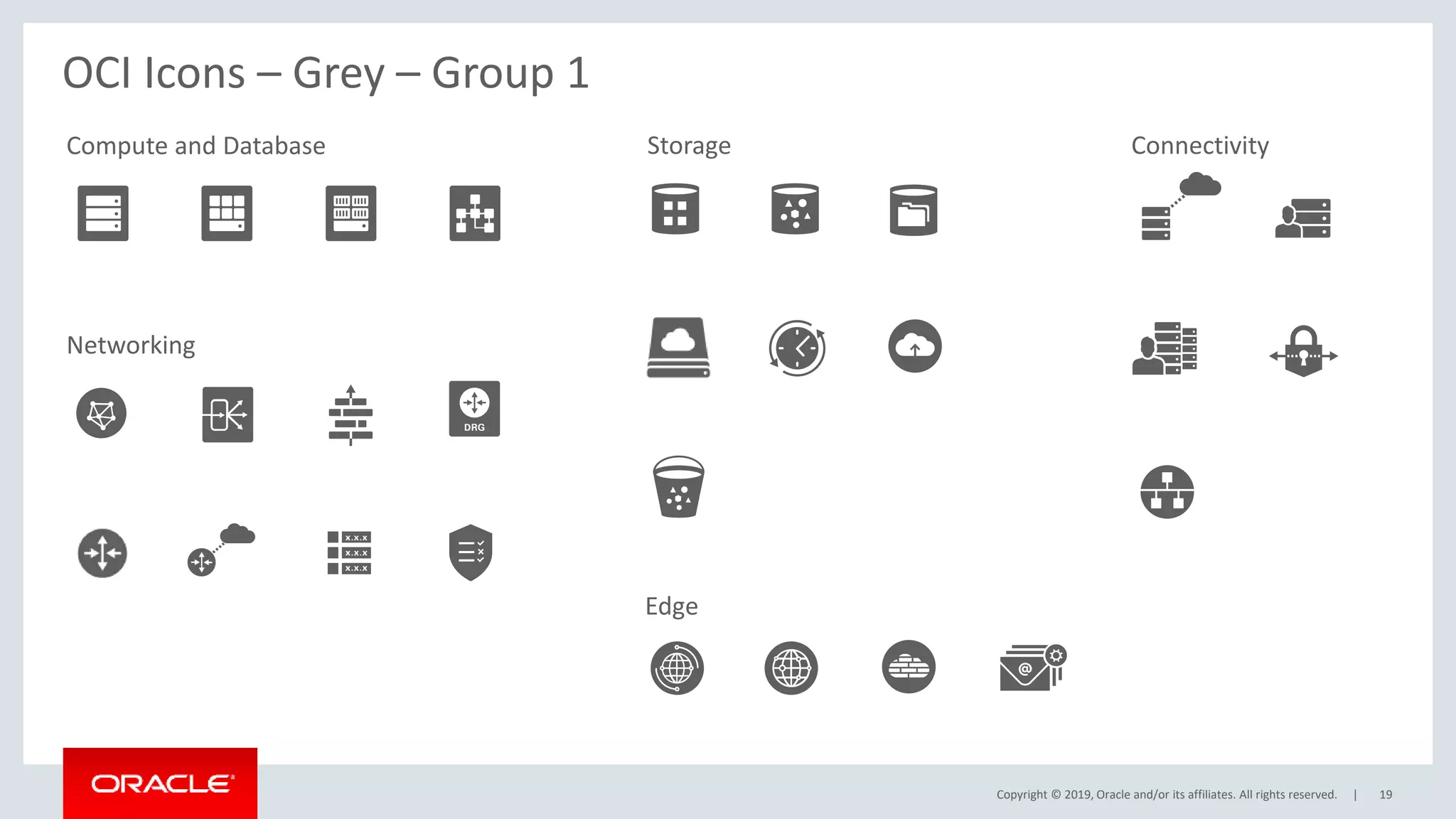
Compute and Database Storage
Networking
Connectivity
Edge
OCI Icons – Red – Group 1
Copyright © 2019, Oracle and/or its affiliates. All rights reserved. |
Security and Governance
18
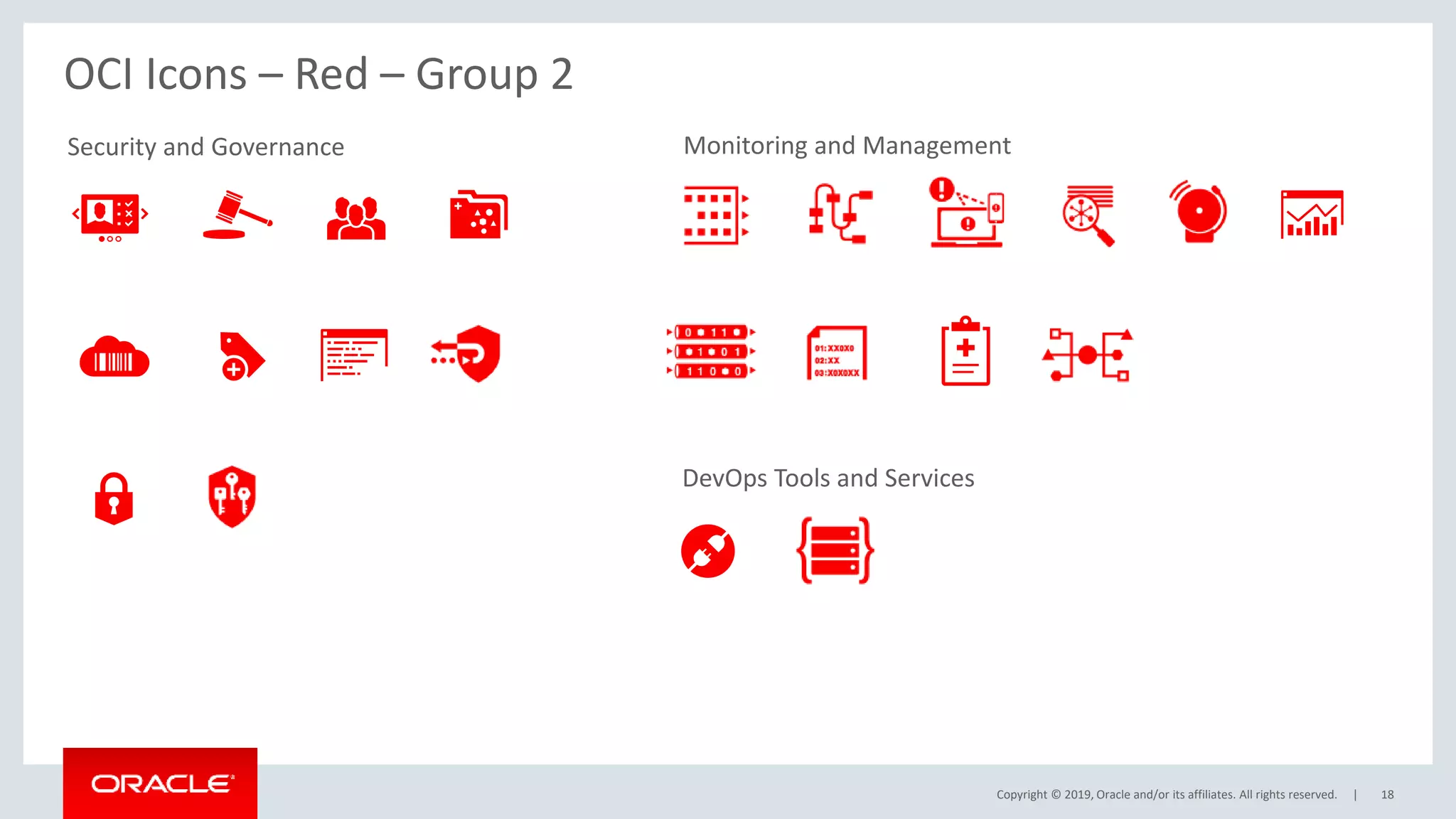
OCI Icons – Red – Group 2
DevOps Tools and Services
Monitoring and Management
Copyright © 2019, Oracle and/or its affiliates. All rights reserved. | 19
Compute and Database Storage
Networking
Connectivity
Edge
OCI Icons – Grey – Group 1
Copyright © 2019, Oracle and/or its affiliates. All rights reserved. |
Security and Governance
20
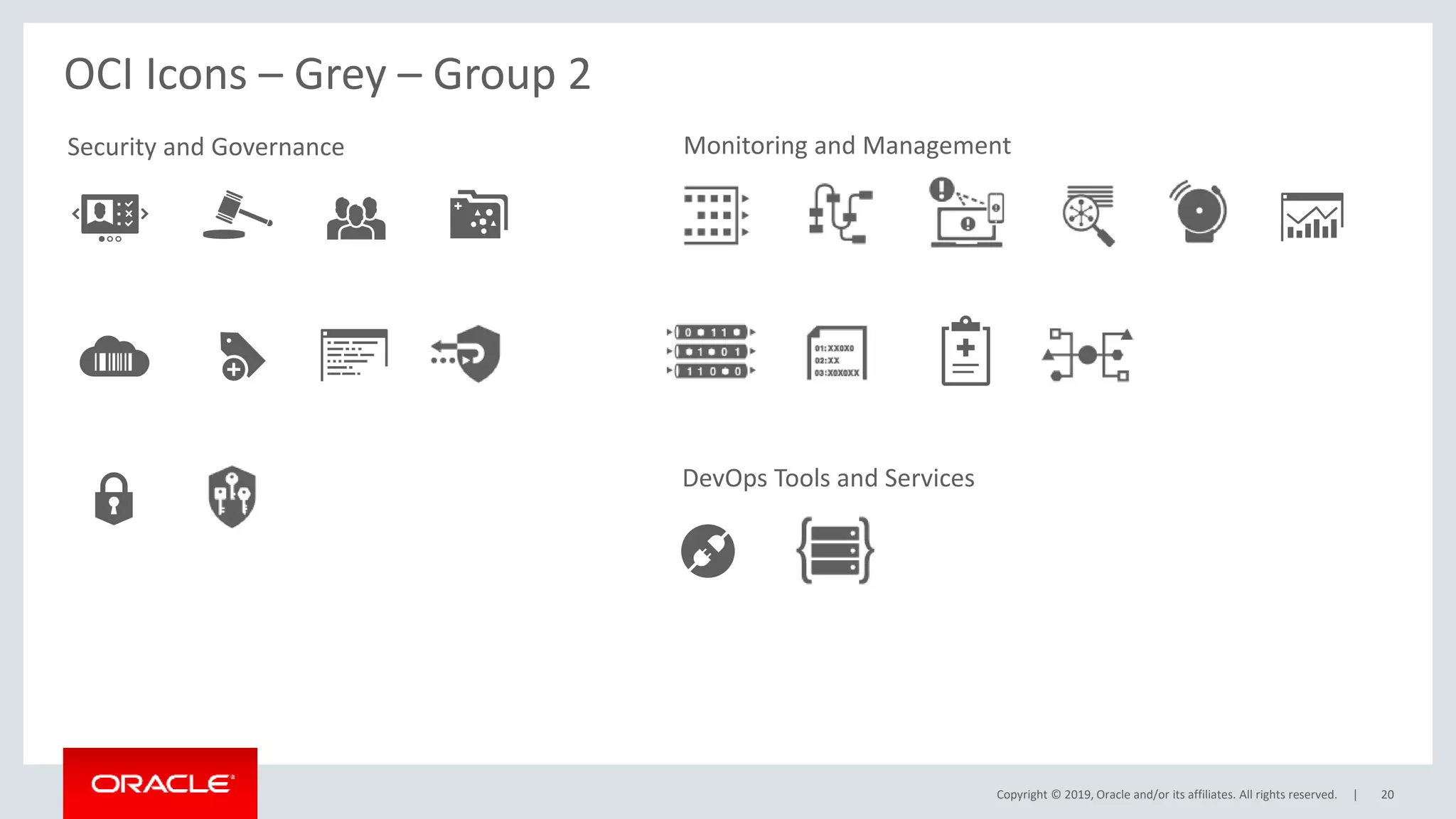
OCI Icons – Grey – Group 2
DevOps Tools and Services
Monitoring and Management
Copyright © 2019, Oracle and/or its affiliates. All rights reserved. | 21
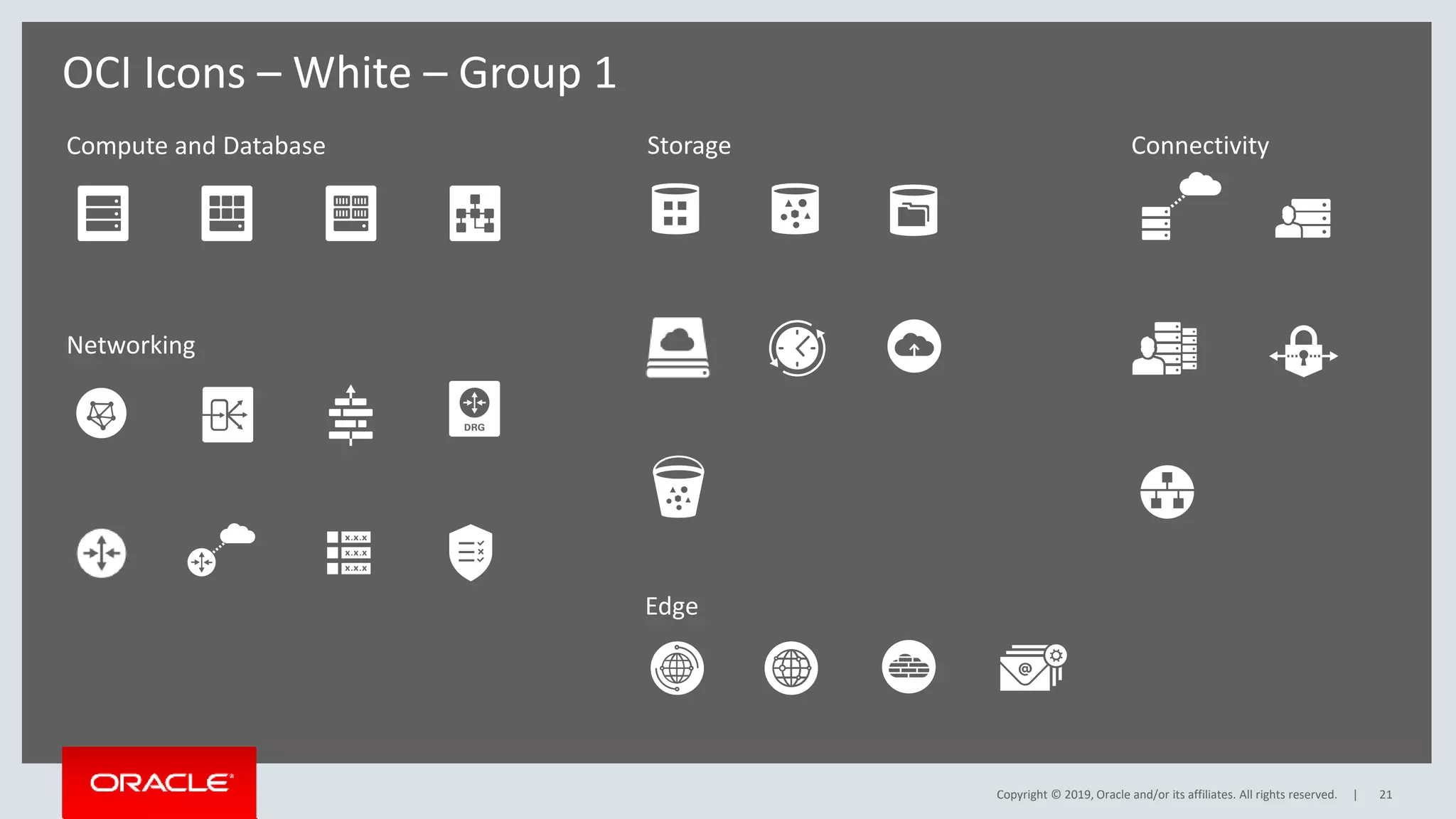
Compute and Database Storage
Networking
Connectivity
Edge
OCI Icons – White – Group 1
Copyright © 2019, Oracle and/or its affiliates. All rights reserved. |
Security and Governance
22
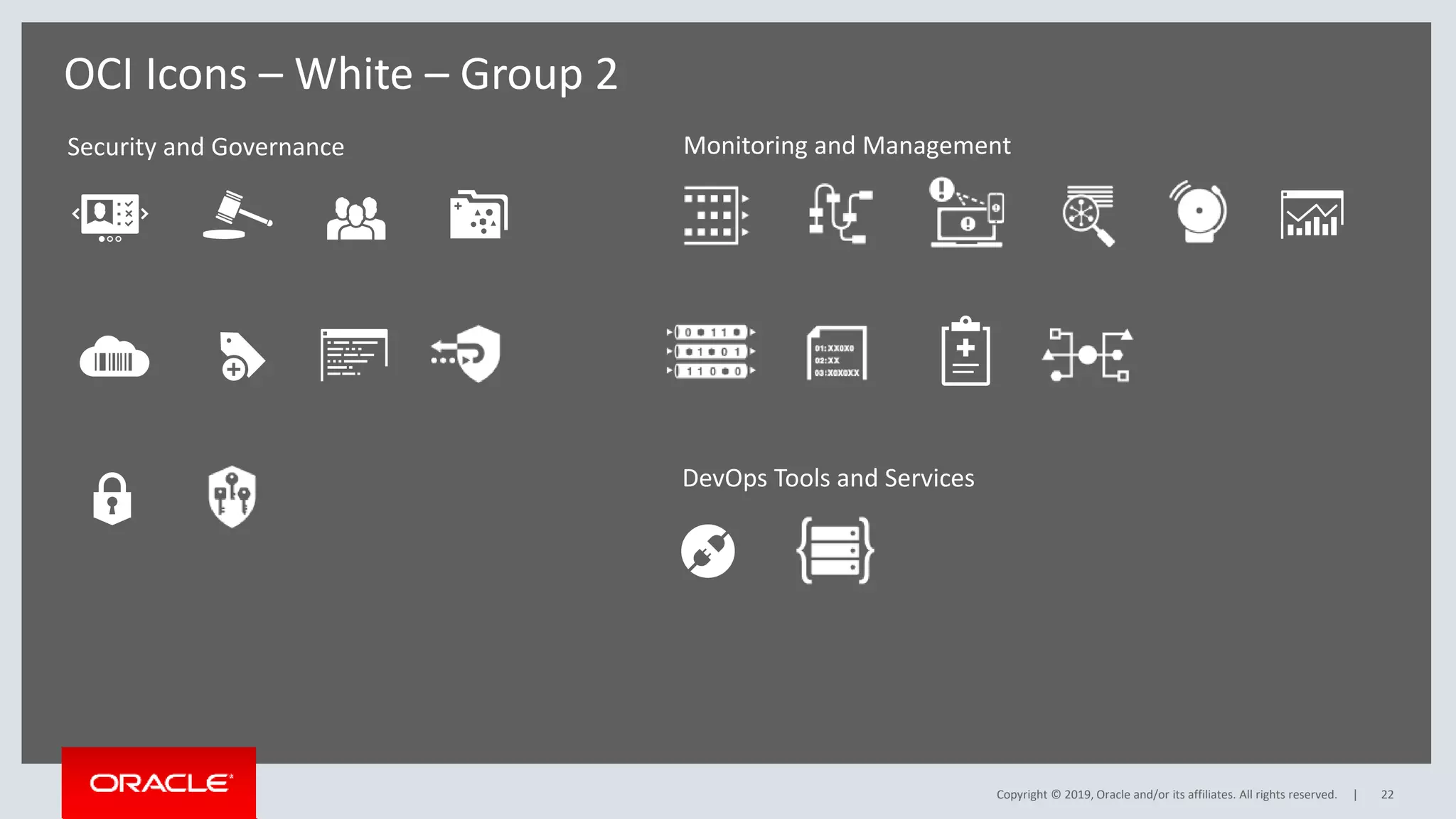
OCI Icons – White – Group 2
DevOps Tools and Services
Monitoring and Management
Copyright © 2019, Oracle and/or its affiliates. All rights reserved. |

OCI_Icons.pptx

  • 1.
    Copyright © 2019,Oracle and/or its affiliates. All rights reserved. Oracle Cloud Infrastructure Icon Set for Topologies and Diagrams Quick Guide and Assets Last updated 2.03.2019
  • 2.
    Copyright © 2019,Oracle and/or its affiliates. All rights reserved. | 2 Quick Guide: Introduction Thank you for downloading Oracle Cloud Infrastructure Icon Set for topologies and diagrams. The primary use of these icon is to create a unified visual language to illustrate topologies for Oracle’s Cloud products and services. The symbols, graphics, and connecting lines on the following pages will help you accurately communicate complex offerings, systems, ideas into an Oracle- branded diagram. Please read the following quick guide to get started. This set is available in the following formats: • EPS (for print) • SVG • PNG • Visio stencils • PPT
  • 3.
    Copyright © 2019,Oracle and/or its affiliates. All rights reserved. | 3 Quick Guide: Scaling and Colors Never alter the proportions of the icons. To resize, hold the shift key in most software programs to maintain the proportions while scaling up or down. Maintain Proportions To ensure brand consistency and clarity in your diagrams, limit color usage to Oracle red, grey or white. Never use colors that are not in the Oracle corporate palette. Never use more than one color on a single icon. To change color, click on icon and click on chosen fill color. Or Copy and paste icons in approved colors on pages 17-22. Colors Oracle Red Dark Grey White on Background Color To ensure accurate and consistent use, never alter, rotate or embellish the icons. Do not use effects such as drop shadow or 3d on icons. Maintain Shape Do not rotate or flip Do not embellish Do not skew Do not add effects SHIFT + Scale Do not use unapproved colors Do not use more than one color on a single icon
  • 4.
    Copyright © 2019,Oracle and/or its affiliates. All rights reserved. | 4 Quick Guide: Groupings SUBNET VCN TENANCY COMPARTMENT REGION AVAILABILITY DOMAIN GROUPS USERS Logical Groupings Physical Resource Groupings Logical Network Topologies User Groupings Groupings Use these illustrations to the right when depicting groupings in your diagrams. Groupings are divided by logical and physical resource groupings and are indicated by dashed outlines and colors. Icons and captions are not mandatory but should be used if it add clarity and purpose to your diagram. See page 7 for sample usage.
  • 5.
    Copyright © 2019,Oracle and/or its affiliates. All rights reserved. | 5 Quick Guide: Connectors Connectors Use connectors to connect icons to other icons or icons within different groupings. You may rotate or add additional connectors to your diagram. Keep the width of the pegs consistent within your diagram for visual clarity. Keep lines aligned and centered at each joint. Keep a small gap between icon and connector for visual clarity. Connectors should be kept in dark grey or match the icon colors. See page 7 for sample usage. Subnet B 10.0.30.0/24 Subnet A 10.0.30.0/24 Sample Connectors Correct Usage with Icons and Groupings
  • 6.
    Copyright © 2019,Oracle and/or its affiliates. All rights reserved. | 6 Quick Guide: Adjusting Connectors Connectors To adjust or recreate connectors go to the Format Shape panel under Line Effects and make adjustments in the Weights & Arrows panel. Copy and paste from the sample connectors on page 5.
  • 7.
    Copyright © 2019,Oracle and/or its affiliates. All rights reserved. | 7 Sample Diagram: Icons, Groupings and Connectors Subnet C 10.0.30.0/24 Subnet D 10.0.30.0/24 Subnet B 10.0.30.0/24 ORACLE CLOUD INFRASTRUCTURE (REGION) Availability Domain 1 Availability Domain 2 AD3 Subnet A 10.0.30.0/24 Bastian Server Primary Database Loaded Balanced Web Servers Standby Database VPN Dynamic Routing Gateway Bare Metal Compute Database System Virtual Machine Virtual Machine Database System ID & Access Management Auditing Object Storage
  • 8.
    Copyright © 2019,Oracle and/or its affiliates. All rights reserved. | 8 Quick Guide: Captions Using Captions The use of captions is not mandatory. If captions are needed, preferred placement is above or below icon. Below Centered Above Centered Avoid placing caption to the right or left of icon Want to share your diagram? Post them here (link) to share with fellow engineers or marketers. If you have comments or suggestions for improvement please send us a message here: (link to form) Thank You Database System Database System Database System Caption is editable and scalable to fit various layouts.
  • 9.
    Copyright © 2019,Oracle and/or its affiliates. All rights reserved. | 9 OCI Icons – Red, Grey and White with Captions Copyright © 2019, Oracle and/or its affiliates. All rights reserved. |
  • 10.
    Copyright © 2019,Oracle and/or its affiliates. All rights reserved. | 10 Bare Metal Compute Virtual Machine Container Database System Load Balancer Block Storage Object Storage Virtual Cloud Network Firewall VPN Internet Gateway Dynamic Routing Gateway FastConnect Customer Premises Equipment Customer Data Center Route Table Security Lists Back Up/ Restore Buckets File Storage CDN DNS Backbone Data Transfer WAF Email Delivery Compute and Database Storage Networking Connectivity Edge Storage Gateway Service Gateway OCI Icons – Red with Captions – Group 1
  • 11.
    Copyright © 2019,Oracle and/or its affiliates. All rights reserved. | Security and Governance 11 OCI Icons – Red with Captions – Group 2 ID & Access Management Auditing Groups Compartments Oracle Cloud Identifier API/Service Encryption Policies Telemetry/ Monitoring Healthcheck Tagging DevOps Tools and Services Key Management Streaming DDoS Protection Notifications Queuing Workflow Logging Search Alarming Resource Manager Monitoring and Management Events
  • 12.
    Copyright © 2019,Oracle and/or its affiliates. All rights reserved. | 12 Bare Metal Compute Virtual Machine Container Database System Load Balancer Block Storage Object Storage Virtual Cloud Network Firewall VPN Internet Gateway Dynamic Routing Gateway FastConnect Customer Premises Equipment Customer Data Center Route Table Security Lists Back Up/ Restore Buckets File Storage CDN DNS Backbone Data Transfer WAF Email Delivery Compute and Database Storage Networking Connectivity Edge Storage Gateway Service Gateway OCI Icons – Grey with Captions – Group 1
  • 13.
    Copyright © 2019,Oracle and/or its affiliates. All rights reserved. | Security and Governance 13 OCI Icons – Grey with Captions – Group 2 ID & Access Management Auditing Groups Compartments Oracle Cloud Identifier API/Service Encryption Policies Telemetry/ Monitoring Healthcheck Tagging DevOps Tools and Services Key Management Streaming DDoS Protection Notifications Queuing Workflow Logging Search Alarming Resource Manager Monitoring and Management Events
  • 14.
    Copyright © 2019,Oracle and/or its affiliates. All rights reserved. | 14 Bare Metal Compute Virtual Machine Container Database System Load Balancer Block Storage Object Storage Virtual Cloud Network Firewall VPN Internet Gateway Dynamic Routing Gateway FastConnect Customer Premises Equipment Customer Data Center Route Table Security Lists Back Up/ Restore Buckets File Storage CDN DNS Backbone Data Transfer WAF Email Delivery Compute and Database Storage Networking Connectivity Edge Storage Gateway Service Gateway OCI Icons – White with Captions – Group 1 Copyright © 2019, Oracle and/or its affiliates. All rights reserved. |
  • 15.
    Copyright © 2019,Oracle and/or its affiliates. All rights reserved. | Security and Governance 15 OCI Icons – White with Captions – Group 2 ID & Access Management Auditing Groups Compartments Oracle Cloud Identifier API/Service Encryption Policies Telemetry/ Monitoring Healthcheck Tagging DevOps Tools and Services Key Management Streaming DDoS Protection Notifications Queuing Workflow Logging Search Alarming Resource Manager Monitoring and Management Events Copyright © 2019, Oracle and/or its affiliates. All rights reserved. |
  • 16.
    Copyright © 2019,Oracle and/or its affiliates. All rights reserved. | 16 OCI Icons – Red, Grey and White Copyright © 2019, Oracle and/or its affiliates. All rights reserved. |
  • 17.
    Copyright © 2019,Oracle and/or its affiliates. All rights reserved. | 17 Compute and Database Storage Networking Connectivity Edge OCI Icons – Red – Group 1
  • 18.
    Copyright © 2019,Oracle and/or its affiliates. All rights reserved. | Security and Governance 18 OCI Icons – Red – Group 2 DevOps Tools and Services Monitoring and Management
  • 19.
    Copyright © 2019,Oracle and/or its affiliates. All rights reserved. | 19 Compute and Database Storage Networking Connectivity Edge OCI Icons – Grey – Group 1
  • 20.
    Copyright © 2019,Oracle and/or its affiliates. All rights reserved. | Security and Governance 20 OCI Icons – Grey – Group 2 DevOps Tools and Services Monitoring and Management
  • 21.
    Copyright © 2019,Oracle and/or its affiliates. All rights reserved. | 21 Compute and Database Storage Networking Connectivity Edge OCI Icons – White – Group 1 Copyright © 2019, Oracle and/or its affiliates. All rights reserved. |
  • 22.
    Copyright © 2019,Oracle and/or its affiliates. All rights reserved. | Security and Governance 22 OCI Icons – White – Group 2 DevOps Tools and Services Monitoring and Management Copyright © 2019, Oracle and/or its affiliates. All rights reserved. |