New era of customizing
site provisioning
Olli Jääskeläinen, Sulava
Olli Jääskeläinen
MVP, MCM, MCT
Office 365 & SharePoint User Group
Finland Organizer
Lead architect, Collaboration & AI
Twitter: @_opax
The new era of site provisioning
• Short history of custom site provisioning
• Themes, site scripts and site designs
• Trigger Flow to start Azure Function
• Customizing site/teams creation with PowerApps and Flow
• Recommendations
Short history of custom site
provisioning
New era of customizing site provisioning
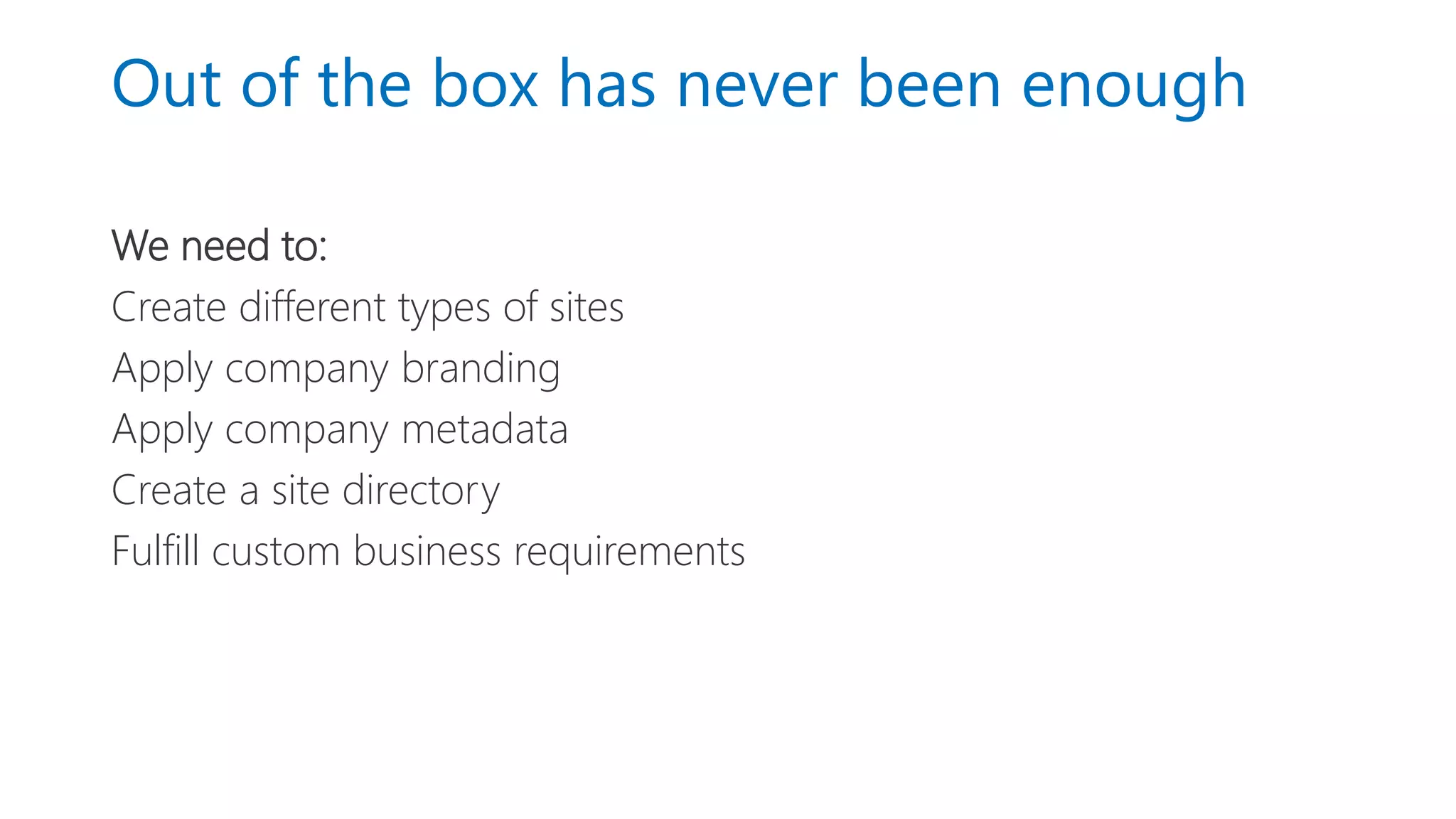
Out of the box has never been enough
We need to:
Create different types of sites
Apply company branding
Apply company metadata
Create a site directory
Fulfill custom business requirements
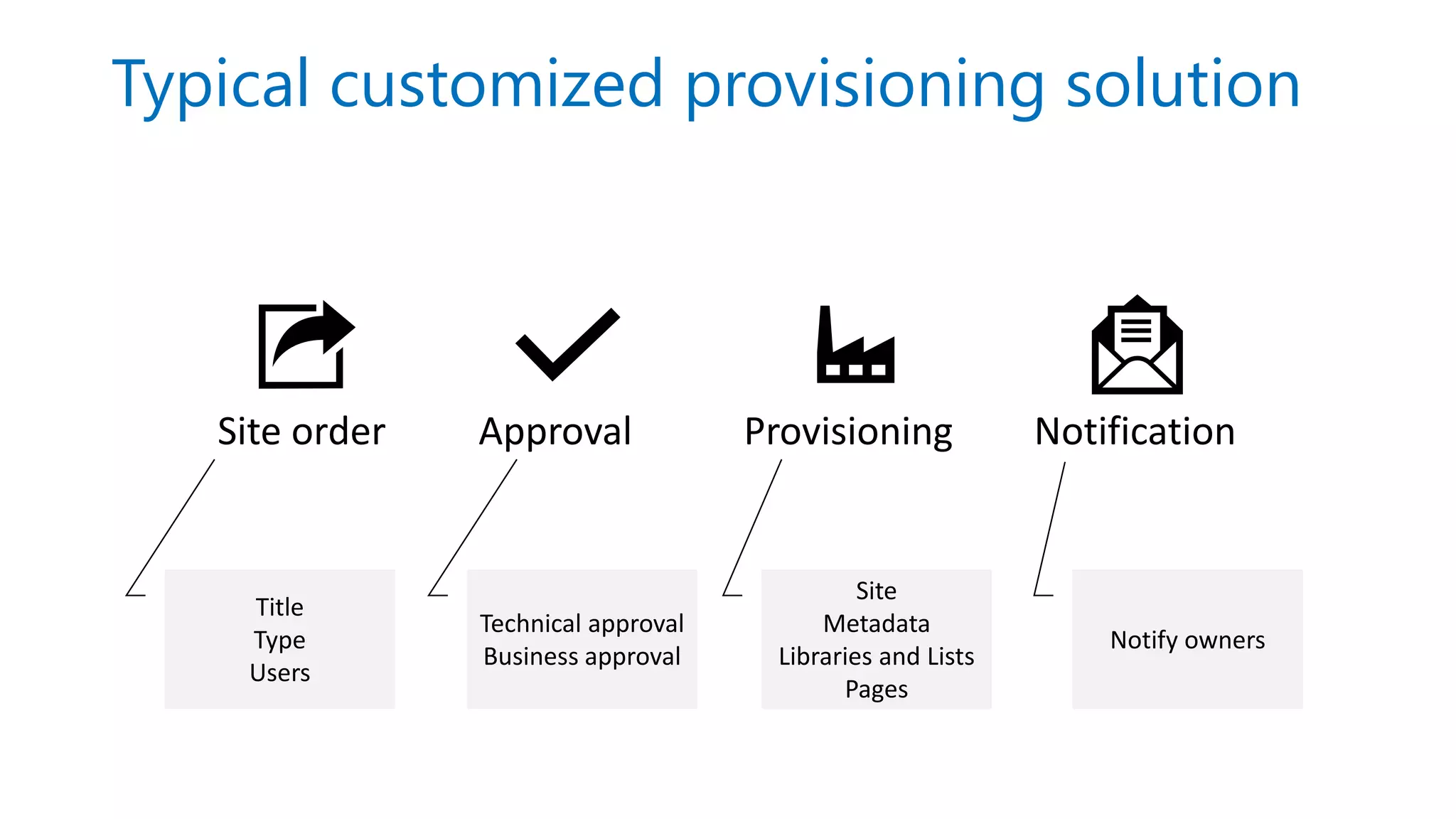
Typical customized provisioning solution
Site order Approval Provisioning Notification
Title
Type
Users
Technical approval
Business approval
Site
Metadata
Libraries and Lists
Pages
Notify owners
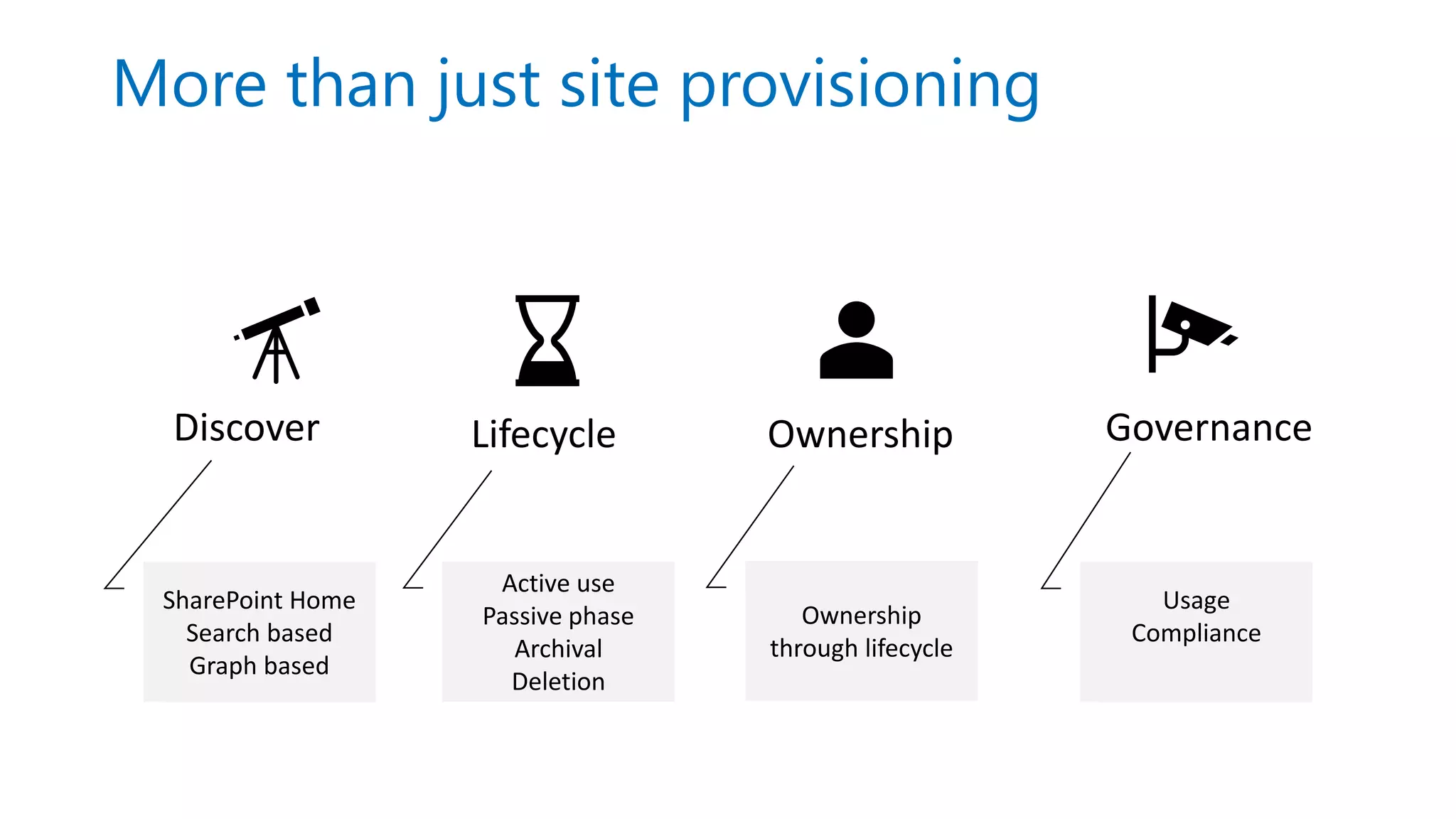
More than just site provisioning
Discover
SharePoint Home
Search based
Graph based
Lifecycle Ownership Governance
Active use
Passive phase
Archival
Deletion
Ownership
through lifecycle
Usage
Compliance
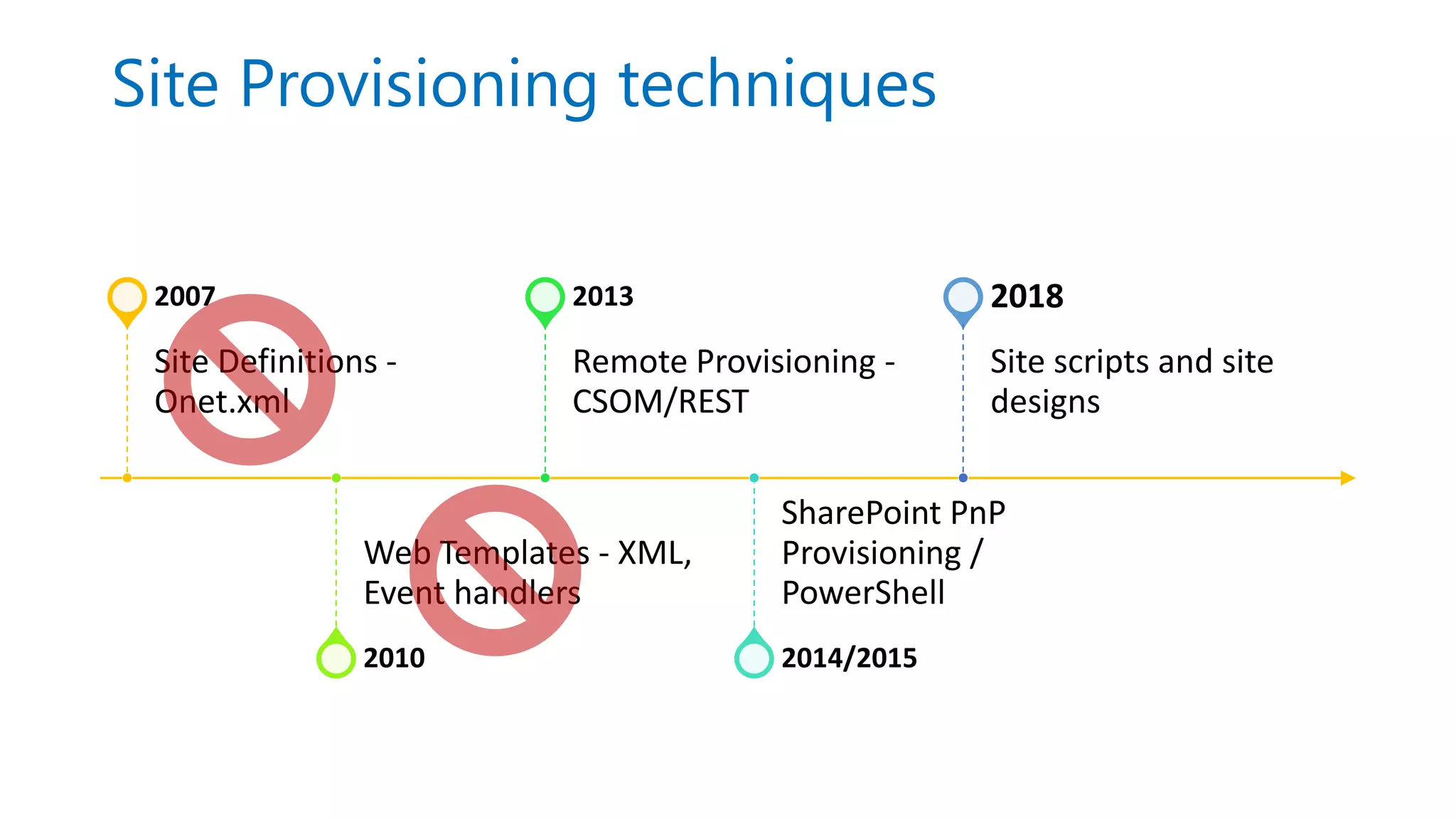
Site Provisioning techniques
Site Definitions -
Onet.xml
2007
Web Templates - XML,
Event handlers
2010
Remote Provisioning -
CSOM/REST
2013
SharePoint PnP
Provisioning /
PowerShell
2014/2015
Site scripts and site
designs
2018
Themes, site scripts, and site
designs
New era of customizing site provisioning
Themes, site scripts and site designs
Apply to modern SharePoint Online sites only!
Team sites - Office 365 Groups, can be tied to Team
Communication sites – is your new intranet/portal solution
Themes
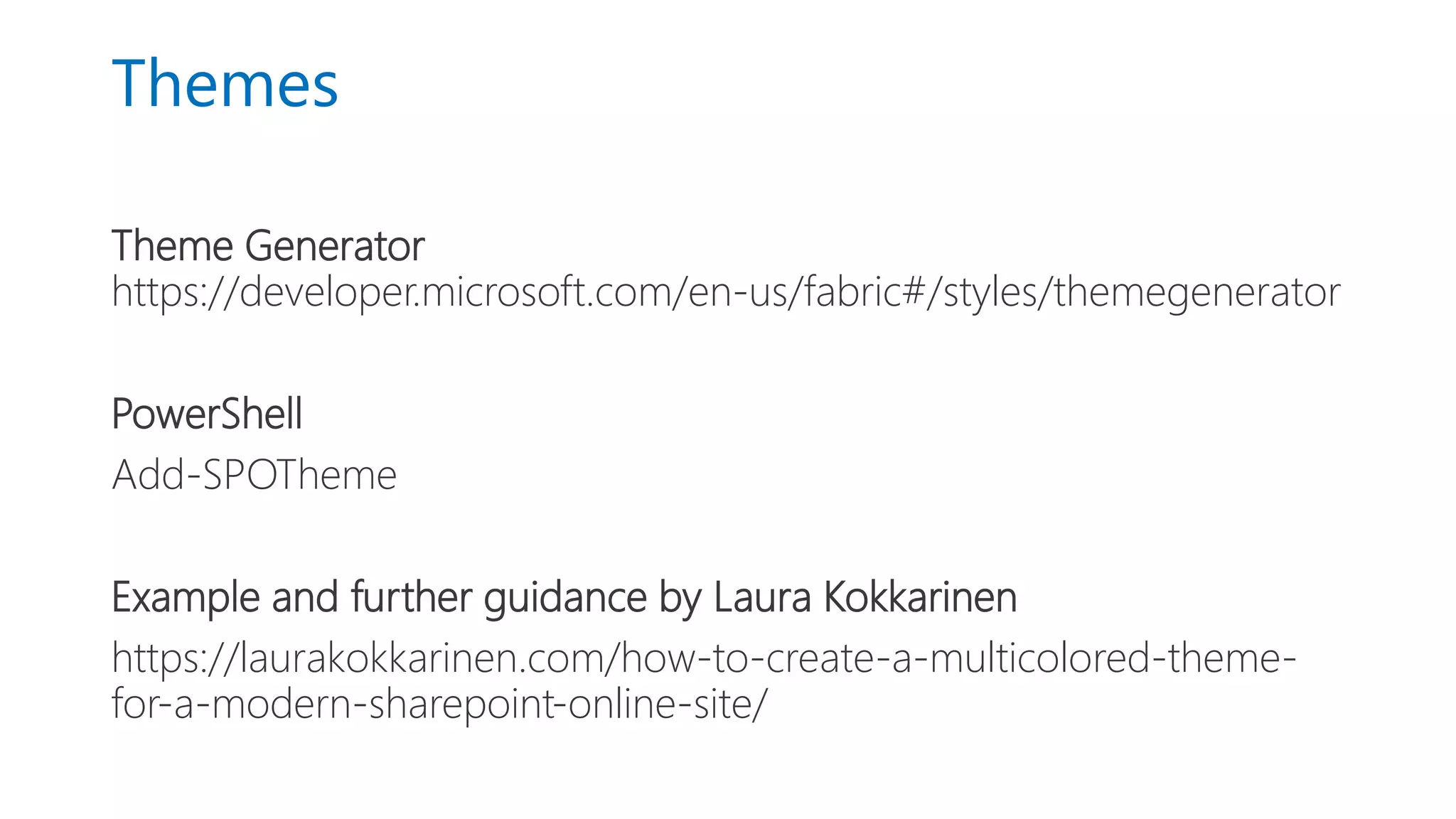
Theme Generator
https://developer.microsoft.com/en-us/fabric#/styles/themegenerator
PowerShell
Add-SPOTheme
Example and further guidance by Laura Kokkarinen
https://laurakokkarinen.com/how-to-create-a-multicolored-theme-
for-a-modern-sharepoint-online-site/
Site Scripts
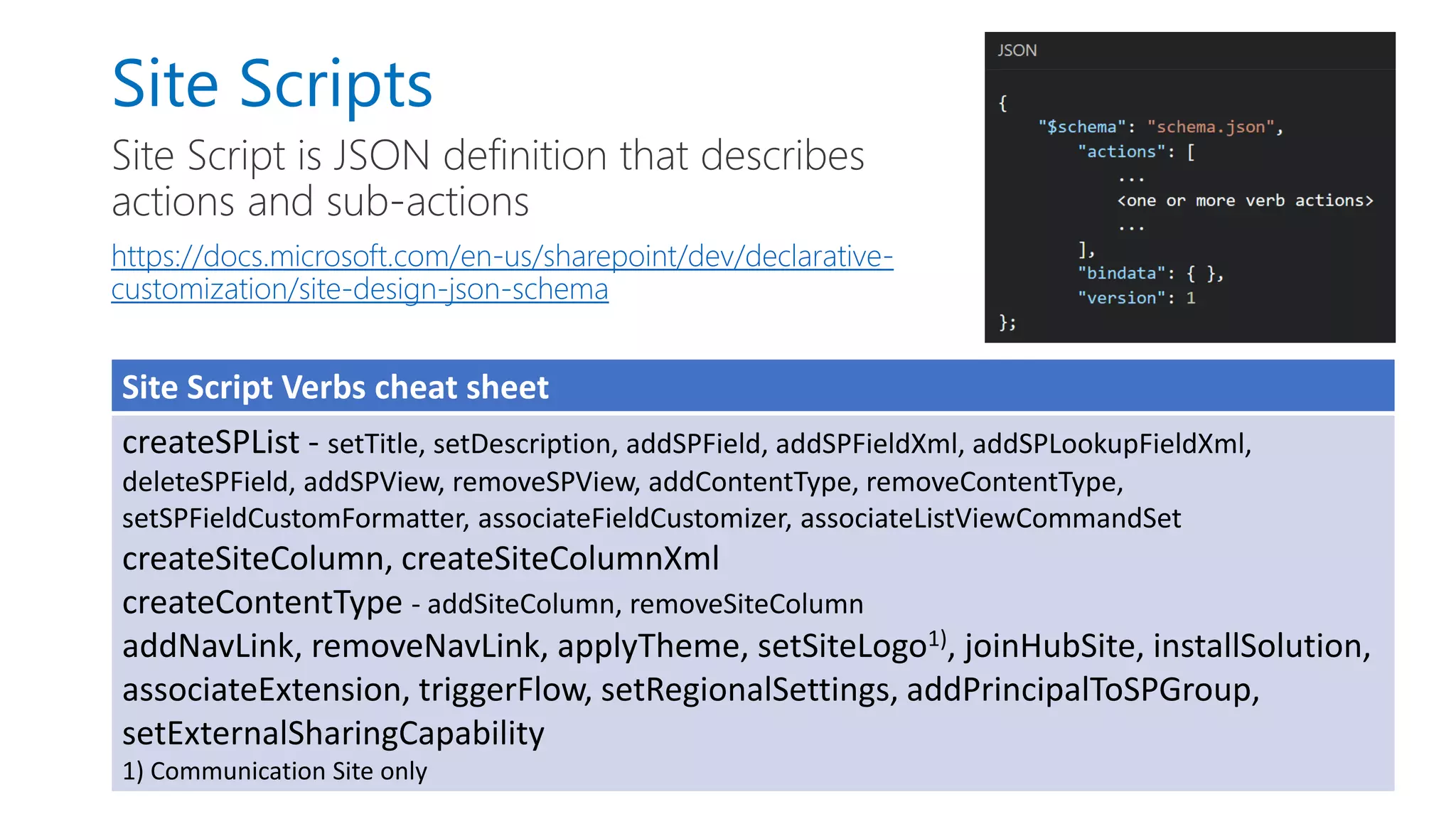
Site Script is JSON definition that describes
actions and sub-actions
https://docs.microsoft.com/en-us/sharepoint/dev/declarative-
customization/site-design-json-schema
Site Script Verbs cheat sheet
createSPList - setTitle, setDescription, addSPField, addSPFieldXml, addSPLookupFieldXml,
deleteSPField, addSPView, removeSPView, addContentType, removeContentType,
setSPFieldCustomFormatter, associateFieldCustomizer, associateListViewCommandSet
createSiteColumn, createSiteColumnXml
createContentType - addSiteColumn, removeSiteColumn
addNavLink, removeNavLink, applyTheme, setSiteLogo1), joinHubSite, installSolution,
associateExtension, triggerFlow, setRegionalSettings, addPrincipalToSPGroup,
setExternalSharingCapability
1) Communication Site only
• Creating and modifying site scripts
- Demo-O365ConnectSiteScripts.ps1  Contract documents
- Demo-O365ConnectSiteScripts2.ps1  Trigger a Flow
Demo
Site Scripts: what is currently missing?
Pages, web parts and other content
available through triggerFlow action via Azure Function
Special things like fine tuning permissions on lists and libraries, IRM
settings, document templates, …
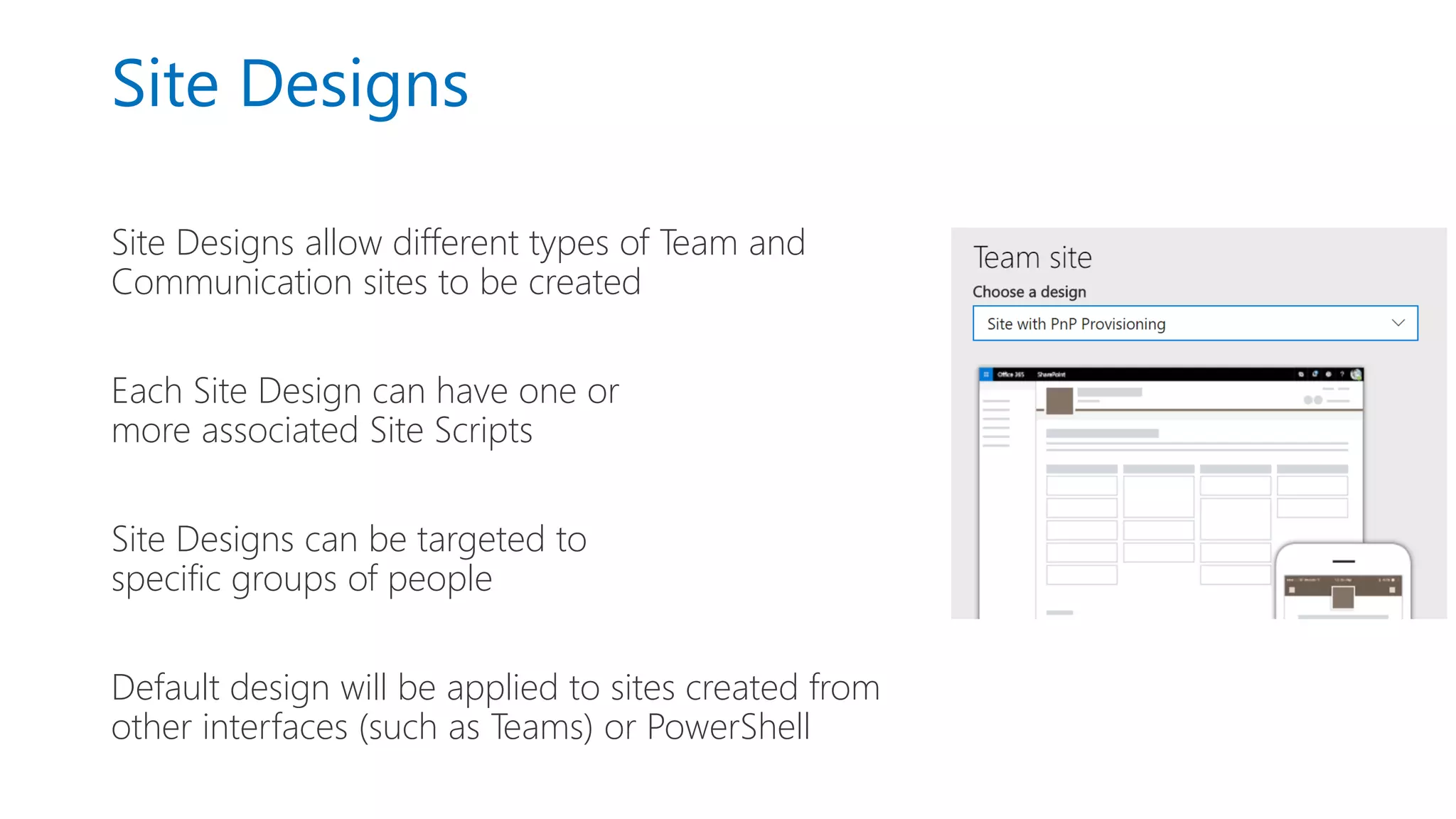
Site Designs
Site Designs allow different types of Team and
Communication sites to be created
Each Site Design can have one or
more associated Site Scripts
Site Designs can be targeted to
specific groups of people
Default design will be applied to sites created from
other interfaces (such as Teams) or PowerShell
Site Script/Design PowerShell
Add/Get/Set/Remove-SPO/PnPSiteScript
Add/Get/Set/Remove-SPO/PnPSiteDesign
Invoke-SPO/PnPSiteDesign
-To apply to existing sites
-To apply site designs when out-of-the-box UX is not in use
Get/Grant/Revoke-SPO/PnPSiteDesignRights
-For example to only allow Project managers to create Project sites
• Create and modify site designs
- Demo-O365ConnectSiteDesigns.ps1
- Site Designs in practice
Demo
Summary so far…
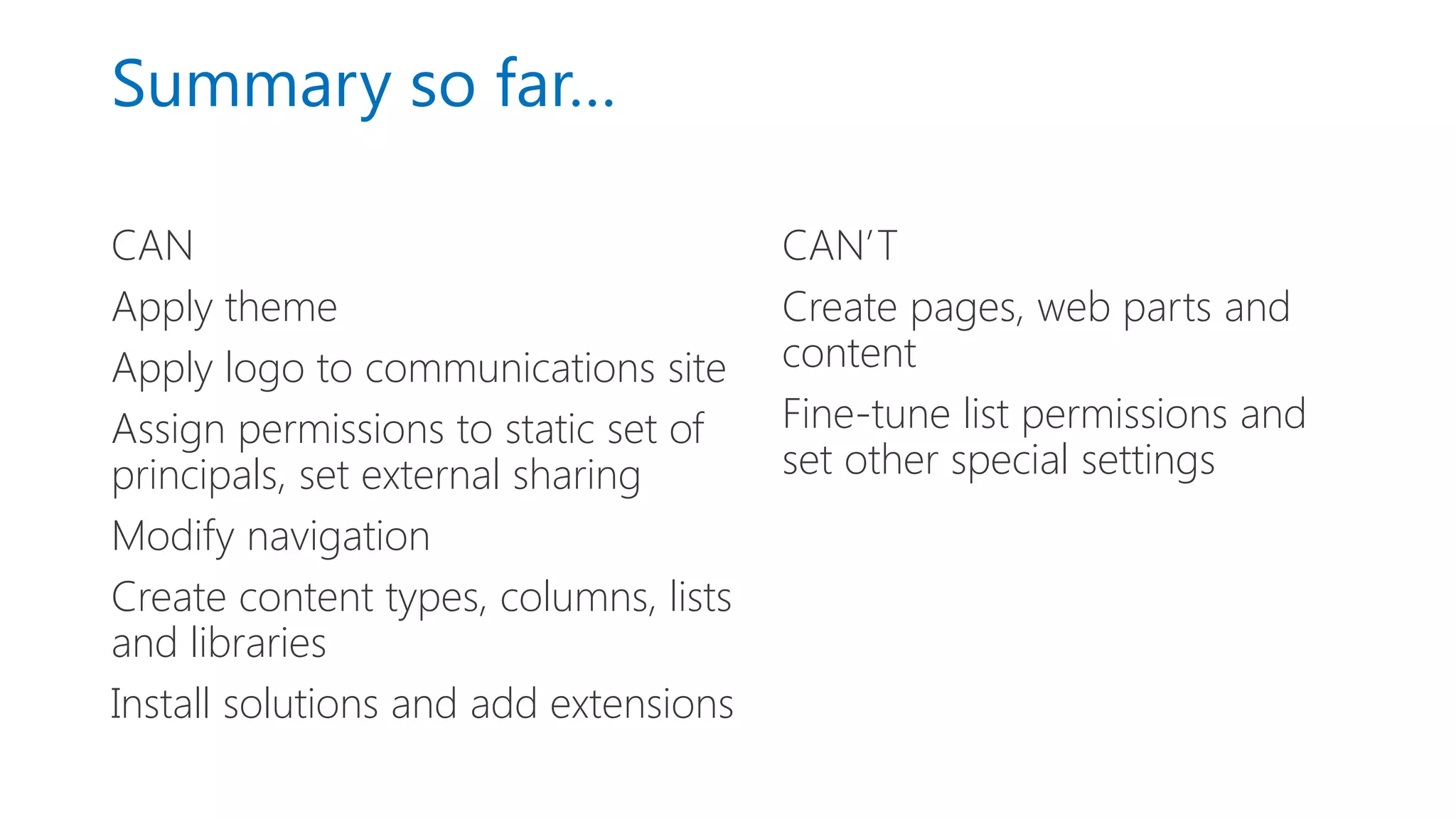
CAN
Apply theme
Apply logo to communications site
Assign permissions to static set of
principals, set external sharing
Modify navigation
Create content types, columns, lists
and libraries
Install solutions and add extensions
CAN’T
Create pages, web parts and
content
Fine-tune list permissions and
set other special settings
Triggering Flow to Start Azure
Function
New era of customizing site provisioning
Starting Flow from Site Scirpt
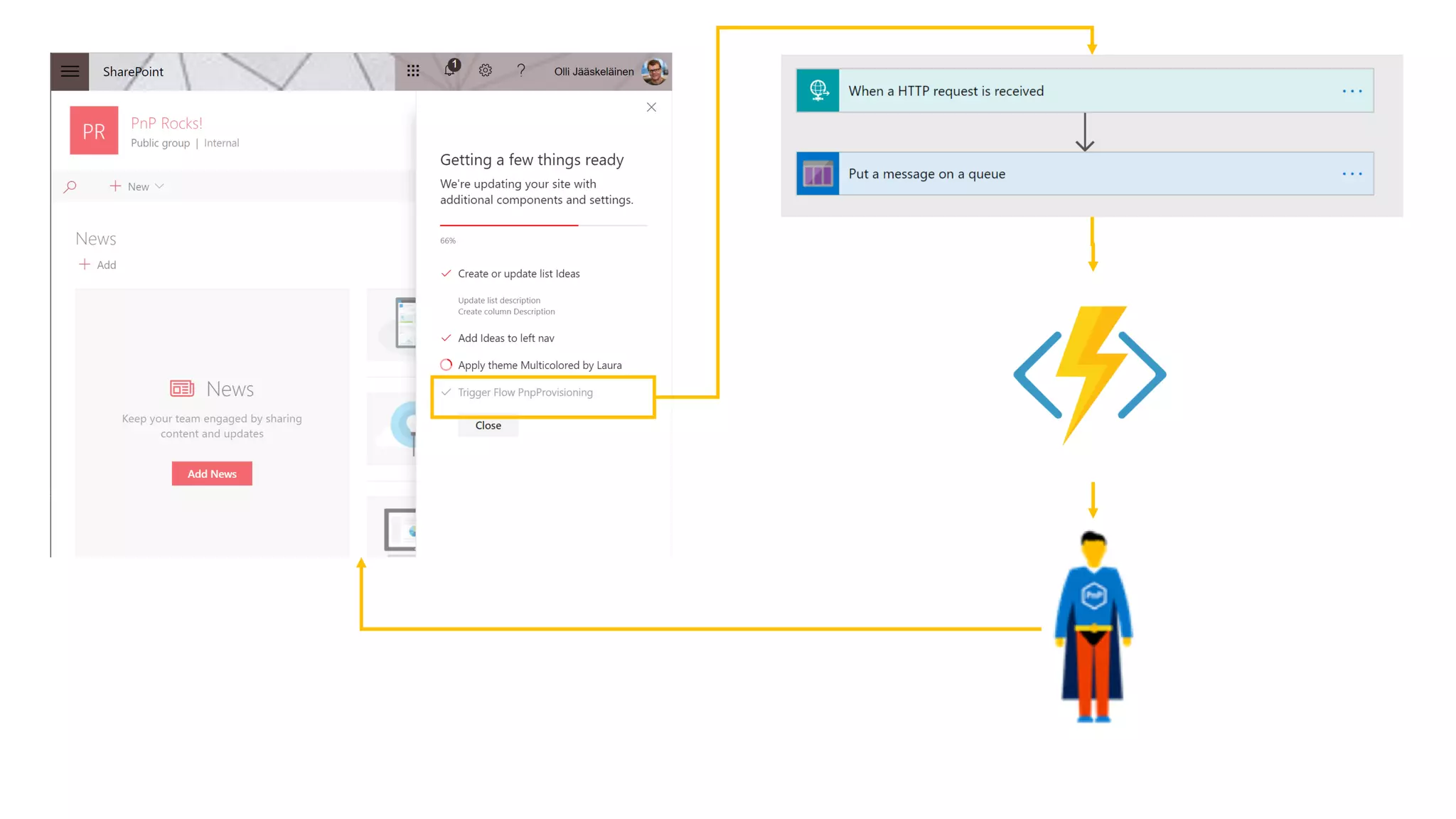
Trigger a flow from Site Script using triggerFlow action
Full details available at
https://docs.microsoft.com/en-us/sharepoint/dev/declarative-
customization/site-design-pnp-provisioning
• Triggering a Flow to start Azure function
Demo: Site with PnP Provisioning
Customizing site/teams creation
using PowerApps & Flow
New era of customizing site provisioning
Why customize site creation
requests?
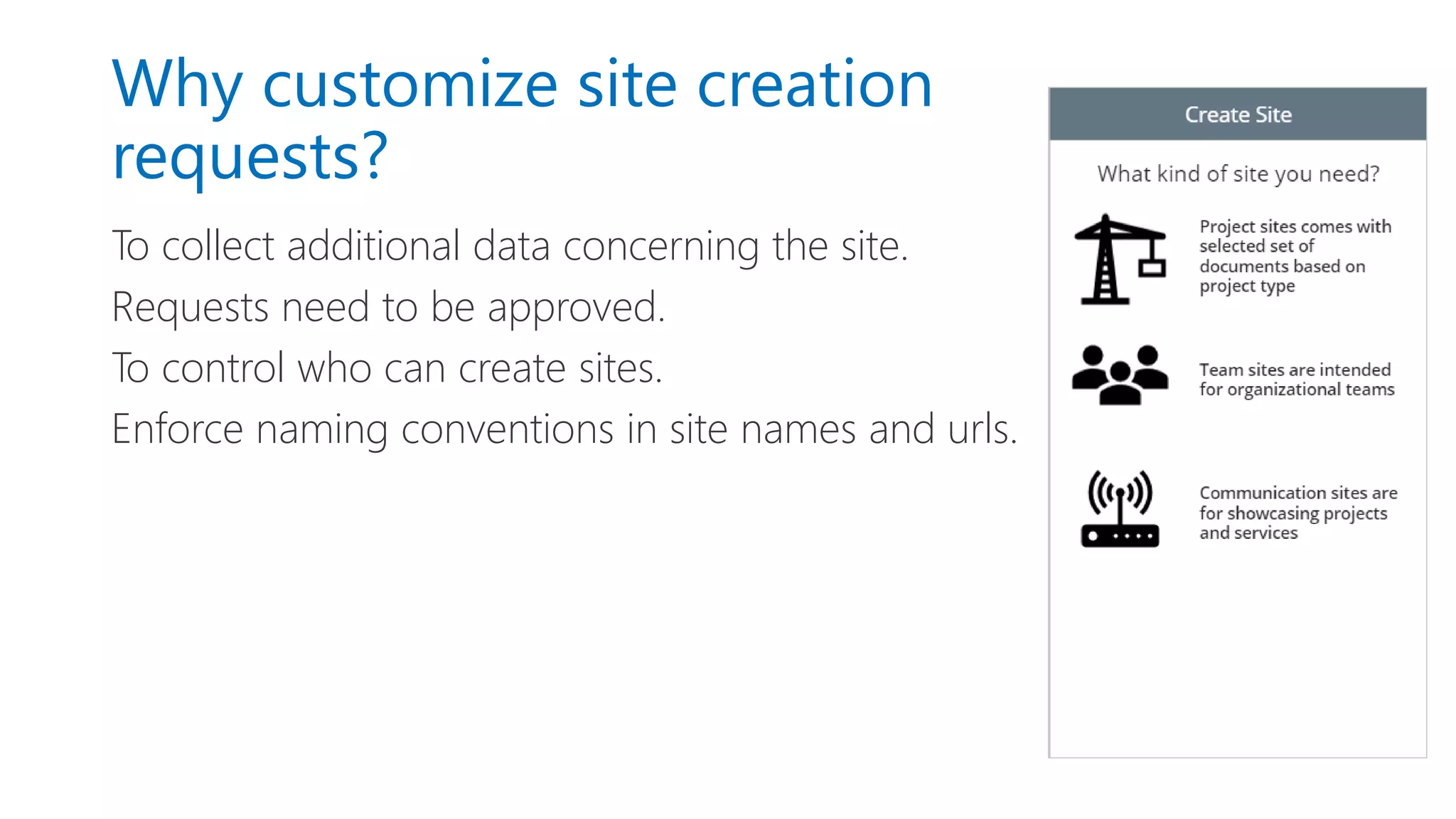
To collect additional data concerning the site.
Requests need to be approved.
To control who can create sites.
Enforce naming conventions in site names and urls.
How about creating Teams?
Microsoft Graph API for creating a Team is in beta and does not
currently support Application permissions or admin consent, but
it allows Teams creation with user consent.
MicrosoftTeams PowerShell module is in preview (0.9.5) and
somewhat inconsistent, but it does allow you to create teams.
• PowerApps and Flow in site provisioning
Demo
Recommendations
New era of customizing site provisioning
Recommendations
Site designs, site scripts and PnP provisioning is the future-proof way
to go.
In new site provisioning solutions, site designs are the primary choice.
Use Flow triggered Azure Functions to further extend site/teams
customization.
Learn:
https://docs.microsoft.com/en-us/sharepoint/dev/declarative-customization/site-design-overview
PowerShell source code:
https://github.com/ollij/Demos/tree/master/O365Connect-powershell
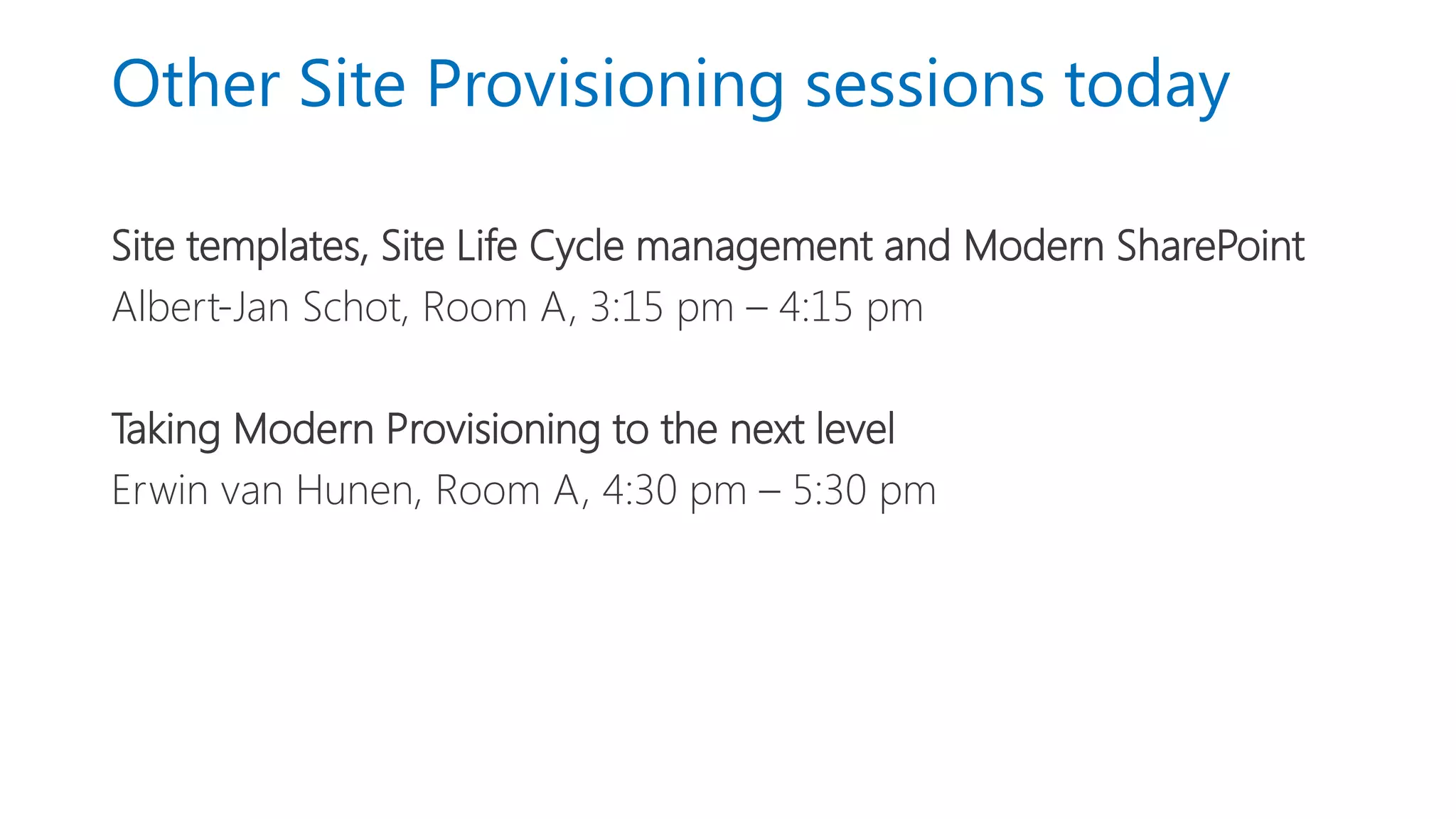
Other Site Provisioning sessions today
Site templates, Site Life Cycle management and Modern SharePoint
Albert-Jan Schot, Room A, 3:15 pm – 4:15 pm
Taking Modern Provisioning to the next level
Erwin van Hunen, Room A, 4:30 pm – 5:30 pm
O365Con18 - New Era of Customizing - Olli Jaaskelainen

O365Con18 - New Era of Customizing - Olli Jaaskelainen

  • 1.
    New era ofcustomizing site provisioning Olli Jääskeläinen, Sulava
  • 3.
    Olli Jääskeläinen MVP, MCM,MCT Office 365 & SharePoint User Group Finland Organizer Lead architect, Collaboration & AI Twitter: @_opax
  • 4.
    The new eraof site provisioning • Short history of custom site provisioning • Themes, site scripts and site designs • Trigger Flow to start Azure Function • Customizing site/teams creation with PowerApps and Flow • Recommendations
  • 5.
    Short history ofcustom site provisioning New era of customizing site provisioning
  • 6.
    Out of thebox has never been enough We need to: Create different types of sites Apply company branding Apply company metadata Create a site directory Fulfill custom business requirements
  • 7.
    Typical customized provisioningsolution Site order Approval Provisioning Notification Title Type Users Technical approval Business approval Site Metadata Libraries and Lists Pages Notify owners
  • 8.
    More than justsite provisioning Discover SharePoint Home Search based Graph based Lifecycle Ownership Governance Active use Passive phase Archival Deletion Ownership through lifecycle Usage Compliance
  • 9.
    Site Provisioning techniques SiteDefinitions - Onet.xml 2007 Web Templates - XML, Event handlers 2010 Remote Provisioning - CSOM/REST 2013 SharePoint PnP Provisioning / PowerShell 2014/2015 Site scripts and site designs 2018
  • 10.
    Themes, site scripts,and site designs New era of customizing site provisioning
  • 11.
    Themes, site scriptsand site designs Apply to modern SharePoint Online sites only! Team sites - Office 365 Groups, can be tied to Team Communication sites – is your new intranet/portal solution
  • 12.
    Themes Theme Generator https://developer.microsoft.com/en-us/fabric#/styles/themegenerator PowerShell Add-SPOTheme Example andfurther guidance by Laura Kokkarinen https://laurakokkarinen.com/how-to-create-a-multicolored-theme- for-a-modern-sharepoint-online-site/
  • 13.
    Site Scripts Site Scriptis JSON definition that describes actions and sub-actions https://docs.microsoft.com/en-us/sharepoint/dev/declarative- customization/site-design-json-schema Site Script Verbs cheat sheet createSPList - setTitle, setDescription, addSPField, addSPFieldXml, addSPLookupFieldXml, deleteSPField, addSPView, removeSPView, addContentType, removeContentType, setSPFieldCustomFormatter, associateFieldCustomizer, associateListViewCommandSet createSiteColumn, createSiteColumnXml createContentType - addSiteColumn, removeSiteColumn addNavLink, removeNavLink, applyTheme, setSiteLogo1), joinHubSite, installSolution, associateExtension, triggerFlow, setRegionalSettings, addPrincipalToSPGroup, setExternalSharingCapability 1) Communication Site only
  • 14.
    • Creating andmodifying site scripts - Demo-O365ConnectSiteScripts.ps1  Contract documents - Demo-O365ConnectSiteScripts2.ps1  Trigger a Flow Demo
  • 15.
    Site Scripts: whatis currently missing? Pages, web parts and other content available through triggerFlow action via Azure Function Special things like fine tuning permissions on lists and libraries, IRM settings, document templates, …
  • 16.
    Site Designs Site Designsallow different types of Team and Communication sites to be created Each Site Design can have one or more associated Site Scripts Site Designs can be targeted to specific groups of people Default design will be applied to sites created from other interfaces (such as Teams) or PowerShell
  • 17.
    Site Script/Design PowerShell Add/Get/Set/Remove-SPO/PnPSiteScript Add/Get/Set/Remove-SPO/PnPSiteDesign Invoke-SPO/PnPSiteDesign -Toapply to existing sites -To apply site designs when out-of-the-box UX is not in use Get/Grant/Revoke-SPO/PnPSiteDesignRights -For example to only allow Project managers to create Project sites
  • 18.
    • Create andmodify site designs - Demo-O365ConnectSiteDesigns.ps1 - Site Designs in practice Demo
  • 19.
    Summary so far… CAN Applytheme Apply logo to communications site Assign permissions to static set of principals, set external sharing Modify navigation Create content types, columns, lists and libraries Install solutions and add extensions CAN’T Create pages, web parts and content Fine-tune list permissions and set other special settings
  • 20.
    Triggering Flow toStart Azure Function New era of customizing site provisioning
  • 21.
    Starting Flow fromSite Scirpt Trigger a flow from Site Script using triggerFlow action Full details available at https://docs.microsoft.com/en-us/sharepoint/dev/declarative- customization/site-design-pnp-provisioning
  • 23.
    • Triggering aFlow to start Azure function Demo: Site with PnP Provisioning
  • 24.
    Customizing site/teams creation usingPowerApps & Flow New era of customizing site provisioning
  • 25.
    Why customize sitecreation requests? To collect additional data concerning the site. Requests need to be approved. To control who can create sites. Enforce naming conventions in site names and urls.
  • 26.
    How about creatingTeams? Microsoft Graph API for creating a Team is in beta and does not currently support Application permissions or admin consent, but it allows Teams creation with user consent. MicrosoftTeams PowerShell module is in preview (0.9.5) and somewhat inconsistent, but it does allow you to create teams.
  • 27.
    • PowerApps andFlow in site provisioning Demo
  • 28.
    Recommendations New era ofcustomizing site provisioning
  • 29.
    Recommendations Site designs, sitescripts and PnP provisioning is the future-proof way to go. In new site provisioning solutions, site designs are the primary choice. Use Flow triggered Azure Functions to further extend site/teams customization. Learn: https://docs.microsoft.com/en-us/sharepoint/dev/declarative-customization/site-design-overview PowerShell source code: https://github.com/ollij/Demos/tree/master/O365Connect-powershell
  • 30.
    Other Site Provisioningsessions today Site templates, Site Life Cycle management and Modern SharePoint Albert-Jan Schot, Room A, 3:15 pm – 4:15 pm Taking Modern Provisioning to the next level Erwin van Hunen, Room A, 4:30 pm – 5:30 pm