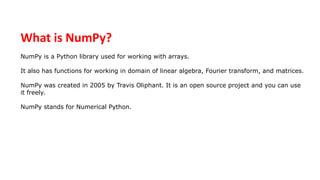
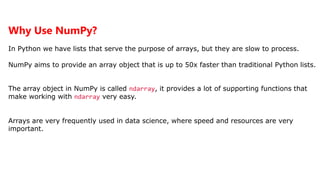
NumPy is a Python library that provides multidimensional array and matrix objects, along with tools to work with these objects. It is used for working with arrays and matrices, and has functions for linear algebra, Fourier transforms, and matrices. NumPy was created in 2005 and provides fast operations on arrays and matrices.


![Import NumPy
Once NumPy is installed, import it in your applications by adding
the import keyword:
import numpy
Example
import numpy
arr = numpy.array([1, 2, 3, 4, 5])
print(arr)
Output:
[1 2 3 4 5]](https://image.slidesharecdn.com/numpyautosaved-240106041504-989a0cc3/85/NUMPY-Autosaved-pptx-5-320.jpg)
![NumPy as np
NumPy is usually imported under the np alias.
Example
import numpy as np
arr = np.array([1, 2, 3, 4, 5])
print(arr)
Output:
[1 2 3 4 5]](https://image.slidesharecdn.com/numpyautosaved-240106041504-989a0cc3/85/NUMPY-Autosaved-pptx-6-320.jpg)
![1-D Arrays
An array that has 0-D arrays as its elements is called uni-dimensional or 1-D array.
Example
Create a 1-D array containing the values 1,2,3,4,5:
import numpy as np
arr = np.array([1, 2, 3, 4, 5])
print(arr)
Output:
[1 2 3 4 5]](https://image.slidesharecdn.com/numpyautosaved-240106041504-989a0cc3/85/NUMPY-Autosaved-pptx-8-320.jpg)
![2-D Arrays
An array that has 1-D arrays as its elements is called a 2-D array.
Example
import numpy as np
arr = np.array([[1, 2, 3], [4, 5, 6]])
print(arr)
Ouput:
[[1 2 3]
4 5 6]]](https://image.slidesharecdn.com/numpyautosaved-240106041504-989a0cc3/85/NUMPY-Autosaved-pptx-9-320.jpg)
![Check Number of Dimensions
NumPy Arrays provides the ndim attribute that returns an integer
that tells us how many dimensions the array have
Example:
import numpy as np
a = np.array(42)
b = np.array([1, 2, 3, 4, 5])
c = np.array([[1, 2, 3], [4, 5, 6]])
D= np.array(([[1, 2, 3], [4, 5, 6][3, 4, 5])
print(a.ndim)
print(b.ndim)
print(c.ndim)
Print(d.ndim)](https://image.slidesharecdn.com/numpyautosaved-240106041504-989a0cc3/85/NUMPY-Autosaved-pptx-10-320.jpg)
![Ouput:
0
1
2
3
Higher Dimensional Arrays
An array can have any number of dimensions.
When the array is created, you can define the
number of dimensions by using the ndmin argument.
Example
Create an array with 5 dimensions and verify that it has 5 dimensions:
import numpy as np
arr = np.array([1, 2, 3, 4], ndmin=5)
print(arr)
print('number of dimensions :', arr.ndim)](https://image.slidesharecdn.com/numpyautosaved-240106041504-989a0cc3/85/NUMPY-Autosaved-pptx-11-320.jpg)
![Ouput:
[[[[[1 2 3 4 ]]]]]
NumPy Array Indexing
Access Array Elements
Array indexing is the same as accessing an array element.
You can access an array element by referring to its index number.
The indexes in NumPy arrays start with 0, meaning that the first element has index 0,
and the second has index 1 etc.](https://image.slidesharecdn.com/numpyautosaved-240106041504-989a0cc3/85/NUMPY-Autosaved-pptx-12-320.jpg)
![Example
Get the first element from the following array:
import numpy as np
arr = np.array([1, 2, 3, 4])
print(arr[0])
Output:
1](https://image.slidesharecdn.com/numpyautosaved-240106041504-989a0cc3/85/NUMPY-Autosaved-pptx-13-320.jpg)
![Access 2-D Arrays
To access elements from 2-D arrays we can use comma separated integers representing the
dimension and the index of the element.
Think of 2-D arrays like a table with rows and columns, where the dimension represents the
row and the index represents the column.
Example
Access the element on the first row, second column:
import numpy as np
arr = np.array([[1,2,3,4,5], [6,7,8,9,10]])
print('2nd element on 1st row: ', arr[0, 1])
Output:
2nd element on 1st row: 2](https://image.slidesharecdn.com/numpyautosaved-240106041504-989a0cc3/85/NUMPY-Autosaved-pptx-14-320.jpg)
![Negative Indexing
Use negative indexing to access an array from the end.
Example
Print the last element from the 2nd dim:
import numpy as np
arr = np.array([[1,2,3,4,5], [6,7,8,9,10]])
print('Last element from 2nd dim: ', arr[1, -1])](https://image.slidesharecdn.com/numpyautosaved-240106041504-989a0cc3/85/NUMPY-Autosaved-pptx-15-320.jpg)
![NumPy Array Slicing
Slicing arrays
Slicing in python means taking elements from one given index to another given
index.
We pass slice instead of index like this: [start:end].
We can also define the step, like this: [start:end:step].
If we don't pass start its considered 0
If we don't pass end its considered length of array in that dimension
If we don't pass step its considered 1](https://image.slidesharecdn.com/numpyautosaved-240106041504-989a0cc3/85/NUMPY-Autosaved-pptx-16-320.jpg)
![Example
Slice elements from index 1 to index 5 from the following array:
import numpy as np
arr = np.array([1, 2, 3, 4, 5, 6, 7])
print(arr[1:5])
Output:
[2 3 4 5]
Assignment
Slice elements from index 4 to the end of the array
Slice elements from the beginning to index 4 (not included)](https://image.slidesharecdn.com/numpyautosaved-240106041504-989a0cc3/85/NUMPY-Autosaved-pptx-17-320.jpg)
![Example
Return every other element from index 1 to index 5:
import numpy as np
arr = np.array([1, 2, 3, 4, 5, 6, 7])
print(arr[0:5:2])](https://image.slidesharecdn.com/numpyautosaved-240106041504-989a0cc3/85/NUMPY-Autosaved-pptx-18-320.jpg)
![NumPy Arithmetic Operations
NumPy Add function
This function is used to add two arrays
import numpy as np
a = np.array([10,20,100,200,500])
b = np.array([3,4,5,6,7])
np.add(a, b)
Output:
array([ 13, 24, 105, 206, 507])](https://image.slidesharecdn.com/numpyautosaved-240106041504-989a0cc3/85/NUMPY-Autosaved-pptx-19-320.jpg)
![NumPy Add Operator
We can also use the add operator “+” to perform addition of two arrays.
import numpy as np
a = np.array([10,20,100,200,500])
b = np.array([3,4,5,6,7])
print(a+b)
output
[ 13 24 105 206 507]
NumPy Subtract function
We use this function to output the difference of two arrays.
import numpy as np
a = np.array([10,20,100,200,500])
b = np.array([3,4,5,6,7])
np.subtract(a, b)
Output
array([ 7, 16, 95, 194, 493])](https://image.slidesharecdn.com/numpyautosaved-240106041504-989a0cc3/85/NUMPY-Autosaved-pptx-20-320.jpg)
![NumPy Subtract Operator
We can also use the subtract operator “-” to produce the difference of two arrays.
import numpy as np
a = np.array([10,20,100,200,500])
b = np.array([3,4,5,6,7])
print(a-b)
Output
[ 7 16 95 194 493]
NumPy Multiply Operator
We can also use the multiplication operator “*” to get the product of two arrays.
import numpy as np
a = np.array([7,3,4,5,1])
b = np.array([3,4,5,6,7])
print(a*b)
Output
[21 12 20 30 7]](https://image.slidesharecdn.com/numpyautosaved-240106041504-989a0cc3/85/NUMPY-Autosaved-pptx-21-320.jpg)
![NumPy Divide Function
We use this function to output the division of two arrays. We cannot divide dissimilar arrays.
import numpy as np
a = np.array([7,3,4,5,1])
b = np.array([3,4,5,6,7])
np.divide(a,b)
Output
array([2.33333333, 0.75 , 0.8 , 0.83333333, 0.14285714])
NumPy Divide Operator
We can also use the divide operator “/” to divide two arrays.
import numpy as np
a = np.array([7,3,4,5,1])
b = np.array([3,4,5,6,7])
print(a/b)
Output
[2.33333333 0.75 0.8 0.83333333 0.14285714]](https://image.slidesharecdn.com/numpyautosaved-240106041504-989a0cc3/85/NUMPY-Autosaved-pptx-22-320.jpg)
![NumPy Mod and Remainder function
We use both the functions to output the remainder of the division of two arrays.
NumPy Remainder Function
import numpy as np
a = np.array([7,3,4,5,1])
b = np.array([3,4,5,6,7])
np.remainder(a,b)
Output
array([1, 3, 4, 5, 1])
NumPy Mod Function
import numpy as np
a = np.array([7,3,4,5,1])
b = np.array([3,4,5,6,7])
np.mod(a,b)
Output
array([1, 3, 4, 5, 1])](https://image.slidesharecdn.com/numpyautosaved-240106041504-989a0cc3/85/NUMPY-Autosaved-pptx-23-320.jpg)
![NumPy Power Function
This Function treats the first array as base and raises it to the power of the elements of the second array.
import numpy as np
a = np.array([7,3,4,5,1])
b = np.array([3,4,5,6,7])
np.power(a,b)
Output
array([ 343, 81, 1024, 15625, 1])
NumPy Reciprocal Function
This Function returns the reciprocal of all the array elements.
import numpy as np
a = np.array([7,3,4,5,1])
np.reciprocal(a)
Output
array([0, 0, 0, 0, 1])](https://image.slidesharecdn.com/numpyautosaved-240106041504-989a0cc3/85/NUMPY-Autosaved-pptx-24-320.jpg)
![Searching Arrays
You can search an array for a certain value, and return the indexes that get a match
To search an array, use the where() method
Example
Find the indexes where the value is 4:
import numpy as np
arr = np.array([1, 2, 3, 4, 5, 4, 4])
x = np.where(arr == 4)
print(x)
Output: (array([3, 5, 6],)](https://image.slidesharecdn.com/numpyautosaved-240106041504-989a0cc3/85/NUMPY-Autosaved-pptx-25-320.jpg)
![Example
Find the indexes where the values are even:
import numpy as np
arr = np.array([1, 2, 3, 4, 5, 6, 7, 8])
x = np.where(arr%2 == 0)
print(x)
Output: (array([1, 3, 5,7],)](https://image.slidesharecdn.com/numpyautosaved-240106041504-989a0cc3/85/NUMPY-Autosaved-pptx-26-320.jpg)
![Example
Find the indexes where the values are odd:
import numpy as np
arr = np.array([1, 2, 3, 4, 5, 6, 7, 8])
x = np.where(arr%2 == 1)
print(x)
Output: (array([0, 2, 4,6],)](https://image.slidesharecdn.com/numpyautosaved-240106041504-989a0cc3/85/NUMPY-Autosaved-pptx-27-320.jpg)
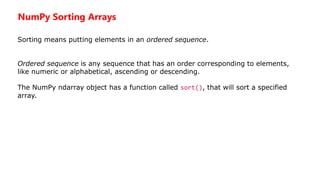
![Example
Sort the array:
import numpy as np
arr = np.array([3, 2, 0, 1])
print(np.sort(arr))
Output:
[0 1 2 3]
Example
Sort the array alphabetically:
import numpy as np
arr = np.array(['banana', 'cherry', 'apple'])
print(np.sort(arr))](https://image.slidesharecdn.com/numpyautosaved-240106041504-989a0cc3/85/NUMPY-Autosaved-pptx-29-320.jpg)
![Sort a 2-D array:
import numpy as np
arr = np.array([[3, 2, 4], [5, 0, 1]])
print(np.sort(arr))
Output:
[[2 3 4 ]
[0 1 5 ]]](https://image.slidesharecdn.com/numpyautosaved-240106041504-989a0cc3/85/NUMPY-Autosaved-pptx-30-320.jpg)


