



.NetPerformance – Tips and TechniquesBijoy SinghalDeveloper EvangelistMicrosoft Indiabsinghal@microsoft.com
Key Take Aways…Understanding reasons behind common issues that a .NET developer faces day to dayHow to leverage the tools in .NET framework to solve day to day issues…Performance: What and How…MOST IMPORTANT: The POWER of .NET framework…
.NET Tools…the hidden gemsFusLogVW.exe – Fusion Log ViewerNGEN.exe – Native Image GeneratorILAsm.exe, ILDAsm.exe– IL Assembler and Dis-assemblerMDA – Managed Debugging Assistants SoS.dll - 
Perfmon: What is it?The name says it all.Used to monitor the performance parameters of the system and the user applications.How to use it?What are the parameters that we can track?
A few .NET Performance Counters.NET CLR Memory Counters.NET CLR Exceptions.NET CLR Loading.NET CLR JITProcessorMemory
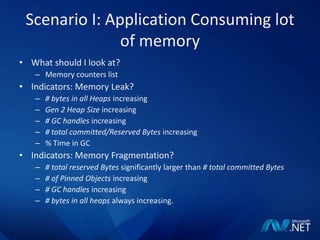
Scenario I: Application Consuming lot of memoryWhat should I look at?Memory counters listIndicators: Memory Leak?# bytes in all Heaps increasing Gen 2 Heap Size increasing # GC handles increasing # total committed/Reserved Bytes increasing% Time in GCIndicators: Memory Fragmentation?# total reserved Bytes significantly larger than # total committed Bytes# of Pinned Objects increasing # GC handles increasing # bytes in all heaps always increasing.
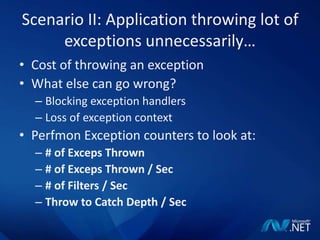
Scenario II: Application throwing lot of exceptions unnecessarily…Cost of throwing an exceptionWhat else can go wrong?Blocking exception handlersLoss of exception contextPerfmon Exception counters to look at:# of Exceps Thrown# of Exceps Thrown / Sec# of Filters / SecThrow to Catch Depth / Sec
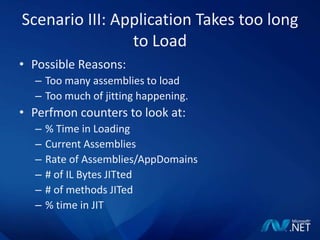
Scenario III: Application Takes too long to LoadPossible Reasons:Too many assemblies to loadToo much of jitting happening.Perfmon counters to look at:% Time in LoadingCurrent AssembliesRate of Assemblies/AppDomains# of IL Bytes JITted# of methods JITed% time in JIT
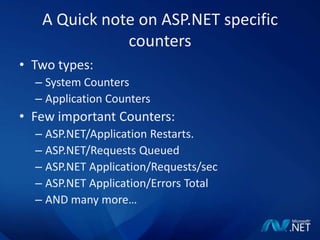
A Quick note on ASP.NET specific countersTwo types:System CountersApplication CountersFew important Counters:ASP.NET/Application Restarts.ASP.NET/Requests QueuedASP.NET Application/Requests/secASP.NET Application/Errors TotalAND many more…
.NET Application PerformancePerformance is a relative term:What is good for you may not be good for others.Performance Bottlenecks in .NET:Am I loading too many assemblies at the start?Am I doing too many memory operations? Am I trying to deal with the memory management on my own?Am I misusing Exceptions and defeating their purpose?The list is long…
.NET Application PerformanceWay outs:Add trace messages in your application.Debug it.Use Debugging tools to do post mortem analysis.Use Perfmon.
Scenario I: FileNotFoundException“Our application ran successfully on the Development machine but it is failing with FileNotFoundException when we deploy it in production”Fusion – How the CLR locates assemblies.How can the fusion log viewer help us hereHow to look into the Fusion LogFusion Log Viewer: Fuslogvw.exeDemo
Scenario II: Slow To Load“Our application takes too long to load for the first time. It exhibits the same behavior once in a while…”What happens when a .NET application runs for the first timeNative Images and how they speed up the loading processNGEN: Native image generationHow NGEN will help us hereDemo
Scenario III: Memory Leak“ My application is consuming lot of memory. It looks like a ‘Memory Leak’ to me…”.NET Memory Manager: GCHow to get managed heap informationHow the CLRProfiler can help us hereDemo
Scenario IV: PInvoke Issues“ I used PInvoke to call a native API, I’m doing everything correct, but the call is failing/ the application is failing with AccessViolationException…”Crucial to match the native API signature exactly without any exceptionWhat is MDAHow MDA will help us hereDemo
Thank YouQuestions???Contact me: bsinghal@microsoft.comhttp://blogs.msdn.com/bsinghal

.Net Performance by Bijoy Singhal

  • 1.
    .NetPerformance – Tipsand TechniquesBijoy SinghalDeveloper EvangelistMicrosoft Indiabsinghal@microsoft.com
  • 2.
    Key Take Aways…Understandingreasons behind common issues that a .NET developer faces day to dayHow to leverage the tools in .NET framework to solve day to day issues…Performance: What and How…MOST IMPORTANT: The POWER of .NET framework…
  • 3.
    .NET Tools…the hiddengemsFusLogVW.exe – Fusion Log ViewerNGEN.exe – Native Image GeneratorILAsm.exe, ILDAsm.exe– IL Assembler and Dis-assemblerMDA – Managed Debugging Assistants SoS.dll - 
  • 4.
    Perfmon: What isit?The name says it all.Used to monitor the performance parameters of the system and the user applications.How to use it?What are the parameters that we can track?
  • 5.
    A few .NETPerformance Counters.NET CLR Memory Counters.NET CLR Exceptions.NET CLR Loading.NET CLR JITProcessorMemory
  • 6.
    Scenario I: ApplicationConsuming lot of memoryWhat should I look at?Memory counters listIndicators: Memory Leak?# bytes in all Heaps increasing Gen 2 Heap Size increasing # GC handles increasing # total committed/Reserved Bytes increasing% Time in GCIndicators: Memory Fragmentation?# total reserved Bytes significantly larger than # total committed Bytes# of Pinned Objects increasing # GC handles increasing # bytes in all heaps always increasing.
  • 7.
    Scenario II: Applicationthrowing lot of exceptions unnecessarily…Cost of throwing an exceptionWhat else can go wrong?Blocking exception handlersLoss of exception contextPerfmon Exception counters to look at:# of Exceps Thrown# of Exceps Thrown / Sec# of Filters / SecThrow to Catch Depth / Sec
  • 8.
    Scenario III: ApplicationTakes too long to LoadPossible Reasons:Too many assemblies to loadToo much of jitting happening.Perfmon counters to look at:% Time in LoadingCurrent AssembliesRate of Assemblies/AppDomains# of IL Bytes JITted# of methods JITed% time in JIT
  • 9.
    A Quick noteon ASP.NET specific countersTwo types:System CountersApplication CountersFew important Counters:ASP.NET/Application Restarts.ASP.NET/Requests QueuedASP.NET Application/Requests/secASP.NET Application/Errors TotalAND many more…
  • 10.
    .NET Application PerformancePerformanceis a relative term:What is good for you may not be good for others.Performance Bottlenecks in .NET:Am I loading too many assemblies at the start?Am I doing too many memory operations? Am I trying to deal with the memory management on my own?Am I misusing Exceptions and defeating their purpose?The list is long…
  • 11.
    .NET Application PerformanceWayouts:Add trace messages in your application.Debug it.Use Debugging tools to do post mortem analysis.Use Perfmon.
  • 12.
    Scenario I: FileNotFoundException“Ourapplication ran successfully on the Development machine but it is failing with FileNotFoundException when we deploy it in production”Fusion – How the CLR locates assemblies.How can the fusion log viewer help us hereHow to look into the Fusion LogFusion Log Viewer: Fuslogvw.exeDemo
  • 13.
    Scenario II: SlowTo Load“Our application takes too long to load for the first time. It exhibits the same behavior once in a while…”What happens when a .NET application runs for the first timeNative Images and how they speed up the loading processNGEN: Native image generationHow NGEN will help us hereDemo
  • 14.
    Scenario III: MemoryLeak“ My application is consuming lot of memory. It looks like a ‘Memory Leak’ to me…”.NET Memory Manager: GCHow to get managed heap informationHow the CLRProfiler can help us hereDemo
  • 15.
    Scenario IV: PInvokeIssues“ I used PInvoke to call a native API, I’m doing everything correct, but the call is failing/ the application is failing with AccessViolationException…”Crucial to match the native API signature exactly without any exceptionWhat is MDAHow MDA will help us hereDemo
  • 16.
    Thank YouQuestions???Contact me:bsinghal@microsoft.comhttp://blogs.msdn.com/bsinghal

Editor's Notes

  • #2 .NET is a powerful platform to build mission critical, robust enterprise applications. While, .NET makes it very easy to build almost any kind of application, it is important that we as developers understand what is going on under the hood. Know, how the architecture of .Net should be leveraged in the best possible way and are aware about the tools available to measure and optimize the performance of our .NET applications. In this session – we will share some secrets to write performant .NET applications. We will touch upon performance counters, performance monitor, CLR profiler etc…
  • #7 IndicatorsMemory Leaks Indicators: # bytes in all Heaps increasingGen 2 Heap Size increasing# GC handles increasing# of Pinned Objects increasing # total committed Bytes increasing# total reserved Bytes increasingLarge Object Heap increasing Virtual Address Space Fragmentation Indicators: # total reserved Bytes significantly larger than # total committed Bytes# of Pinned Objects increasing# GC handles increasing# bytes in all heaps always increasing. CPU Spin Indicators: Current Queue Length is very close to Threads Count and stays that way for a long time.% Processor Time is continuously at a fixed level for a long period of time (as long as the Current Queue Length is at the same value). Managed Deadlock Indicators: Current Queue Length is very close to Threads Count and stays that way for a long time.% Processor Time is 0 (or close to 0) (as long as the Current Queue Length is at the same value) and the application stopped responding. Blocked Finalizer Thread Indicators: # bytes in all heaps increasingPrivate BytesincresingVirtual Bytes increasing
  • #8 When is Exception Thrown.:I can think of 3 reasons off the top of my head. Exceptions are expensive. Exceptions can take you into unnecessary code paths. Exceptions are generally thrown when something went wrong. 2. Cost:Grab a stack trace by interpreting metadata emitted by the compiler to guide our stack unwind. Run through a chain of handlers up the stack, calling each handler twice. Compensate for mismatches between SEH, C++ and managed exceptions. Allocate a managed Exception instance and run its constructor. Most likely, this involves looking up resources for the various error messages. Probably take a trip through the OS kernel. Often take a hardware exception. Notify any attached debuggers, profilers, vectored exception handlers and other interested parties. Resources:1. http://blogs.msdn.com/tess/archive/2005/11/30/are-you-aware-that-you-have-thrown-over-40-000-exceptions-in-the-last-3-hours.aspx 2. http://msdn.microsoft.com/en-us/library/kfhcywhs.aspx
  • #9 1. http://codebetter.com/blogs/raymond.lewallen/archive/2005/05/05/62809.aspx # of Methods Jitted – This counter displays the total number of methods compiled Just-In-Time (JIT) by the CLR JIT compiler since the start of the application. This counter does not include the pre-jitted methods.% Time in Jit – This counter displays the percentage of elapsed time spent in JIT compilation since the last JIT compilation phase. This counter is updated at the end of every JIT compilation phase. A JIT compilation phase is the phase when a method and its dependencies are being compiled.Standard Jit Failures – This counter displays the peak number of methods the JIT compiler has failed to JIT since the start of the application. This failure can occur if the IL cannot be verified or if there was an internal error in the JIT compiler.Total # of IL Bytes Jitted – This counter displays the total IL bytes jitted since the start of the application. This counter is exactly equivalent to the "# of IL Bytes Jitted" counter.2. JIT Overview: http://blogs.msdn.com/davidnotario/archive/2004/10/26/247792.aspx
  • #10 http://msdn.microsoft.com/en-us/library/fxk122b4.aspxSystem performance counters are exposed in the Windows Performance monitor as the ASP.NET performance counter object.Application performance counters are exposed as the ASP.NET Applications performance object.
  • #13 Things to look at:Fuslogvw.exe, Default and Native sections.How to enable fusion logging using registry:Set [HKLMSoftwareMicrosoftFusionLogPath] to point to some directory (like c:FusLog)Set [HKLMSoftwareMicrosoftFusionForceLog] as a DWORD value, to 1Fusion References:http://blogs.msdn.com/suzcook/archive/2003/05/29/57120.aspxhttp://msdn.microsoft.com/en-us/library/e74a18c4(VS.80).aspx
  • #14 Useful Commands: 1. To display contents of Native assembly Cache NGEN display /verbose 2. To install assembly in NGEN cache NGEN install assemblyname 3. To uninstall assembly from NGEN cache NGEN uninstall assemblynameReferences: http://msdn.microsoft.com/en-us/library/6t9t5wcf(VS.80).aspxhttp://blogs.msdn.com/clrcodegeneration/
  • #15 How to load SoS.dll in VSIn order to load sos.dll you have to open up the Immediate Window (Debug/Windows/Immediate or Ctrl+D, I) and type .load C:WINDOWSMicrosoft.NETFrameworkv2.0.50727sos.dll2. This should yield the response extension C:WINDOWSMicrosoft.NETFrameworkv2.0.50727sos.dll loaded2. References:http://blogs.msdn.com/tess/archive/2007/10/19/net-finalizer-memory-leak-debugging-with-sos-dll-in-visual-studio.aspxhttp://msdn.microsoft.com/en-us/library/bb190764.aspxhttp://blogs.msdn.com/vancem/archive/2006/03/07/545596.aspx
  • #16 Enable MDA by adding following registry: Windows Registry Editor Version 5.00 [HKEY_LOCAL_MACHINESOFTWAREMicrosoft.NETFramework] "MDA"="1"2. Add App.exe.mda.config file:<?xml version="1.0" encoding="UTF-8" ?> <mdaConfig> <assistants> <pInvokeStackImbalance /> </assistants> </mdaConfig>3. References:http://blogs.msdn.com/jmstall/archive/2005/11/10/introducing_mdas.aspx http://msdn.microsoft.com/en-us/library/d21c150d.aspxhttp://pinvoke.net