특징
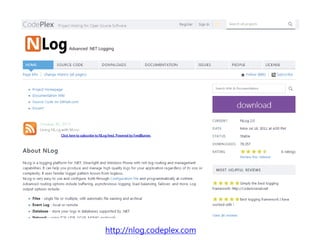
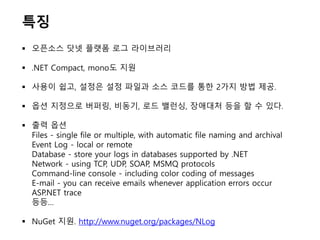
오픈소스 닷넷플랫폼 로그 라이브러리
.NET Compact, mono도 지원
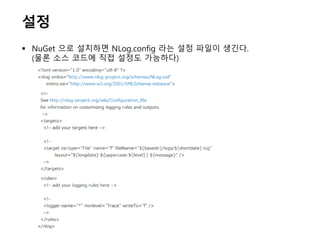
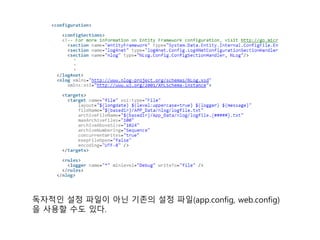
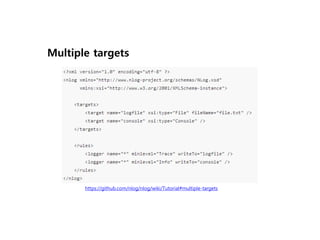
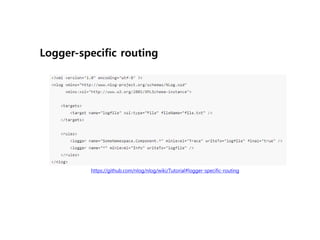
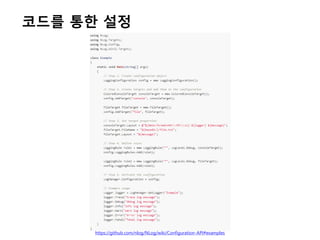
사용이 쉽고, 설정은 설정 파일과 소스 코드를 통한 2가지 방법 제공.
옵션 지정으로 버퍼링, 비동기, 로드 밸런싱, 장애대처 등을 할 수 있다.
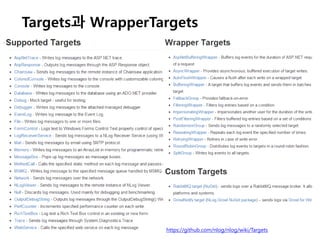
출력 옵션
Files - single file or multiple, with automatic file naming and archival
Event Log - local or remote
Database - store your logs in databases supported by .NET
Network - using TCP, UDP, SOAP, MSMQ protocols
Command-line console - including color coding of messages
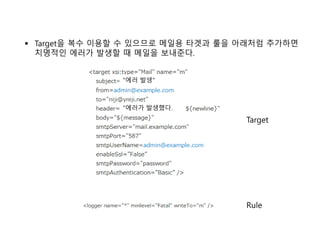
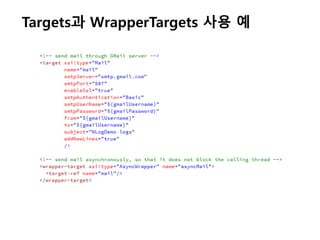
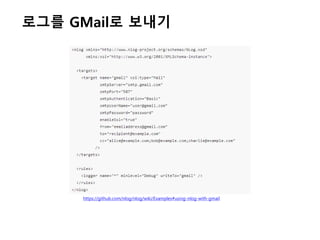
E-mail - you can receive emails whenever application errors occur
ASP.NET trace
등등…
NuGet 지원. http://www.nuget.org/packages/NLog
4.
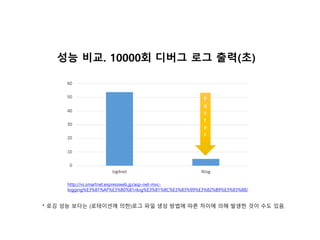
성능 비교. 10000회디버그 로그 출력(초)
http://vs.smartnet.expressweb.jp/asp-net-mvc-
logging%E3%81%AF%E3%80%81nlog%E3%81%8C%E3%83%99%E3%82%B9%E3%83%88/
* 로깅 성능 보다는 (로테이션에 의한)로그 파일 생성 방법에 따른 차이에 의해 발생한 것이 수도 있음.






![[Hello world 오픈세미나]n grinder helloworld발표자료_저작권free](https://cdn.slidesharecdn.com/ss_thumbnails/helloworldngrinderhelloworldfree-130717011906-phpapp01-thumbnail.jpg?width=640&height=640&fit=bounds)


![Go web framework 비교[번역 정리]](https://cdn.slidesharecdn.com/ss_thumbnails/gowebframework-170822135854-thumbnail.jpg?width=640&height=640&fit=bounds)


![[KGC 2012]Boost.asio를 이용한 네트웍 프로그래밍](https://cdn.slidesharecdn.com/ss_thumbnails/kgc2012boost-asio-121011023325-phpapp02-thumbnail.jpg?width=640&height=640&fit=bounds)
![[Sdc 3rd] Boost multi_index](https://cdn.slidesharecdn.com/ss_thumbnails/sdc3rdboost-multiindex-120805093455-phpapp01-thumbnail.jpg?width=640&height=640&fit=bounds)
![[KGC 2011]Boost 라이브러리와 C++11](https://cdn.slidesharecdn.com/ss_thumbnails/kgc2011boostcpp11-111125022526-phpapp01-thumbnail.jpg?width=640&height=640&fit=bounds)
![[0602 박민근] Direct2D](https://cdn.slidesharecdn.com/ss_thumbnails/0602direct2d-110602111737-phpapp01-thumbnail.jpg?width=640&height=640&fit=bounds)
![[Final]조진현 direct write](https://cdn.slidesharecdn.com/ss_thumbnails/finaldirectwrite-110602111434-phpapp02-thumbnail.jpg?width=640&height=640&fit=bounds)

