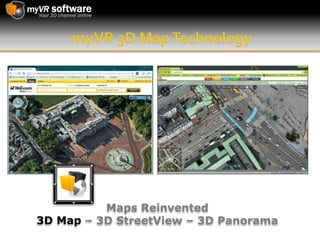
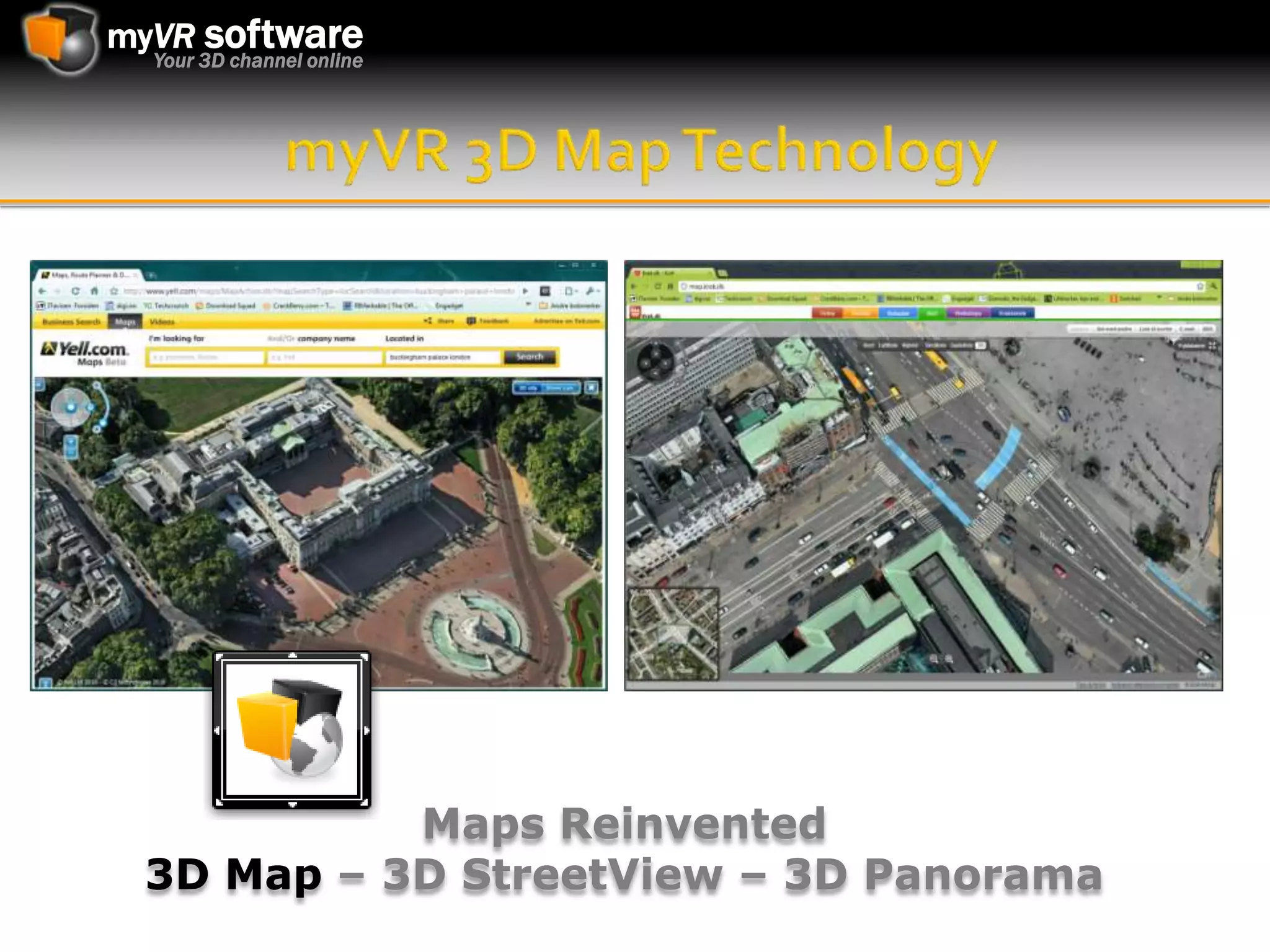
myVR 3D Map TechnologyMaps Reinvented 3D Map – 3D StreetView – 3D Panorama
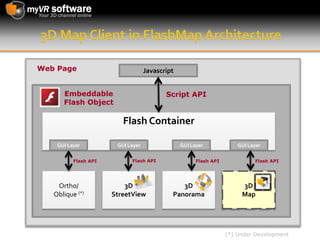
3D Map Client in FlashMap ArchitectureWeb PageJavascriptEmbeddable Flash ObjectScript APIFlash ContainerGUI LayerGUI LayerGUI LayerGUI LayerFlash APIFlash APIFlash APIFlash APIOrtho/Oblique (*)3D StreetView3D Panorama3D Map(*) Under Development
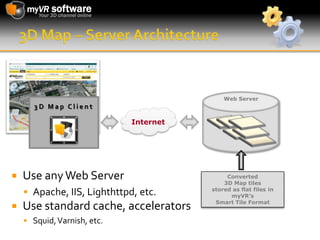
3D Map – Server ArchitectureWeb Server3D Map ClientInternetUse any Web ServerApache, IIS, Lighthttpd, etc.Use standard cache, acceleratorsSquid, Varnish, etc.Converted 3D Map tilesstored as flat files inmyVR’sSmart Tile Format
3D Map FeaturesPlatform/Browser SupportAny Platform/Browser supporting Adobe Flash        version 9.106 or newerFlash version 10.1 recommended for optimal performance 3D Format SupportNative support for C3 Technologies “C3 CityModel” dataAny DEM/DES/DTM model can be draped with orthophotos and be converted to our formatSmart Tiling TechnologyOptimized Smart Tiling processing with support for multiple Levels of Detail (LOD)Offers instant loading even over low bandwidth
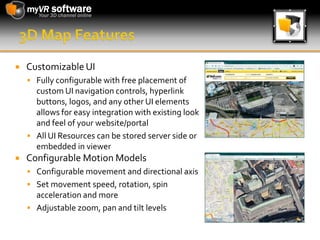
3D Map FeaturesCustomizable UIFully configurable with free placement of custom UI navigation controls, hyperlink buttons, logos, and any other UI elements allows for easy integration with existing look and feel of your website/portalAll UI Resources can be stored server side or embedded in viewerConfigurable Motion ModelsConfigurable movement and directional axisSet movement speed, rotation, spin acceleration and moreAdjustable zoom, pan and tilt levels
3D Map FeaturesNavigation ControlsZoom In/Out, Tilt Up/Down,  Free/Directional Pan and full 360 degree rotationSupports UI buttons and/or custom slider controlsOptional keyboard mappingScripting APIXML Configuration Files on server sets all default valuesPowerful Javascript interface allows full control of viewer operations within the web pageAll user generated events triggers callbacks that can be trapped in JavaScriptFull online documentation and sample code available
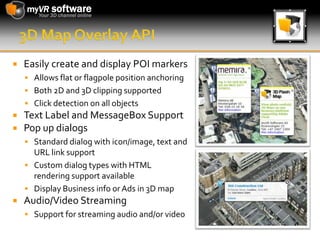
3D Map Overlay APIEasily create and display POI markersAllows flat or flagpole position anchoringBoth 2D and 3D clipping supportedClick detection on all objectsText Label and MessageBox SupportPop up dialogsStandard dialog with icon/image, text and URL link supportCustom dialog types with HTML rendering support availableDisplay Business info or Ads in 3D mapAudio/Video StreamingSupport for streaming audio and/or video
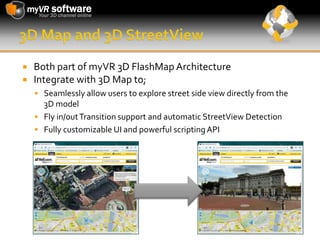
3D Map and 3D StreetViewBoth part of myVR 3D FlashMap Architecture Integrate with 3D Map to;Seamlessly allow users to explore street side view directly from the 3D modelFly in/out Transition support and automatic StreetViewDetectionFully customizable UI and powerful scripting API
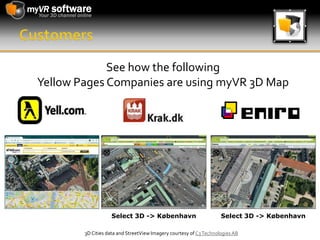
CustomersSee how the following Yellow Pages Companies are using myVR 3D MapSelect 3D -> KøbenhavnSelect 3D -> København3D Cities data and StreetView Imagery courtesy of C3 Technologies AB
More Information3D Map Technology Product Page3D StreetView Technology Product PagemyVR Software ASE-mail: 	info@myvr-software.comWeb:	www.myvr-software.comFollow us on:

MyVR 3D Map Technology

  • 1.
    myVR 3D MapTechnologyMaps Reinvented 3D Map – 3D StreetView – 3D Panorama
  • 2.
    3D Map Clientin FlashMap ArchitectureWeb PageJavascriptEmbeddable Flash ObjectScript APIFlash ContainerGUI LayerGUI LayerGUI LayerGUI LayerFlash APIFlash APIFlash APIFlash APIOrtho/Oblique (*)3D StreetView3D Panorama3D Map(*) Under Development
  • 3.
    3D Map –Server ArchitectureWeb Server3D Map ClientInternetUse any Web ServerApache, IIS, Lighthttpd, etc.Use standard cache, acceleratorsSquid, Varnish, etc.Converted 3D Map tilesstored as flat files inmyVR’sSmart Tile Format
  • 4.
    3D Map FeaturesPlatform/BrowserSupportAny Platform/Browser supporting Adobe Flash version 9.106 or newerFlash version 10.1 recommended for optimal performance 3D Format SupportNative support for C3 Technologies “C3 CityModel” dataAny DEM/DES/DTM model can be draped with orthophotos and be converted to our formatSmart Tiling TechnologyOptimized Smart Tiling processing with support for multiple Levels of Detail (LOD)Offers instant loading even over low bandwidth
  • 5.
    3D Map FeaturesCustomizableUIFully configurable with free placement of custom UI navigation controls, hyperlink buttons, logos, and any other UI elements allows for easy integration with existing look and feel of your website/portalAll UI Resources can be stored server side or embedded in viewerConfigurable Motion ModelsConfigurable movement and directional axisSet movement speed, rotation, spin acceleration and moreAdjustable zoom, pan and tilt levels
  • 6.
    3D Map FeaturesNavigationControlsZoom In/Out, Tilt Up/Down, Free/Directional Pan and full 360 degree rotationSupports UI buttons and/or custom slider controlsOptional keyboard mappingScripting APIXML Configuration Files on server sets all default valuesPowerful Javascript interface allows full control of viewer operations within the web pageAll user generated events triggers callbacks that can be trapped in JavaScriptFull online documentation and sample code available
  • 7.
    3D Map OverlayAPIEasily create and display POI markersAllows flat or flagpole position anchoringBoth 2D and 3D clipping supportedClick detection on all objectsText Label and MessageBox SupportPop up dialogsStandard dialog with icon/image, text and URL link supportCustom dialog types with HTML rendering support availableDisplay Business info or Ads in 3D mapAudio/Video StreamingSupport for streaming audio and/or video
  • 8.
    3D Map and3D StreetViewBoth part of myVR 3D FlashMap Architecture Integrate with 3D Map to;Seamlessly allow users to explore street side view directly from the 3D modelFly in/out Transition support and automatic StreetViewDetectionFully customizable UI and powerful scripting API
  • 9.
    CustomersSee how thefollowing Yellow Pages Companies are using myVR 3D MapSelect 3D -> KøbenhavnSelect 3D -> København3D Cities data and StreetView Imagery courtesy of C3 Technologies AB
  • 10.
    More Information3D MapTechnology Product Page3D StreetView Technology Product PagemyVR Software ASE-mail: info@myvr-software.comWeb: www.myvr-software.comFollow us on: