MVVM + MEF in SilverlightRicardo Fiel
Who’s that guy?xamlpt.com/blogs/rfiel/pontonetpt.com/blogs/rfiel/blogs.fullsix.ptlabs.fullsix.ptRicardo FielSenior EngineerFullsix Portugalricardo.fiel@fullsix.com@theplastictoy
AgendaThe “easy” wayMVVM – Model View ViewModelMEF – Managed Extensibility FrameworkScenarios for MVVM + MEF togetherQ&A
The “easy” way
Question	What are some of the biggest costs in Software Development?Maintenance
Bug fixing
?demoBuilding a Silverlight app the “easy” way
That was the DANGEROUS way!Too much couplingVery hard to testDeveloper-Designer workflow issuesMaintenance will be a painLooks faster, but will become expensiveIt’s not always the wrong way, butUSE IT WITH CAUTION!
MV* patternsDifferent people reading about MVC in different places take different ideas from it and describe these as “MVC”.Presentation Model is of a fully self-contained class that represents all the data and behavior of the UI, but without any of the controls used to render that UI on the screen. A view then simply projects the state of the presentation model onto the glass.The most annoying part of Presentation Model is the synchronization between Presentation Model and view…Ideally some kind of framework could handle this, which I'm hoping will happen some day with technologies like .NET's data binding.Martin Fowler, 2004
MVVMModel-View-ViewModelLadies and gentleman, may I introduce you to:
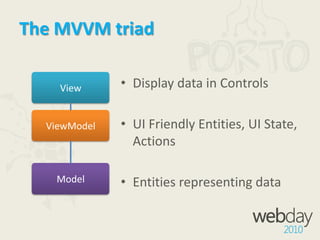
The MVVM triadViewDisplay data in ControlsUI Friendly Entities, UI State, ActionsEntities representing dataViewModelModel
ModelRepresents the dataThe entityNot required to know where it gets its data fromFrom a WCF service. WCF RIA Services, etcMay contain validation
ViewThe screen, the UI, the UserControl in SilverlightHandles UI look and feelPresentation of informationCommunicates with ViewModel through bindings
ViewModelMain source of logic for the MVVM triadConnects the Model to the ViewAbstracts the ViewPublic properties that are bound to a ViewINotifyPropertyChangedand INotifyCollectionChangedtalk to the View through bindingsListens for changes from the View through bindingsMay invoke services to communicate outside the MVVM triad
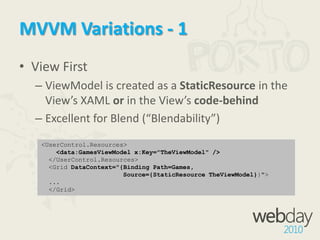
MVVM Variations - 1View FirstViewModel is created as a StaticResource in the View’s XAML or in the View’s code-behindExcellent for Blend (“Blendability”)<UserControl.Resources><data:GamesViewModel x:Key="TheViewModel" />  </UserControl.Resources>  <Grid DataContext="{Binding Path=Games,                       Source={StaticResourceTheViewModel}}">  ...  </Grid>
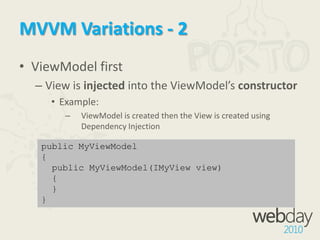
MVVM Variations - 2ViewModel firstView is injected into the ViewModel’sconstructorExample:ViewModel is created then the View is created using Dependency Injectionpublic MyViewModel{  public MyViewModel(IMyView view)  {  }}
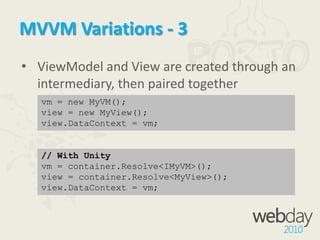
MVVM Variations - 3ViewModel and View are created through an intermediary, then paired togethervm = new MyVM();view = new MyView();view.DataContext = vm;// With Unityvm = container.Resolve<IMyVM>();view = container.Resolve<MyView>();view.DataContext = vm;
From Now On We’re Using ViewFirst<3
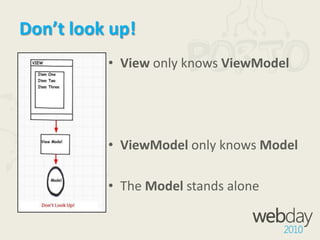
Don’t look up!View only knows ViewModelViewModel only knows ModelThe Model stands alone
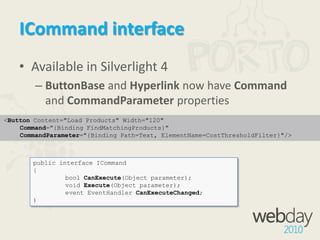
ICommand interfaceAvailable in Silverlight 4ButtonBase and Hyperlink now have Command and CommandParameter properties<Button Content="Load Products" Width="120"  Command="{Binding FindMatchingProducts}"  CommandParameter="{Binding Path=Text, ElementName=CostThresholdFilter}"/>public interface ICommand{boolCanExecute(Object parameter);	void Execute(Object parameter);	event EventHandlerCanExecuteChanged;)
Tools to make it simpleThere are several tools available:Prismwww.codeplex.com/CompositeWPFCaliburnwww.codeplex.com/caliburnSilverlight.FXprojects.nikhilk.net/SilverlightFXMVVM Light Toolkitwww.codeplex.com/mvvmlightYou can build your own MVVM frameworkComparison list at http://www.japf.fr/silverlight/mvvm/index.html
demoViewFirst MVVM
MEFManaged Extensibility Framework
MEF IntroLibrary for building extensible applicationsPart of Silverlight 4Silverlight 3 support	mef.codeplex.comPrism supportmefcontrib.codeplex.comOpen source
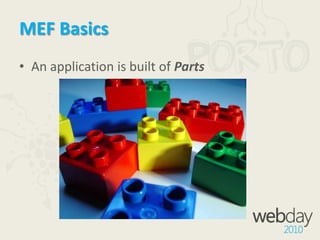
MEF BasicsAn application is built of Parts
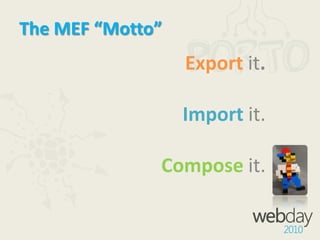
The MEF “Motto”Exportit.Import it.Composeit.
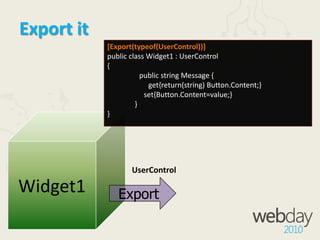
Export it[Export(typeof(UserControl))]public class Widget1 : UserControl{	public string Message {	     get{return(string) Button.Content;}                    set{Button.Content=value;}               }}Widget1UserControlExport
Import it[Export(typeof(UserControl))]public class MainPage: UserControl{	[ImportMany(typeof(UserControl))]	public IEnumerable<UserControl> {get;set;	}}MainPageUserControlImportMany
Compose itPartIntializer: “Compose yourself” public MainPage() {InitializeComponent();PartInitializer.SatisfyImports(this); }MainPageCompose
demoAdding social widgets
Scenarios MVVM + MEF together?I, MVVM, take you MEF, to be my wife, to have and to hold from this day forward, for better or for worse, for richer, for poorer, in sickness and in health, to love and to cherish; from this day forward until death do us part.

MVVM+MEF in Silvelight - W 2010ebday

  • 1.
    MVVM + MEFin SilverlightRicardo Fiel
  • 2.
    Who’s that guy?xamlpt.com/blogs/rfiel/pontonetpt.com/blogs/rfiel/blogs.fullsix.ptlabs.fullsix.ptRicardoFielSenior EngineerFullsix Portugalricardo.fiel@fullsix.com@theplastictoy
  • 3.
    AgendaThe “easy” wayMVVM– Model View ViewModelMEF – Managed Extensibility FrameworkScenarios for MVVM + MEF togetherQ&A
  • 4.
  • 5.
    Question What are someof the biggest costs in Software Development?Maintenance
  • 6.
  • 7.
    ?demoBuilding a Silverlightapp the “easy” way
  • 8.
    That was theDANGEROUS way!Too much couplingVery hard to testDeveloper-Designer workflow issuesMaintenance will be a painLooks faster, but will become expensiveIt’s not always the wrong way, butUSE IT WITH CAUTION!
  • 9.
    MV* patternsDifferent peoplereading about MVC in different places take different ideas from it and describe these as “MVC”.Presentation Model is of a fully self-contained class that represents all the data and behavior of the UI, but without any of the controls used to render that UI on the screen. A view then simply projects the state of the presentation model onto the glass.The most annoying part of Presentation Model is the synchronization between Presentation Model and view…Ideally some kind of framework could handle this, which I'm hoping will happen some day with technologies like .NET's data binding.Martin Fowler, 2004
  • 10.
  • 11.
    The MVVM triadViewDisplaydata in ControlsUI Friendly Entities, UI State, ActionsEntities representing dataViewModelModel
  • 12.
    ModelRepresents the dataTheentityNot required to know where it gets its data fromFrom a WCF service. WCF RIA Services, etcMay contain validation
  • 13.
    ViewThe screen, theUI, the UserControl in SilverlightHandles UI look and feelPresentation of informationCommunicates with ViewModel through bindings
  • 14.
    ViewModelMain source oflogic for the MVVM triadConnects the Model to the ViewAbstracts the ViewPublic properties that are bound to a ViewINotifyPropertyChangedand INotifyCollectionChangedtalk to the View through bindingsListens for changes from the View through bindingsMay invoke services to communicate outside the MVVM triad
  • 15.
    MVVM Variations -1View FirstViewModel is created as a StaticResource in the View’s XAML or in the View’s code-behindExcellent for Blend (“Blendability”)<UserControl.Resources><data:GamesViewModel x:Key="TheViewModel" /> </UserControl.Resources> <Grid DataContext="{Binding Path=Games, Source={StaticResourceTheViewModel}}"> ... </Grid>
  • 16.
    MVVM Variations -2ViewModel firstView is injected into the ViewModel’sconstructorExample:ViewModel is created then the View is created using Dependency Injectionpublic MyViewModel{ public MyViewModel(IMyView view) { }}
  • 17.
    MVVM Variations -3ViewModel and View are created through an intermediary, then paired togethervm = new MyVM();view = new MyView();view.DataContext = vm;// With Unityvm = container.Resolve<IMyVM>();view = container.Resolve<MyView>();view.DataContext = vm;
  • 18.
    From Now OnWe’re Using ViewFirst<3
  • 19.
    Don’t look up!Viewonly knows ViewModelViewModel only knows ModelThe Model stands alone
  • 20.
    ICommand interfaceAvailable inSilverlight 4ButtonBase and Hyperlink now have Command and CommandParameter properties<Button Content="Load Products" Width="120" Command="{Binding FindMatchingProducts}" CommandParameter="{Binding Path=Text, ElementName=CostThresholdFilter}"/>public interface ICommand{boolCanExecute(Object parameter); void Execute(Object parameter); event EventHandlerCanExecuteChanged;)
  • 21.
    Tools to makeit simpleThere are several tools available:Prismwww.codeplex.com/CompositeWPFCaliburnwww.codeplex.com/caliburnSilverlight.FXprojects.nikhilk.net/SilverlightFXMVVM Light Toolkitwww.codeplex.com/mvvmlightYou can build your own MVVM frameworkComparison list at http://www.japf.fr/silverlight/mvvm/index.html
  • 22.
  • 23.
  • 24.
    MEF IntroLibrary forbuilding extensible applicationsPart of Silverlight 4Silverlight 3 support mef.codeplex.comPrism supportmefcontrib.codeplex.comOpen source
  • 25.
    MEF BasicsAn applicationis built of Parts
  • 26.
  • 27.
    Export it[Export(typeof(UserControl))]public classWidget1 : UserControl{ public string Message { get{return(string) Button.Content;} set{Button.Content=value;} }}Widget1UserControlExport
  • 28.
    Import it[Export(typeof(UserControl))]public classMainPage: UserControl{ [ImportMany(typeof(UserControl))] public IEnumerable<UserControl> {get;set; }}MainPageUserControlImportMany
  • 29.
    Compose itPartIntializer: “Composeyourself” public MainPage() {InitializeComponent();PartInitializer.SatisfyImports(this); }MainPageCompose
  • 30.
  • 31.
    Scenarios MVVM +MEF together?I, MVVM, take you MEF, to be my wife, to have and to hold from this day forward, for better or for worse, for richer, for poorer, in sickness and in health, to love and to cherish; from this day forward until death do us part.