Introduction to Multithreading
A thread is similar to a program that has a single flow of
control. It has a beginning, a body and an end.
All the program which we have done till now are called
as single threaded program as they have single flow of
execution.
Java has a unique property that it supports
multithreading. That is, Java enables us to use multiple
flows of control in developing program and each flow of
control is considered as a separate program known as
thread
A program that contains multiple flows of control is
known as multithreaded program.
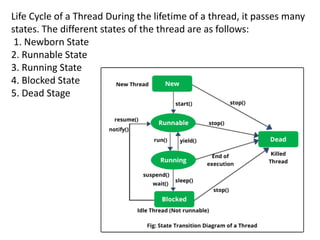
Life Cycle of a Thread During the lifetime of a thread, it passes many
states. The different states of the thread are as follows:
1. Newborn State
2. Runnable State
3. Running State
4. Blocked State
5. Dead Stage
1. Newborn State
When a thread object is created, the thread is said to be in born
state. At this moment, the thread is not scheduled for running. At
this state, the following may be done:
a. We can run the thread by calling start() method.
b. We can kill the thread by using stop() method.
2. Runnable State
The runnable state means that the thread is ready for
execution and is waiting for the availability of the processor.
In simple terms, the thread is ready but has not got the
processor time.
All the thread has equal priority and hence all follow a queue
system and the processor given time to each thread in round
robin system.
3.Running State
Running means that the processor has given its time to the thread
for its execution.A running thread may have following conditions:
a. It has been suspended using suspend() method.
A suspended thread is revived by using resume() method.
4. Blocked State
A thread is said to be blocked when it is prevented from entering
into the runnable state and subsequently the running state. This
happens when the thread is suspended, sleeping, or waiting in
order to satisfy certain requirements.
5. Dead State
A thread is said to be in dead state when it has been killed by
using kill() method or it has Successfully completed its execution.
Creating Threads
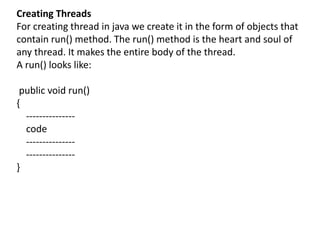
For creating thread in java we create it in the form of objects that
contain run() method. The run() method is the heart and soul of
any thread. It makes the entire body of the thread.
A run() looks like:
public void run()
{
---------------
code
---------------
---------------
}
This run() is invoked by calling the start() method.
remember this that if you want this run() method to
behave like Threaded program, you need to call the start()
method. If you will call it by its name viz. run(), it is not
going to show any multithreading property.
Now If we want to create a thread, we can do it by two
ways“
1. By creating a thread class: For this you need to extend
"Thread" class.
2. By converting a class to thread: For this you need to
implement the "Runnable" interface.
Extending Thread Class
In order to create a threaded program we have to extend
the java.lang.Thread class. This given the access to all the
thread methods directly.
The steps are:
1. Declare the class as extending the Thread Class.
2. Implement the run() method.
3. Create a thread object and call the start()
methods.class.
import java.lang.Thread;
class thread1 extends Thread
{
public void run()
{
for(int i =1;i<=10;i++)
{
System.out.println("thread1: "+i);
}
}
}
class thread2 extends Thread
{
public void run()
{
for(int i=1;i<=10;i++)
{
System.out.println("thread2: "+i);
}
}
}
class thread3 extends Thread
{
public void run()
{
for(int i=1;i<=10;i++)
{
System.out.println("thread3 :"+i);
}
}
}
public class multithread1 {
public static void main(String[] args) {
thread1 t1=new thread1();
thread2 t2=new thread2();
thread3 t3=new thread3();
t1.start();
t2.start();
t3.start();
}
}
import java.lang. Thread;
class ADA extends Thread
{
public void run()
{
for(int i=1;i<=5;i++)
{
System.out.println("Thread ADA"+i);
}
}
}
class ADB extends Thread
{
public void run()
{
for(int k=1;k<=5;k++)
{
System.out.println("Thread ADB"+k);
}
}
}
class ADC extends Thread
{
public void run()
{
for(int j=1;j<=5;j++)
{
System.out.println("Thread ADC"+j);
}
}
}
public class threadtest
{
public static void main(String[] args)
{
new ADA().start();
new ADB().start();
new ADC().start();
}
}
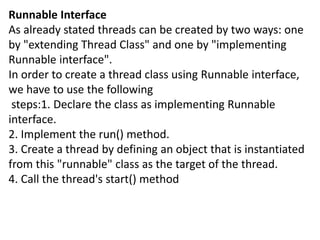
Runnable Interface
As already stated threads can be created by two ways: one
by "extending Thread Class" and one by "implementing
Runnable interface".
In order to create a thread class using Runnable interface,
we have to use the following
steps:1. Declare the class as implementing Runnable
interface.
2. Implement the run() method.
3. Create a thread by defining an object that is instantiated
from this "runnable" class as the target of the thread.
4. Call the thread's start() method
import java.lang.Runnable;
class ADA implements Runnable
{
public void run()
{
for(int i=1;i<=5;i++)
{
System.out.println("Thread ADA"+i);
}
}
}
public class threadtest {
public static void main(String[] args) {
ADA A=new ADA();
Thread tt=new Thread(A);
tt.start();
}
}
import java.lang.Runnable;
class test11 implements Runnable
{
public void run()
{
for(int i=1;i<=50;i++)
{
System.out.println("test11 thread : "+i);
}
}
}
class test12 implements Runnable
{
public void run()
{
for(int i=1;i<=50;i++)
{
System.out.println("test12 thread : "+i);
}
}
}
class test13 implements Runnable
{
public void run()
{
for(int i=1;i<=50;i++)
{
System.out.println("test13 thread : "+i);
}
}
}
public class threadtest12 {
public static void main(String[] args) {
test11 t=new test11();
test12 t1=new test12();
test13 t2=new test13();
Thread tt=new Thread(t);
Thread tt1=new Thread(t1);
Thread tt2=new Thread(t2);
tt.start();
tt1.start();
tt2.start();
}
}
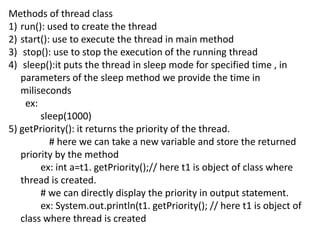
Methods of thread class
1) run(): used to create the thread
2) start(): use to execute the thread in main method
3) stop(): use to stop the execution of the running thread
4) sleep():it puts the thread in sleep mode for specified time , in
parameters of the sleep method we provide the time in
miliseconds
ex:
sleep(1000)
5) getPriority(): it returns the priority of the thread.
# here we can take a new variable and store the returned
priority by the method
ex: int a=t1. getPriority();// here t1 is object of class where
thread is created.
# we can directly display the priority in output statement.
ex: System.out.println(t1. getPriority(); // here t1 is object of
class where thread is created
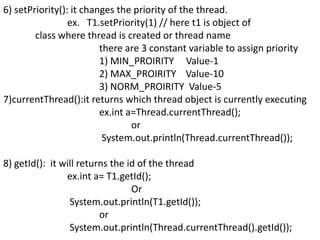
6) setPriority(): it changes the priority of the thread.
ex. T1.setPriority(1) // here t1 is object of
class where thread is created or thread name
there are 3 constant variable to assign priority
1) MIN_PROIRITY Value-1
2) MAX_PROIRITY Value-10
3) NORM_PROIRITY Value-5
7)currentThread():it returns which thread object is currently executing
ex.int a=Thread.currentThread();
or
System.out.println(Thread.currentThread());
8) getId(): it will returns the id of the thread
ex.int a= T1.getId();
Or
System.out.println(T1.getId());
or
System.out.println(Thread.currentThread().getId());
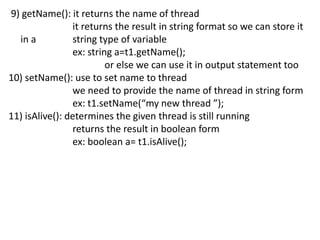
9) getName(): it returns the name of thread
it returns the result in string format so we can store it
in a string type of variable
ex: string a=t1.getName();
or else we can use it in output statement too
10) setName(): use to set name to thread
we need to provide the name of thread in string form
ex: t1.setName(“my new thread ”);
11) isAlive(): determines the given thread is still running
returns the result in boolean form
ex: boolean a= t1.isAlive();
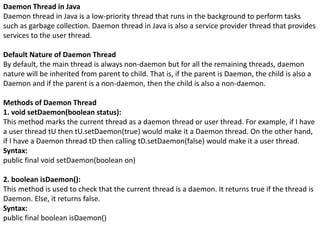
Daemon Thread in Java
Daemon thread in Java is a low-priority thread that runs in the background to perform tasks
such as garbage collection. Daemon thread in Java is also a service provider thread that provides
services to the user thread.
Default Nature of Daemon Thread
By default, the main thread is always non-daemon but for all the remaining threads, daemon
nature will be inherited from parent to child. That is, if the parent is Daemon, the child is also a
Daemon and if the parent is a non-daemon, then the child is also a non-daemon.
Methods of Daemon Thread
1. void setDaemon(boolean status):
This method marks the current thread as a daemon thread or user thread. For example, if I have
a user thread tU then tU.setDaemon(true) would make it a Daemon thread. On the other hand,
if I have a Daemon thread tD then calling tD.setDaemon(false) would make it a user thread.
Syntax:
public final void setDaemon(boolean on)
2. boolean isDaemon():
This method is used to check that the current thread is a daemon. It returns true if the thread is
Daemon. Else, it returns false.
Syntax:
public final boolean isDaemon()
// Java program to demonstrate the usage of
// setDaemon() and isDaemon() method.
public class DaemonThread extends Thread
{
public DaemonThread(String name){
super(name);
}
public void run()
{
// Checking whether the thread is Daemon or not
if(Thread.currentThread().isDaemon())
{
System.out.println(getName() + " is Daemon thread");
}
else
{
System.out.println(getName() + " is User thread");
}
}
public static void main(String[] args)
{
DaemonThread t1 = new DaemonThread("t1");
DaemonThread t2 = new DaemonThread("t2");
DaemonThread t3 = new DaemonThread("t3");
// Setting user thread t1 to Daemon
t1.setDaemon(true);
// starting first 2 threads
t1.start();
t2.start();
// Setting user thread t3 to Daemon
t3.setDaemon(true);
t3.start();
}
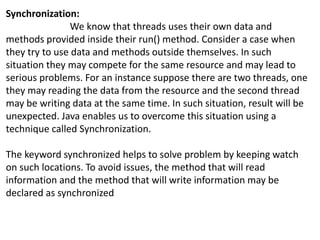
Synchronization:
We know that threads uses their own data and
methods provided inside their run() method. Consider a case when
they try to use data and methods outside themselves. In such
situation they may compete for the same resource and may lead to
serious problems. For an instance suppose there are two threads, one
they may reading the data from the resource and the second thread
may be writing data at the same time. In such situation, result will be
unexpected. Java enables us to overcome this situation using a
technique called Synchronization.
The keyword synchronized helps to solve problem by keeping watch
on such locations. To avoid issues, the method that will read
information and the method that will write information may be
declared as synchronized
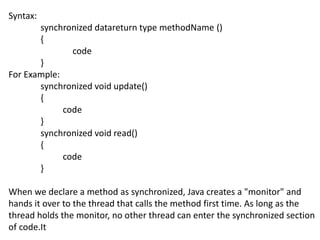
Syntax:
synchronized datareturn type methodName ()
{
code
}
For Example:
synchronized void update()
{
code
}
synchronized void read()
{
code
}
When we declare a method as synchronized, Java creates a "monitor" and
hands it over to the thread that calls the method first time. As long as the
thread holds the monitor, no other thread can enter the synchronized section
of code.It
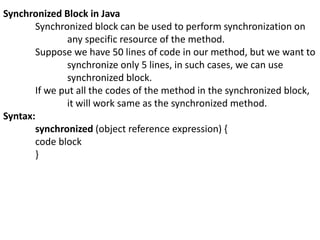
Synchronized Block in Java
Synchronized block can be used to perform synchronization on
any specific resource of the method.
Suppose we have 50 lines of code in our method, but we want to
synchronize only 5 lines, in such cases, we can use
synchronized block.
If we put all the codes of the method in the synchronized block,
it will work same as the synchronized method.
Syntax:
synchronized (object reference expression) {
code block
}

Multithreading.pptx

  • 1.
    Introduction to Multithreading Athread is similar to a program that has a single flow of control. It has a beginning, a body and an end. All the program which we have done till now are called as single threaded program as they have single flow of execution. Java has a unique property that it supports multithreading. That is, Java enables us to use multiple flows of control in developing program and each flow of control is considered as a separate program known as thread A program that contains multiple flows of control is known as multithreaded program.
  • 2.
    Life Cycle ofa Thread During the lifetime of a thread, it passes many states. The different states of the thread are as follows: 1. Newborn State 2. Runnable State 3. Running State 4. Blocked State 5. Dead Stage
  • 3.
    1. Newborn State Whena thread object is created, the thread is said to be in born state. At this moment, the thread is not scheduled for running. At this state, the following may be done: a. We can run the thread by calling start() method. b. We can kill the thread by using stop() method. 2. Runnable State The runnable state means that the thread is ready for execution and is waiting for the availability of the processor. In simple terms, the thread is ready but has not got the processor time. All the thread has equal priority and hence all follow a queue system and the processor given time to each thread in round robin system.
  • 4.
    3.Running State Running meansthat the processor has given its time to the thread for its execution.A running thread may have following conditions: a. It has been suspended using suspend() method. A suspended thread is revived by using resume() method. 4. Blocked State A thread is said to be blocked when it is prevented from entering into the runnable state and subsequently the running state. This happens when the thread is suspended, sleeping, or waiting in order to satisfy certain requirements. 5. Dead State A thread is said to be in dead state when it has been killed by using kill() method or it has Successfully completed its execution.
  • 5.
    Creating Threads For creatingthread in java we create it in the form of objects that contain run() method. The run() method is the heart and soul of any thread. It makes the entire body of the thread. A run() looks like: public void run() { --------------- code --------------- --------------- }
  • 6.
    This run() isinvoked by calling the start() method. remember this that if you want this run() method to behave like Threaded program, you need to call the start() method. If you will call it by its name viz. run(), it is not going to show any multithreading property. Now If we want to create a thread, we can do it by two ways“ 1. By creating a thread class: For this you need to extend "Thread" class. 2. By converting a class to thread: For this you need to implement the "Runnable" interface.
  • 7.
    Extending Thread Class Inorder to create a threaded program we have to extend the java.lang.Thread class. This given the access to all the thread methods directly. The steps are: 1. Declare the class as extending the Thread Class. 2. Implement the run() method. 3. Create a thread object and call the start() methods.class.
  • 8.
    import java.lang.Thread; class thread1extends Thread { public void run() { for(int i =1;i<=10;i++) { System.out.println("thread1: "+i); } } } class thread2 extends Thread { public void run() { for(int i=1;i<=10;i++) { System.out.println("thread2: "+i); } } } class thread3 extends Thread { public void run() { for(int i=1;i<=10;i++) { System.out.println("thread3 :"+i); } } } public class multithread1 { public static void main(String[] args) { thread1 t1=new thread1(); thread2 t2=new thread2(); thread3 t3=new thread3(); t1.start(); t2.start(); t3.start(); } }
  • 9.
    import java.lang. Thread; classADA extends Thread { public void run() { for(int i=1;i<=5;i++) { System.out.println("Thread ADA"+i); } } } class ADB extends Thread { public void run() { for(int k=1;k<=5;k++) { System.out.println("Thread ADB"+k); } } }
  • 10.
    class ADC extendsThread { public void run() { for(int j=1;j<=5;j++) { System.out.println("Thread ADC"+j); } } } public class threadtest { public static void main(String[] args) { new ADA().start(); new ADB().start(); new ADC().start(); } }
  • 11.
    Runnable Interface As alreadystated threads can be created by two ways: one by "extending Thread Class" and one by "implementing Runnable interface". In order to create a thread class using Runnable interface, we have to use the following steps:1. Declare the class as implementing Runnable interface. 2. Implement the run() method. 3. Create a thread by defining an object that is instantiated from this "runnable" class as the target of the thread. 4. Call the thread's start() method
  • 12.
    import java.lang.Runnable; class ADAimplements Runnable { public void run() { for(int i=1;i<=5;i++) { System.out.println("Thread ADA"+i); } } } public class threadtest { public static void main(String[] args) { ADA A=new ADA(); Thread tt=new Thread(A); tt.start(); } }
  • 13.
    import java.lang.Runnable; class test11implements Runnable { public void run() { for(int i=1;i<=50;i++) { System.out.println("test11 thread : "+i); } } } class test12 implements Runnable { public void run() { for(int i=1;i<=50;i++) { System.out.println("test12 thread : "+i); } } } class test13 implements Runnable { public void run() { for(int i=1;i<=50;i++) { System.out.println("test13 thread : "+i); } } } public class threadtest12 { public static void main(String[] args) { test11 t=new test11(); test12 t1=new test12(); test13 t2=new test13(); Thread tt=new Thread(t); Thread tt1=new Thread(t1); Thread tt2=new Thread(t2); tt.start(); tt1.start(); tt2.start(); } }
  • 14.
    Methods of threadclass 1) run(): used to create the thread 2) start(): use to execute the thread in main method 3) stop(): use to stop the execution of the running thread 4) sleep():it puts the thread in sleep mode for specified time , in parameters of the sleep method we provide the time in miliseconds ex: sleep(1000) 5) getPriority(): it returns the priority of the thread. # here we can take a new variable and store the returned priority by the method ex: int a=t1. getPriority();// here t1 is object of class where thread is created. # we can directly display the priority in output statement. ex: System.out.println(t1. getPriority(); // here t1 is object of class where thread is created
  • 15.
    6) setPriority(): itchanges the priority of the thread. ex. T1.setPriority(1) // here t1 is object of class where thread is created or thread name there are 3 constant variable to assign priority 1) MIN_PROIRITY Value-1 2) MAX_PROIRITY Value-10 3) NORM_PROIRITY Value-5 7)currentThread():it returns which thread object is currently executing ex.int a=Thread.currentThread(); or System.out.println(Thread.currentThread()); 8) getId(): it will returns the id of the thread ex.int a= T1.getId(); Or System.out.println(T1.getId()); or System.out.println(Thread.currentThread().getId());
  • 16.
    9) getName(): itreturns the name of thread it returns the result in string format so we can store it in a string type of variable ex: string a=t1.getName(); or else we can use it in output statement too 10) setName(): use to set name to thread we need to provide the name of thread in string form ex: t1.setName(“my new thread ”); 11) isAlive(): determines the given thread is still running returns the result in boolean form ex: boolean a= t1.isAlive();
  • 17.
    Daemon Thread inJava Daemon thread in Java is a low-priority thread that runs in the background to perform tasks such as garbage collection. Daemon thread in Java is also a service provider thread that provides services to the user thread. Default Nature of Daemon Thread By default, the main thread is always non-daemon but for all the remaining threads, daemon nature will be inherited from parent to child. That is, if the parent is Daemon, the child is also a Daemon and if the parent is a non-daemon, then the child is also a non-daemon. Methods of Daemon Thread 1. void setDaemon(boolean status): This method marks the current thread as a daemon thread or user thread. For example, if I have a user thread tU then tU.setDaemon(true) would make it a Daemon thread. On the other hand, if I have a Daemon thread tD then calling tD.setDaemon(false) would make it a user thread. Syntax: public final void setDaemon(boolean on) 2. boolean isDaemon(): This method is used to check that the current thread is a daemon. It returns true if the thread is Daemon. Else, it returns false. Syntax: public final boolean isDaemon()
  • 18.
    // Java programto demonstrate the usage of // setDaemon() and isDaemon() method. public class DaemonThread extends Thread { public DaemonThread(String name){ super(name); } public void run() { // Checking whether the thread is Daemon or not if(Thread.currentThread().isDaemon()) { System.out.println(getName() + " is Daemon thread"); } else { System.out.println(getName() + " is User thread"); } } public static void main(String[] args) { DaemonThread t1 = new DaemonThread("t1"); DaemonThread t2 = new DaemonThread("t2"); DaemonThread t3 = new DaemonThread("t3"); // Setting user thread t1 to Daemon t1.setDaemon(true); // starting first 2 threads t1.start(); t2.start(); // Setting user thread t3 to Daemon t3.setDaemon(true); t3.start(); }
  • 19.
    Synchronization: We know thatthreads uses their own data and methods provided inside their run() method. Consider a case when they try to use data and methods outside themselves. In such situation they may compete for the same resource and may lead to serious problems. For an instance suppose there are two threads, one they may reading the data from the resource and the second thread may be writing data at the same time. In such situation, result will be unexpected. Java enables us to overcome this situation using a technique called Synchronization. The keyword synchronized helps to solve problem by keeping watch on such locations. To avoid issues, the method that will read information and the method that will write information may be declared as synchronized
  • 20.
    Syntax: synchronized datareturn typemethodName () { code } For Example: synchronized void update() { code } synchronized void read() { code } When we declare a method as synchronized, Java creates a "monitor" and hands it over to the thread that calls the method first time. As long as the thread holds the monitor, no other thread can enter the synchronized section of code.It
  • 21.
    Synchronized Block inJava Synchronized block can be used to perform synchronization on any specific resource of the method. Suppose we have 50 lines of code in our method, but we want to synchronize only 5 lines, in such cases, we can use synchronized block. If we put all the codes of the method in the synchronized block, it will work same as the synchronized method. Syntax: synchronized (object reference expression) { code block }