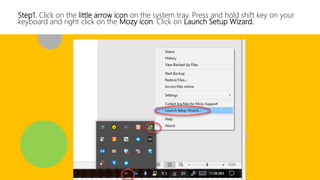
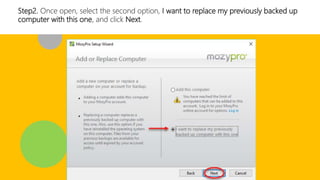
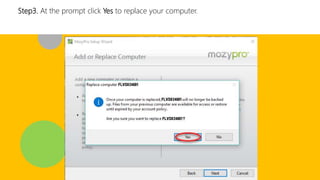
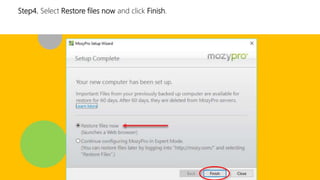
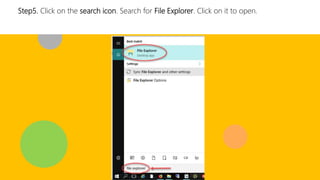
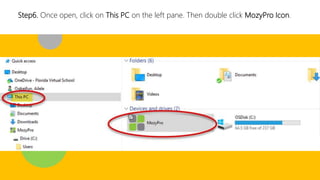
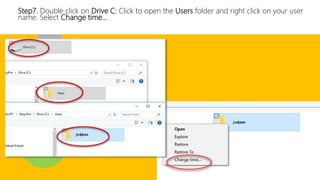
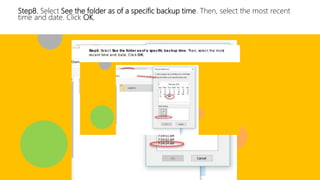
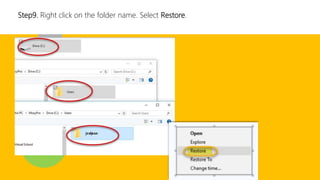
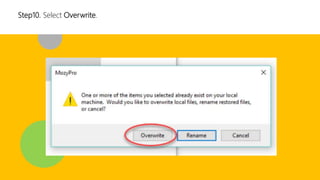
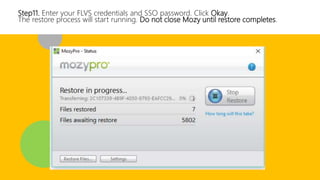
The document provides 11 steps to restore files from a Mozy backup: 1) launch the Mozy setup wizard, 2) replace the previously backed up computer, 3) confirm replacing the computer, 4) select to restore files now, 5) search for and open File Explorer, 6) navigate to the Users folder, 7) change the folder time to the most recent backup, 8) restore the folder and select overwrite, 9) enter login credentials, and 10) allow the restore process to complete without closing Mozy. The restore process will return files to their state at the selected backup time.