




WELCOME
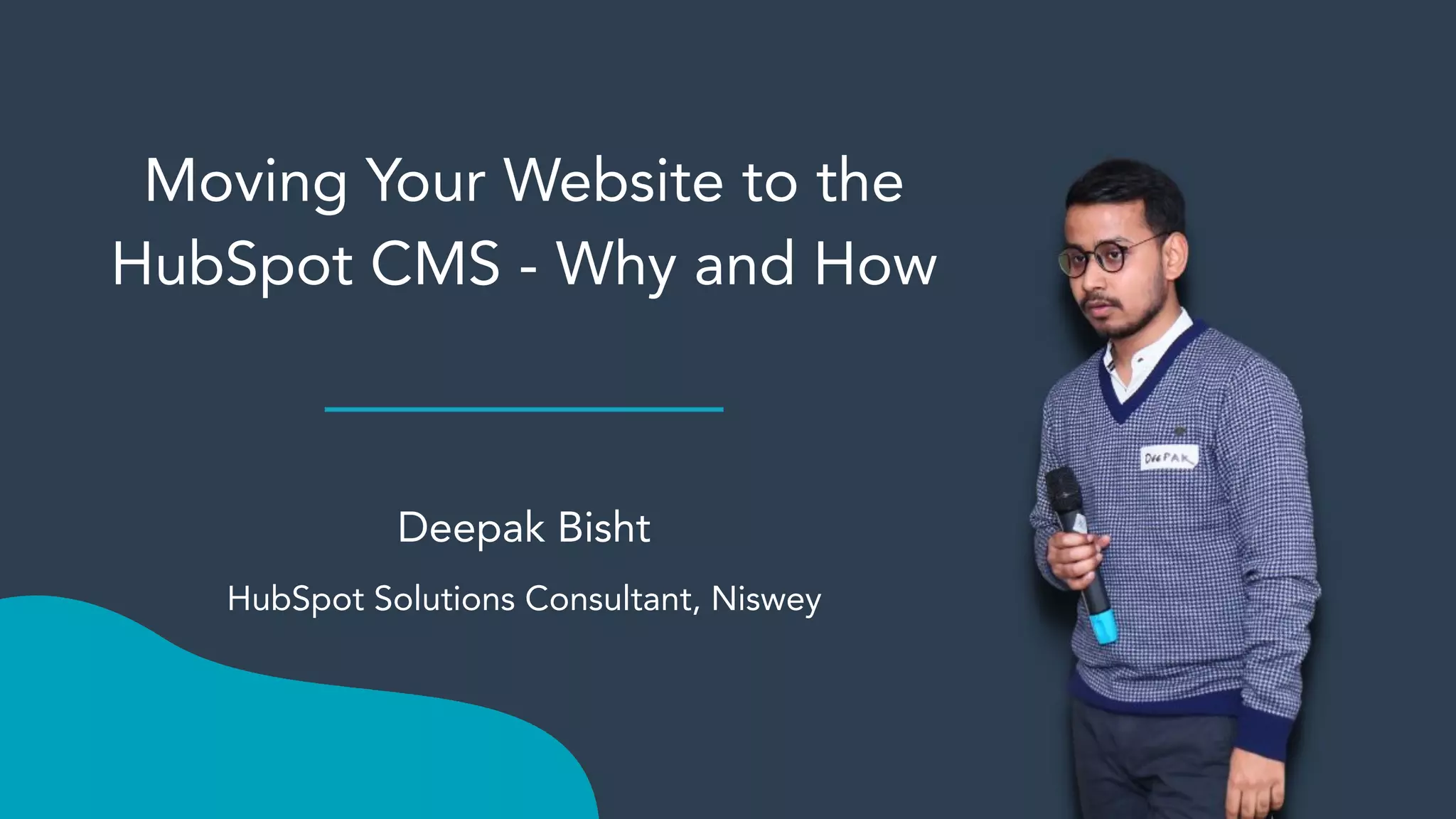
Moving Your Website to the
HubSpot CMS - Why and How
Deepak Bisht
HubSpot Solutions Consultant, Niswey
Not to fear! A recording will be sent
out following today’s webinar.
And so will be Your SWAG link - keep
an eye on your inbox!!
Agenda Title
1. Intro: HubSpot CMS
2. Evaluating the HubSpot CMS for Your Business
3. Preparing for a HubSpot CMS Migration
4. Audience Q&A
5. Closing
Content management software that's
flexible for marketers, powerful for
developers, and gives your customers a
personalized, secure experience.
Marketers, here’s the content management
system you need to easily create and personalize
website pages for every visitor — optimized for
conversion across every device.
Rely on developers as much or as little as you'd
like.
Developers, build websites using the tools
you prefer. Enable your marketing team to
make those last-minute updates on their
own with flexible themes. Access
resources and ideas from HubSpot's
developer community.
IT Teams, your commitment to safety and
reliability is backed by our dedicated 24/7
security team and premium hosting,
infrastructure, and security features like
enterprise-class web application firewall,
SSL, custom CDN, SSO memberships, and
more.
But… Is it for me?
And… Is it for me
right now?
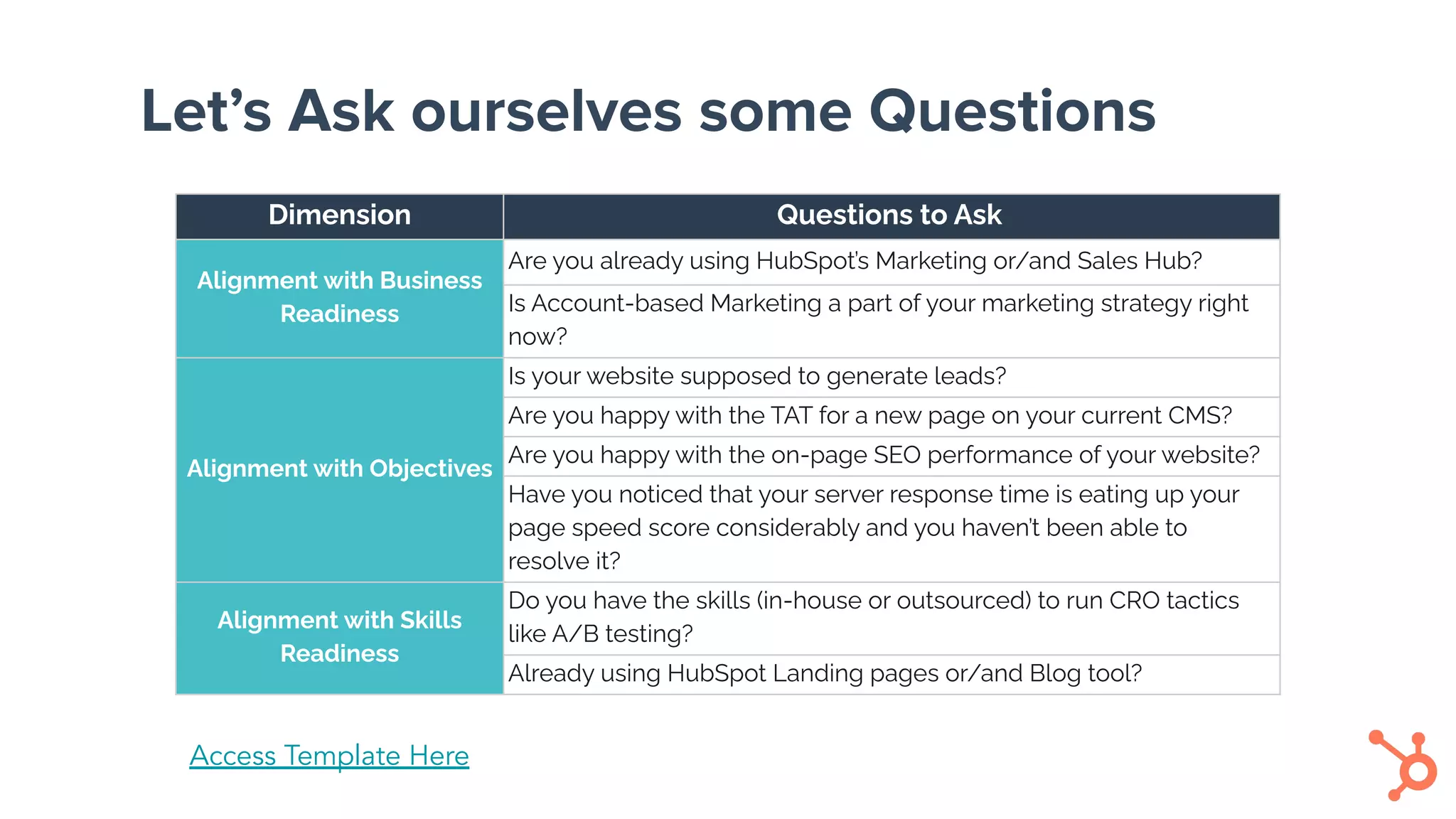
Let’s Ask ourselves some Questions
Dimension Questions to Ask
Alignment with Business
Readiness
Are you already using HubSpot’s Marketing or/and Sales Hub?
Is Account-based Marketing a part of your marketing strategy right
now?
Alignment with Objectives
Is your website supposed to generate leads?
Are you happy with the TAT for a new page on your current CMS?
Are you happy with the on-page SEO performance of your website?
Have you noticed that your server response time is eating up your
page speed score considerably and you haven’t been able to
resolve it?
Alignment with Skills
Readiness
Do you have the skills (in-house or outsourced) to run CRO tactics
like A/B testing?
Already using HubSpot Landing pages or/and Blog tool?
Access Template Here
HubSpot CMS
Migration Checklist
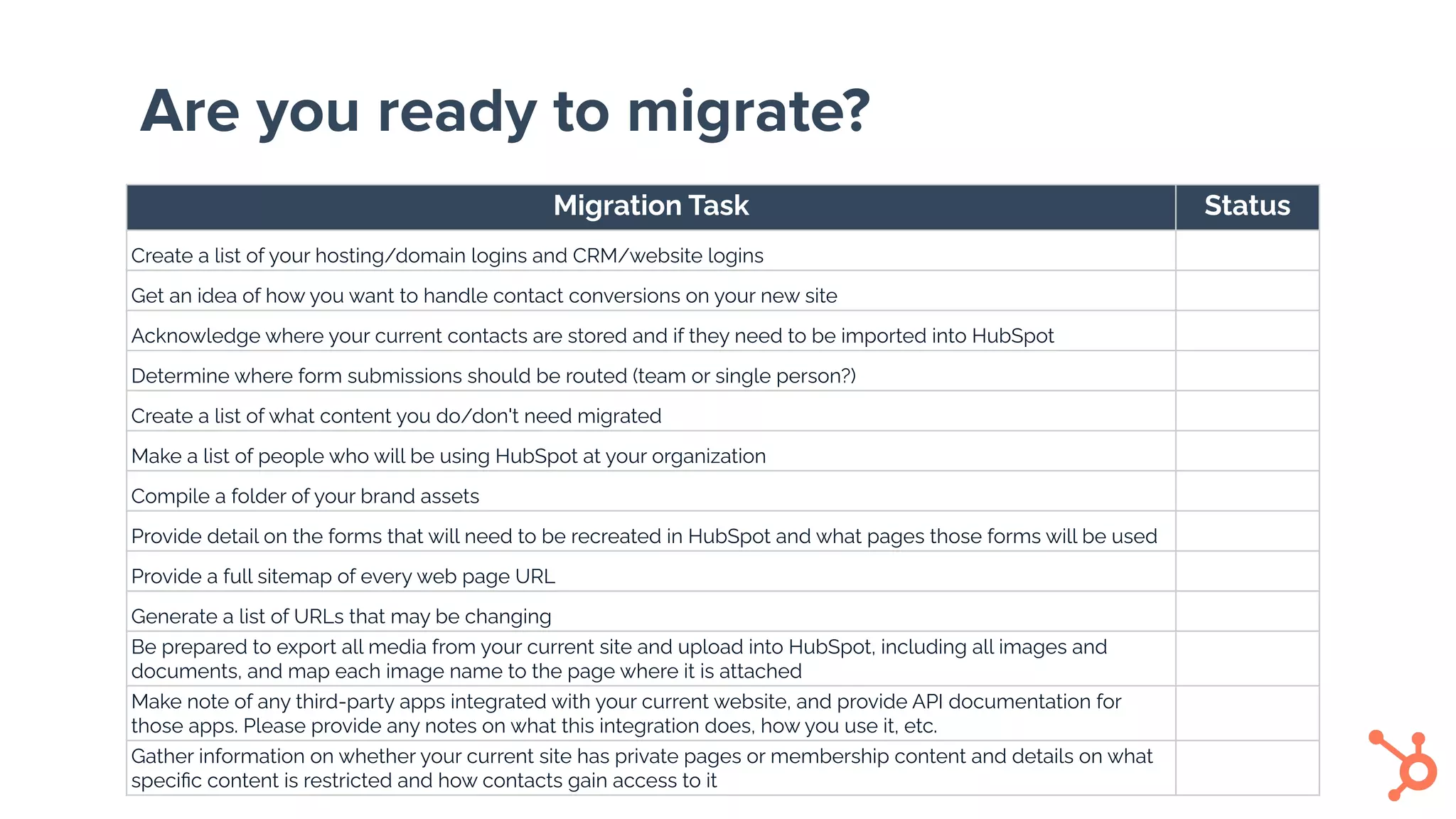
Are you ready to migrate?
Migration Task Status
Create a list of your hosting/domain logins and CRM/website logins
Get an idea of how you want to handle contact conversions on your new site
Acknowledge where your current contacts are stored and if they need to be imported into HubSpot
Determine where form submissions should be routed (team or single person?)
Create a list of what content you do/don't need migrated
Make a list of people who will be using HubSpot at your organization
Compile a folder of your brand assets
Provide detail on the forms that will need to be recreated in HubSpot and what pages those forms will be used
Provide a full sitemap of every web page URL
Generate a list of URLs that may be changing
Be prepared to export all media from your current site and upload into HubSpot, including all images and
documents, and map each image name to the page where it is attached
Make note of any third-party apps integrated with your current website, and provide API documentation for
those apps. Please provide any notes on what this integration does, how you use it, etc.
Gather information on whether your current site has private pages or membership content and details on what
specific content is restricted and how contacts gain access to it
Audience Q&A
LEARN. SHARE. GROW.
LEARN. SHARE. GROW.
Join our awesome community!!!

Moving your website to the HubSpot CMS - the Why and How

  • 1.
  • 3.
    Moving Your Websiteto the HubSpot CMS - Why and How Deepak Bisht HubSpot Solutions Consultant, Niswey
  • 4.
    Not to fear!A recording will be sent out following today’s webinar. And so will be Your SWAG link - keep an eye on your inbox!!
  • 5.
    Agenda Title 1. Intro:HubSpot CMS 2. Evaluating the HubSpot CMS for Your Business 3. Preparing for a HubSpot CMS Migration 4. Audience Q&A 5. Closing
  • 6.
    Content management softwarethat's flexible for marketers, powerful for developers, and gives your customers a personalized, secure experience.
  • 7.
    Marketers, here’s thecontent management system you need to easily create and personalize website pages for every visitor — optimized for conversion across every device. Rely on developers as much or as little as you'd like.
  • 8.
    Developers, build websitesusing the tools you prefer. Enable your marketing team to make those last-minute updates on their own with flexible themes. Access resources and ideas from HubSpot's developer community.
  • 9.
    IT Teams, yourcommitment to safety and reliability is backed by our dedicated 24/7 security team and premium hosting, infrastructure, and security features like enterprise-class web application firewall, SSL, custom CDN, SSO memberships, and more.
  • 10.
    But… Is itfor me? And… Is it for me right now?
  • 11.
    Let’s Ask ourselvessome Questions Dimension Questions to Ask Alignment with Business Readiness Are you already using HubSpot’s Marketing or/and Sales Hub? Is Account-based Marketing a part of your marketing strategy right now? Alignment with Objectives Is your website supposed to generate leads? Are you happy with the TAT for a new page on your current CMS? Are you happy with the on-page SEO performance of your website? Have you noticed that your server response time is eating up your page speed score considerably and you haven’t been able to resolve it? Alignment with Skills Readiness Do you have the skills (in-house or outsourced) to run CRO tactics like A/B testing? Already using HubSpot Landing pages or/and Blog tool? Access Template Here
  • 12.
  • 13.
    Are you readyto migrate? Migration Task Status Create a list of your hosting/domain logins and CRM/website logins Get an idea of how you want to handle contact conversions on your new site Acknowledge where your current contacts are stored and if they need to be imported into HubSpot Determine where form submissions should be routed (team or single person?) Create a list of what content you do/don't need migrated Make a list of people who will be using HubSpot at your organization Compile a folder of your brand assets Provide detail on the forms that will need to be recreated in HubSpot and what pages those forms will be used Provide a full sitemap of every web page URL Generate a list of URLs that may be changing Be prepared to export all media from your current site and upload into HubSpot, including all images and documents, and map each image name to the page where it is attached Make note of any third-party apps integrated with your current website, and provide API documentation for those apps. Please provide any notes on what this integration does, how you use it, etc. Gather information on whether your current site has private pages or membership content and details on what specific content is restricted and how contacts gain access to it
  • 14.
  • 15.
    LEARN. SHARE. GROW. LEARN.SHARE. GROW. Join our awesome community!!!