Mobile Development
A primer
Giuseppe Sollazzo
National Audit Office
25/7/2014
#0
The obligatory intro
Goals
● Understanding mobile development
● Exploring alternative technologies
● Brainstorming apps
● Get some first-hand experience
Outline
AM
● A quick history of mobile development
● Concepts of modern development
● Simple code examples
PM
● Practical exercises
Me
● Senior Systems Analyst at St George’s, University
of London
● Freelance Developer
● Open Data & Government Geek
#1
The Mobile Scenario
#1.1
A lifetime of mobile development
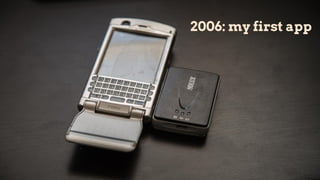
2006: my first app
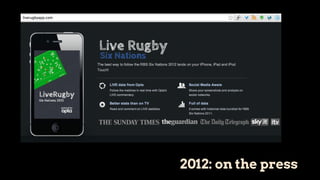
2012: on the press
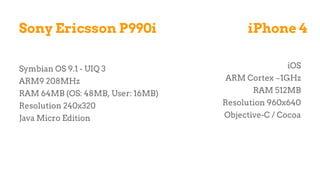
Sony Ericsson P990i
Symbian OS 9.1 - UIQ 3
ARM9 208MHz
RAM 64MB (OS: 48MB, User: 16MB)
Resolution 240x320
Java Micro Edition
iPhone 4
iOS
ARM Cortex ~1GHz
RAM 512MB
Resolution 960x640
Objective-C / Cocoa
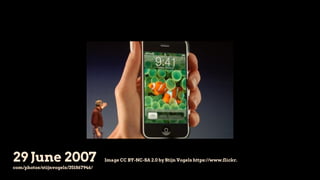
29 June 2007 Image CC BY-NC-SA 2.0 by Stijn Vogels https://www.flickr.
com/photos/stijnvogels/351867946/
But it started much earlier!
● 1G phones have been out since the 80s
○ lack of apps capabilities
● 2G phones (GSM) reach critical mass in early 90s
○ dominated by Nokia
○ limited features and memory
○ small monochromatic screen
○ pre-installed games
■ no easy way to install extra apps
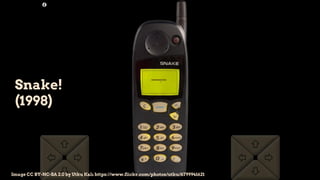
Snake!
(1998)
Image CC BY-NC-SA 2.0 by Utku Kalı https://www.flickr.com/photos/utku/6799941621
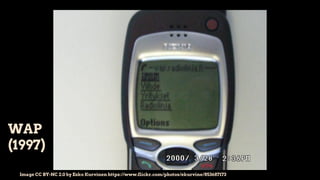
WAP
(1997)
Image CC BY-NC 2.0 by Esko Kurvinen https://www.flickr.com/photos/ekurvine/853687173
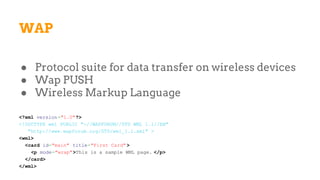
WAP
● Protocol suite for data transfer on wireless devices
● Wap PUSH
● Wireless Markup Language
<?xml version="1.0"?>
<!DOCTYPE wml PUBLIC "-//WAPFORUM//DTD WML 1.1//EN"
"http://www.wapforum.org/DTD/wml_1.1.xml" >
<wml>
<card id="main" title="First Card" >
<p mode="wrap">This is a sample WML page. </p>
</card>
</wml>
WAP
● Deck = WML document
● Deck structured in cards (=pages)
● Wap 2.0 (2002): cut-down version of XHTML/HTTP
But it didn’t work
● Hard to type URL with numeric keypad
● Limited screen -> limited applications
● Extremely slow connections
● Users accustomed to full web pages
● No authoring tools, no content providers
i-Mode (1999)
● Created by DoCoMo, paid-for service
● Similar to WAP but
○ C-HTML on HTTP clone
○ 12K official sites (supervised by DoCoMo)
○ 100K unofficial sites
○ 80M subscribers
● Licensed in the UK by O2, it never took off
BlackBerry
● BB 850: 2-way pager launched in Munich (1999)
● Focus on e-mail
● Evolution in 2003 with convergent services
○ push email, telephone, SMS, …
● Inconsistent developer support
○ Java SDK for BlackBerry OS 7
○ Today: BB 10, BB PlayBook, BB OS
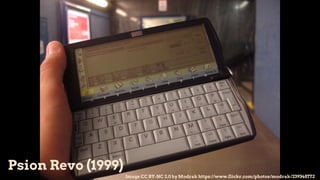
Psion Revo (1999)
Image CC BY-NC 2.0 by Modrak https://www.flickr.com/photos/modrak/239348772
Psion EPOC
● Graphical OS
● PDAs with apps
● EPOC16: Open Programming Language
PROC main:
PRINT "Hello World!"
PAUSE 40
ENDP
● EPOC32 (1997): C++ but mostly closed
● EPOC32 becomes Symbian (1998)
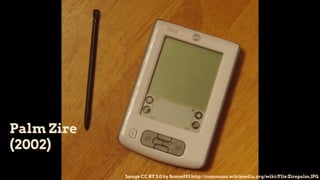
Palm Zire
(2002)
Image CC BY 3.0 by Soxred93 http://commons.wikimedia.org/wiki/File:Zirepalm.JPG
Palm OS
● Launched in 1996 and still alive!
○ Now called WebOS
● C/C++/Pascal
● Java was briefly available
● No drivers for DBMS
○ developers need to use middleware
● First system to provide emulators
Symbian
● A long and troubled story...
● 1998: Psion becomes Symbian Ltd.
○ participation by Ericsson, Motorola, Nokia
● 2008: Nokia acquires Symbian Ltd.
○ establishment of Symbian Foundation
○ most Nokia devices run Symbian
○ licensing issues
● 2011: Nokia partners with Microsoft. Symbian dies.
Symbian
● S60 = Native graphics toolkit (for Nokia, 2001)
● QT framework (Symbian 3, 2010)
● Development in
○ Java MIDP
○ C++
○ Python
○ Flash
Symbian
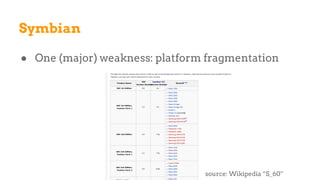
● One (major) weakness: platform fragmentation
source: Wikipedia “S_60”
J2ME / Java ME
● Stripped down version of Java
● Foundation standards
○ CLDC 1.0, 1.1, … (defines basic set of libraries)
○ MIDP 1.0, 2.0, 3.0 (defines APIs)
■ apps are called “midlets”
● Extensions, e.g.
○ JSR #82 Bluetooth
○ JSR #179 Location API
J2ME / Java ME
● Modern framework
○ Provides configurable simulators
○ Coding of application lifecycle
● Relatively successful
○ 2.1B Java ME enabled mobile phones
● Problems
○ memory footprint
○ device fragmentation
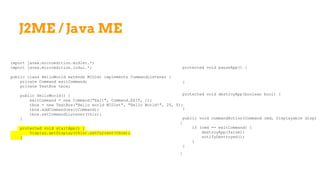
J2ME / Java ME
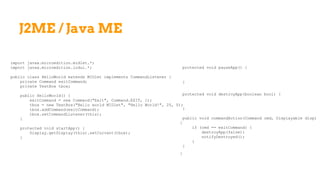
import javax.microedition.midlet.*;
import javax.microedition.lcdui.*;
public class HelloWorld extends MIDlet implements CommandListener {
private Command exitCommand;
private TextBox tbox;
public HelloWorld() {
exitCommand = new Command("Exit", Command.EXIT, 1);
tbox = new TextBox("Hello world MIDlet", "Hello World!", 25, 0);
tbox.addCommand(exitCommand);
tbox.setCommandListener(this);
}
protected void startApp() {
Display.getDisplay(this).setCurrent(tbox);
}
protected void pauseApp() {
}
protected void destroyApp(boolean bool) {
}
public void commandAction(Command cmd, Displayable disp)
{
if (cmd == exitCommand) {
destroyApp(false);
notifyDestroyed();
}
}
}
J2ME / Java ME
import javax.microedition.midlet.*;
import javax.microedition.lcdui.*;
public class HelloWorld extends MIDlet implements CommandListener {
private Command exitCommand;
private TextBox tbox;
public HelloWorld() {
exitCommand = new Command("Exit", Command.EXIT, 1);
tbox = new TextBox("Hello world MIDlet", "Hello World!", 25, 0);
tbox.addCommand(exitCommand);
tbox.setCommandListener(this);
}
protected void startApp() {
Display.getDisplay(this).setCurrent(tbox);
}
protected void pauseApp() {
}
protected void destroyApp(boolean bool) {
}
public void commandAction(Command cmd, Displayable disp)
{
if (cmd == exitCommand) {
destroyApp(false);
notifyDestroyed();
}
}
}
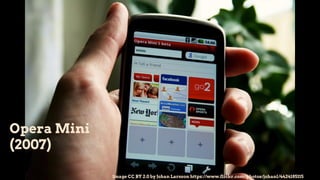
Opera Mini
(2007)
Image CC BY 2.0 by Johan Larsson https://www.flickr.com/photos/johanl/4424185115
Opera Mini
● Mobile-oriented web browser
● Reformats web pages to a “compressed” version
○ all content goes through proxy server
● Pilot project started in 2004, launched 2007
● Growing interest in mobile web standards
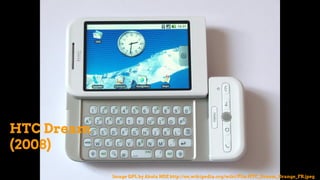
HTC Dream
(2008)
Image GPL by Akela NDE http://en.wikipedia.org/wiki/File:HTC_Dream_Orange_FR.jpeg
Android
● Founded in 2003, acquired by Google in 2005
● Based on Linux
● Open Handset Alliance (2007)
○ HTC, Sony, Samsung, T-Mobile, Texas
Instruments, etc…
● Nexus devices
○ Nexus One (2010)
iOS
● iPhone launched in 2007 with iOS 1.x
○ iPod Touch and iPad follow
● Developers not welcome until March 2008
○ iPhone SDK released (iPhone OS)
○ iOS was “a version of OS X” before then
● Apple did not want an “app economy”
○ issues with control, market submission, etc…
iOS
● Controversies with developers and suppliers
● Java and Flash originally not allowed
● Competition wars
○ Sun agrees with Apple and Java gets in
○ Adobe discontinues Flash mobile (2011)
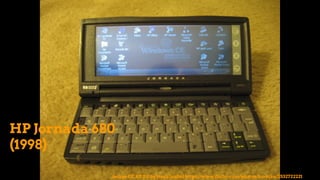
HP Jornada 680
(1998)
Image CC BY 2.0 by Noah (ax0n) https://www.flickr.com/photos/kc-bike/2532722221
Windows Mobile
● Microsoft joined the market early
○ Windows CE (1996)
○ Pocket PC (2000)
○ Windows Mobile 2003
○ Windows Mobile 5, 6 (2005)
○ Windows Phone 7, 8 (2010)
● Windows 8 unifies desktop & mobile platforms
Windows Mobile
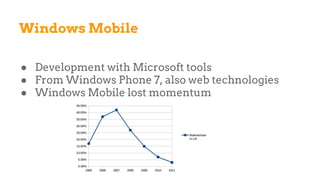
● Development with Microsoft tools
● From Windows Phone 7, also web technologies
● Windows Mobile lost momentum
#1.2
In the public sector...
We are not ‘appy...
● (Tom Loosemore, GDS, 2013)
Stand-alone mobile apps will only be considered once the core web service works well on mobile
devices, and if specifically agreed with the Cabinet Office.
(GDS Strategy, Action 6)
● Gov.Uk doesn’t have apps
○ website adapts to mobile screens
○ use of CSS3 technologies, media queries
...but we are!
● Tracy Green, UK Parliament (2013)
○ 11% traffic to site from mobile
○ of which 90% from iPad
● 400+ MPs have iPads
○ demand for native apps “because they work
better”
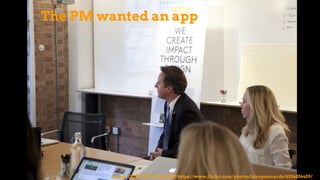
Image CC BY-NC 2.0 by IDEO https://www.flickr.com/photos/ideopostcards/6334836459/
The PM wanted an app
Number 10 Dashboard
● (No one has ever seen it)
● iPad app (maybe)
● Purpose-built for the PM
● By Adzuna (according to the FT)
● Intranet front-end (according to The Register)
○ presumably a custom front-end to data.gov.uk
● Dashboard of stats and data visualisation
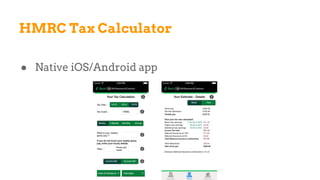
HMRC Tax Calculator
● Native iOS/Android app
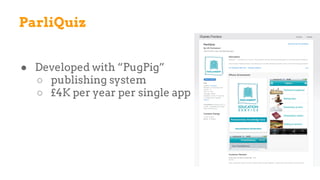
ParliQuiz
● Developed with “PugPig”
○ publishing system
○ £4K per year per single app
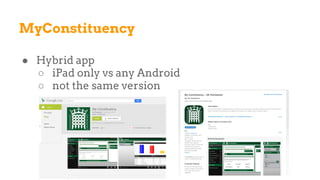
MyConstituency
● Hybrid app
○ iPad only vs any Android
○ not the same version
Some suggestions...
● ONS developed a case study about “MyConstituency”
○ It meets the needs of MPs and their staff
○ It engages with the general public
○ Mini-tender: no big procurement drive!
○ Tips
■ internal resources to handover app after project
■ be specific about API / web service
■ allow for flexibility
#1.3
Some stats
<Stats slides omitted from SlideShare due to licensing. Contact me for details>
#2
Modern mobile development
concepts
In this module...
● iOS, Windows 8 Phone, Android, and more
● For each platform:
○ system architecture
○ development model
○ languages
○ data storage
○ UI building
● Markets
#2.1
iOS
Assumptions
Focus on iOS 7
● released in September 2013
● it runs on iPhone 4 and later, iPad 2 and later
● 87% of iOS devices (6/4/2014)
● iOS 8 / Swift are currently beta
Basics
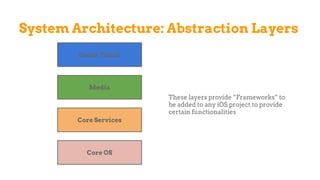
● Layered system architecture
● MVC model
● Objective-C
● Interface Builder
● Apps are object (of type UIApplication)
● Mac OS X required
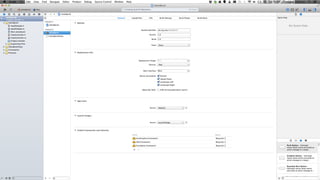
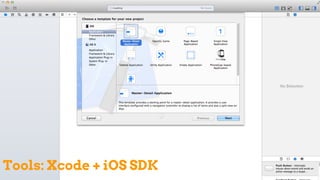
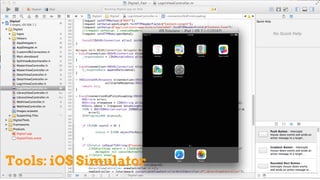
● XCode: iOS SDK + iOS Simulator
Tools: Xcode + iOS SDK
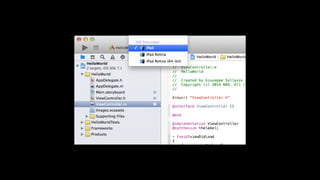
Tools: iOS Simulator
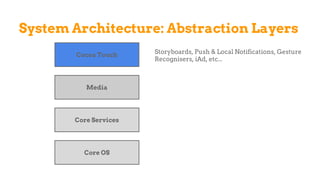
System Architecture: Abstraction Layers
Core OS
Core Services
Media
Cocoa Touch
These layers provide “Frameworks” to
be added to any iOS project to provide
certain functionalities
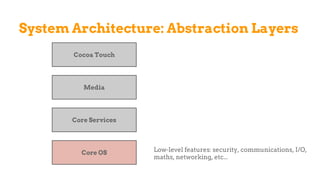
System Architecture: Abstraction Layers
Core OS
Core Services
Media
Cocoa Touch
Low-level features: security, communications, I/O,
maths, networking, etc...
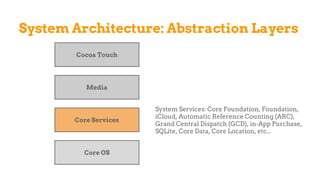
System Architecture: Abstraction Layers
Core OS
Core Services
Media
Cocoa Touch
System Services: Core Foundation, Foundation,
iCloud, Automatic Reference Counting (ARC),
Grand Central Dispatch (GCD), in-App Purchase,
SQLite, Core Data, Core Location, etc...
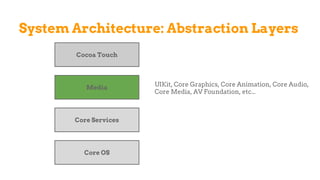
System Architecture: Abstraction Layers
Core OS
Core Services
Media
Cocoa Touch
UIKit, Core Graphics, Core Animation, Core Audio,
Core Media, AV Foundation, etc...
System Architecture: Abstraction Layers
Core OS
Core Services
Media
Cocoa Touch Storyboards, Push & Local Notifications, Gesture
Recognisers, iAd, etc...
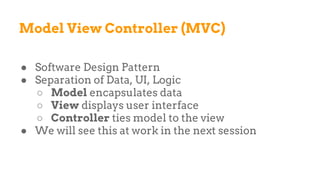
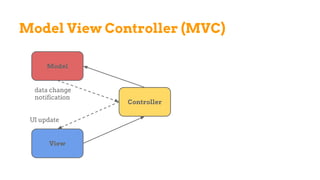
Model View Controller (MVC)
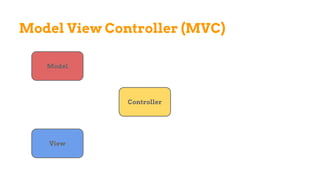
● Software Design Pattern
● Separation of Data, UI, Logic
○ Model encapsulates data
○ View displays user interface
○ Controller ties model to the view
● We will see this at work in the next session
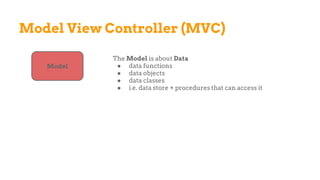
Model View Controller (MVC)
Model
The Model is about Data
● data functions
● data objects
● data classes
● i.e. data store + procedures that can access it
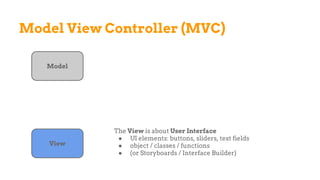
Model View Controller (MVC)
Model
View
The View is about User Interface
● UI elements: buttons, sliders, text fields
● object / classes / functions
● (or Storyboards / Interface Builder)
Model View Controller (MVC)
Model
View
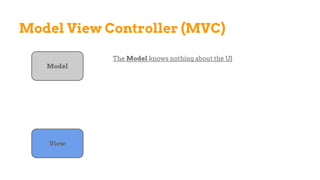
The Model knows nothing about the UI
Model View Controller (MVC)
Model
View
Controller
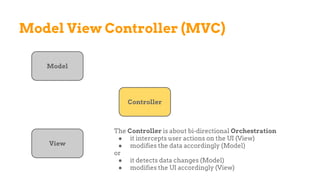
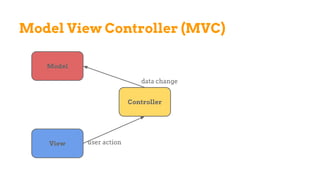
The Controller is about bi-directional Orchestration
● it intercepts user actions on the UI (View)
● modifies the data accordingly (Model)
or
● it detects data changes (Model)
● modifies the UI accordingly (View)
Model View Controller (MVC)
Model
View
Controller
Model View Controller (MVC)
Model
View
Controller
user action
data change
Model View Controller (MVC)
Model
View
Controller
UI update
data change
notification
Model View Controller (MVC)
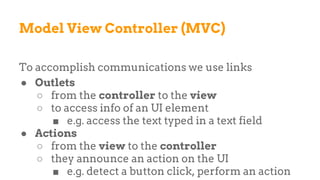
To accomplish communications we use links
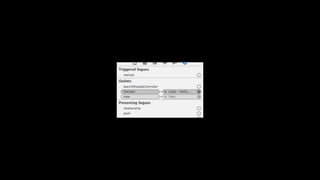
● Outlets
○ from the controller to the view
○ to access info of an UI element
■ e.g. access the text typed in a text field
● Actions
○ from the view to the controller
○ they announce an action on the UI
■ e.g. detect a button click, perform an action
Objective-C
● Object-oriented
○ strict superset of C
○ object syntax from Smalltalk
● Message passing to object instances
○ i.e. not method calling
● Used on Mac OS X (Cocoa) and iOS (Cocoa Touch)
Objective-C: Message Passing
C++
Object* obj;
obj->method(argument);
Java
Object obj;
obj.method(argument);
Objective-C
Object* obj;
[obj method:argument];
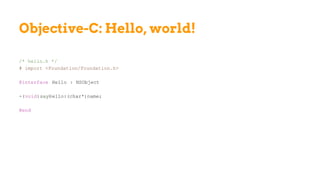
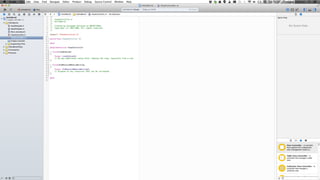
Objective-C: Hello, world!
/* hello.h */
# import <Foundation/Foundation.h>
@interface Hello : NSObject
-(void)sayHello:(char*)name;
@end
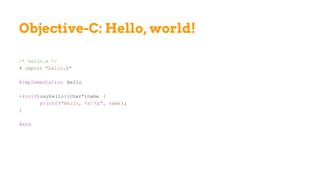
Objective-C: Hello, world!
/* hello.m */
# import "hello.h"
@implementation Hello
-(void)sayHello:(char*)name {
printf("Hello, %s! n", name);
}
@end
Objective-C: Hello, world!
/* app.m */
# import "hello.h"
int main() {
Hello* myhello = [Hello new];
char* name = "Joe";
[myhello sayHello:name];
}
To compile:
$ clang -lobjc -o app app.m hello.m
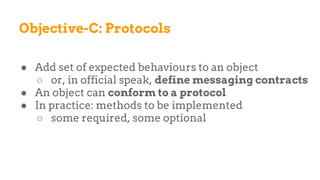
Objective-C: Protocols
● Add set of expected behaviours to an object
○ or, in official speak, define messaging contracts
● An object can conform to a protocol
● In practice: methods to be implemented
○ some required, some optional
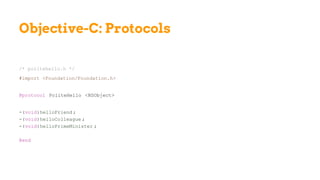
Objective-C: Protocols
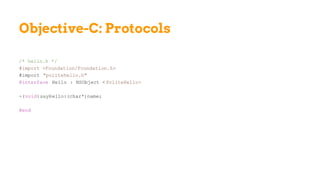
/* politehello.h */
#import <Foundation/Foundation.h>
@protocol PoliteHello <NSObject>
-(void)helloFriend ;
-(void)helloColleague ;
-(void)helloPrimeMinister ;
@end
Objective-C: Protocols
/* hello.h */
#import <Foundation/Foundation.h>
#import "politehello.h"
@interface Hello : NSObject < PoliteHello>
-(void)sayHello:(char*)name;
@end
Objective-C: Protocols
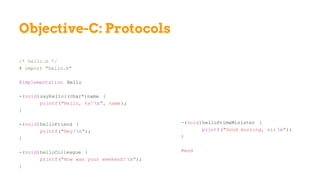
/* hello.m */
# import "hello.h"
@implementation Hello
-(void)sayHello:(char*)name {
printf("Hello, %s! n", name);
}
-(void)helloFriend {
printf("Hey!n");
}
-(void)helloColleague {
printf("How was your weekend? n");
}
-(void)helloPrimeMinister {
printf("Good morning, sir n");
}
@end
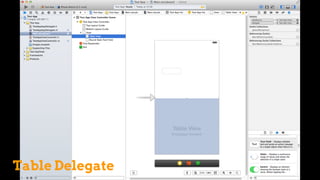
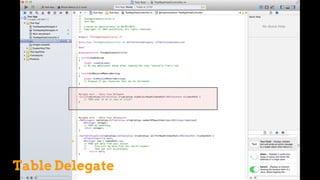
Delegation
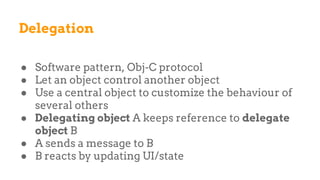
● Software pattern, Obj-C protocol
● Let an object control another object
● Use a central object to customize the behaviour of
several others
● Delegating object A keeps reference to delegate
object B
● A sends a message to B
● B reacts by updating UI/state
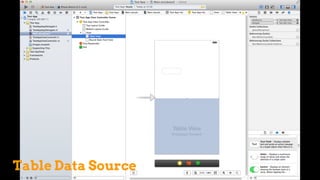
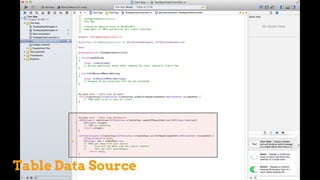
Data Source
● Similar to a Delegate
● Delegated control of data
● Outlet held by View objects
● Implemented via Obj-C protocol
Table Data Source
Table Data Source
Table Delegate
Table Delegate
Application Delegate
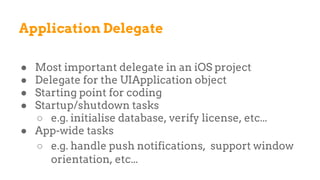
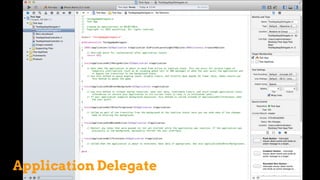
● Most important delegate in an iOS project
● Delegate for the UIApplication object
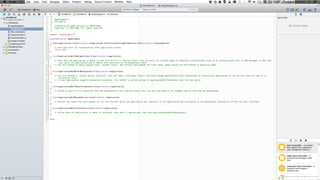
● Starting point for coding
● Startup/shutdown tasks
○ e.g. initialise database, verify license, etc...
● App-wide tasks
○ e.g. handle push notifications, support window
orientation, etc...
Application Delegate
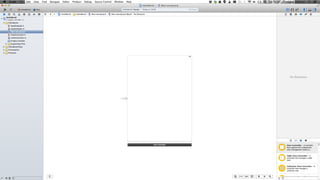
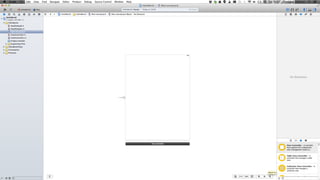
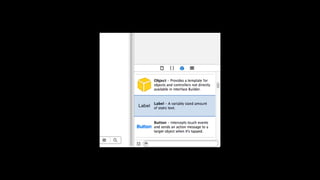
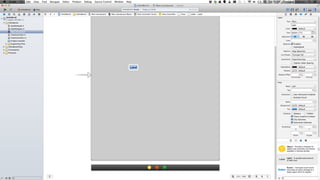
Interface Builder
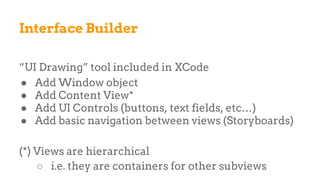
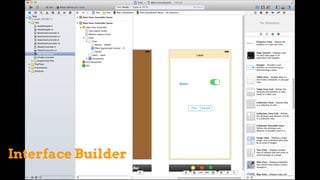
“UI Drawing” tool included in XCode
● Add Window object
● Add Content View*
● Add UI Controls (buttons, text fields, etc…)
● Add basic navigation between views (Storyboards)
(*) Views are hierarchical
○ i.e. they are containers for other subviews
Interface Builder
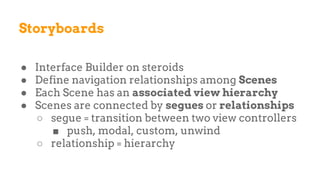
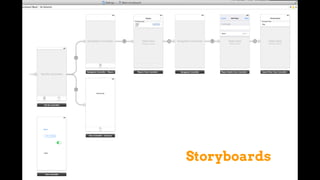
Storyboards
● Interface Builder on steroids
● Define navigation relationships among Scenes
● Each Scene has an associated view hierarchy
● Scenes are connected by segues or relationships
○ segue = transition between two view controllers
■ push, modal, custom, unwind
○ relationship = hierarchy
Storyboards
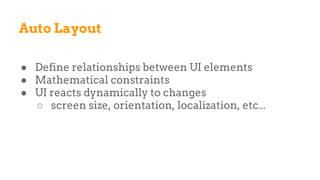
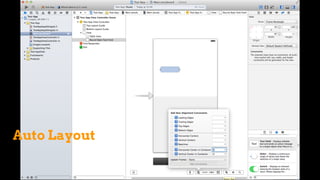
Auto Layout
● Define relationships between UI elements
● Mathematical constraints
● UI reacts dynamically to changes
○ screen size, orientation, localization, etc...
Auto Layout
Navigation Controllers
● To manage a stack of view controllers
● To provide a drill-down interface for hierarchical
content
● Several types, according to context & device type
○ Tab Bar
○ Page View
○ Split View
○ etc…
Data Storage
● Preferences (key/value)
● File system (for large files)
● SQLite
○ a lightweight relational database
○ de facto industry standard for embedded apps
● CoreData Framework
○ object oriented wrapper
○ infrastructure for search, save, restore, etc…
● iCloud (and other cloud storage providers)
#2.2
Windows 8 Phone
Assumptions
Focus on Windows 8.1 Phone
● released in October 2013
● it runs on several architectures
○ IA-32, x64, ARMv7
● marketed as “update” for Windows
● development overlaps with Windows 8 desktop
○ Windows Store and Windows Phone Store apps
are converging into Windows Runtime apps
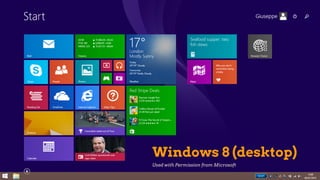
Windows 8 (desktop)
Used with Permission from Microsoft
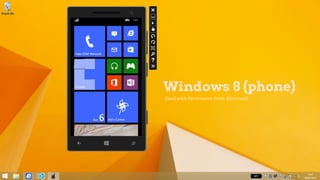
Windows 8 (phone)
Used with Permission from Microsoft
● One architecture, several development options
○ flow control languages
○ UI definition language
● Windows 8.1 + Visual Studio Express 2013
Basics
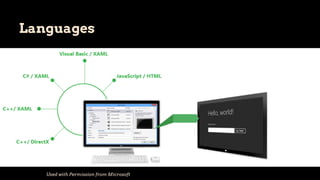
Languages
Used with Permission from Microsoft
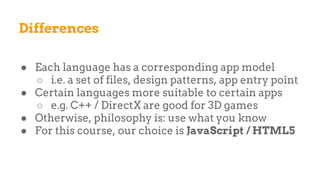
Differences
● Each language has a corresponding app model
○ i.e. a set of files, design patterns, app entry point
● Certain languages more suitable to certain apps
○ e.g. C++ / DirectX are good for 3D games
● Otherwise, philosophy is: use what you know
● For this course, our choice is JavaScript / HTML5
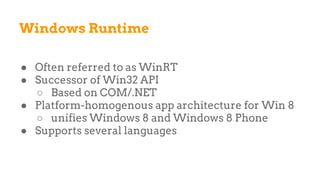
Windows Runtime
● Often referred to as WinRT
● Successor of Win32 API
○ Based on COM/.NET
● Platform-homogenous app architecture for Win 8
○ unifies Windows 8 and Windows 8 Phone
● Supports several languages
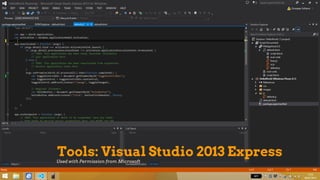
Tools: Visual Studio 2013 Express
Used with Permission from Microsoft
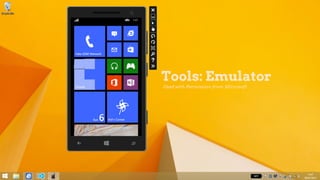
Tools: Emulator
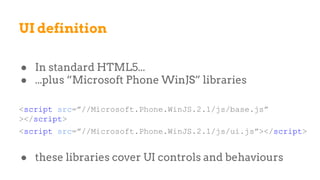
UI definition
● In standard HTML5...
● ...plus “Microsoft Phone WinJS” libraries
<script src=”//Microsoft.Phone.WinJS.2.1/js/base.js”
></script>
<script src=”//Microsoft.Phone.WinJS.2.1/js/ui.js”></script>
● these libraries cover UI controls and behaviours
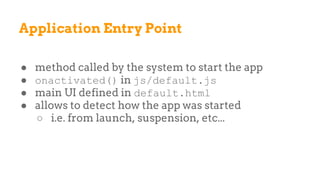
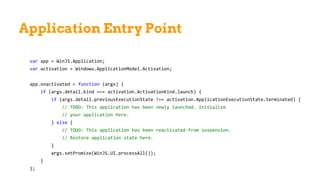
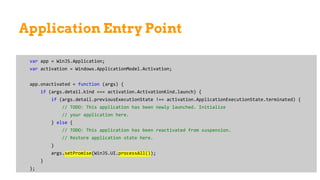
Application Entry Point
● method called by the system to start the app
● onactivated() in js/default.js
● main UI defined in default.html
● allows to detect how the app was started
○ i.e. from launch, suspension, etc...
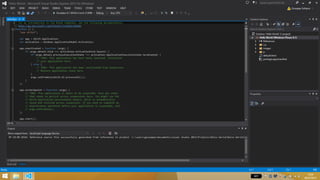
Application Entry Point
var app = WinJS.Application;
var activation = Windows.ApplicationModel.Activation;
app.onactivated = function (args) {
if (args.detail.kind === activation.ActivationKind.launch) {
if (args.detail.previousExecutionState !== activation.ApplicationExecutionState.terminated) {
// TODO: This application has been newly launched. Initialize
// your application here.
} else {
// TODO: This application has been reactivated from suspension.
// Restore application state here.
}
args.setPromise(WinJS.UI.processAll());
}
};
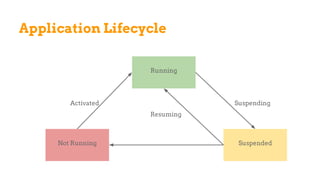
Application Lifecycle
Not Running Suspended
Running
Activated
Resuming
Suspending
Application Entry Point
var app = WinJS.Application;
var activation = Windows.ApplicationModel.Activation;
app.onactivated = function (args) {
if (args.detail.kind === activation.ActivationKind.launch) {
if (args.detail.previousExecutionState !== activation.ApplicationExecutionState.terminated) {
// TODO: This application has been newly launched. Initialize
// your application here.
} else {
// TODO: This application has been reactivated from suspension.
// Restore application state here.
}
args.setPromise(WinJS.UI.processAll());
}
};
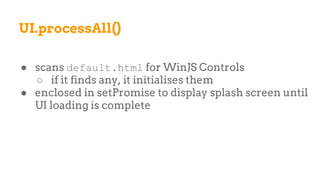
UI.processAll()
● scans default.html for WinJS Controls
○ if it finds any, it initialises them
● enclosed in setPromise to display splash screen until
UI loading is complete
JavaScript
● Standard JavaScript
● Win JS = Open Source JavaScript library
○ helpers that expose the Windows Runtime
○ provides page control, promises, data-binding
○ allows Windows UI controls in HTML
■ using data binding and templating
Asynchronous Programming
● CommonJS Promises “A”
● Promise = eventual result from an async operation
● Object with “future value” is returned
● then() function
● In lay terms
○ when you finish task X, perform Y
○ promise is Y’s result handler
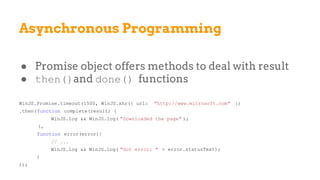
Asynchronous Programming
● Promise object offers methods to deal with result
● then()and done() functions
WinJS.Promise.timeout(1500, WinJS.xhr({ url: "http://www.microsoft.com" })
.then(function complete(result) {
WinJS.log && WinJS.log( "Downloaded the page" );
},
function error(error){
// ...
WinJS.log && WinJS.log( "Got error: " + error.statusText);
}
));
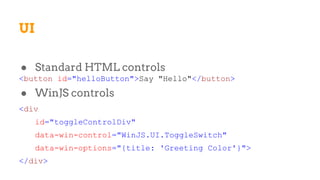
UI
● Standard HTML controls
<button id="helloButton">Say "Hello"</button>
● WinJS controls
<div
id="toggleControlDiv"
data-win-control="WinJS.UI.ToggleSwitch"
data-win-options="{title: 'Greeting Color'}">
</div>
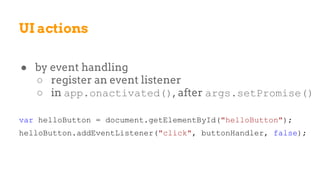
UI actions
● by event handling
○ register an event listener
○ in app.onactivated(), after args.setPromise()
var helloButton = document.getElementById("helloButton");
helloButton.addEventListener("click", buttonHandler, false);
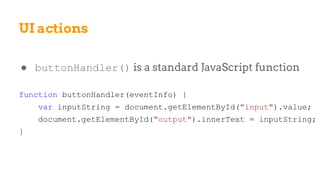
UI actions
● buttonHandler() is a standard JavaScript function
function buttonHandler(eventInfo) {
var inputString = document.getElementById("input").value;
document.getElementById("output").innerText = inputString;
}
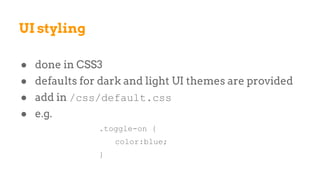
● done in CSS3
● defaults for dark and light UI themes are provided
● add in /css/default.css
● e.g.
.toggle-on {
color:blue;
}
UI styling
● Effective way to add data into HTML/WinJS control
● Define UI control, define data, bind data to control
○ if data change, UI control is updated
○ e.g. useful with lists
Data Binding
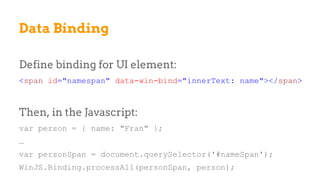
Define binding for UI element:
<span id="namespan" data-win-bind="innerText: name"></span>
Then, in the Javascript:
var person = { name: "Fran" };
…
var personSpan = document.querySelector('#nameSpan');
WinJS.Binding.processAll(personSpan, person);
Data Binding
● It’s HTML, so we can use linking
● Single-page Navigation
○ Microsoft-recommended
○ There are still multiple files
○ Better for transferring app context
○ One “central” PageControl object loads other files
Navigation
● Several navigation patterns can be combined
○ due to HTML, developer has maximum freedom
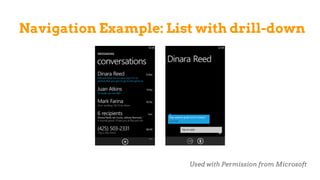
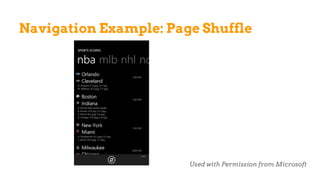
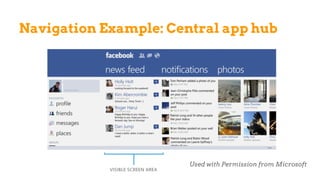
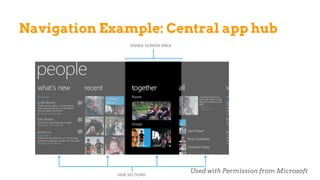
● Typical examples
○ List with drill-down
○ Central app hub (panoramic view)
○ App tabs
○ Page shuffle
Navigation Patterns
Navigation Example: List with drill-down
Used with Permission from Microsoft
Navigation Example: Page Shuffle
Used with Permission from Microsoft
Navigation Example: Central app hub
Used with Permission from Microsoft
Navigation Example: Central app hub
Used with Permission from Microsoft
● User Data: document, files, etc…
○ File system
○ One Drive
○ HTML5 File API
Data Storage
● App Data: state, configuration, preferences, etc…
○ App Data API for WinRT
○ IndexdDB (ISAM)
○ Extensible Storage Engine (ISAM)
○ HTML5 Web Storage
○ WinJS.Application.sessionState, local, roaming
Data Storage
#2.3
Android
Assumptions
● Android 4.4 “KitKat”
○ released in October 2013
● 13.6% of android installs
○ Android 2.3 “Gingerbread” is at 14.9%
○ Android 4.0 “Ice Cream Sandwich” 12.3%
● Android versions have had a complicated history...
Basics
● App lifecycle + MVC model
● Java (Dalvik VM) + Native C Code (Bionic)
● XML-based UI design
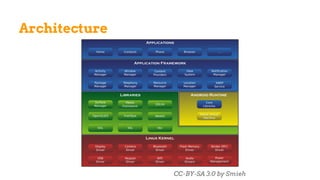
● Android = software stack
○ OS based on Linux kernel
○ Middleware, Core Applications, SDK
● Eclipse, Android SDK, ADT, Simulator
○ on PC, Mac, Windows, …
Architecture
CC-BY-SA 3.0 by Smieh
Manifest
● Synoptic view of an application
○ Lists activities
○ Adds permissions
○ Register intents
○ and more...
Activities
● Apps are collections of Activities
○ Activities are Java objects
○ Activities provide a screen
● Each Activity is the base for UI
○ They can use Views and Fragments
■ Views = widgets (buttons, fields, etc…)
■ Fragments = components with encapsulated
code
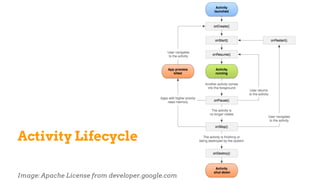
Activity Lifecycle
Image: Apache License from developer.google.com
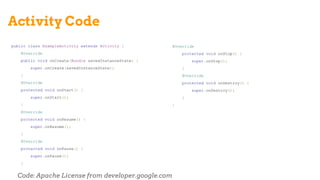
Activity Code
Code: Apache License from developer.google.com
public class ExampleActivity extends Activity {
@Override
public void onCreate(Bundle savedInstanceState) {
super.onCreate(savedInstanceState);
}
@Override
protected void onStart() {
super.onStart();
}
@Override
protected void onResume() {
super.onResume();
}
@Override
protected void onPause() {
super.onPause();
}
@Override
protected void onStop() {
super.onStop();
}
@Override
protected void onDestroy() {
super.onDestroy();
}
}
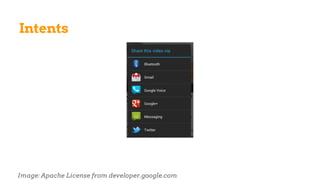
Intents
Image: Apache License from developer.google.com
Intents
● Runtime binding between code in different apps
● Mostly used to launch activities
● Explicit
○ specify exact class to be run
● Implicit
○ include information to help the system “decide”
○ concept of Intent Resolution
Intents
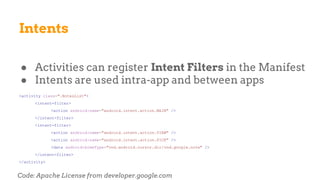
● Activities can register Intent Filters in the Manifest
● Intents are used intra-app and between apps
<activity class=".NotesList">
<intent-filter>
<action android:name="android.intent.action.MAIN" />
</intent-filter>
<intent-filter>
<action android:name="android.intent.action.VIEW" />
<action android:name="android.intent.action.PICK" />
<data android:mimeType="vnd.android.cursor.dir/vnd.google.note" />
</intent-filter>
</activity>
Code: Apache License from developer.google.com
Intents
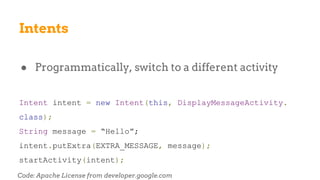
● Programmatically, switch to a different activity
Intent intent = new Intent(this, DisplayMessageActivity.
class);
String message = “Hello”;
intent.putExtra(EXTRA_MESSAGE, message);
startActivity(intent);
Code: Apache License from developer.google.com
Intents
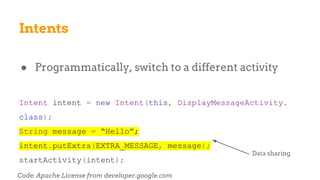
● Programmatically, switch to a different activity
Intent intent = new Intent(this, DisplayMessageActivity.
class);
String message = “Hello”;
intent.putExtra(EXTRA_MESSAGE, message);
startActivity(intent);
Code: Apache License from developer.google.com
Data sharing
UI
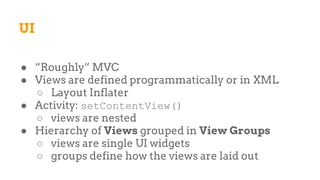
● “Roughly” MVC
● Views are defined programmatically or in XML
○ Layout Inflater
● Activity: setContentView()
○ views are nested
● Hierarchy of Views grouped in View Groups
○ views are single UI widgets
○ groups define how the views are laid out
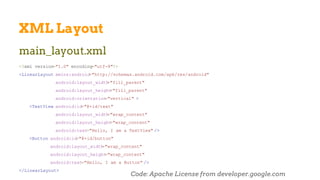
XML Layout
main_layout.xml
<?xml version="1.0" encoding="utf-8"?>
<LinearLayout xmlns:android="http://schemas.android.com/apk/res/android"
android:layout_width="fill_parent"
android:layout_height="fill_parent"
android:orientation="vertical" >
<TextView android:id="@+id/text"
android:layout_width="wrap_content"
android:layout_height="wrap_content"
android:text="Hello, I am a TextView" />
<Button android:id="@+id/button"
android:layout_width="wrap_content"
android:layout_height="wrap_content"
android:text="Hello, I am a Button" />
</LinearLayout>
Code: Apache License from developer.google.com
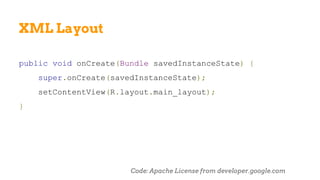
XML Layout
public void onCreate(Bundle savedInstanceState) {
super.onCreate(savedInstanceState);
setContentView(R.layout.main_layout);
}
Code: Apache License from developer.google.com
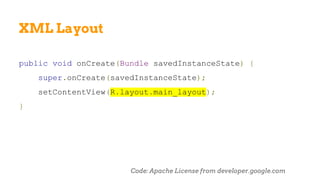
XML Layout
public void onCreate(Bundle savedInstanceState) {
super.onCreate(savedInstanceState);
setContentView(R.layout.main_layout);
}
Code: Apache License from developer.google.com
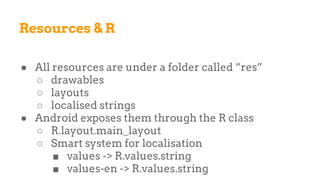
Resources & R
● All resources are under a folder called “res”
○ drawables
○ layouts
○ localised strings
● Android exposes them through the R class
○ R.layout.main_layout
○ Smart system for localisation
■ values -> R.values.string
■ values-en -> R.values.string
Resources & R
● All resources are under a folder called “res”
○ drawables
○ layouts
○ localised strings
● Android exposes them through the R class
○ R.layout.main_layout
○ Smart system for localisation
■ values -> R.values.string
■ values-en -> R.values.string
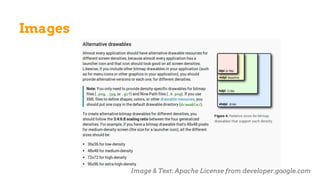
Images
● R.drawable.<image> makes access easy but…
● ...there is massive diversity in device capabilities
○ drawable-hdpi
○ drawable-ldpi
○ drawable-mdpi
○ etc…
● Screen support is a major pain
Images
Image & Text: Apache License from developer.google.com
Data Storage
● Shared Preferences
○ key-value pairs of primitive types
● Internal and External File Storage
● SQLite Database
UI Actions
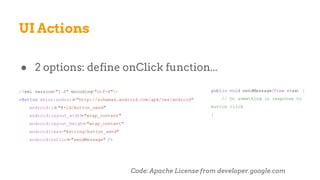
● 2 options: define onClick function...
<?xml version="1.0" encoding="utf-8"?>
<Button xmlns:android="http://schemas.android.com/apk/res/android"
android:id="@+id/button_send"
android:layout_width="wrap_content"
android:layout_height="wrap_content"
android:text="@string/button_send"
android:onClick="sendMessage" />
public void sendMessage(View view) {
// Do something in response to
button click
}
Code: Apache License from developer.google.com
UI Actions
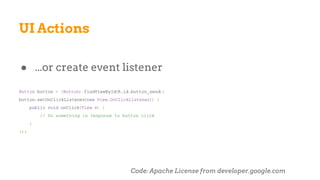
● ...or create event listener
Button button = (Button) findViewById(R.id.button_send);
button.setOnClickListener(new View.OnClickListener() {
public void onClick(View v) {
// Do something in response to button click
}
});
Code: Apache License from developer.google.com
Asynchronous Programming
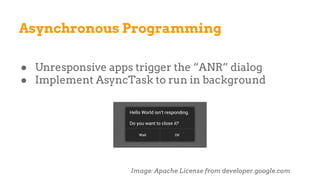
● Unresponsive apps trigger the “ANR” dialog
● Implement AsyncTask to run in background
Image: Apache License from developer.google.com
Asynchronous Programming
● Define Task...
private class DownloadFilesTask extends AsyncTask <URL, Integer, Long> {
protected Long doInBackground (URL... urls) {
int count = urls.length;
long totalSize = 0;
for (int i = 0; i < count; i++) {
totalSize += Downloader .downloadFile (urls[i]);
publishProgress ((int) ((i / (float) count) * 100));
// Escape early if cancel() is called
if (isCancelled ()) break;
}
return totalSize ;
}
// This is called each time you call publishProgress()
protected void onProgressUpdate (Integer... progress ) {
setProgressPercent (progress [0]);
}
protected void onPostExecute (Long result) {
showNotification ("Downloaded " + result + " bytes" );
}
}
Asynchronous Programming
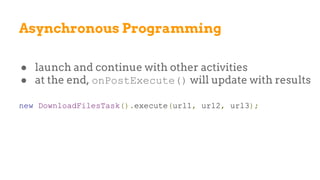
● launch and continue with other activities
● at the end, onPostExecute() will update with results
new DownloadFilesTask().execute(url1, url2, url3);
#2.4
Alternatives
What else?
● Cross-platform native development
● 100% Mobile Web
● UI Frameworks
○ CSS libraries
○ MVC-based
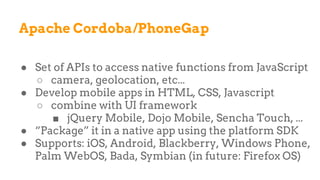
Apache Cordoba/PhoneGap
● Set of APIs to access native functions from JavaScript
○ camera, geolocation, etc...
● Develop mobile apps in HTML, CSS, Javascript
○ combine with UI framework
■ jQuery Mobile, Dojo Mobile, Sencha Touch, ...
● “Package” it in a native app using the platform SDK
● Supports: iOS, Android, Blackberry, Windows Phone,
Palm WebOS, Bada, Symbian (in future: Firefox OS)
Mobile Web
● “Apps are overrated”
● Make web sites mobile-ready
● HTML5, jQuery, JavaScript
● Use Open Standards
● Easier for accessibility
Sencha Touch
● HTML5 framework
● Provides themes for most mobile platforms
● Based on MVC pattern
jQuery Mobile
● HTML5-based UI system
● Responsive web sites
● Based on jQuery
● Provides
○ Ajax navigation
○ Touch events
○ Widgets
<Stats on cross-platform framework omitted due to licensing. Contact me for details.>
What lies ahead?
● Firefox OS
● IndiePhone
● FairPhone
● ...and many others
#2.5
App Distribution & conclusions
Markets
● Publicly available app-stores
○ “Private apps” with authentication
● Android & Windows allow direct sideloading
○ Recommended in Windows, not in Android
● Enterprise app distribution
○ in iOS (£299/year)
○ in Android (no extra cost)
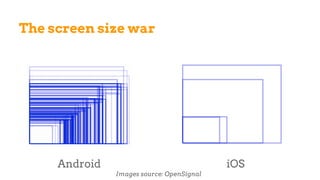
The screen size war
Android iOS
Images source: OpenSignal
The screen size war
● Fragmentation is predominant in the Android market
○ Good for users
○ Bad for developers
● Tablets are less affected
○ Once you get past 7”, difference not that important
#3
Hello, World!
#3.1
iOS
#3.2
Windows 8 Phone
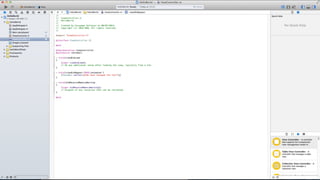
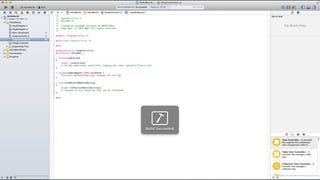
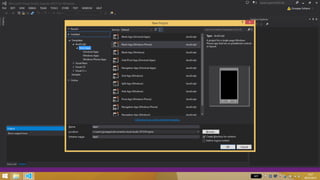
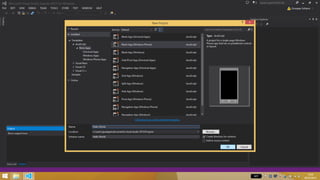
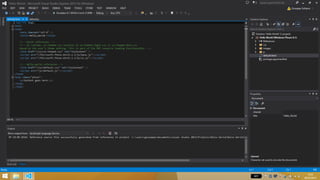
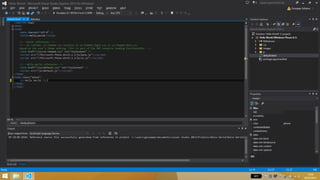
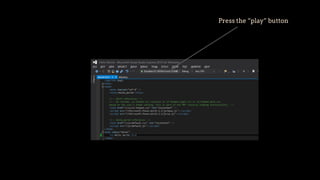
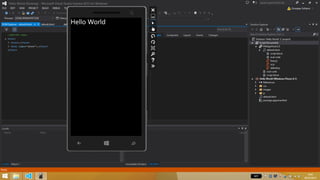
Press the “play” button
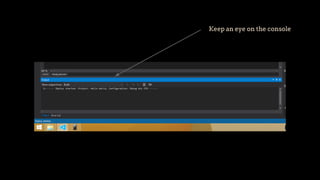
Keep an eye on the console
#4
Let’s get some practice
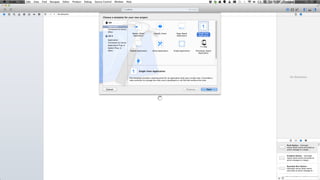
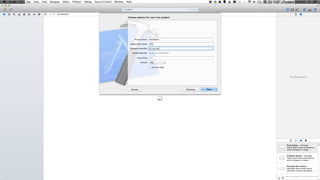
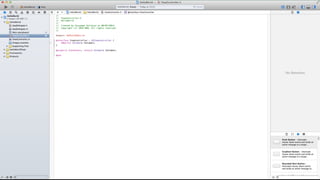
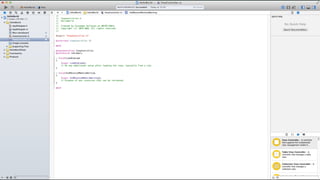
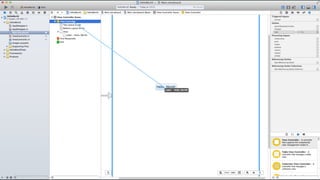
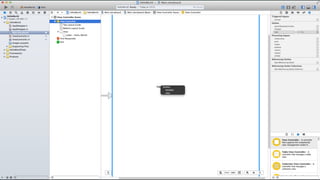
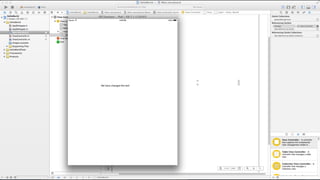
Exercise 0: Hello, World!
● Display a static “hello” string
● iOS
○ view controllers, storyboards, outlets
● Windows
○ simple html
Exercise 1: Basic interaction
● Display a dynamic “hello” string
○ text and push a button
● iOS
○ outlets & actions
● Windows
○ event handlers
Exercise 2: Populate a table
● Display a table with some data from an array
● iOS
○ table view, data source
● Windows
○ list view, data-binding
Exercise 3: Pie Chart
● Display a simple pie chart
● iOS
○ core plot
● Windows
○ Raphael.js
Exercise 4: Line Chart
● Display a simple pie chart
● iOS
○ core plot
● Windows
○ Raphael.js
Exercise 5 (optional): Navigation
● Play with building a navigation framework
● iOS
○ storyboards
● Windows
○ page control tutorial
And more...
● Let’s put this all together
● Display data from the Guardian?
Fin.

Mobile Development. A primer.

  • 1.
    Mobile Development A primer GiuseppeSollazzo National Audit Office 25/7/2014
  • 2.
  • 3.
    Goals ● Understanding mobiledevelopment ● Exploring alternative technologies ● Brainstorming apps ● Get some first-hand experience
  • 4.
    Outline AM ● A quickhistory of mobile development ● Concepts of modern development ● Simple code examples PM ● Practical exercises
  • 5.
    Me ● Senior SystemsAnalyst at St George’s, University of London ● Freelance Developer ● Open Data & Government Geek
  • 6.
  • 7.
    #1.1 A lifetime ofmobile development
  • 8.
  • 9.
  • 10.
    Sony Ericsson P990i SymbianOS 9.1 - UIQ 3 ARM9 208MHz RAM 64MB (OS: 48MB, User: 16MB) Resolution 240x320 Java Micro Edition iPhone 4 iOS ARM Cortex ~1GHz RAM 512MB Resolution 960x640 Objective-C / Cocoa
  • 11.
    29 June 2007Image CC BY-NC-SA 2.0 by Stijn Vogels https://www.flickr. com/photos/stijnvogels/351867946/
  • 12.
    But it startedmuch earlier! ● 1G phones have been out since the 80s ○ lack of apps capabilities ● 2G phones (GSM) reach critical mass in early 90s ○ dominated by Nokia ○ limited features and memory ○ small monochromatic screen ○ pre-installed games ■ no easy way to install extra apps
  • 13.
    Snake! (1998) Image CC BY-NC-SA2.0 by Utku Kalı https://www.flickr.com/photos/utku/6799941621
  • 14.
    WAP (1997) Image CC BY-NC2.0 by Esko Kurvinen https://www.flickr.com/photos/ekurvine/853687173
  • 15.
    WAP ● Protocol suitefor data transfer on wireless devices ● Wap PUSH ● Wireless Markup Language <?xml version="1.0"?> <!DOCTYPE wml PUBLIC "-//WAPFORUM//DTD WML 1.1//EN" "http://www.wapforum.org/DTD/wml_1.1.xml" > <wml> <card id="main" title="First Card" > <p mode="wrap">This is a sample WML page. </p> </card> </wml>
  • 16.
    WAP ● Deck =WML document ● Deck structured in cards (=pages) ● Wap 2.0 (2002): cut-down version of XHTML/HTTP
  • 17.
    But it didn’twork ● Hard to type URL with numeric keypad ● Limited screen -> limited applications ● Extremely slow connections ● Users accustomed to full web pages ● No authoring tools, no content providers
  • 18.
    i-Mode (1999) ● Createdby DoCoMo, paid-for service ● Similar to WAP but ○ C-HTML on HTTP clone ○ 12K official sites (supervised by DoCoMo) ○ 100K unofficial sites ○ 80M subscribers ● Licensed in the UK by O2, it never took off
  • 19.
    BlackBerry ● BB 850:2-way pager launched in Munich (1999) ● Focus on e-mail ● Evolution in 2003 with convergent services ○ push email, telephone, SMS, … ● Inconsistent developer support ○ Java SDK for BlackBerry OS 7 ○ Today: BB 10, BB PlayBook, BB OS
  • 20.
    Psion Revo (1999) ImageCC BY-NC 2.0 by Modrak https://www.flickr.com/photos/modrak/239348772
  • 21.
    Psion EPOC ● GraphicalOS ● PDAs with apps ● EPOC16: Open Programming Language PROC main: PRINT "Hello World!" PAUSE 40 ENDP ● EPOC32 (1997): C++ but mostly closed ● EPOC32 becomes Symbian (1998)
  • 22.
    Palm Zire (2002) Image CCBY 3.0 by Soxred93 http://commons.wikimedia.org/wiki/File:Zirepalm.JPG
  • 23.
    Palm OS ● Launchedin 1996 and still alive! ○ Now called WebOS ● C/C++/Pascal ● Java was briefly available ● No drivers for DBMS ○ developers need to use middleware ● First system to provide emulators
  • 24.
    Symbian ● A longand troubled story... ● 1998: Psion becomes Symbian Ltd. ○ participation by Ericsson, Motorola, Nokia ● 2008: Nokia acquires Symbian Ltd. ○ establishment of Symbian Foundation ○ most Nokia devices run Symbian ○ licensing issues ● 2011: Nokia partners with Microsoft. Symbian dies.
  • 25.
    Symbian ● S60 =Native graphics toolkit (for Nokia, 2001) ● QT framework (Symbian 3, 2010) ● Development in ○ Java MIDP ○ C++ ○ Python ○ Flash
  • 26.
    Symbian ● One (major)weakness: platform fragmentation source: Wikipedia “S_60”
  • 27.
    J2ME / JavaME ● Stripped down version of Java ● Foundation standards ○ CLDC 1.0, 1.1, … (defines basic set of libraries) ○ MIDP 1.0, 2.0, 3.0 (defines APIs) ■ apps are called “midlets” ● Extensions, e.g. ○ JSR #82 Bluetooth ○ JSR #179 Location API
  • 28.
    J2ME / JavaME ● Modern framework ○ Provides configurable simulators ○ Coding of application lifecycle ● Relatively successful ○ 2.1B Java ME enabled mobile phones ● Problems ○ memory footprint ○ device fragmentation
  • 29.
    J2ME / JavaME import javax.microedition.midlet.*; import javax.microedition.lcdui.*; public class HelloWorld extends MIDlet implements CommandListener { private Command exitCommand; private TextBox tbox; public HelloWorld() { exitCommand = new Command("Exit", Command.EXIT, 1); tbox = new TextBox("Hello world MIDlet", "Hello World!", 25, 0); tbox.addCommand(exitCommand); tbox.setCommandListener(this); } protected void startApp() { Display.getDisplay(this).setCurrent(tbox); } protected void pauseApp() { } protected void destroyApp(boolean bool) { } public void commandAction(Command cmd, Displayable disp) { if (cmd == exitCommand) { destroyApp(false); notifyDestroyed(); } } }
  • 30.
    J2ME / JavaME import javax.microedition.midlet.*; import javax.microedition.lcdui.*; public class HelloWorld extends MIDlet implements CommandListener { private Command exitCommand; private TextBox tbox; public HelloWorld() { exitCommand = new Command("Exit", Command.EXIT, 1); tbox = new TextBox("Hello world MIDlet", "Hello World!", 25, 0); tbox.addCommand(exitCommand); tbox.setCommandListener(this); } protected void startApp() { Display.getDisplay(this).setCurrent(tbox); } protected void pauseApp() { } protected void destroyApp(boolean bool) { } public void commandAction(Command cmd, Displayable disp) { if (cmd == exitCommand) { destroyApp(false); notifyDestroyed(); } } }
  • 31.
    Opera Mini (2007) Image CCBY 2.0 by Johan Larsson https://www.flickr.com/photos/johanl/4424185115
  • 32.
    Opera Mini ● Mobile-orientedweb browser ● Reformats web pages to a “compressed” version ○ all content goes through proxy server ● Pilot project started in 2004, launched 2007 ● Growing interest in mobile web standards
  • 33.
    HTC Dream (2008) Image GPLby Akela NDE http://en.wikipedia.org/wiki/File:HTC_Dream_Orange_FR.jpeg
  • 34.
    Android ● Founded in2003, acquired by Google in 2005 ● Based on Linux ● Open Handset Alliance (2007) ○ HTC, Sony, Samsung, T-Mobile, Texas Instruments, etc… ● Nexus devices ○ Nexus One (2010)
  • 35.
    iOS ● iPhone launchedin 2007 with iOS 1.x ○ iPod Touch and iPad follow ● Developers not welcome until March 2008 ○ iPhone SDK released (iPhone OS) ○ iOS was “a version of OS X” before then ● Apple did not want an “app economy” ○ issues with control, market submission, etc…
  • 36.
    iOS ● Controversies withdevelopers and suppliers ● Java and Flash originally not allowed ● Competition wars ○ Sun agrees with Apple and Java gets in ○ Adobe discontinues Flash mobile (2011)
  • 37.
    HP Jornada 680 (1998) ImageCC BY 2.0 by Noah (ax0n) https://www.flickr.com/photos/kc-bike/2532722221
  • 38.
    Windows Mobile ● Microsoftjoined the market early ○ Windows CE (1996) ○ Pocket PC (2000) ○ Windows Mobile 2003 ○ Windows Mobile 5, 6 (2005) ○ Windows Phone 7, 8 (2010) ● Windows 8 unifies desktop & mobile platforms
  • 39.
    Windows Mobile ● Developmentwith Microsoft tools ● From Windows Phone 7, also web technologies ● Windows Mobile lost momentum
  • 40.
  • 41.
    We are not‘appy... ● (Tom Loosemore, GDS, 2013) Stand-alone mobile apps will only be considered once the core web service works well on mobile devices, and if specifically agreed with the Cabinet Office. (GDS Strategy, Action 6) ● Gov.Uk doesn’t have apps ○ website adapts to mobile screens ○ use of CSS3 technologies, media queries
  • 42.
    ...but we are! ●Tracy Green, UK Parliament (2013) ○ 11% traffic to site from mobile ○ of which 90% from iPad ● 400+ MPs have iPads ○ demand for native apps “because they work better”
  • 43.
    Image CC BY-NC2.0 by IDEO https://www.flickr.com/photos/ideopostcards/6334836459/ The PM wanted an app
  • 44.
    Number 10 Dashboard ●(No one has ever seen it) ● iPad app (maybe) ● Purpose-built for the PM ● By Adzuna (according to the FT) ● Intranet front-end (according to The Register) ○ presumably a custom front-end to data.gov.uk ● Dashboard of stats and data visualisation
  • 45.
    HMRC Tax Calculator ●Native iOS/Android app
  • 46.
    ParliQuiz ● Developed with“PugPig” ○ publishing system ○ £4K per year per single app
  • 47.
    MyConstituency ● Hybrid app ○iPad only vs any Android ○ not the same version
  • 48.
    Some suggestions... ● ONSdeveloped a case study about “MyConstituency” ○ It meets the needs of MPs and their staff ○ It engages with the general public ○ Mini-tender: no big procurement drive! ○ Tips ■ internal resources to handover app after project ■ be specific about API / web service ■ allow for flexibility
  • 49.
  • 50.
    <Stats slides omittedfrom SlideShare due to licensing. Contact me for details>
  • 51.
  • 52.
    In this module... ●iOS, Windows 8 Phone, Android, and more ● For each platform: ○ system architecture ○ development model ○ languages ○ data storage ○ UI building ● Markets
  • 53.
  • 54.
    Assumptions Focus on iOS7 ● released in September 2013 ● it runs on iPhone 4 and later, iPad 2 and later ● 87% of iOS devices (6/4/2014) ● iOS 8 / Swift are currently beta
  • 55.
    Basics ● Layered systemarchitecture ● MVC model ● Objective-C ● Interface Builder ● Apps are object (of type UIApplication) ● Mac OS X required ● XCode: iOS SDK + iOS Simulator
  • 56.
  • 57.
  • 58.
    System Architecture: AbstractionLayers Core OS Core Services Media Cocoa Touch These layers provide “Frameworks” to be added to any iOS project to provide certain functionalities
  • 59.
    System Architecture: AbstractionLayers Core OS Core Services Media Cocoa Touch Low-level features: security, communications, I/O, maths, networking, etc...
  • 60.
    System Architecture: AbstractionLayers Core OS Core Services Media Cocoa Touch System Services: Core Foundation, Foundation, iCloud, Automatic Reference Counting (ARC), Grand Central Dispatch (GCD), in-App Purchase, SQLite, Core Data, Core Location, etc...
  • 61.
    System Architecture: AbstractionLayers Core OS Core Services Media Cocoa Touch UIKit, Core Graphics, Core Animation, Core Audio, Core Media, AV Foundation, etc...
  • 62.
    System Architecture: AbstractionLayers Core OS Core Services Media Cocoa Touch Storyboards, Push & Local Notifications, Gesture Recognisers, iAd, etc...
  • 63.
    Model View Controller(MVC) ● Software Design Pattern ● Separation of Data, UI, Logic ○ Model encapsulates data ○ View displays user interface ○ Controller ties model to the view ● We will see this at work in the next session
  • 64.
    Model View Controller(MVC) Model The Model is about Data ● data functions ● data objects ● data classes ● i.e. data store + procedures that can access it
  • 65.
    Model View Controller(MVC) Model View The View is about User Interface ● UI elements: buttons, sliders, text fields ● object / classes / functions ● (or Storyboards / Interface Builder)
  • 66.
    Model View Controller(MVC) Model View The Model knows nothing about the UI
  • 67.
    Model View Controller(MVC) Model View Controller The Controller is about bi-directional Orchestration ● it intercepts user actions on the UI (View) ● modifies the data accordingly (Model) or ● it detects data changes (Model) ● modifies the UI accordingly (View)
  • 68.
    Model View Controller(MVC) Model View Controller
  • 69.
    Model View Controller(MVC) Model View Controller user action data change
  • 70.
    Model View Controller(MVC) Model View Controller UI update data change notification
  • 71.
    Model View Controller(MVC) To accomplish communications we use links ● Outlets ○ from the controller to the view ○ to access info of an UI element ■ e.g. access the text typed in a text field ● Actions ○ from the view to the controller ○ they announce an action on the UI ■ e.g. detect a button click, perform an action
  • 72.
    Objective-C ● Object-oriented ○ strictsuperset of C ○ object syntax from Smalltalk ● Message passing to object instances ○ i.e. not method calling ● Used on Mac OS X (Cocoa) and iOS (Cocoa Touch)
  • 73.
    Objective-C: Message Passing C++ Object*obj; obj->method(argument); Java Object obj; obj.method(argument); Objective-C Object* obj; [obj method:argument];
  • 74.
    Objective-C: Hello, world! /*hello.h */ # import <Foundation/Foundation.h> @interface Hello : NSObject -(void)sayHello:(char*)name; @end
  • 75.
    Objective-C: Hello, world! /*hello.m */ # import "hello.h" @implementation Hello -(void)sayHello:(char*)name { printf("Hello, %s! n", name); } @end
  • 76.
    Objective-C: Hello, world! /*app.m */ # import "hello.h" int main() { Hello* myhello = [Hello new]; char* name = "Joe"; [myhello sayHello:name]; } To compile: $ clang -lobjc -o app app.m hello.m
  • 77.
    Objective-C: Protocols ● Addset of expected behaviours to an object ○ or, in official speak, define messaging contracts ● An object can conform to a protocol ● In practice: methods to be implemented ○ some required, some optional
  • 78.
    Objective-C: Protocols /* politehello.h*/ #import <Foundation/Foundation.h> @protocol PoliteHello <NSObject> -(void)helloFriend ; -(void)helloColleague ; -(void)helloPrimeMinister ; @end
  • 79.
    Objective-C: Protocols /* hello.h*/ #import <Foundation/Foundation.h> #import "politehello.h" @interface Hello : NSObject < PoliteHello> -(void)sayHello:(char*)name; @end
  • 80.
    Objective-C: Protocols /* hello.m*/ # import "hello.h" @implementation Hello -(void)sayHello:(char*)name { printf("Hello, %s! n", name); } -(void)helloFriend { printf("Hey!n"); } -(void)helloColleague { printf("How was your weekend? n"); } -(void)helloPrimeMinister { printf("Good morning, sir n"); } @end
  • 81.
    Delegation ● Software pattern,Obj-C protocol ● Let an object control another object ● Use a central object to customize the behaviour of several others ● Delegating object A keeps reference to delegate object B ● A sends a message to B ● B reacts by updating UI/state
  • 82.
    Data Source ● Similarto a Delegate ● Delegated control of data ● Outlet held by View objects ● Implemented via Obj-C protocol
  • 83.
  • 84.
  • 85.
  • 86.
  • 87.
    Application Delegate ● Mostimportant delegate in an iOS project ● Delegate for the UIApplication object ● Starting point for coding ● Startup/shutdown tasks ○ e.g. initialise database, verify license, etc... ● App-wide tasks ○ e.g. handle push notifications, support window orientation, etc...
  • 88.
  • 89.
    Interface Builder “UI Drawing”tool included in XCode ● Add Window object ● Add Content View* ● Add UI Controls (buttons, text fields, etc…) ● Add basic navigation between views (Storyboards) (*) Views are hierarchical ○ i.e. they are containers for other subviews
  • 90.
  • 91.
    Storyboards ● Interface Builderon steroids ● Define navigation relationships among Scenes ● Each Scene has an associated view hierarchy ● Scenes are connected by segues or relationships ○ segue = transition between two view controllers ■ push, modal, custom, unwind ○ relationship = hierarchy
  • 92.
  • 93.
    Auto Layout ● Definerelationships between UI elements ● Mathematical constraints ● UI reacts dynamically to changes ○ screen size, orientation, localization, etc...
  • 94.
  • 95.
    Navigation Controllers ● Tomanage a stack of view controllers ● To provide a drill-down interface for hierarchical content ● Several types, according to context & device type ○ Tab Bar ○ Page View ○ Split View ○ etc…
  • 96.
    Data Storage ● Preferences(key/value) ● File system (for large files) ● SQLite ○ a lightweight relational database ○ de facto industry standard for embedded apps ● CoreData Framework ○ object oriented wrapper ○ infrastructure for search, save, restore, etc… ● iCloud (and other cloud storage providers)
  • 97.
  • 98.
    Assumptions Focus on Windows8.1 Phone ● released in October 2013 ● it runs on several architectures ○ IA-32, x64, ARMv7 ● marketed as “update” for Windows ● development overlaps with Windows 8 desktop ○ Windows Store and Windows Phone Store apps are converging into Windows Runtime apps
  • 99.
    Windows 8 (desktop) Usedwith Permission from Microsoft
  • 100.
    Windows 8 (phone) Usedwith Permission from Microsoft
  • 101.
    ● One architecture,several development options ○ flow control languages ○ UI definition language ● Windows 8.1 + Visual Studio Express 2013 Basics
  • 102.
  • 103.
    Differences ● Each languagehas a corresponding app model ○ i.e. a set of files, design patterns, app entry point ● Certain languages more suitable to certain apps ○ e.g. C++ / DirectX are good for 3D games ● Otherwise, philosophy is: use what you know ● For this course, our choice is JavaScript / HTML5
  • 104.
    Windows Runtime ● Oftenreferred to as WinRT ● Successor of Win32 API ○ Based on COM/.NET ● Platform-homogenous app architecture for Win 8 ○ unifies Windows 8 and Windows 8 Phone ● Supports several languages
  • 105.
    Tools: Visual Studio2013 Express Used with Permission from Microsoft
  • 106.
    Used with Permissionfrom Microsoft Tools: Emulator
  • 107.
    UI definition ● Instandard HTML5... ● ...plus “Microsoft Phone WinJS” libraries <script src=”//Microsoft.Phone.WinJS.2.1/js/base.js” ></script> <script src=”//Microsoft.Phone.WinJS.2.1/js/ui.js”></script> ● these libraries cover UI controls and behaviours
  • 108.
    Application Entry Point ●method called by the system to start the app ● onactivated() in js/default.js ● main UI defined in default.html ● allows to detect how the app was started ○ i.e. from launch, suspension, etc...
  • 109.
    Application Entry Point varapp = WinJS.Application; var activation = Windows.ApplicationModel.Activation; app.onactivated = function (args) { if (args.detail.kind === activation.ActivationKind.launch) { if (args.detail.previousExecutionState !== activation.ApplicationExecutionState.terminated) { // TODO: This application has been newly launched. Initialize // your application here. } else { // TODO: This application has been reactivated from suspension. // Restore application state here. } args.setPromise(WinJS.UI.processAll()); } };
  • 110.
    Application Lifecycle Not RunningSuspended Running Activated Resuming Suspending
  • 111.
    Application Entry Point varapp = WinJS.Application; var activation = Windows.ApplicationModel.Activation; app.onactivated = function (args) { if (args.detail.kind === activation.ActivationKind.launch) { if (args.detail.previousExecutionState !== activation.ApplicationExecutionState.terminated) { // TODO: This application has been newly launched. Initialize // your application here. } else { // TODO: This application has been reactivated from suspension. // Restore application state here. } args.setPromise(WinJS.UI.processAll()); } };
  • 112.
    UI.processAll() ● scans default.htmlfor WinJS Controls ○ if it finds any, it initialises them ● enclosed in setPromise to display splash screen until UI loading is complete
  • 113.
    JavaScript ● Standard JavaScript ●Win JS = Open Source JavaScript library ○ helpers that expose the Windows Runtime ○ provides page control, promises, data-binding ○ allows Windows UI controls in HTML ■ using data binding and templating
  • 114.
    Asynchronous Programming ● CommonJSPromises “A” ● Promise = eventual result from an async operation ● Object with “future value” is returned ● then() function ● In lay terms ○ when you finish task X, perform Y ○ promise is Y’s result handler
  • 115.
    Asynchronous Programming ● Promiseobject offers methods to deal with result ● then()and done() functions WinJS.Promise.timeout(1500, WinJS.xhr({ url: "http://www.microsoft.com" }) .then(function complete(result) { WinJS.log && WinJS.log( "Downloaded the page" ); }, function error(error){ // ... WinJS.log && WinJS.log( "Got error: " + error.statusText); } ));
  • 116.
    UI ● Standard HTMLcontrols <button id="helloButton">Say "Hello"</button> ● WinJS controls <div id="toggleControlDiv" data-win-control="WinJS.UI.ToggleSwitch" data-win-options="{title: 'Greeting Color'}"> </div>
  • 117.
    UI actions ● byevent handling ○ register an event listener ○ in app.onactivated(), after args.setPromise() var helloButton = document.getElementById("helloButton"); helloButton.addEventListener("click", buttonHandler, false);
  • 118.
    UI actions ● buttonHandler()is a standard JavaScript function function buttonHandler(eventInfo) { var inputString = document.getElementById("input").value; document.getElementById("output").innerText = inputString; }
  • 119.
    ● done inCSS3 ● defaults for dark and light UI themes are provided ● add in /css/default.css ● e.g. .toggle-on { color:blue; } UI styling
  • 120.
    ● Effective wayto add data into HTML/WinJS control ● Define UI control, define data, bind data to control ○ if data change, UI control is updated ○ e.g. useful with lists Data Binding
  • 121.
    Define binding forUI element: <span id="namespan" data-win-bind="innerText: name"></span> Then, in the Javascript: var person = { name: "Fran" }; … var personSpan = document.querySelector('#nameSpan'); WinJS.Binding.processAll(personSpan, person); Data Binding
  • 122.
    ● It’s HTML,so we can use linking ● Single-page Navigation ○ Microsoft-recommended ○ There are still multiple files ○ Better for transferring app context ○ One “central” PageControl object loads other files Navigation
  • 123.
    ● Several navigationpatterns can be combined ○ due to HTML, developer has maximum freedom ● Typical examples ○ List with drill-down ○ Central app hub (panoramic view) ○ App tabs ○ Page shuffle Navigation Patterns
  • 124.
    Navigation Example: Listwith drill-down Used with Permission from Microsoft
  • 125.
    Navigation Example: PageShuffle Used with Permission from Microsoft
  • 126.
    Navigation Example: Centralapp hub Used with Permission from Microsoft
  • 127.
    Navigation Example: Centralapp hub Used with Permission from Microsoft
  • 128.
    ● User Data:document, files, etc… ○ File system ○ One Drive ○ HTML5 File API Data Storage
  • 129.
    ● App Data:state, configuration, preferences, etc… ○ App Data API for WinRT ○ IndexdDB (ISAM) ○ Extensible Storage Engine (ISAM) ○ HTML5 Web Storage ○ WinJS.Application.sessionState, local, roaming Data Storage
  • 130.
  • 131.
    Assumptions ● Android 4.4“KitKat” ○ released in October 2013 ● 13.6% of android installs ○ Android 2.3 “Gingerbread” is at 14.9% ○ Android 4.0 “Ice Cream Sandwich” 12.3% ● Android versions have had a complicated history...
  • 132.
    Basics ● App lifecycle+ MVC model ● Java (Dalvik VM) + Native C Code (Bionic) ● XML-based UI design ● Android = software stack ○ OS based on Linux kernel ○ Middleware, Core Applications, SDK ● Eclipse, Android SDK, ADT, Simulator ○ on PC, Mac, Windows, …
  • 133.
  • 134.
    Manifest ● Synoptic viewof an application ○ Lists activities ○ Adds permissions ○ Register intents ○ and more...
  • 135.
    Activities ● Apps arecollections of Activities ○ Activities are Java objects ○ Activities provide a screen ● Each Activity is the base for UI ○ They can use Views and Fragments ■ Views = widgets (buttons, fields, etc…) ■ Fragments = components with encapsulated code
  • 136.
    Activity Lifecycle Image: ApacheLicense from developer.google.com
  • 137.
    Activity Code Code: ApacheLicense from developer.google.com public class ExampleActivity extends Activity { @Override public void onCreate(Bundle savedInstanceState) { super.onCreate(savedInstanceState); } @Override protected void onStart() { super.onStart(); } @Override protected void onResume() { super.onResume(); } @Override protected void onPause() { super.onPause(); } @Override protected void onStop() { super.onStop(); } @Override protected void onDestroy() { super.onDestroy(); } }
  • 138.
    Intents Image: Apache Licensefrom developer.google.com
  • 139.
    Intents ● Runtime bindingbetween code in different apps ● Mostly used to launch activities ● Explicit ○ specify exact class to be run ● Implicit ○ include information to help the system “decide” ○ concept of Intent Resolution
  • 140.
    Intents ● Activities canregister Intent Filters in the Manifest ● Intents are used intra-app and between apps <activity class=".NotesList"> <intent-filter> <action android:name="android.intent.action.MAIN" /> </intent-filter> <intent-filter> <action android:name="android.intent.action.VIEW" /> <action android:name="android.intent.action.PICK" /> <data android:mimeType="vnd.android.cursor.dir/vnd.google.note" /> </intent-filter> </activity> Code: Apache License from developer.google.com
  • 141.
    Intents ● Programmatically, switchto a different activity Intent intent = new Intent(this, DisplayMessageActivity. class); String message = “Hello”; intent.putExtra(EXTRA_MESSAGE, message); startActivity(intent); Code: Apache License from developer.google.com
  • 142.
    Intents ● Programmatically, switchto a different activity Intent intent = new Intent(this, DisplayMessageActivity. class); String message = “Hello”; intent.putExtra(EXTRA_MESSAGE, message); startActivity(intent); Code: Apache License from developer.google.com Data sharing
  • 143.
    UI ● “Roughly” MVC ●Views are defined programmatically or in XML ○ Layout Inflater ● Activity: setContentView() ○ views are nested ● Hierarchy of Views grouped in View Groups ○ views are single UI widgets ○ groups define how the views are laid out
  • 144.
    XML Layout main_layout.xml <?xml version="1.0"encoding="utf-8"?> <LinearLayout xmlns:android="http://schemas.android.com/apk/res/android" android:layout_width="fill_parent" android:layout_height="fill_parent" android:orientation="vertical" > <TextView android:id="@+id/text" android:layout_width="wrap_content" android:layout_height="wrap_content" android:text="Hello, I am a TextView" /> <Button android:id="@+id/button" android:layout_width="wrap_content" android:layout_height="wrap_content" android:text="Hello, I am a Button" /> </LinearLayout> Code: Apache License from developer.google.com
  • 145.
    XML Layout public voidonCreate(Bundle savedInstanceState) { super.onCreate(savedInstanceState); setContentView(R.layout.main_layout); } Code: Apache License from developer.google.com
  • 146.
    XML Layout public voidonCreate(Bundle savedInstanceState) { super.onCreate(savedInstanceState); setContentView(R.layout.main_layout); } Code: Apache License from developer.google.com
  • 147.
    Resources & R ●All resources are under a folder called “res” ○ drawables ○ layouts ○ localised strings ● Android exposes them through the R class ○ R.layout.main_layout ○ Smart system for localisation ■ values -> R.values.string ■ values-en -> R.values.string
  • 148.
    Resources & R ●All resources are under a folder called “res” ○ drawables ○ layouts ○ localised strings ● Android exposes them through the R class ○ R.layout.main_layout ○ Smart system for localisation ■ values -> R.values.string ■ values-en -> R.values.string
  • 149.
    Images ● R.drawable.<image> makesaccess easy but… ● ...there is massive diversity in device capabilities ○ drawable-hdpi ○ drawable-ldpi ○ drawable-mdpi ○ etc… ● Screen support is a major pain
  • 150.
    Images Image & Text:Apache License from developer.google.com
  • 151.
    Data Storage ● SharedPreferences ○ key-value pairs of primitive types ● Internal and External File Storage ● SQLite Database
  • 152.
    UI Actions ● 2options: define onClick function... <?xml version="1.0" encoding="utf-8"?> <Button xmlns:android="http://schemas.android.com/apk/res/android" android:id="@+id/button_send" android:layout_width="wrap_content" android:layout_height="wrap_content" android:text="@string/button_send" android:onClick="sendMessage" /> public void sendMessage(View view) { // Do something in response to button click } Code: Apache License from developer.google.com
  • 153.
    UI Actions ● ...orcreate event listener Button button = (Button) findViewById(R.id.button_send); button.setOnClickListener(new View.OnClickListener() { public void onClick(View v) { // Do something in response to button click } }); Code: Apache License from developer.google.com
  • 154.
    Asynchronous Programming ● Unresponsiveapps trigger the “ANR” dialog ● Implement AsyncTask to run in background Image: Apache License from developer.google.com
  • 155.
    Asynchronous Programming ● DefineTask... private class DownloadFilesTask extends AsyncTask <URL, Integer, Long> { protected Long doInBackground (URL... urls) { int count = urls.length; long totalSize = 0; for (int i = 0; i < count; i++) { totalSize += Downloader .downloadFile (urls[i]); publishProgress ((int) ((i / (float) count) * 100)); // Escape early if cancel() is called if (isCancelled ()) break; } return totalSize ; } // This is called each time you call publishProgress() protected void onProgressUpdate (Integer... progress ) { setProgressPercent (progress [0]); } protected void onPostExecute (Long result) { showNotification ("Downloaded " + result + " bytes" ); } }
  • 156.
    Asynchronous Programming ● launchand continue with other activities ● at the end, onPostExecute() will update with results new DownloadFilesTask().execute(url1, url2, url3);
  • 157.
  • 158.
    What else? ● Cross-platformnative development ● 100% Mobile Web ● UI Frameworks ○ CSS libraries ○ MVC-based
  • 159.
    Apache Cordoba/PhoneGap ● Setof APIs to access native functions from JavaScript ○ camera, geolocation, etc... ● Develop mobile apps in HTML, CSS, Javascript ○ combine with UI framework ■ jQuery Mobile, Dojo Mobile, Sencha Touch, ... ● “Package” it in a native app using the platform SDK ● Supports: iOS, Android, Blackberry, Windows Phone, Palm WebOS, Bada, Symbian (in future: Firefox OS)
  • 160.
    Mobile Web ● “Appsare overrated” ● Make web sites mobile-ready ● HTML5, jQuery, JavaScript ● Use Open Standards ● Easier for accessibility
  • 161.
    Sencha Touch ● HTML5framework ● Provides themes for most mobile platforms ● Based on MVC pattern
  • 162.
    jQuery Mobile ● HTML5-basedUI system ● Responsive web sites ● Based on jQuery ● Provides ○ Ajax navigation ○ Touch events ○ Widgets
  • 163.
    <Stats on cross-platformframework omitted due to licensing. Contact me for details.>
  • 164.
    What lies ahead? ●Firefox OS ● IndiePhone ● FairPhone ● ...and many others
  • 165.
  • 166.
    Markets ● Publicly availableapp-stores ○ “Private apps” with authentication ● Android & Windows allow direct sideloading ○ Recommended in Windows, not in Android ● Enterprise app distribution ○ in iOS (£299/year) ○ in Android (no extra cost)
  • 167.
    The screen sizewar Android iOS Images source: OpenSignal
  • 168.
    The screen sizewar ● Fragmentation is predominant in the Android market ○ Good for users ○ Bad for developers ● Tablets are less affected ○ Once you get past 7”, difference not that important
  • 169.
  • 170.
  • 191.
  • 197.
  • 198.
    Keep an eyeon the console
  • 200.
  • 201.
    Exercise 0: Hello,World! ● Display a static “hello” string ● iOS ○ view controllers, storyboards, outlets ● Windows ○ simple html
  • 202.
    Exercise 1: Basicinteraction ● Display a dynamic “hello” string ○ text and push a button ● iOS ○ outlets & actions ● Windows ○ event handlers
  • 203.
    Exercise 2: Populatea table ● Display a table with some data from an array ● iOS ○ table view, data source ● Windows ○ list view, data-binding
  • 204.
    Exercise 3: PieChart ● Display a simple pie chart ● iOS ○ core plot ● Windows ○ Raphael.js
  • 205.
    Exercise 4: LineChart ● Display a simple pie chart ● iOS ○ core plot ● Windows ○ Raphael.js
  • 206.
    Exercise 5 (optional):Navigation ● Play with building a navigation framework ● iOS ○ storyboards ● Windows ○ page control tutorial
  • 207.
    And more... ● Let’sput this all together ● Display data from the Guardian?
  • 208.