MOBILE APPLICATION DEVELOPMENT 
WE DO ‘MAD’ STUFF
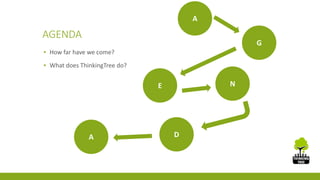
AGENDA 
▪ How far have we come? 
▪ What does ThinkingTree do? 
A 
G 
E N 
A D
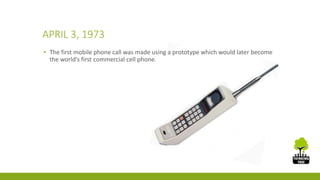
APRIL 3, 1973 
▪ The first mobile phone call was made using a prototype which would later become 
the world’s first commercial cell phone.
NOW 
▪ In 2013 the number of mobile internet users exceeded 1.2 billion 
▪ 85% of emails are browsed via mobile phones 
▪ There are roughly 2.1 million apps with more than 60 billion downloads since the 
‘Dawn of Mobile Apps’ 
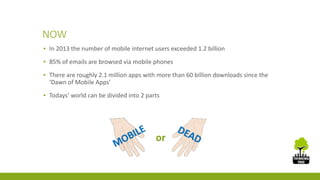
▪ Todays’ world can be divided into 2 parts 
or
THE GIANTS
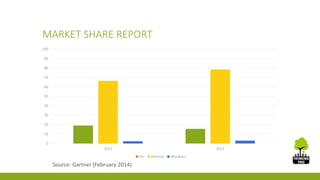
MARKET SHARE REPORT 
100 
90 
80 
70 
60 
50 
40 
30 
20 
10 
0 
2012 2013 
iOs Android Windows 
Source: Gartner (February 2014)
THINKINGTREE IN MOBILE APP DEVELOPMENT 
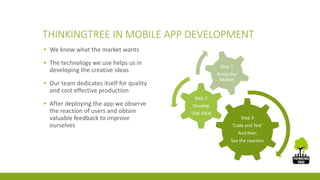
▪ We know what the market wants 
▪ The technology we use helps us in 
developing the creative ideas 
▪ Our team dedicates itself for quality 
and cost effective production 
▪ After deploying the app we observe 
the reaction of users and obtain 
valuable feedback to improve 
ourselves 
Step 3 
‘Code and Test’ 
And then 
See the reaction 
Step 2 
Develop 
‘THE IDEA’ 
Step 1 
Know the 
Market
WHAT THINKINGTREE DOES IN MAD? 
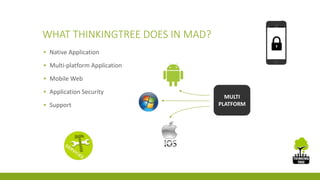
▪ Native Application 
▪ Multi-platform Application 
▪ Mobile Web 
▪ Application Security 
▪ Support 
MULTI 
PLATFORM
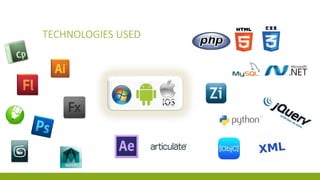
TECHNOLOGIES USED
EXPERTISE 
▪ Focus on platform independent 
applications for better accessibility in 
the market 
▪ Veterans with 14 years of experience 
in mobile application development 
▪ Customized mobile learning using 
open source technologies 
Field Quantity 
Learning 60+ hrs. 
Games & 
Apps 
20+
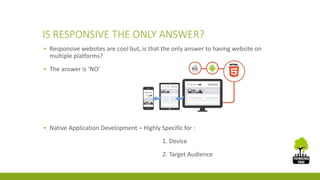
IS RESPONSIVE THE ONLY ANSWER? 
▪ Responsive websites are cool but, is that the only answer to having website on 
multiple platforms? 
▪ The answer is ‘NO’ 
▪ Native Application Development – Highly Specific for : 
1. Device 
2. Target Audience
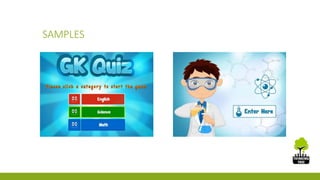
SAMPLES
THINKINGTREE 
CONSULTING 
PVT. LTD. 
www.thinking-tree.in 
T h a n k Y o u 
Corporate Office : Second Floor, D-193, 
Sector - 10 
Noida - 201301 
India - +911204541923 , 2533111 
US - +1 630-873-5447

Mobile Application Development

  • 1.
    MOBILE APPLICATION DEVELOPMENT WE DO ‘MAD’ STUFF
  • 2.
    AGENDA ▪ Howfar have we come? ▪ What does ThinkingTree do? A G E N A D
  • 3.
    APRIL 3, 1973 ▪ The first mobile phone call was made using a prototype which would later become the world’s first commercial cell phone.
  • 4.
    NOW ▪ In2013 the number of mobile internet users exceeded 1.2 billion ▪ 85% of emails are browsed via mobile phones ▪ There are roughly 2.1 million apps with more than 60 billion downloads since the ‘Dawn of Mobile Apps’ ▪ Todays’ world can be divided into 2 parts or
  • 5.
  • 6.
    MARKET SHARE REPORT 100 90 80 70 60 50 40 30 20 10 0 2012 2013 iOs Android Windows Source: Gartner (February 2014)
  • 7.
    THINKINGTREE IN MOBILEAPP DEVELOPMENT ▪ We know what the market wants ▪ The technology we use helps us in developing the creative ideas ▪ Our team dedicates itself for quality and cost effective production ▪ After deploying the app we observe the reaction of users and obtain valuable feedback to improve ourselves Step 3 ‘Code and Test’ And then See the reaction Step 2 Develop ‘THE IDEA’ Step 1 Know the Market
  • 8.
    WHAT THINKINGTREE DOESIN MAD? ▪ Native Application ▪ Multi-platform Application ▪ Mobile Web ▪ Application Security ▪ Support MULTI PLATFORM
  • 9.
  • 10.
    EXPERTISE ▪ Focuson platform independent applications for better accessibility in the market ▪ Veterans with 14 years of experience in mobile application development ▪ Customized mobile learning using open source technologies Field Quantity Learning 60+ hrs. Games & Apps 20+
  • 11.
    IS RESPONSIVE THEONLY ANSWER? ▪ Responsive websites are cool but, is that the only answer to having website on multiple platforms? ▪ The answer is ‘NO’ ▪ Native Application Development – Highly Specific for : 1. Device 2. Target Audience
  • 12.
  • 15.
    THINKINGTREE CONSULTING PVT.LTD. www.thinking-tree.in T h a n k Y o u Corporate Office : Second Floor, D-193, Sector - 10 Noida - 201301 India - +911204541923 , 2533111 US - +1 630-873-5447

Editor's Notes

  • #2 NOTE: To replace a picture, just select and delete it. Then use the Insert Picture icon to replace it with one of your own!