Zero to Hipster with the M.I.K.E. Stack
Jen Looper and Charlie Key
Jen Looper
Developer Advocate, Telerik
@jenlooper
Charlie Key
Co-Founder, Modulus
@Zwigby
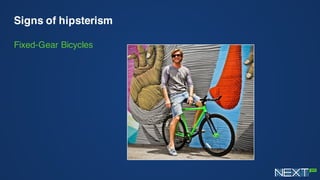
Signs of hipsterism
Fixed-Gear Bicycles
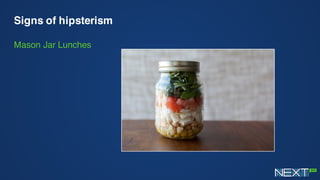
Signs of hipsterism
Mason Jar Lunches
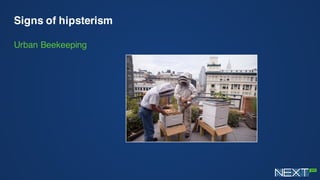
Signs of hipsterism
Urban Beekeeping
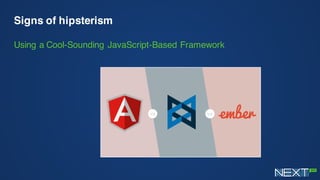
Signs of hipsterism
Using a Cool-Sounding JavaScript-Based Framework
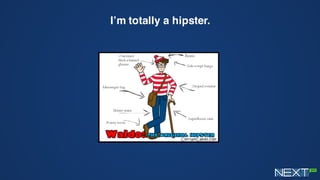
I’m totally a hipster.
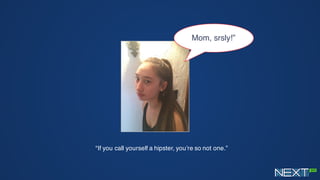
“If you call yourself a hipster, you’re so not one.”
Mom, srsly!”
You know you’re a hipster when…
You create your own darn web stack*
Presenting…the M.I.K.E. Stack
*with thanks also to Carl Bergenhem** and Burke Holland
**Carl looks kind of like Mike or vice versa
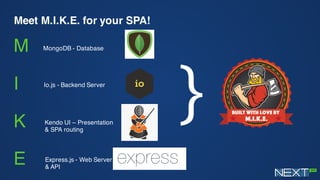
Meet M.I.K.E. for your SPA!
M
I
K
E
MongoDB - Database
Io.js - Backend Server
Kendo UI – Presentation
& SPA routing
Express.js - Web Server
& API
}
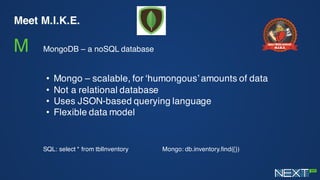
Meet M.I.K.E.
M MongoDB – a noSQL database
• Mongo – scalable, for ‘humongous’ amounts of data
• Not a relational database
• Uses JSON-based querying language
• Flexible data model
SQL: select * from tblInventory Mongo: db.inventory.find({})
Meet M.I.K.E.
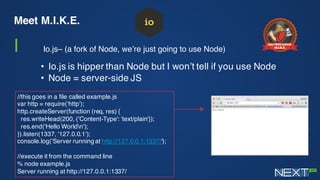
I Io.js– (a fork of Node, we’re just going to use Node)
• Io.js is hipper than Node but I won’t tell if you use Node
• Node = server-side JS
//this goes in a file called example.js
var http = require('http');
http.createServer(function (req, res) {
res.writeHead(200, {'Content-Type': 'text/plain'});
res.end('Hello Worldn');
}).listen(1337, '127.0.0.1');
console.log('Server running at http://127.0.0.1:1337/');
//execute it from the command line
% node example.js
Server running at http://127.0.0.1:1337/
Meet M.I.K.E.
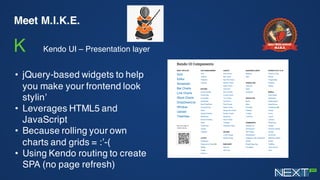
K Kendo UI – Presentation layer
• jQuery-based widgets to help
you make your frontend look
stylin’
• Leverages HTML5 and
JavaScript
• Because rolling your own
charts and grids = :’-(
• Using Kendo routing to create
SPA (no page refresh)
Meet M.I.K.E.
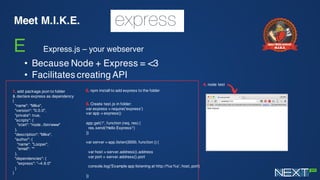
E Express.js – your webserver
• Because Node + Express = <3
• Facilitates creating API
. add package.json to folder
& declare express as dependency
{
"name": "Mike",
"version": "0.0.0",
"private": true,
"scripts": {
"start": "node ./bin/www"
},
"description": "Mike",
"author": {
"name": "Looper",
"email": ""
},
"dependencies": {
"express": "~4.9.0"
}
}
. npm install to add express to the folder
. Create test.js in folder:
var express = require('express')
var app = express()
app.get('/', function (req, res) {
res.send('Hello Express!')
})
var server = app.listen(3000, function () {
var host = server.address().address
var port = server.address().port
console.log('Example app listening at http://%s:%s', host, port)
})
. node test
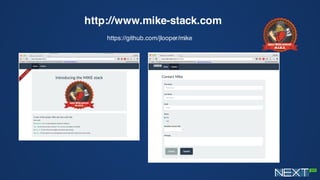
http://www.mike-stack.com
https://github.com/jlooper/mike
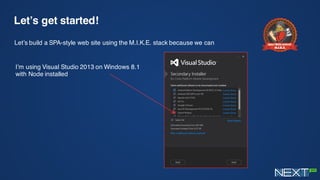
Let’s get started!
Let’s build a SPA-style web site using the M.I.K.E. stack because we can
I’m using Visual Studio 2013 on Windows 8.1
with Node installed
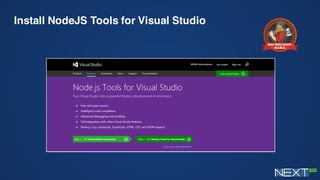
Install NodeJS Tools for Visual Studio
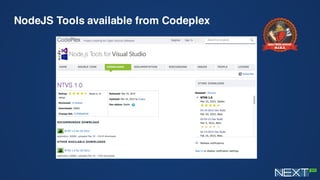
NodeJS Tools available from Codeplex
Today’s tasks:
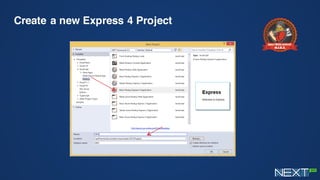
1.Scaffold an Express 4 app in VS and clean it up
for our purposes
2.Set up an Express Route
3.Add Kendo UI and Bootstrap for pretteh + SPA
behavior
4.All about that database!
5.Craft your API
Create a new Express 4 Project
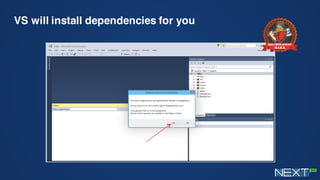
VS will install dependencies for you
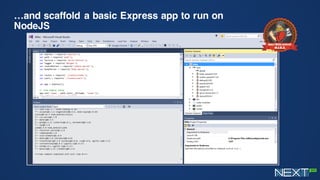
…and scaffold a basic Express app to run on
NodeJS
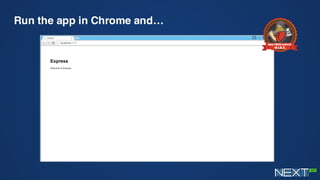
Run the app in Chrome and…
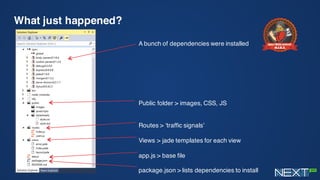
What just happened?
A bunch of dependencies were installed
Public folder > images, CSS, JS
Routes > ‘traffic signals’
Views > jade templates for each view
app.js > base file
package.json > lists dependencies to install
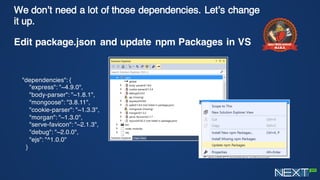
We don’t need a lot of those dependencies. Let’s
change it up.
Edit package.json and update npm Packages in VS
"dependencies": {
"express": "~4.9.0",
"body-parser": "~1.8.1",
"mongoose": "3.8.11",
"cookie-parser": "~1.3.3",
"morgan": "~1.3.0",
"serve-favicon": "~2.1.3",
"debug": "~2.0.0",
"ejs": "^1.0.0"
}
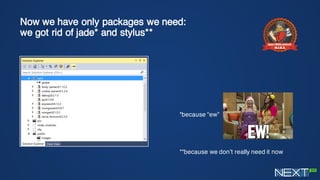
Now we have only packages we need:
we got rid of jade* and stylus**
*because “ew”
**because we don’t really need it now
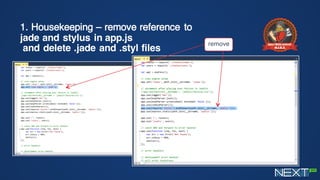
1. Housekeeping – remove reference to
jade and stylus in app.js
and delete .jade and .styl files
remove
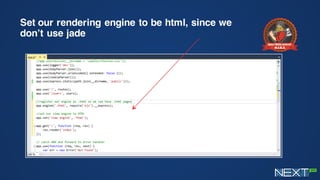
Set our rendering engine to be html, since we
don’t use jade
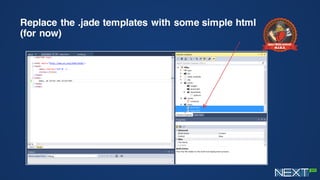
Replace the .jade templates with some simple html
(for now)
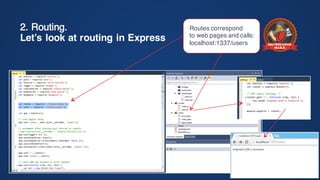
2. Routing.
Let’s look at routing in Express
Routes correspond
to web pages and calls:
localhost:1337/users
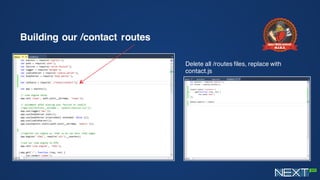
Building our /contact routes
Delete all /routes files, replace with
contact.js
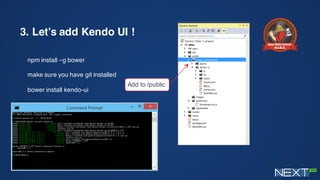
3. Let’s add Kendo UI !
npm install –g bower
make sure you have git installed
bower install kendo-ui
Add to /public
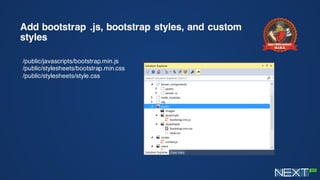
Add bootstrap .js, bootstrap styles, and custom
styles
/public/javascripts/bootstrap.min.js
/public/stylesheets/bootstrap.min.css
/public/stylesheets/style.css
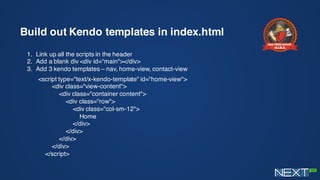
Build out Kendo templates in index.html
1. Link up all the scripts in the header
2. Add a blank div <div id=“main"></div>
3. Add 3 kendo templates – nav, home-view, contact-view
<script type="text/x-kendo-template" id="home-view">
<div class="view-content">
<div class="container content">
<div class="row">
<div class="col-sm-12">
Home
</div>
</div>
</div>
</div>
</script>
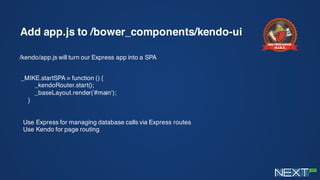
Add app.js to /bower_components/kendo-ui
/kendo/app.js will turn our Express app into a SPA
_MIKE.startSPA = function () {
_kendoRouter.start();
_baseLayout.render('#main');
}
Use Express for managing database calls via Express routes
Use Kendo for page routing
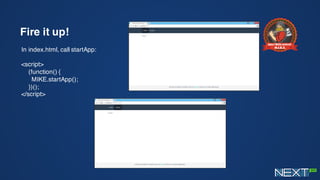
Fire it up!
In index.html, call startApp:
<script>
(function() {
MIKE.startApp();
})();
</script>
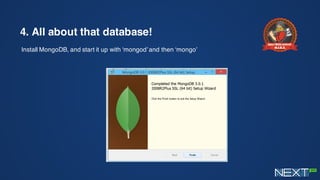
4. All about that database!
Install MongoDB, and start it up with ‘mongod’ and then ‘mongo’
Require mongoose and connect to the local db
In /app.js:
var mongoose = require('mongoose');
var connectionString = 'mongodb://127.0.0.1/contacts'
mongoose.connect(connectionString);
Mongoose provides structure for MongoDB. You can create a
model to whip data into shape.
Database
name
Make a data schema to shape data sent to MongoDB
Create a new file: /models/contact.js
var mongoose=require('mongoose');
var Schema=mongoose.Schema;
var contactSchema = new Schema({
fName: String,
lName: String,
email: String,
status: String,
schedule: String,
message: String
});
module.exports = mongoose.model('Contact', contactSchema);
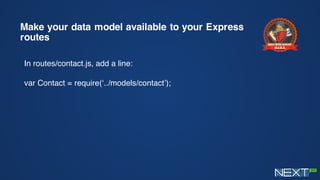
Make your data model available to your Express
routes
In routes/contact.js, add a line:
var Contact = require(‘../models/contact’);
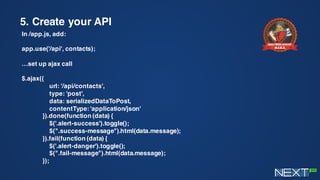
5. Create your API
In /app.js, add:
app.use('/api', contacts);
…set up ajax call
$.ajax({
url: '/api/contacts',
type: 'post',
data: serializedDataToPost,
contentType: 'application/json'
}).done(function (data) {
$('.alert-success').toggle();
$(".success-message").html(data.message);
}).fail(function (data) {
$('.alert-danger').toggle();
$(".fail-message").html(data.message);
});
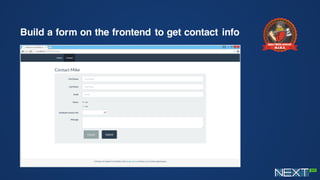
Build a form on the frontend to get contact info
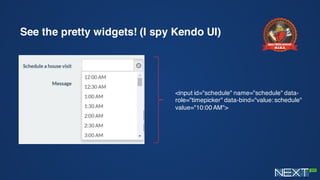
See the pretty widgets! (I spy Kendo UI)
<input id="schedule" name="schedule" data-
role="timepicker" data-bind="value: schedule"
value="10:00 AM">
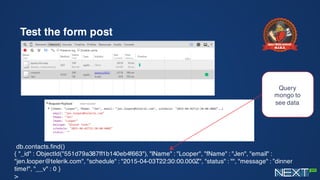
Test the form post
db.contacts.find()
{ "_id" : ObjectId("551d79a387ff1b140eb4f663"), "lName" : "Looper", "fName" : "Jen", "email" :
"jen.looper@telerik.com", "schedule" : "2015-04-03T22:30:00.000Z", "status" : "", "message" : ”dinner
time!", "__v" : 0 }
>
Query
mongo to
see data
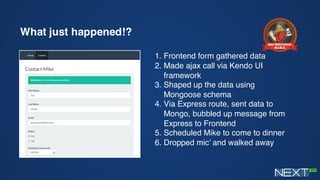
What just happened!?
1. Frontend form gathered data
2. Made ajax call via Kendo UI
framework
3. Shaped up the data using
Mongoose schema
4. Via Express route, sent data to
Mongo, bubbled up message from
Express to Frontend
5. Scheduled Mike to come to dinner
6. Dropped mic’ and walked away
Trivia question!!!
For a prize!
What is the name of the company that builds the
Node.js add-ons for Visual Studio?
Let’s take Mike to Production!
Charlie Key
Co-Founder, Modulus
@Zwigby
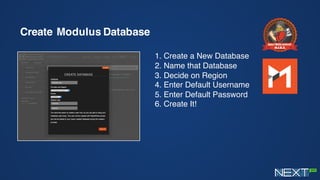
Create Modulus Database
1. Create a New Database
2. Name that Database
3. Decide on Region
4. Enter Default Username
5. Enter Default Password
6. Create It!
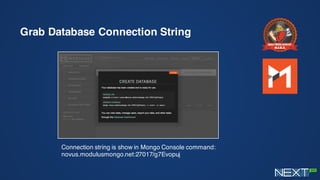
Grab Database Connection String
Connection string is show in Mongo Console command:
novus.modulusmongo.net:27017/g7Evopuj
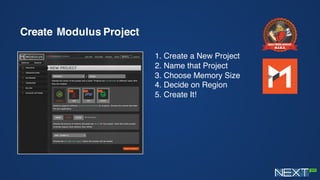
Create Modulus Project
1. Create a New Project
2. Name that Project
3. Choose Memory Size
4. Decide on Region
5. Create It!
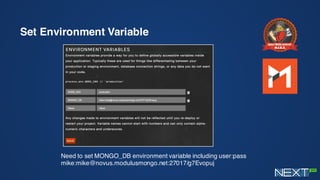
Set Environment Variable
Need to set MONGO_DB environment variable including user:pass
mike:mike@novus.modulusmongo.net:27017/g7Evopuj
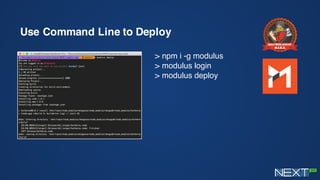
Use Command Line to Deploy
> npm i -g modulus
> modulus login
> modulus deploy
Thank you!
Charlie Key
Co-Founder, Modulus
@Zwigby
Jen Looper
Developer Advocate, Telerik
@jenlooper

MIKE Stack Introduction - MongoDB, io.js, KendoUI, and Express

  • 1.
    Zero to Hipsterwith the M.I.K.E. Stack Jen Looper and Charlie Key
  • 2.
  • 3.
  • 4.
  • 5.
  • 6.
  • 7.
    Signs of hipsterism Usinga Cool-Sounding JavaScript-Based Framework
  • 8.
  • 9.
    “If you callyourself a hipster, you’re so not one.” Mom, srsly!”
  • 10.
    You know you’rea hipster when… You create your own darn web stack* Presenting…the M.I.K.E. Stack *with thanks also to Carl Bergenhem** and Burke Holland **Carl looks kind of like Mike or vice versa
  • 11.
    Meet M.I.K.E. foryour SPA! M I K E MongoDB - Database Io.js - Backend Server Kendo UI – Presentation & SPA routing Express.js - Web Server & API }
  • 12.
    Meet M.I.K.E. M MongoDB– a noSQL database • Mongo – scalable, for ‘humongous’ amounts of data • Not a relational database • Uses JSON-based querying language • Flexible data model SQL: select * from tblInventory Mongo: db.inventory.find({})
  • 13.
    Meet M.I.K.E. I Io.js–(a fork of Node, we’re just going to use Node) • Io.js is hipper than Node but I won’t tell if you use Node • Node = server-side JS //this goes in a file called example.js var http = require('http'); http.createServer(function (req, res) { res.writeHead(200, {'Content-Type': 'text/plain'}); res.end('Hello Worldn'); }).listen(1337, '127.0.0.1'); console.log('Server running at http://127.0.0.1:1337/'); //execute it from the command line % node example.js Server running at http://127.0.0.1:1337/
  • 14.
    Meet M.I.K.E. K KendoUI – Presentation layer • jQuery-based widgets to help you make your frontend look stylin’ • Leverages HTML5 and JavaScript • Because rolling your own charts and grids = :’-( • Using Kendo routing to create SPA (no page refresh)
  • 15.
    Meet M.I.K.E. E Express.js– your webserver • Because Node + Express = <3 • Facilitates creating API . add package.json to folder & declare express as dependency { "name": "Mike", "version": "0.0.0", "private": true, "scripts": { "start": "node ./bin/www" }, "description": "Mike", "author": { "name": "Looper", "email": "" }, "dependencies": { "express": "~4.9.0" } } . npm install to add express to the folder . Create test.js in folder: var express = require('express') var app = express() app.get('/', function (req, res) { res.send('Hello Express!') }) var server = app.listen(3000, function () { var host = server.address().address var port = server.address().port console.log('Example app listening at http://%s:%s', host, port) }) . node test
  • 16.
  • 17.
    Let’s get started! Let’sbuild a SPA-style web site using the M.I.K.E. stack because we can I’m using Visual Studio 2013 on Windows 8.1 with Node installed
  • 18.
    Install NodeJS Toolsfor Visual Studio
  • 19.
  • 20.
    Today’s tasks: 1.Scaffold anExpress 4 app in VS and clean it up for our purposes 2.Set up an Express Route 3.Add Kendo UI and Bootstrap for pretteh + SPA behavior 4.All about that database! 5.Craft your API
  • 21.
    Create a newExpress 4 Project
  • 22.
    VS will installdependencies for you
  • 23.
    …and scaffold abasic Express app to run on NodeJS
  • 24.
    Run the appin Chrome and…
  • 25.
    What just happened? Abunch of dependencies were installed Public folder > images, CSS, JS Routes > ‘traffic signals’ Views > jade templates for each view app.js > base file package.json > lists dependencies to install
  • 26.
    We don’t needa lot of those dependencies. Let’s change it up. Edit package.json and update npm Packages in VS "dependencies": { "express": "~4.9.0", "body-parser": "~1.8.1", "mongoose": "3.8.11", "cookie-parser": "~1.3.3", "morgan": "~1.3.0", "serve-favicon": "~2.1.3", "debug": "~2.0.0", "ejs": "^1.0.0" }
  • 27.
    Now we haveonly packages we need: we got rid of jade* and stylus** *because “ew” **because we don’t really need it now
  • 28.
    1. Housekeeping –remove reference to jade and stylus in app.js and delete .jade and .styl files remove
  • 29.
    Set our renderingengine to be html, since we don’t use jade
  • 30.
    Replace the .jadetemplates with some simple html (for now)
  • 31.
    2. Routing. Let’s lookat routing in Express Routes correspond to web pages and calls: localhost:1337/users
  • 32.
    Building our /contactroutes Delete all /routes files, replace with contact.js
  • 33.
    3. Let’s addKendo UI ! npm install –g bower make sure you have git installed bower install kendo-ui Add to /public
  • 34.
    Add bootstrap .js,bootstrap styles, and custom styles /public/javascripts/bootstrap.min.js /public/stylesheets/bootstrap.min.css /public/stylesheets/style.css
  • 35.
    Build out Kendotemplates in index.html 1. Link up all the scripts in the header 2. Add a blank div <div id=“main"></div> 3. Add 3 kendo templates – nav, home-view, contact-view <script type="text/x-kendo-template" id="home-view"> <div class="view-content"> <div class="container content"> <div class="row"> <div class="col-sm-12"> Home </div> </div> </div> </div> </script>
  • 36.
    Add app.js to/bower_components/kendo-ui /kendo/app.js will turn our Express app into a SPA _MIKE.startSPA = function () { _kendoRouter.start(); _baseLayout.render('#main'); } Use Express for managing database calls via Express routes Use Kendo for page routing
  • 37.
    Fire it up! Inindex.html, call startApp: <script> (function() { MIKE.startApp(); })(); </script>
  • 38.
    4. All aboutthat database! Install MongoDB, and start it up with ‘mongod’ and then ‘mongo’
  • 39.
    Require mongoose andconnect to the local db In /app.js: var mongoose = require('mongoose'); var connectionString = 'mongodb://127.0.0.1/contacts' mongoose.connect(connectionString); Mongoose provides structure for MongoDB. You can create a model to whip data into shape. Database name
  • 40.
    Make a dataschema to shape data sent to MongoDB Create a new file: /models/contact.js var mongoose=require('mongoose'); var Schema=mongoose.Schema; var contactSchema = new Schema({ fName: String, lName: String, email: String, status: String, schedule: String, message: String }); module.exports = mongoose.model('Contact', contactSchema);
  • 41.
    Make your datamodel available to your Express routes In routes/contact.js, add a line: var Contact = require(‘../models/contact’);
  • 42.
    5. Create yourAPI In /app.js, add: app.use('/api', contacts); …set up ajax call $.ajax({ url: '/api/contacts', type: 'post', data: serializedDataToPost, contentType: 'application/json' }).done(function (data) { $('.alert-success').toggle(); $(".success-message").html(data.message); }).fail(function (data) { $('.alert-danger').toggle(); $(".fail-message").html(data.message); });
  • 43.
    Build a formon the frontend to get contact info
  • 44.
    See the prettywidgets! (I spy Kendo UI) <input id="schedule" name="schedule" data- role="timepicker" data-bind="value: schedule" value="10:00 AM">
  • 45.
    Test the formpost db.contacts.find() { "_id" : ObjectId("551d79a387ff1b140eb4f663"), "lName" : "Looper", "fName" : "Jen", "email" : "jen.looper@telerik.com", "schedule" : "2015-04-03T22:30:00.000Z", "status" : "", "message" : ”dinner time!", "__v" : 0 } > Query mongo to see data
  • 46.
    What just happened!? 1.Frontend form gathered data 2. Made ajax call via Kendo UI framework 3. Shaped up the data using Mongoose schema 4. Via Express route, sent data to Mongo, bubbled up message from Express to Frontend 5. Scheduled Mike to come to dinner 6. Dropped mic’ and walked away
  • 47.
    Trivia question!!! For aprize! What is the name of the company that builds the Node.js add-ons for Visual Studio?
  • 48.
    Let’s take Miketo Production! Charlie Key Co-Founder, Modulus @Zwigby
  • 49.
    Create Modulus Database 1.Create a New Database 2. Name that Database 3. Decide on Region 4. Enter Default Username 5. Enter Default Password 6. Create It!
  • 50.
    Grab Database ConnectionString Connection string is show in Mongo Console command: novus.modulusmongo.net:27017/g7Evopuj
  • 51.
    Create Modulus Project 1.Create a New Project 2. Name that Project 3. Choose Memory Size 4. Decide on Region 5. Create It!
  • 52.
    Set Environment Variable Needto set MONGO_DB environment variable including user:pass mike:mike@novus.modulusmongo.net:27017/g7Evopuj
  • 53.
    Use Command Lineto Deploy > npm i -g modulus > modulus login > modulus deploy
  • 54.
    Thank you! Charlie Key Co-Founder,Modulus @Zwigby Jen Looper Developer Advocate, Telerik @jenlooper