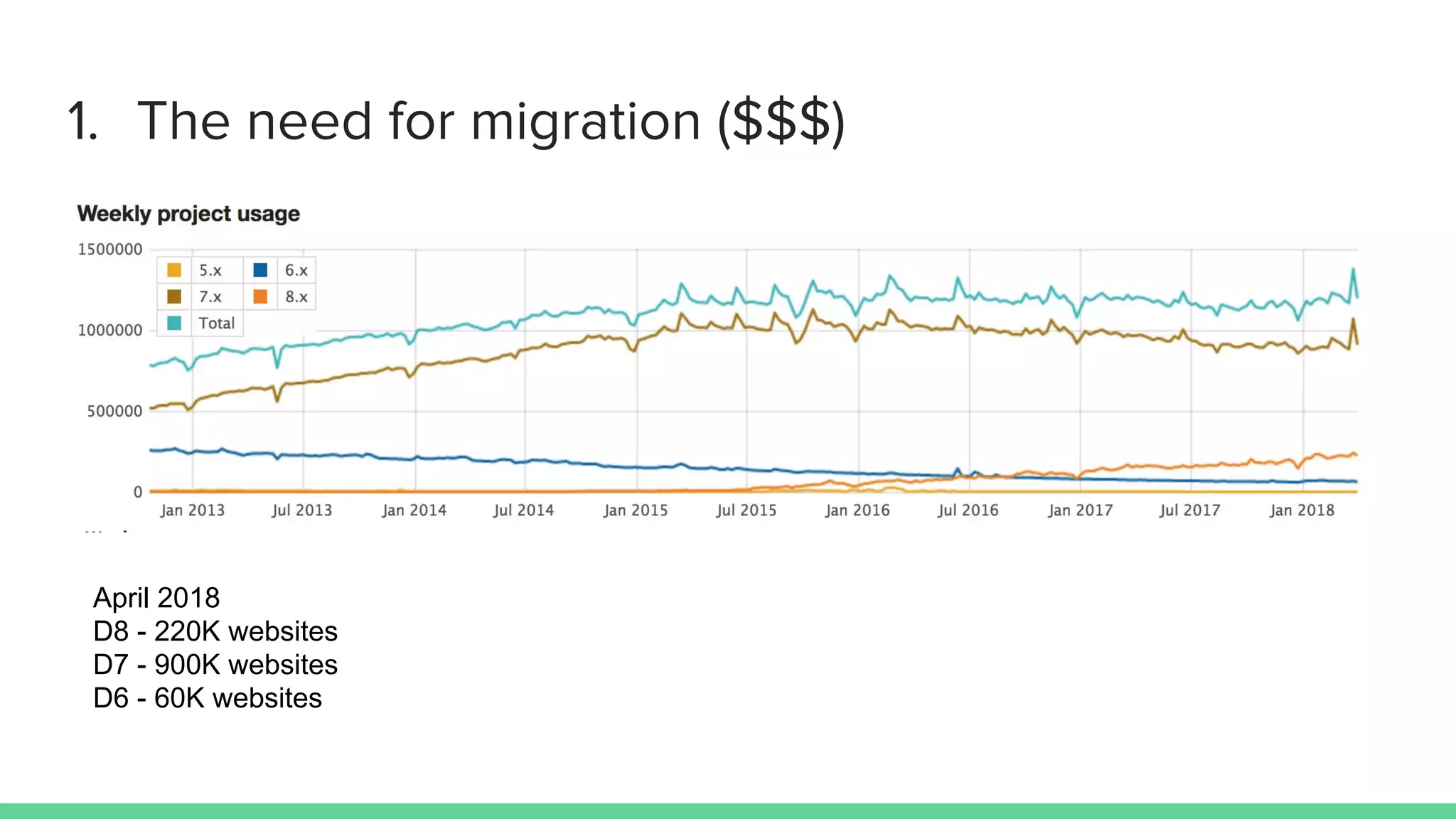
April 2018
D8 - 220K websites
D7 - 900K websites
D6 - 60K websites
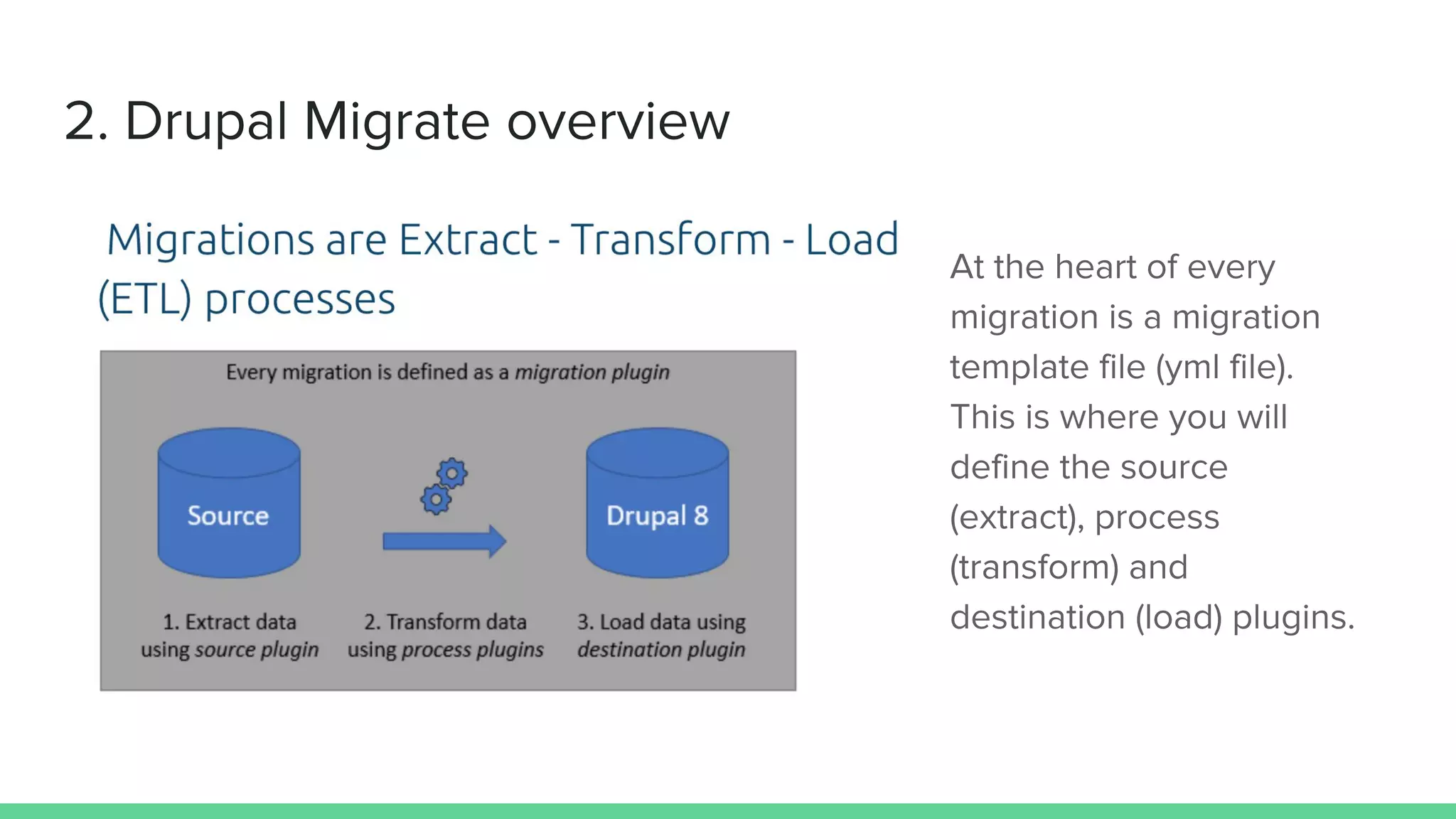
destination:
plugin: entity:user
/**
* @MigrateDestination(
* id = "entity:user"
* )
*/
class EntityUser extends EntityContentBase {
protected function save(ContentEntityInterface $entity, array $old_destination_id_values
= []) {
$entity->save();
return [$entity->id()];
}
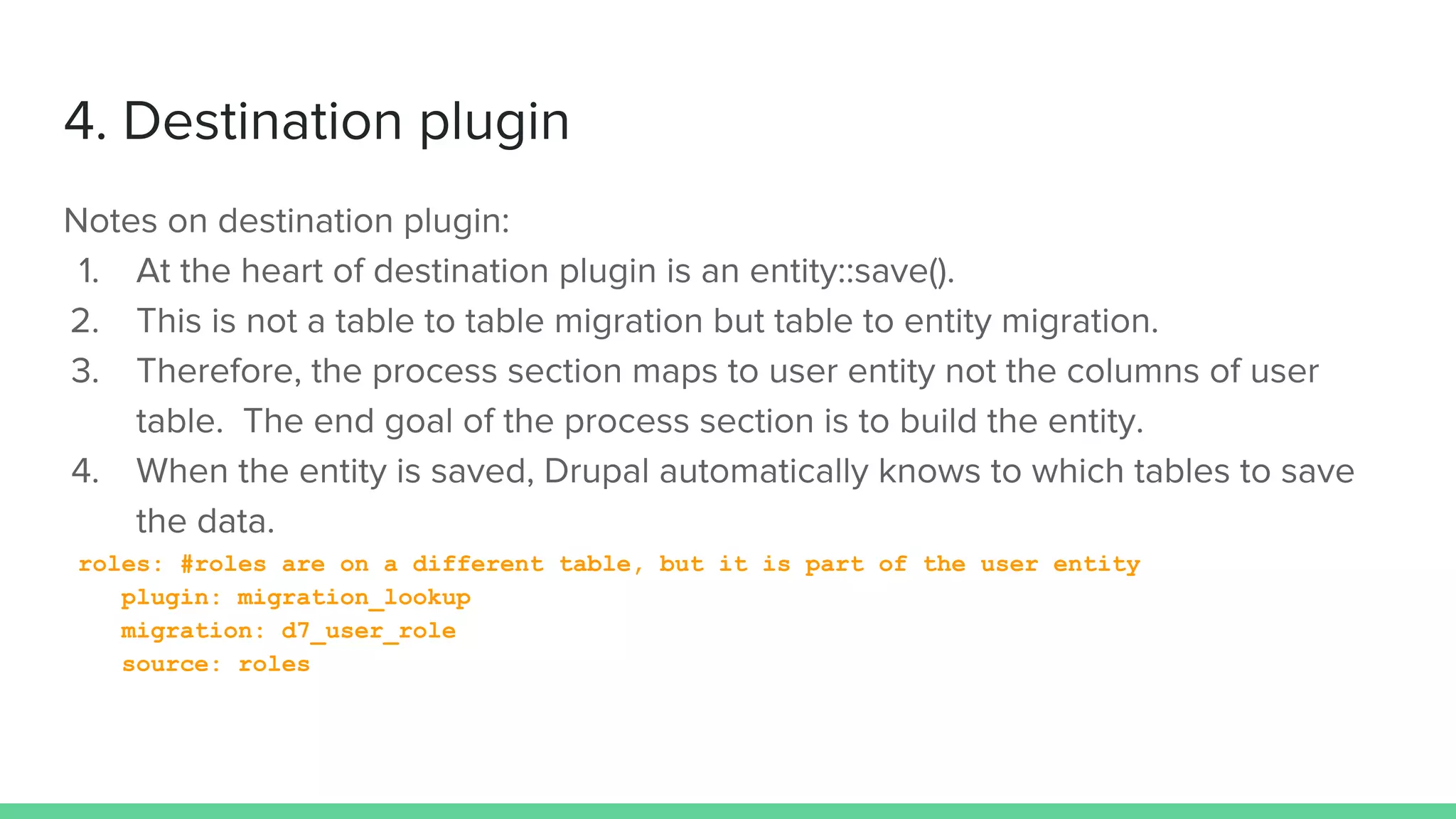
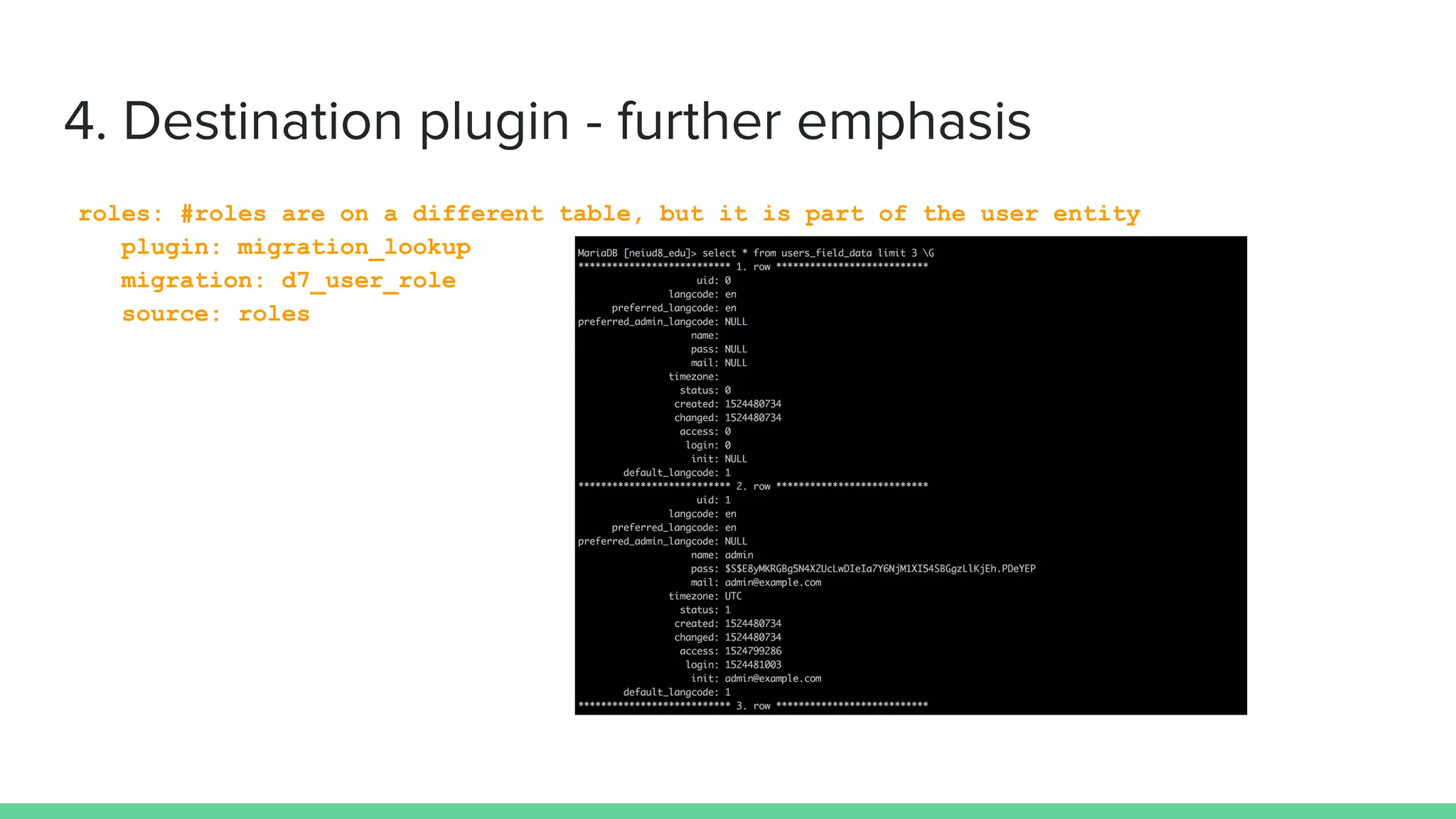
roles: #roles are on a different table, but it is part of the user entity
plugin: migration_lookup
migration: d7_user_role
source: roles
roles: #roles are on a different table, but it is part of the user entity
plugin: migration_lookup
migration: d7_user_role
source: roles
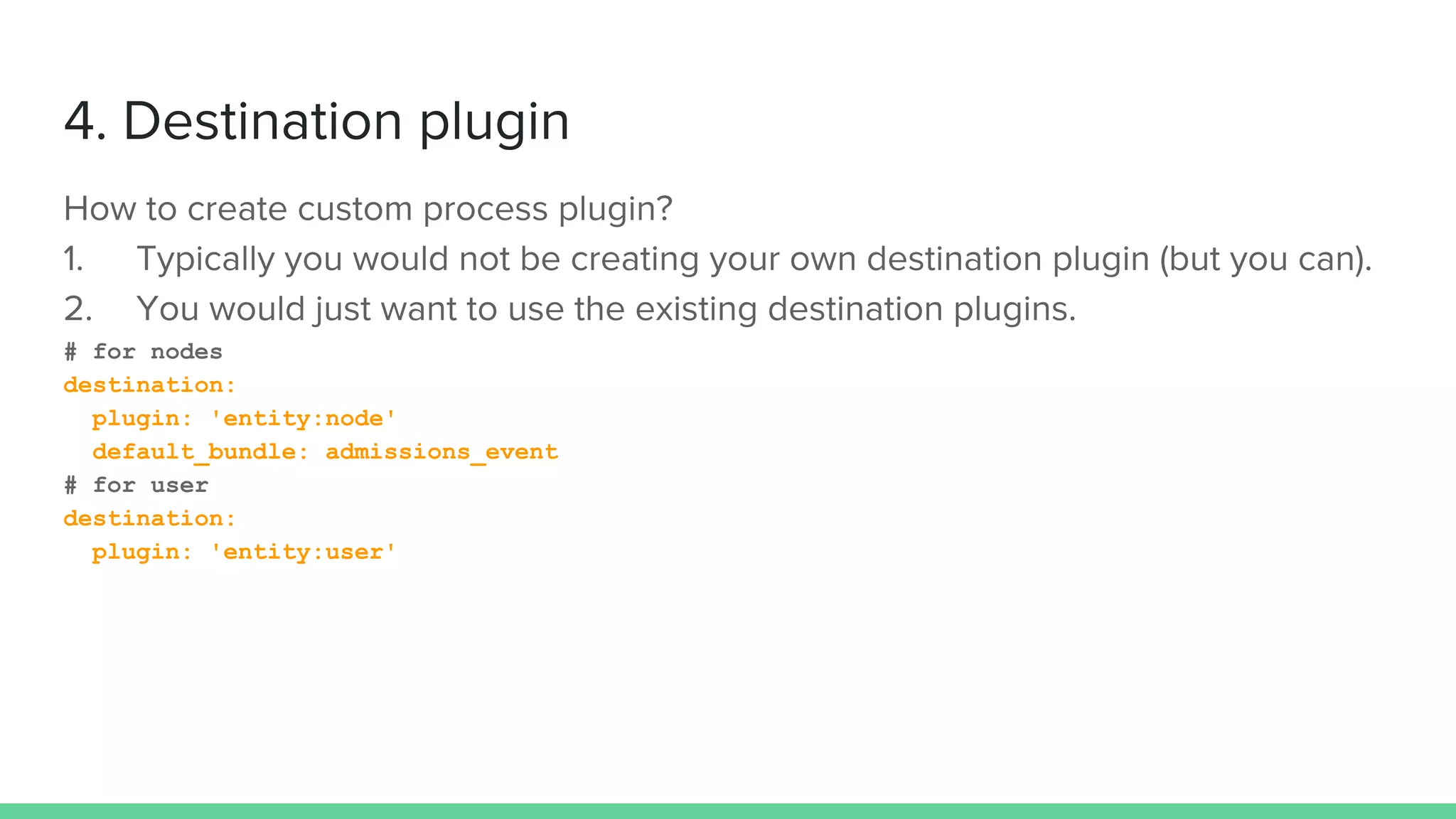
# for nodes
destination:
plugin: 'entity:node'
default_bundle: admissions_event
# for user
destination:
plugin: 'entity:user'
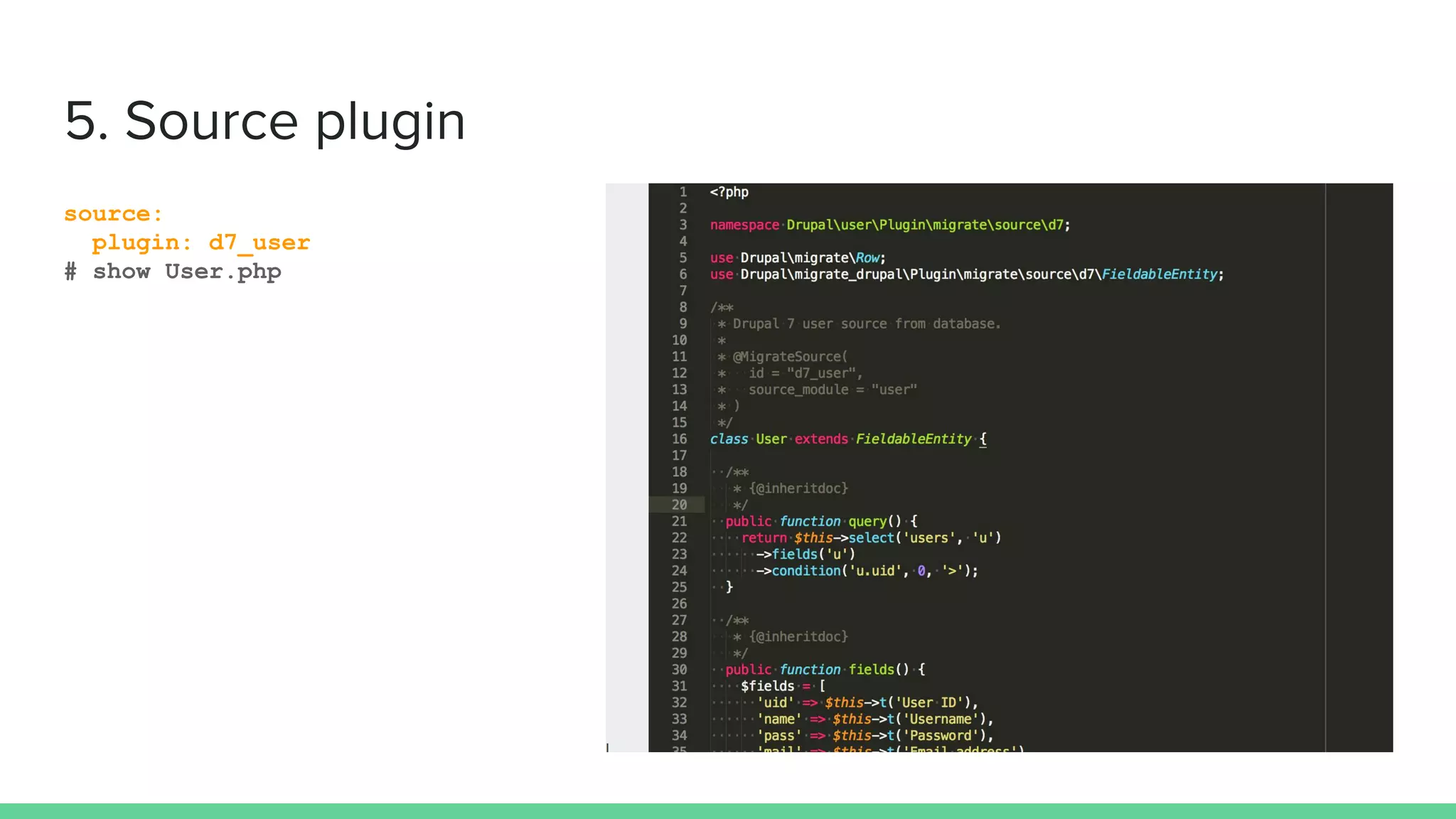
source:
plugin: d7_user
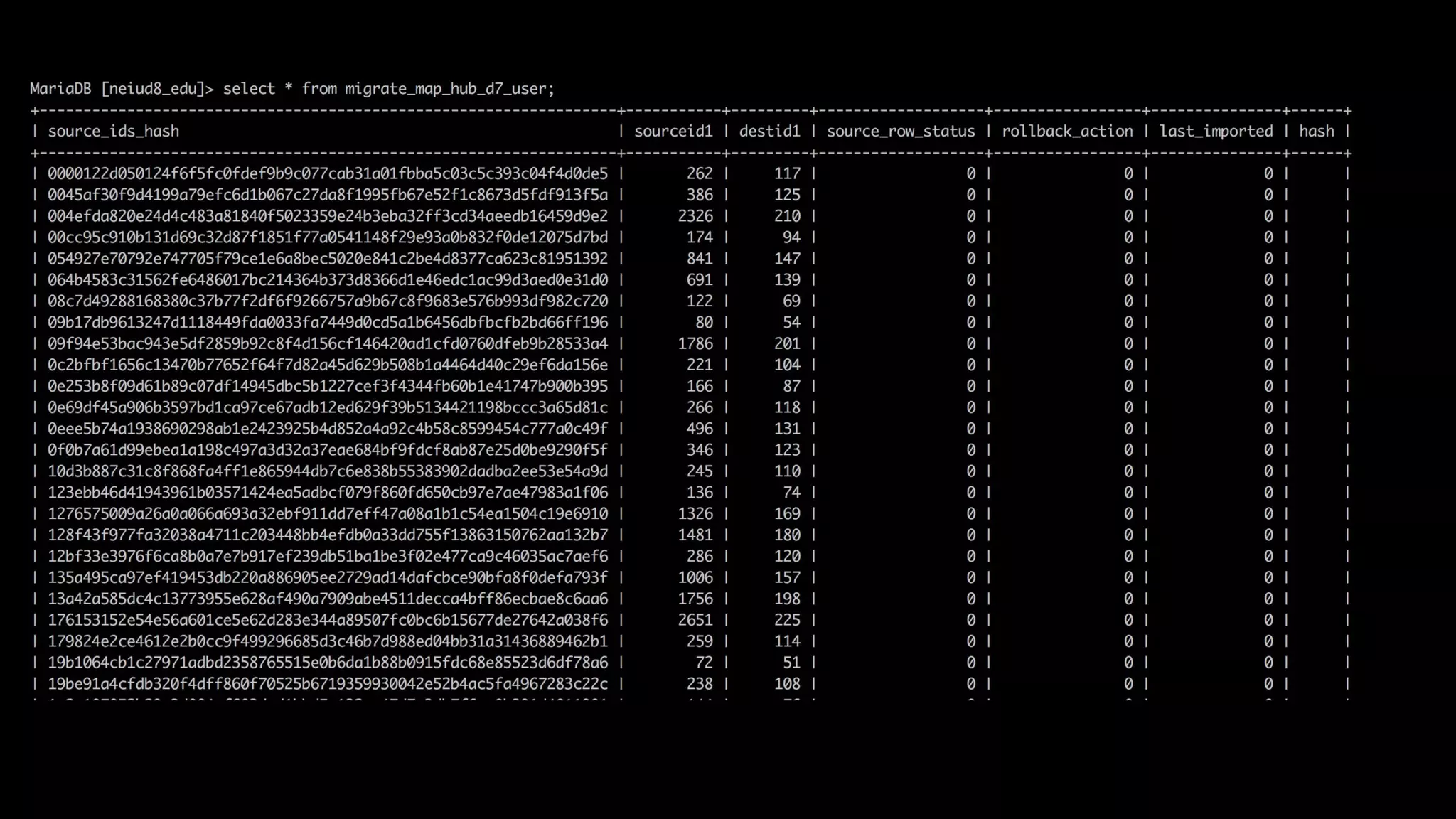
# show User.php
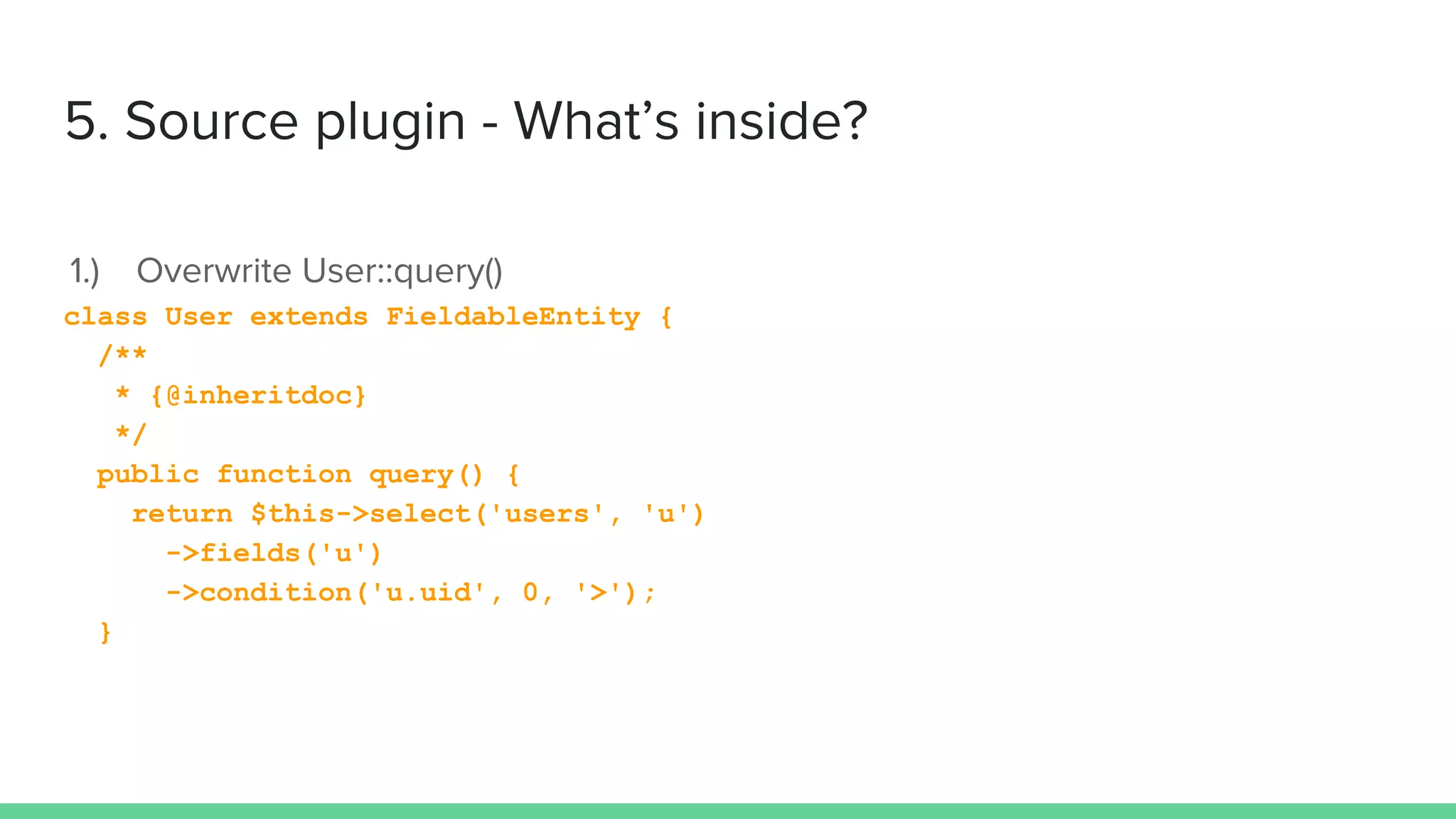
class User extends FieldableEntity {
/**
* {@inheritdoc}
*/
public function query() {
return $this->select('users', 'u')
->fields('u')
->condition('u.uid', 0, '>');
}
public function fields() {
$fields = [
'uid' => $this->t('User ID'),
'name' => $this->t('Username'),
];
return $fields;
}
User::fields are the source data you can use later in process section of the template.
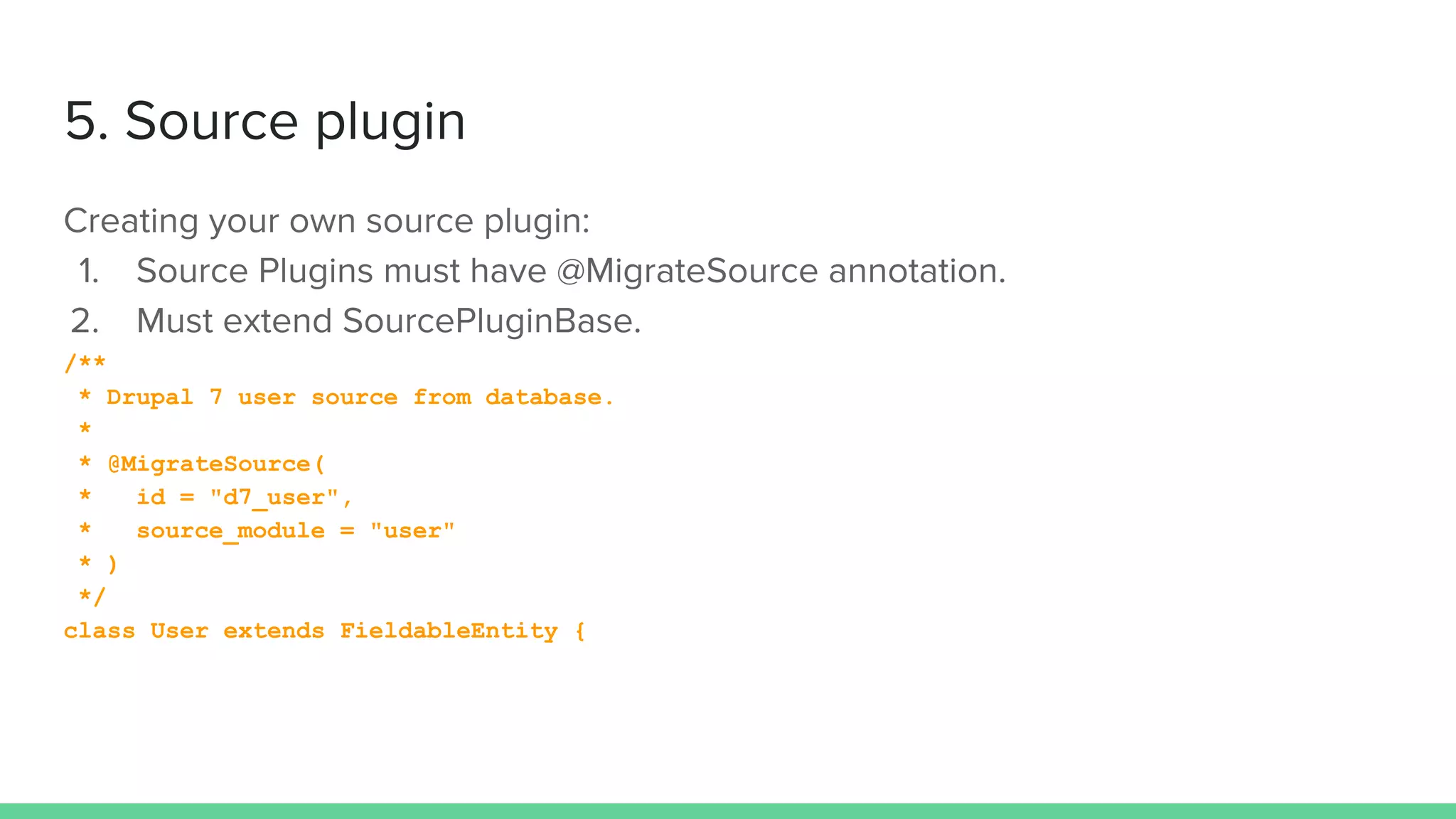
/**
* Drupal 7 user source from database.
*
* @MigrateSource(
* id = "d7_user",
* source_module = "user"
* )
*/
class User extends FieldableEntity {
being confident of this, that he who began a
good work in you will carry it on to completion
until the day of Christ Jesus.
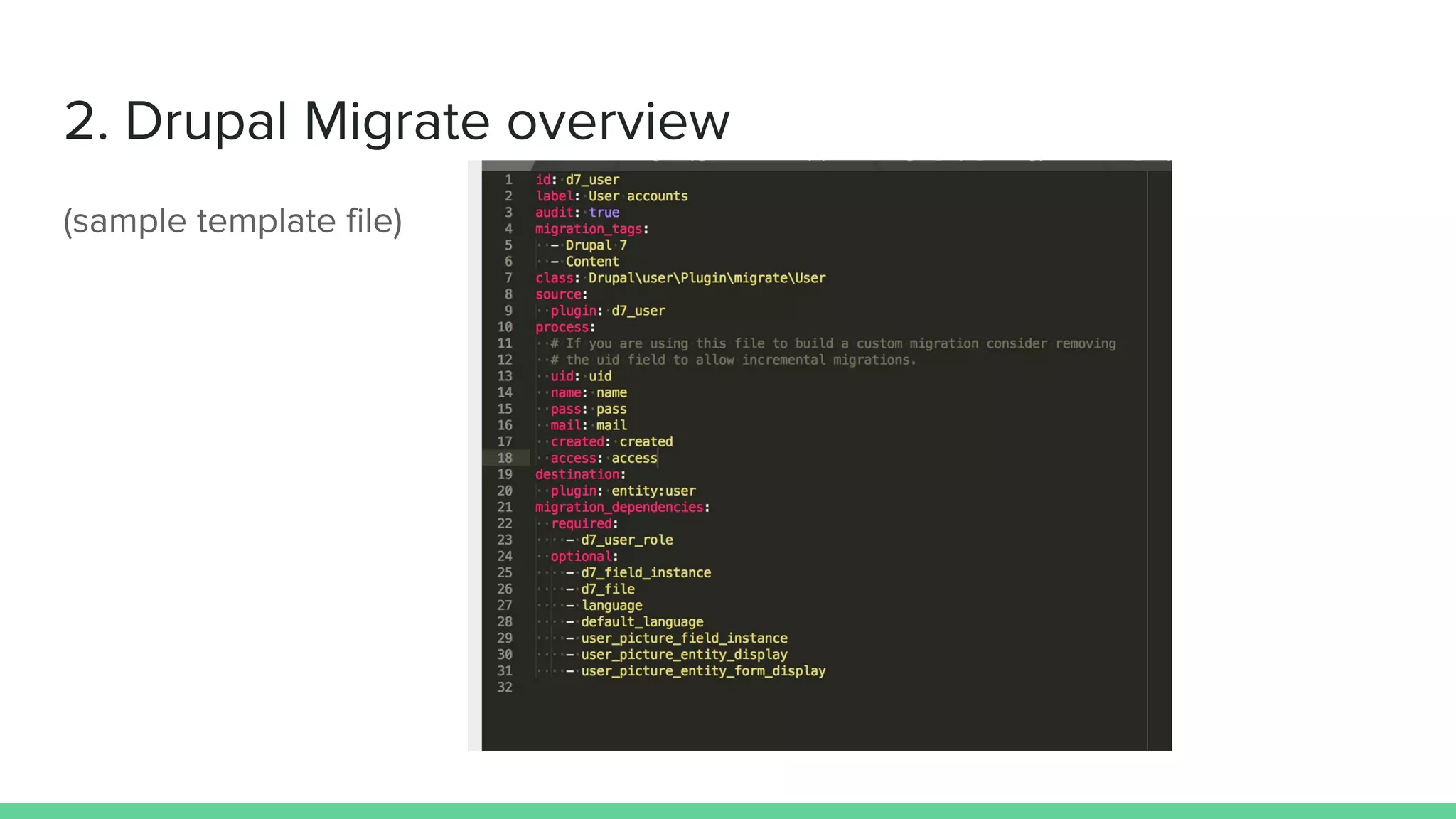
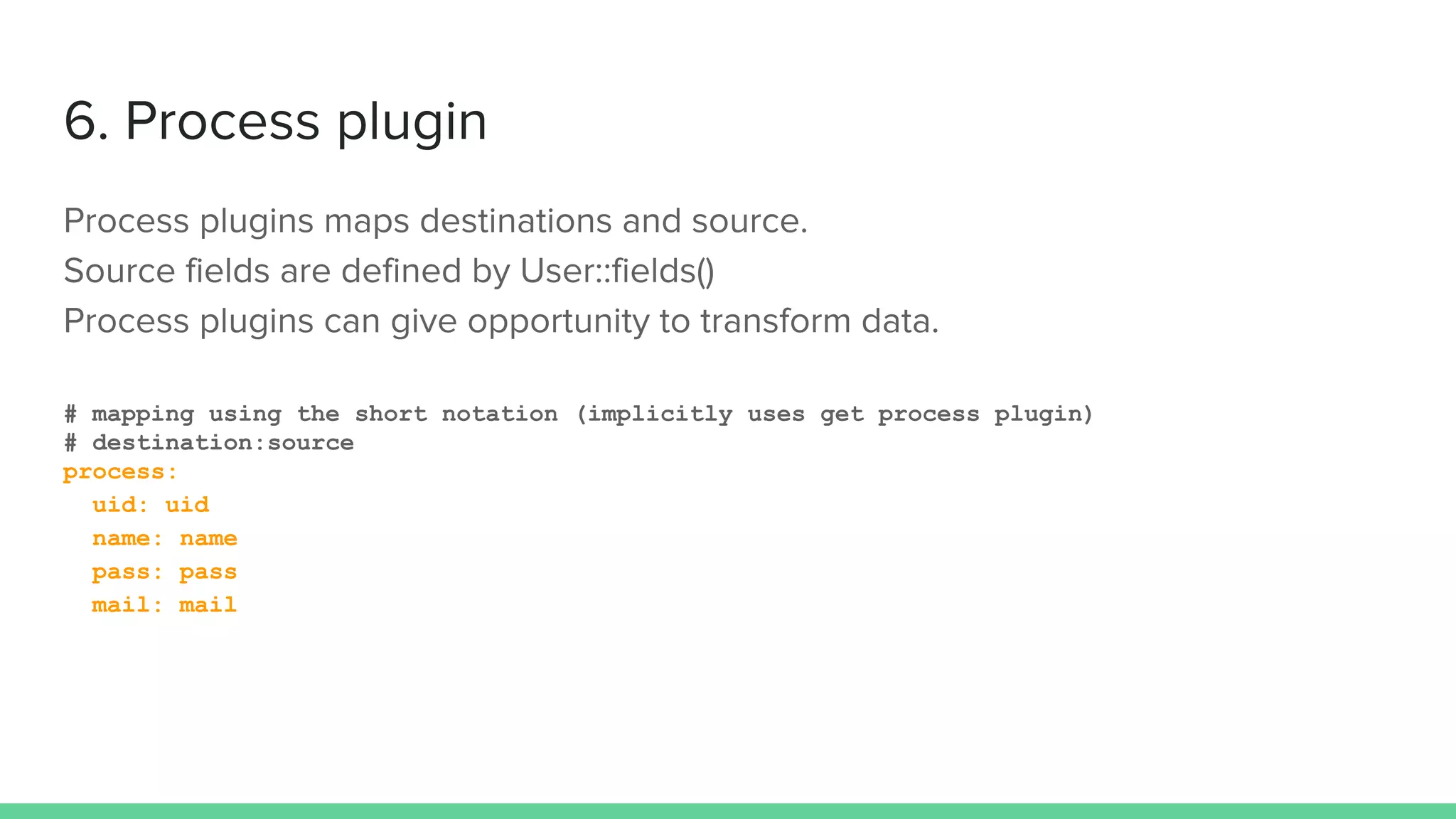
# mapping using the short notation (implicitly uses get process plugin)
# destination:source
process:
uid: uid
name: name
pass: pass
mail: mail
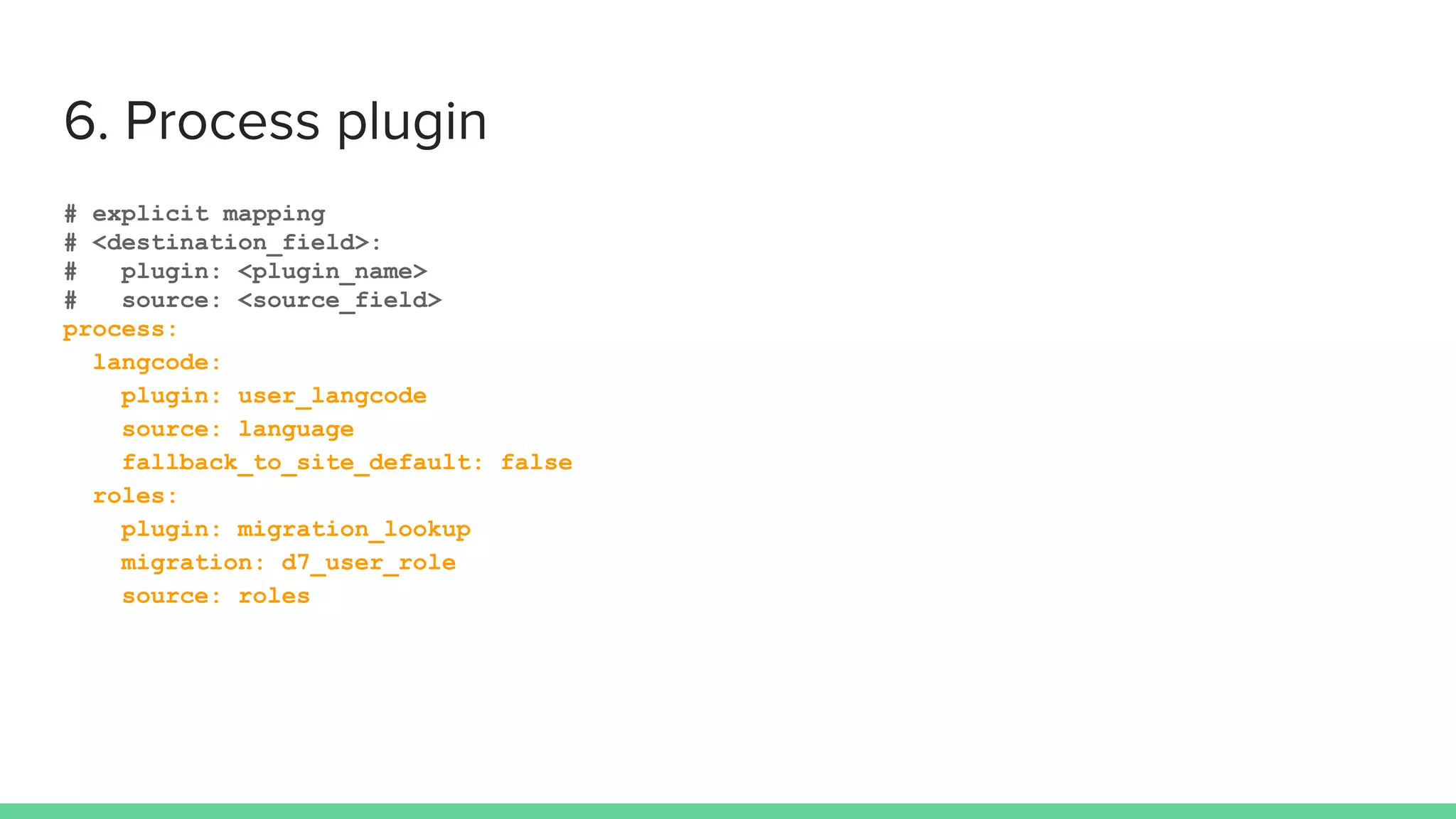
# explicit mapping
# <destination_field>:
# plugin: <plugin_name>
# source: <source_field>
process:
langcode:
plugin: user_langcode
source: language
fallback_to_site_default: false
roles:
plugin: migration_lookup
migration: d7_user_role
source: roles
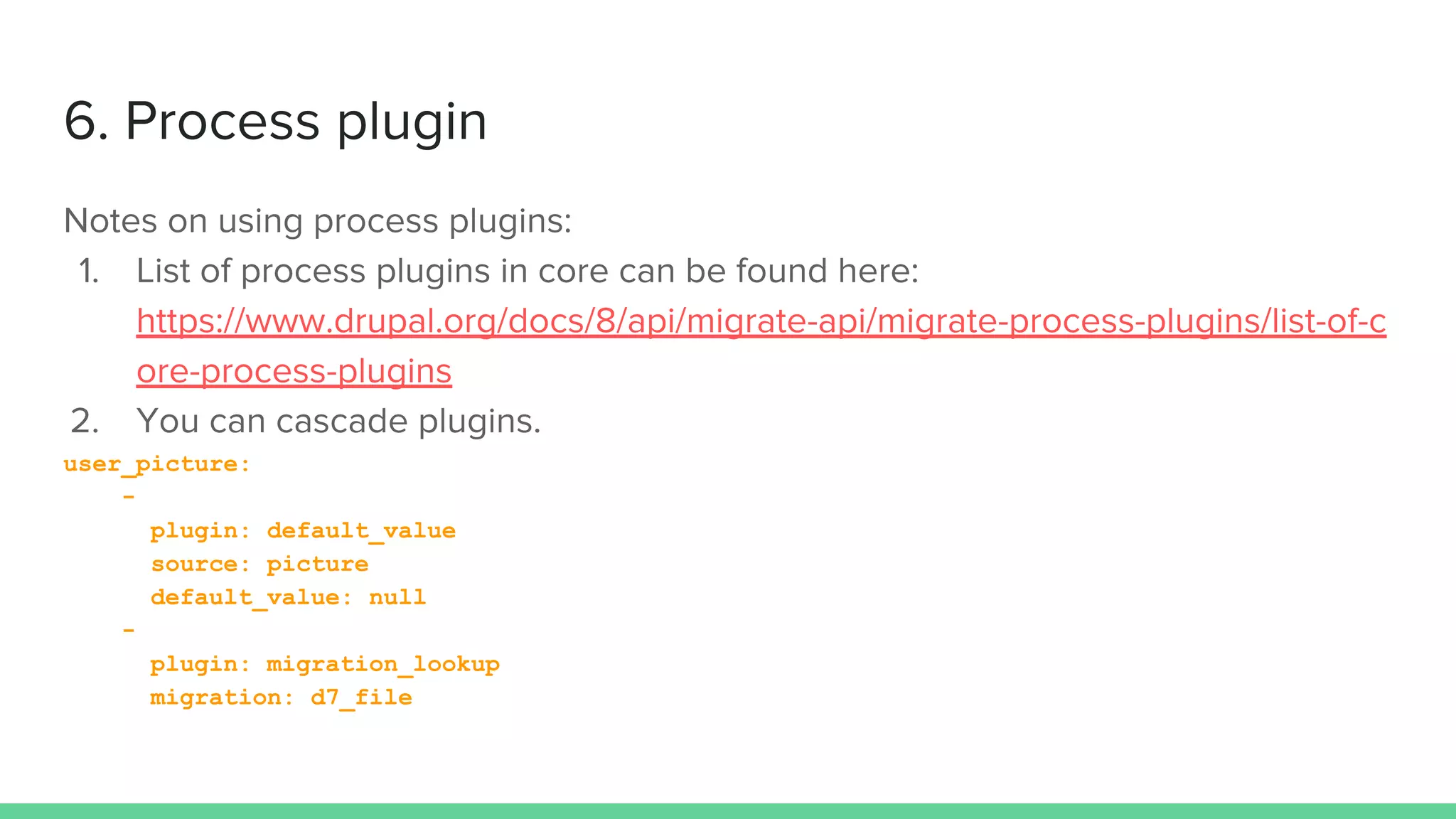
user_picture:
-
plugin: default_value
source: picture
default_value: null
-
plugin: migration_lookup
migration: d7_file
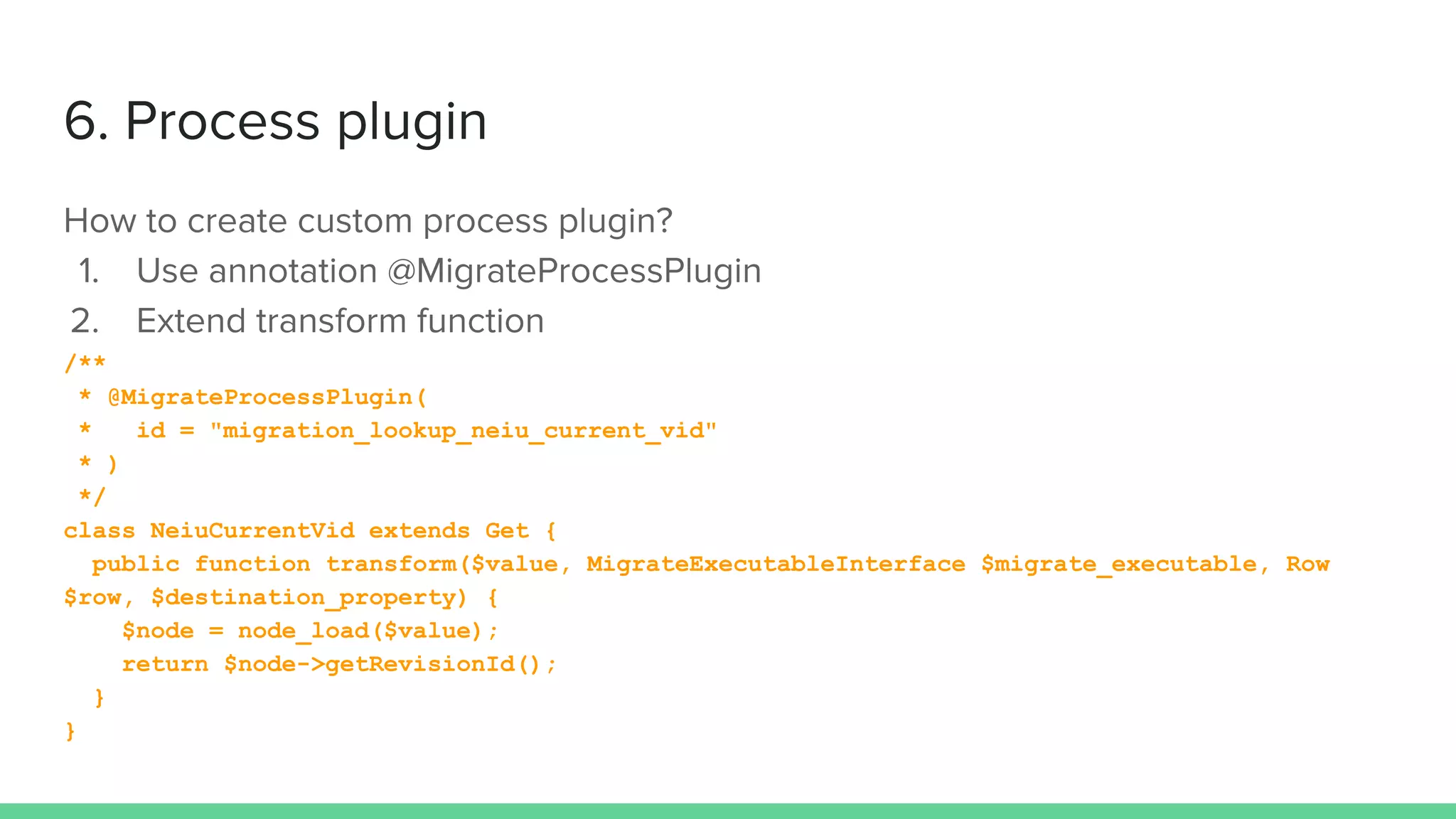
/**
* @MigrateProcessPlugin(
* id = "migration_lookup_neiu_current_vid"
* )
*/
class NeiuCurrentVid extends Get {
public function transform($value, MigrateExecutableInterface $migrate_executable, Row
$row, $destination_property) {
$node = node_load($value);
return $node->getRevisionId();
}
}
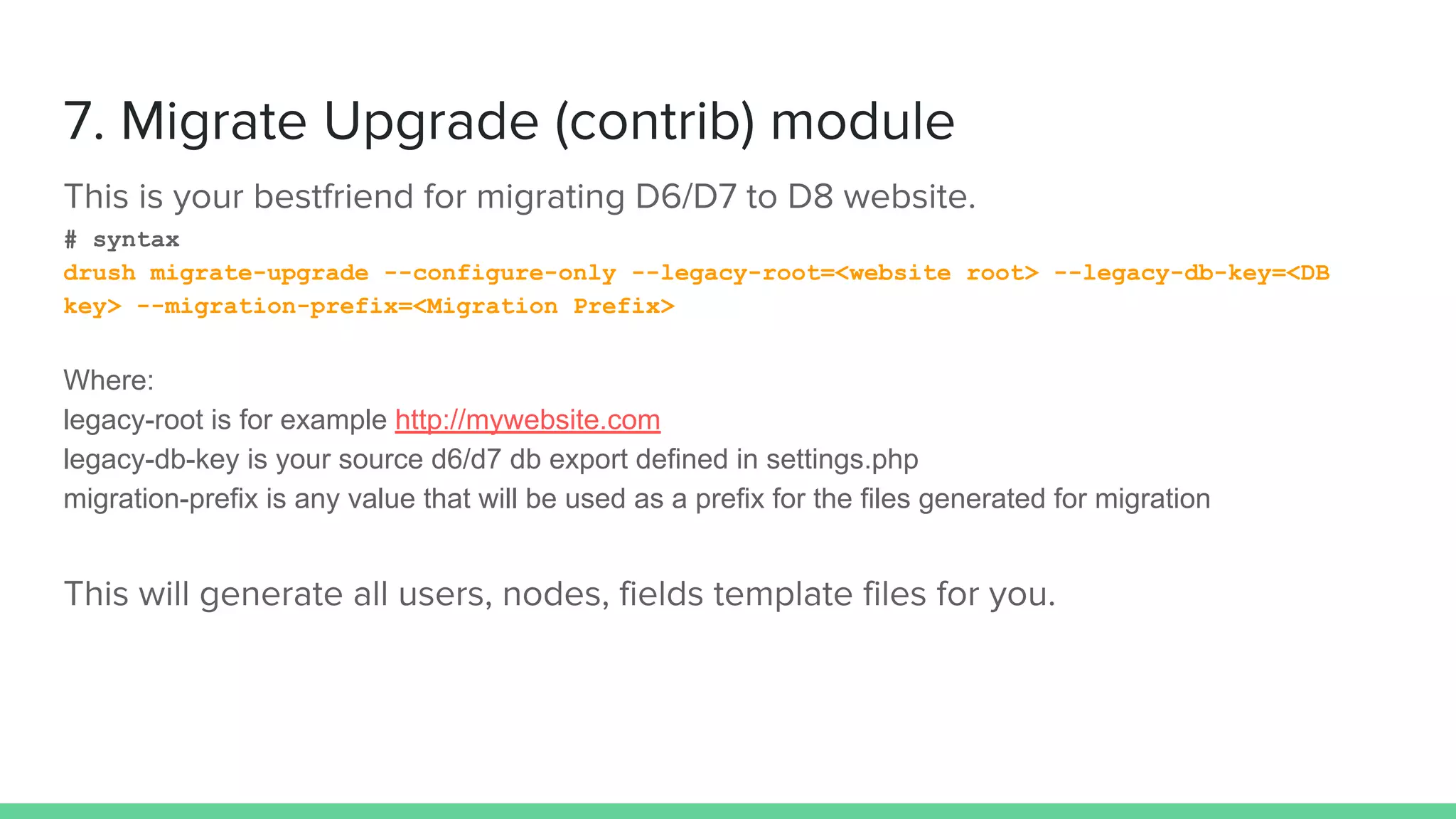
# syntax
drush migrate-upgrade --configure-only --legacy-root=<website root> --legacy-db-key=<DB
key> --migration-prefix=<Migration Prefix>
Where:
legacy-root is for example http://mywebsite.com
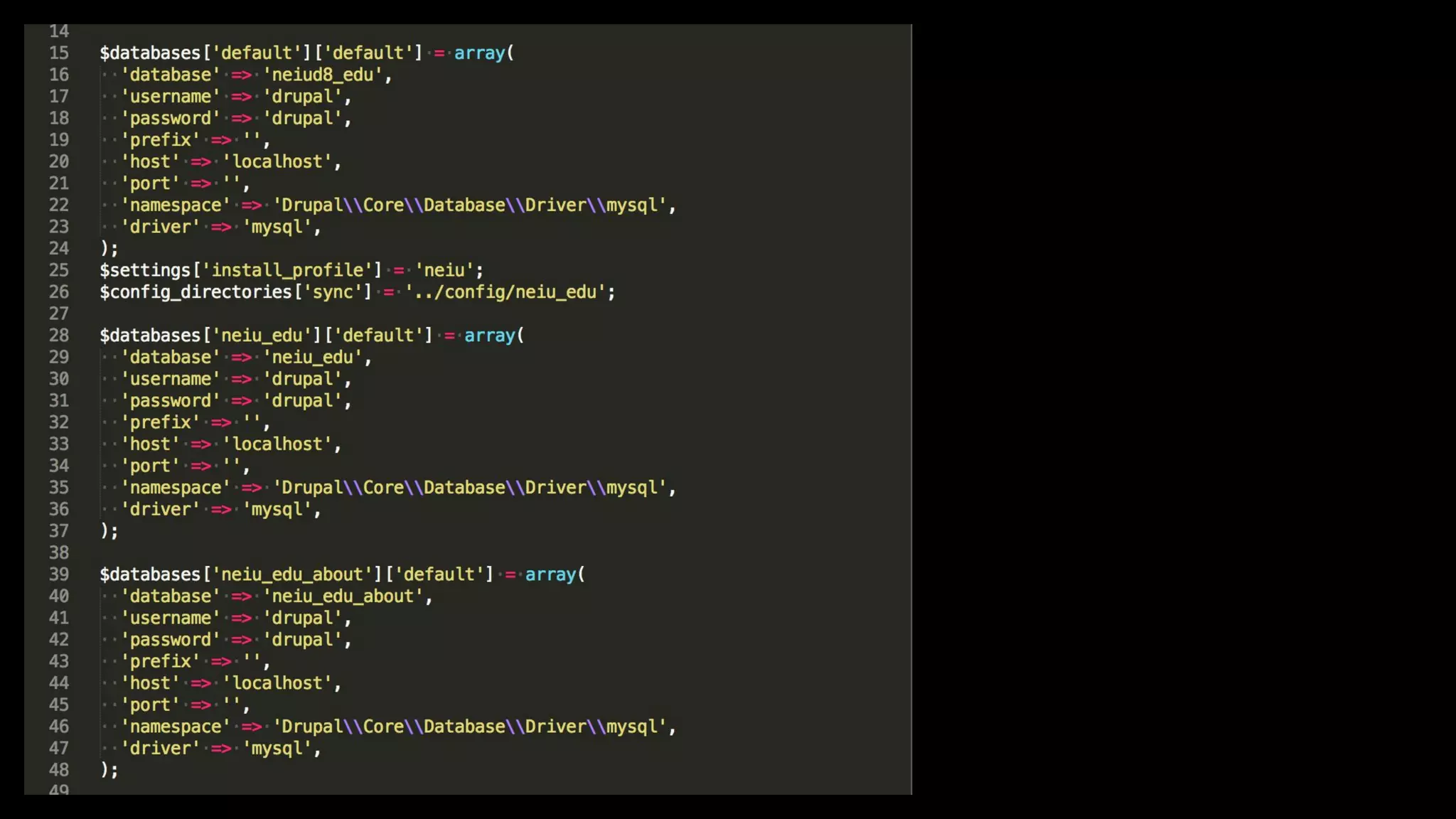
legacy-db-key is your source d6/d7 db export defined in settings.php
migration-prefix is any value that will be used as a prefix for the files generated for migration
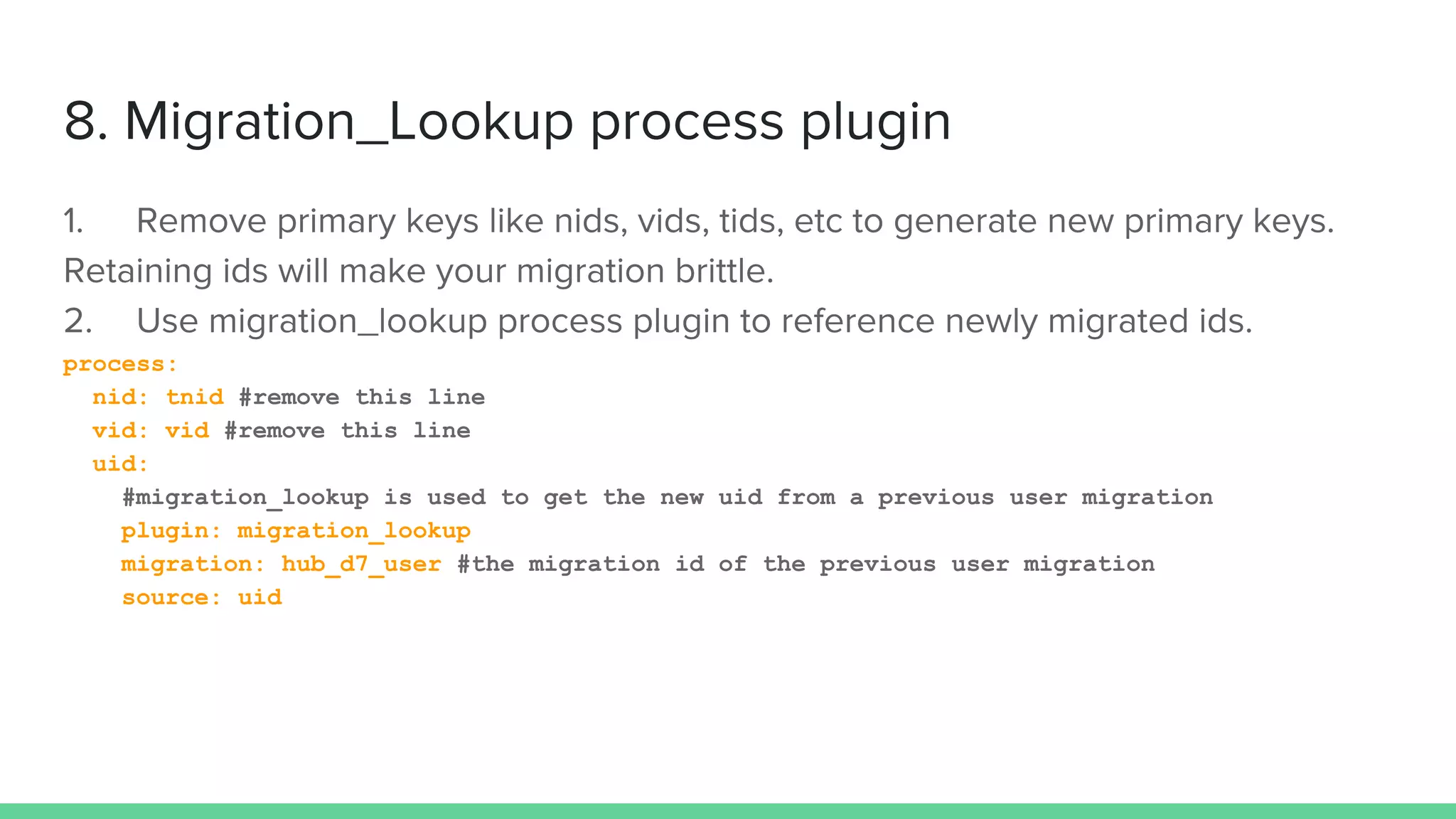
process:
nid: tnid #remove this line
vid: vid #remove this line
uid:
#migration_lookup is used to get the new uid from a previous user migration
plugin: migration_lookup
migration: hub_d7_user #the migration id of the previous user migration
source: uid
Freedom lies in being bold
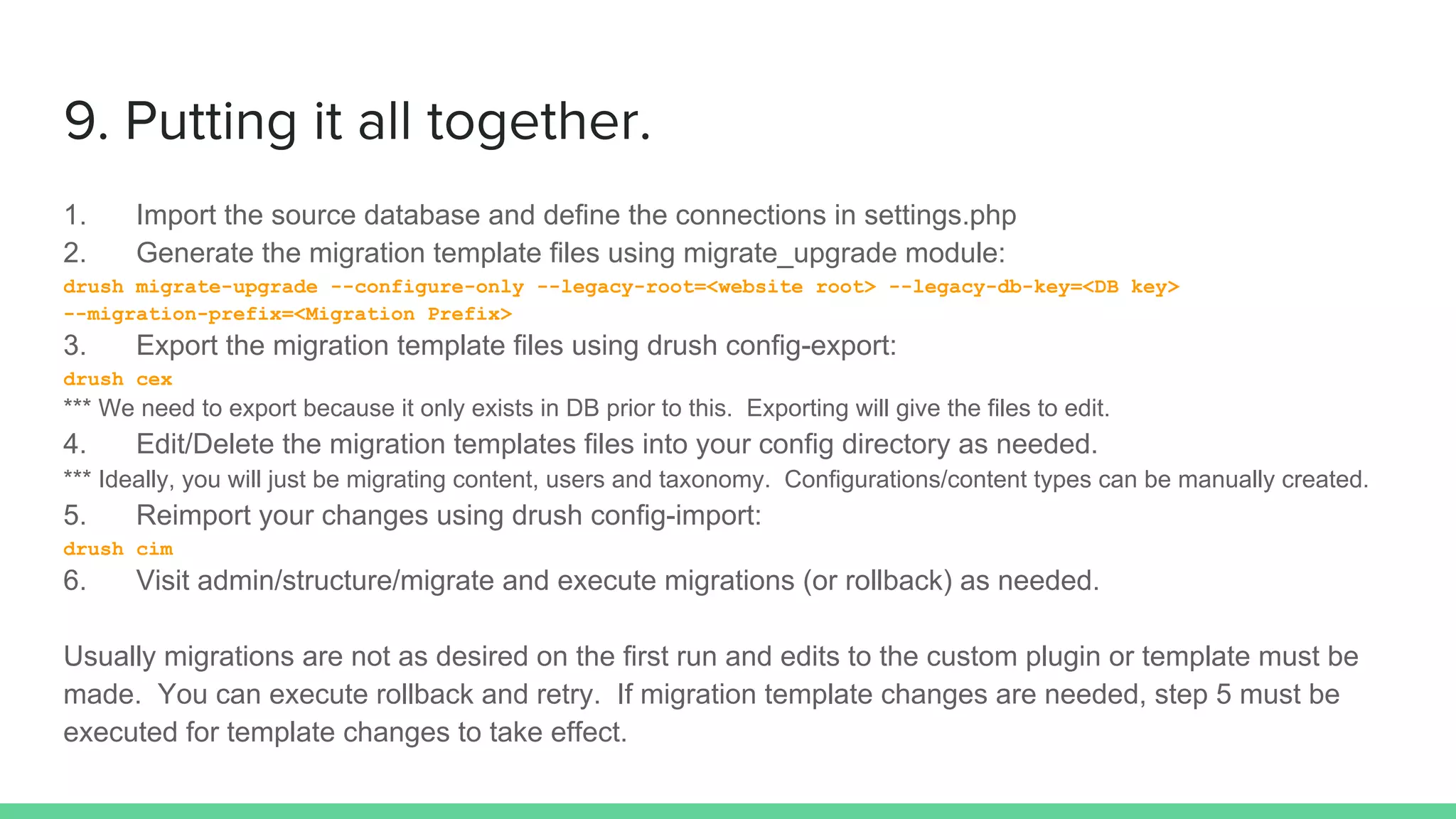
1. Import the source database and define the connections in settings.php
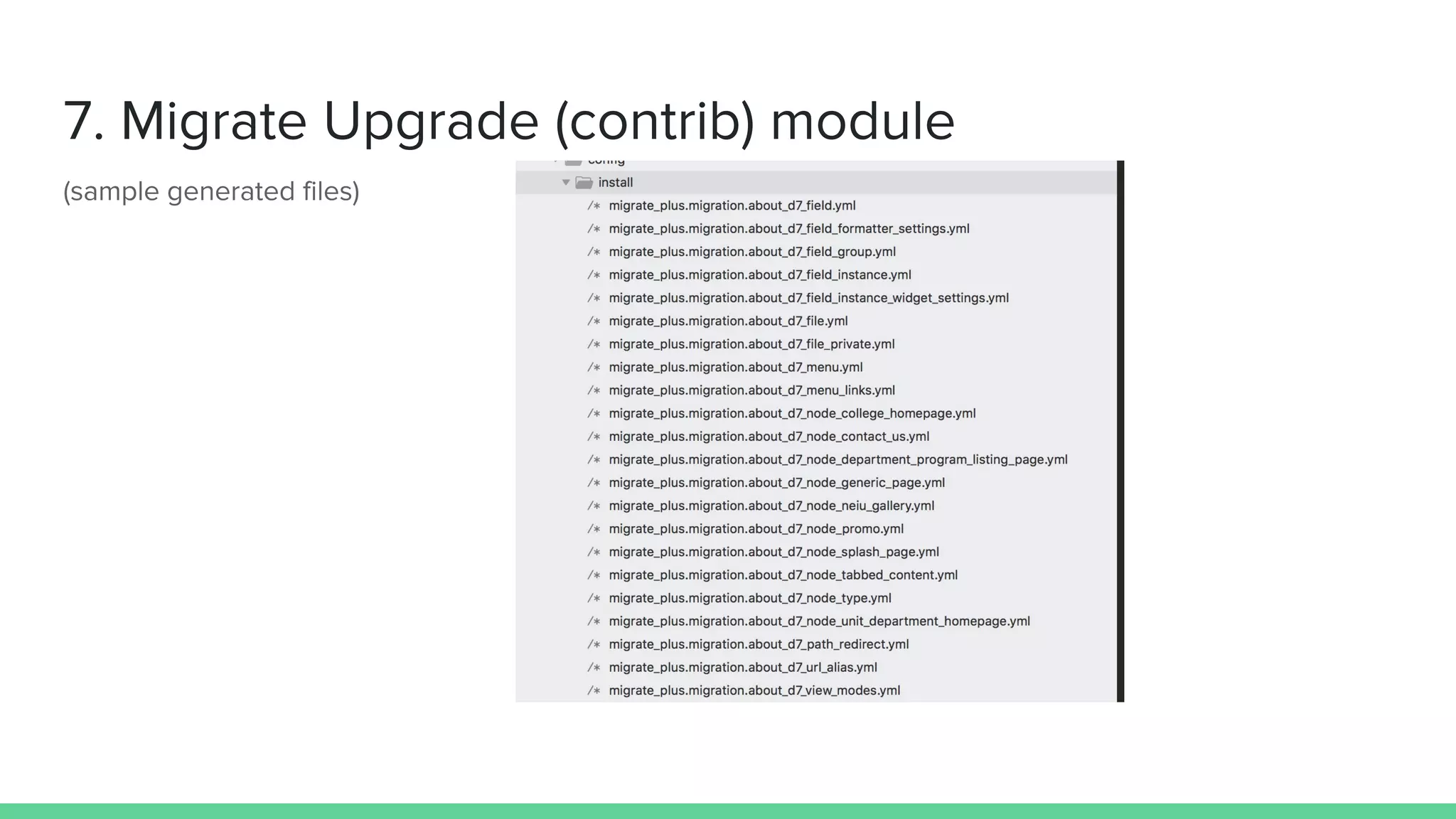
2. Generate the migration template files using migrate_upgrade module:
drush migrate-upgrade --configure-only --legacy-root=<website root> --legacy-db-key=<DB key>
--migration-prefix=<Migration Prefix>
3. Export the migration template files using drush config-export:
drush cex
*** We need to export because it only exists in DB prior to this. Exporting will give the files to edit.
4. Edit/Delete the migration templates files into your config directory as needed.
*** Ideally, you will just be migrating content, users and taxonomy. Configurations/content types can be manually created.
5. Reimport your changes using drush config-import:
drush cim
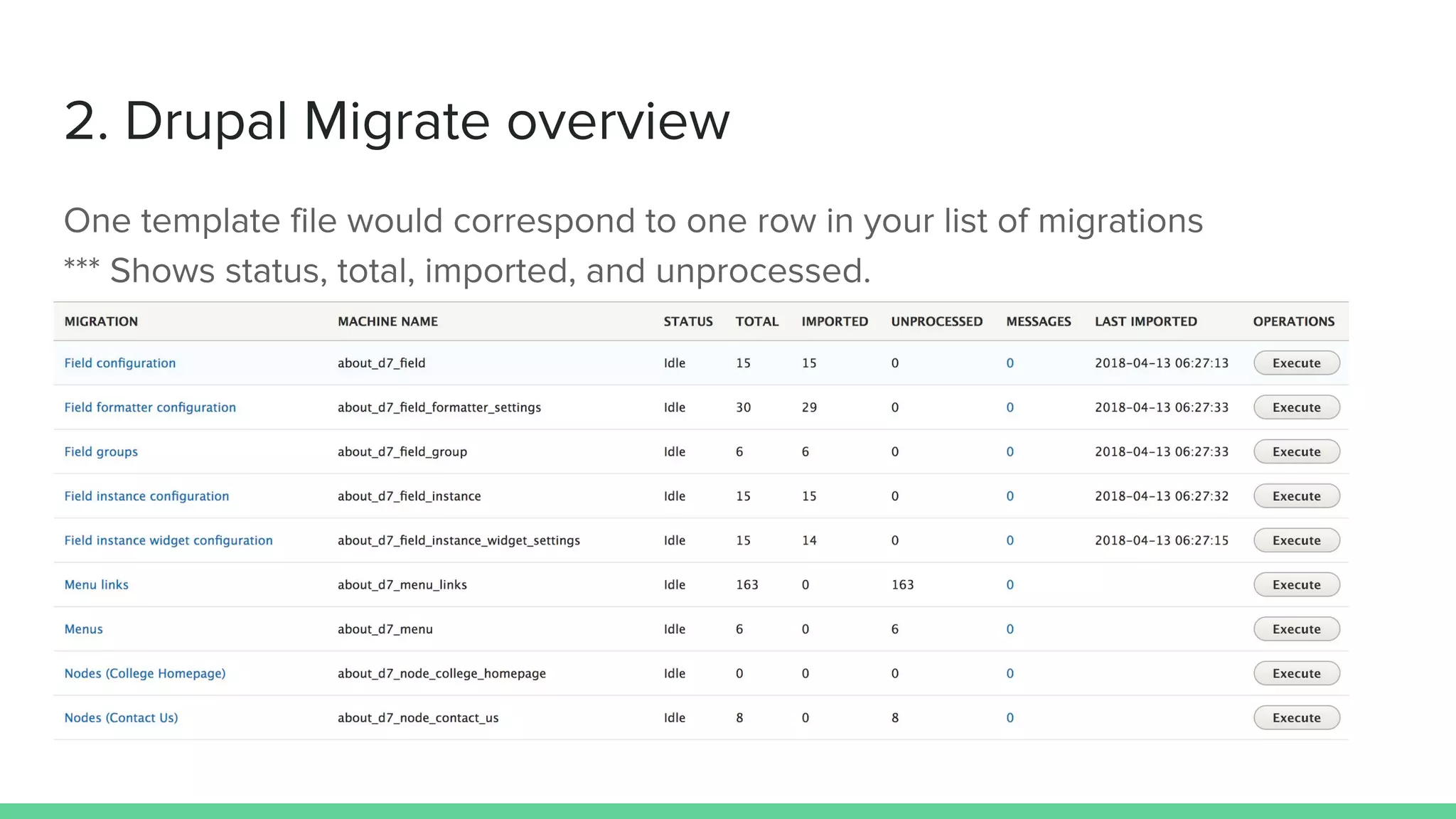
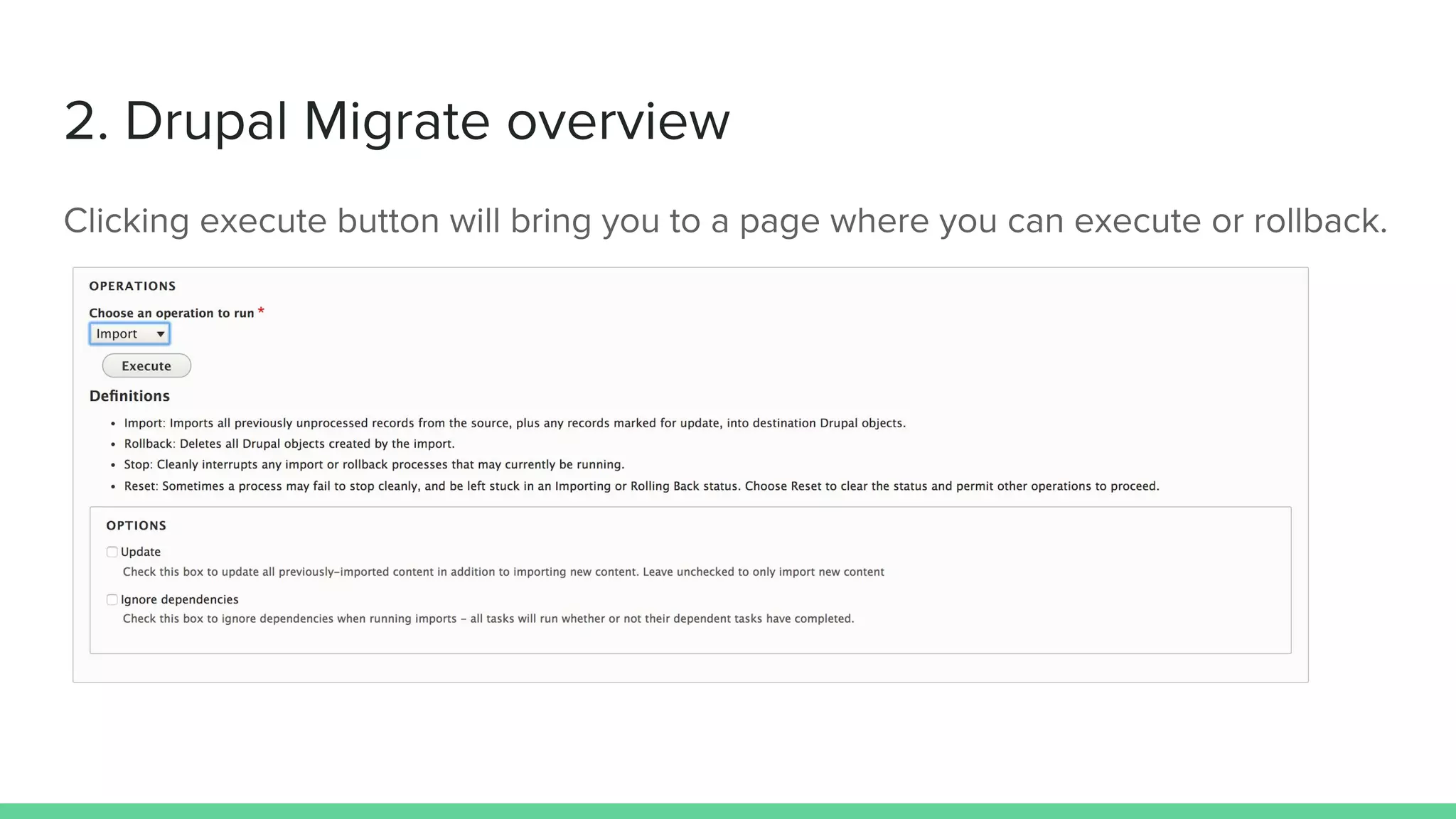
6. Visit admin/structure/migrate and execute migrations (or rollback) as needed.
Usually migrations are not as desired on the first run and edits to the custom plugin or template must be
made. You can execute rollback and retry. If migration template changes are needed, step 5 must be
executed for template changes to take effect.
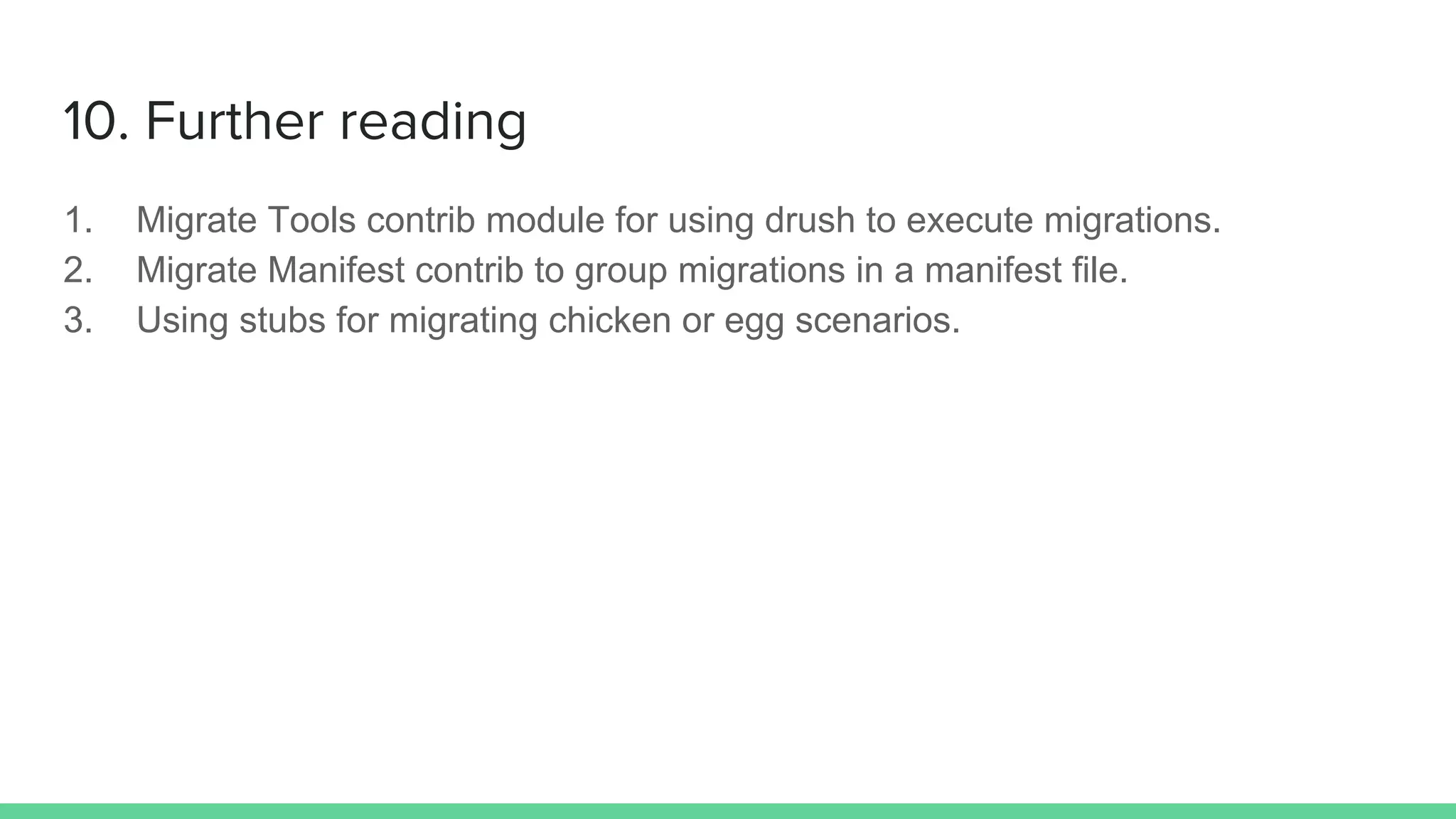
1. Migrate Tools contrib module for using drush to execute migrations.
2. Migrate Manifest contrib to group migrations in a manifest file.
3. Using stubs for migrating chicken or egg scenarios.
Go forth and multiply

Migrating to-Drupal-8 by Bryan Manalo

  • 7.
    April 2018 D8 -220K websites D7 - 900K websites D6 - 60K websites
  • 14.
    destination: plugin: entity:user /** * @MigrateDestination( *id = "entity:user" * ) */ class EntityUser extends EntityContentBase { protected function save(ContentEntityInterface $entity, array $old_destination_id_values = []) { $entity->save(); return [$entity->id()]; }
  • 16.
    roles: #roles areon a different table, but it is part of the user entity plugin: migration_lookup migration: d7_user_role source: roles
  • 17.
    roles: #roles areon a different table, but it is part of the user entity plugin: migration_lookup migration: d7_user_role source: roles
  • 18.
    # for nodes destination: plugin:'entity:node' default_bundle: admissions_event # for user destination: plugin: 'entity:user'
  • 19.
  • 21.
    class User extendsFieldableEntity { /** * {@inheritdoc} */ public function query() { return $this->select('users', 'u') ->fields('u') ->condition('u.uid', 0, '>'); }
  • 23.
    public function fields(){ $fields = [ 'uid' => $this->t('User ID'), 'name' => $this->t('Username'), ]; return $fields; } User::fields are the source data you can use later in process section of the template.
  • 24.
    /** * Drupal 7user source from database. * * @MigrateSource( * id = "d7_user", * source_module = "user" * ) */ class User extends FieldableEntity {
  • 25.
    being confident ofthis, that he who began a good work in you will carry it on to completion until the day of Christ Jesus.
  • 26.
    # mapping usingthe short notation (implicitly uses get process plugin) # destination:source process: uid: uid name: name pass: pass mail: mail
  • 27.
    # explicit mapping #<destination_field>: # plugin: <plugin_name> # source: <source_field> process: langcode: plugin: user_langcode source: language fallback_to_site_default: false roles: plugin: migration_lookup migration: d7_user_role source: roles
  • 28.
    user_picture: - plugin: default_value source: picture default_value:null - plugin: migration_lookup migration: d7_file
  • 29.
    /** * @MigrateProcessPlugin( * id= "migration_lookup_neiu_current_vid" * ) */ class NeiuCurrentVid extends Get { public function transform($value, MigrateExecutableInterface $migrate_executable, Row $row, $destination_property) { $node = node_load($value); return $node->getRevisionId(); } }
  • 31.
    # syntax drush migrate-upgrade--configure-only --legacy-root=<website root> --legacy-db-key=<DB key> --migration-prefix=<Migration Prefix> Where: legacy-root is for example http://mywebsite.com legacy-db-key is your source d6/d7 db export defined in settings.php migration-prefix is any value that will be used as a prefix for the files generated for migration
  • 34.
    process: nid: tnid #removethis line vid: vid #remove this line uid: #migration_lookup is used to get the new uid from a previous user migration plugin: migration_lookup migration: hub_d7_user #the migration id of the previous user migration source: uid
  • 36.
    Freedom lies inbeing bold
  • 37.
    1. Import thesource database and define the connections in settings.php 2. Generate the migration template files using migrate_upgrade module: drush migrate-upgrade --configure-only --legacy-root=<website root> --legacy-db-key=<DB key> --migration-prefix=<Migration Prefix> 3. Export the migration template files using drush config-export: drush cex *** We need to export because it only exists in DB prior to this. Exporting will give the files to edit. 4. Edit/Delete the migration templates files into your config directory as needed. *** Ideally, you will just be migrating content, users and taxonomy. Configurations/content types can be manually created. 5. Reimport your changes using drush config-import: drush cim 6. Visit admin/structure/migrate and execute migrations (or rollback) as needed. Usually migrations are not as desired on the first run and edits to the custom plugin or template must be made. You can execute rollback and retry. If migration template changes are needed, step 5 must be executed for template changes to take effect.
  • 38.
    1. Migrate Toolscontrib module for using drush to execute migrations. 2. Migrate Manifest contrib to group migrations in a manifest file. 3. Using stubs for migrating chicken or egg scenarios.
  • 39.
    Go forth andmultiply