WHAT IS COPILOT?
WHAT IS COPILOT?
CITE SOURCES
When you get a reply to a prompt, Copilot also lists any
sources and links below the message bubble.
Including sources enables users to fact-check the
information provided by Copilot.
You can also explore additional details and dive deeper
into a topic of interest as well as being able to access
the original articles, studies, or reports to gain a more
comprehensive understanding.
about images that are difficult to
describe, for example; get a recipe for
a dish you don’t know the name of,
identify a building you don’t
recognize, and much more.
To use visual search in Copilot, click
on the camera icon in the input bar
in, upload a picture from your device
or provide a website link.
VISUAL SEARCHES
Visual search allows you to input images to Copilot and ask
questions about them. You can ask questions
IMAGE CREATOR FROM
DESIGHER
Ask Copilot to create a brand new image for you, using
only your words. Write ‘create me an image of’ or ‘draw me
an image of’ and finish off with exactly what you’re looking
for. Image Creator works best when
you’re more descriptive, so add
details like adjectives,
locations, or even artistic styles.
For example, ‘create an
image of a unicorn
sunbathing on the beach
with a rainbow’
Copilot can save you time and help you make rubrics,
personalize content for students, and create educational
materials such as quizzes and lesson plans. There are
suggested prompts to give you ideas and help you get
started, but you can always write your own prompt as
well.
Create
A Quick guide to
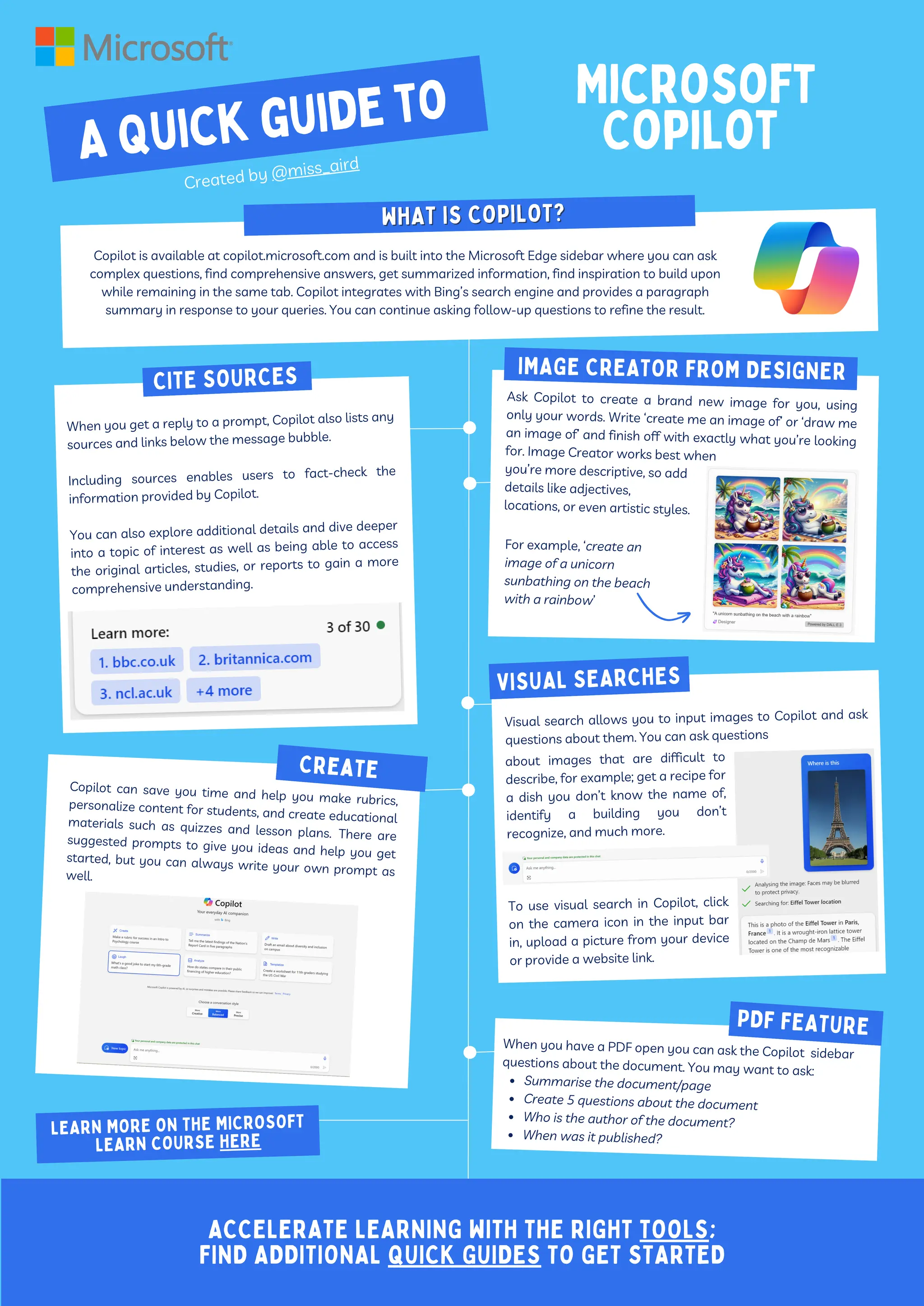
Copilot is available at copilot.microsoft.com and is built into the Microsoft Edge sidebar where you can ask
complex questions, find comprehensive answers, get summarized information, find inspiration to build upon
while remaining in the same tab. Copilot integrates with Bing’s search engine and provides a paragraph
summary in response to your queries. You can continue asking follow-up questions to refine the result.
Microsoft
Copilot
Created by @miss_aird
When you have a PDF open you can ask the Copilot sidebar
questions about the document. You may want to ask:
Summarise the document/page
Create 5 questions about the document
Who is the author of the document?
When was it published?
PDF FEATURE
ACCELERATE LEARNING WITH THE RIGHT TOOLS;
FIND ADDITIONAL QUICK GUIDES TO GET STARTED
LEARN MORE ON THE MICROSOFT
LEARN COURSE HERE
IMAGE CREATOR FROM DESIGNER

Microsoft-Copilot-Quick-Guide acclerator.pdf

  • 1.
    WHAT IS COPILOT? WHATIS COPILOT? CITE SOURCES When you get a reply to a prompt, Copilot also lists any sources and links below the message bubble. Including sources enables users to fact-check the information provided by Copilot. You can also explore additional details and dive deeper into a topic of interest as well as being able to access the original articles, studies, or reports to gain a more comprehensive understanding. about images that are difficult to describe, for example; get a recipe for a dish you don’t know the name of, identify a building you don’t recognize, and much more. To use visual search in Copilot, click on the camera icon in the input bar in, upload a picture from your device or provide a website link. VISUAL SEARCHES Visual search allows you to input images to Copilot and ask questions about them. You can ask questions IMAGE CREATOR FROM DESIGHER Ask Copilot to create a brand new image for you, using only your words. Write ‘create me an image of’ or ‘draw me an image of’ and finish off with exactly what you’re looking for. Image Creator works best when you’re more descriptive, so add details like adjectives, locations, or even artistic styles. For example, ‘create an image of a unicorn sunbathing on the beach with a rainbow’ Copilot can save you time and help you make rubrics, personalize content for students, and create educational materials such as quizzes and lesson plans. There are suggested prompts to give you ideas and help you get started, but you can always write your own prompt as well. Create A Quick guide to Copilot is available at copilot.microsoft.com and is built into the Microsoft Edge sidebar where you can ask complex questions, find comprehensive answers, get summarized information, find inspiration to build upon while remaining in the same tab. Copilot integrates with Bing’s search engine and provides a paragraph summary in response to your queries. You can continue asking follow-up questions to refine the result. Microsoft Copilot Created by @miss_aird When you have a PDF open you can ask the Copilot sidebar questions about the document. You may want to ask: Summarise the document/page Create 5 questions about the document Who is the author of the document? When was it published? PDF FEATURE ACCELERATE LEARNING WITH THE RIGHT TOOLS; FIND ADDITIONAL QUICK GUIDES TO GET STARTED LEARN MORE ON THE MICROSOFT LEARN COURSE HERE IMAGE CREATOR FROM DESIGNER