Automate your project lifecycle
using MuleSoft and Azure DevOps
Renato de Oliveira
All contents © MuleSoft Inc.
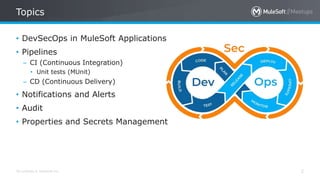
Topics
2
• DevSecOps in MuleSoft Applications
• Pipelines
– CI (Continuous Integration)
• Unit tests (MUnit)
– CD (Continuous Delivery)
• Notifications and Alerts
• Audit
• Properties and Secrets Management
All contents © MuleSoft Inc.
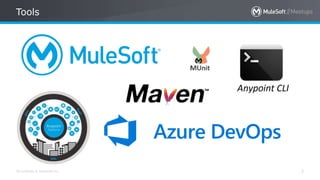
Tools
3
All contents © MuleSoft Inc.
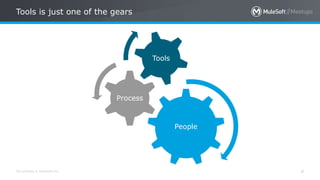
Tools is just one of the gears
4
People
Process
Tools
All contents © MuleSoft Inc.
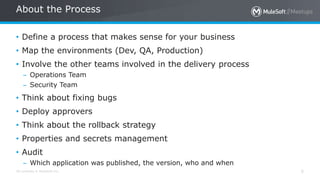
About the Process
5
• Define a process that makes sense for your business
• Map the environments (Dev, QA, Production)
• Involve the other teams involved in the delivery process
– Operations Team
– Security Team
• Think about fixing bugs
• Deploy approvers
• Think about the rollback strategy
• Properties and secrets management
• Audit
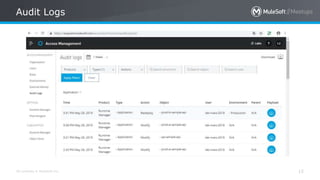
– Which application was published, the version, who and when
All contents © MuleSoft Inc.
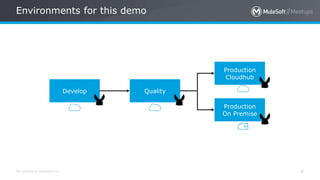
Environments for this demo
6
Develop Quality
Production
Cloudhub
Production
On Premise
All contents © MuleSoft Inc.
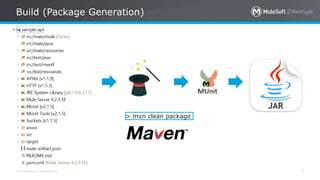
Build (Package Generation)
7
> mvn clean package
All contents © MuleSoft Inc.
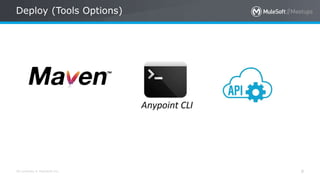
Deploy (Tools Options)
8
All contents © MuleSoft Inc.
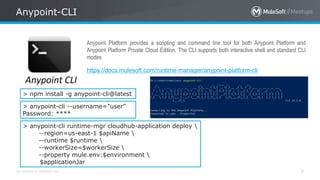
Anypoint-CLI
9
https://docs.mulesoft.com/runtime-manager/anypoint-platform-cli
Anypoint Platform provides a scripting and command line tool for both Anypoint Platform and
Anypoint Platform Private Cloud Edition. The CLI supports both interactive shell and standard CLI
modes
> npm install -g anypoint-cli@latest
> anypoint-cli --username="user"
Password: ****
> anypoint-cli runtime-mgr cloudhub-application deploy 
--region=us-east-1 $apiName 
--runtime $runtime 
--workerSize=$workerSize 
--property mule.env:$environment 
$applicationJar
All contents © MuleSoft Inc.
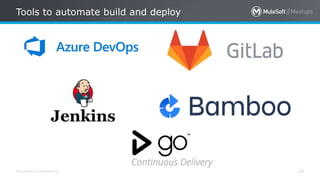
Tools to automate build and deploy
10
All contents © MuleSoft Inc.
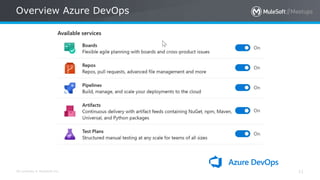
Overview Azure DevOps
11
All contents © MuleSoft Inc.
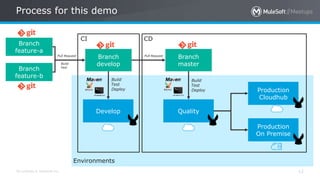
Process for this demo
12
Branch
develop
Branch
master
Develop Quality
Production
Cloudhub
Production
On Premise
CI CD
Environments
Branch
feature-a
Branch
feature-b
Pull Request Pull Request
Build
Deploy
Test
Build
Deploy
Test
Build
Test
All contents © MuleSoft Inc.
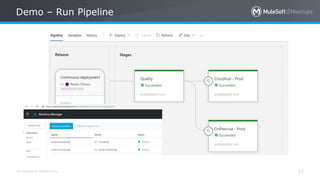
Demo – Run Pipeline
13
All contents © MuleSoft Inc.
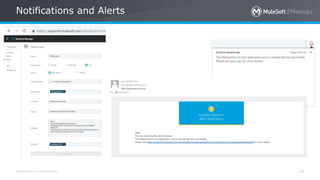
Notifications and Alerts
14
All contents © MuleSoft Inc.
Audit Logs
15
All contents © MuleSoft Inc.
Properties and secrets management
16
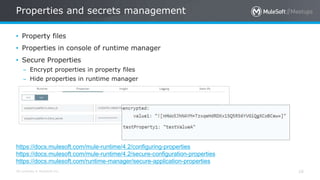
• Property files
• Properties in console of runtime manager
• Secure Properties
– Encrypt properties in property files
– Hide properties in runtime manager
https://docs.mulesoft.com/mule-runtime/4.2/configuring-properties
https://docs.mulesoft.com/mule-runtime/4.2/secure-configuration-properties
https://docs.mulesoft.com/runtime-manager/secure-application-properties
Meetup - Automate your project lifecycle using MuleSoft and Azure DevOps

Meetup - Automate your project lifecycle using MuleSoft and Azure DevOps

  • 1.
    Automate your projectlifecycle using MuleSoft and Azure DevOps Renato de Oliveira
  • 2.
    All contents ©MuleSoft Inc. Topics 2 • DevSecOps in MuleSoft Applications • Pipelines – CI (Continuous Integration) • Unit tests (MUnit) – CD (Continuous Delivery) • Notifications and Alerts • Audit • Properties and Secrets Management
  • 3.
    All contents ©MuleSoft Inc. Tools 3
  • 4.
    All contents ©MuleSoft Inc. Tools is just one of the gears 4 People Process Tools
  • 5.
    All contents ©MuleSoft Inc. About the Process 5 • Define a process that makes sense for your business • Map the environments (Dev, QA, Production) • Involve the other teams involved in the delivery process – Operations Team – Security Team • Think about fixing bugs • Deploy approvers • Think about the rollback strategy • Properties and secrets management • Audit – Which application was published, the version, who and when
  • 6.
    All contents ©MuleSoft Inc. Environments for this demo 6 Develop Quality Production Cloudhub Production On Premise
  • 7.
    All contents ©MuleSoft Inc. Build (Package Generation) 7 > mvn clean package
  • 8.
    All contents ©MuleSoft Inc. Deploy (Tools Options) 8
  • 9.
    All contents ©MuleSoft Inc. Anypoint-CLI 9 https://docs.mulesoft.com/runtime-manager/anypoint-platform-cli Anypoint Platform provides a scripting and command line tool for both Anypoint Platform and Anypoint Platform Private Cloud Edition. The CLI supports both interactive shell and standard CLI modes > npm install -g anypoint-cli@latest > anypoint-cli --username="user" Password: **** > anypoint-cli runtime-mgr cloudhub-application deploy --region=us-east-1 $apiName --runtime $runtime --workerSize=$workerSize --property mule.env:$environment $applicationJar
  • 10.
    All contents ©MuleSoft Inc. Tools to automate build and deploy 10
  • 11.
    All contents ©MuleSoft Inc. Overview Azure DevOps 11
  • 12.
    All contents ©MuleSoft Inc. Process for this demo 12 Branch develop Branch master Develop Quality Production Cloudhub Production On Premise CI CD Environments Branch feature-a Branch feature-b Pull Request Pull Request Build Deploy Test Build Deploy Test Build Test
  • 13.
    All contents ©MuleSoft Inc. Demo – Run Pipeline 13
  • 14.
    All contents ©MuleSoft Inc. Notifications and Alerts 14
  • 15.
    All contents ©MuleSoft Inc. Audit Logs 15
  • 16.
    All contents ©MuleSoft Inc. Properties and secrets management 16 • Property files • Properties in console of runtime manager • Secure Properties – Encrypt properties in property files – Hide properties in runtime manager https://docs.mulesoft.com/mule-runtime/4.2/configuring-properties https://docs.mulesoft.com/mule-runtime/4.2/secure-configuration-properties https://docs.mulesoft.com/runtime-manager/secure-application-properties