Web 2.0
Establishing prior knowledge with survey monkey   http://www.surveymonkey.com/s.asp?u=857442672930 http://www.surveymonkey.com/
Define Web 2.0 Explore and classify a range of web 2.0 tools Web 2.0 Tools and 21 st  Century Education? Overview + Hands-On Wikis/Blogs/RSS Feeds/Social Bookmarks/Podcasts/ Gaming… The Big Picture – Pedagogical Principles So What? Now What? Workshop Agenda
What is web 2.0 ? The evolution of the web  - Social Software Sharing is inherent  Tools facilitate communication and interaction User-friendly
Social software supports the desire of individuals to be pulled into groups to achieve goals.
The wonderful wide world of web 2.0 Content Management Systems Selling Purchasing Management Systems Learning Management Systems Relationship Management Systems Discourse Facilitation Systems – synchronous or asynchronous Syndication Systems Multiplayer Gaming Environments
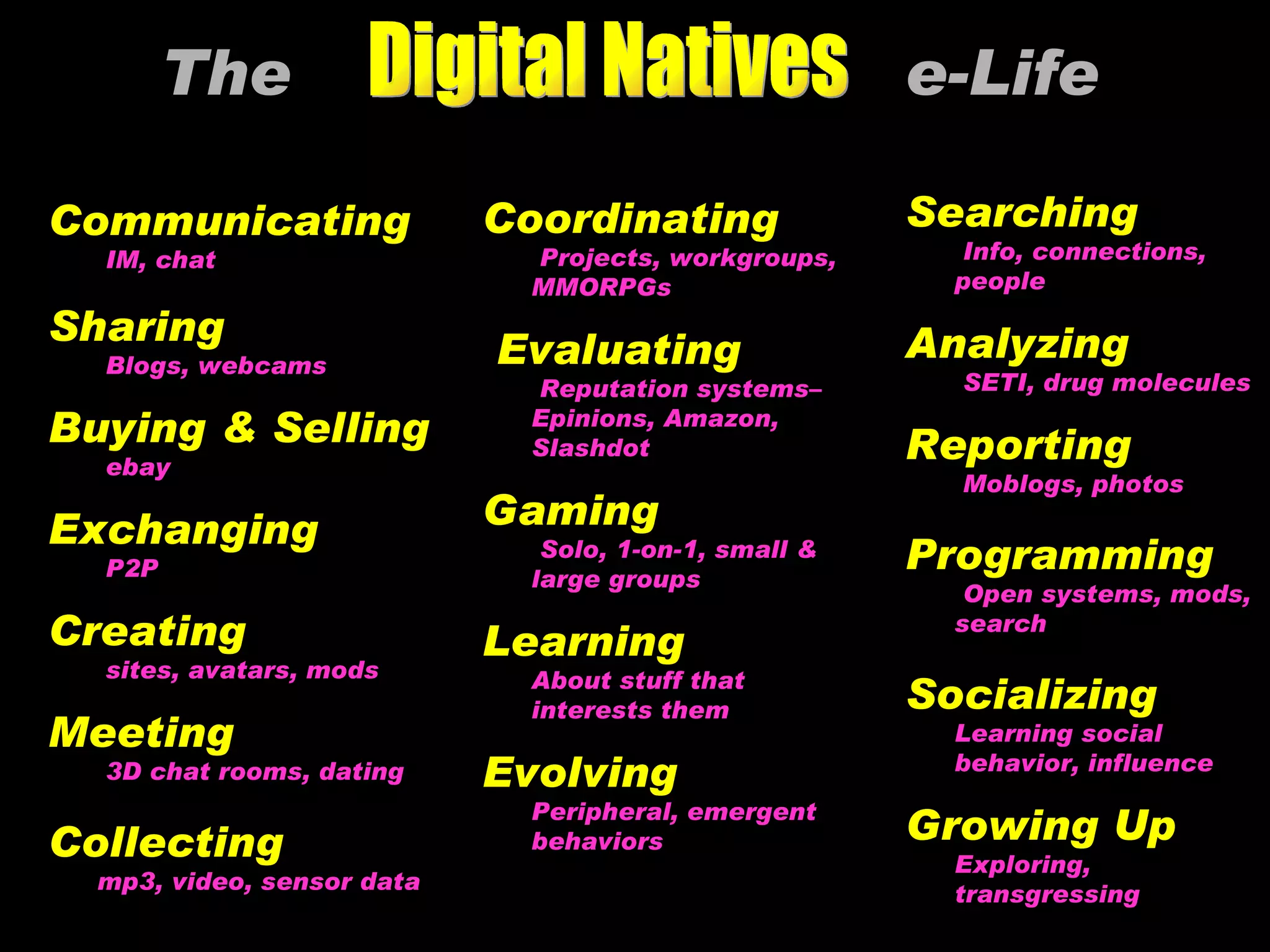
The  e-Life   Communicating IM, chat  Sharing Blogs, webcams Buying & Selling ebay Exchanging P2P Creating sites, avatars, mods Meeting 3D chat rooms, dating Collecting mp3, video, sensor data Searching Info, connections, people Analyzing SETI, drug molecules Reporting Moblogs, photos Programming Open systems, mods, search Socializing Learning social behavior, influence Growing Up Exploring, transgressing Coordinating Projects, workgroups, MMORPGs Evaluating Reputation systems–Epinions, Amazon, Slashdot Gaming Solo, 1-on-1, small & large groups Learning About stuff that interests them Evolving Peripheral, emergent behaviors © 2006 Marc Prensky Digital Natives
Web 2.0 and Education Blogs RSS Feeds Wikis Social bookmarks Podcasting
Blogs ( weblog) .  Examples: http://classblogmeister.com/blog.php?blogger_id=1337/ http://rocky11.blogspot.com/ http://tbcdrama.blogspot.com/ http://weblogs.hcrhs.k12.nj.us/bees/ Possible Uses in our Schools : “  Communication, posting info. such as readings on the blogs, placed photos for viewing, provided Internet links to subjects we are studying and used the blog as a message board  - asking students to comment on a topic or issue. I also posted a web task on the blog, so the students could access it  at home (providing they have computers) and work on it for homework”. Clubs, classroom blogs.. What are they? Fast and easy to create.  A website that contains written material, links or photos being posted all the time usually by an individual on a personal basis
Hands On with Blogs Search google for blogs that may be of interest to you  Visit Will Richardson’s site :  www.weblogg-ed.com   Search the site for ideas and tips on using blogs. Discuss with a partner some reasons why a blog may be useful to you, your colleagues, your students…
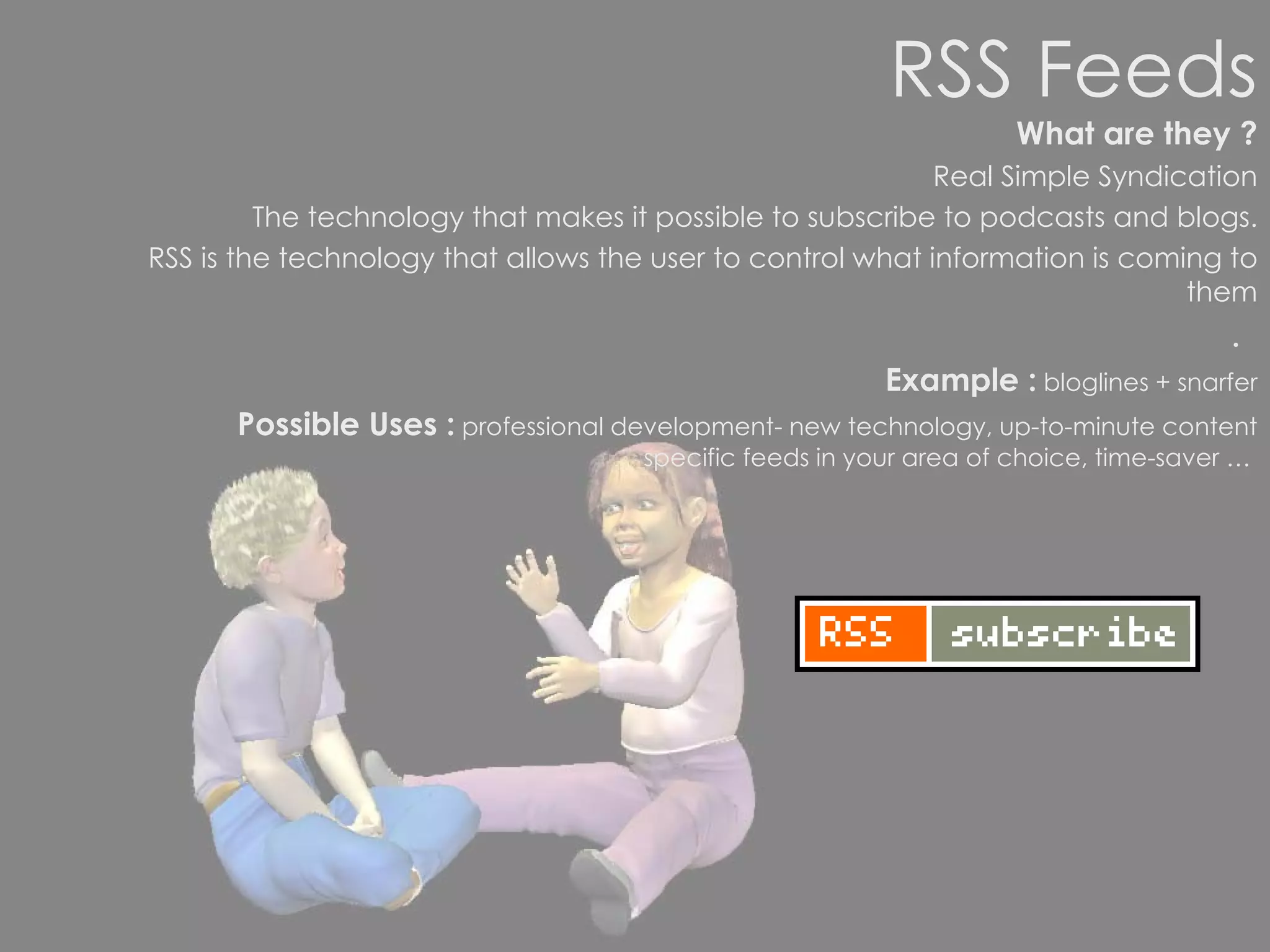
RSS Feeds What are they ? Real Simple Syndication The technology that makes it possible to subscribe to podcasts and blogs. RSS is the technology that allows the user to control what information is coming to them .   Example :  bloglines + snarfer Possible Uses :  professional development- new technology, up-to-minute content specific feeds in your area of choice, time-saver …
Setting up an RSS feed aggregator New technologies - changing all the time  Set up your own personal homepage http://www.google.co.nz http://www.netvibes.com   http://www.snarfware.com/
Wikis ( Hawaiian word ‘quick’) What are they ? A collaborative tool that allows individuals and groups to share their ideas in much the same way as parts from a discussion might be recorded on an electronic  whiteboard.  Accessible anywhere in the world.  Can track changes and who made them..  Example :  wikipedia – the biggest online encyclopedia in the world Webnote/ Writeboard http://www.aypwip.org/webnote/ Possible Uses in our Schools :  to amend and contribute to,  another source for research,  to participate in free speech, to participate in reflection  and review
Hands On with Wikipedia Search Wikipedia for a topic about which you are knowledgeable.  How does the content stack up aganinst traditional sources? Click the HISTORY tab at the top.  What do you notice, and what  implications does this have? If time: Register for a WIkipedia account and write down your username and password. Edit a page of your choice on wikipedia, adding at least a sentence of your own content.
From what you know of web 2.0 … What are the underlying pedagogical principles ? What pedagogical principles underlie the  draft curriculum ? What is the same /different?
Social Software and the changing goals of education seem to be moving in the same direction. Connectivity Constructivism Personalised Learning Collaboration Directed to Higher Order Thinking Authentic
Traditional Learning Environments Teacher centered instruction Single sense stimulation Single path progression Single media Isolated work Information delivery Passive learning Factual, knowledge-based Reactive response Isolated, artificial context Newer Learning Environments Student-centered learning Multisensory stimulation Multipath progression Multimedia Collaborative work Information exchange Active/exploratory/inquiry Critical thinking and informed decision making Proactive, planned action Authentic, real world context
  “ Teacher pedagogies will determine the extent to which the possibilities offered by technology are realised in educational settings.”  (Pedagogy Strategy, Mceetya, 2005.)
Key Points: World is changing  and so should teaching and learning strategies we employ in the classroom Our challenge is to  engage  students in the thoughtful creation of media content as well as the critical consumption of it
So What?  Now What? As a teacher can you harness aspects of web 2.0 so it has a positive impact on learning and teaching? Do not confine our students  to our learning for they have been born in a different time. Anonymous
Do not confine our students  to our learning for they have been born in a different time Anonymous
How has web 2.0 impacted on their lives?
Schools should explore not only how ICT can supplement traditional ways of teaching but also how it can open up new and different ways of learning. New curriculum
Collaborative Experimental, building on  prior learning – Just in Time Individualised Learning Self-managed +Cumulative Authentic Directed to Higher Order Thinking Problem solving
Social Bookmarks How do you save websites you want to refer back to later? What are the benefits and limitations of your current method (s)? http://del.icio.us/itpdsandy  Introducing del.icio.us Keep all your bookmarks in delicious and access them form home, office, anywhere. Share your bookmarks with family, friends, and colleagues. Discover new sites from the delicious community (browse, find, get recommendations)
Podcasts What are they ? Basically the ability to produce audio/video mp3/mp4 files to then be downloaded from  the internet and played either directly to your computer or to a portable player. Examples Possible Uses in our Schools :   *record lessons for students and parents to access in their own time  *create a class or school radio station  * find and use podcasts as another  source of research material *  create a blog about a school trip  *ask students to create a podcast to meet a real need  * another way of submitting work create podguides- museums, famous places, school Literature reviews storytelling and audio books
In the classroom Can be tailored to any curriculum area. Can provide bespoke materials to support any learning situation with audio material for learning "on demand", at anytime and anywhere.  Potential to support or extend the work of any pupil with special needs. Useful for children who miss sessions, e.g. due to illness. At home and in the community Great community/school link potential. Could provide schools with an effective way to communicate with parents on a regular basis, e.g. regularly broadcast instead of / as well as a school newsletter Useful for those with a reading difficulty or for English as a second or third language.  Could bring a whole new approach to homework, e.g. audio notes to reinforce learning. For personalised learning – children benefit enormously from making a podcast It gives them a potential audience of thousands for their work and they can think about tailoring their podcasts for different audiences. Pupils must concentrate on their speaking and listening skills which will have consequential effects on their writing skills (writing scripts, setting up interviews etc). Publishing their own podcast is hugely motivating for pupils; also gives them a sense of ownership. In learning how to create a podcast, pupils are extending their ICT skills and capabilities to embrace new technologies. Podcasting can be tailored to a number of curriculum areas and is also great for developing teamwork skills. Podcasts can be interactive, the audience can be invited to send their comments, giving valuable feedback to the children about their work.
A round up of the benefits of podcasting  The benefits of podcasting extend much further than simply listening to educationally charged content. The process of creating podcasts themselves gives children a whole new outlook and opportunity to exploit their creative talents. The potential to share what schools are doing with other schools as well as the wider community is highly worthwhile. It also provides children with opportunities to showcase their work and tailor their work to different audiences. Home-school links can be dramatically strengthened with the help of podcasts containing school news for parents, details of lesson content and homework requirements. Producing podcasts aimed at parents can help enormously in bringing parents more effectively into the school community.
Learning Intentions To increase your understanding of web 2.0 To think critically about how and why aspects of web 2.0 could be used within your role

Web2 What Now?

  • 1.
  • 2.
    Establishing prior knowledgewith survey monkey   http://www.surveymonkey.com/s.asp?u=857442672930 http://www.surveymonkey.com/
  • 3.
    Define Web 2.0Explore and classify a range of web 2.0 tools Web 2.0 Tools and 21 st Century Education? Overview + Hands-On Wikis/Blogs/RSS Feeds/Social Bookmarks/Podcasts/ Gaming… The Big Picture – Pedagogical Principles So What? Now What? Workshop Agenda
  • 4.
    What is web2.0 ? The evolution of the web - Social Software Sharing is inherent Tools facilitate communication and interaction User-friendly
  • 5.
    Social software supportsthe desire of individuals to be pulled into groups to achieve goals.
  • 6.
    The wonderful wideworld of web 2.0 Content Management Systems Selling Purchasing Management Systems Learning Management Systems Relationship Management Systems Discourse Facilitation Systems – synchronous or asynchronous Syndication Systems Multiplayer Gaming Environments
  • 7.
    The e-Life Communicating IM, chat Sharing Blogs, webcams Buying & Selling ebay Exchanging P2P Creating sites, avatars, mods Meeting 3D chat rooms, dating Collecting mp3, video, sensor data Searching Info, connections, people Analyzing SETI, drug molecules Reporting Moblogs, photos Programming Open systems, mods, search Socializing Learning social behavior, influence Growing Up Exploring, transgressing Coordinating Projects, workgroups, MMORPGs Evaluating Reputation systems–Epinions, Amazon, Slashdot Gaming Solo, 1-on-1, small & large groups Learning About stuff that interests them Evolving Peripheral, emergent behaviors © 2006 Marc Prensky Digital Natives
  • 8.
    Web 2.0 andEducation Blogs RSS Feeds Wikis Social bookmarks Podcasting
  • 9.
    Blogs ( weblog). Examples: http://classblogmeister.com/blog.php?blogger_id=1337/ http://rocky11.blogspot.com/ http://tbcdrama.blogspot.com/ http://weblogs.hcrhs.k12.nj.us/bees/ Possible Uses in our Schools : “ Communication, posting info. such as readings on the blogs, placed photos for viewing, provided Internet links to subjects we are studying and used the blog as a message board - asking students to comment on a topic or issue. I also posted a web task on the blog, so the students could access it at home (providing they have computers) and work on it for homework”. Clubs, classroom blogs.. What are they? Fast and easy to create. A website that contains written material, links or photos being posted all the time usually by an individual on a personal basis
  • 10.
    Hands On withBlogs Search google for blogs that may be of interest to you Visit Will Richardson’s site : www.weblogg-ed.com Search the site for ideas and tips on using blogs. Discuss with a partner some reasons why a blog may be useful to you, your colleagues, your students…
  • 11.
    RSS Feeds Whatare they ? Real Simple Syndication The technology that makes it possible to subscribe to podcasts and blogs. RSS is the technology that allows the user to control what information is coming to them . Example : bloglines + snarfer Possible Uses : professional development- new technology, up-to-minute content specific feeds in your area of choice, time-saver …
  • 12.
    Setting up anRSS feed aggregator New technologies - changing all the time Set up your own personal homepage http://www.google.co.nz http://www.netvibes.com http://www.snarfware.com/
  • 13.
    Wikis ( Hawaiianword ‘quick’) What are they ? A collaborative tool that allows individuals and groups to share their ideas in much the same way as parts from a discussion might be recorded on an electronic whiteboard. Accessible anywhere in the world. Can track changes and who made them.. Example : wikipedia – the biggest online encyclopedia in the world Webnote/ Writeboard http://www.aypwip.org/webnote/ Possible Uses in our Schools : to amend and contribute to, another source for research, to participate in free speech, to participate in reflection and review
  • 14.
    Hands On withWikipedia Search Wikipedia for a topic about which you are knowledgeable. How does the content stack up aganinst traditional sources? Click the HISTORY tab at the top. What do you notice, and what implications does this have? If time: Register for a WIkipedia account and write down your username and password. Edit a page of your choice on wikipedia, adding at least a sentence of your own content.
  • 15.
    From what youknow of web 2.0 … What are the underlying pedagogical principles ? What pedagogical principles underlie the draft curriculum ? What is the same /different?
  • 16.
    Social Software andthe changing goals of education seem to be moving in the same direction. Connectivity Constructivism Personalised Learning Collaboration Directed to Higher Order Thinking Authentic
  • 17.
    Traditional Learning EnvironmentsTeacher centered instruction Single sense stimulation Single path progression Single media Isolated work Information delivery Passive learning Factual, knowledge-based Reactive response Isolated, artificial context Newer Learning Environments Student-centered learning Multisensory stimulation Multipath progression Multimedia Collaborative work Information exchange Active/exploratory/inquiry Critical thinking and informed decision making Proactive, planned action Authentic, real world context
  • 18.
    Teacher pedagogies will determine the extent to which the possibilities offered by technology are realised in educational settings.” (Pedagogy Strategy, Mceetya, 2005.)
  • 19.
    Key Points: Worldis changing and so should teaching and learning strategies we employ in the classroom Our challenge is to engage students in the thoughtful creation of media content as well as the critical consumption of it
  • 20.
    So What? Now What? As a teacher can you harness aspects of web 2.0 so it has a positive impact on learning and teaching? Do not confine our students to our learning for they have been born in a different time. Anonymous
  • 21.
    Do not confineour students to our learning for they have been born in a different time Anonymous
  • 22.
    How has web2.0 impacted on their lives?
  • 23.
    Schools should explorenot only how ICT can supplement traditional ways of teaching but also how it can open up new and different ways of learning. New curriculum
  • 24.
    Collaborative Experimental, buildingon prior learning – Just in Time Individualised Learning Self-managed +Cumulative Authentic Directed to Higher Order Thinking Problem solving
  • 25.
    Social Bookmarks Howdo you save websites you want to refer back to later? What are the benefits and limitations of your current method (s)? http://del.icio.us/itpdsandy Introducing del.icio.us Keep all your bookmarks in delicious and access them form home, office, anywhere. Share your bookmarks with family, friends, and colleagues. Discover new sites from the delicious community (browse, find, get recommendations)
  • 26.
    Podcasts What arethey ? Basically the ability to produce audio/video mp3/mp4 files to then be downloaded from the internet and played either directly to your computer or to a portable player. Examples Possible Uses in our Schools : *record lessons for students and parents to access in their own time *create a class or school radio station * find and use podcasts as another source of research material * create a blog about a school trip *ask students to create a podcast to meet a real need * another way of submitting work create podguides- museums, famous places, school Literature reviews storytelling and audio books
  • 27.
    In the classroomCan be tailored to any curriculum area. Can provide bespoke materials to support any learning situation with audio material for learning "on demand", at anytime and anywhere. Potential to support or extend the work of any pupil with special needs. Useful for children who miss sessions, e.g. due to illness. At home and in the community Great community/school link potential. Could provide schools with an effective way to communicate with parents on a regular basis, e.g. regularly broadcast instead of / as well as a school newsletter Useful for those with a reading difficulty or for English as a second or third language. Could bring a whole new approach to homework, e.g. audio notes to reinforce learning. For personalised learning – children benefit enormously from making a podcast It gives them a potential audience of thousands for their work and they can think about tailoring their podcasts for different audiences. Pupils must concentrate on their speaking and listening skills which will have consequential effects on their writing skills (writing scripts, setting up interviews etc). Publishing their own podcast is hugely motivating for pupils; also gives them a sense of ownership. In learning how to create a podcast, pupils are extending their ICT skills and capabilities to embrace new technologies. Podcasting can be tailored to a number of curriculum areas and is also great for developing teamwork skills. Podcasts can be interactive, the audience can be invited to send their comments, giving valuable feedback to the children about their work.
  • 28.
    A round upof the benefits of podcasting The benefits of podcasting extend much further than simply listening to educationally charged content. The process of creating podcasts themselves gives children a whole new outlook and opportunity to exploit their creative talents. The potential to share what schools are doing with other schools as well as the wider community is highly worthwhile. It also provides children with opportunities to showcase their work and tailor their work to different audiences. Home-school links can be dramatically strengthened with the help of podcasts containing school news for parents, details of lesson content and homework requirements. Producing podcasts aimed at parents can help enormously in bringing parents more effectively into the school community.
  • 29.
    Learning Intentions Toincrease your understanding of web 2.0 To think critically about how and why aspects of web 2.0 could be used within your role

Editor's Notes

  • #2 Intro Outline of session