WHAT IS MAT?
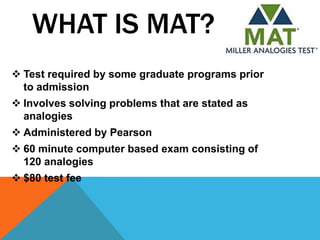
 Test required by some graduate programs prior
  to admission
 Involves solving problems that are stated as
  analogies
 Administered by Pearson
 60 minute computer based exam consisting of
  120 analogies
 $80 test fee
MAT SCORES
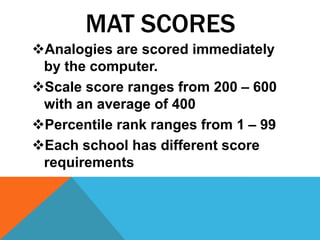
Analogies are scored immediately
 by the computer.
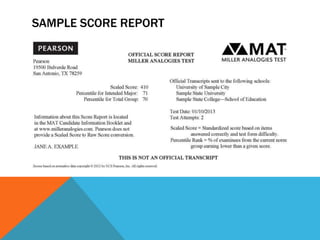
Scale score ranges from 200 – 600
 with an average of 400
Percentile rank ranges from 1 – 99
Each school has different score
 requirements
SAMPLE SCORE REPORT
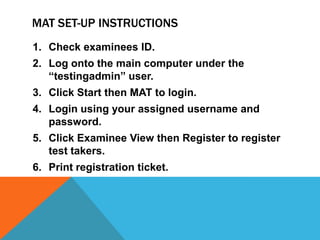
MAT SET-UP INSTRUCTIONS
1. Check examinees ID.
2. Log onto the main computer under the
   “testingadmin” user.
3. Click Start then MAT to login.
4. Login using your assigned username and
   password.
5. Click Examinee View then Register to register
   test takers.
6. Print registration ticket.
MAT SET-UP INSTRUCTIONS
1. Now go to the test taker’s computer.
2. Click Start then MAT login using your assigned
   username and password.
3. Check test taker’s ID and allow them to get
   started.
AFTER MAT INSTRUCTIONS

1. When test taker is finished, print their score
   report.
2. Close all workstations on both the main
   computer and the test taker’s computer.

Mat

  • 2.
    WHAT IS MAT? Test required by some graduate programs prior to admission  Involves solving problems that are stated as analogies  Administered by Pearson  60 minute computer based exam consisting of 120 analogies  $80 test fee
  • 3.
    MAT SCORES Analogies arescored immediately by the computer. Scale score ranges from 200 – 600 with an average of 400 Percentile rank ranges from 1 – 99 Each school has different score requirements
  • 4.
  • 5.
    MAT SET-UP INSTRUCTIONS 1.Check examinees ID. 2. Log onto the main computer under the “testingadmin” user. 3. Click Start then MAT to login. 4. Login using your assigned username and password. 5. Click Examinee View then Register to register test takers. 6. Print registration ticket.
  • 6.
    MAT SET-UP INSTRUCTIONS 1.Now go to the test taker’s computer. 2. Click Start then MAT login using your assigned username and password. 3. Check test taker’s ID and allow them to get started.
  • 7.
    AFTER MAT INSTRUCTIONS 1.When test taker is finished, print their score report. 2. Close all workstations on both the main computer and the test taker’s computer.