Making Payments on Mortgage Loans in CU*BASE Teller Processing A Preview of Coming Enhancements to  CU*BASE Mortgage Loans  with the 360-Day Interest Calculation Type Revised March 19, 2009
Scenario 1 Making a payment that is more  than the regular payment amount
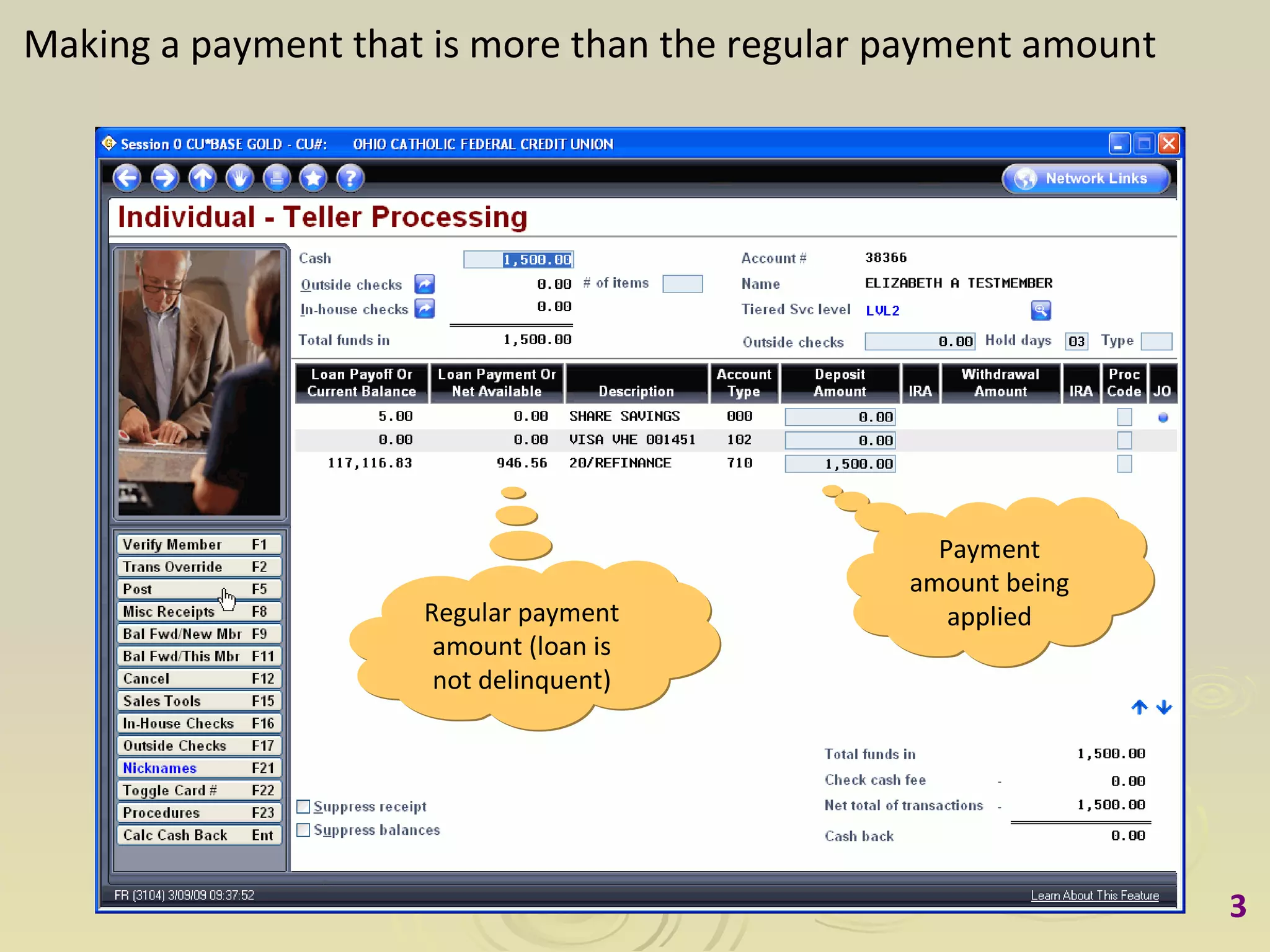
Making a payment that is more than the regular payment amount Payment amount being applied Regular payment amount (loan is not delinquent)
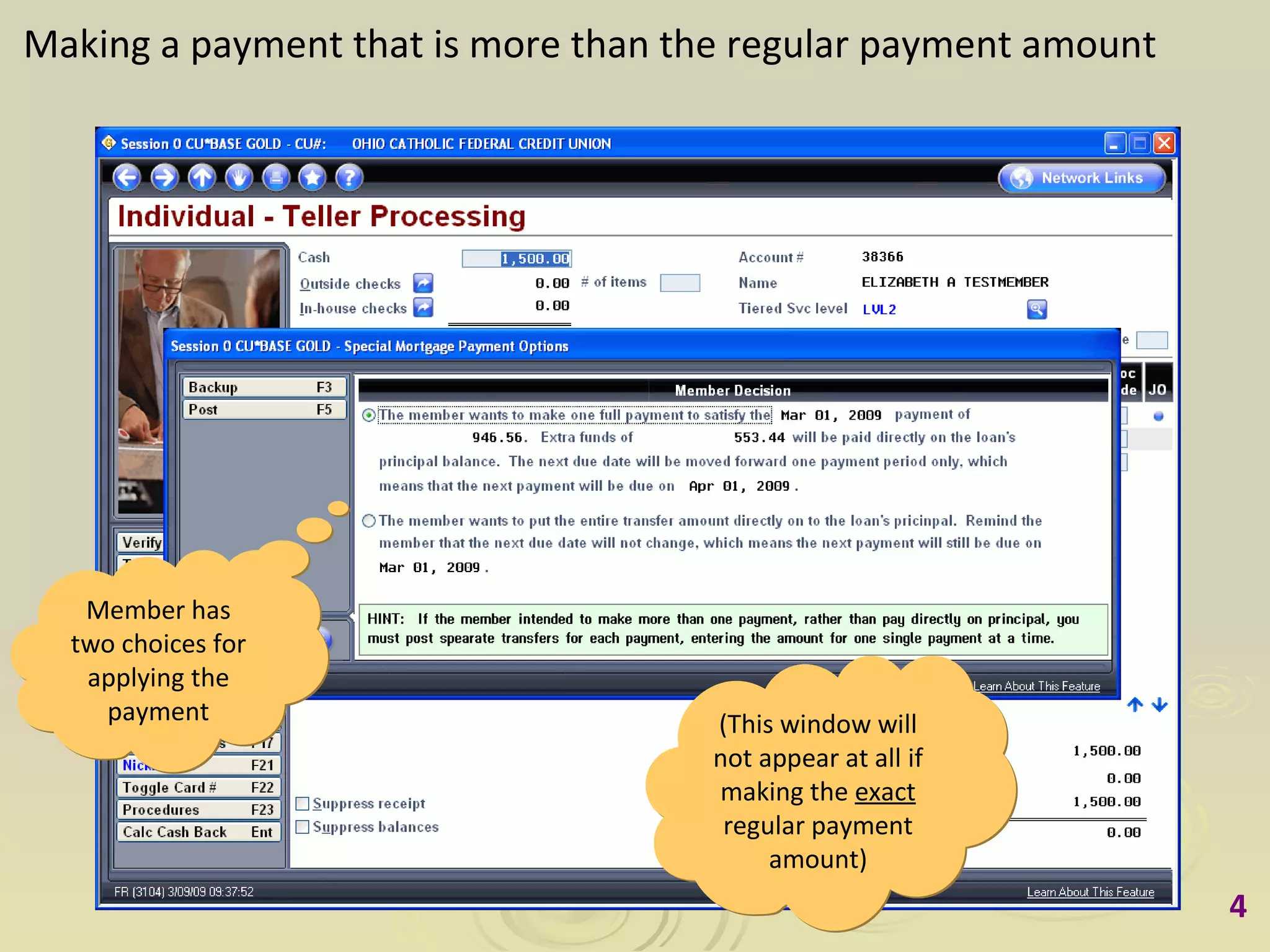
Making a payment that is more than the regular payment amount Member has two choices for applying the payment (This window will not appear at all if making the  exact  regular payment amount)
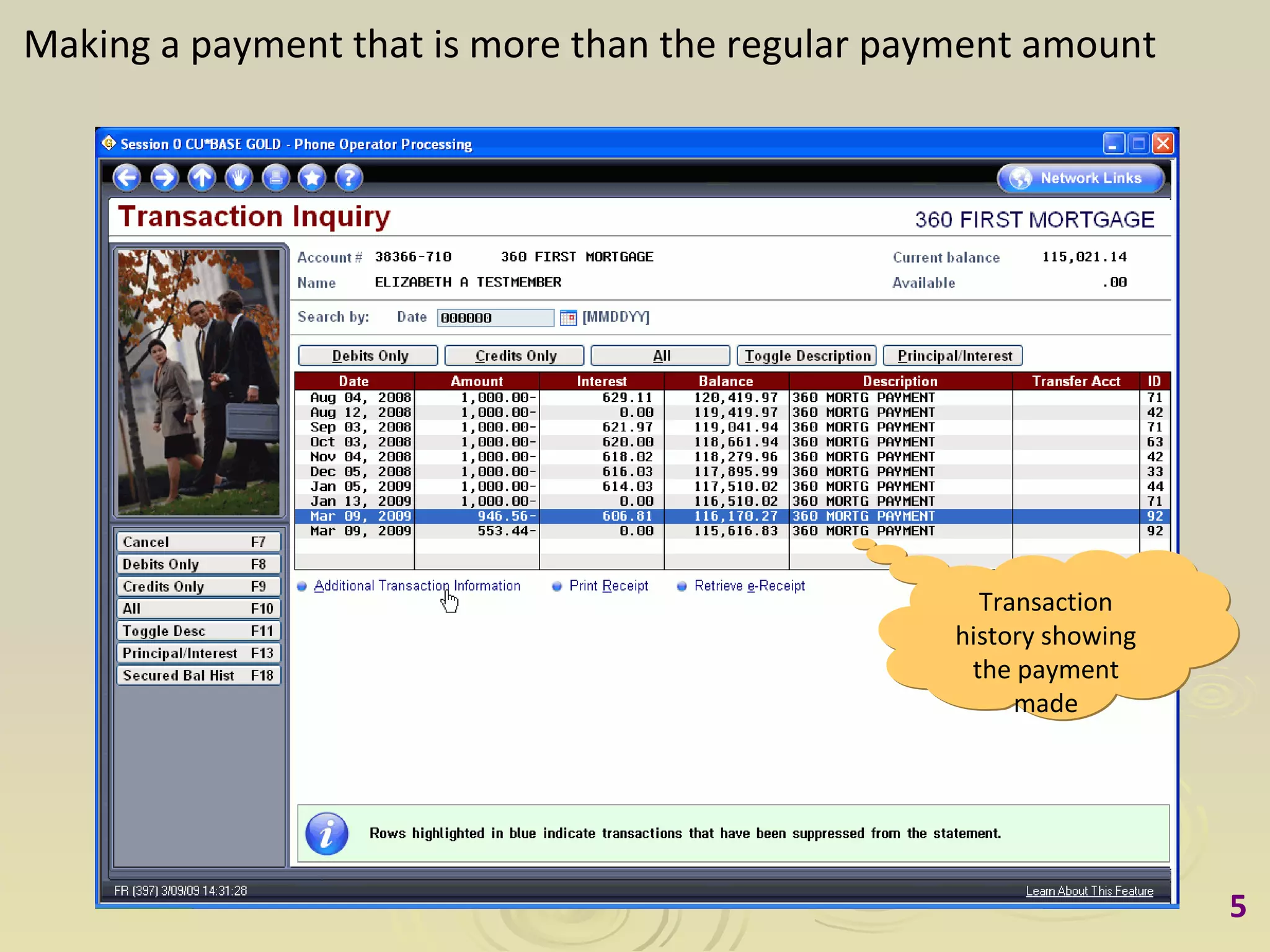
Making a payment that is more than the regular payment amount Transaction history showing the payment made
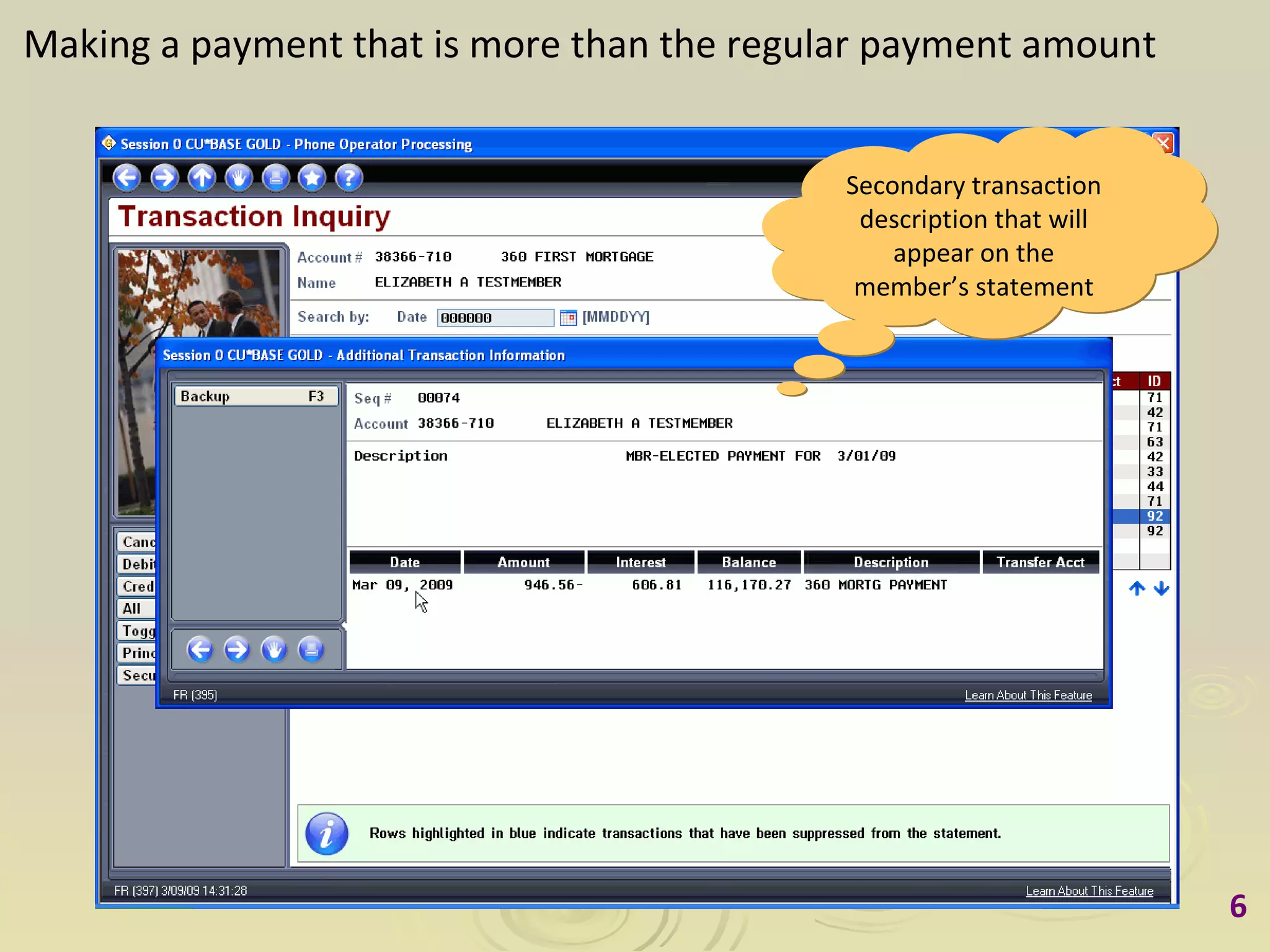
Making a payment that is more than the regular payment amount Secondary transaction description that will appear on the member’s statement
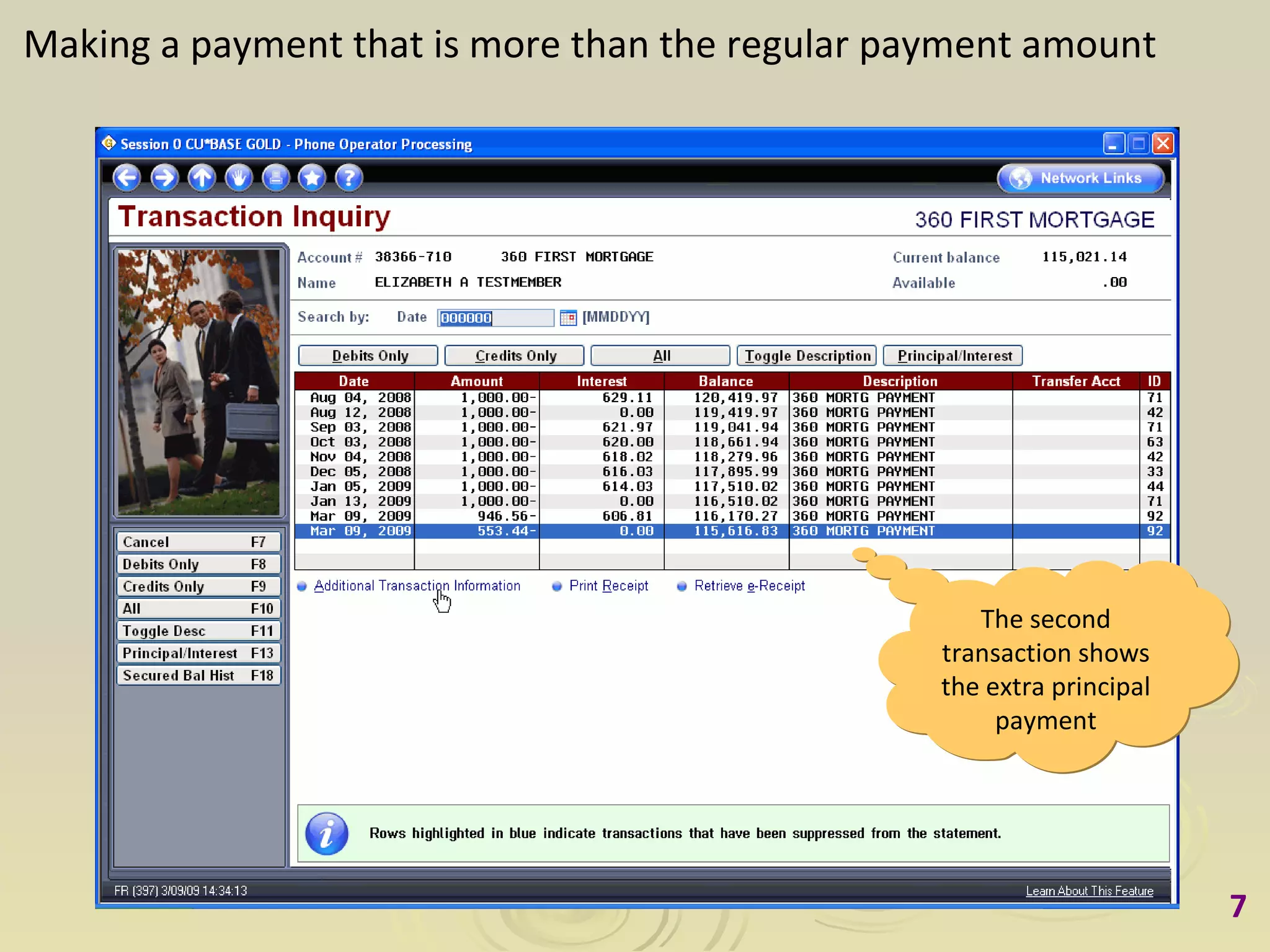
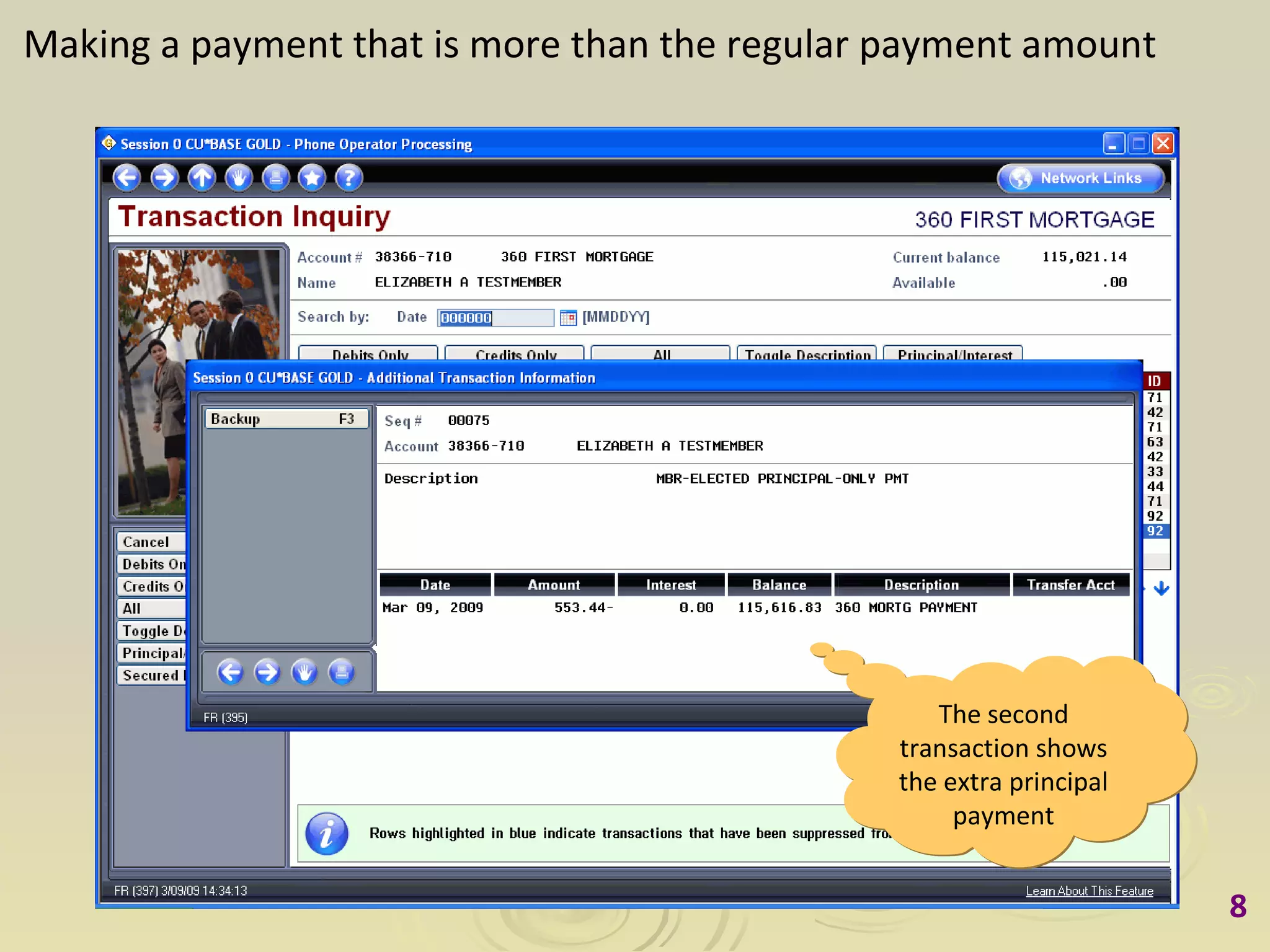
Making a payment that is more than the regular payment amount The second transaction shows the extra principal payment
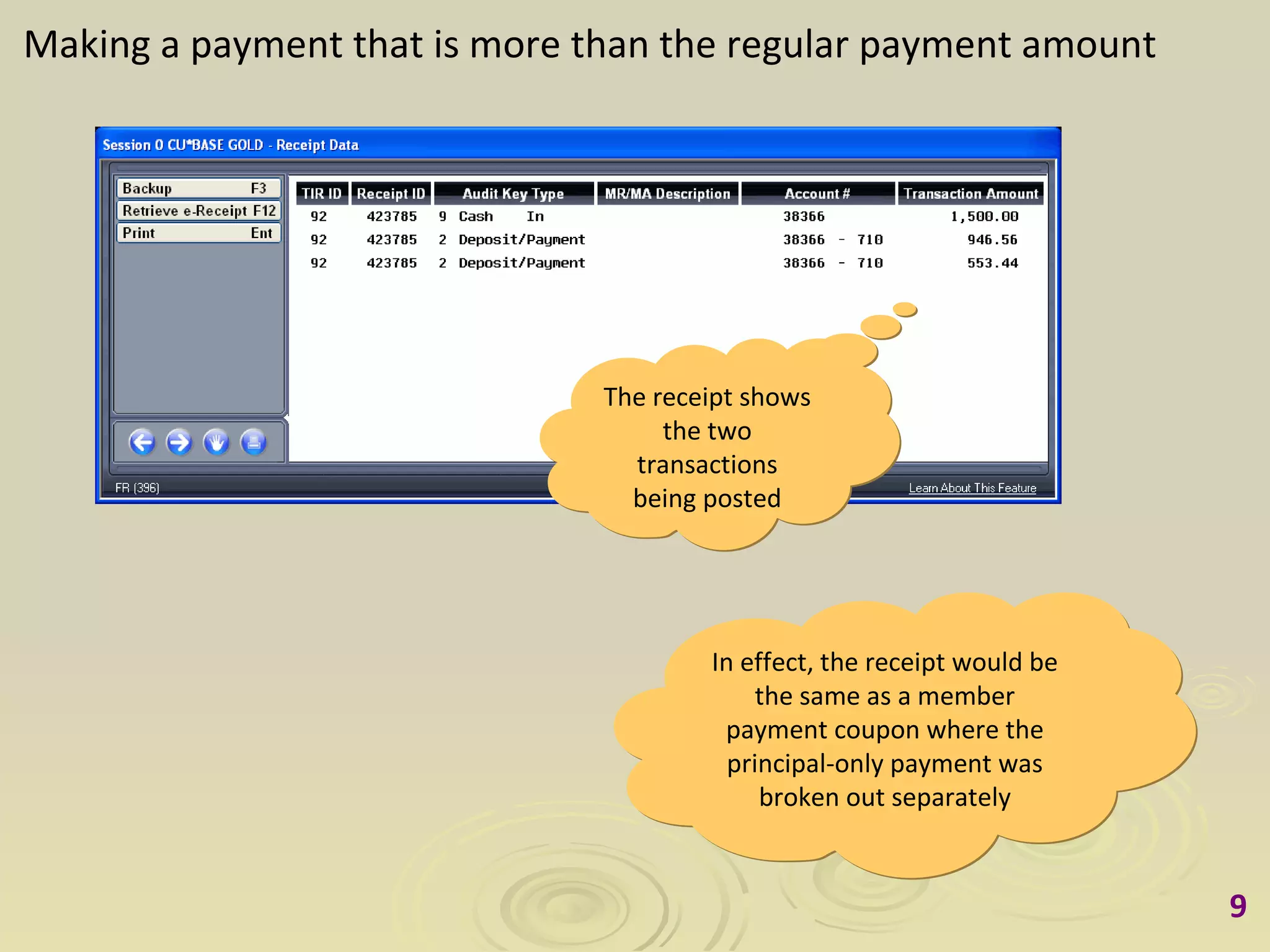
Making a payment that is more than the regular payment amount The receipt shows the two transactions being posted In effect, the receipt would be the same as a member payment coupon where the principal-only payment was broken out separately
Scenario 2 Making a mortgage payment before the  Interest Calc Date (such as the 20th)  (Account also has an attached escrow)
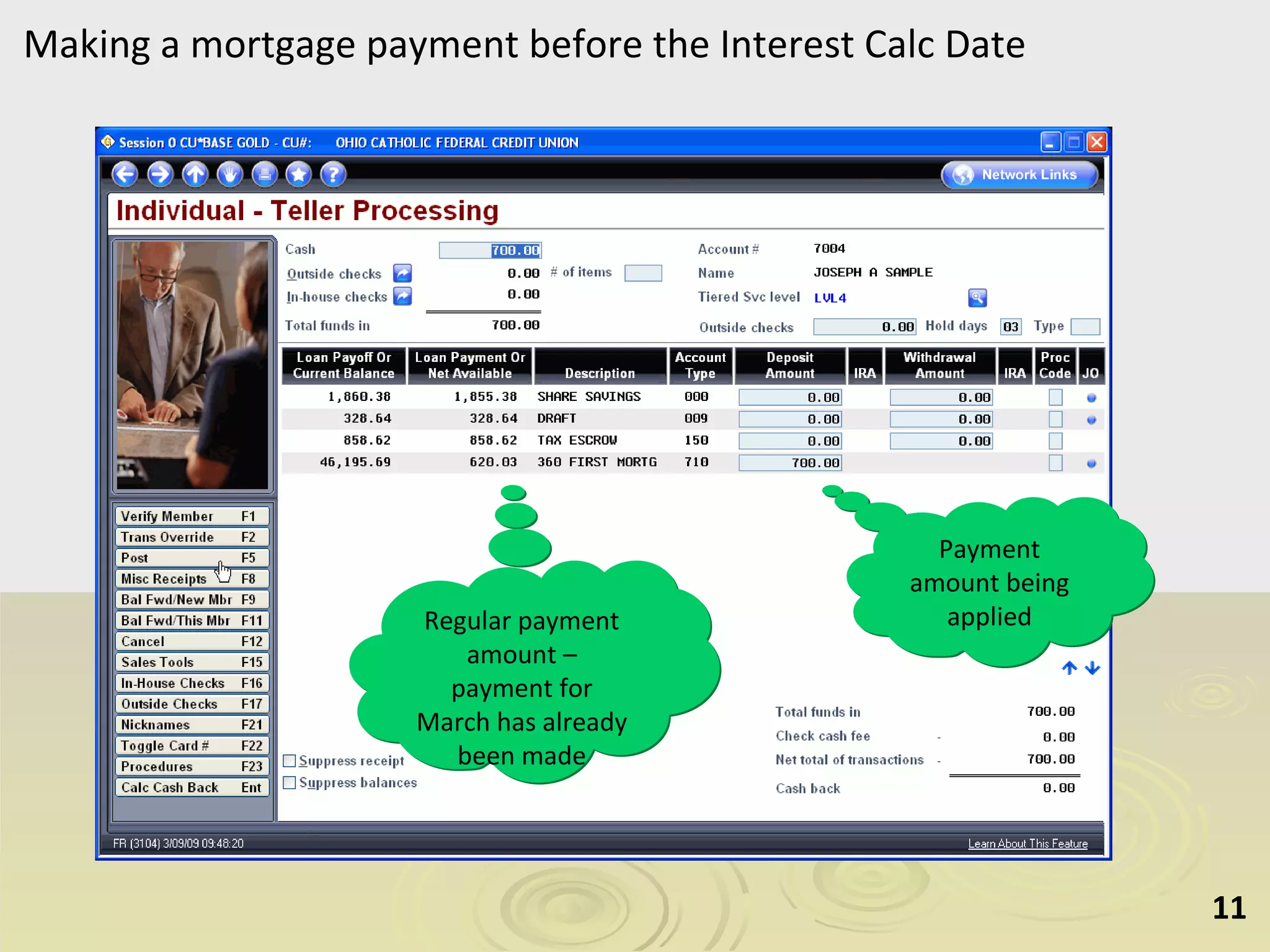
Making a mortgage payment before the Interest Calc Date Payment amount being applied Regular payment amount – payment for March has already been made
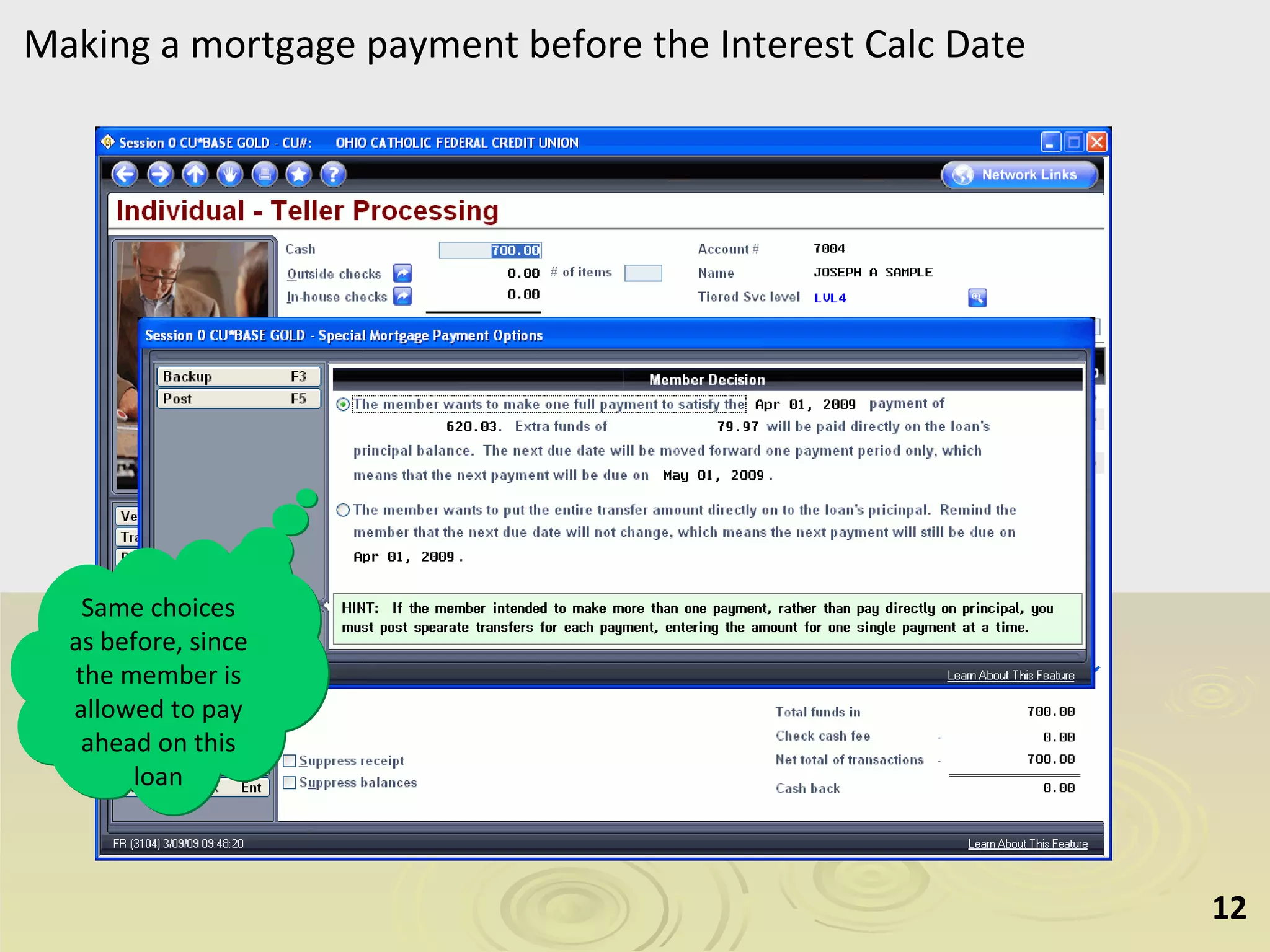
Making a mortgage payment before the Interest Calc Date Same choices as before, since the member is allowed to pay ahead on this loan
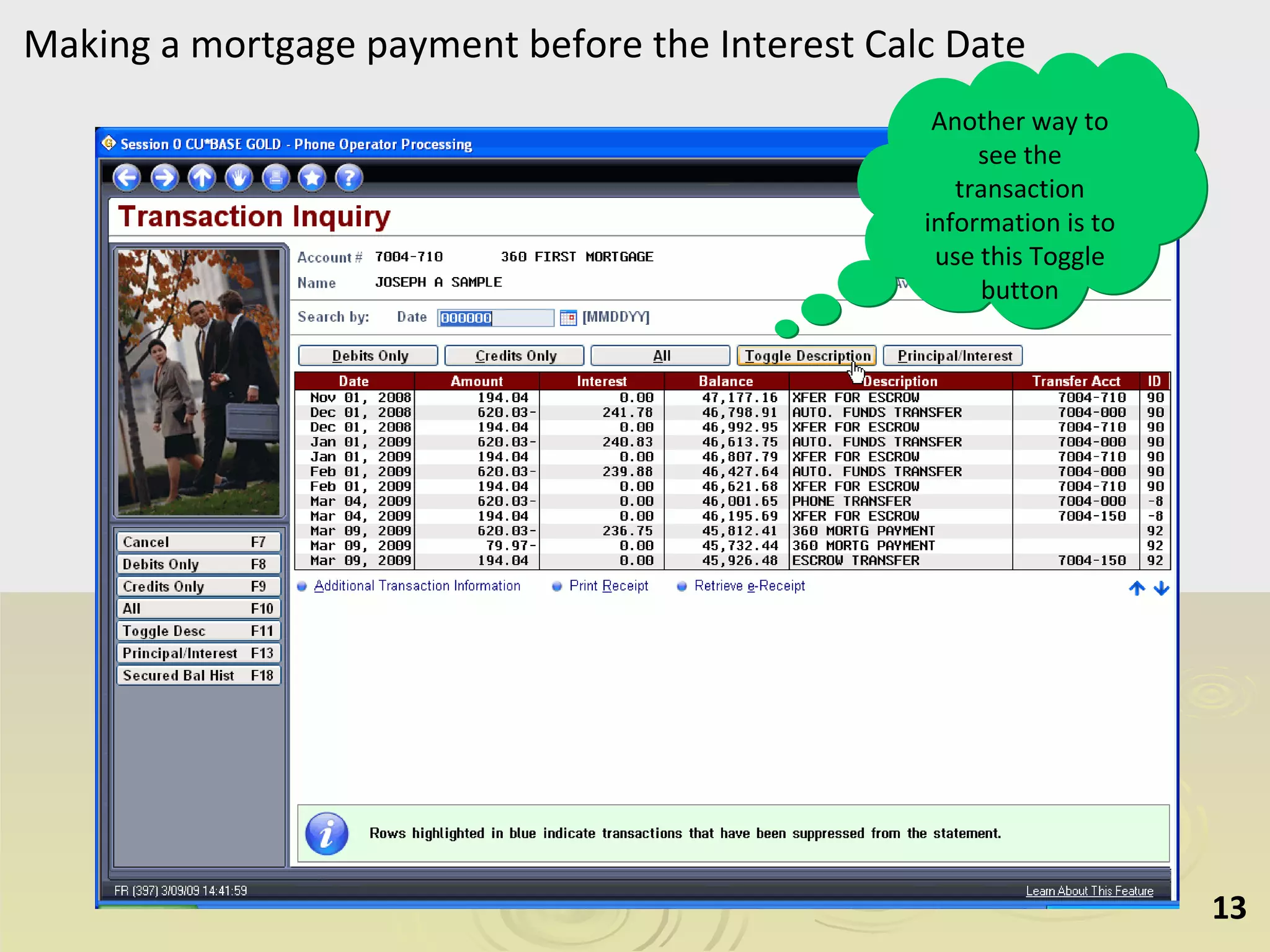
Making a mortgage payment before the Interest Calc Date Another way to see the transaction information is to use this Toggle button
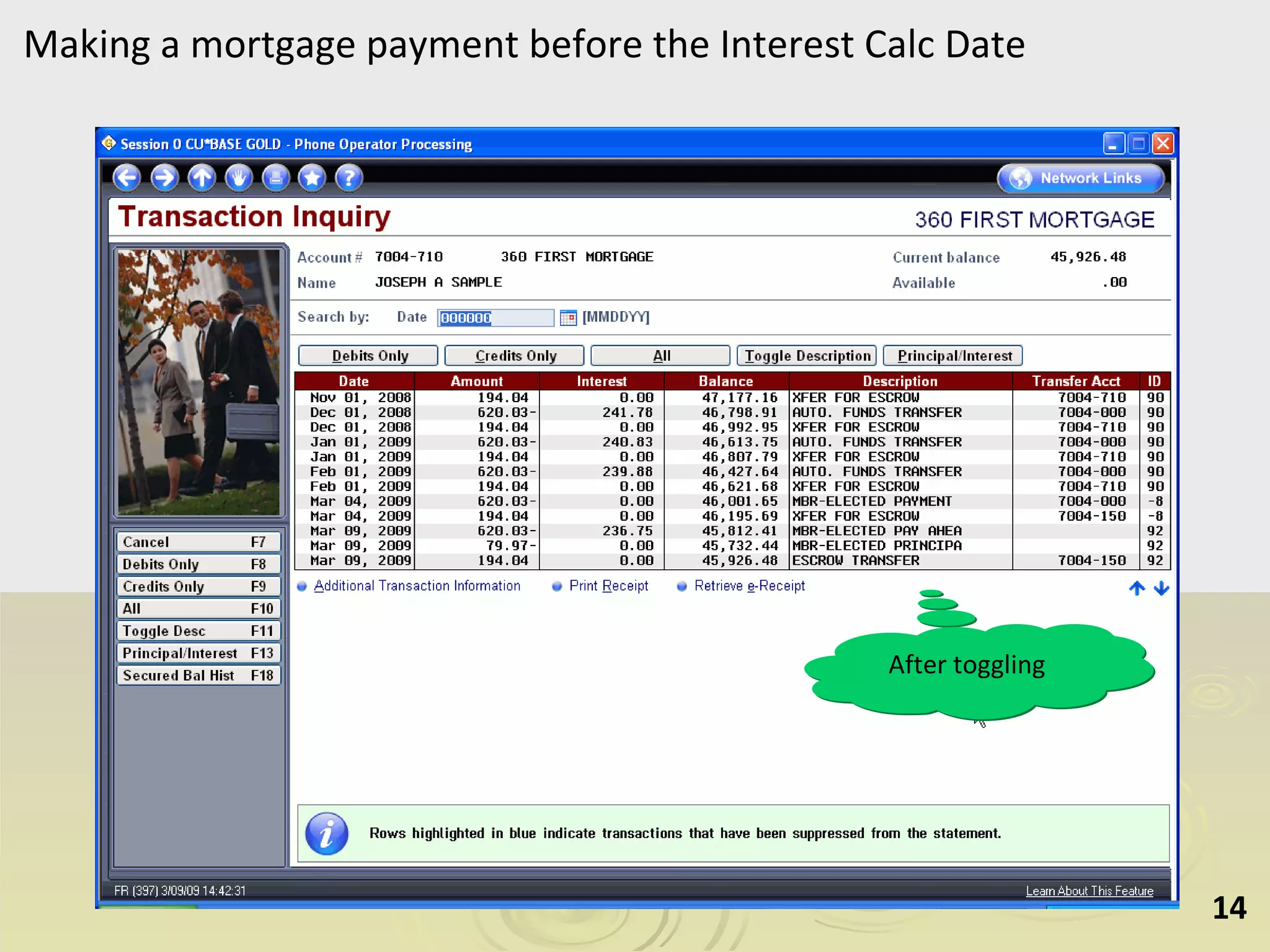
Making a mortgage payment before the Interest Calc Date After toggling
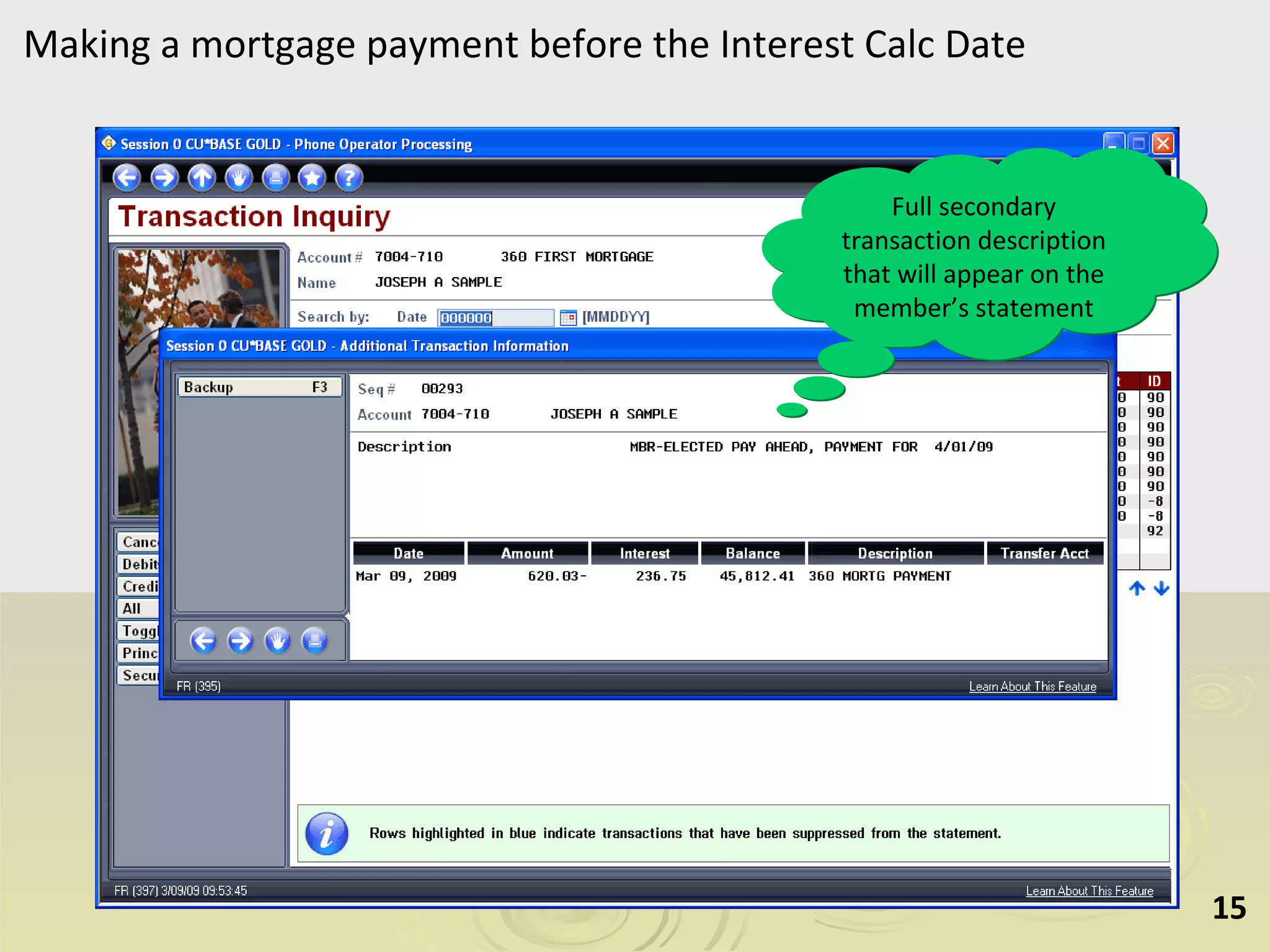
Making a mortgage payment before the Interest Calc Date Full secondary transaction description that will appear on the member’s statement
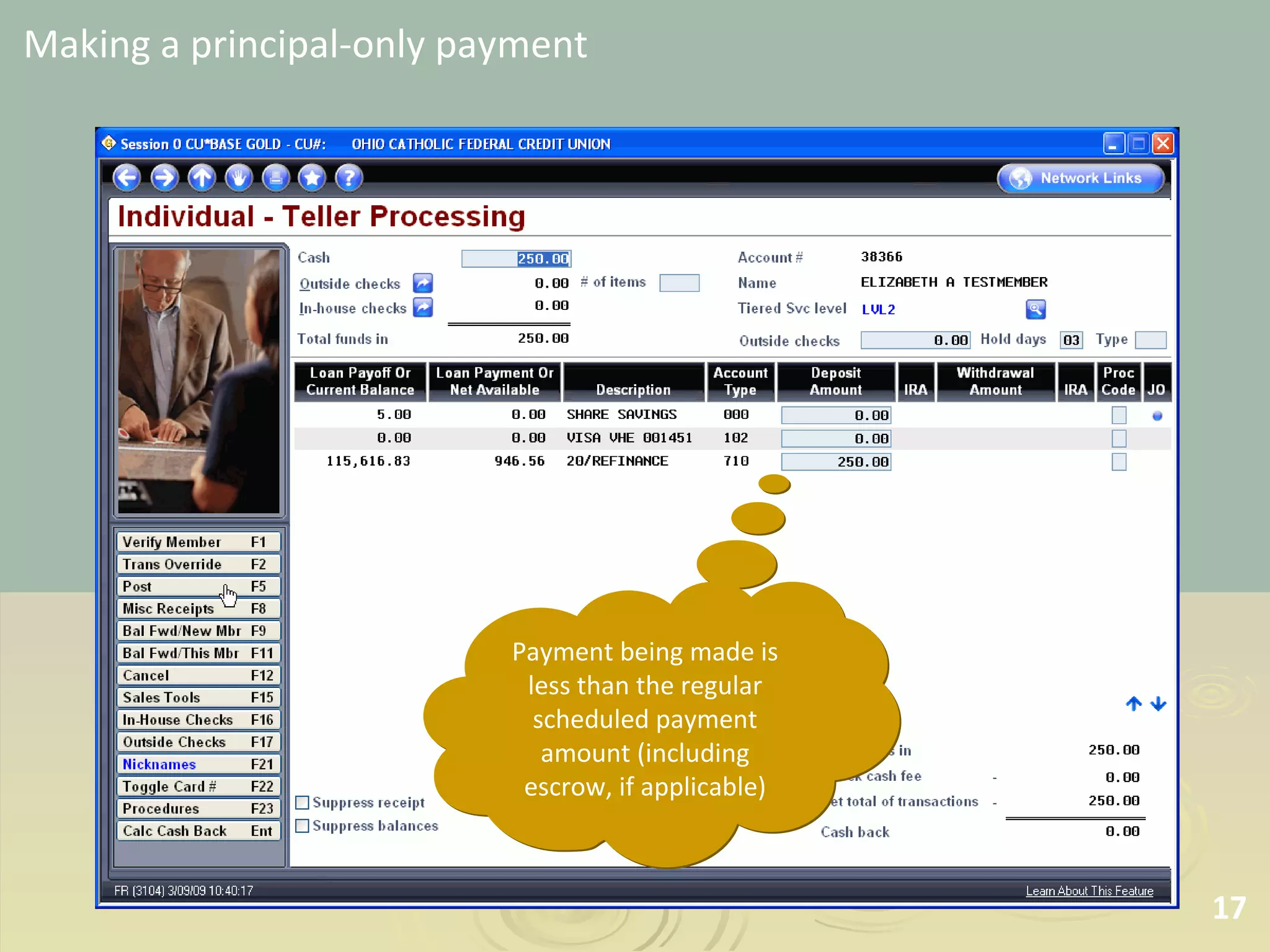
Scenario 3 Making a principal-only payment
Making a principal-only payment Payment being made is less than the regular scheduled payment amount (including escrow, if applicable)
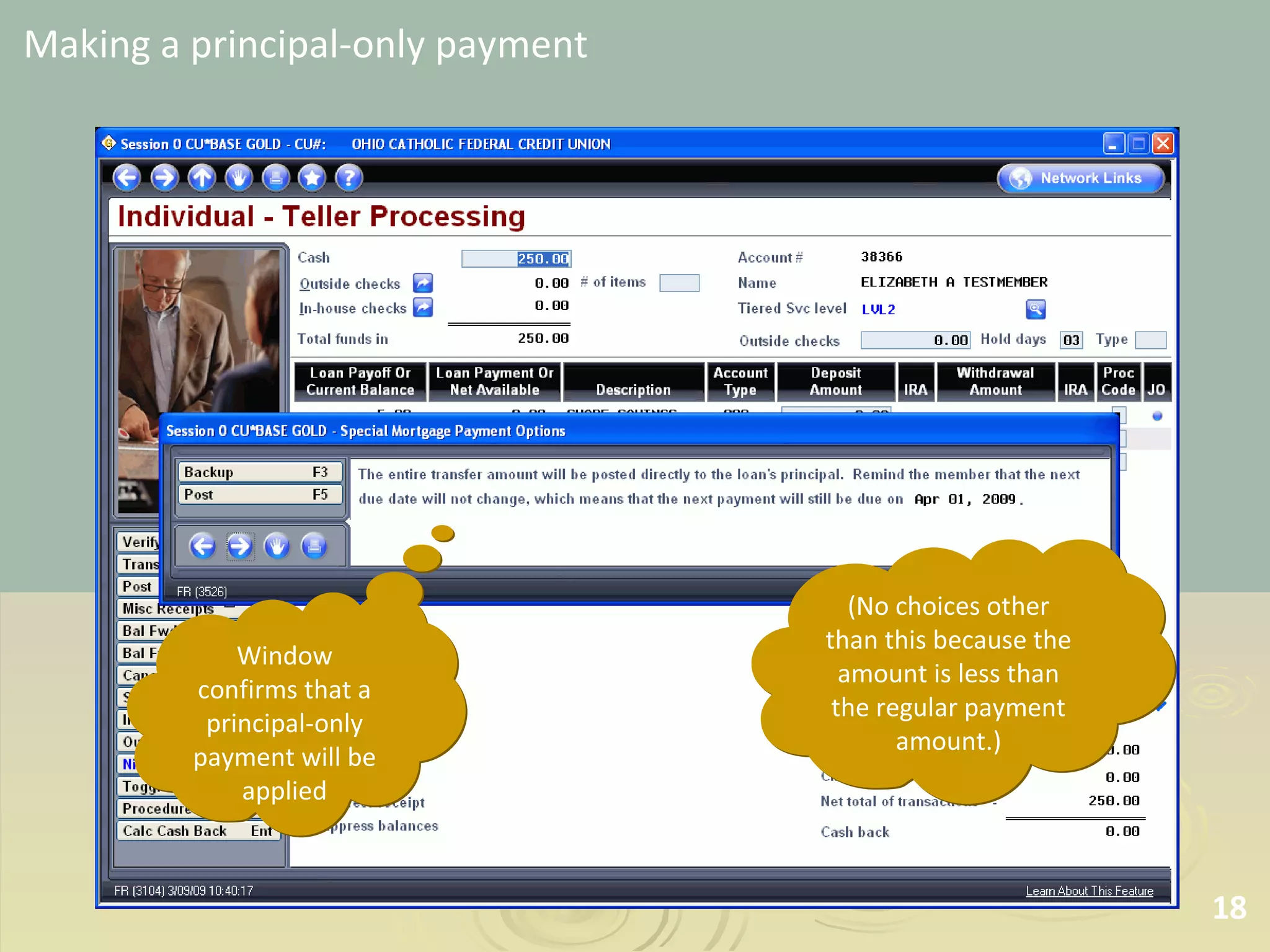
Making a principal-only payment Window confirms that a principal-only payment will be applied (No choices other than this because the amount is less than the regular payment amount.)
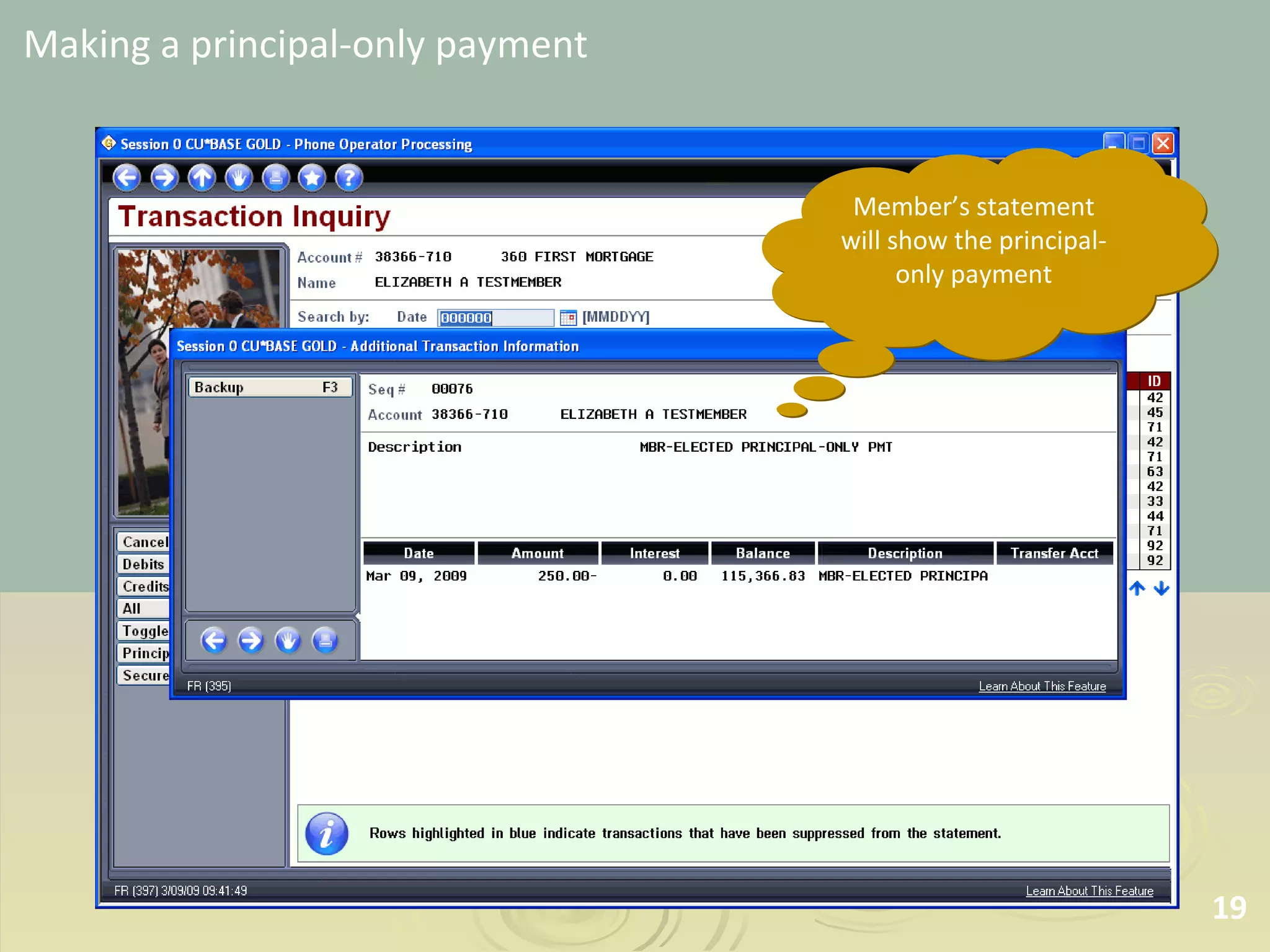
Making a principal-only payment Member’s statement will show the principal-only payment
Scenario 4 Making a payment on a delinquent loan
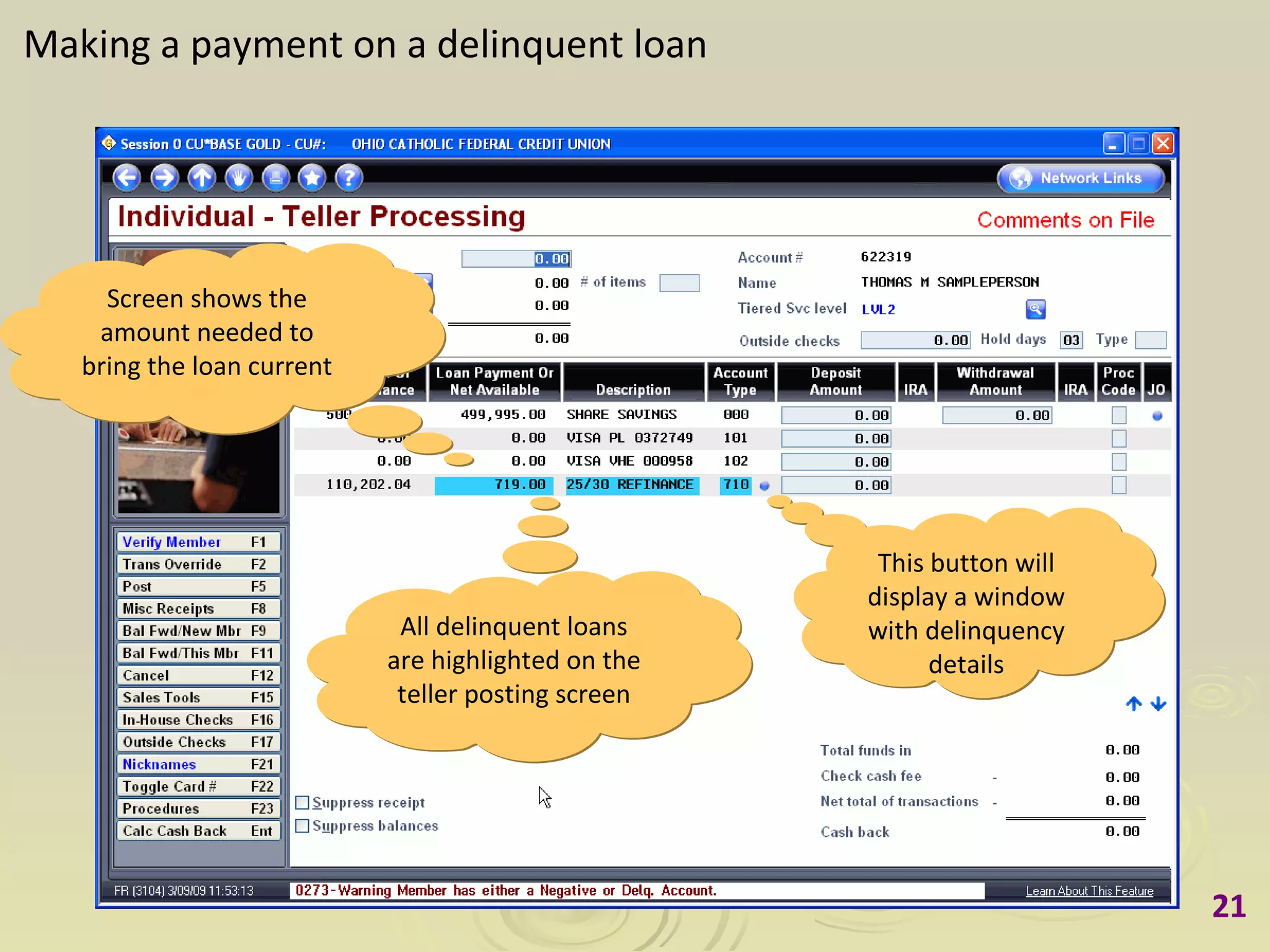
Making a payment on a delinquent loan This button will display a window with delinquency details All delinquent loans are highlighted on the teller posting screen Screen shows the amount needed to bring the loan current
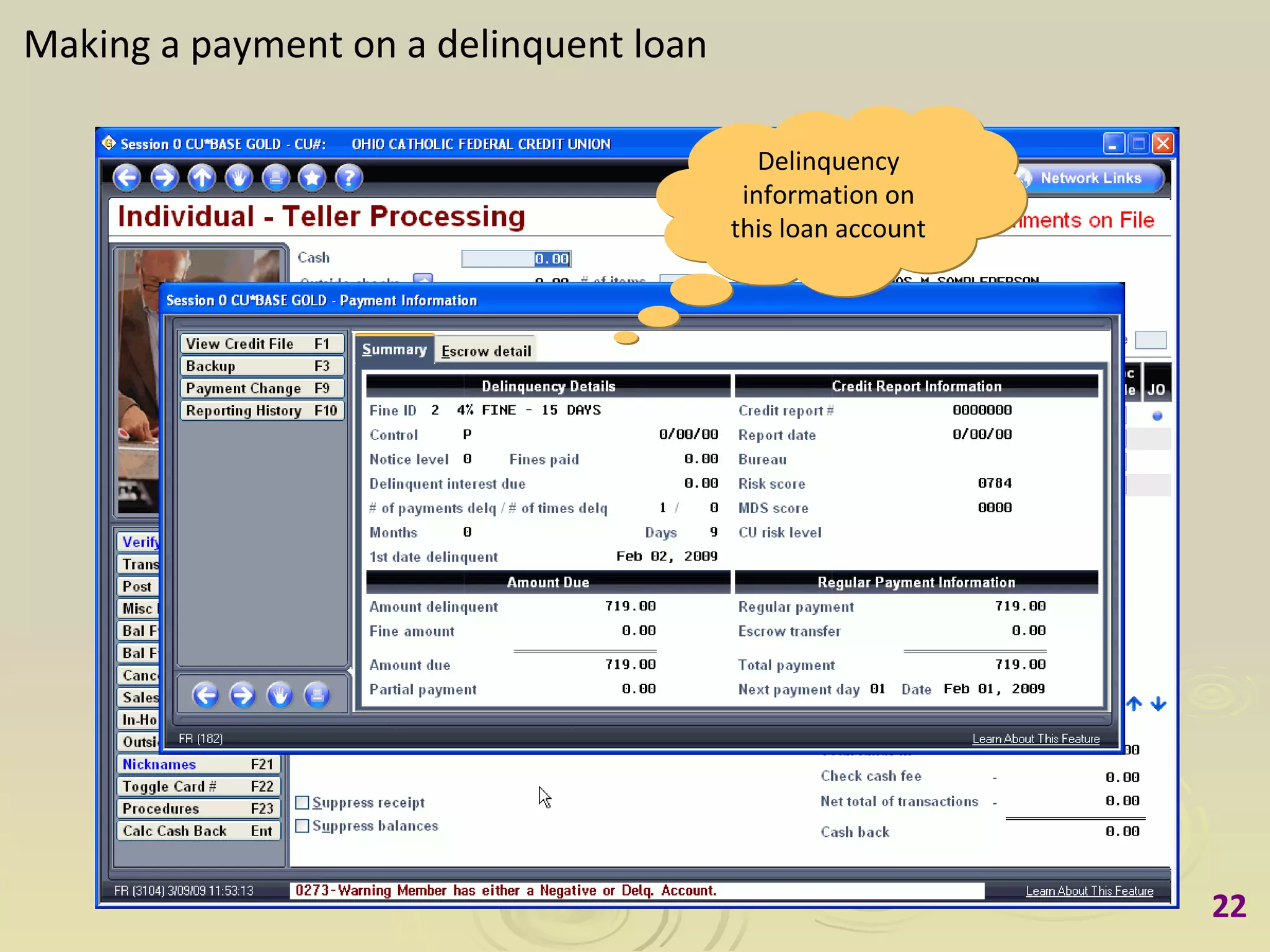
Making a payment on a delinquent loan Delinquency information on this loan account
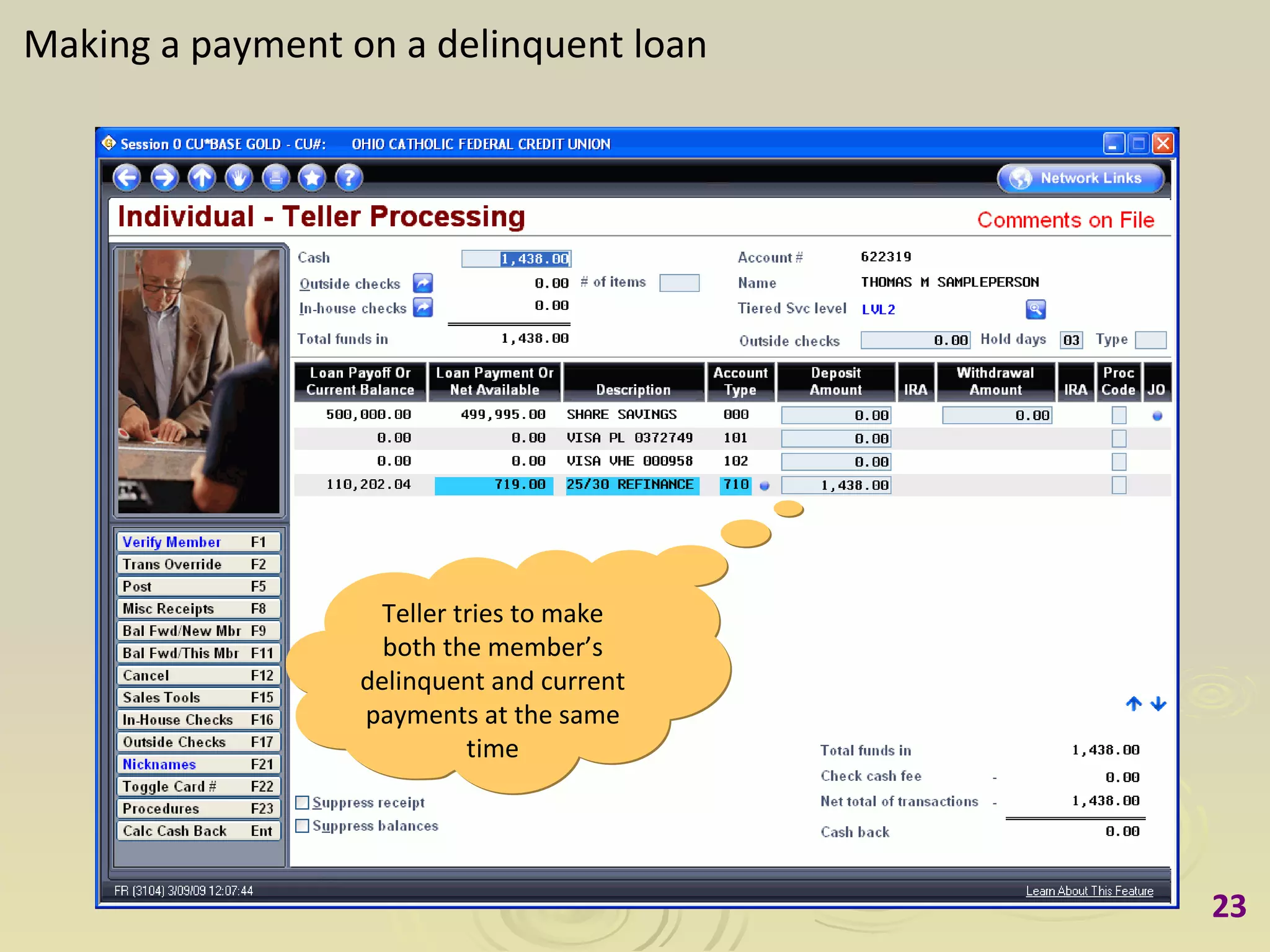
Making a payment on a delinquent loan Teller tries to make both the member’s delinquent and current payments at the same time
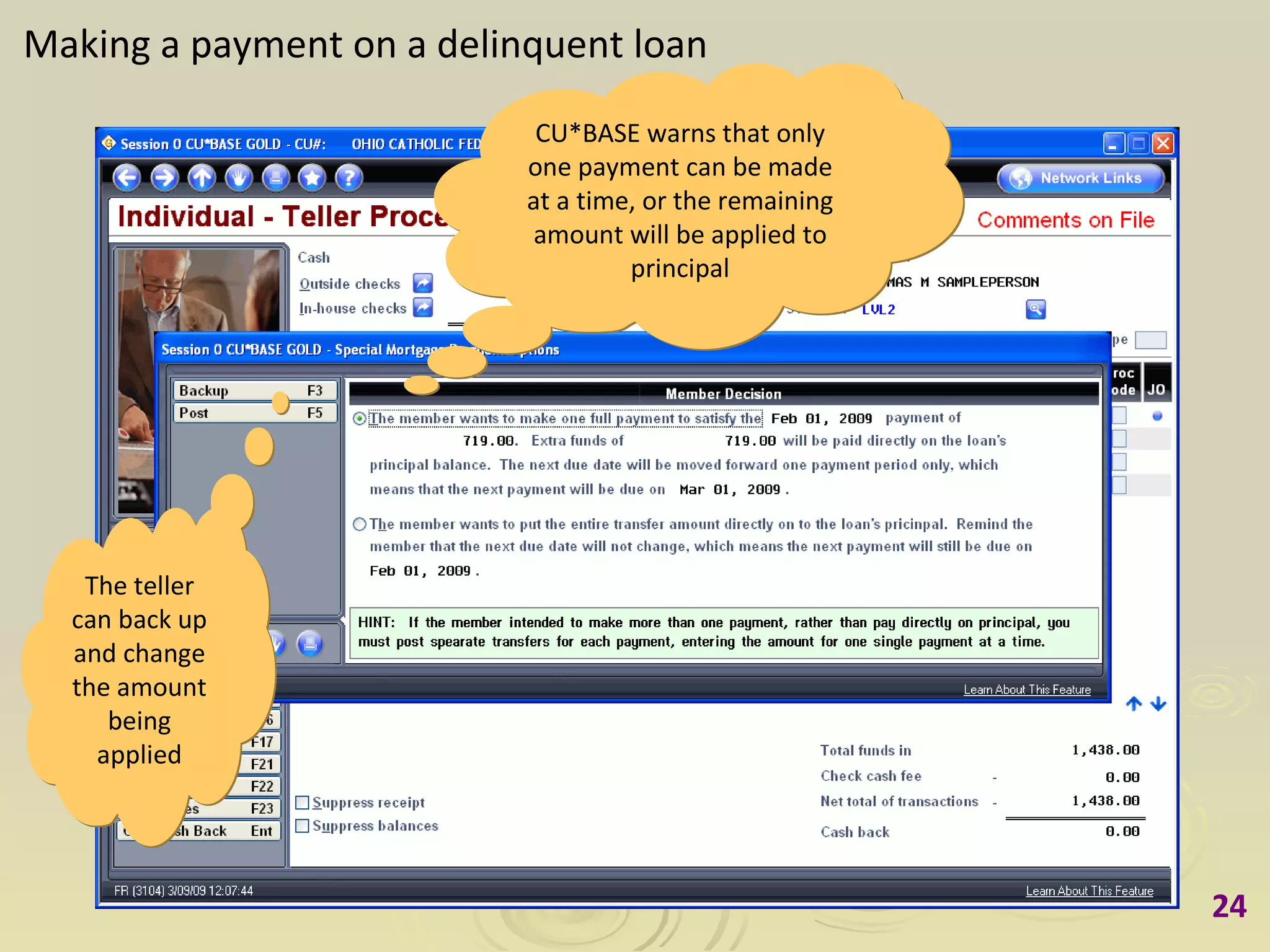
Making a payment on a delinquent loan The teller can back up and change the amount being applied CU*BASE warns that only one payment can be made at a time, or the remaining amount will be applied to principal
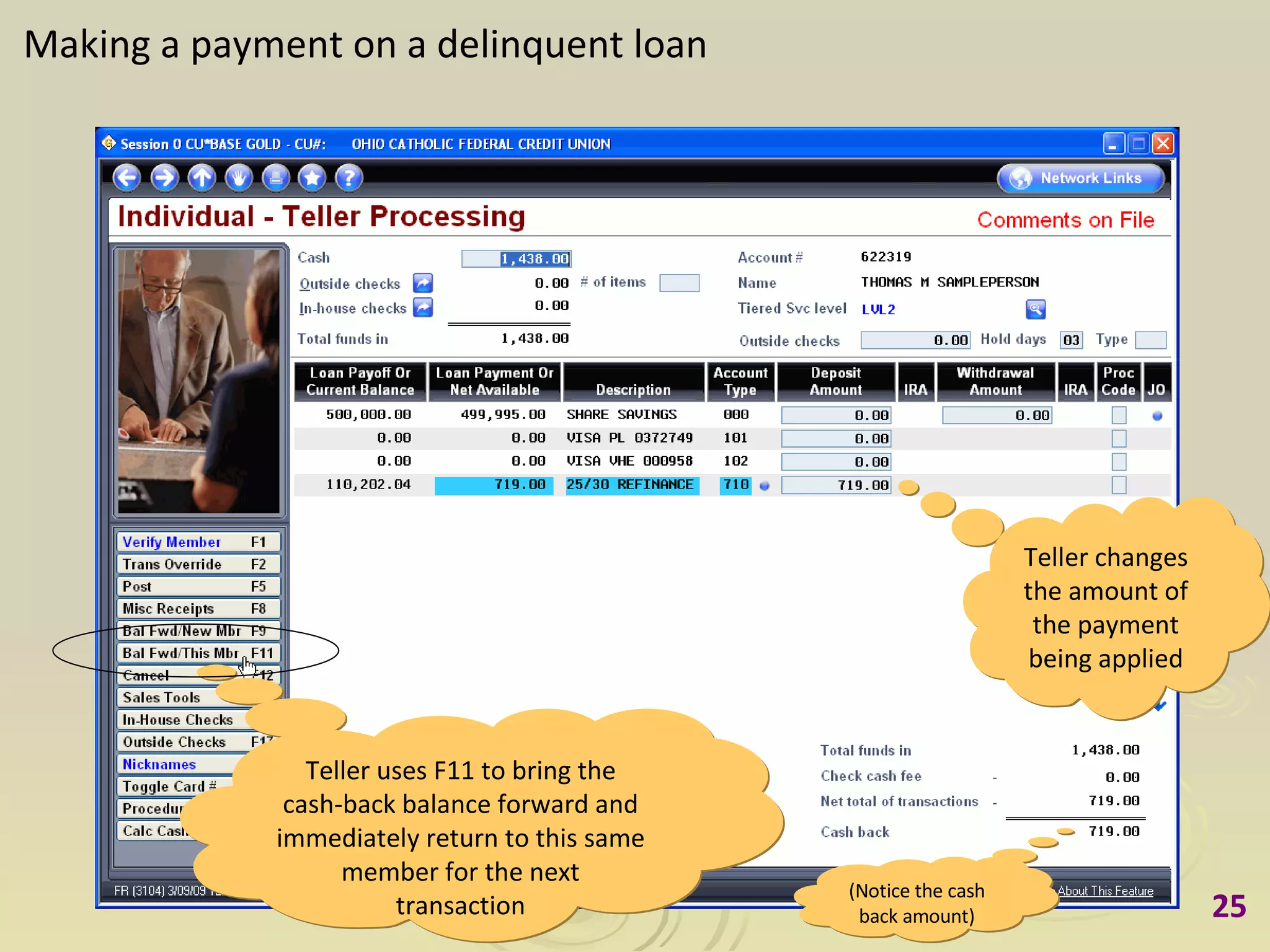
Making a payment on a delinquent loan Teller changes the amount of the payment being applied (Notice the cash back amount) Teller uses F11 to bring the cash-back balance forward and immediately return to this same member for the next transaction
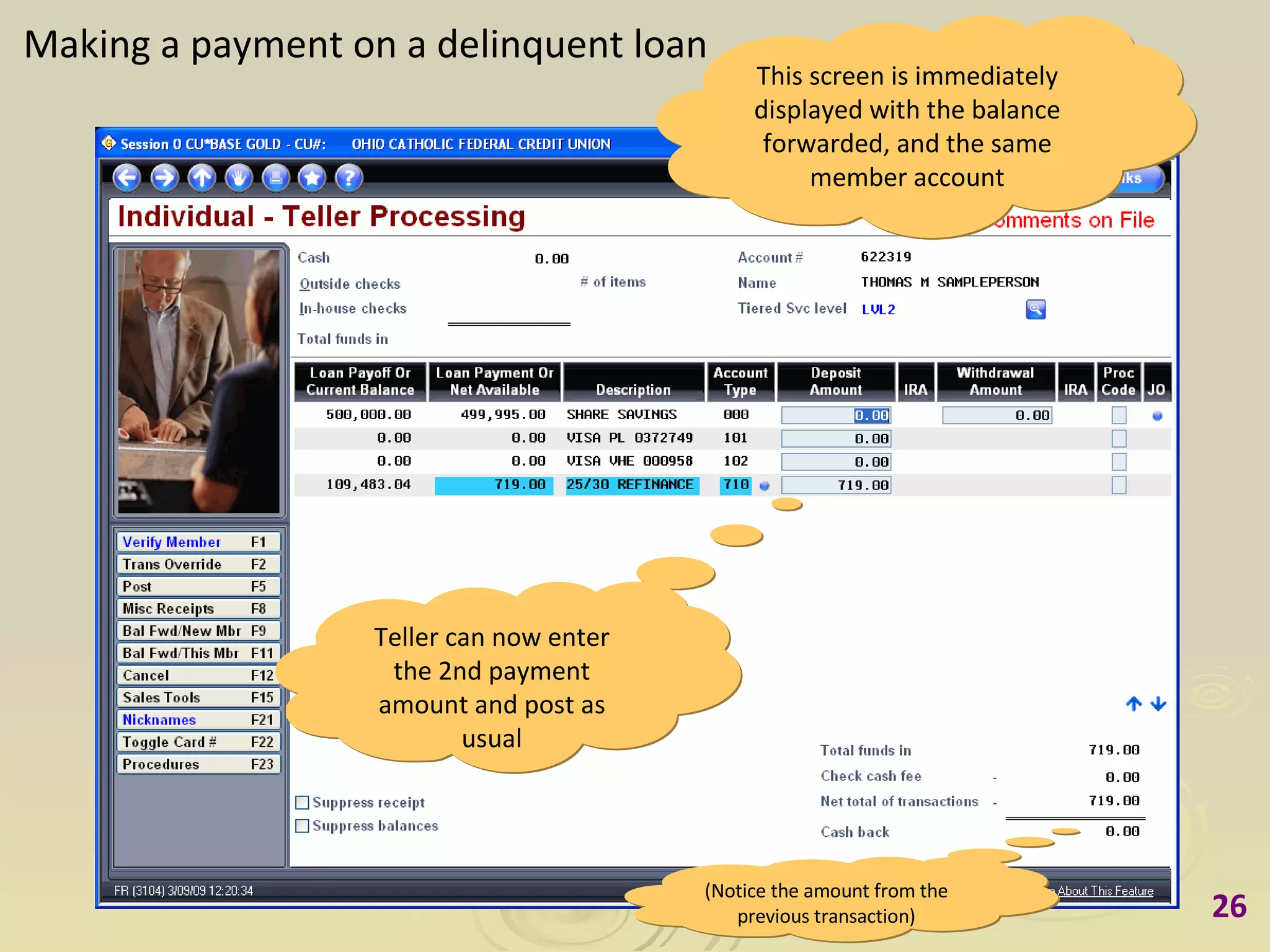
Making a payment on a delinquent loan This screen is immediately displayed with the balance forwarded, and the same member account Teller can now enter the 2nd payment amount and post as usual (Notice the amount from the previous transaction)
Scenario 5 When a loan cannot be paid ahead
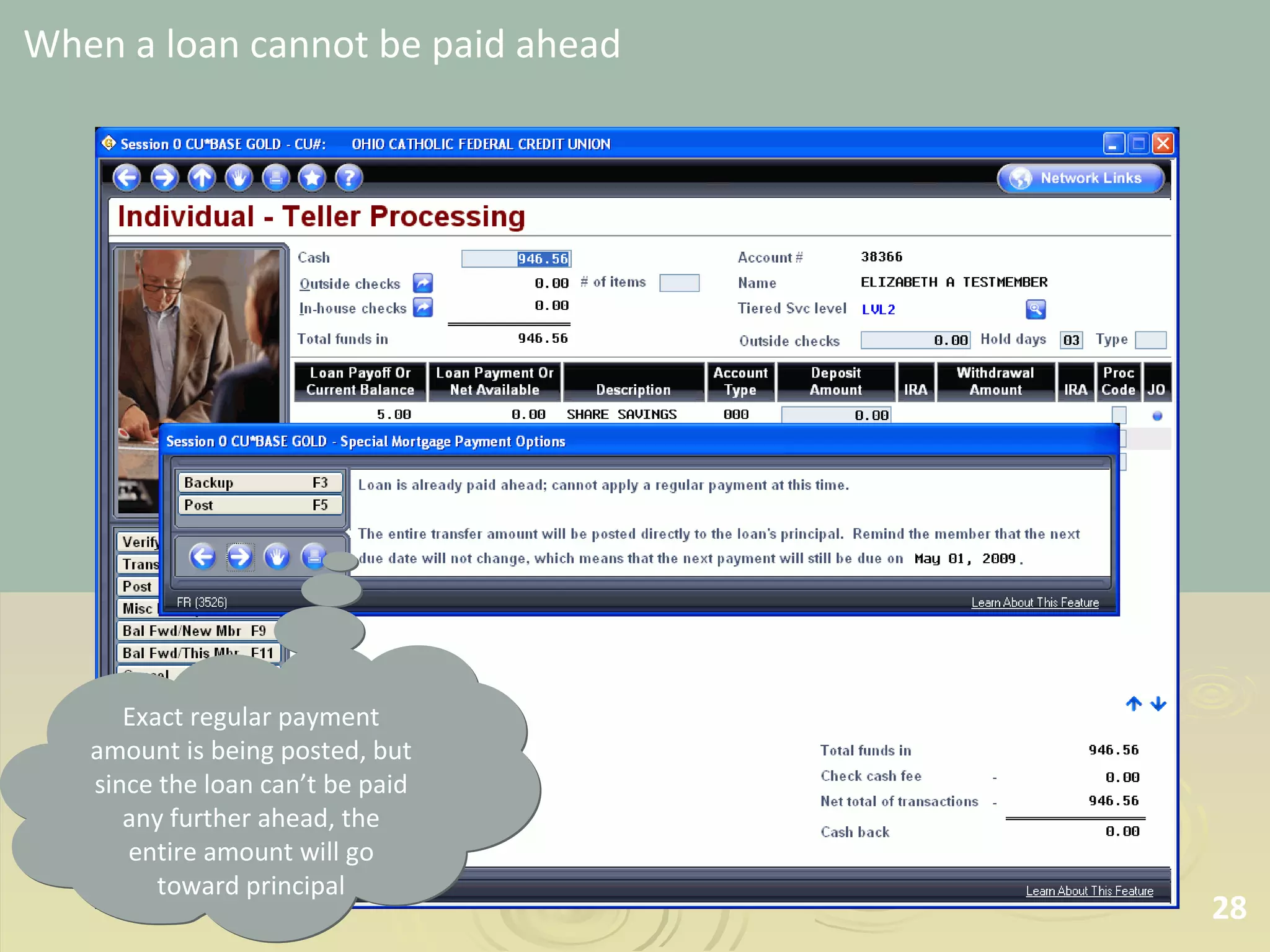
When a loan cannot be paid ahead Exact regular payment amount is being posted, but since the loan can’t be paid any further ahead, the entire amount will go toward principal
Making Payments on Mortgage Loans in  It’s Me 247   Online Banking A Preview of Coming Enhancements to  CU*BASE Mortgage Loans  with the 360-Day Interest Calculation Type Prepared March 9, 2009
Scenario 1 Making a payment that is more  than the regular payment amount
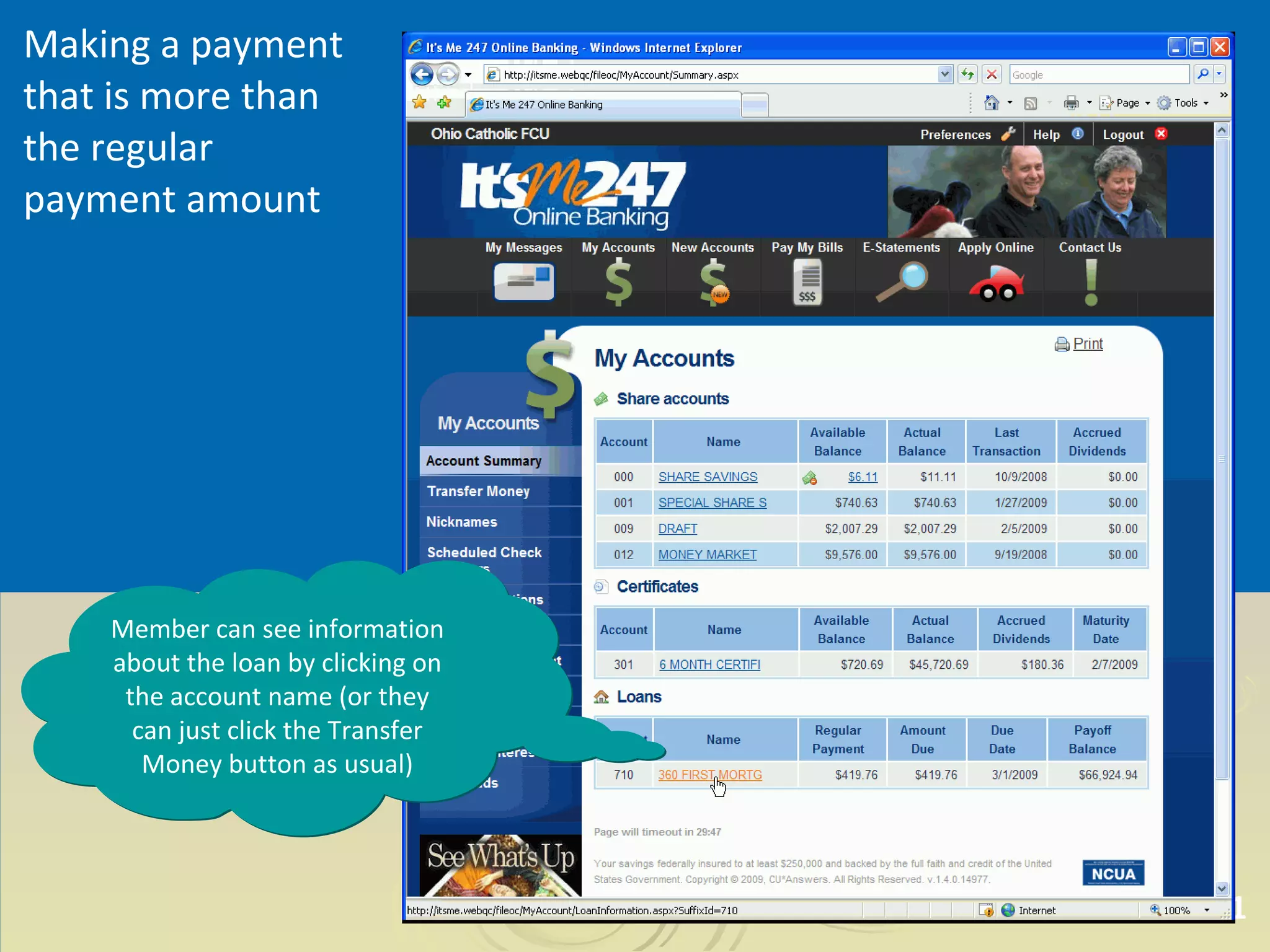
Making a payment that is more than the regular payment amount Member can see information about the loan by clicking on the account name (or they can just click the Transfer Money button as usual)
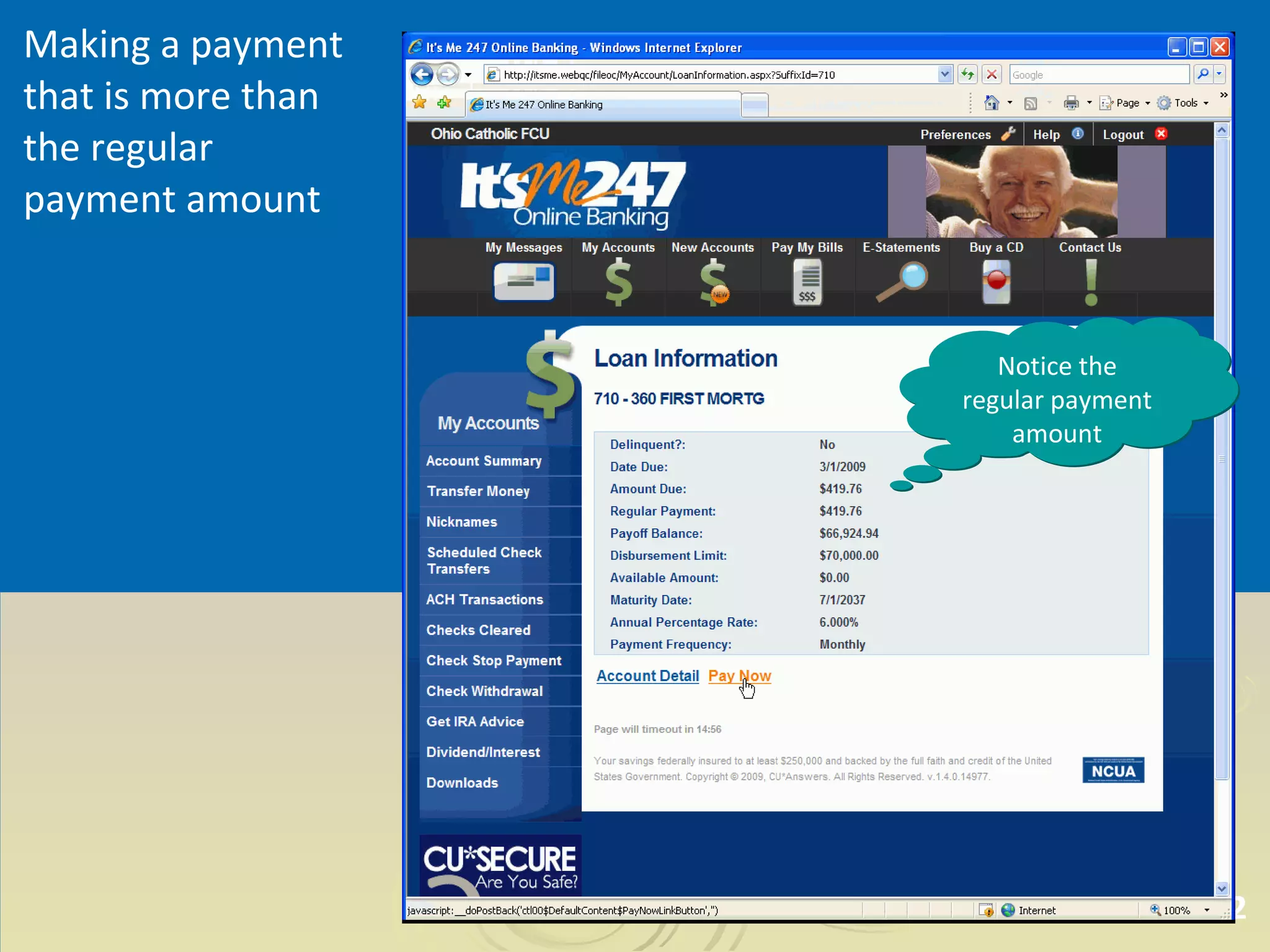
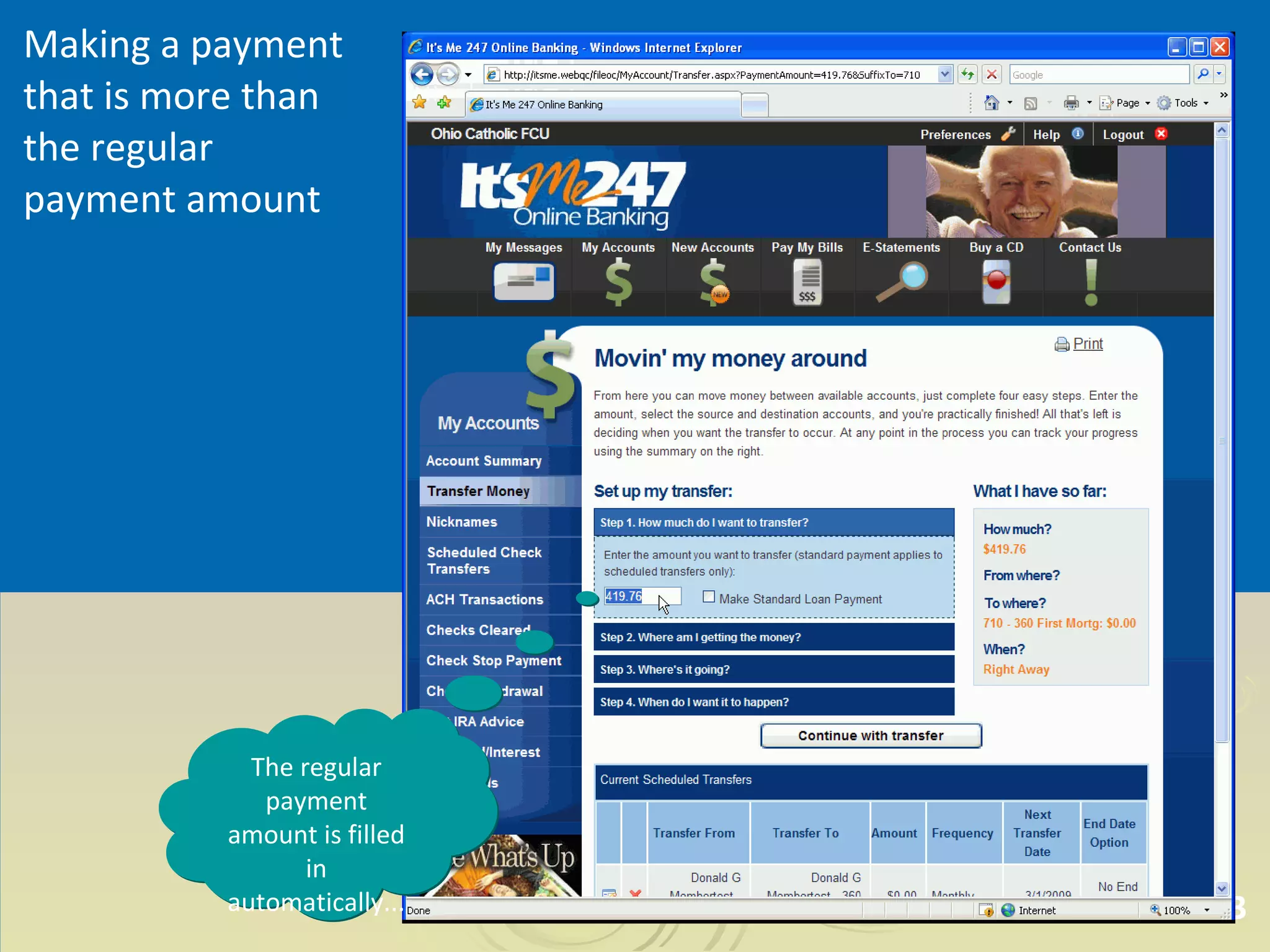
Making a payment that is more than the regular payment amount Notice the regular payment amount
Making a payment that is more than the regular payment amount The regular payment amount is filled in automatically...
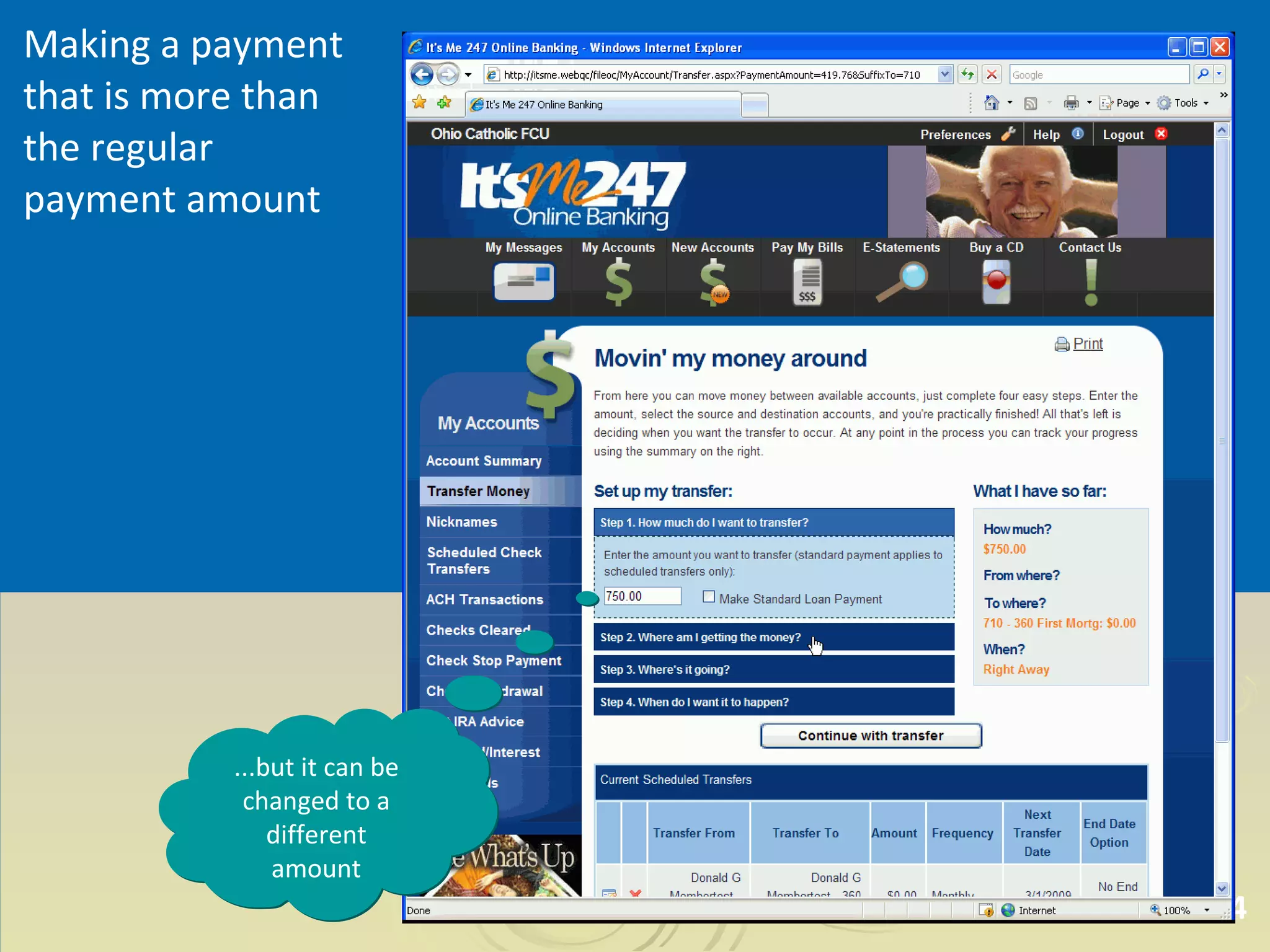
Making a payment that is more than the regular payment amount ...but it can be changed to a different amount
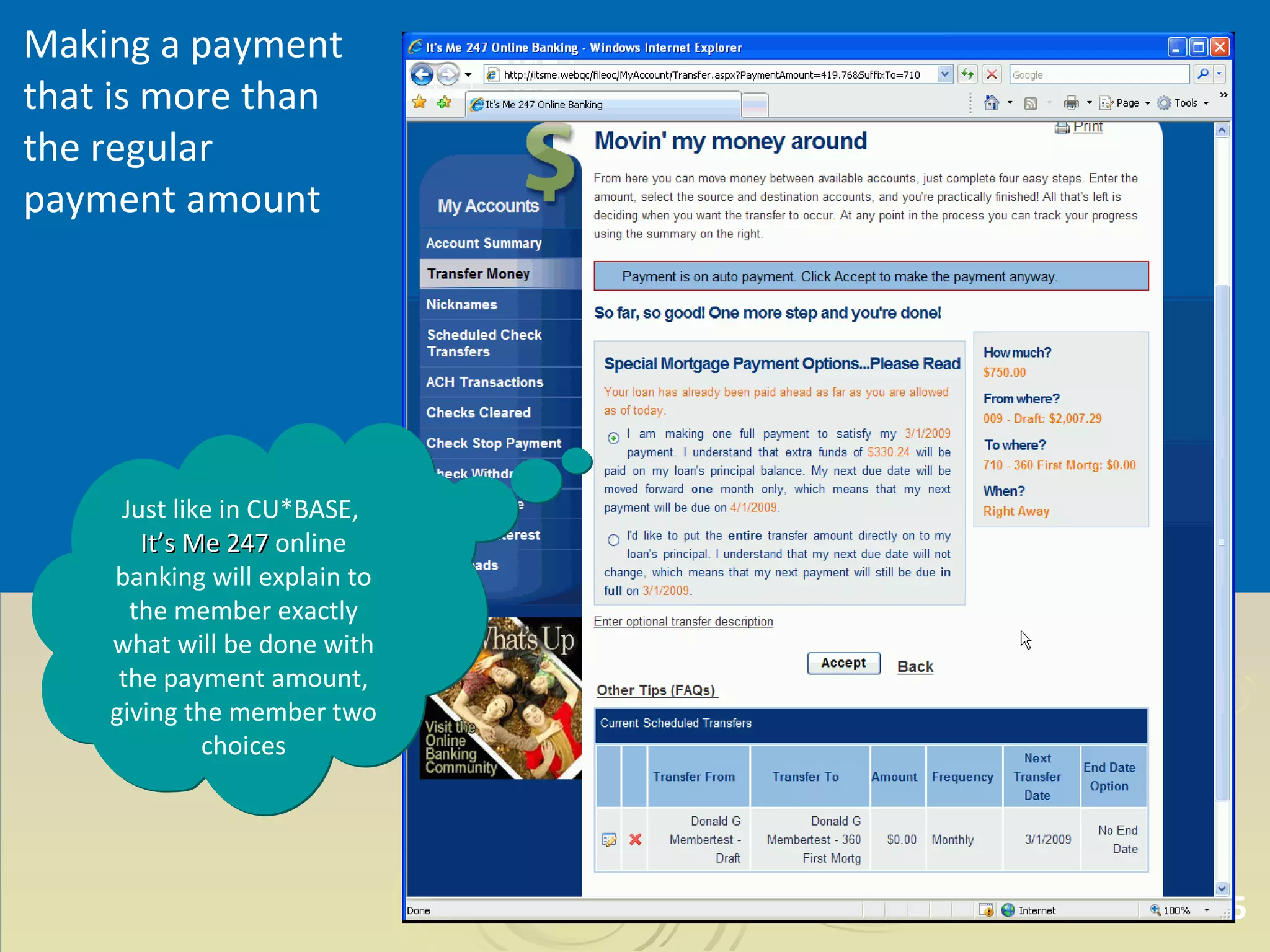
Making a payment that is more than the regular payment amount Just like in CU*BASE,  It’s Me 247  online banking will explain to the member exactly what will be done with the payment amount, giving the member two choices
Making a payment that is more than the regular payment amount
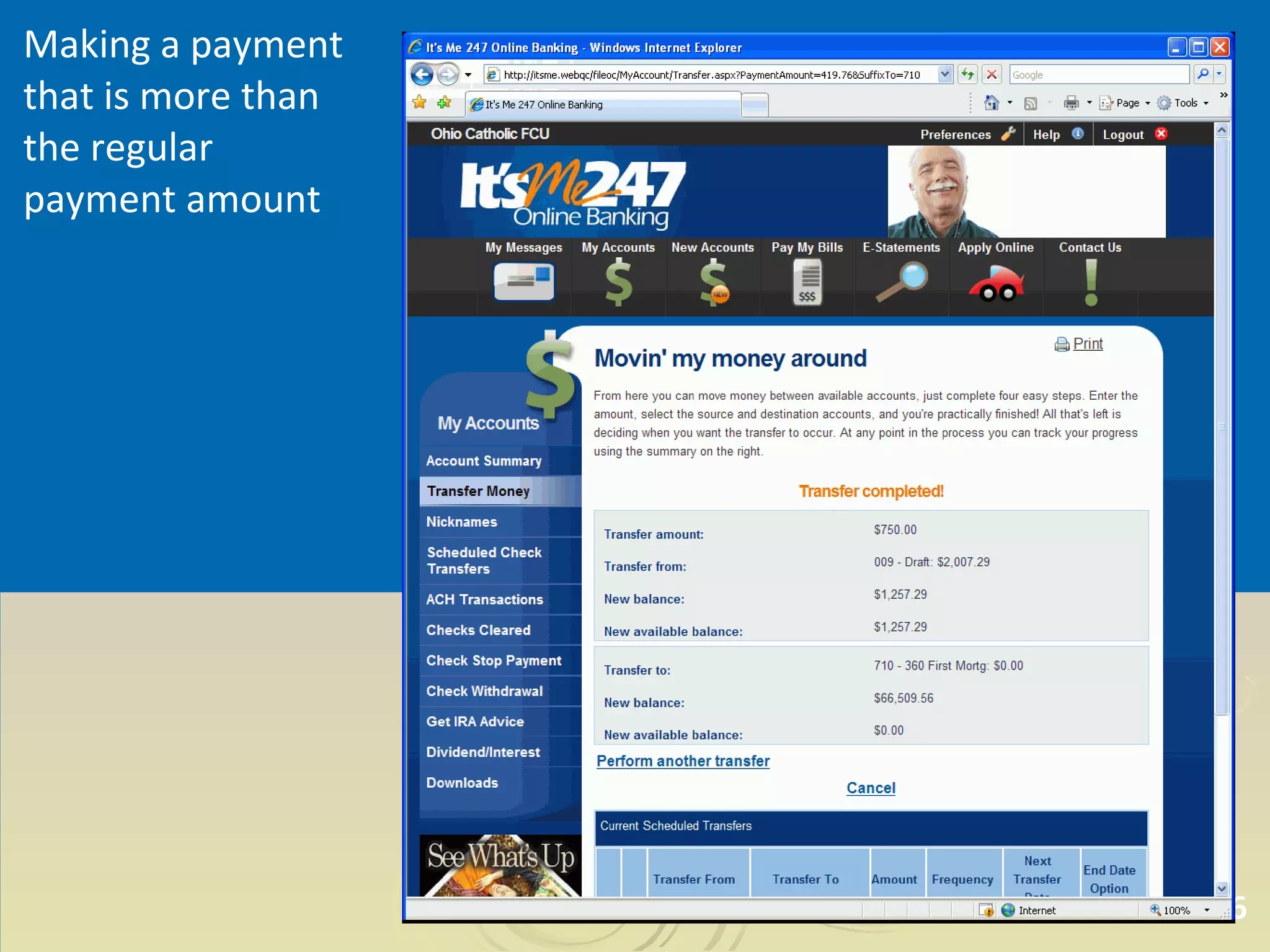
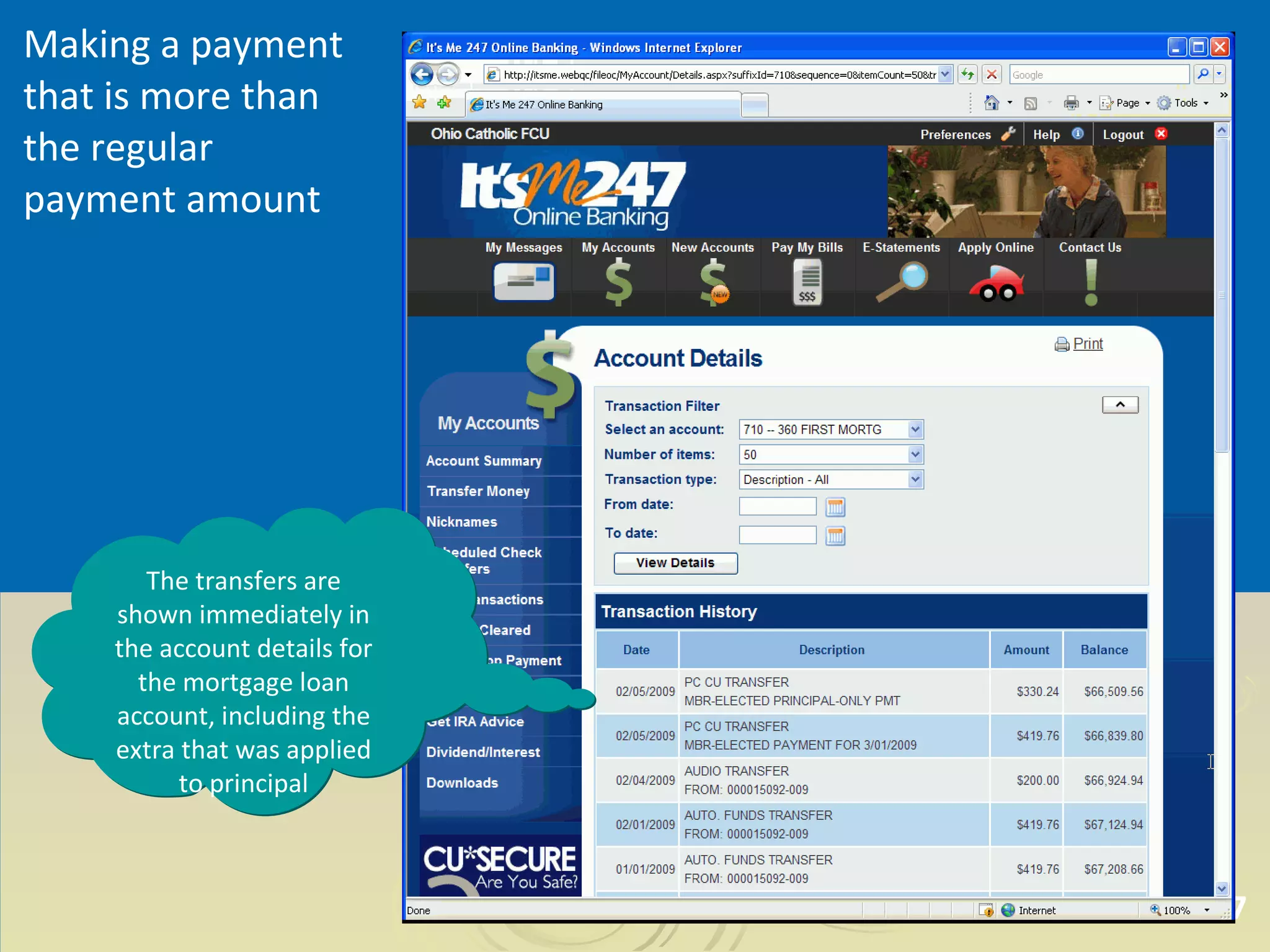
Making a payment that is more than the regular payment amount The transfers are shown immediately in the account details for the mortgage loan account, including the extra that was applied to principal
Scenario 2 Making a regular payment when  a loan cannot be paid ahead
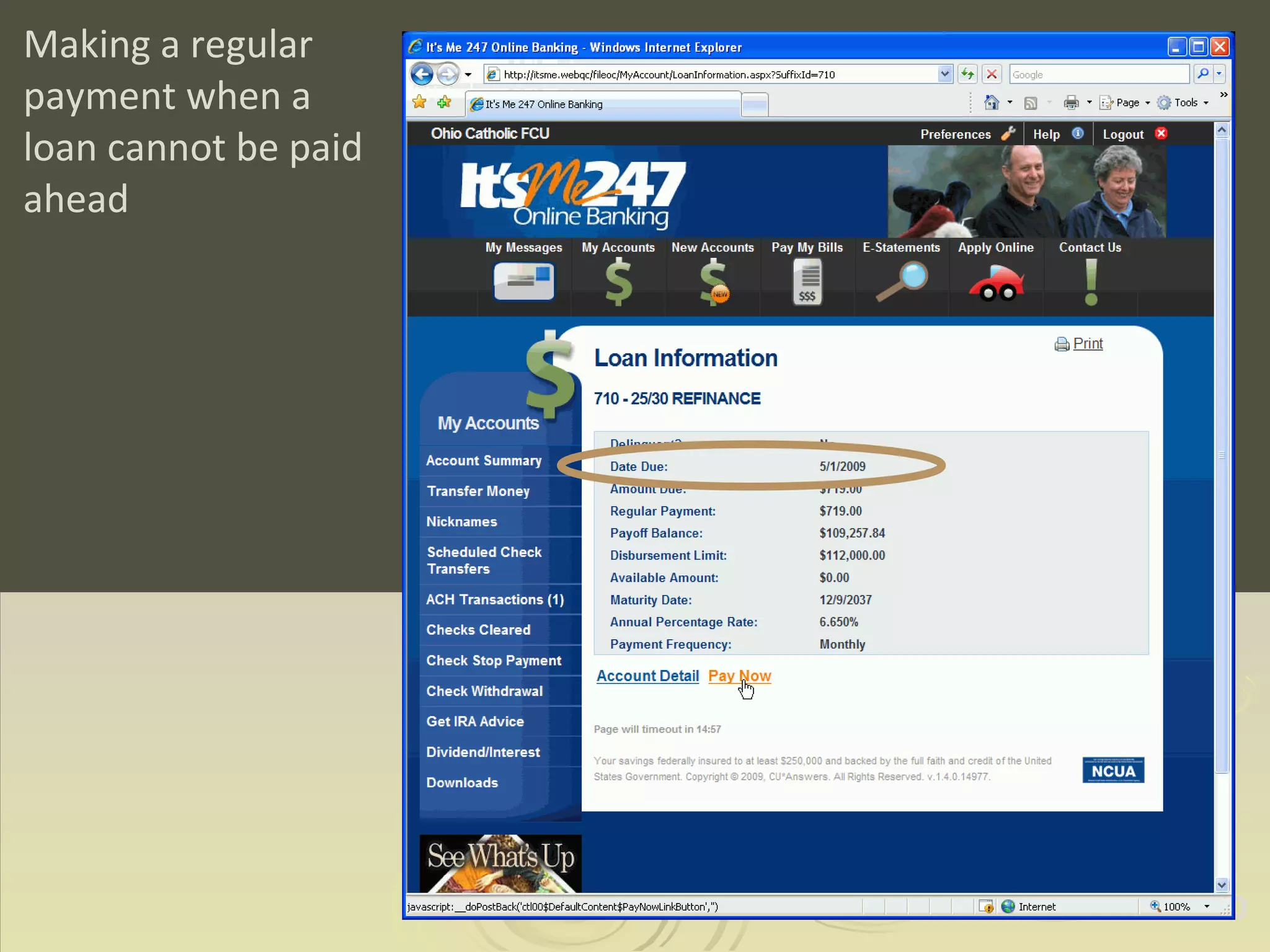
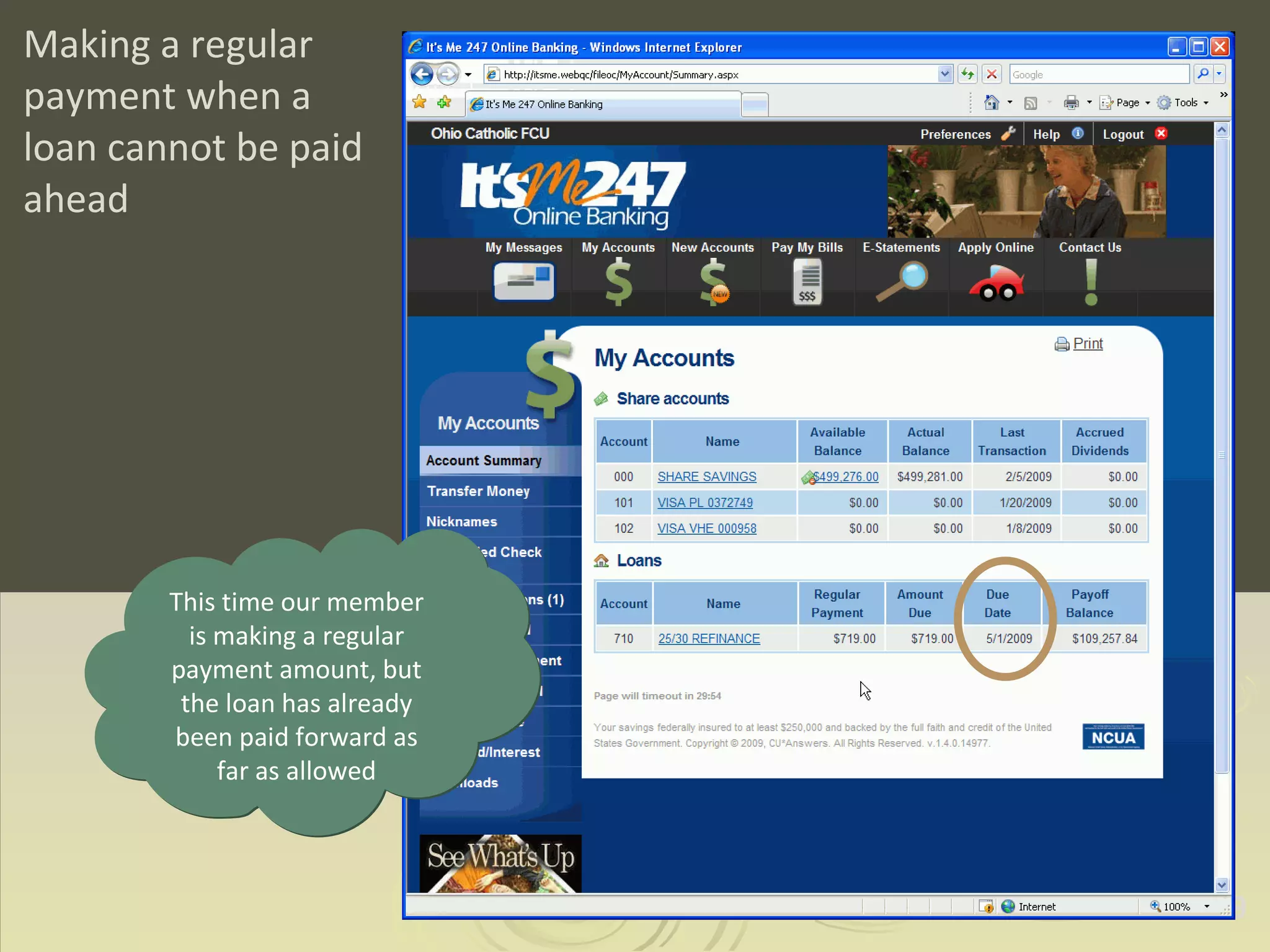
Making a regular payment when a loan cannot be paid ahead This time our member is making a regular payment amount, but the loan has already been paid forward as far as allowed
Making a regular payment when a loan cannot be paid ahead
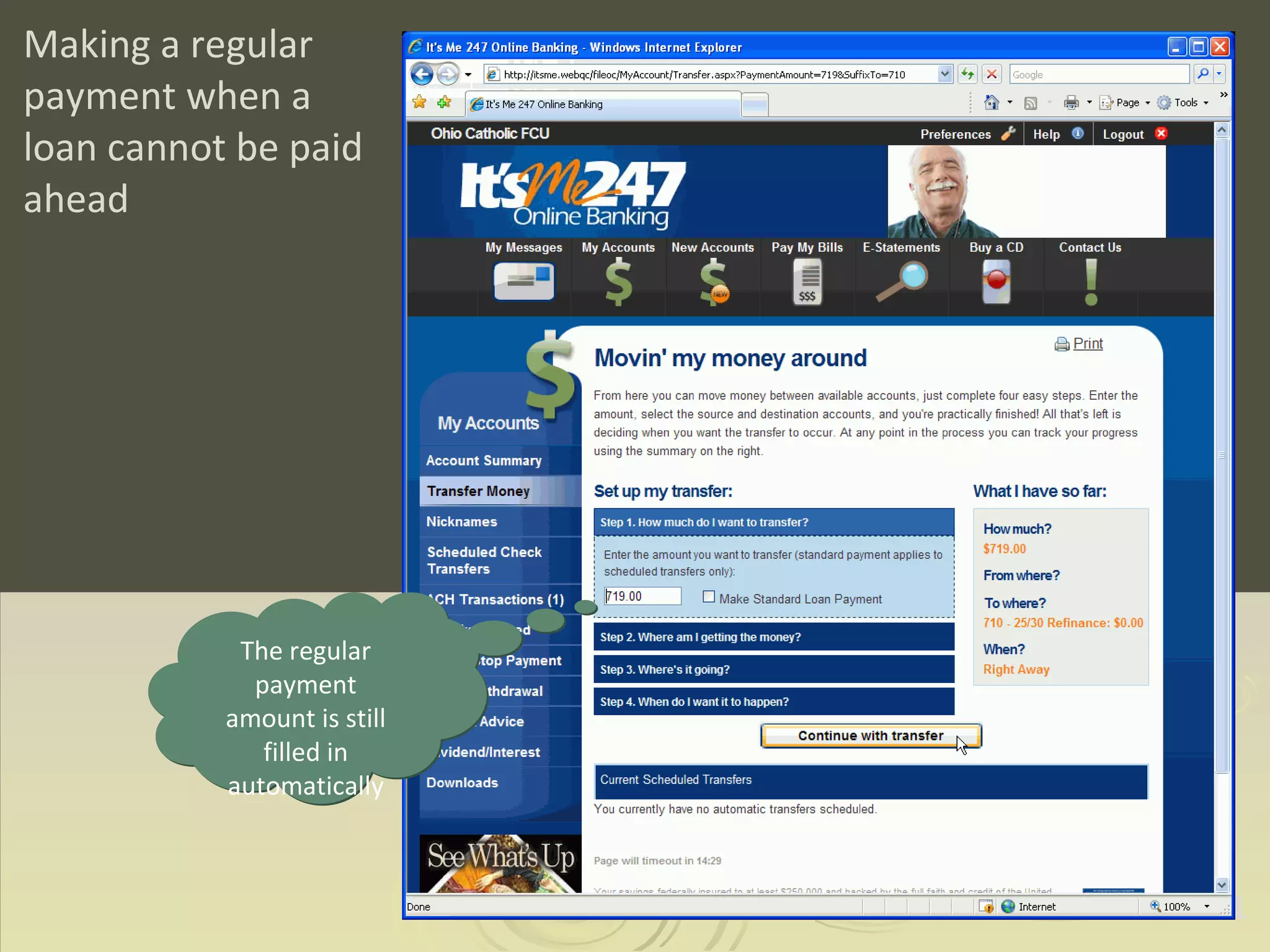
Making a regular payment when a loan cannot be paid ahead The regular payment amount is still filled in automatically
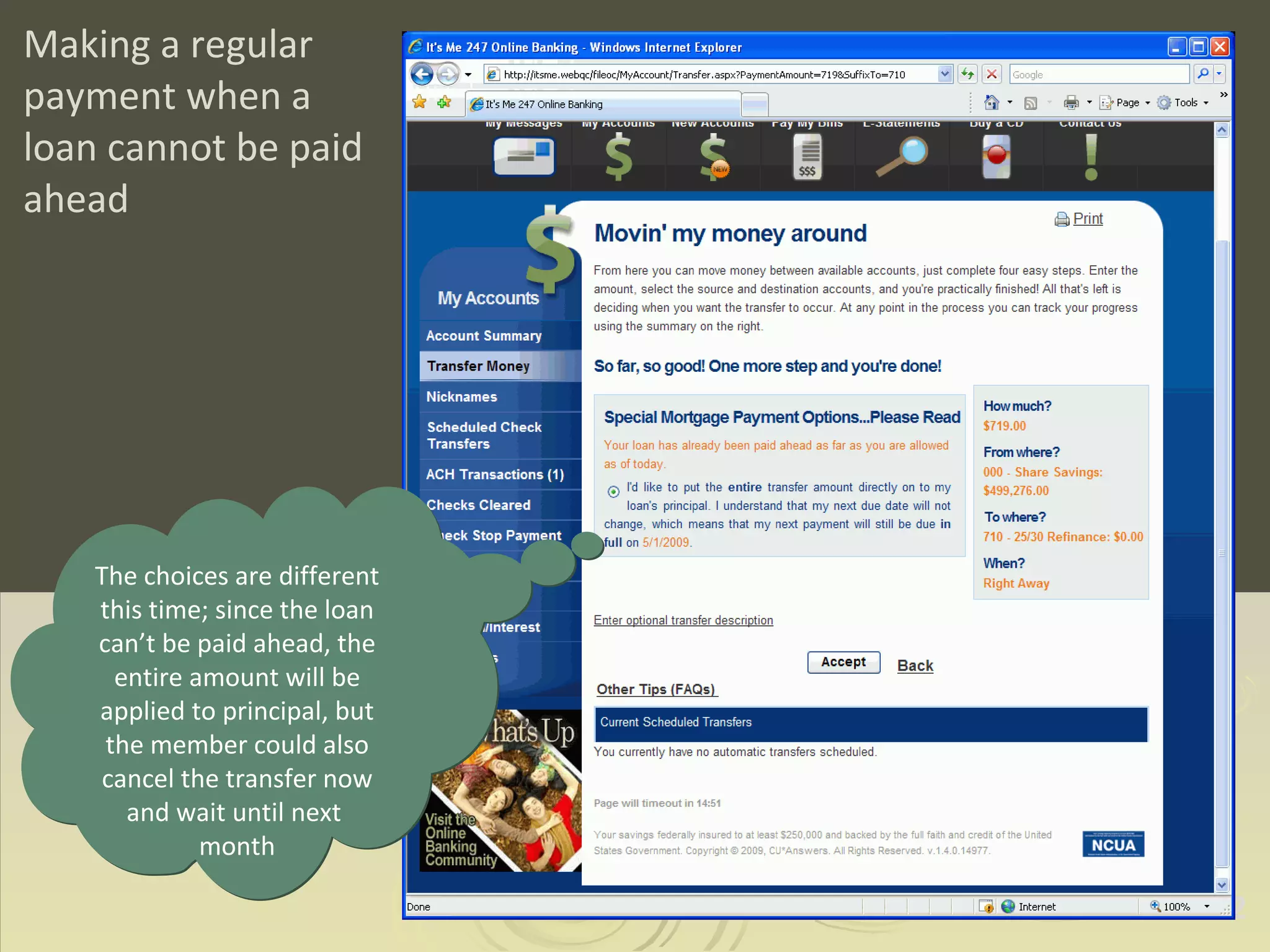
Making a regular payment when a loan cannot be paid ahead The choices are different this time; since the loan can’t be paid ahead, the entire amount will be applied to principal, but the member could also cancel the transfer now and wait until next  month
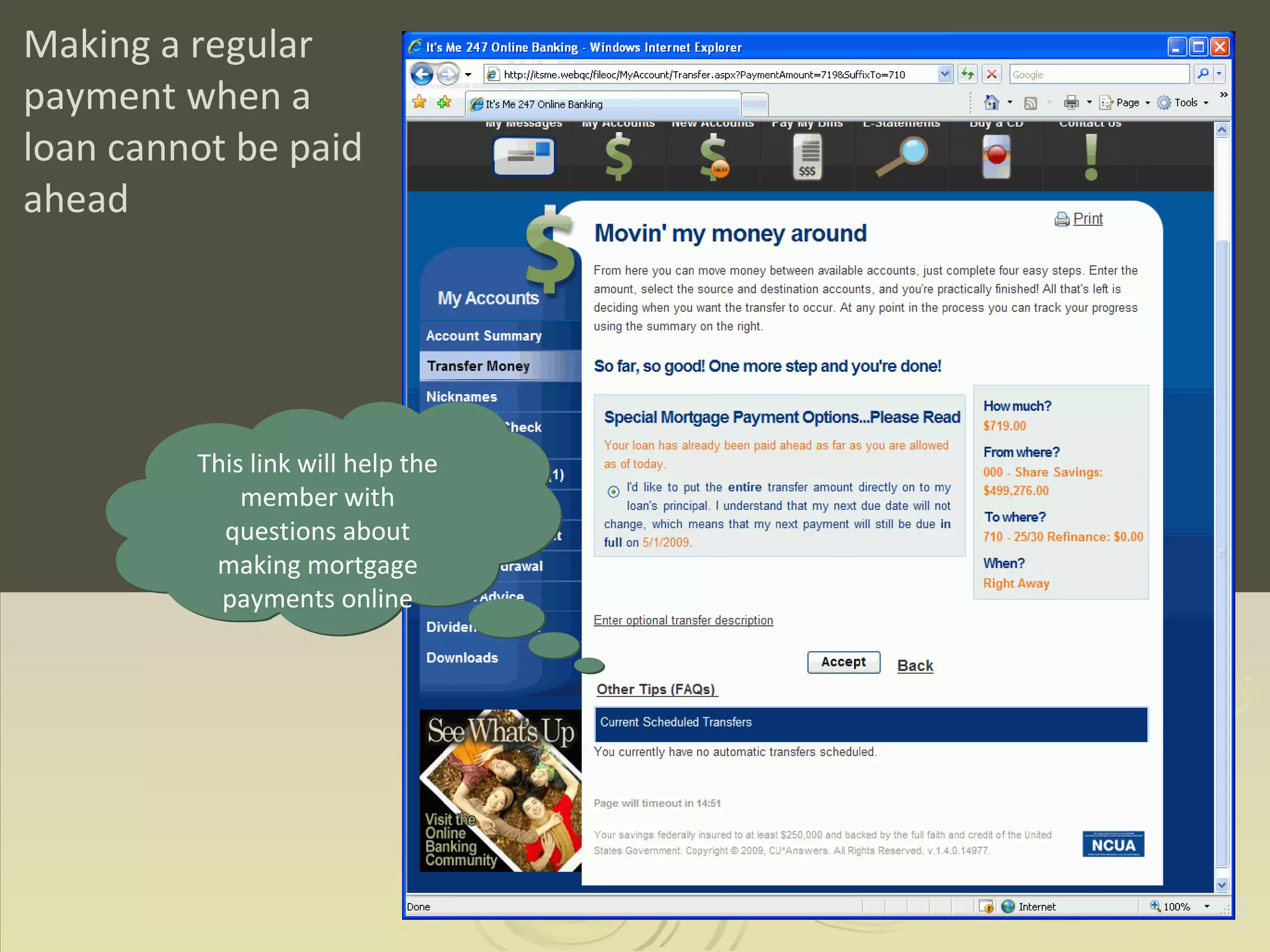
Making a regular payment when a loan cannot be paid ahead This link will help the member with questions about making mortgage payments online
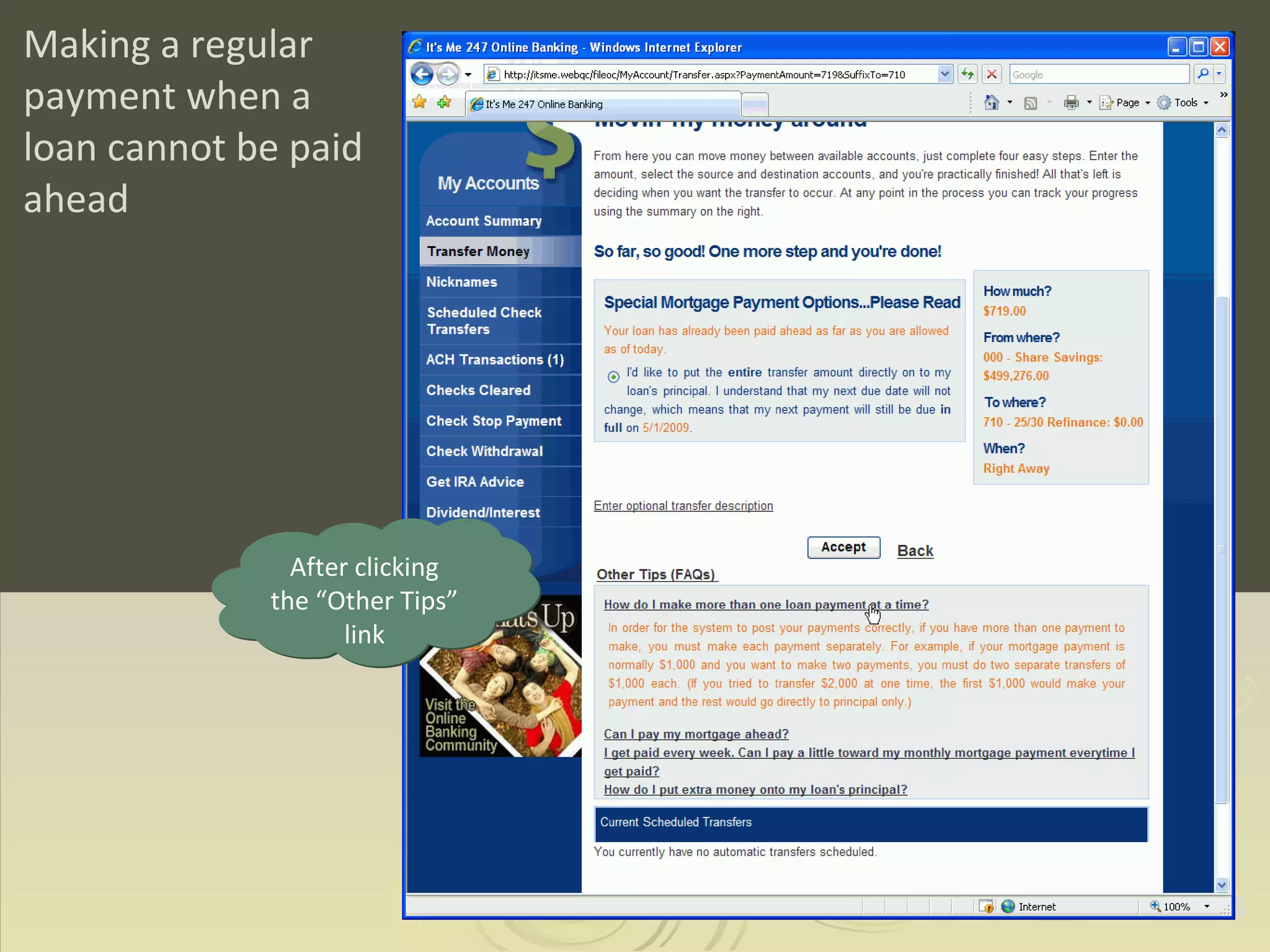
Making a regular payment when a loan cannot be paid ahead After clicking the “Other Tips” link
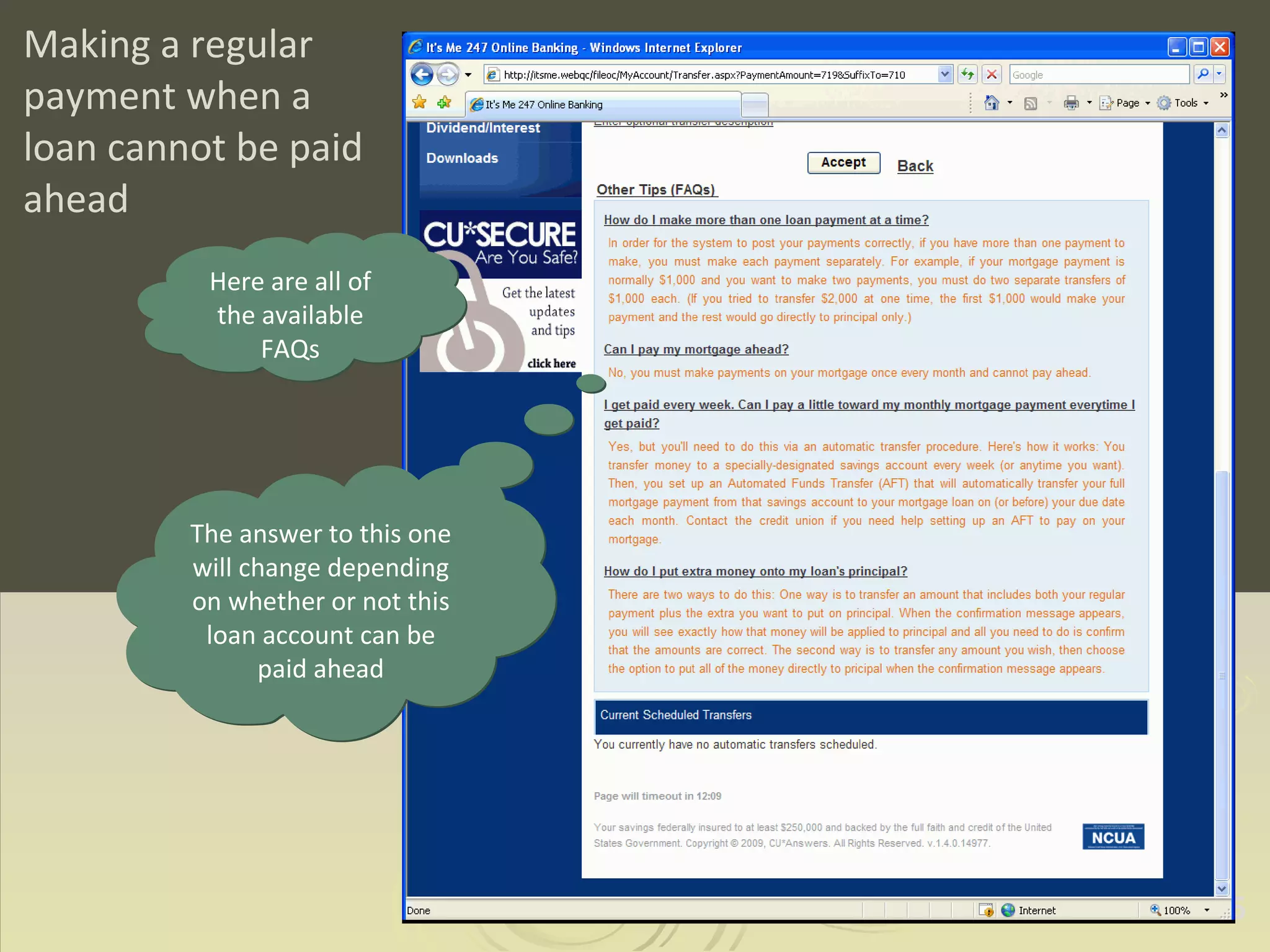
Making a regular payment when a loan cannot be paid ahead Here are all of the available FAQs The answer to this one will change depending on whether or not this loan account can be paid ahead
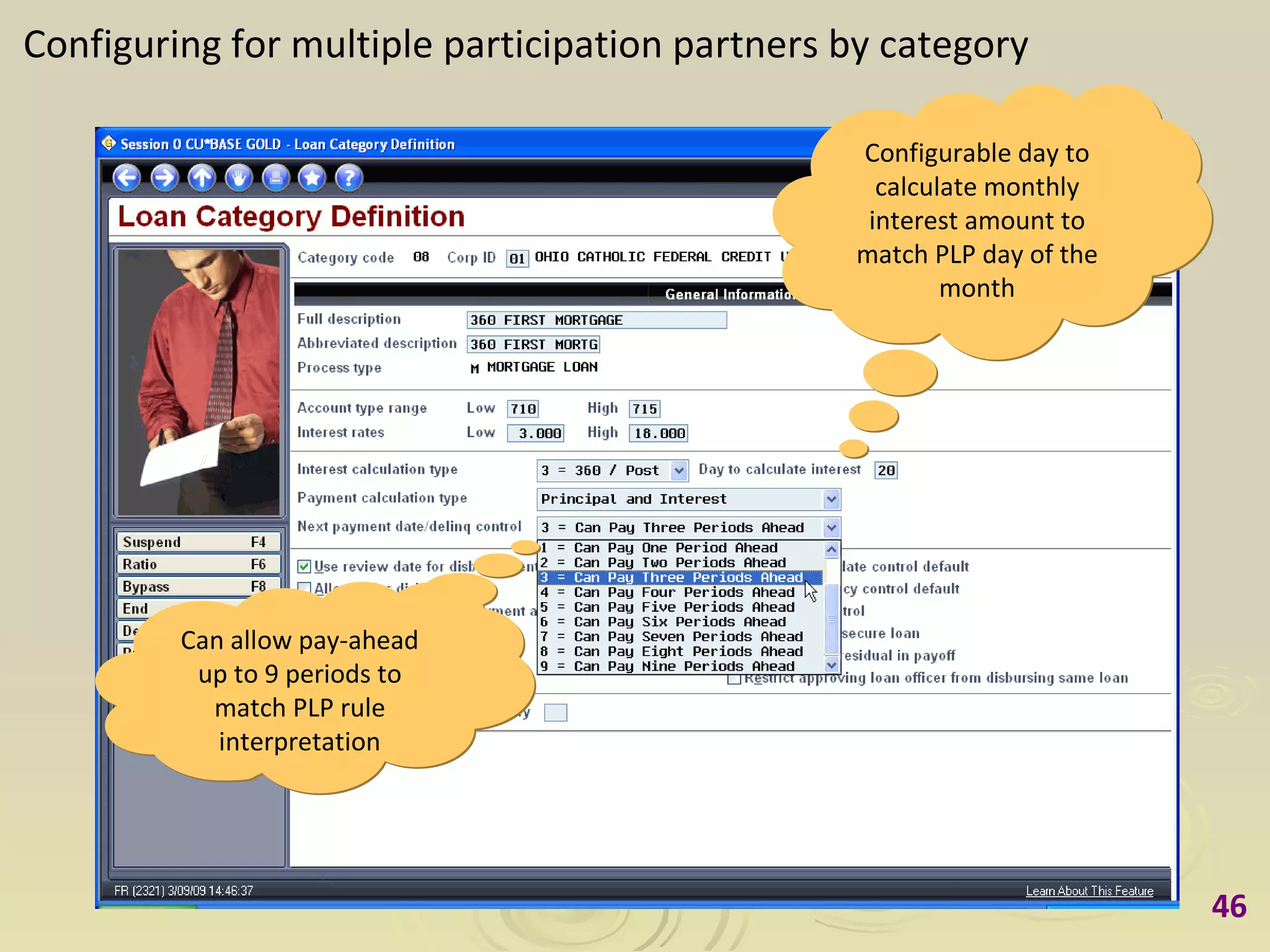
Configuring for multiple participation partners by category Configurable day to calculate monthly interest amount to match PLP day of the month Can allow pay-ahead up to 9 periods to match PLP rule interpretation

Making Mortgage Payments in CU*BASE and It's Me 247

  • 1.
    Making Payments onMortgage Loans in CU*BASE Teller Processing A Preview of Coming Enhancements to CU*BASE Mortgage Loans with the 360-Day Interest Calculation Type Revised March 19, 2009
  • 2.
    Scenario 1 Makinga payment that is more than the regular payment amount
  • 3.
    Making a paymentthat is more than the regular payment amount Payment amount being applied Regular payment amount (loan is not delinquent)
  • 4.
    Making a paymentthat is more than the regular payment amount Member has two choices for applying the payment (This window will not appear at all if making the exact regular payment amount)
  • 5.
    Making a paymentthat is more than the regular payment amount Transaction history showing the payment made
  • 6.
    Making a paymentthat is more than the regular payment amount Secondary transaction description that will appear on the member’s statement
  • 7.
    Making a paymentthat is more than the regular payment amount The second transaction shows the extra principal payment
  • 8.
    Making a paymentthat is more than the regular payment amount The second transaction shows the extra principal payment
  • 9.
    Making a paymentthat is more than the regular payment amount The receipt shows the two transactions being posted In effect, the receipt would be the same as a member payment coupon where the principal-only payment was broken out separately
  • 10.
    Scenario 2 Makinga mortgage payment before the Interest Calc Date (such as the 20th) (Account also has an attached escrow)
  • 11.
    Making a mortgagepayment before the Interest Calc Date Payment amount being applied Regular payment amount – payment for March has already been made
  • 12.
    Making a mortgagepayment before the Interest Calc Date Same choices as before, since the member is allowed to pay ahead on this loan
  • 13.
    Making a mortgagepayment before the Interest Calc Date Another way to see the transaction information is to use this Toggle button
  • 14.
    Making a mortgagepayment before the Interest Calc Date After toggling
  • 15.
    Making a mortgagepayment before the Interest Calc Date Full secondary transaction description that will appear on the member’s statement
  • 16.
    Scenario 3 Makinga principal-only payment
  • 17.
    Making a principal-onlypayment Payment being made is less than the regular scheduled payment amount (including escrow, if applicable)
  • 18.
    Making a principal-onlypayment Window confirms that a principal-only payment will be applied (No choices other than this because the amount is less than the regular payment amount.)
  • 19.
    Making a principal-onlypayment Member’s statement will show the principal-only payment
  • 20.
    Scenario 4 Makinga payment on a delinquent loan
  • 21.
    Making a paymenton a delinquent loan This button will display a window with delinquency details All delinquent loans are highlighted on the teller posting screen Screen shows the amount needed to bring the loan current
  • 22.
    Making a paymenton a delinquent loan Delinquency information on this loan account
  • 23.
    Making a paymenton a delinquent loan Teller tries to make both the member’s delinquent and current payments at the same time
  • 24.
    Making a paymenton a delinquent loan The teller can back up and change the amount being applied CU*BASE warns that only one payment can be made at a time, or the remaining amount will be applied to principal
  • 25.
    Making a paymenton a delinquent loan Teller changes the amount of the payment being applied (Notice the cash back amount) Teller uses F11 to bring the cash-back balance forward and immediately return to this same member for the next transaction
  • 26.
    Making a paymenton a delinquent loan This screen is immediately displayed with the balance forwarded, and the same member account Teller can now enter the 2nd payment amount and post as usual (Notice the amount from the previous transaction)
  • 27.
    Scenario 5 Whena loan cannot be paid ahead
  • 28.
    When a loancannot be paid ahead Exact regular payment amount is being posted, but since the loan can’t be paid any further ahead, the entire amount will go toward principal
  • 29.
    Making Payments onMortgage Loans in It’s Me 247 Online Banking A Preview of Coming Enhancements to CU*BASE Mortgage Loans with the 360-Day Interest Calculation Type Prepared March 9, 2009
  • 30.
    Scenario 1 Makinga payment that is more than the regular payment amount
  • 31.
    Making a paymentthat is more than the regular payment amount Member can see information about the loan by clicking on the account name (or they can just click the Transfer Money button as usual)
  • 32.
    Making a paymentthat is more than the regular payment amount Notice the regular payment amount
  • 33.
    Making a paymentthat is more than the regular payment amount The regular payment amount is filled in automatically...
  • 34.
    Making a paymentthat is more than the regular payment amount ...but it can be changed to a different amount
  • 35.
    Making a paymentthat is more than the regular payment amount Just like in CU*BASE, It’s Me 247 online banking will explain to the member exactly what will be done with the payment amount, giving the member two choices
  • 36.
    Making a paymentthat is more than the regular payment amount
  • 37.
    Making a paymentthat is more than the regular payment amount The transfers are shown immediately in the account details for the mortgage loan account, including the extra that was applied to principal
  • 38.
    Scenario 2 Makinga regular payment when a loan cannot be paid ahead
  • 39.
    Making a regularpayment when a loan cannot be paid ahead This time our member is making a regular payment amount, but the loan has already been paid forward as far as allowed
  • 40.
    Making a regularpayment when a loan cannot be paid ahead
  • 41.
    Making a regularpayment when a loan cannot be paid ahead The regular payment amount is still filled in automatically
  • 42.
    Making a regularpayment when a loan cannot be paid ahead The choices are different this time; since the loan can’t be paid ahead, the entire amount will be applied to principal, but the member could also cancel the transfer now and wait until next month
  • 43.
    Making a regularpayment when a loan cannot be paid ahead This link will help the member with questions about making mortgage payments online
  • 44.
    Making a regularpayment when a loan cannot be paid ahead After clicking the “Other Tips” link
  • 45.
    Making a regularpayment when a loan cannot be paid ahead Here are all of the available FAQs The answer to this one will change depending on whether or not this loan account can be paid ahead
  • 46.
    Configuring for multipleparticipation partners by category Configurable day to calculate monthly interest amount to match PLP day of the month Can allow pay-ahead up to 9 periods to match PLP rule interpretation