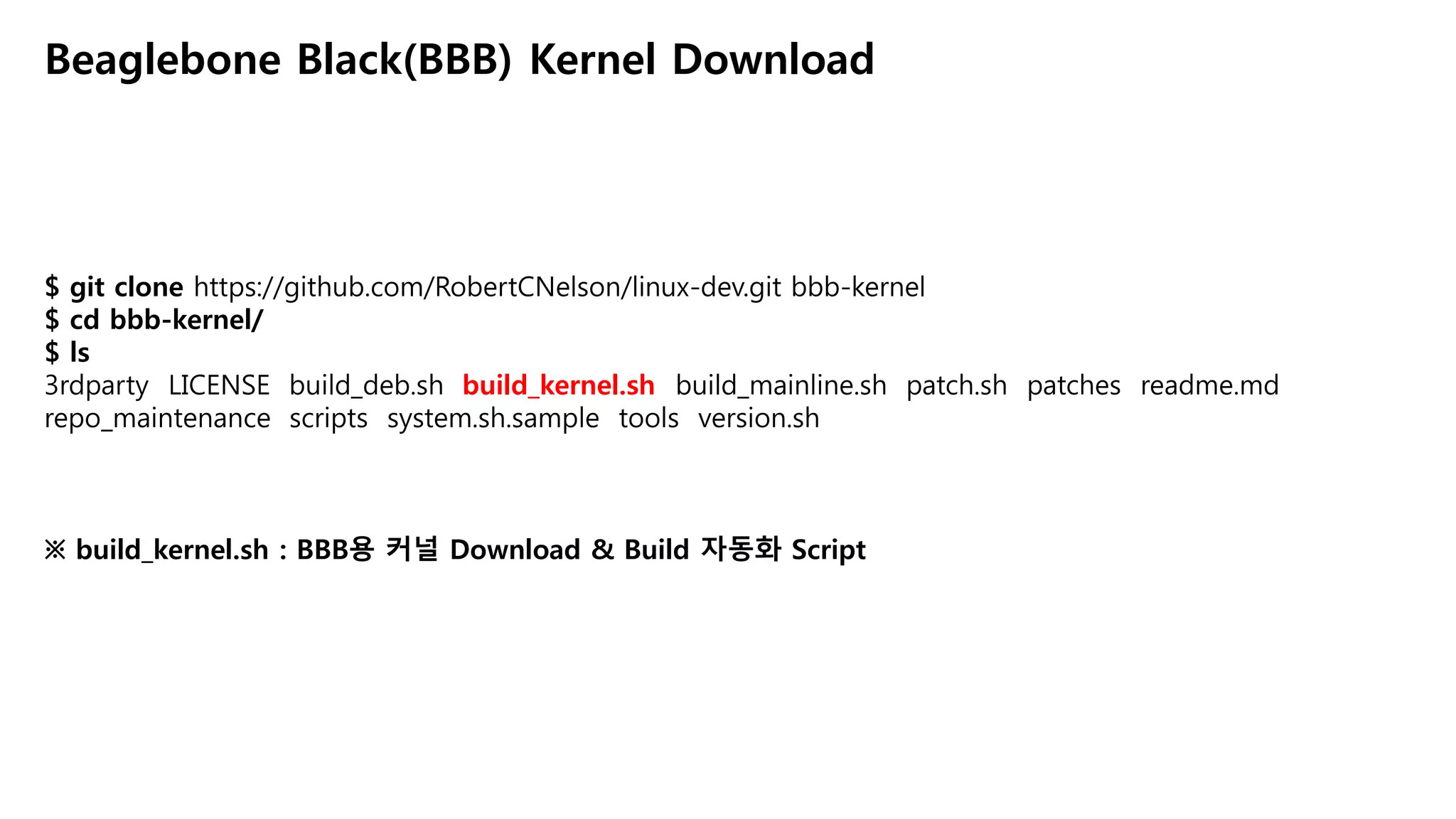
$ mkdir -plogs
$ vi build_kernel.sh
Beaglebone Black(BBB) Kernel Build Script Edit
# In build_kernel.sh script…
109 make_kernel () {
….
127 make V=1 -j${CORES} ARCH=${KERNEL_ARCH} LOCALVERSION=${BUILD} CROSS_COMPILE="${CC}"
${address} ${image} modules > ../logs/build.log
※ make_kernel()함수 내 make zImage 명령에 V=1 및 > ../logs/build.log 추가
※ V=1 : Make 실행 시 수행되는 명령어 출력
3.
$ ./build_kernel.sh
Beaglebone Black(BBB)Kernel Build
+ Detected build host [Ubuntu 14.04.4 LTS]
+ host: [x86_64]
+ git HEAD commit: [fa3dbf5d372bb7e2473fb09120209be64a877944]
…
※ build_kernel.sh 명령으로 BBB용 리눅스 커널 빌드 시작
$ ls -al
..
drwxrwxr-x 26 hcyang hcyang 4096 8월 21 23:35 KERNEL
-rw-rw-r-- 1 hcyang hcyang 1111 8월 15 23:38 LICENSE
-rwxrwxr-x 1 hcyang hcyang 5165 8월 15 23:38 build_deb.sh
-rwxrwxr-x 1 hcyang hcyang 8966 8월 21 19:04 build_kernel.sh
-rwxrwxr-x 1 hcyang hcyang 7405 8월 15 23:38 build_mainline.sh
..
※ 스크립트가 끝나면 KERNEL 디렉토리에 커널 소스가 다운로드 및 빌드가 수행되어져 있음.
4.
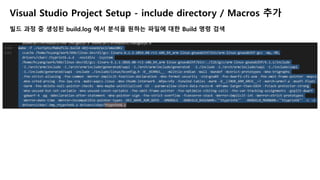
$ cat logs/build.log
BeagleboneBlack(BBB) Kernel Build Log
make -f ./Makefile silentoldconfig
make -f ./scripts/Makefile.build obj=scripts/basic
rm -f .tmp_quiet_recordmcount
make -f ./scripts/Makefile.build obj=scripts/kconfig silentoldconfig
mkdir -p include/config include/generated
scripts/kconfig/conf --silentoldconfig Kconfig
set -e; : ' CHK include/config/kernel.release'; mkdir -p include/config/; echo "4.8.0-
rc2$(/bin/bash ./scripts/setlocalversion .)" < include/config/auto.conf > include/config/kernel.release.tmp; if [ -r
include/config/kernel.release ] && cmp -s include/config/kernel.release include/config/kernel.release.tmp; then
rm -f include/config/kernel.release.tmp; else : ' UPD include/config/kernel.release'; mv -f
include/config/kernel.release.tmp include/config/kernel.release; fi
make -f ./scripts/Makefile.asm-generic
src=asm obj=arch/arm/include/generated/asm
…
※ 빌드 완료 후 logs/build.log 파일이 생성되었는지 확인
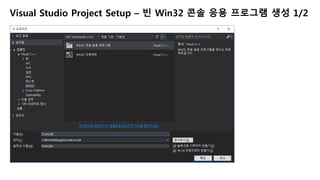
해당 Log 파일은 이후 Visual Studio 개발 환경 구축을 위해 사용됨
5.
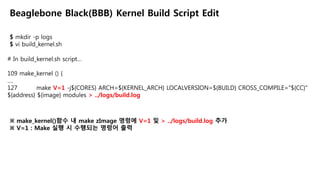
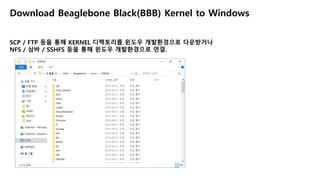
Download Beaglebone Black(BBB)Kernel to Windows
SCP / FTP 등을 통해 KERNEL 디렉토리를 윈도우 개발환경으로 다운받거나
NFS / 삼바 / SSHFS 등을 통해 윈도우 개발환경으로 연결.

![$ ./build_kernel.sh
Beaglebone Black(BBB) Kernel Build
+ Detected build host [Ubuntu 14.04.4 LTS]
+ host: [x86_64]
+ git HEAD commit: [fa3dbf5d372bb7e2473fb09120209be64a877944]
…
※ build_kernel.sh 명령으로 BBB용 리눅스 커널 빌드 시작
$ ls -al
..
drwxrwxr-x 26 hcyang hcyang 4096 8월 21 23:35 KERNEL
-rw-rw-r-- 1 hcyang hcyang 1111 8월 15 23:38 LICENSE
-rwxrwxr-x 1 hcyang hcyang 5165 8월 15 23:38 build_deb.sh
-rwxrwxr-x 1 hcyang hcyang 8966 8월 21 19:04 build_kernel.sh
-rwxrwxr-x 1 hcyang hcyang 7405 8월 15 23:38 build_mainline.sh
..
※ 스크립트가 끝나면 KERNEL 디렉토리에 커널 소스가 다운로드 및 빌드가 수행되어져 있음.](https://image.slidesharecdn.com/linuxinvisualstudio-160825145811/85/Linux-in-Visual-Studio-3-320.jpg)
![$ cat logs/build.log
Beaglebone Black(BBB) Kernel Build Log
make -f ./Makefile silentoldconfig
make -f ./scripts/Makefile.build obj=scripts/basic
rm -f .tmp_quiet_recordmcount
make -f ./scripts/Makefile.build obj=scripts/kconfig silentoldconfig
mkdir -p include/config include/generated
scripts/kconfig/conf --silentoldconfig Kconfig
set -e; : ' CHK include/config/kernel.release'; mkdir -p include/config/; echo "4.8.0-
rc2$(/bin/bash ./scripts/setlocalversion .)" < include/config/auto.conf > include/config/kernel.release.tmp; if [ -r
include/config/kernel.release ] && cmp -s include/config/kernel.release include/config/kernel.release.tmp; then
rm -f include/config/kernel.release.tmp; else : ' UPD include/config/kernel.release'; mv -f
include/config/kernel.release.tmp include/config/kernel.release; fi
make -f ./scripts/Makefile.asm-generic
src=asm obj=arch/arm/include/generated/asm
…
※ 빌드 완료 후 logs/build.log 파일이 생성되었는지 확인
해당 Log 파일은 이후 Visual Studio 개발 환경 구축을 위해 사용됨](https://image.slidesharecdn.com/linuxinvisualstudio-160825145811/85/Linux-in-Visual-Studio-4-320.jpg)


![[1A6]Docker로 보는 서버 운영의 미래](https://cdn.slidesharecdn.com/ss_thumbnails/1a6docker-140928071104-phpapp02-thumbnail.jpg?width=640&height=640&fit=bounds)


![[오픈소스컨설팅] RPM 만들기](https://cdn.slidesharecdn.com/ss_thumbnails/rpm-160303232106-thumbnail.jpg?width=640&height=640&fit=bounds)


![XECon2015 :: [1-5] 김훈민 - 서버 운영자가 꼭 알아야 할 Docker](https://cdn.slidesharecdn.com/ss_thumbnails/xecon2015-1-5docker-160316043822-thumbnail.jpg?width=640&height=640&fit=bounds)


![XECon2015 :: [1-3] 김덕홍 - Git Workflow with GitHub](https://cdn.slidesharecdn.com/ss_thumbnails/xecon-160404022500-thumbnail.jpg?width=640&height=640&fit=bounds)


![XECon2015 :: [3-4] 조정현 - Laravel with cloud](https://cdn.slidesharecdn.com/ss_thumbnails/xecon2015-3-4laravelwithcloud-160316044815-thumbnail.jpg?width=640&height=640&fit=bounds)
![[오픈소스컨설팅]Subversion vs git - 참을 수 없는 간단함](https://cdn.slidesharecdn.com/ss_thumbnails/subversionvsgit-141211075618-conversion-gate02-thumbnail.jpg?width=640&height=640&fit=bounds)


![[오픈소스컨설팅] Docker를 활용한 Gitlab CI/CD 구성 테스트](https://cdn.slidesharecdn.com/ss_thumbnails/dockergitlabci-cd-180103202327-thumbnail.jpg?width=640&height=640&fit=bounds)


