LinkedIn for Users
A Guide to Optimizing Your Professional Social Presence
Why Use LinkedIn?
The professional social network
   World’s largest professional network on the
    Internet with 175 million+ members in over
    200 countries

   As of June 30, 2012 (end of Q2), professionals
    were signing up at a rate of 2 new
    members/second

   As of June 30, 2012, LinkedIn counts executives
    from all 2011 Fortune 500 companies as
    members; its corporate hiring solutions are used
    by 85 of the Fortune 100 companies


If you like stats...
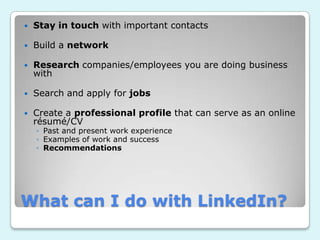
   Stay in touch with important contacts

   Build a network

   Research companies/employees you are doing business
    with

   Search and apply for jobs

   Create a professional profile that can serve as an online
    résumé/CV
    ◦ Past and present work experience
    ◦ Examples of work and success
    ◦ Recommendations


What can I do with LinkedIn?
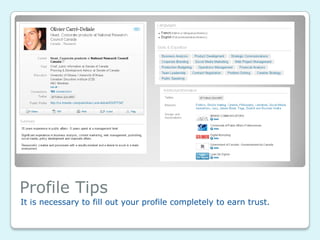
Profile Tips
It is necessary to fill out your profile completely to earn trust.
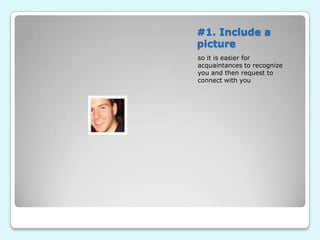
#1. Include a
picture
so it is easier for
acquaintances to recognize
you and then request to
connect with you
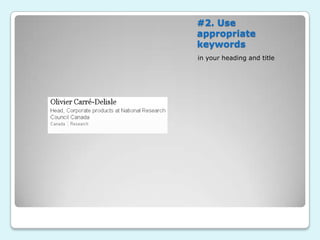
#2. Use
appropriate
keywords
in your heading and title
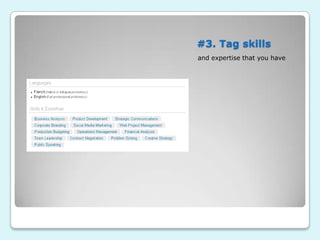
#3. Tag skills
and expertise that you have
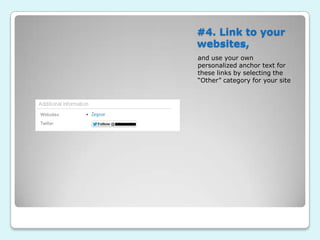
#4. Link to your
websites,
and use your own
personalized anchor text for
these links by selecting the
“Other” category for your site
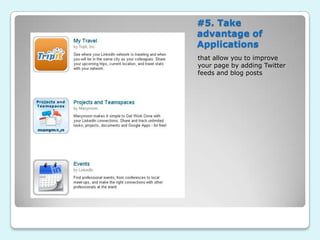
#5. Take
advantage of
Applications
that allow you to improve
your page by adding Twitter
feeds and blog posts
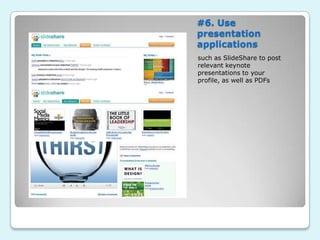
#6. Use
presentation
applications
such as SlideShare to post
relevant keynote
presentations to your
profile, as well as PDFs
#7. Add video
You can embed a video into
the first slide of a SlideShare
show for it to launch
automatically when someone
views your profile, or you can
use the first slide to introduce
it
Beyond the Profile
Connections, Groups, Polls, Answers
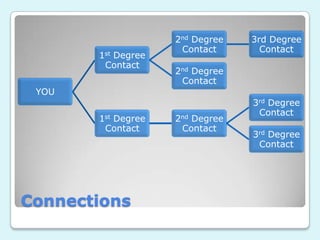
2nd Degree   3rd Degree
                     Contact       Contact
       1st Degree
        Contact
                    2nd Degree
                     Contact
 YOU
                                 3rd Degree
                                  Contact
       1st Degree   2nd Degree
        Contact      Contact
                                 3rd Degree
                                  Contact


Connections
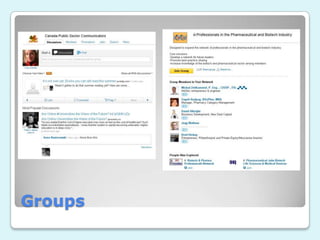
Groups
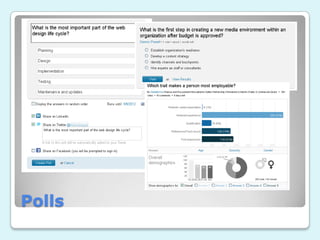
Polls
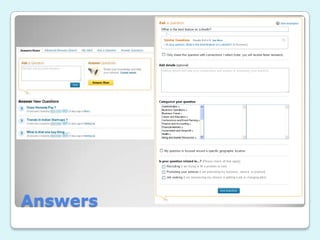
Answers
LinkedIn Features
LinkedIn has a variety of unique features that you should take full
advantage of to create the optimal networking experience.
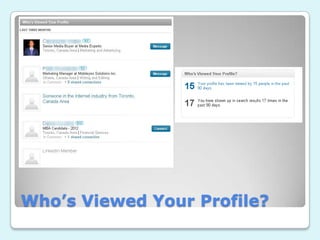
Who’s Viewed Your Profile?
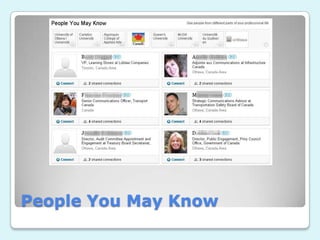
People You May Know
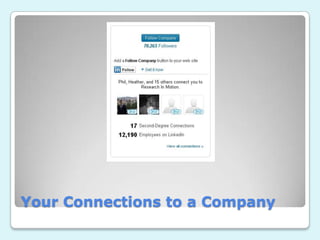
Your Connections to a Company
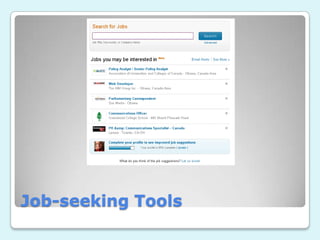
Job-seeking Tools
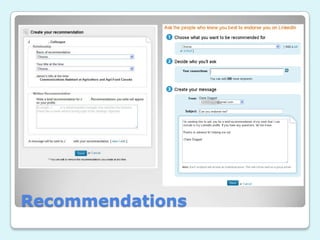
Recommendations

LinkedIn for Users

  • 1.
    LinkedIn for Users AGuide to Optimizing Your Professional Social Presence
  • 2.
    Why Use LinkedIn? Theprofessional social network
  • 3.
    World’s largest professional network on the Internet with 175 million+ members in over 200 countries  As of June 30, 2012 (end of Q2), professionals were signing up at a rate of 2 new members/second  As of June 30, 2012, LinkedIn counts executives from all 2011 Fortune 500 companies as members; its corporate hiring solutions are used by 85 of the Fortune 100 companies If you like stats...
  • 4.
    Stay in touch with important contacts  Build a network  Research companies/employees you are doing business with  Search and apply for jobs  Create a professional profile that can serve as an online résumé/CV ◦ Past and present work experience ◦ Examples of work and success ◦ Recommendations What can I do with LinkedIn?
  • 5.
    Profile Tips It isnecessary to fill out your profile completely to earn trust.
  • 6.
    #1. Include a picture soit is easier for acquaintances to recognize you and then request to connect with you
  • 7.
  • 8.
    #3. Tag skills andexpertise that you have
  • 9.
    #4. Link toyour websites, and use your own personalized anchor text for these links by selecting the “Other” category for your site
  • 10.
    #5. Take advantage of Applications thatallow you to improve your page by adding Twitter feeds and blog posts
  • 11.
    #6. Use presentation applications such asSlideShare to post relevant keynote presentations to your profile, as well as PDFs
  • 12.
    #7. Add video Youcan embed a video into the first slide of a SlideShare show for it to launch automatically when someone views your profile, or you can use the first slide to introduce it
  • 13.
    Beyond the Profile Connections,Groups, Polls, Answers
  • 14.
    2nd Degree 3rd Degree Contact Contact 1st Degree Contact 2nd Degree Contact YOU 3rd Degree Contact 1st Degree 2nd Degree Contact Contact 3rd Degree Contact Connections
  • 15.
  • 16.
  • 17.
  • 18.
    LinkedIn Features LinkedIn hasa variety of unique features that you should take full advantage of to create the optimal networking experience.
  • 19.
  • 20.
  • 21.
  • 22.
  • 23.

Editor's Notes

  • #15 -3 main levels/degrees of connections on LinkedIn-1st degree contacts are directly connected with you, either through a request from you or them-2nd and 3rd degree connections
  • #16 -Make new connections-Groups from your industry or alumni groups-Can create your own group and connect it to your profile-Some groups list job opportunities-Participate in discussions to show expertise
  • #17 -Gain free market research and knowledge-LinkedIn will send to your existing connections as well as give you options to share with other social networks-Can share results with connections (encourages visits to your page)
  • #18 -If you answer questions knowledgeably and without self-promoting, you will get valuable recognition-Ask questions to gain answers and meet new connections who could prove useful-LinkedIn automatically shows you similar questions so that you can find answers more quickly