Life
Sciences Here is where your
presentation begins
Contents of this template
You can delete this slide when you’re done editing the presentation
For more info:
Slidesgo | Blog | FAQs
You can visit our sister projects:
Freepik | Flaticon | Storyset | Wepik | Videvo
Fonts To view this template correctly in PowerPoint, download and install the fonts we used
Used and alternative resources An assortment of graphic resources that are suitable for use in this presentation
Thanks slide You must keep it so that proper credits for our design are given
Colors All the colors used in this presentation
Icons and infographic resources These can be used in the template, and their size and color can be edited
Editable presentation theme You can edit the master slides easily. For more info, click here
What will we learn in this presentation?
Learn what science education is for
elementary school students
Prepare some interesting and educational
science experiments
Discover two ways to choose science
topics for elementary!
Let's play and have a good time while
learning in the classroom
01
03
02
04
Science education
Choosing science topics
Engaging experiments
Fun game time
Hello, budding scientists! We are thrilled
to have you join us today as we embark
on a fascinating journey into the
incredible world of science. Today's
adventure is all about exploration,
discovery, and understanding the
wonders that surround us every day.
Science is like a magical key that unlocks
the mysteries of the natural world. From
the tiniest insects to the vastness of
outer space, there's so much to explore
and learn. Throughout our time together,
we'll be learning so many new topics
about science
Introduction
We'll delve into the lives of plants,
discovering how they grow and thrive.
We'll explore the habitats of fascinating
animals, learning about their homes and
unique behaviors. Rocks and minerals
will reveal their ancient stories, and we'll
even take a journey to the stars to
unravel the mysteries of the night sky.
But here's the best part: science isn't just
about knowing facts; it's about asking
questions and finding creative ways to
answer them. So, get ready to use your
imagination and curiosity. Let’s start!
Let’s discover the world of science!
Science
education
01
What’s science education?
Science education for elementary aims to
introduce foundational concepts and develop
a curiosity about the natural world
● Encouraging questions and curiosity
● Foster love for science
The emphasis in this education is often on
hands-on activities, experiments, and real-
world observations to engage students
Activity 1: Describe the ecosystem
Display pictures of ecosystems. Students should answer questions about elements in the
image related to different science topics, writing the answer in their paper or tog
What living things do you see in
each picture?
Can you identify any
interactions between the living
things?
Are there any non-living
elements in the pictures that
support life?
What do you think the climate
might be like in these
environments
1
2
3
4
How to make learning science fun?
Take students on field trips.
Real-world experiences can
deepen their understanding
and appreciation for science
Collaborative projects provide
an opportunity for elementary
students to explore scientific
concepts together
Utilize visual aids like diagrams,
pictures, and videos to
enhance understanding. It
makes concepts more
memorable
Field trips Use of visual aids
Group projects
Experiment 1: Observing change
Provide the materials to the students and ask them to place them into water and observe
any changes. Students should document observations and discuss them together
What items were placed into the water?
What happened when they were placed in water?
Were there any patterns in the observations?
How to choose science topics?
Encourage students to observe the
world around them and identify
questions they have about everyday
occurrences. By focusing on their
environment, they can better
connect with and understand the
concepts
Present students with real-world
problems that can be explored
scientifically. This approach allows
students to see the practical
applications of science and
motivates them to find suitable
solutions
Observation and exploration Problem-solving challenges
Visual elements capture students' attention and
interest!
They help them see the
practical applications of
scientific concepts
Benefits of scientific experiments
Fun experiments capture
students' interest, making
learning more engaging
They encourage a natural
desire to explore the
world around them
They provide
opportunities to develop
effective communication
skills
Conducting experiments
involve critical thinking
and problem-solving skills
Successfully completing
experiments can boost
students' confidence
Engagement and
motivation Hands-on learning
Problem-solving
skills
Real-life relevance
Communication
skills Building confidence
Activity 2: Match the fact
Display science facts on one side of the screen and their corresponding answers on the
other. Have the class match them correctly
Name of the process
This process is needed for this
Name of the unit
The smallest unit of element is
called…
Name of what causes the
phenomenon
This phenomenon is formed
when this happens
Name of the important person
This is an important discovery by
this person
Let’s learn science
together
1.67 sextillion
It’s the amount of water molecule that a single drop of water
contains
Activity 3: Story building
Share statements about a science topics. Have students decide if each statement is true
or false, color the correct option and explain their reasoning as a class
In this environment, this
animal can live
We use these items to
learn about this
This was created by this
phenomenon
True False True False True False
This is a timeline!
XXXX XXXX XXXX XXXX
Ancient Greece
Ancient Greeks invented
the water clock
Renaissance
Da Vinci made detailed
sketches of many things
20th Century
The double helix
structure of DNA was
determined
Present Day
Advancements in
renewable energy
sources
What have we learned?
Experiments
Fun science facts
Science history
Science topics
Basic science
Write your first clue
Write your second clue
Write your third clue
Delete to show Clue 1
Game time: Treasure hunt
Choose a topic, create a treasure and prepare a series of clues related the subject.
Students will have to solve puzzles and do actions in order to reach the treasure
Delete to show Clue 2
Delete to show Clue 3
Teams Clue 1 Clue 2 Clue 3
Team 1
Team 2
CREDITS: This presentation template was created by Slidesgo,
and includes icons by Flaticon, and infographics & images by
Freepik
Thanks!
Do you have any questions?
youremail@freepik.com
+34 654 321 432
yourwebsite.com
Please keep this slide for attribution
Alternative resources
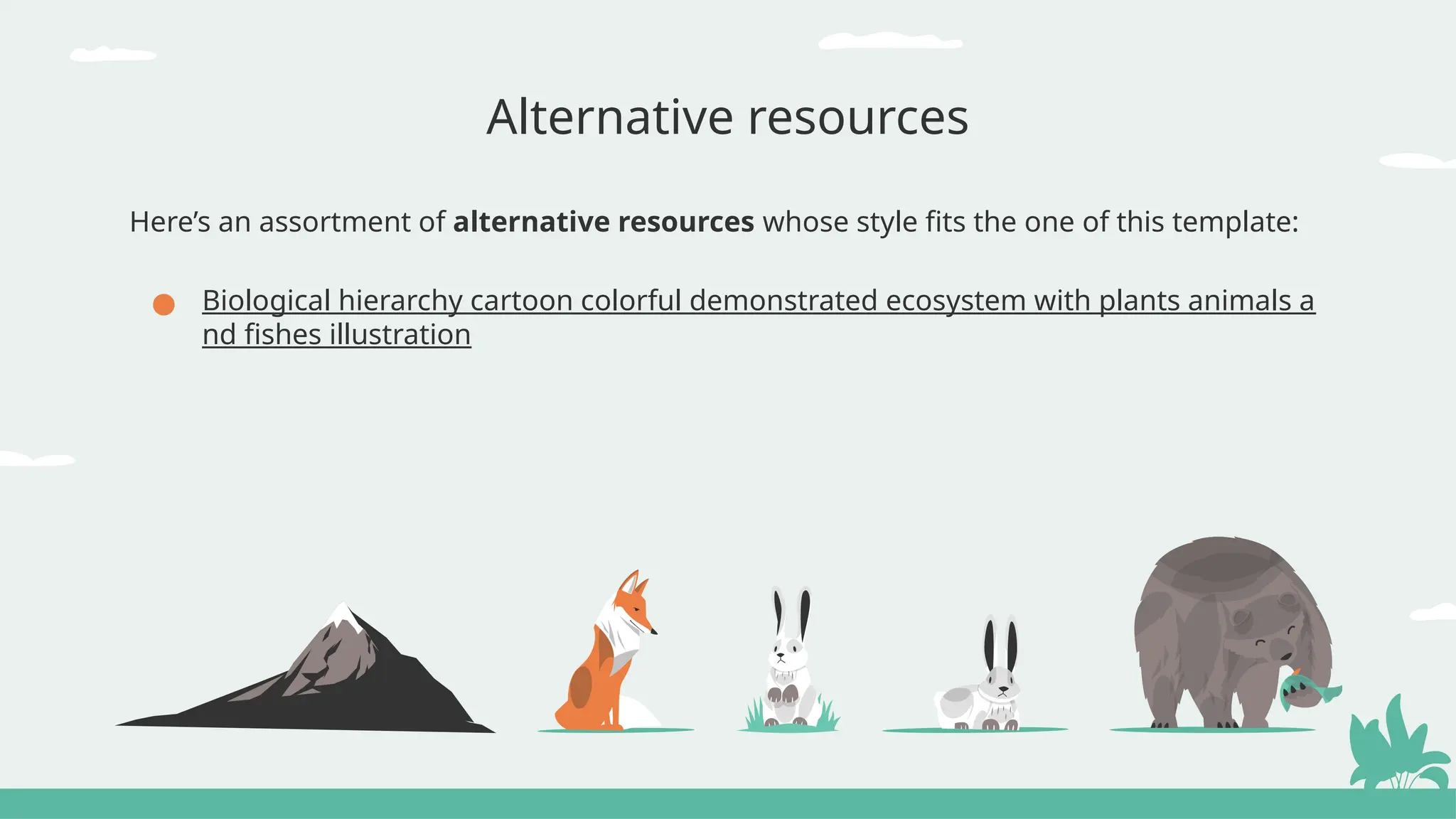
Here’s an assortment of alternative resources whose style fits the one of this template:
● Biological hierarchy cartoon colorful demonstrated ecosystem with plants animals a
nd fishes illustration
Resources
Did you like the resources of this template?
Get them for free at our other websites!
Photos:
● Female scientist looking through mic
roscope with girl and test tubes
● Cute fox with babies in nature
● View of wild elk in nature
● Close up kid learning with microscop
e
● Top view on various medical equipm
ent with microscope
● Galaxy night landscape
● Front view of girl next to desk with po
tions holding notepad
● Extra long shot peaceful landscape w
ith trees
Vectors:
● Exotic animals landscape compositio
n
● Biological hierarchy color set of isolat
ed animals and plants images with ar
rows and editable text captions vecto
r
Instructions for use
If you have a free account, in order to use this template, you must credit Slidesgo by keeping the Thanks slide. Please
refer to the next slide to read the instructions for premium users.
As a Free user, you are allowed to:
● Modify this template.
● Use it for both personal and commercial projects.
You are not allowed to:
● Sublicense, sell or rent any of Slidesgo Content (or a modified version of Slidesgo Content).
● Distribute Slidesgo Content unless it has been expressly authorized by Slidesgo.
● Include Slidesgo Content in an online or offline database or file.
● Offer Slidesgo templates (or modified versions of Slidesgo templates) for download.
● Acquire the copyright of Slidesgo Content.
For more information about editing slides, please read our FAQs or visit our blog:
https://slidesgo.com/faqs and https://slidesgo.com/slidesgo-school
As a Premium user, you can use this template without attributing Slidesgo or keeping the "Thanks" slide.
You are allowed to:
● Modify this template.
● Use it for both personal and commercial purposes.
● Hide or delete the “Thanks” slide and the mention to Slidesgo in the credits.
● Share this template in an editable format with people who are not part of your team.
You are not allowed to:
● Sublicense, sell or rent this Slidesgo Template (or a modified version of this Slidesgo Template).
● Distribute this Slidesgo Template (or a modified version of this Slidesgo Template) or include it in a database or in
any other product or service that offers downloadable images, icons or presentations that may be subject to
distribution or resale.
● Use any of the elements that are part of this Slidesgo Template in an isolated and separated way from this
Template.
● Register any of the elements that are part of this template as a trademark or logo, or register it as a work in an
intellectual property registry or similar.
For more information about editing slides, please read our FAQs or visit our blog:
https://slidesgo.com/faqs and https://slidesgo.com/slidesgo-school
Instructions for use (premium users)
This presentation has been made using the following fonts:
Candal
(https://fonts.google.com/specimen/Candal)
Asap
(https://fonts.google.com/specimen/Asap)
#333333 #e9f1ef #ffffff #f3ef73
#6dc6b2 #22514d #ec7f43 #8e827f
#5cb8a1
#b0dce1
Fonts & colors used
Create your Story with our illustrated concepts. Choose the style you like the most, edit its
colors, pick the background and layers you want to show and bring them to life with the animator
panel! It will boost your presentation. Check out how it works.
Storyset
Pana Amico Bro Rafiki Cuate
You can easily resize these resources without losing quality. To change the color, just ungroup the resource and click on
the object you want to change. Then, click on the paint bucket and select the color you want. Group the resource again
when you’re done. You can also look for more infographics on Slidesgo.
Use our editable graphic resources...
JANUARY FEBRUARY MARCH APRIL MAY JUNE
PHASE 1
PHASE 2
Task 1
Task 2
Task 1
Task 2
JANUARY FEBRUARY MARCH APRIL
PHASE 1
Task 1
Task 2
You can resize these icons without losing quality.
You can change the stroke and fill color; just select the icon and click on the paint bucket/pen.
In Google Slides, you can also use Flaticon’s extension, allowing you to customize and add even more icons.
...and our sets of editable icons
Educational Icons Medical Icons
Business Icons Teamwork Icons
Help & Support Icons Avatar Icons
Creative Process Icons Performing Arts Icons
Nature Icons
SEO & Marketing Icons
Add the title here
Text 1 Text 2 Text 3
Text 4 Text 5 Text 6
2016 2017 2018 2019 2020
“Despite being red,
Mars is actually a
very cold place”
“Mercury is the
smallest planet in
the Solar System”
“Neptune is the
farthest planet from
the Sun”
“Saturn is a gas
giant and has
several rings”
“Venus is the
second planet from
the Sun and is
terribly hot”
Premium infographics
“Despite being red,
Mars is actually a
very cold place”
“Jupiter is the
biggest planet in the
entire Solar System”
“Saturn is a gas
giant and has
several rings”
75%
Premium infographics
“Mercury is the
smallest planet in the
Solar System”
TITLE 1
75%
Digital Marketing
Premium Icons
Online Learning
Premium Icons
Laboratory
Premium Icons
Goals & Results
Premium Icons
Infographic Elements
Premium Icons
life-science-life-sciences-4th-grade.pptx

life-science-life-sciences-4th-grade.pptx

  • 1.
    Life Sciences Here iswhere your presentation begins
  • 2.
    Contents of thistemplate You can delete this slide when you’re done editing the presentation For more info: Slidesgo | Blog | FAQs You can visit our sister projects: Freepik | Flaticon | Storyset | Wepik | Videvo Fonts To view this template correctly in PowerPoint, download and install the fonts we used Used and alternative resources An assortment of graphic resources that are suitable for use in this presentation Thanks slide You must keep it so that proper credits for our design are given Colors All the colors used in this presentation Icons and infographic resources These can be used in the template, and their size and color can be edited Editable presentation theme You can edit the master slides easily. For more info, click here
  • 3.
    What will welearn in this presentation? Learn what science education is for elementary school students Prepare some interesting and educational science experiments Discover two ways to choose science topics for elementary! Let's play and have a good time while learning in the classroom 01 03 02 04 Science education Choosing science topics Engaging experiments Fun game time
  • 4.
    Hello, budding scientists!We are thrilled to have you join us today as we embark on a fascinating journey into the incredible world of science. Today's adventure is all about exploration, discovery, and understanding the wonders that surround us every day. Science is like a magical key that unlocks the mysteries of the natural world. From the tiniest insects to the vastness of outer space, there's so much to explore and learn. Throughout our time together, we'll be learning so many new topics about science Introduction We'll delve into the lives of plants, discovering how they grow and thrive. We'll explore the habitats of fascinating animals, learning about their homes and unique behaviors. Rocks and minerals will reveal their ancient stories, and we'll even take a journey to the stars to unravel the mysteries of the night sky. But here's the best part: science isn't just about knowing facts; it's about asking questions and finding creative ways to answer them. So, get ready to use your imagination and curiosity. Let’s start!
  • 5.
    Let’s discover theworld of science! Science education 01
  • 6.
    What’s science education? Scienceeducation for elementary aims to introduce foundational concepts and develop a curiosity about the natural world ● Encouraging questions and curiosity ● Foster love for science The emphasis in this education is often on hands-on activities, experiments, and real- world observations to engage students
  • 7.
    Activity 1: Describethe ecosystem Display pictures of ecosystems. Students should answer questions about elements in the image related to different science topics, writing the answer in their paper or tog What living things do you see in each picture? Can you identify any interactions between the living things? Are there any non-living elements in the pictures that support life? What do you think the climate might be like in these environments 1 2 3 4
  • 8.
    How to makelearning science fun? Take students on field trips. Real-world experiences can deepen their understanding and appreciation for science Collaborative projects provide an opportunity for elementary students to explore scientific concepts together Utilize visual aids like diagrams, pictures, and videos to enhance understanding. It makes concepts more memorable Field trips Use of visual aids Group projects
  • 9.
    Experiment 1: Observingchange Provide the materials to the students and ask them to place them into water and observe any changes. Students should document observations and discuss them together What items were placed into the water? What happened when they were placed in water? Were there any patterns in the observations?
  • 10.
    How to choosescience topics? Encourage students to observe the world around them and identify questions they have about everyday occurrences. By focusing on their environment, they can better connect with and understand the concepts Present students with real-world problems that can be explored scientifically. This approach allows students to see the practical applications of science and motivates them to find suitable solutions Observation and exploration Problem-solving challenges
  • 11.
    Visual elements capturestudents' attention and interest!
  • 12.
    They help themsee the practical applications of scientific concepts Benefits of scientific experiments Fun experiments capture students' interest, making learning more engaging They encourage a natural desire to explore the world around them They provide opportunities to develop effective communication skills Conducting experiments involve critical thinking and problem-solving skills Successfully completing experiments can boost students' confidence Engagement and motivation Hands-on learning Problem-solving skills Real-life relevance Communication skills Building confidence
  • 13.
    Activity 2: Matchthe fact Display science facts on one side of the screen and their corresponding answers on the other. Have the class match them correctly Name of the process This process is needed for this Name of the unit The smallest unit of element is called… Name of what causes the phenomenon This phenomenon is formed when this happens Name of the important person This is an important discovery by this person
  • 14.
  • 15.
    1.67 sextillion It’s theamount of water molecule that a single drop of water contains
  • 16.
    Activity 3: Storybuilding Share statements about a science topics. Have students decide if each statement is true or false, color the correct option and explain their reasoning as a class In this environment, this animal can live We use these items to learn about this This was created by this phenomenon True False True False True False
  • 17.
    This is atimeline! XXXX XXXX XXXX XXXX Ancient Greece Ancient Greeks invented the water clock Renaissance Da Vinci made detailed sketches of many things 20th Century The double helix structure of DNA was determined Present Day Advancements in renewable energy sources
  • 18.
    What have welearned? Experiments Fun science facts Science history Science topics Basic science
  • 19.
    Write your firstclue Write your second clue Write your third clue Delete to show Clue 1 Game time: Treasure hunt Choose a topic, create a treasure and prepare a series of clues related the subject. Students will have to solve puzzles and do actions in order to reach the treasure Delete to show Clue 2 Delete to show Clue 3 Teams Clue 1 Clue 2 Clue 3 Team 1 Team 2
  • 20.
    CREDITS: This presentationtemplate was created by Slidesgo, and includes icons by Flaticon, and infographics & images by Freepik Thanks! Do you have any questions? youremail@freepik.com +34 654 321 432 yourwebsite.com Please keep this slide for attribution
  • 21.
    Alternative resources Here’s anassortment of alternative resources whose style fits the one of this template: ● Biological hierarchy cartoon colorful demonstrated ecosystem with plants animals a nd fishes illustration
  • 22.
    Resources Did you likethe resources of this template? Get them for free at our other websites! Photos: ● Female scientist looking through mic roscope with girl and test tubes ● Cute fox with babies in nature ● View of wild elk in nature ● Close up kid learning with microscop e ● Top view on various medical equipm ent with microscope ● Galaxy night landscape ● Front view of girl next to desk with po tions holding notepad ● Extra long shot peaceful landscape w ith trees Vectors: ● Exotic animals landscape compositio n ● Biological hierarchy color set of isolat ed animals and plants images with ar rows and editable text captions vecto r
  • 23.
    Instructions for use Ifyou have a free account, in order to use this template, you must credit Slidesgo by keeping the Thanks slide. Please refer to the next slide to read the instructions for premium users. As a Free user, you are allowed to: ● Modify this template. ● Use it for both personal and commercial projects. You are not allowed to: ● Sublicense, sell or rent any of Slidesgo Content (or a modified version of Slidesgo Content). ● Distribute Slidesgo Content unless it has been expressly authorized by Slidesgo. ● Include Slidesgo Content in an online or offline database or file. ● Offer Slidesgo templates (or modified versions of Slidesgo templates) for download. ● Acquire the copyright of Slidesgo Content. For more information about editing slides, please read our FAQs or visit our blog: https://slidesgo.com/faqs and https://slidesgo.com/slidesgo-school
  • 24.
    As a Premiumuser, you can use this template without attributing Slidesgo or keeping the "Thanks" slide. You are allowed to: ● Modify this template. ● Use it for both personal and commercial purposes. ● Hide or delete the “Thanks” slide and the mention to Slidesgo in the credits. ● Share this template in an editable format with people who are not part of your team. You are not allowed to: ● Sublicense, sell or rent this Slidesgo Template (or a modified version of this Slidesgo Template). ● Distribute this Slidesgo Template (or a modified version of this Slidesgo Template) or include it in a database or in any other product or service that offers downloadable images, icons or presentations that may be subject to distribution or resale. ● Use any of the elements that are part of this Slidesgo Template in an isolated and separated way from this Template. ● Register any of the elements that are part of this template as a trademark or logo, or register it as a work in an intellectual property registry or similar. For more information about editing slides, please read our FAQs or visit our blog: https://slidesgo.com/faqs and https://slidesgo.com/slidesgo-school Instructions for use (premium users)
  • 25.
    This presentation hasbeen made using the following fonts: Candal (https://fonts.google.com/specimen/Candal) Asap (https://fonts.google.com/specimen/Asap) #333333 #e9f1ef #ffffff #f3ef73 #6dc6b2 #22514d #ec7f43 #8e827f #5cb8a1 #b0dce1 Fonts & colors used
  • 26.
    Create your Storywith our illustrated concepts. Choose the style you like the most, edit its colors, pick the background and layers you want to show and bring them to life with the animator panel! It will boost your presentation. Check out how it works. Storyset Pana Amico Bro Rafiki Cuate
  • 27.
    You can easilyresize these resources without losing quality. To change the color, just ungroup the resource and click on the object you want to change. Then, click on the paint bucket and select the color you want. Group the resource again when you’re done. You can also look for more infographics on Slidesgo. Use our editable graphic resources...
  • 30.
    JANUARY FEBRUARY MARCHAPRIL MAY JUNE PHASE 1 PHASE 2 Task 1 Task 2 Task 1 Task 2 JANUARY FEBRUARY MARCH APRIL PHASE 1 Task 1 Task 2
  • 33.
    You can resizethese icons without losing quality. You can change the stroke and fill color; just select the icon and click on the paint bucket/pen. In Google Slides, you can also use Flaticon’s extension, allowing you to customize and add even more icons. ...and our sets of editable icons
  • 34.
  • 35.
  • 36.
    Help & SupportIcons Avatar Icons
  • 37.
    Creative Process IconsPerforming Arts Icons
  • 38.
  • 39.
  • 40.
    Add the titlehere Text 1 Text 2 Text 3 Text 4 Text 5 Text 6 2016 2017 2018 2019 2020 “Despite being red, Mars is actually a very cold place” “Mercury is the smallest planet in the Solar System” “Neptune is the farthest planet from the Sun” “Saturn is a gas giant and has several rings” “Venus is the second planet from the Sun and is terribly hot” Premium infographics
  • 41.
    “Despite being red, Marsis actually a very cold place” “Jupiter is the biggest planet in the entire Solar System” “Saturn is a gas giant and has several rings” 75% Premium infographics “Mercury is the smallest planet in the Solar System” TITLE 1 75%
  • 42.
  • 43.
  • 44.
  • 45.
  • 46.