Level Up with Parallelism in
FME Server
FME
User
Conference
20
22
Presenters
Mark Warren
Technical Support
Specialist, FME Server
Sanae Mendoza
Technical Support
Specialist, FME Server
20
22
FME
User
Conference
Parallel
Processing
Divide and conquer with
20
22
FME
User
Conference
Parallel processing
divides large problems
into smaller ones,
which can then be
solved at the same time.
20
22
FME
User
Conference
Agenda
● Parallel Processing: A Workflow Solution
● Parallelism: Desktop vs Server
● FME Server Automation Tools
● Workflow Considerations: Lessons
Learned
● Real Life Examples
20
22
FME
User
Conference
Parallel Processing: A Workflow Solution
20
22
FME
User
Conference
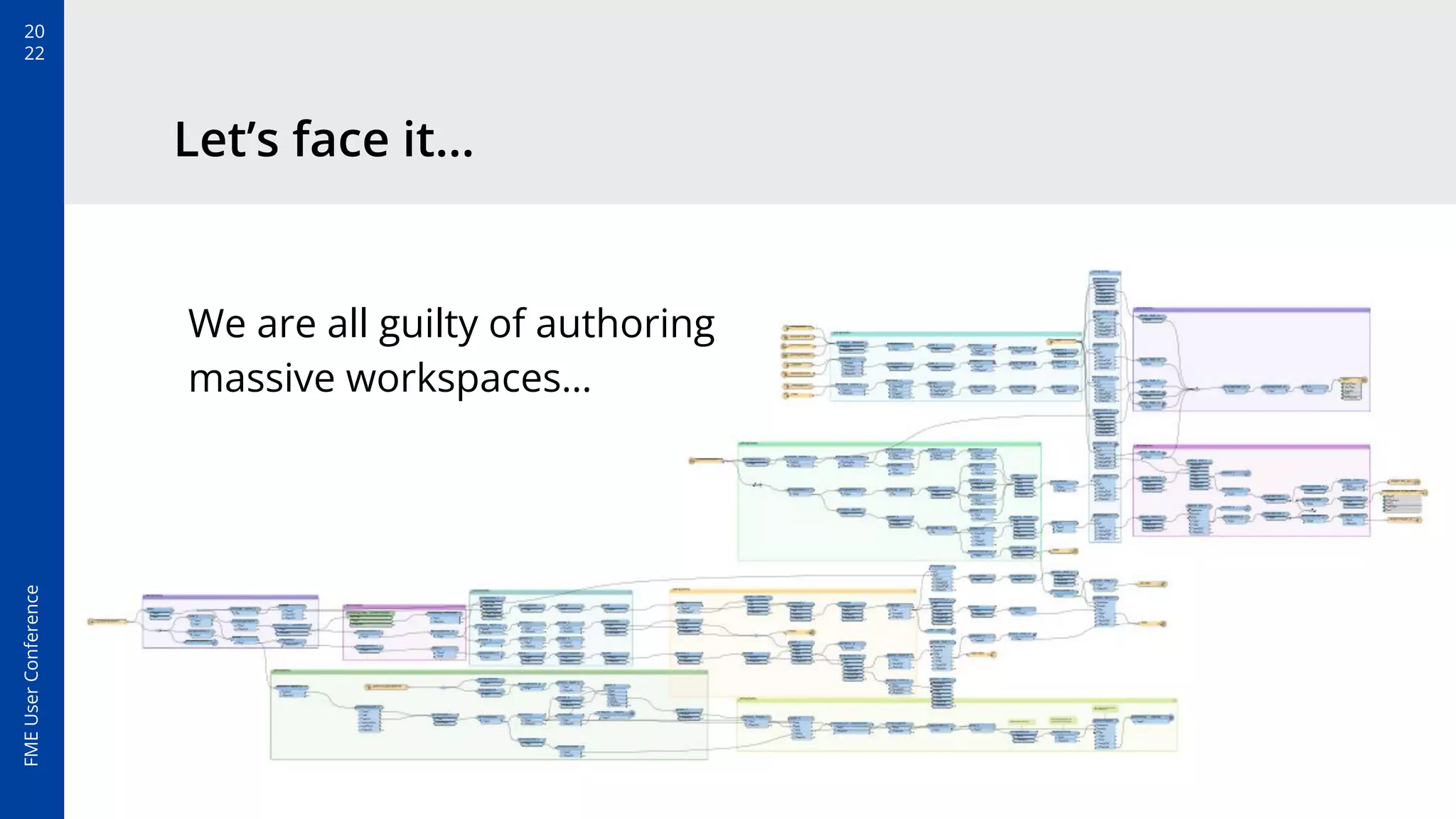
Let’s face it…
We are all guilty of authoring
massive workspaces…
20
22
FME
User
Conference
The True Cost of Large Workspaces
Large workspaces happen because of
convenience. Most people like to see
everything in one place.
But, before you know it, the canvas has a
dozen readers/writers and hundreds of
transformers…
Deploying large workspaces into production can have huge
performance and organisational overhead.
FME
User
Conference
20
22
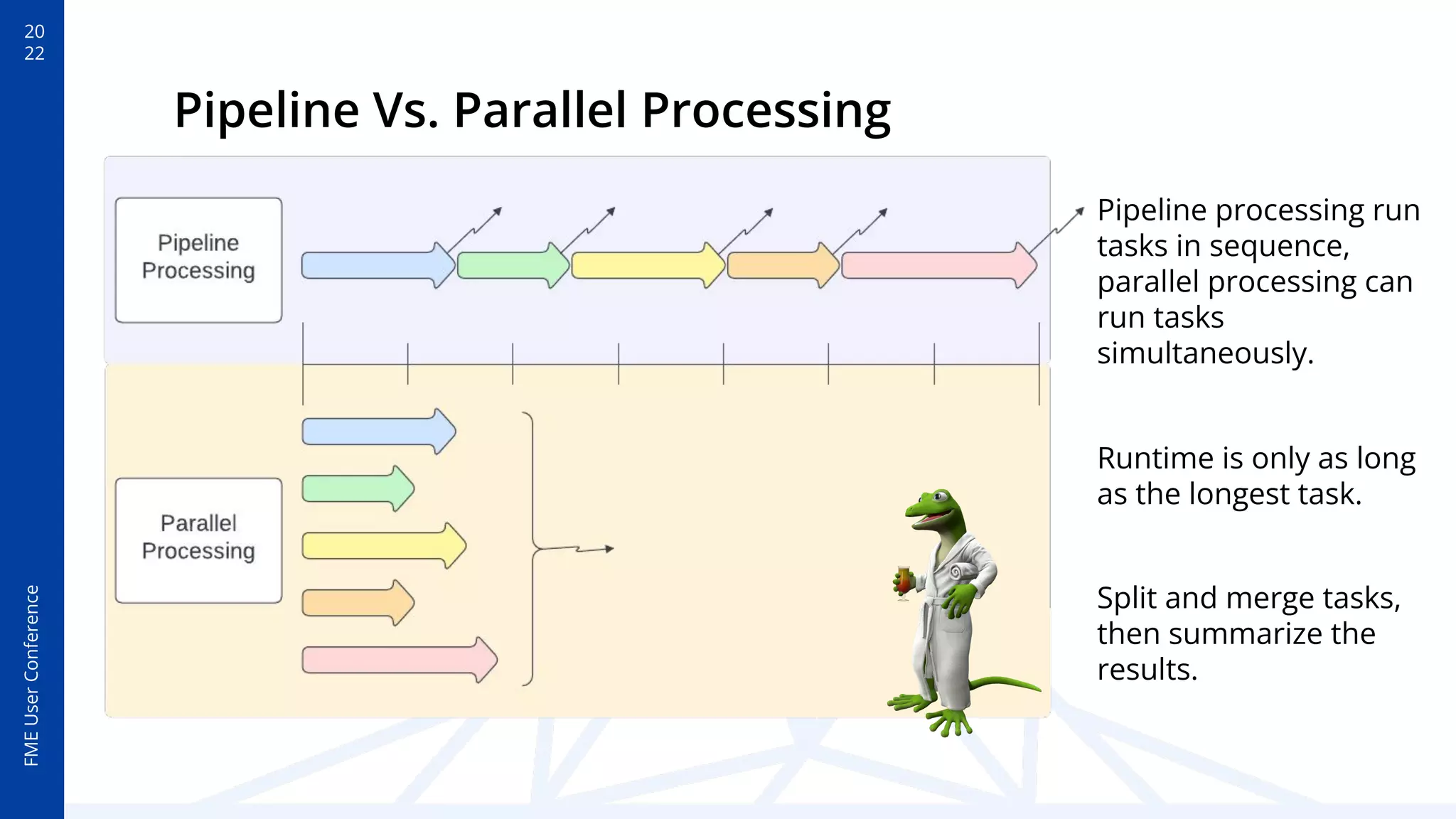
Runtime is only as long
as the longest task.
Split and merge tasks,
then summarize the
results.
Pipeline Vs. Parallel Processing
Pipeline processing run
tasks in sequence,
parallel processing can
run tasks
simultaneously.
20
22
FME
User
Conference
5 Good Reasons To Break-Up With Your Workspace and Data
1. Performance. Hardware resources are
often over or underutilized.
2. Troubleshooting. Where to start?
3. Sharing. Even the most well documented
workflows can be hard to decipher.
4. Functionality. Don’t limit the workflow
to desktop tools.
5. Efficiency. Reduce, reuse, recycle
smaller workflows.
20
22
FME
User
Conference
Parallelism in Desktop and Server
20
22
FME
User
Conference
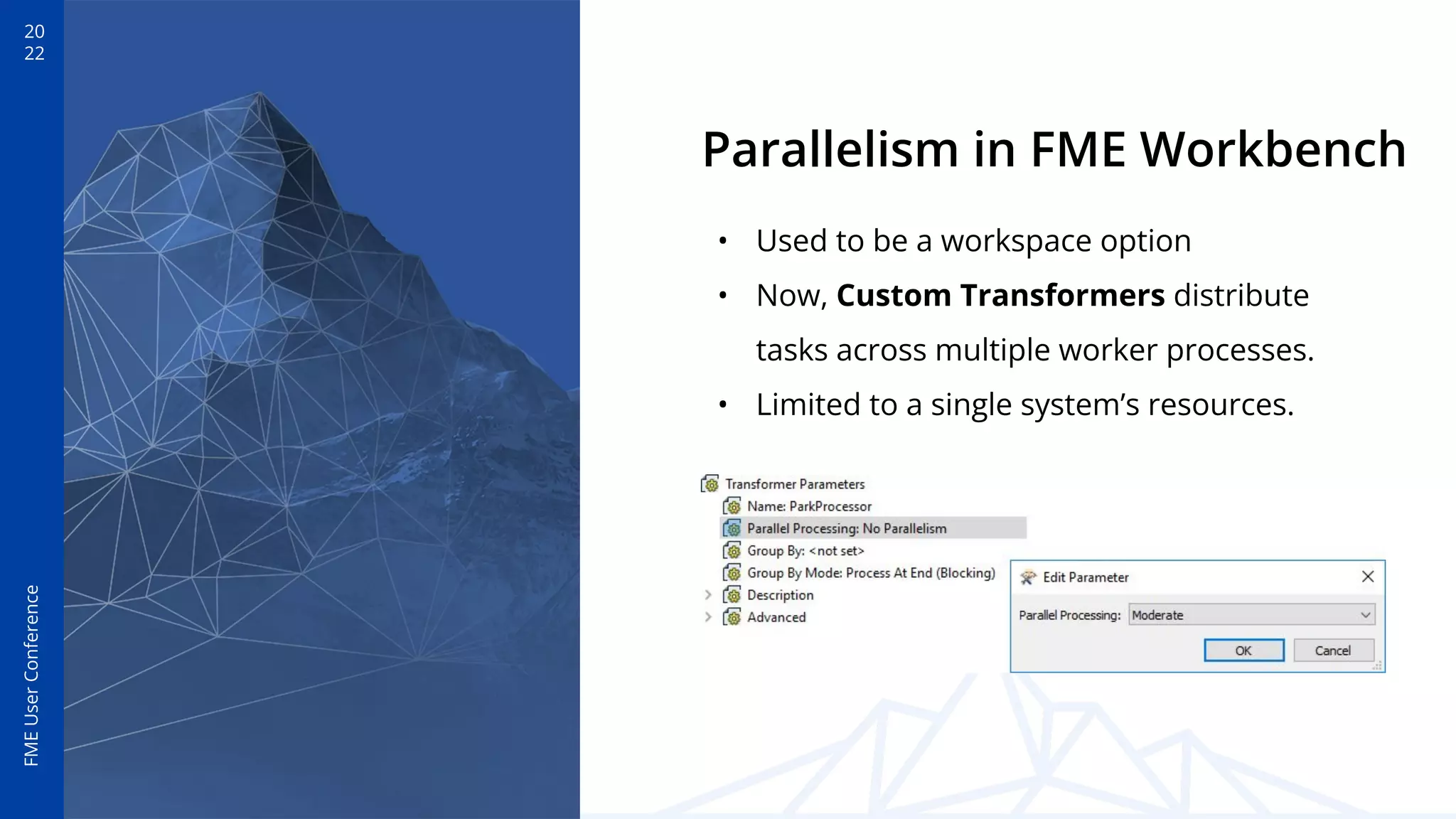
Parallelism in FME Workbench
• Used to be a workspace option
• Now, Custom Transformers distribute
tasks across multiple worker processes.
• Limited to a single system’s resources.
20
22
FME
User
Conference
Parallelism in FME Server
An automation can distribute tasks across
all available engines.
+ Better performance by maximizing all
system(s) resources
+ Granular control over those resources
(Queue Control)
+ Highly scalable
+ Flexible and Dynamic
Blog: Enterprise Integration Wins:
5 Reasons to Add Automation
20
22
FME
User
Conference
FME Server Automation Tools
20
22
FME
User
Conference
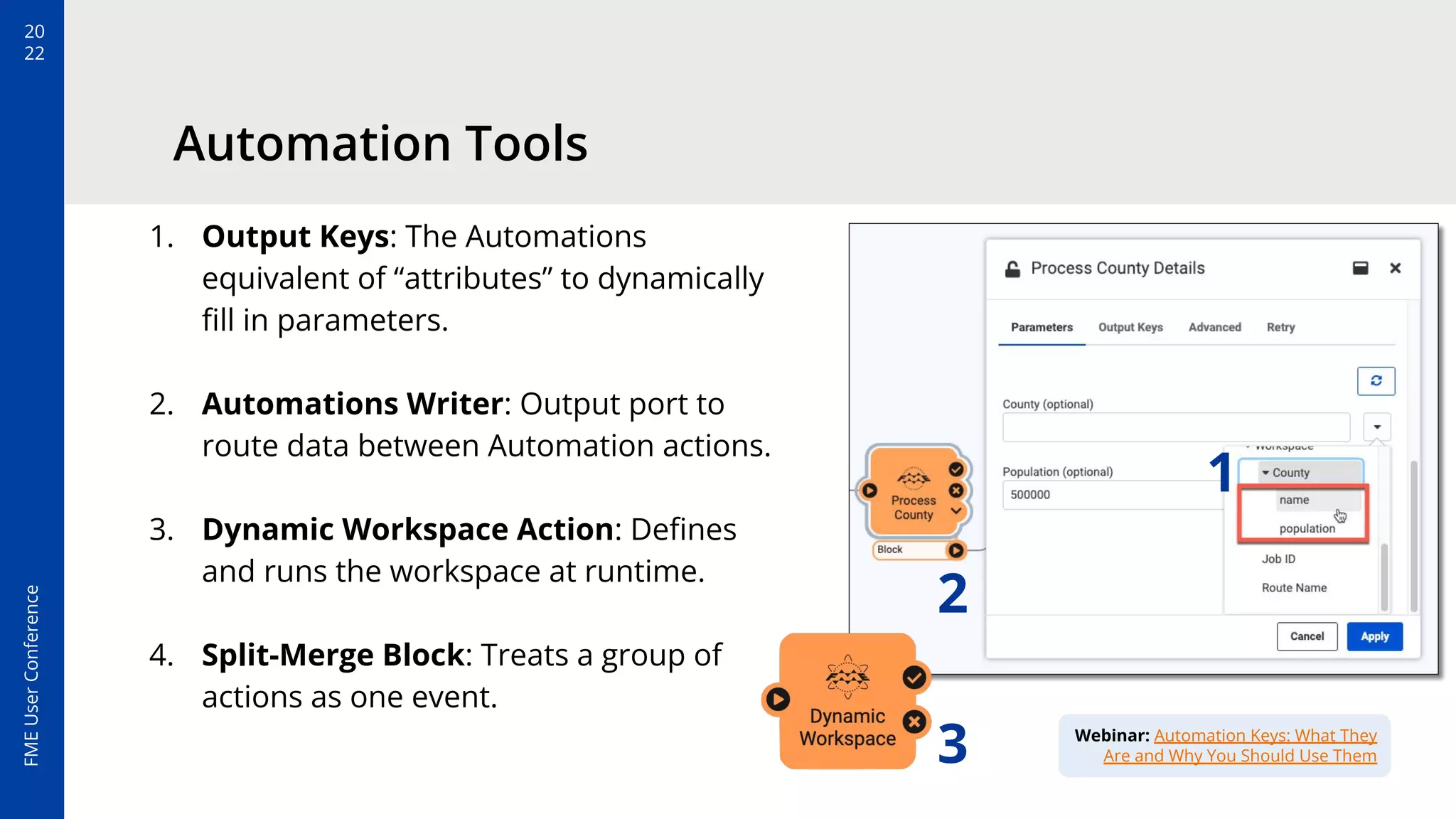
Automation Tools
1. Output Keys: The Automations
equivalent of “attributes” to dynamically
fill in parameters.
2. Automations Writer: Output port to
route data between Automation actions.
3. Dynamic Workspace Action: Defines
and runs the workspace at runtime.
4. Split-Merge Block: Treats a group of
actions as one event.
1
2
Webinar: Automation Keys: What They
Are and Why You Should Use Them
3
20
22
FME
User
Conference
FME Server Automations Writer
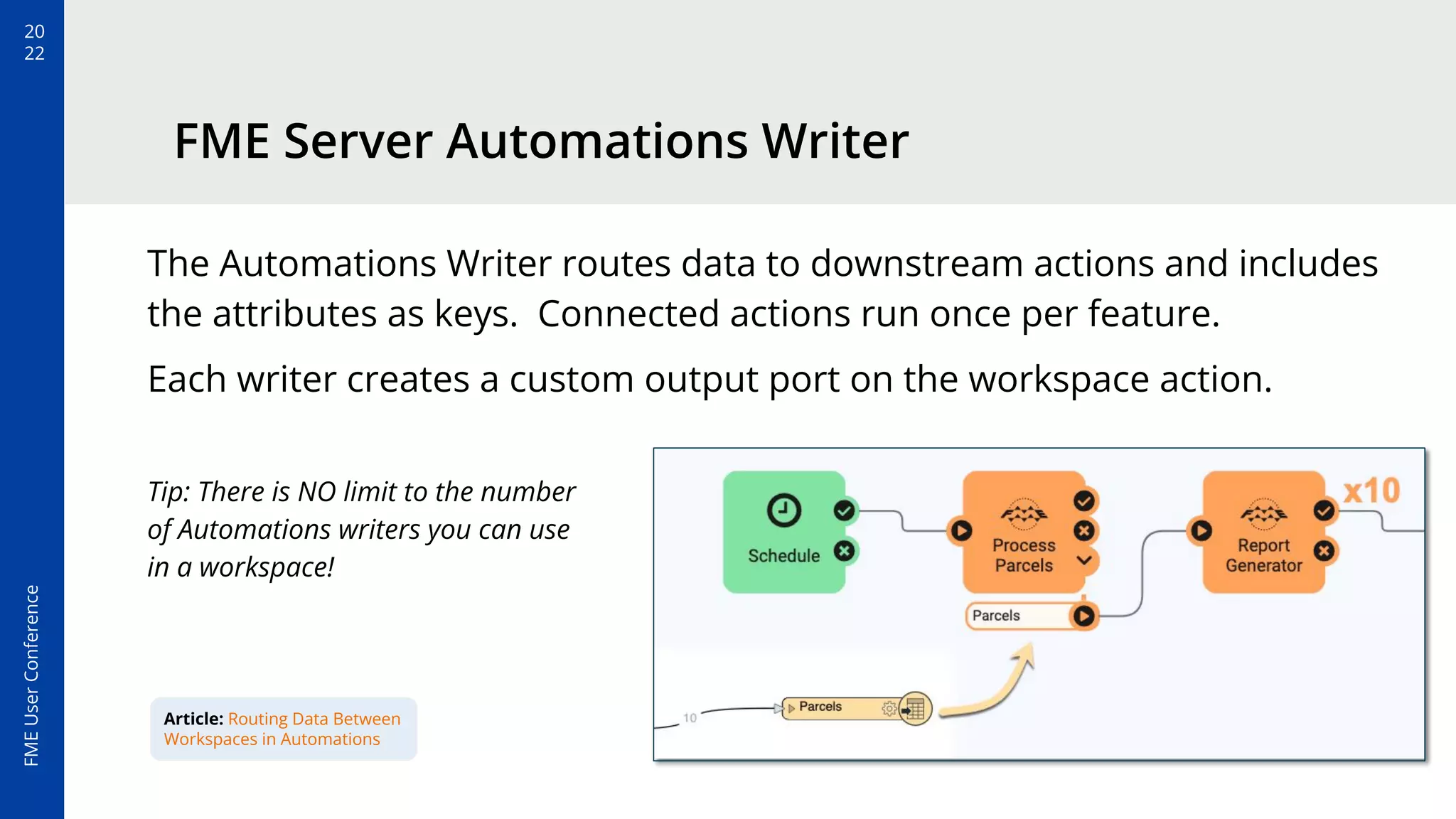
The Automations Writer routes data to downstream actions and includes
the attributes as keys. Connected actions run once per feature.
Each writer creates a custom output port on the workspace action.
Tip: There is NO limit to the number
of Automations writers you can use
in a workspace!
Article: Routing Data Between
Workspaces in Automations
20
22
FME
User
Conference
Split-Merge Block
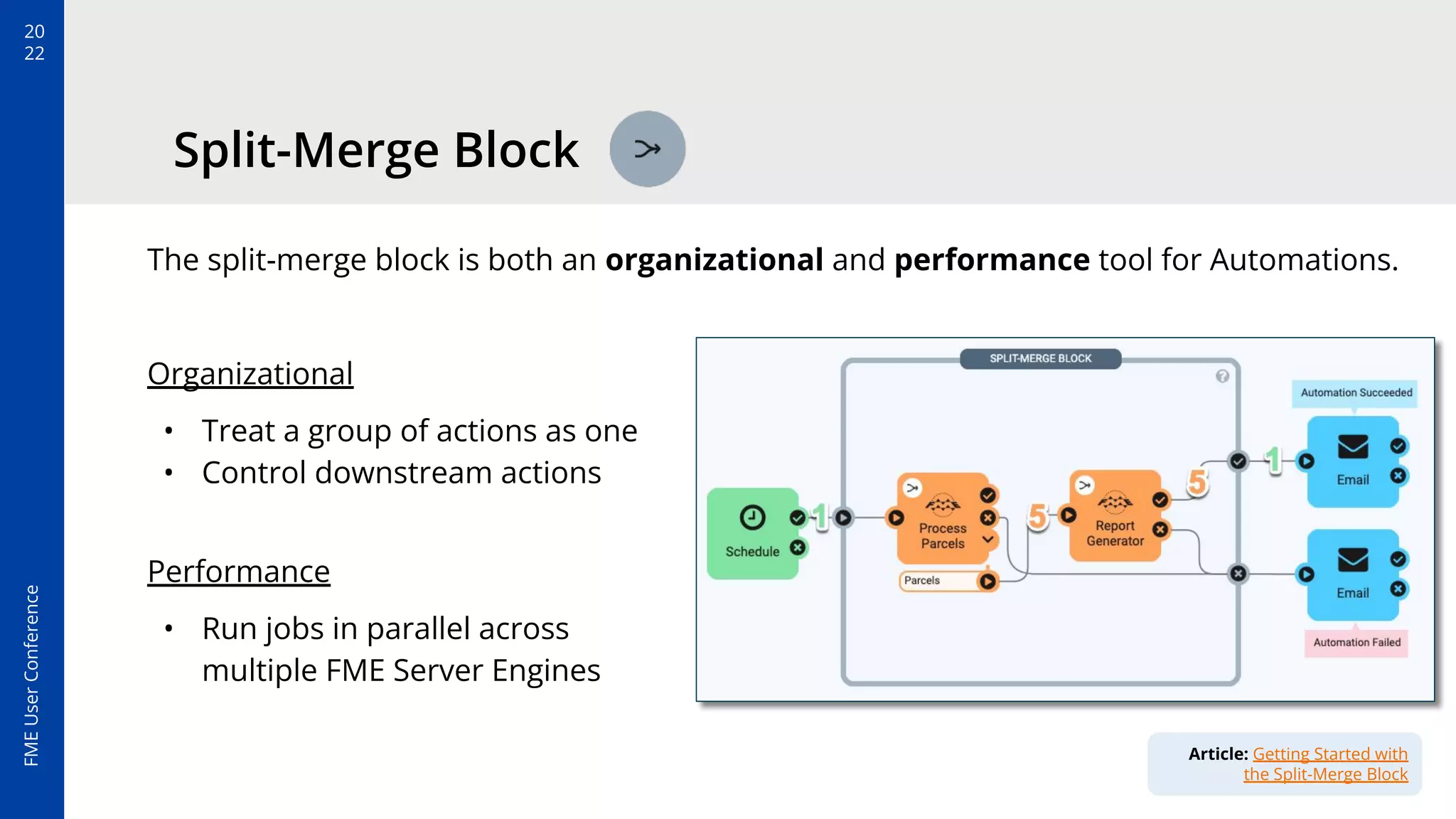
The split-merge block is both an organizational and performance tool for Automations.
Organizational
• Treat a group of actions as one
• Control downstream actions
Performance
• Run jobs in parallel across
multiple FME Server Engines
Article: Getting Started with
the Split-Merge Block
20
22
FME
User
Conference
Workflow Considerations: Lessons Learned
20
22
FME
User
Conference
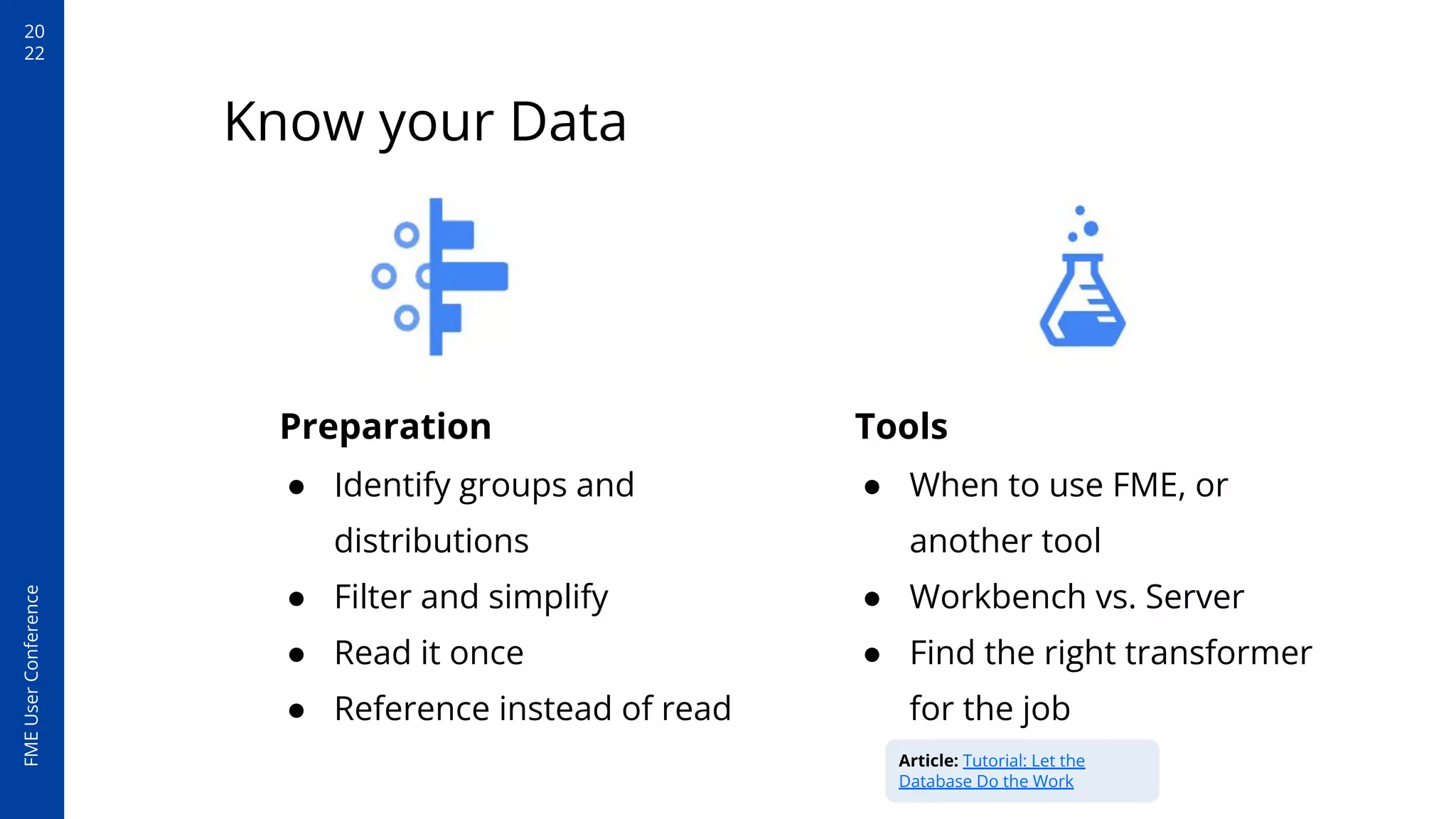
Preparation
● Identify groups and
distributions
● Filter and simplify
● Read it once
● Reference instead of read
Know your Data
Tools
● When to use FME, or
another tool
● Workbench vs. Server
● Find the right transformer
for the job
Article: Tutorial: Let the
Database Do the Work
20
22
FME
User
Conference
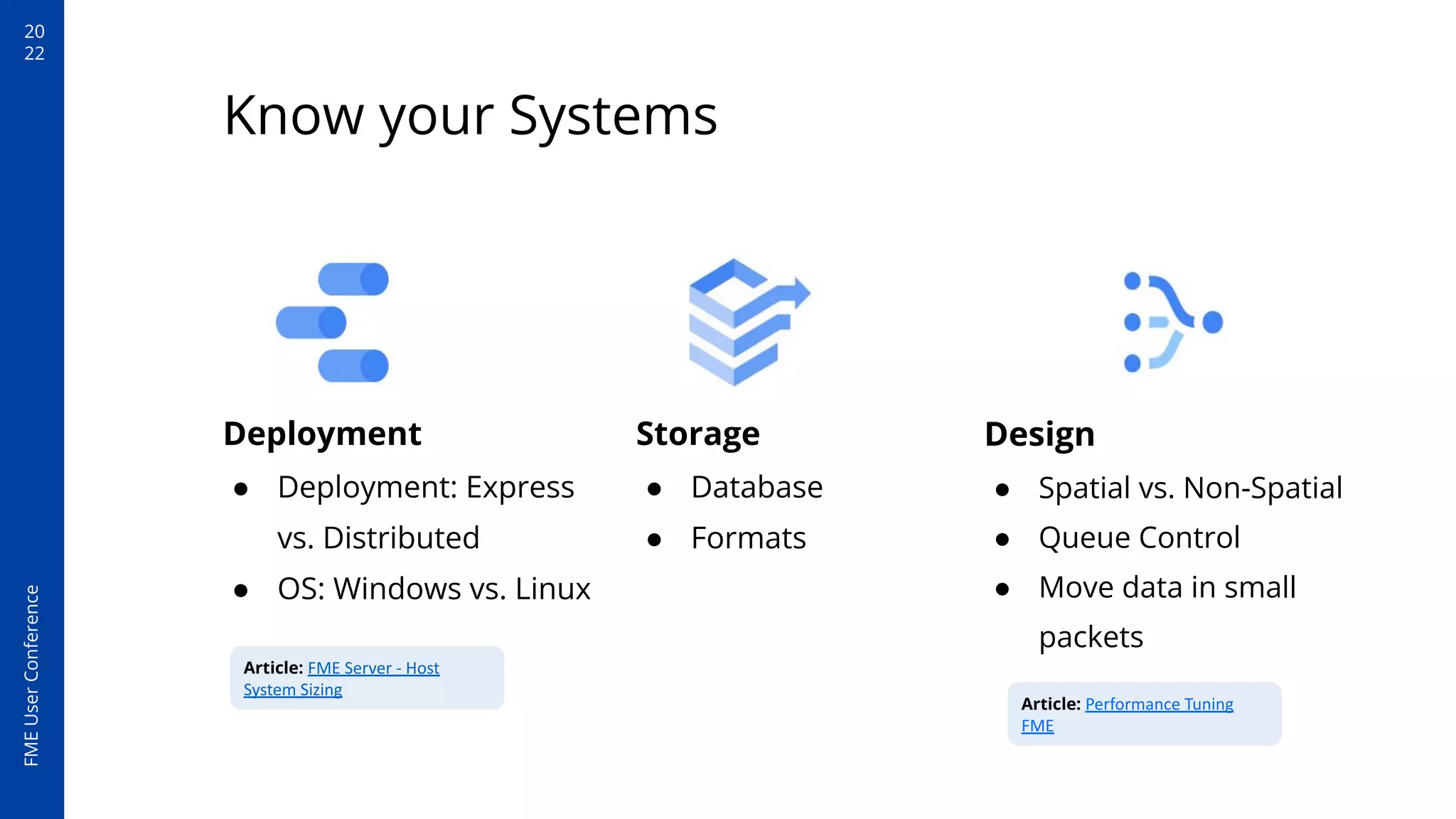
Deployment
● Deployment: Express
vs. Distributed
● OS: Windows vs. Linux
Know your Systems
Storage
● Database
● Formats
Design
● Spatial vs. Non-Spatial
● Queue Control
● Move data in small
packets
Article: Performance Tuning
FME
Article: FME Server - Host
System Sizing
FME
User
Conference
20
22
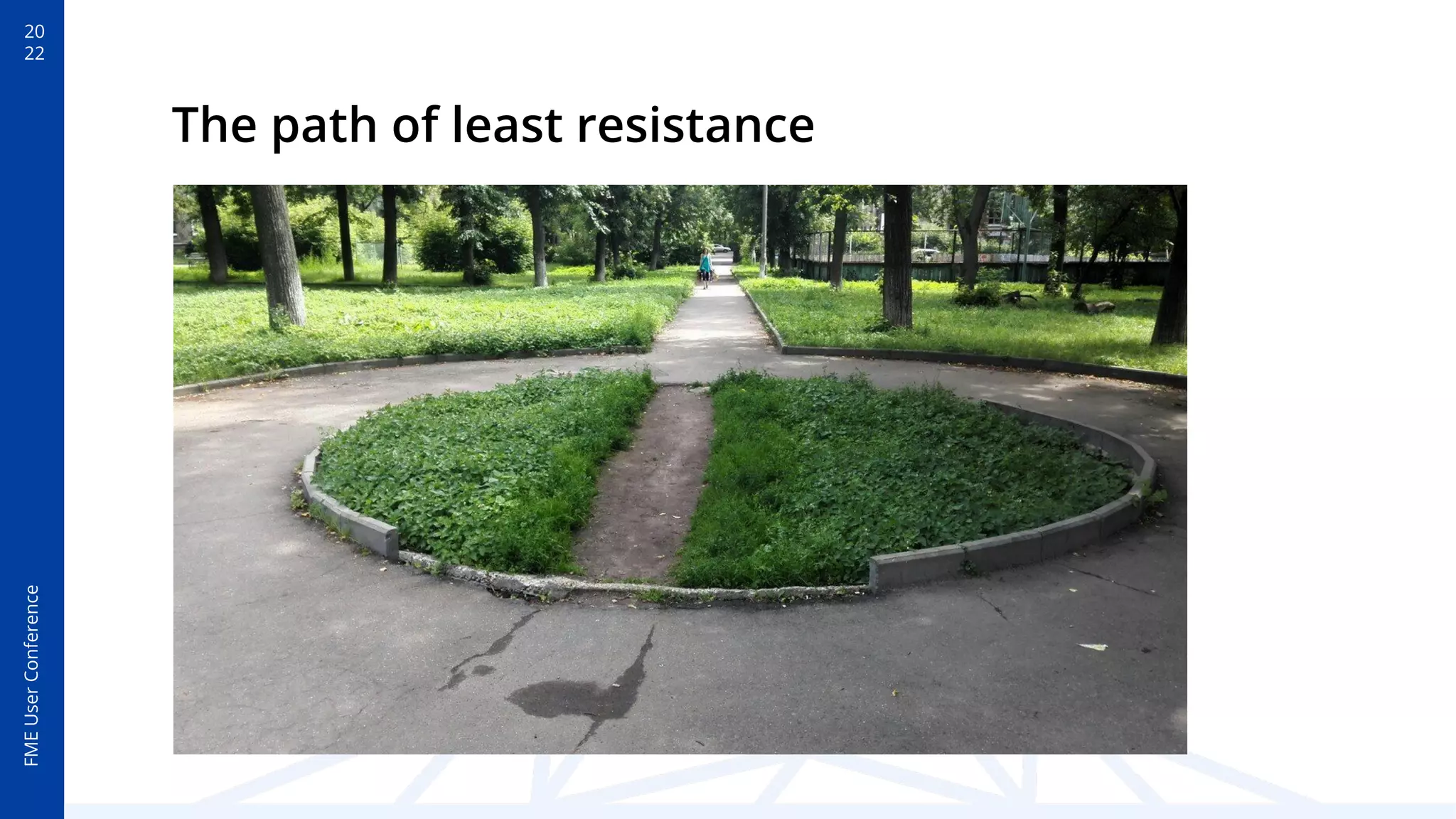
The path of least resistance
20
22
FME
User
Conference
Real Life Examples
20
22
FME
User
Conference
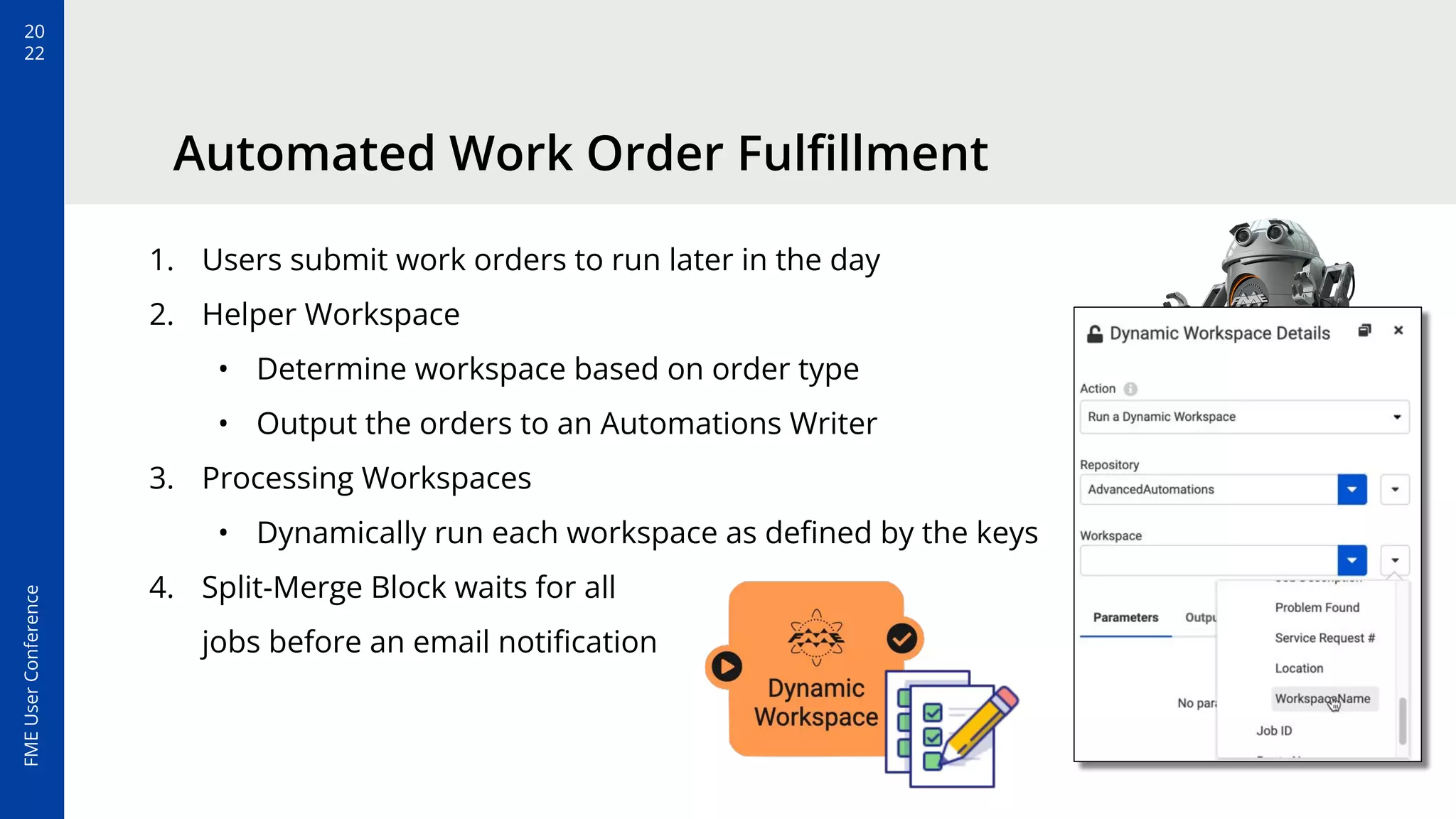
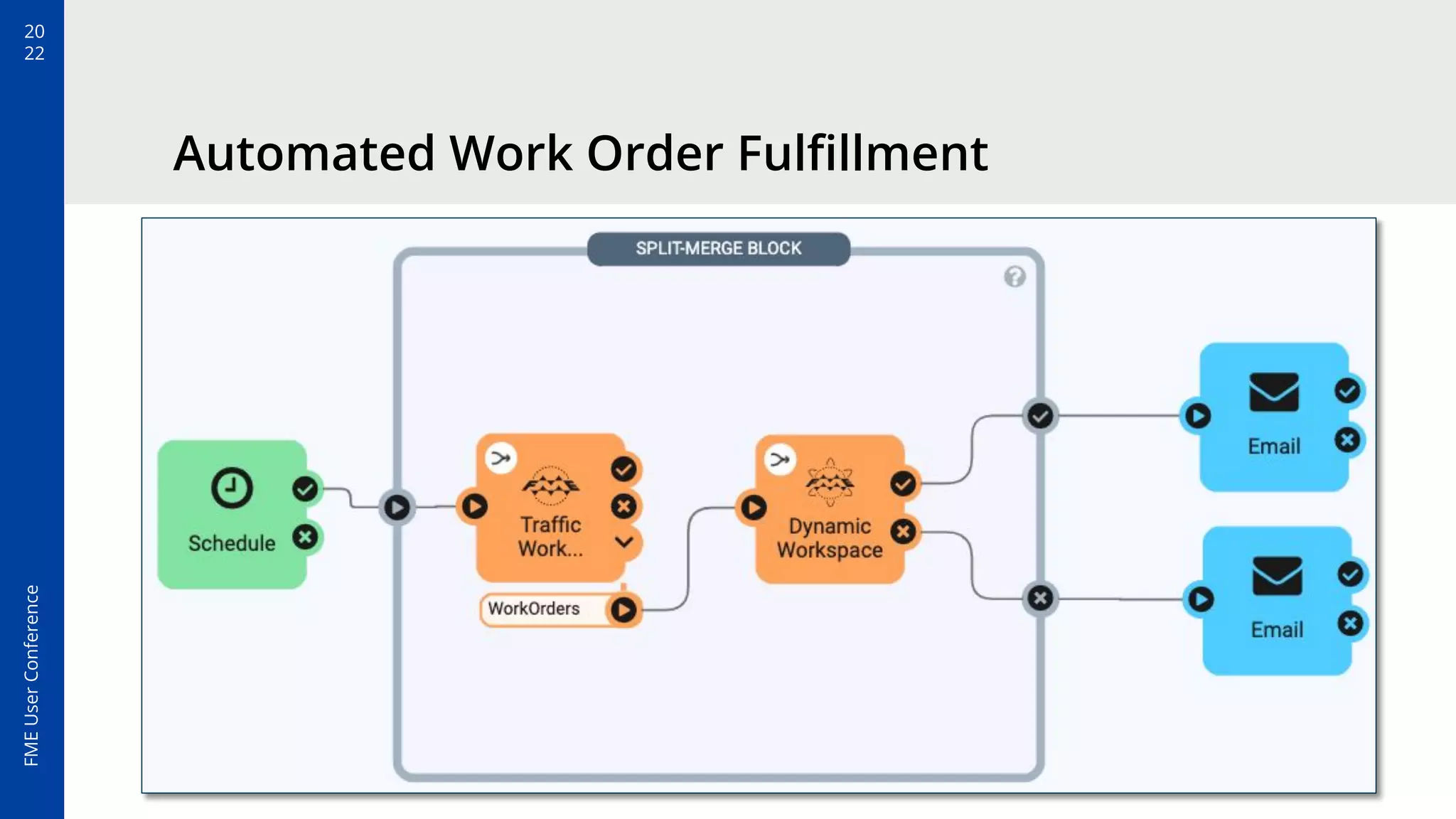
Automated Work Order Fulfillment
1. Users submit work orders to run later in the day
2. Helper Workspace
• Determine workspace based on order type
• Output the orders to an Automations Writer
3. Processing Workspaces
• Dynamically run each workspace as defined by the keys
4. Split-Merge Block waits for all
jobs before an email notification
20
22
FME
User
Conference
Automated Work Order Fulfillment
20
22
FME
User
Conference
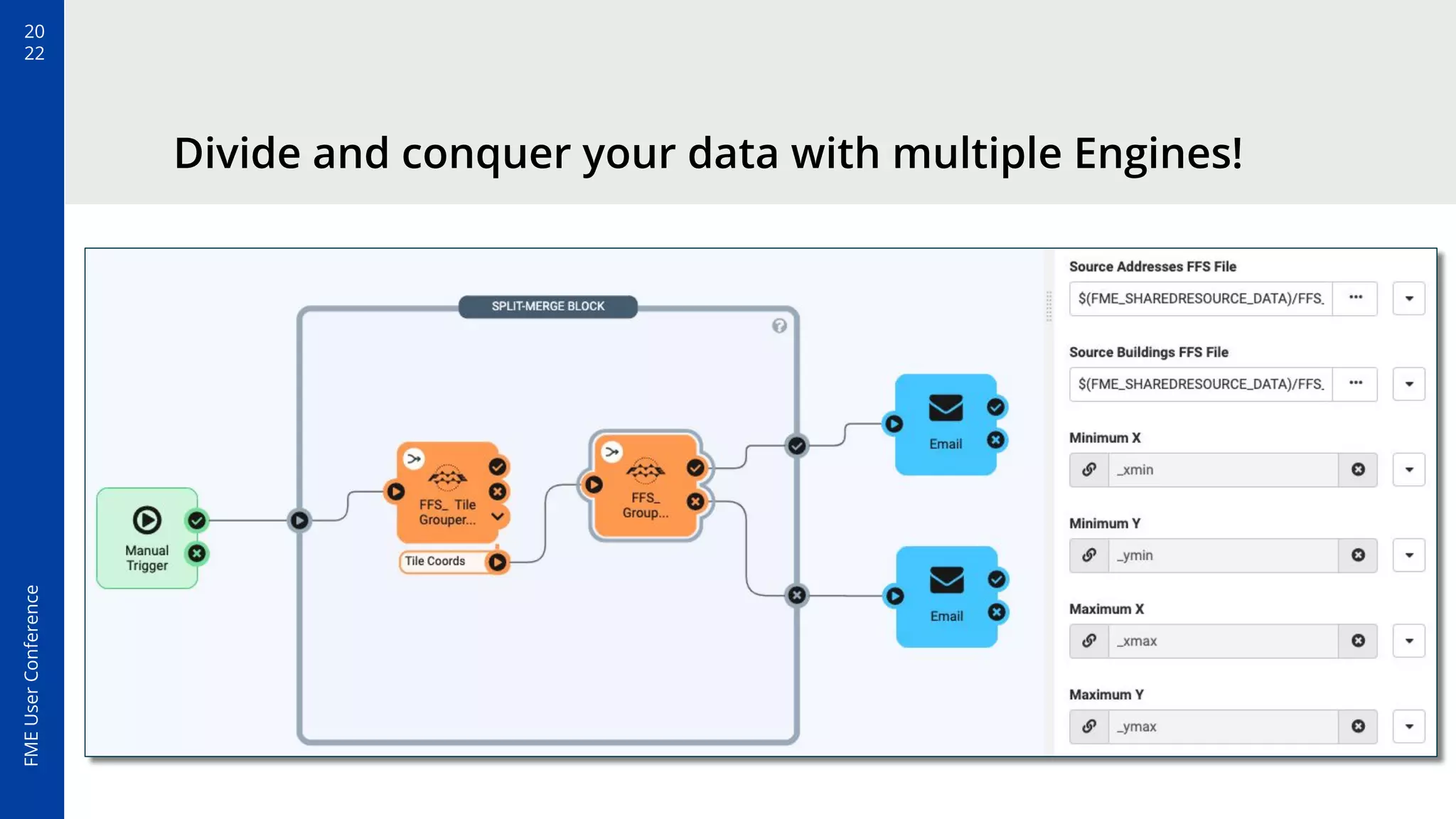
Divide and conquer your data with multiple Engines!
20
22
FME
User
Conference
Divide and conquer your data with multiple Engines!
20
22
FME
User
Conference
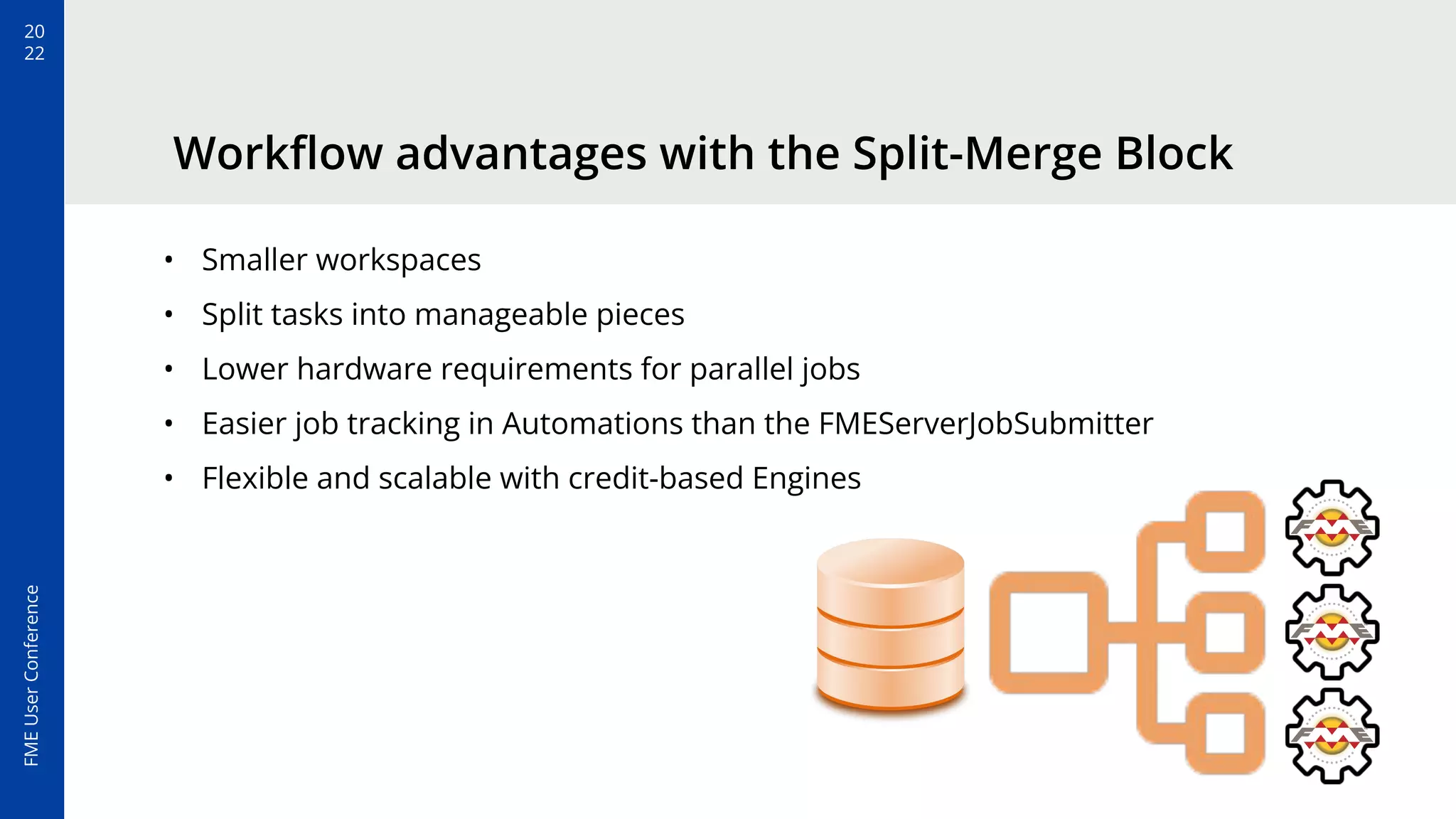
• Smaller workspaces
• Split tasks into manageable pieces
• Lower hardware requirements for parallel jobs
• Easier job tracking in Automations than the FMEServerJobSubmitter
• Flexible and scalable with credit-based Engines
Workflow advantages with the Split-Merge Block
20
22
FME
User
Conference
Rethink the way you design
and model your workflows
and Automations in FME.
20
22
FME
User
Conference
Resources
Getting Started with Enterprise Integration Patterns
Automation Keys: What they are and why you should use them (Webinar)
Building Integrations with the FME Server Automation Writer
Dynamic Workspaces: Data Driven Parallel Processing
Getting Started with the Split-Merge Block
20
22
FME
User
Conference
Don’t know where to start?
The FME Academy’s Automate Data
Integrations trail has a step-by-step
tutorial for the Split Merge Block.
Thank You!
mark.warren@safe.com
sanae.mendoza@safe.com
The slides below are extras, which you can pull from if you like to change
it up or add an extra slide or two.
20
22
FME
User
Conference
Title To Go Here
Add your image by right clicking
the placeholder, then select
“Replace image”.
Place your screen
capture here
20
22
FME
User
Conference
Title To Go Here
Add your image by right clicking the
placeholder, then select “Replace image”.
Subheading To Go Here
Lorem ipsum dolor sit amet,
consectetur adipiscing elit.
Place your screen
capture here
20
22
FME
User
Conference
Title To go Here
Lorem ipsum dolor sit amet,
consectetur adipiscing elit.
Curabitur eros erat, facilisis id
vehicula nec, consequat quis
magna.
20
22
FME
User
Conference
Title To go Here
Subheading To Go Here
Lorem ipsum dolor sit amet, consectetur
adipiscing elit.
20
22
FME
User
Conference
Title To Go Here
Lorem ipsum dolor sit amet,
consectetur adipiscing elit. Curabitur
eros erat, facilisis id vehicula nec,
consequat quis magna.
20
22
FME
User
Conference
Title To Go Here
Lorem ipsum dolor sit amet, consectetur adipiscing elit.
Curabitur eros erat, facilisis id vehicula nec, consequat quis
magna.
20
22
FME
User
Conference
Title To Go Here
Lorem ipsum dolor sit amet, consectetur adipiscing elit. Curabitur eros erat,
facilisis id vehicula nec, consequat quis magna.
20
22
FME
User
Conference
Title To Go Here
Lorem ipsum dolor sit amet, consectetur adipiscing elit. Curabitur eros erat, facilisis id
vehicula nec, consequat quis magna.
20
22
FME
User
Conference
Title To Go Here
Subheading To Go Here
Lorem ipsum dolor sit amet, consectetur adipiscing elit. Curabitur eros erat, facilisis id
vehicula nec, consequat quis magna.

Level Up With Parallelism in FME Server