Daniel Puiu
TEST CAMP, 8th of June 2013
http://free-photos.gatag.net/2013/08/14/230000.html
Agenda
1. What is usability?
2. Usability measurements
3. User centered analysis
4. Design principles
5. Usability testing
6. Conclusions
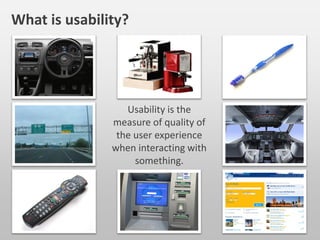
Usability is the
measure of quality of
the user experience
when interacting with
something.
What is usability?
1. Easy and quick to learn
2. Easy and efficient to use
3. Error tolerant
4. Easy to remember
5. Subjective satisfaction
Usability is a combination of factors
Your software is usable when users ...
don’t think too much when using an application
don’t feel the need to use help windows
easily find the information they are looking for
feel comfortable when navigation trough the application
don’t feel stupid
When your software is usable?
ISO 9241-11 (part 11 - 1998)
This part deals with the extent to which a product can be used by specified users to
achieve specified goals with effectiveness (task completion by users), efficiency
(task in time) and satisfaction (responded by user in term of experience) in a
specified context of use (users, tasks, equipments & environments).
ISO 9241-210 (ex ISO 13407)
Provides requirements and recommendations for human-centered design
principles and activities throughout the life cycle of computer-based interactive
systems. It is intended to be used by those managing design processes, and is
concerned with ways in which both hardware and software components of
interactive systems can enhance human–system interaction.
International standards
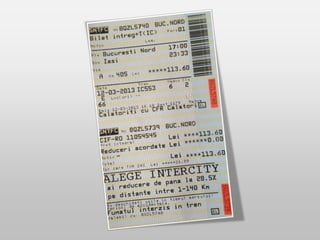
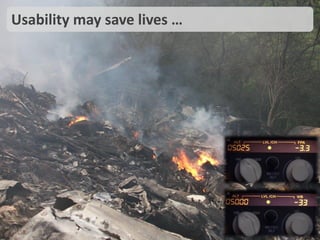
Usability may save lives …
http://harryzzz.blogspot.ro/2010_07_01_archive.html
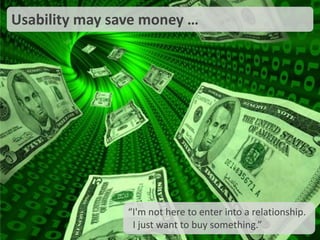
Usability may save money …
“I'm not here to enter into a relationship.
I just want to buy something.”
https://www.facebook.com/HodanGlobal
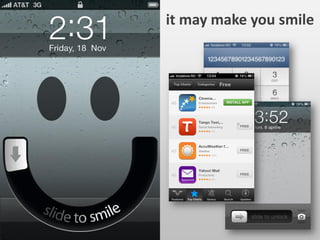
it may make you smile
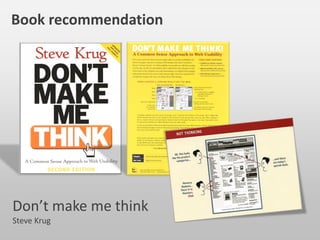
Book recommendation
Don’t make me think
Steve Krug
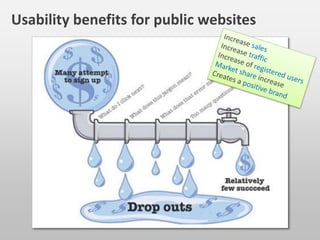
Increase sales
Increase traffic
Increase of registered users
Market share increase
Creates a positive brand
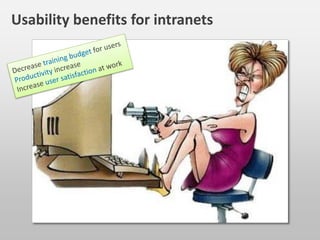
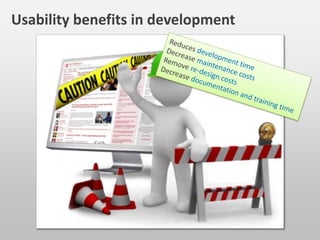
Usability benefits for …
public websites
intranets
development
Decrease training budget for users
Productivity increase
Increase user satisfaction at work
Reduces development time
Decrease maintenance costs
Remove re-design costs
Decrease documentation and training time
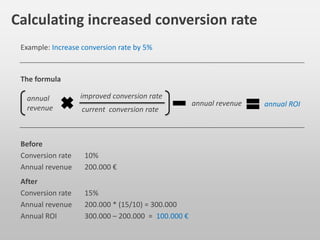
Before
Conversion rate 10%
Annual revenue 200.000 €
improved conversion rate
annual revenue annual ROI
annual
revenue current conversion rate
Calculating increased conversion rate
After
Conversion rate 15%
Annual revenue 200.000 * (15/10) = 300.000
Annual ROI 300.000 – 200.000 = 100.000 €
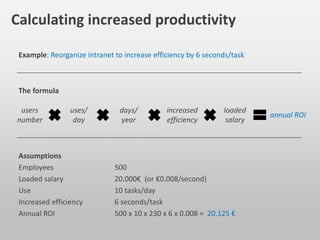
The formula
Example: Increase conversion rate by 5%
annual ROI
users
number
Calculating increased productivity
Assumptions
Employees 500
Loaded salary 20.000€ (or €0.008/second)
Use 10 tasks/day
Increased efficiency 6 seconds/task
Annual ROI 500 x 10 x 230 x 6 x 0.008 = 20.125 €
The formula
uses/
day
days/
year
increased
efficiency
loaded
salary
Example: Reorganize intranet to increase efficiency by 6 seconds/task
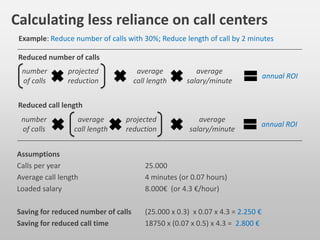
Calculating less reliance on call centers
Assumptions
Calls per year 25.000
Average call length 4 minutes (or 0.07 hours)
Loaded salary 8.000€ (or 4.3 €/hour)
Saving for reduced number of calls (25.000 x 0.3) x 0.07 x 4.3 = 2.250 €
Saving for reduced call time 18750 x (0.07 x 0.5) x 4.3 = 2.800 €
Example: Reduce number of calls with 30%; Reduce length of call by 2 minutes
annual ROI
number
of calls
Reduced number of calls
projected
reduction
average
call length
average
salary/minute
annual ROI
number
of calls
average
call length
projected
reduction
average
salary/minute
Reduced call length
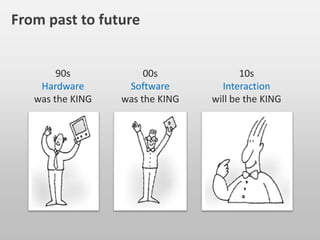
90s
Hardware
was the KING
00s
Software
was the KING
10s
Interaction
will be the KING
From past to future
User centered
analysis
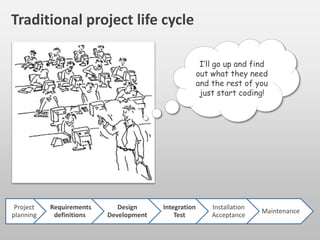
I’ll go up and find
out what they need
and the rest of you
just start coding!
Traditional project life cycle
http://blogs.msdn.com/b/devschool/archive/2012/09/10/design-principles-why-use-paper-and-pencil-or-similar-on-slate.aspx
Project
planning
Requirements
definitions
Design
Development
Integration
Test
Installation
Acceptance
Maintenance
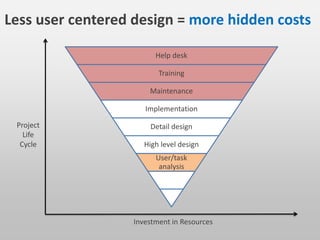
Help desk
Training
Maintenance
Implementation
Detail design
High level design
User/task
analysis
Investment in Resources
Project
Life
Cycle
Less user centered design = more hidden costs
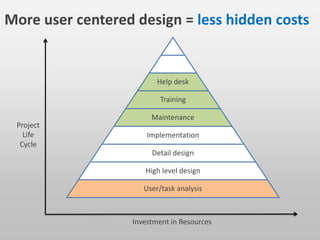
Investment in Resources
Project
Life
Cycle
More user centered design = less hidden costs
Help desk
Training
Maintenance
Implementation
Detail design
High level design
User/task analysis
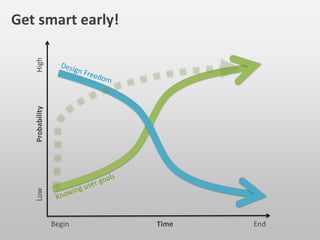
Get smart early!
Time
Probability
Begin End
HighLow
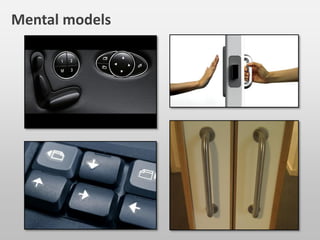
Mental models
Simplicity
Familiarity
Availability
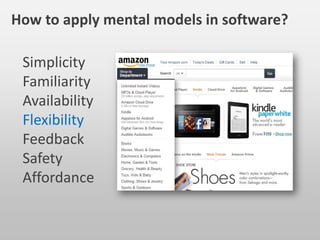
Flexibility
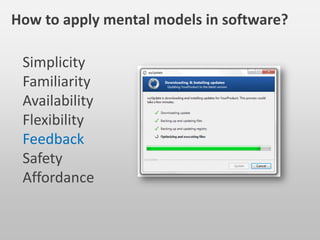
Feedback
Safety
Affordance
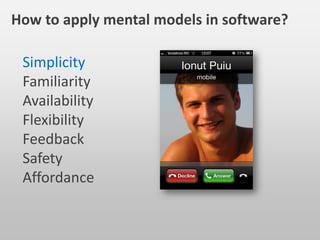
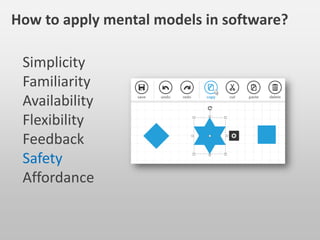
How to apply mental models in software?
Simplicity
Familiarity
Availability
Flexibility
Feedback
Safety
Affordance
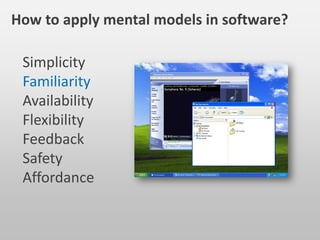
How to apply mental models in software?
Simplicity
Familiarity
Availability
Flexibility
Feedback
Safety
Affordance
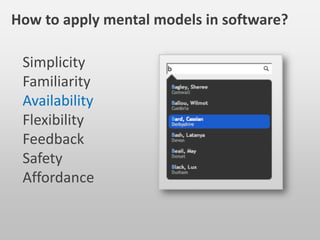
How to apply mental models in software?
Simplicity
Familiarity
Availability
Flexibility
Feedback
Safety
Affordance
How to apply mental models in software?
Simplicity
Familiarity
Availability
Flexibility
Feedback
Safety
Affordance
How to apply mental models in software?
Simplicity
Familiarity
Availability
Flexibility
Feedback
Safety
Affordance
How to apply mental models in software?
Simplicity
Familiarity
Availability
Flexibility
Feedback
Safety
Affordance
How to apply mental models in software?
http://www.meetup.com/Tabara-de-
Testare-Iasi/events/115763802/
Register
Interviews
“Everyone has a story,
make yours worth
telling”, Patrick Ricketts
http://4.bp.blogspot.com/-HTtRjPqHn2U/UDTdBhB_v7I/AAAAAAAAALk/LkbZEFEQmOw/s1600/job-interview.jpg
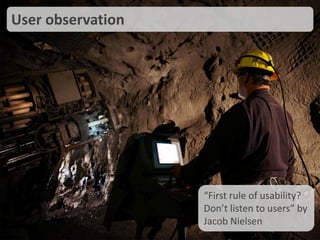
User observation
“First rule of usability?
Don’t listen to users” by
Jacob Nielsen
http://www.newswire.ca/en/story/970075/brunswick-mine-earns-prestigious-john-t-ryan-safety-award-for-the-safest-metal-mine-in-canada
Focus groups
http://rosemedicalcenter.files.wordpress.com/2010/08/focus-group.jpg
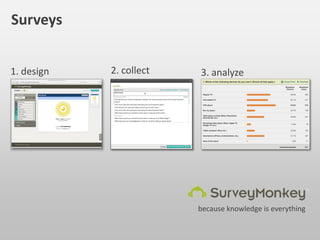
Surveys
because knowledge is everything
1. design 2. collect 3. analyze
•User group X can do the task faster than group Y
•Tasks A,B,C are easy for user group X and Y but tasks D
and E are difficult for user group Y
•User groups X and Y face the same problem but user
group Z does not face this problem
•Tasks D and B are the most time-consuming tasks, D is a
frequent task and should be optimized
Analysis of user data
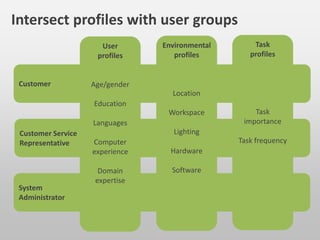
System
Administrator
Customer
Customer Service
Representative
Task
profiles
Task
importance
Task frequency
Environmental
profiles
Location
Workspace
Lighting
Hardware
Software
User
profiles
Age/gender
Education
Languages
Computer
experience
Domain
expertise
Intersect profiles with user groups
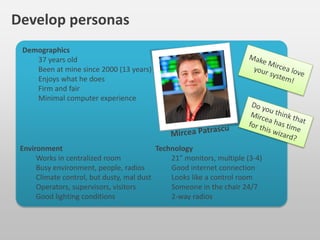
Environment
Works in centralized room
Busy environment, people, radios
Climate control, but dusty, mal dust
Operators, supervisors, visitors
Good lighting conditions
Technology
21” monitors, multiple (3-4)
Good internet connection
Looks like a control room
Someone in the chair 24/7
2-way radios
Demographics
37 years old
Been at mine since 2000 (13 years)
Enjoys what he does
Firm and fair
Minimal computer experience
Develop personas
Make Mircea love
your system!
Do you think that
Mircea has time
for this wizard?
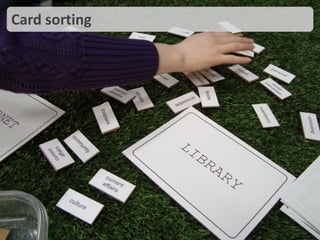
Card sorting
http://www.localhiddenvariable.com/ciid/wp-content/uploads/2009/03/dsc03416.jpg
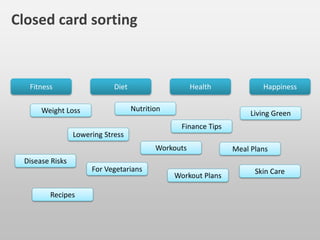
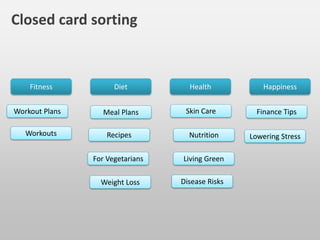
Closed card sorting
Fitness HappinessDiet Health
Weight Loss Nutrition
Workout Plans
Disease Risks
For Vegetarians
Living Green
Lowering Stress
Workouts
Finance Tips
Meal Plans
Recipes
Skin Care
Fitness HappinessDiet Health
Weight Loss
Nutrition
Workout Plans
Disease Risks
Living Green
Lowering StressWorkouts
Finance TipsMeal Plans
Recipes
Skin Care
For Vegetarians
http://sixrevisions.com/usabilityaccessibility/card-sorting/
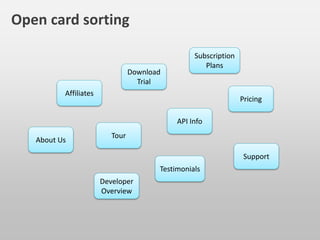
Open card sorting
Tour
About Us
Affiliates
Developer
Overview
Subscription
PlansDownload
Trial
Support
API Info
Testimonials
Pricing
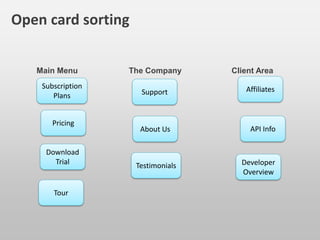
Main Menu The Company Client Area
Tour
About Us
Affiliates
Developer
Overview
Subscription
Plans
Download
Trial
Support
API Info
Testimonials
Pricing
http://sixrevisions.com/usabilityaccessibility/card-sorting/
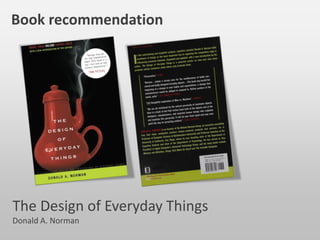
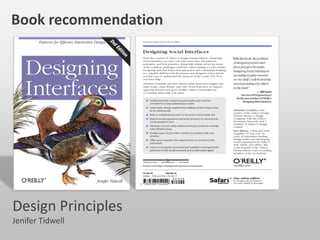
Book recommendation
Design Interfaces
Jenifer Tidwell
Design
Principles
Developers spend a lot of time worrying what makes
things easy for themselves, like unit testing, continuous
integration but we should spend more time worrying
what makes things easy for our users
Software exits because users exist, not because we
develop it, so it’s worth a lot to make their jobs easier
Developers gains success by making something possible
instead of making something easy.
About developers
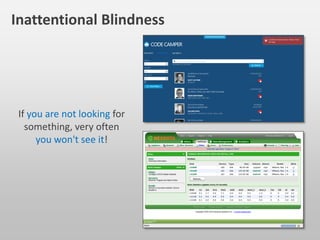
If you are not looking for
something, very often
you won't see it!
Inattentional Blindness
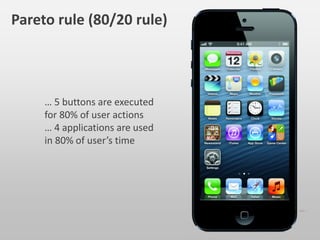
… 5 buttons are executed
for 80% of user actions
… 4 applications are used
in 80% of user’s time
Pareto rule (80/20 rule)
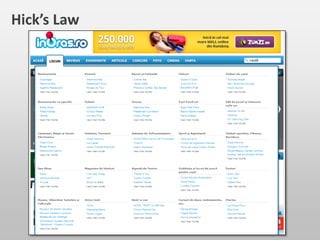
Hick’s Law
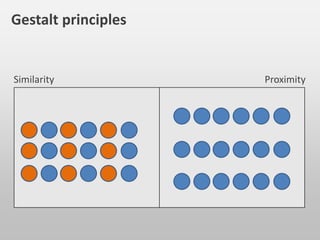
Gestalt principles
Similarity Proximity
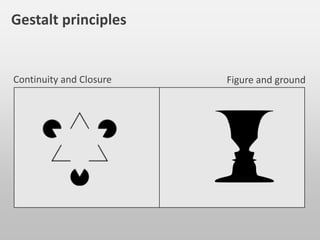
Gestalt principles
Continuity and Closure Figure and ground
0
1
2
3
4
5
6
Category 1 Category 2 Category 3 Category 4
Series 1
Series 2
Series 3
Gestalt principles in software design
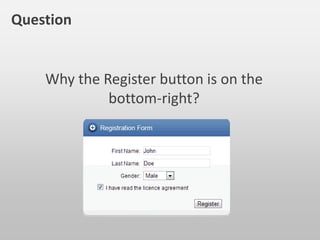
Why the Register button is on the
bottom-right?
Question
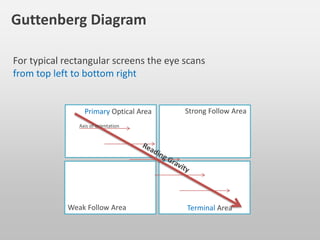
For typical rectangular screens the eye scans
from top left to bottom right
Guttenberg Diagram
Primary Optical Area Strong Follow Area
Weak Follow Area Terminal Area
Axis of orientation
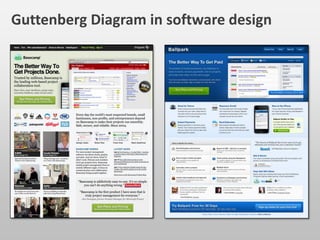
Guttenberg Diagram in software design
http://51bits.com/articles/design-by-gutenberg/
Why do we use gradients?
Why do we use rounded corners?
Questions
Naturalness
http://www.flickr.com/photos/aidanmorgan/7530821574/sizes/h/in/photostream/
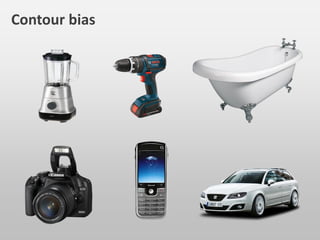
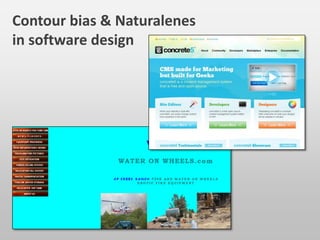
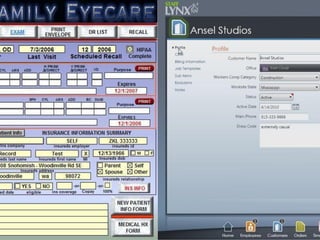
Contour bias
Contour bias & Naturalenes
in software design
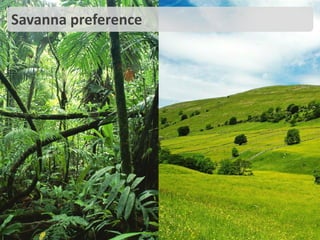
Savanna preference
http://www.billycanu.com/wp-content/uploads/2012/12/jungle2.jpeg http://hd-wallpapers.com/download/green-plains-of-wales_1920x1080_273-hd.jpg
Desire lines
http://fotografiskskole.files.wordpress.com/2012/04/olifantenpaadje3.jpg
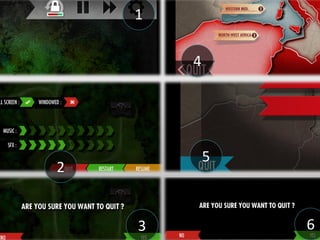
1
2
3
4
5
6
Book recommendation
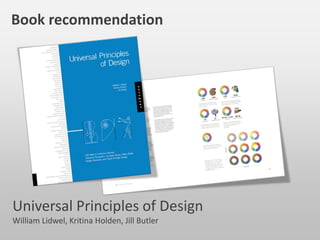
Universal Principles of Design
William Lidwel, Kritina Holden, Jill Butler
Usability
Testing
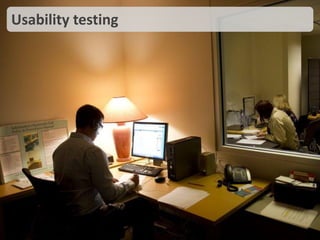
Usability testing
http://www.statesman.com/news/lifestyles/school-of-information-professor-teaches-students-t/nTCj8/
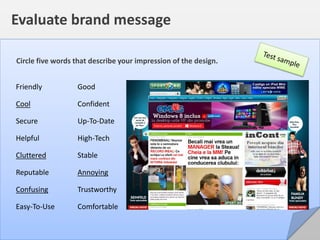
Circle five words that describe your impression of the design.
Friendly Good
Cool Confident
Secure Up-To-Date
Helpful High-Tech
Cluttered Stable
Reputable Annoying
Confusing Trustworthy
Easy-To-Use Comfortable
Evaluate brand message
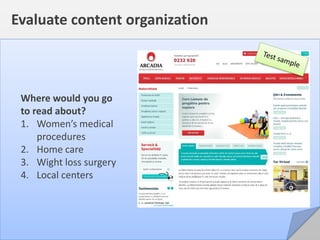
Where would you go
to read about?
1. Women’s medical

procedures
2. Home care
3. Wight loss surgery
4. Local centers
Evaluate content organization
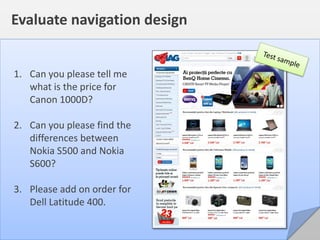
1. Can you please tell me
what is the price for
Canon 1000D?
2. Can you please find the
differences between
Nokia S500 and Nokia
S600?
3. Please add on order for
Dell Latitude 400.
Evaluate navigation design
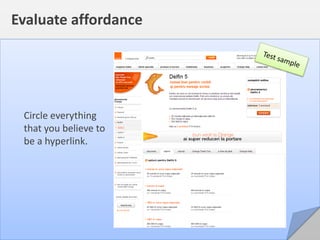
Circle everything
that you believe to
be a hyperlink.
Evaluate affordance
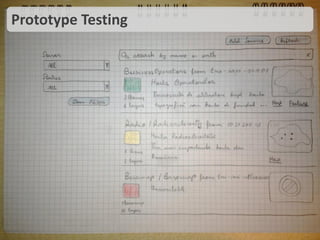
Prototype Testing
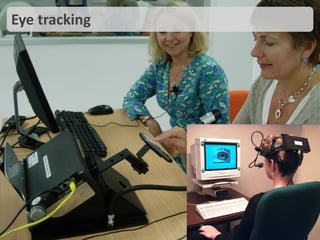
Eye tracking
http://www.webusability.co.uk/wp-content/uploads/2011/09/DSCN7857.JPG
http://www.doublejumpmedia.com/blog/2009/05/eye-tracking-and-usability-testing-with-city-university-london/
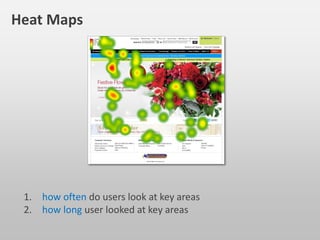
Heat Maps
1. how often do users look at key areas
2. how long users looked at key areas
http://www.doublejumpmedia.com/blog/2009/05/eye-tracking-and-usability-testing-with-city-university-london/
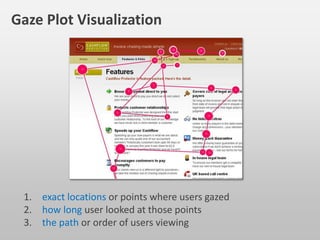
Gaze Plot Visualization
1. exact locations or points where users gazed
2. how long user looked at those points
3. the path or order of users viewing
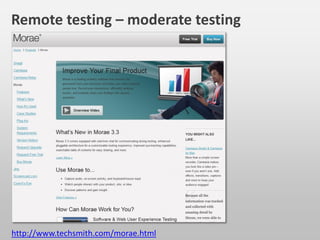
Remote testing – Moderate testing
http://www.techsmith.com/morae.html
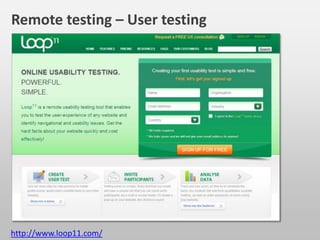
Remote testing – User testing
http://www.loop11.com/
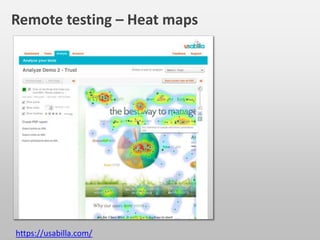
Remote testing – Heat maps
https://usabilla.com/
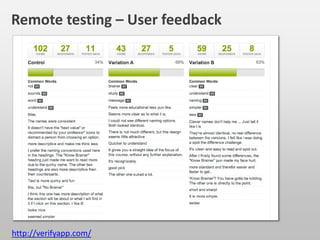
Remote testing – User feedback
http://verifyapp.com/
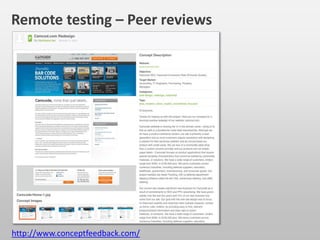
Remote testing – Peer reviews
http://www.conceptfeedback.com/
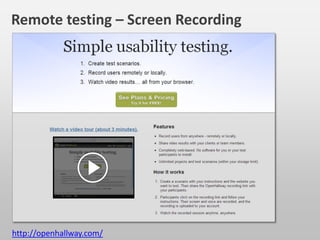
Remote testing – Screen Recording
http://openhallway.com/
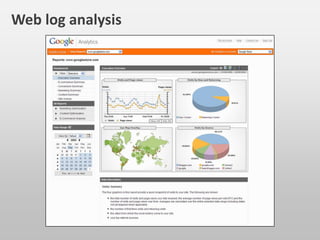
Web log analysis
Page title
News
form
Signup
form
Content body
Nav.
bar
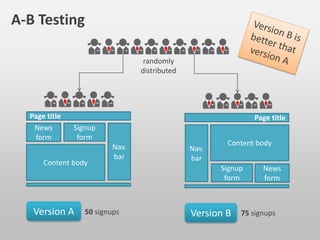
A-B Testing
Version A 50 signups
Page title
News
form
Signup
form
Content body
Nav.
bar
Version B 75 signups
randomly
distributed
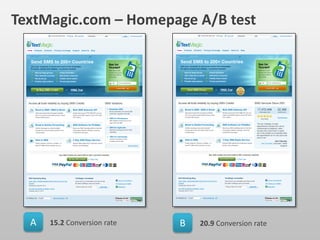
A B15.2 Conversion rate 20.9 Conversion rate
TextMagic.com – Homepage A/B test
http://www.abtests.com/test/275002/homepage-for-textmagic-homepage-ab-test
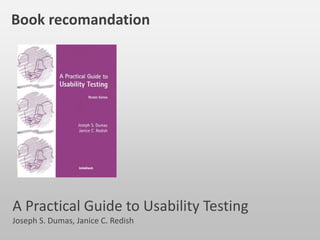
Book recomandation
A Practical Guide to Usability Testing
Joseph S. Dumas, Janice C. Redish
In the end ...
The inconvenient truth about SEO
http://www.smashingmagazine.com/2012/12/11/seo-the-inconvenient-truth/
Your primary objective
should be better content,
not higher rankings
Mint.com – no ad campaign
“Take a complicated process, make it easy, and you will win!”
http://www.ebusinessblog.org/554/user-experience-success-mint-com-has-made-doing-the-bills-a-joint-effort/
Usability vs. User experience
http://roomoramablog.files.wordpress.com/2012/10/transfagarasan-romania.jpghttp://www.consulting.ait.asia/images/news/detail/freeway.jpg
Sketchbook vs. Paper
That was EASY!
Whoa. That was
AWESOME!
http://www.fingerpainted.it/wp-content/uploads/2010/04/iPad_SketchBookPro_Photo.jpg
http://static.squarespace.com/static/50271a61c4aab6c54f9af5ee/5028140ee4b0195d2ee37559/5028140ee4b0195d2ee37e7e/1334450945277/1000w
let’s get rid of the
user’s frustration …
and let’s make
users happy!
http://www.humanfactors.com
http://www.uxbooth.com
http://www.smashingmagazine.com
http://www.uxmatters.com
http://www.usabilityfirst.com
http://www.upassoc.org
http://www.uie.com/brainsparks
http://uxmovement.com
http://uxdesign.ro
Resources

Let's make users happy