LESSON 14 TAC
Presentations editor (IV)

   A Science project
    POPULATION
Objectives:
1. To find information in the net.
2. To include pictures in a slide.
3. To make word maps in the presentations
  editor.
4. To make a project by means of the guided
  exploration.
5. To show motivated for the use of the new
  technologies.
Activity 1: Click on the next link in
order to access to the Wikipedia
 main page in English language

 http://en.wikipedia.org/wiki/Main_Page
Activity 2: Search for concepts in the
 Wikipedia web page or in Google.
2.1. Search for the next concepts   2.2. Search for the next concepts
in Wikipedia:                       in Google:
    - population                        - population
    - inhabitants                       - inhabitants
    - urban population                  - urban population
    - rural population                  - rural population
    - child population                  - child population
    - adult population                  - adult population
    - elderly population                - elderly population
    - active population                 - active population
    - inactive population               - inactive population


      2.3. Choose the information and include the definitions
      in your presentations editor
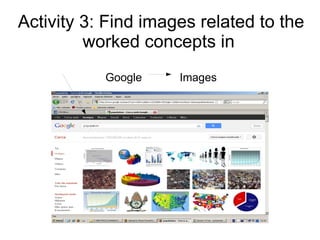
Activity 3: Find images related to the
         worked concepts in
           Google    Images
Activity 4: Make a mind or word map
with the worked vocabulary (you can
     include other union words).
   - population
   - inhabitants
   - urban population
   - rural population
   - child population
   - adult population
   - elderly population
   - active population
   - inactive population
Activity 5: If you finished, you can
 invent activities such as these:

    - Read or look and match

         - Fill in the gaps

               - Etc.

Lesson 14 tac presentations editor

  • 1.
    LESSON 14 TAC Presentationseditor (IV) A Science project POPULATION
  • 2.
    Objectives: 1. To findinformation in the net. 2. To include pictures in a slide. 3. To make word maps in the presentations editor. 4. To make a project by means of the guided exploration. 5. To show motivated for the use of the new technologies.
  • 3.
    Activity 1: Clickon the next link in order to access to the Wikipedia main page in English language http://en.wikipedia.org/wiki/Main_Page
  • 4.
    Activity 2: Searchfor concepts in the Wikipedia web page or in Google. 2.1. Search for the next concepts 2.2. Search for the next concepts in Wikipedia: in Google: - population - population - inhabitants - inhabitants - urban population - urban population - rural population - rural population - child population - child population - adult population - adult population - elderly population - elderly population - active population - active population - inactive population - inactive population 2.3. Choose the information and include the definitions in your presentations editor
  • 5.
    Activity 3: Findimages related to the worked concepts in Google Images
  • 6.
    Activity 4: Makea mind or word map with the worked vocabulary (you can include other union words). - population - inhabitants - urban population - rural population - child population - adult population - elderly population - active population - inactive population
  • 7.
    Activity 5: Ifyou finished, you can invent activities such as these: - Read or look and match - Fill in the gaps - Etc.